
Friday, October 31, 2025

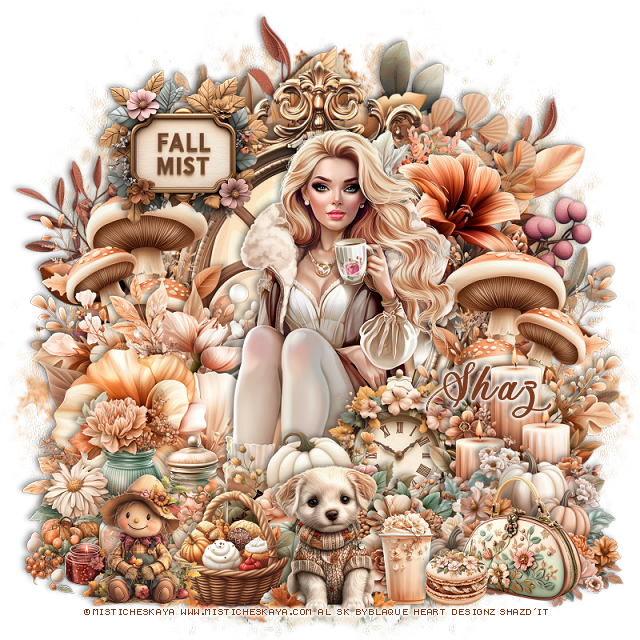
FTU Fall Mist


 This tut was written October 31st, 2025 for those with a basic knowledge of psp. 

I am using the beautiful tube ©Misticheskaya

The tube is "Not Included"

I am using the Beautiful Al kit by Blaque Heart Designz

It is part of the October 2025 Blog Train
You need a license to use this tube, please do not use without a license.
You can find this tube at her store HERE

I used PSP2020...but any of them should work.
FTU Scrap Fall Mist by Blaque Heart Designz  HERE
You can check out her blog HERE
Mask of choice, I used Miz Teeques Mask 173 HERE
Check out the rest of the blog HERE    

Font of choice, I used Ants Valley

Drop shadow as you go is V -2 H -4, 40, 10, or use what you prefer.
Let's get started
*Remember to add your drop shadow as you go along*

Open a new image 800 x 800, paste paper 9, apply your mask, move
to the left, duplicate, mirror.

Resize frame 6 to 60%, paste, click inside, resize element 85 to 
65%, paste below the frame, invert, delete, merge the frame and element.
Resize element 120 to 65%, paste below the frame.
Resize element 121 to 80%, paste below the first wreath.
Resize element 101 to 50%, paste on the frame on the bottom left.
Resize element 98 to 40%, mirror, paste at the upper right on the frame.

Resize the tube to 30%, paste above the flower.

Resize element 96 to 40%, paste on the right below the tube,
duplicate, mirror.
Resize element 54 to 30%, paste on the bottom right above the tube.
Resize element 51 to 35%, paste on the bottom left above the tube.
Resize element 44 to 35%, paste at the bottom above the tube.
Resize element 46 to 35%, paste on the bottom right.
Resize element 102 to 25%, paste between the pumpkins.

Resize element 23 to 25%, paste at the bottom.
Resize element 69 to 30%, paste above the tube.
Resize element 12 to 27%, paste at the bottom by the basket.
Resize element 39 to 20%, paste at the bottom right.
Resize element 31 to 13%, paste at the bottom by the drink.
Resize element 14 to 23%, paste at the bottom left.
Resize element 64 on the bottom right below the cookie.
Resize element 50 to 30%, paste at the upper left.

Add any other elements that you would like, make it your own.
Always readjust your mask and elements how you like them before you
 merge your tag, resize, sharpen.

Crop your tag to be sure no shadows or lines are on the edges.
 Then add your copyright and name.
That's it

Hope you enjoyed doing my tut               
Thursday, October 30, 2025

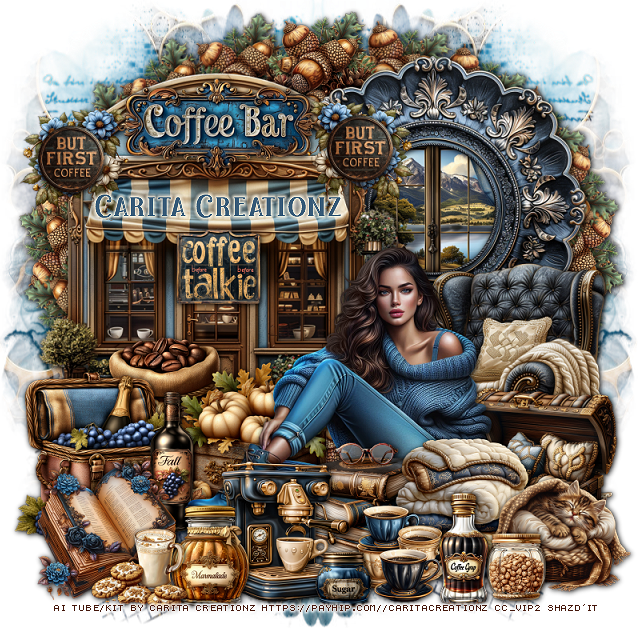
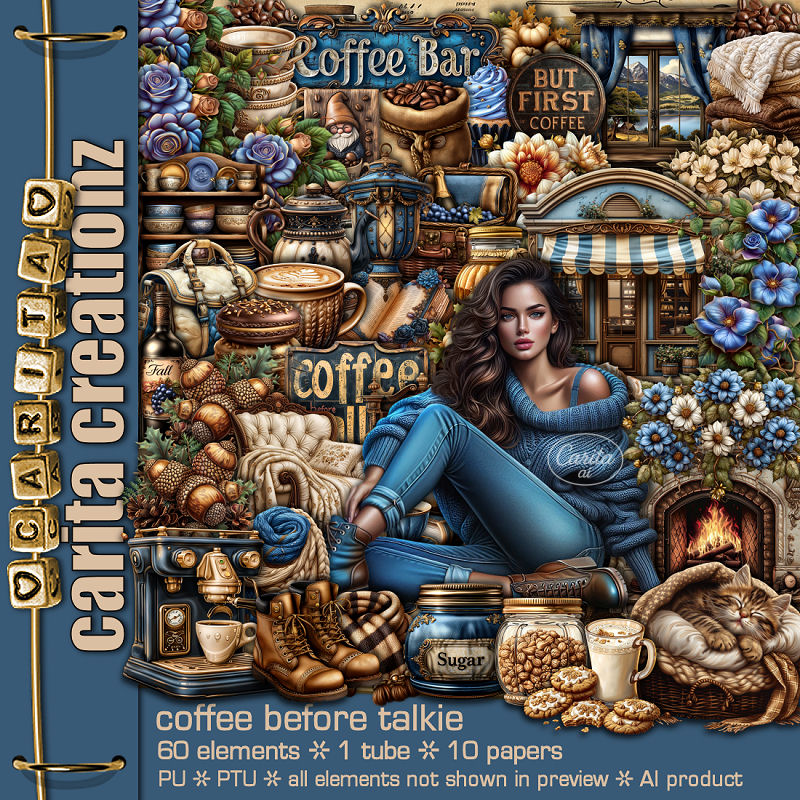
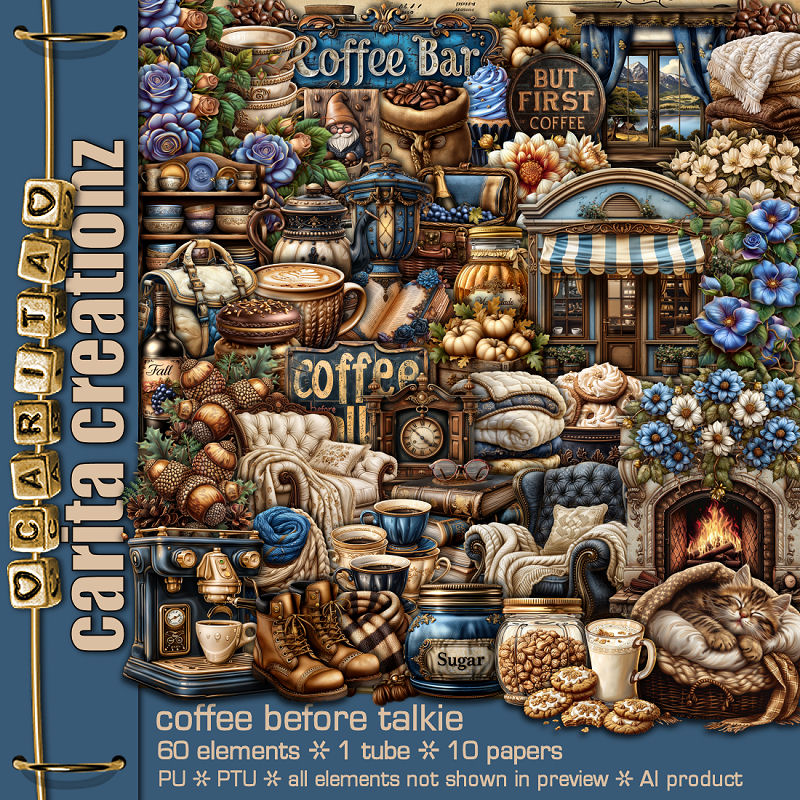
PTU Coffee Before Talkie


  This tut was written October 30th, 2025 for those with a basic knowledge of psp. 

I am using the Awesome Al kit by Carita Creationz
Beautiful Tube is included
Read the TOU on how to credit your tags.

I used PSP2020...but any of them should work.
PTU Scrap Coffee Before Talkie kit by Carita Creationz  HERE
Kit has 60 elements, 10 papers and 1 tube
Check her store out to see all her other kits and tubes HERE
Mask of choice, I used Miz Teeques Mask 78 HERE
Check out the rest of the blog HERE
Filter
Mura Meister Copies-Encircle

Font of choice, I used Christmas Favorites

Drop shadow as you go is V -2 H 4, 50, 10, or use what you prefer.
Let's get started
*Remember to add your drop shadow as you go along*

Open a new image 800 x 800, paste paper 9, apply your mask, 
move to the left, duplicate, mirror.

Resize element 43 to 55%, paste at the upper right, click inside,
resize element 39 to 45%, paste, invert, delete, merge these 2 together.
Resize element 5 to 65%, paste on the left.
Resize element 57 to 35%, paste on the building at the top.
Resize element 17 to 45%, mirror, paste on the bottom right.
Resize element 11 to 20%, apply Mura Meister Copies-Encircle, first
3 numbers on 20, 78, 58 paste above the mask.

Resize the tube to 45%, paste above the chair.

Resize element 59 to 30%, paste below the tube on the right.
Resize element 9 to 25%, paste at the bottom right above the tube.
Resize element 12 to 25%, paste at the bottom right.
Resize element 18 to 25%, paste below the blankets.
Resize element 13 to 18%, paste at the bottom above the cat.
Resize element 1 to 25%, paste at the bottom by the cups.
Resize element 8 to 20%, paste at the bottom.
Resize element 16 to 10%, paste at the bottom.

Resize element 29 to 30%, paste below the tube to the left.
Resize element 52 to 25%, paste on the left above the building.
Resize element 41 to 30%, paste on the left.
Resize element 38 to 25%, paste on the bottom left.
Resize element 27 to 25%, paste below the book.
Resize element 22 to 18%, paste at the bottom.
Resize element 21 to 17%, paste at the bottom.
Resize element 20 to 15%, paste on the building awning.
Resize element 55 to 12%, paste on the building awning to the left,
duplicate, mirror.
Resize element 6 to 15%, paste below the round sign, duplicate, mirror.
Resize element 10 to 12%, paste at the bottom right by the cat.

Add any other elements that you would like, make it your own.
Always readjust your mask and elements how you like them before you
 merge your tag, resize, sharpen.
Crop your tag to be sure no shadows or lines are on the edges.
 Then add your copyright and name.
That's it

Hope you enjoyed doing my tut.       

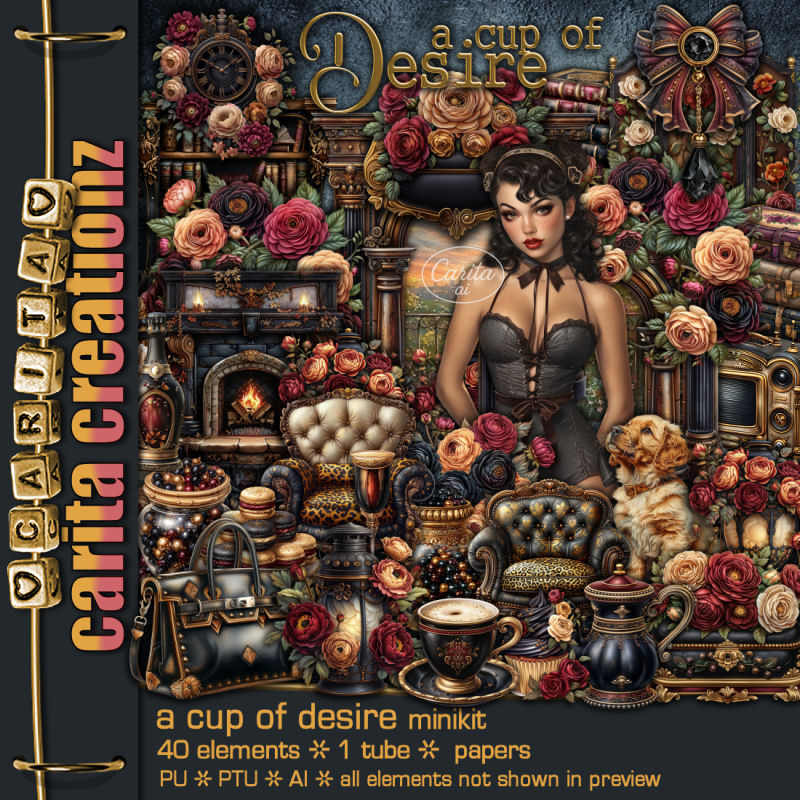
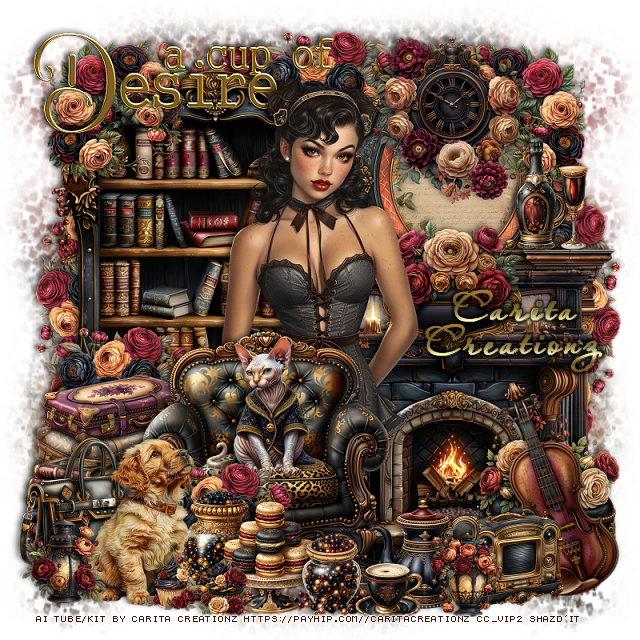
PTU A Cup of Desire


 This tut was written October 30th, 2025 for those with a basic knowledge of psp. 

I am using the Awesome Al kit by Carita Creationz
Beautiful Tube is included
Read the TOU on how to credit your tags.

I used PSP2020...but any of them should work.
PTU Scrap A Cup of Desire mini kit by Carita Creationz  HERE
Kit has 40 elements, 5 papers and 1 tube
Check her store out to see all her other kits and tubes HERE
Mask of choice, I used Miz Teeques Mask 52 HERE
Check out the rest of the blog HERE
Filter
Mura Meister Copies-Encircle

Font of choice, I used Aquarelle

Drop shadow as you go is V -2 H 4, 50, 10, or use what you prefer.
Let's get started
*Remember to add your drop shadow as you go along*

Open a new image 800 x 800, paste paper 3, apply your mask, move
to the right, duplicate, mirror.

Resize element 3 to 25%, apply Mura Meister Copies-Encircle, first 
3 numbers on 16, 70, 65, paste.
Resize element 30 to 60%, paste on the upper left.
Resize element 29 to 60%, paste on the right.
Resize element 6 to 55%, paste above the arch.
Resize element 26 to 50%, paste on the right above the bookcase layer,
click inside, resize paper 5 to 30%, paste, invert, delete.

Resize element 2 to 25%, paste at the upper right on the frame, duplicate, mirror.

Resize the tube to 50%, paste to the left of the fireplace.

Resize element 20 to 45%, paste at the bottom above the tube.
Resize element 40 to 25%, mirror, paste in the chair.
Resize element 22 to 30%, mirror, paste at the bottom above the chair.
Resize element 31 to 30%, paste on the bottom left below the chair.
Resize element 7 to 25%, paste on the right above the fireplace.
Resize element 8 to 25%, paste at the bottom right above the fireplace.
Resize element 35 to 20%, paste below the dog on the bottom left.

Resize element 36 to 30%, paste at the top on the frame.
Resize element 3 to 25%, paste below the dog, duplicate, move
behind the suitcases.
Resize element 4 to 25%, paste on the bottom left below the dog.
Resize element 32 to 20%, paste at the bottom below the dog.
Resize element 16 to 20%, paste at the bottom.
Resize element 18 to 15%, paste at the bottom.
Resize element 34 to 40%, free rotate to the left at 20, paste at the 
bottom right.
Resize element 33 to 20%, paste at the bottom above the violin.

Resize element 13 to 20%, paste at the bottom.
Resize element 15 to 12%, paste at the bottom.
Resize element 11 to 20%, paste on top of the fireplace.
Resize element 12 to 15%, paste on the fireplace.
Resize element 10 and 14 to 10%, paste at the bottom.
Resize element 9 to 15%, paste at the bottom left.
Resize element 17 to 15%, paste at the bottom by the radio.
Resize element 37 to 40%, paste at the top below the tube.

Add any other elements that you would like, make it your own.
Always readjust your mask and elements how you like them before you
 merge your tag, resize, sharpen.
Crop your tag to be sure no shadows or lines are on the edges.
 Then add your copyright and name.
That's it

Hope you enjoyed doing my tut.       

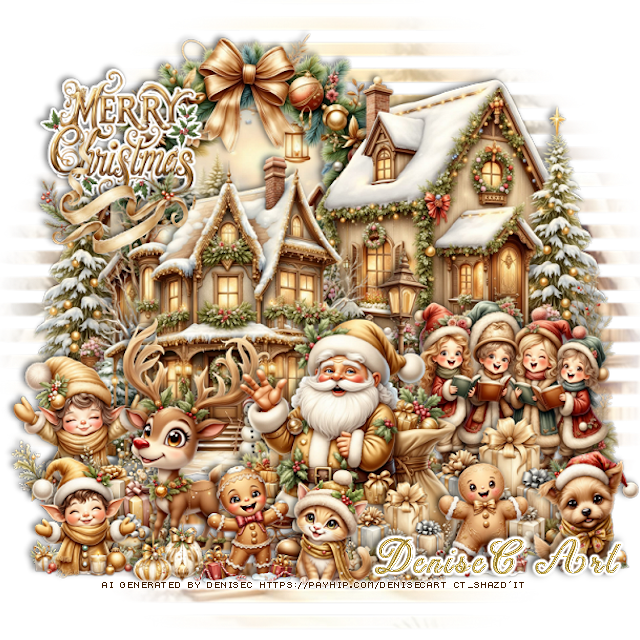
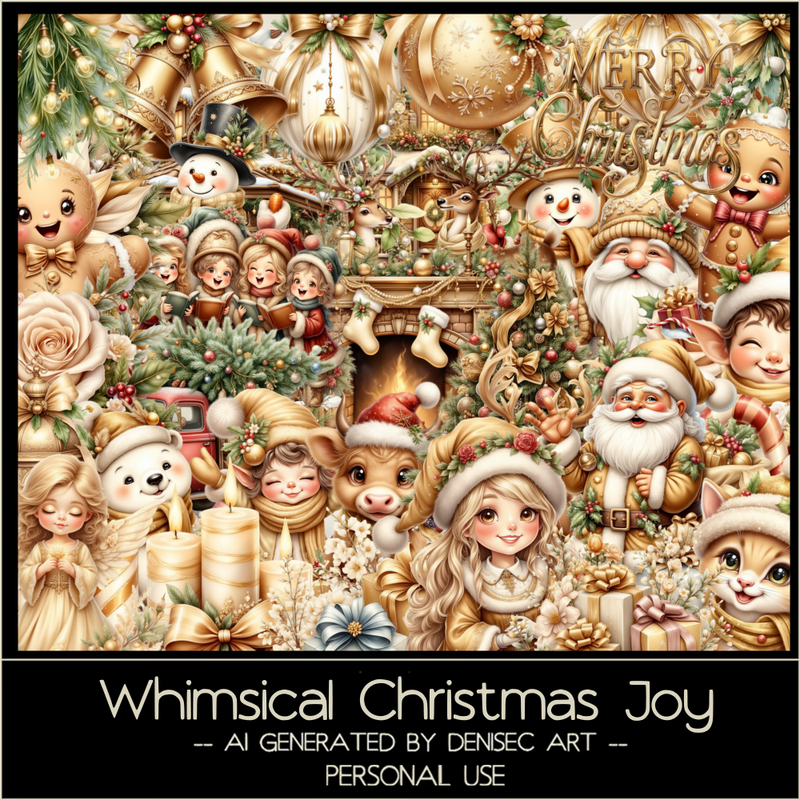
PTU Whimsical Christmas Joy


 This tut was written October 29th, 2025 for those with a basic knowledge of psp. 

AI generated kit and tube by DeniseC Art

Everything used is included in the kit
Read the TOU on how to credit your tags

I used PSP2020...but any of them should work.
PTU Scrap Whimsical Christmas Joy by DeniseC Art  HERE  
You can find all DeniseC Art kits  HERE
Mask of choice, I used Monti's Mask Blind 1  HERE
Check out the rest of the blog HERE    
 
Font of choice, I used Christmas Time

Drop shadow as you go is V -2 H -4, 50, 10, or use what you prefer.
Let's get started
*Remember to add your drop shadow as you go along*

Open a new image 800 x 800, resize paper 6 to 50%, paste, apply your mask,

Resize element 8 to 40%, paste at the upper right.
Resize element 21 to 40%, paste on the left and down.
Resize element 24to 35%, paste on the upper left below the houses, 
click inside, resize paper 5 to 30%, paste, invert, delete.
Duplicate the house on the upper right, mirror, move to the 
left of the wreath so the trees shows.
Resize element 60 to 20%, paste on the upper left, add a fat white gradient.
Resize element 27 to 30%, paste at the bottom.
Resize element 16 to 30%, paste on the right below Santa.

Resize element 5 to 30%, paste below the Santa to the left.
Resize element 34 to 20%, paste on the right below Santa.
Resize element 20 to 15%, paste on the bottom right.
Resize element 19 to 15%, paste at the bottom above Santa.
Resize element 53 to 15%, paste at the bottom.
Resize element 4 to 15%, paste at the bottom to the left of the cat.

Resize element 17 to 20%, paste below the deer on the left.
Resize element 32 to 20%, paste on the wordart how you like.
Resize element 37 to 15%, paste on the bottom left.
Resize element 50 to 15%, paste on the bottom left between the elves.
Resize element 1 and 51 to 7%, paste at the bottom left.
Resize element 34 to 15%, paste at the bottom below the cat.

Add any other elements that you would like, make it your own.
Always readjust your mask and elements how you like them before you
 merge your tag, resize, sharpen.

Crop your tag to be sure no shadows or lines are on the edges.
 Then add your copyright and name.
That's it

Hope you enjoyed doing my tut               
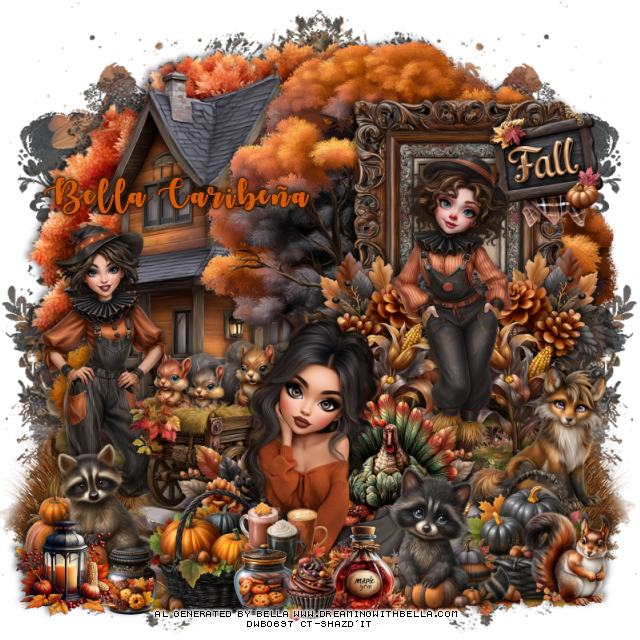
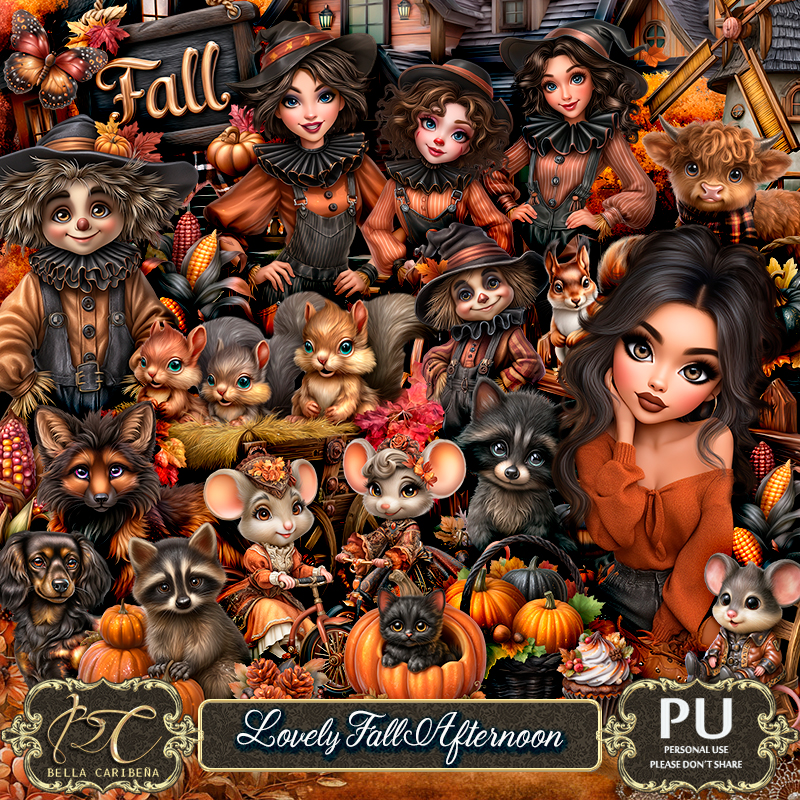
PTU Lovely Fall Afternoon


 This tut was written October 29th, 2025,  for those with a basic knowledge of psp. 

Awesome Al kit/tubes by Bella Caribeña 
Tubes and Dolls are included
Read the TOU on how to credit your tags

I used PSP2020...but any of them should work.
PTU Scrap Lovely Fall Afternoon by Bella Caribeña  HERE
Autumn Theme
Kit contains 7 Al gen tubes/dolls, 3masks, 135 elements, 16 papers  
You can check out the rest of her store HERE 

Font of choice I used Autumn In November

 Drop shadow as you go is V -2 H 4, 50, 10, or use what you prefer.
Let's get started
*Remember to add your drop shadow as you go along*

Open a new image 800 x 800, paste mask element 33, move to
the right, duplicate, merge down, duplicate, mirror.

Resize element 88 to 90%, paste on the upper left.
Resize element 81 to 90%, paste on the left above the tree.
Resize element 70 to 90%, paste on the upper right.
Paste element 47 on the bottom layer below the house layer, on the right, 
duplicate, mirror.
Resize element 92 to 50%, paste on the right, click inside, resize
paper 11 to 40%, paste, invert, delete.
Resize element 41 to 25%, paste on the frame at the upper right.
Resize element 72 to 30%, paste at the bottom of the frame on the right,
duplicate, mirror, move on the frame on the right.
Resize element 104 to 30%, paste above the left flower, duplicate,
mirror, move above the right flower.

Resize tube 6 to 28%, paste on the right above the corn.
Resize tube 1 to 28%, paste on the left.

Resize element 56 to 40%, paste on the left by the tube.
Resize tube 3 to 25%, paste at the bottom.
Resize element 73 to 25%, paste below the tube on the left, duplicate,
mirror, move behind the tube on the right.
Resize element 79 to 30%, paste at the bottom above the tube.
Resize element 106 to 30%, paste on the right by the tube by the frame.
Resize element 83 to 30%, paste on the bottom left.

Resize element 68 to 30%, paste at the bottom above the tube to the left.
Resize element 84 to 15%, paste at the bottom left.
Resize element 28 to 23%, paste at the bottom left.
Resize element 113 to 15%, paste at the bottom above the tube.
Resize element 107 to 15%, paste at the bottom.
Resize element 46 to 20%, paste below the cupcake and cookie jar.
Resize element 29 to 20%, paste at the bottom by the cupcake.
Resize element 35 to 35%, paste below the sitting tube to the right.
Resize element 48 to 30%, paste on the right below the raccoon.
Resize element 53 to 20%, mirror, paste on the bottom right.

Add any other elements you would like, resize.
Crop your tag to be sure no shadows or lines are on the edges.
 Then add your copyright and name.
That's it

            Hope you enjoyed doing my tut               
Tuesday, October 28, 2025

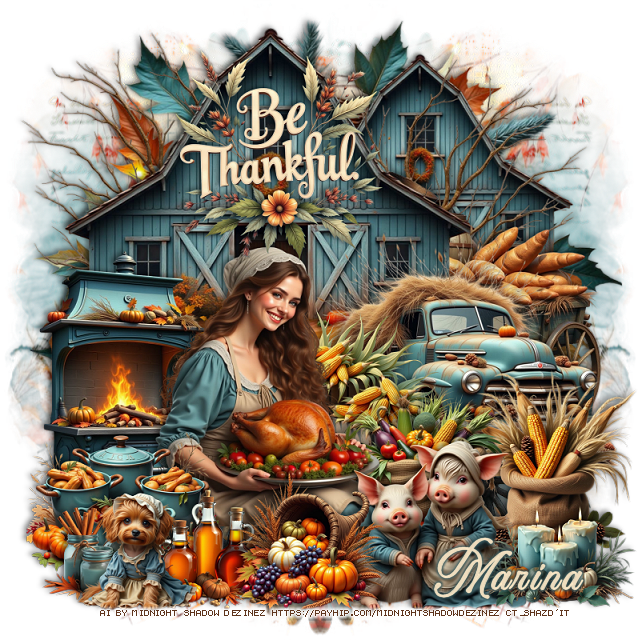
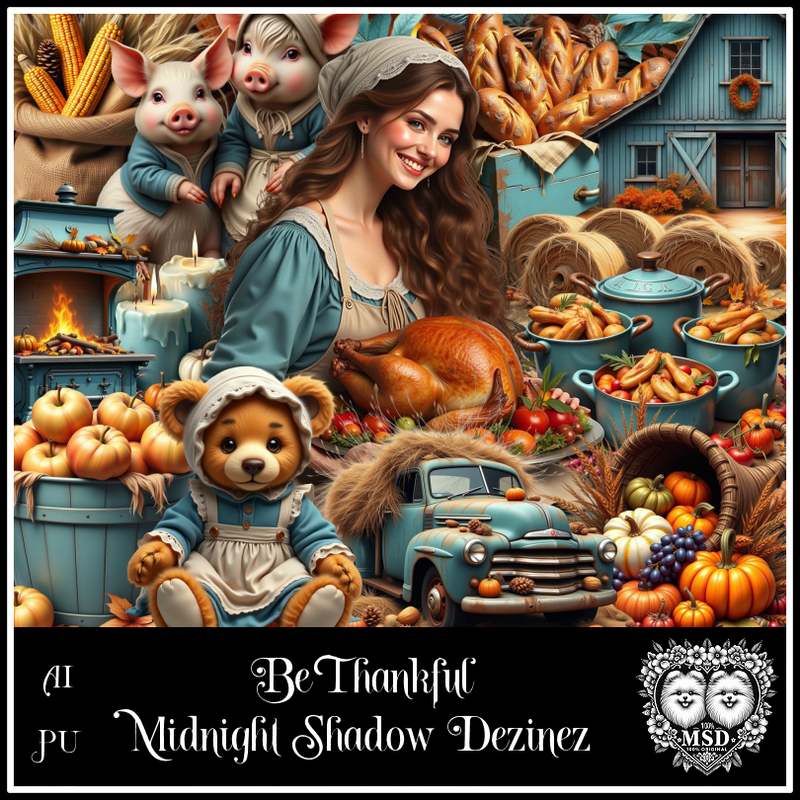
PTU Be Thankful


  This tut was written October 28th, 2025 for those with a basic knowledge of psp. 

Awesome AI kit and tube by Midnight Shadow Dezinez

Everything used is included in the kit
Read the TOU on how to credit your tags

I used PSP2020...but any of them should work.
PTU Scrap Be Thankful by Midnight Shadow Dezinez  HERE
You can find all Midnight Shadow Dezinez kits HERE
Mask of choice, I used Miz TeeQues Mask 78 HERE
Check out the rest of the blog HERE         

Font of choice, I used Aurethia 

Drop shadow as you go is V -2 H -4, 50, 10, or use what you prefer.
Let's get started
*Remember to add your drop shadow as you go along*

Open a new image 800 x 800, resize paper 3 to 80%, apply your mask,
move to the left, duplicate, mirror.

Resize element 2 to 95%, paste.
Resize element 14 to 75%, paste at the top.
Paste element 43 below the barn on the upper left so just the
branches shows, erase any part you don't want, duplicate, mirror, 
erasing again if needed.
Duplicate the barn, resize to 75%, paste on the right below the branches.
Resize element 44 to 50%, paste to the right.

Resize element 56 to 45%, paste.

Resize element 41 to 50%, paste below the tube on the left.
Resize element 32 to 30%, paste at the bottom left above the tube.
Resize element 31 to 30%, paste below the tube to the right.
Resize element 22 to 30%, paste above the corn.

Resize element 16 to 35%, paste on the bottom right above the tube.
Resize element 8 to 25%, paste at the bottom being on the top layer.
Resize element 38 to 20%, paste at the bottom left.
Resize element 10 to 30%, paste on the bottom right above the truck.
Resize element 43 to 50%, paste on the right behind the barn.
Resize element 54 to 25%, paste at the bottom above the pigs.
Resize element 39 to 25%, paste at the bottom right.
Resize element 21 to 40%, paste on the barn.
Resize element 1 to 20%, paste at the bottom left.

Add any other elements that you would like, make it your own.
Always readjust your mask and elements how you like them before you
 merge your tag, resize, sharpen.

Crop your tag to be sure no shadows or lines are on the edges.
 Then add your copyright and name.
That's it

Hope you enjoyed doing my tut    
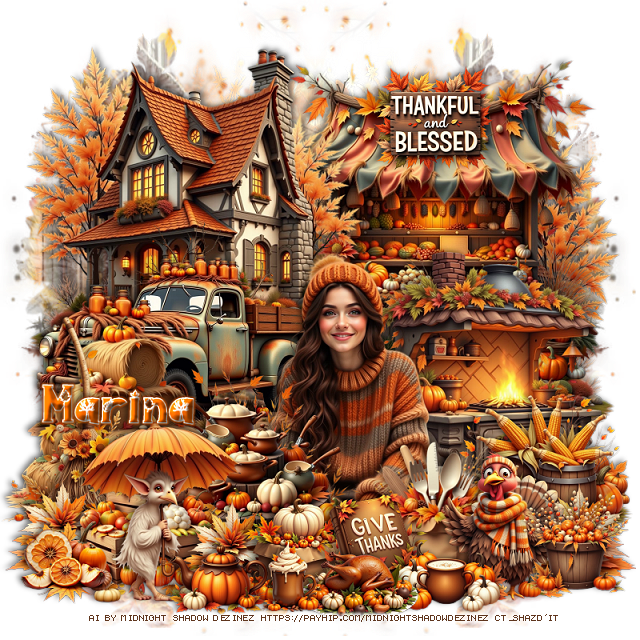
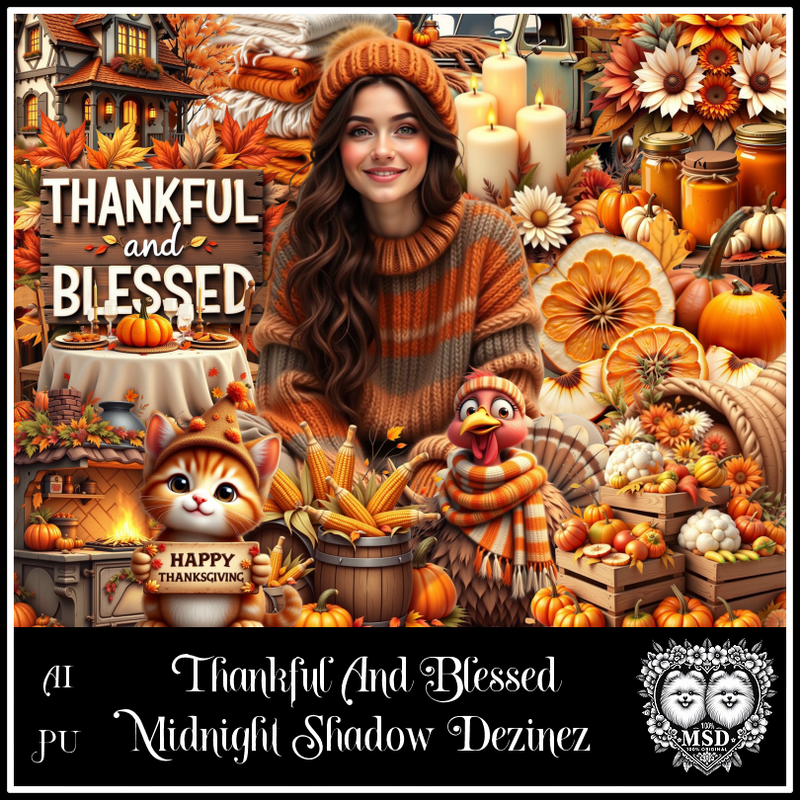
PTU Thankful and Blessed


This tut was written October 28th, 2025 for those with a basic knowledge of psp. 

Awesome AI kit and tube by Midnight Shadow Dezinez

Everything used is included in the kit
Read the TOU on how to credit your tags

I used PSP2020...but any of them should work.
PTU Scrap Thankful and Blessed by Midnight Shadow Dezinez  HERE
You can find all Midnight Shadow Dezinez kits HERE
Mask of choice, I used Miz TeeQues Mask 79 HERE
Check out the rest of the blog HERE         

Font of choice, I used Autumn Scenery

Drop shadow as you go is V -2 H -4, 50, 10, or use what you prefer.
Let's get started
*Remember to add your drop shadow as you go along*

Open a new image 800 x 800, resize paper 4 to 80%, apply your mask,
move to the left, duplicate, mirror.

Resize element 58 to 55%, mirror, paste at the upper left, duplicate, 
mirror, just want the trees to show on this second one.
Resize element 54 to 50%, paste above the house to the left.
Resize element 49 to 55%, paste at the upper right below the top
house.

Resize element 47 to 45%, paste at the bottom.

Resize element 17 to 40%, paste at the bottom left above the truck.
Resize element 11 to 40%, paste at the bottom above the tube.
Resize element 6 to 35%, paste at the bottom left.
Resize element 55 to 50%, paste on the right below the tube.
Resize element 27 to 30%, paste at the bottom right above the tube.
Resize element 59 to 30%, paste at the bottom left.
Resize element 48 to 25%, paste on the bottom right.

Resize element 36 to 20%, paste on the bottom left below the crates, 
duplicate, move above the crates and over more, duplicate again, 
move to the right.
Resize element 52 to 20%, paste at the bottom.
Resize element 60 to 25%, paste at the bottom right.
Resize element 5 to 35%, paste at the bottom left.
Resize element 7 to 20%, paste at the bottom below the books.
Resize element 39 to 20%, paste at the upper right on the stand.
Resize element 4 to 12%, paste at the bottom.
Resize element 45 to 17%, paste at the bottom.
Resize element 44 to 20%, paste at the bottom by the book.
Resize element 46 to 20%, paste at the bottom.
Resize element 42 to 15%, paste at the bottom left.
Resize element 41 to 20%, paste at the bottom right.

Add any other elements that you would like, make it your own.
Always readjust your mask and elements how you like them before you
 merge your tag, resize, sharpen.

Crop your tag to be sure no shadows or lines are on the edges.
 Then add your copyright and name.
That's it

Hope you enjoyed doing my tut