Saturday, March 14, 2026

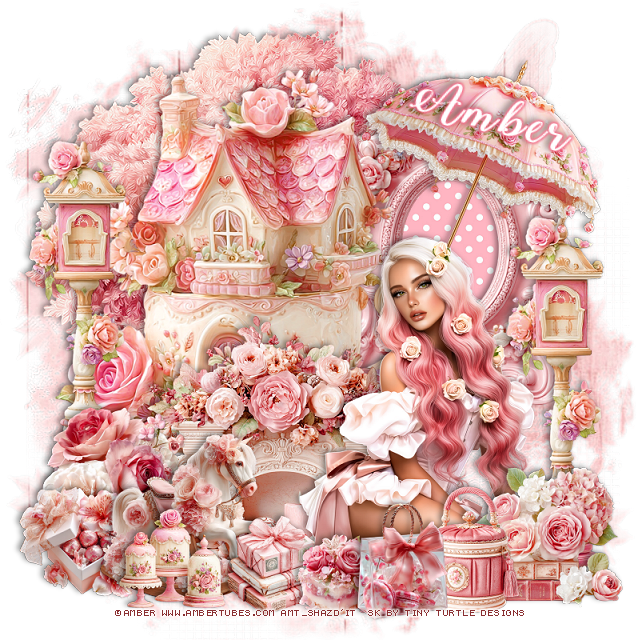
PTU Angel 14


  This tut was written March 14th, 2026 for those with a basic knowledge of psp. 

I am using the beautiful tube by © Verymany

Tube is called Angel 14
You need a license to use this tube, please do not use without a license
You can find this tube at Verymany store HERE

I used PSP2020...but any of them should work.
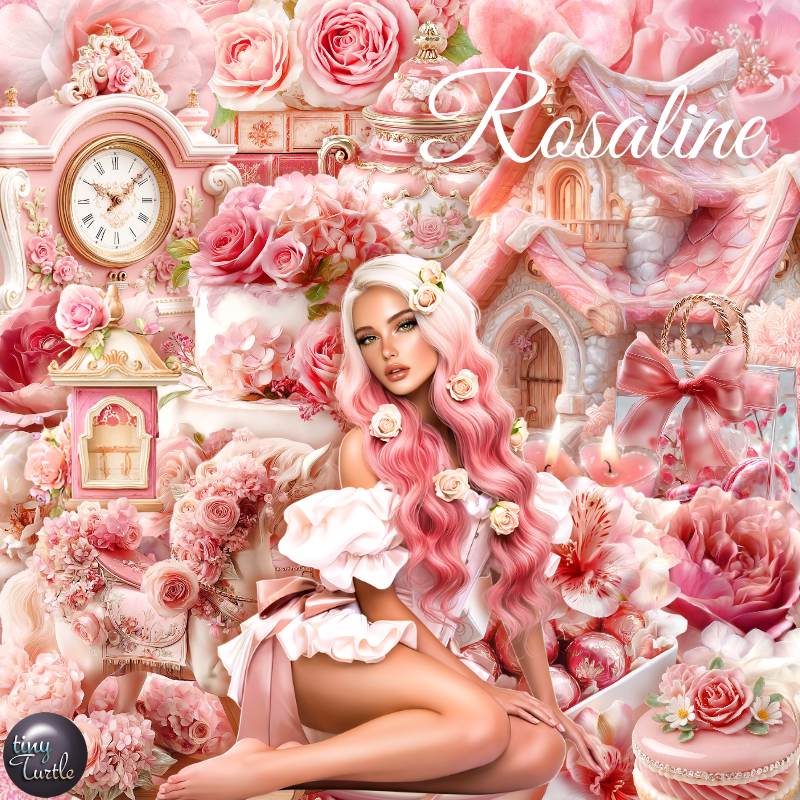
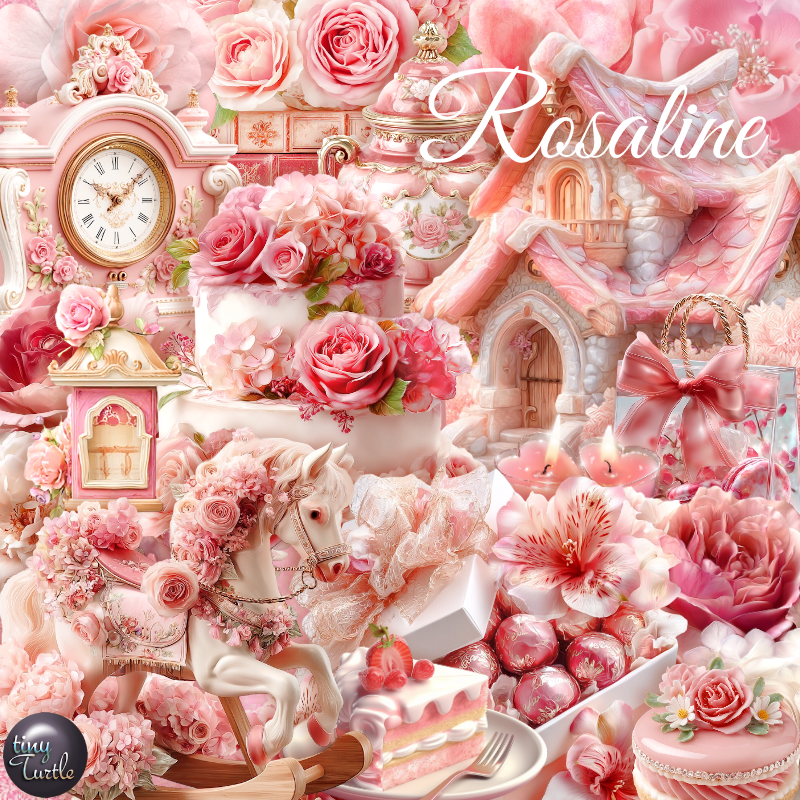
PTU Scrap Angel 14 by Tiny Turtle Designs  HERE
You can find all Tiny Turtle Designs kits  HERE 
Miz Teeques Mask 78 HERE
Check the blog out HERE

Font of choice, I used Angel Tears Neue

Drop shadow as you go is V -2 H 4, 40, 10, or use what you prefer.
Let's get started
*Remember to add your drop shadow as you go along*

Open a new image 800 x 800, paste paper 9, apply your mask, move
to the left, duplicate, mirror.

Resize frame 3 to 75%, paste, click inside, paste paper 10, 
invert, delete.
Resize 75 to 20%, apply Mura Meister Copies-Encircle, first 3
numbers on 18, 55, 45, paste below the frame.
Resize 38 to 30%, apply Mura Meister Copies-Encircle, first 3
numbers on 18, 58, 45, paste below the flower circle.
Resize 145 to 75%, paste on the right above the frame.
Resize 30 to 40%, mirror, paste on the upper left on the frame.

Resize the tube to 30%, paste on the bottom left above the house.

Resize 76 to 30%, paste on the bottom left below the tube, duplicate, mirror.
Resize 100 to 30%, paste on the bottom left above the tube.
Resize 31 to 25%, paste at the bottom left above the gift boxes.
Resize 62 to 25%, paste at the bottom below the mailbox.
Resize 29 to 25%, paste at the bottom below the mailbox.
Resize 129 to 25%, paste on the bottom left.
Resize 152 to 20%, paste at the bottom above the books.
Resize 102 to 28%, paste on the bottom right below the books.
Resize 166 to 20%, paste at the bottom left above the mailbox.

Resize 78 to 25%, paste at the bottom.
Resize 115 to 15%, paste at the bottom right.
Resize 34 to 13%, paste at the bottom right.
Resize 146 to 20%, paste on the bottom left.
Resize 148 to 15%, paste at the bottom right, duplicate, mirror.

Add any other elements that you would like, make it your own.
Always readjust your mask and elements how you like them before you
 merge your tag, resize, sharpen.

Crop your tag to be sure no shadows or lines are on the edges.
 Then add your copyright and name.
That's it

Hope you enjoyed doing my tut

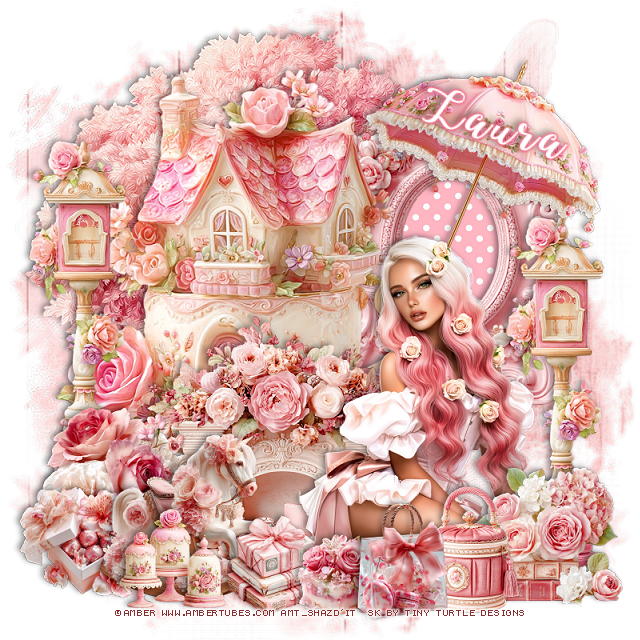
Tag for Laura    


PTU Cowgirl Way


  This tut was written March 14th, 2026 for those with a basic knowledge of psp. 

I am using the awesome tube ©Verymany
The tube is called Cowgirl 11
The tube is NOT included
You need a license to use this tube, please do not use without a license
You can find the tube at Verymany store HERE


I used PSP2020...but any of them should work.
PTU Scrap Cowgirl Way by Doodle by Design  HERE
You can find all Doodle by Design kits  HERE 

Font of choice, I used Wild West

Drop shadow as you go is V -2 H 4, 40, 10, or use what you prefer.
Let's get started
*Remember to add your drop shadow as you go along*

Open a new image 800 x 800, paste 159 on the upper left, duplicate, 
move to the right and down.

Resize frame 2 to 60%, paste to the left, click inside, resize 9 to 
70%, paste below the frame, invert, delete, merge together.
Resize 47 to 65%, paste on the right and down above the frame.
Resize 3 to 17%, paste on the porch of the house.

Resize the tube to 30%, paste at the bottom.

Resize 33 to 45%, paste at the bottom above the tube.
Resize 45 to 45%, paste on the left below the tube.
Resize 4 to 45%, paste on the bottom left above the guitar.
Resize 56 to 42%, mirror, paste below the tube on the right.
Resize 5 to 40%, mirror, paste on the right above the wheel barrel.
Resize 58 to 40%, paste on the left below the chair.

Resize 57 to 22%, paste at the bottom above the guitar.
Resize 17 to 17%, paste at the bottom.
Resize 53 to 30%, paste on the right below the wheel barrel.
Resize 52 to 30%, paste at the bottom below the drink.
Resize 50 to 20%, paste at the bottom right.
Resize 36 to 23%, paste at the bottom by the books.
Resize 23 to 20%, mirror, paste at the bottom right.
Resize 12 to 20%, paste at the bottom below the chickens.

Resize 10 to 30%, paste at the top below the frame.
Resize 1 to 12%, paste at the bottom by the bottle.
Resize 40 to 10%, paste at the bottom.
Resize 8 to 25%, paste at the bottom left.
Resize 2 to 20%, paste on the bottom left by the guitar.
Resize 134 to 25%, paste at the top of the house.
Resize 51 to 25%. paste on the frame on the left, duplicate, move 
to the right  of the frame above the house.
Resize 38 to 15%, paste at the top by the bird house.

Add any other elements that you would like, make it your own.
Always readjust your mask and elements how you like them before you
 merge your tag, resize, sharpen.

Crop your tag to be sure no shadows or lines are on the edges.
 Then add your copyright and name.
That's it

Hope you enjoyed doing my tut 

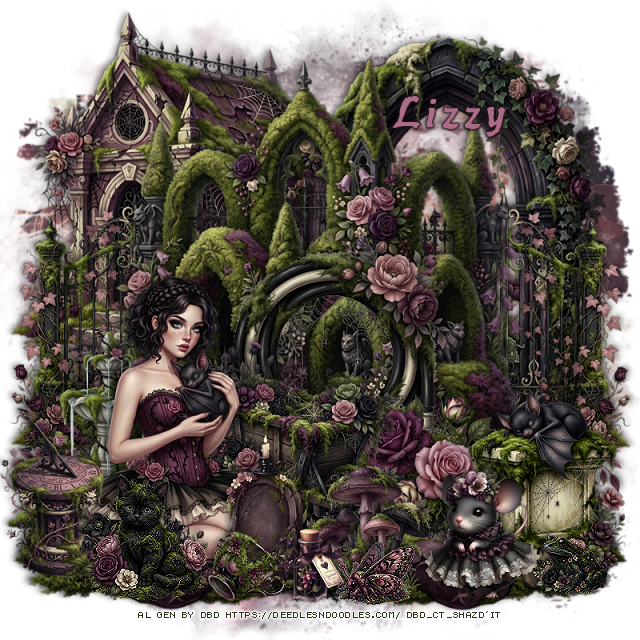
Tag for Lizzy 


PTU Spring In Paris


   This tut was written March 13th, 2026 for those with a basic knowledge of psp. 

Awesome tube used ©Goldwasser

The tube is included in the kit, this kit contains "NO Al"
Everything used is included in the kit
Read the TOU on how to credit your tags

I used PSP2020...but any of them should work.
PTU Scrap Spring In Paris "NO Al" by Diamond Creations  HERE
You can find all Diamond Creations  kits HERE
Template 32 by Becky HERE
Check the rest of the blog HERE
Mask of choice, I used Miz Teeques 400 HERE
Check out the rest of the blog HERE

Font of choice, I used Paulistana

Drop shadow as you go is V -2 H -4, 40, 10, or use what you prefer.
Let's get started
*Remember to add your drop shadow as you go along*

Open the template, delete the credits, go to Image, Canvas size, make 
it 800 x 800, fill the white layer with white.

Select the bottom rectangle, float, defloat, paste paper 20, invert, delete,
delete the template layer on each layer as you go along.

Select the middle rectangle, paste paper 12, invert, delete.
Select the top rectangle, paste paper 20, invert, delete.

Frame background I just added a drop shadow.
Select frame fill, paste paper 6, invert, delete.
Select the frames, add a new layer, fill with a color of choice, 
I used #933b45 and added noise at 50.

Resize 72 to 32%, paste on the upper right being on the top layer.
Resize 56 to 60%, paste on the left above the center frame.

Resize 2 to 30%, paste above the clock and tower.

Resize 24 to 40%, paste on the left above the frames, duplicate, mirror.
Resize 25 to 35%, paste on the bottom left below the tube, above the flowers,
duplicate, mirror.
Resize 86 to 40%, paste on the right between the flowers.
Resize 74 to 20%, paste on the bottom left below the tube.
Resize 84 to 22%, paste on top of the box.
Resize 3 to 30%, paste at the bottom left above the tube, duplicate,
mirror.
Resize 81 to 20%, paste on the bottom right by the flower,
duplicate, mirror.
Resize 78 to 27%, paste at the bottom below the flower.

Resize 34 to 30%, paste at the bottom below the flower on the right.
Resize 23 to 30%, paste below the clock on the right, duplicate, mirror,
move back by the clock.
Resize 50 to 17%, paste at the bottom by the book.
Resize 32 to 22%, paste at the bottom.
Resize wordart 2 to 40%, paste on the upper left, add a white gradient glow.
Resize 41 to 20%, free rotate to the right at 15, duplicate, 
mirror, move back by the first one.

Resize 98 to 65%, paste on the bottom layer to the left, duplicate, mirror.
Resize 68 to 20%, paste at the bottom left.
Resize 95 to 65%, paste on the left, duplicate, mirror.
Paste paper 12 on the bottom layer, apply your mask.

Add any other elements that you would like, make it your own.
Always readjust your mask and elements how you like them before you
 merge your tag, resize, sharpen.

Crop your tag to be sure no shadows or lines are on the edges.
 Then add your copyright and name.
That's it

Hope you enjoyed doing my tut           

Friday, March 13, 2026

PTU Voodoo Healer


  This tut was written March 13th, 2026,  for those with a basic knowledge of psp. 

Awesome Voodoo Al kit by Bella Caribeña
I used the Tube pack 249, they are no included
You can buy these tubes HERE
Read the TOU on how to credit your tags

I used PSP2020...but any of them should work.
PTU Scrap Voodoo Healer by Bella Caribeña  HERE
Voodoo Theme
Kit contains 5 Al gen tubes, 166 elements, 18 papers
You can check out the rest of her store HERE 
RD Mask 674 HERE
Check the blog HERE

Font of choice I used Skulls and Crossbones

 Drop shadow as you go is V -2 H 4, 50, 10, or use what you prefer.
Let's get started
*Remember to add your drop shadow as you go along*

Open a new image 800 x 800, paste 15, apply your mask.

Resize 129 to 75%, paste at the top left.
Resize 136 to 90%, paste at the top below the house.
Resize 99 to 35%, paste on the left above the house.
Resize 97 to 30%, paste on the left above the man.
Resize 77 to 30%, paste above the chest.

Resize tube 1 from the tube pack to 33%, paste on the right above the house.
Resize 28 to 70%, paste on the right above the house behind the tube.
Resize 86 to 45%, paste on the bottom right above the tube.
Resize 91 and 109 to 30%, paste at the bottom above the fire.
Resize 17 to 55%, paste below the tube to the left.

Resize 101 to 35%, paste at the bottom by the plant.
Resize 71 to 30%, paste at the bottom above the lady to the left a little.
Resize 20 to 30%, paste at the bottom left below the pot.
Resize 74 to 25%, paste at the bottom above the lady.
Resize 111 to 15%, paste at the bottom left.
Resize 112 to 20%, paste at the bottom left, duplicate, mirror.
Resize 79 to 25%, paste at the bottom.
Resize 55 to 20%, mirror, paste at the bottom to the right.
Resize 156 to 12%, paste at the bottom.
Resize 120 to 13%, paste on the bottom right.
Resize 122 to 25%, paste at the top on the house.

Add any other elements you would like, resize.
Crop your tag to be sure no shadows or lines are on the edges.
 Then add your copyright and name.
That's it

            Hope you enjoyed doing my tut               

PTU Hello Sunshine

 This tut was written March 13th, 2026 for those with a basic knowledge of psp. 

I am using the beautiful tag ©Misticheskaya
The tube is called Ginny
Tube is NOT included
You need a license to use this tube, please do not use without a license
You can find the tube at her store HERE

I used PSP2020...but any of them should work.
PTU Scrap Hello Sunshine mini kit  by Carita Creationz  HERE
Check her store out to see all her other kits and tubes HERE
Mask of choice, I used RD Mask Set 99_Mask 3 HERE
Check the blog HERE  

Font of choice, I used Lovely Butterfly

Drop shadow as you go is V -2 H 4, 40, 10, or use what you prefer.
Let's get started
*Remember to add your drop shadow as you go along*

Open a new image 800 x 800, paste paper 4, apply your mask, 
duplicate, merge down.

Resize 41 to 80%, paste, click inside, paste paper 3, invert, delete.
Resize 26 to 110, below the frame, erase the roots.
Paste 27 above the tree.
Resize 24 to 45%, paste above the frame on the left, duplicate, mirror.
Resize 7 to 28%, paste at the top below one of the flowers.
Resize 39 to 35%, free rotate to the left at 15, paste on the left above the flower.
Resize 46 to 45%, paste on the bottom left above the sign.
Resize 29 to 45%, paste on the bottom right.
Resize 20 to 20%, free rotate to the right at 15, paste in the chair.
Resize 6 to 15%, paste in the chair.

Resize the tube to 30%, paste at the bottom.

Resize 30 to 30%, paste below the tube on the bottom left.
Resize 48 to 25%, paste at the bottom above the tube by the hand.
Resize 16 to 25%, paste at the bottom right below the tube.
Resize 17 to 23%, paste on the bottom right below the blankets.
Resize 1 to 28%, mirror, paste on the bottom right above the watering can.
Resize 3 to 30%, paste at the bottom by the watering can.
Resize 13 to 25%, paste at the bottom by the basket.
Resize 34 to 20%, paste at the bottom below the bottle.
Resize 32 to 10%, paste at the bottom.
Resize 37 to 25%, paste on the bottom left below the cupcake.
Resize 4 to 25%, paste on the bottom left.
Resize 31 to 15%, paste at the bottom left by the bottle.
Resize 21 to 20%, paste on the left above the sign.

Add any other elements that you would like, make it your own.
Always readjust your mask and elements how you like them before you
 merge your tag, resize, sharpen.
Crop your tag to be sure no shadows or lines are on the edges.
 Then add your copyright and name.
That's it

Hope you enjoyed doing my tut.            

PTU Easter Garden


 This tut was written March 13th, 2026 for those with a basic knowledge of psp. 

I am using the beautiful Al kit/tube by DeniseC Art

Everything is included in the kit
Please read their TOU on how to credit your tags

I used PSP2020...but any of them should work.
PTU Scrap Easter Garden by DeniseC Art HERE
Check out her store here for more of her kits  HERE 
RD Mask 673 HERE
Check the blog out HERE

Font of choice, I used Starlight Rune

Drop shadow as you go is V -2 H 4, 40, 10, or use what you prefer.
Let's get started
*Remember to add your drop shadow as you go along*

Open a new image 800 x 800,  resize paper 5 to 65%, paste, apply your mask,
duplicate, merge down.

Resize 25 to 50%, paste at the top.
Resize 36 to 40%, paste on the upper left below the clock house,
duplicate, mirror.
Resize 20 to 25%, paste below the clock house on the right, duplicate, 
mirror.
Resize 35 to 30%, mirror, paste above the window on the right.

Resize 26 to 40%, paste at the bottom above the house.

Resize 47 to 30%, paste on the left below the tube.
Resize 55 to 15%, paste at the bottom above the tube.
Resize 37 to 25%, paste on the upper left.
Resize 7 to 25%, paste on the bottom right below the tube.
Resize 13 to 15%, paste at the bottom right below the sheep.
Resize 12 to 20%, paste on the bottom left below the wagon.
Resize 16 to 15%, paste on the bottom right.

Resize 30 to 17%, paste at the bottom left.
Resize 27 to 15%, paste at the bottom left.
Resize 43 and 44 to 22%, paste at the bottom on the left.
Resize 28 to 13%, paste at the bottom right.
Resize 29 to 12%, paste on the bottom right.
Resize 9 to 10%, paste at the bottom left.
Resize 45 to 10%, paste on the bottom right above the chickens.
Resize 33 to 17%, paste on the left below the wagon.

Add any other elements that you would like, make it your own.
Always readjust your mask and elements how you like them before you
 merge your tag, resize, sharpen.

Crop your tag to be sure no shadows or lines are on the edges.
 Then add your copyright and name.
That's it

Hope you enjoyed doing my tut   

Thursday, March 12, 2026

PTU Beedazzle


 This tut was written March 12th, 2026 for those with a basic knowledge of psp. 

Awesome AI kit and tube by Midnight Shadow Dezinez

Everything used is included in the kit
Read the TOU on how to credit your tags

I used PSP2020...but any of them should work.
PTU Scrap Beedazzle by Midnight Shadow Dezinez  HERE
You can find all Midnight Shadow Dezinez kits HERE
Mask of choice, I used RD Mask Set 136_Mask 2 HERE
Check the blog HERE

Font of choice, I used Cute Bee

Drop shadow as you go is V -2 H -4, 50, 10, or use what you prefer.
Let's get started
*Remember to add your drop shadow as you go along*

Open a new image 800 x 800, paste paper 1, apply your mask, move
to the left, duplicate, mirror.

Resize 56 to 65%, paste at the upper left.
Resize 28 to 65%, paste above the tree, duplicate, the tree, move 
above the house down and to the right a little.
Resize 58 to 45%, paste above the tree to the left a bit and down.
Resize 48 to 50%, paste on the bottom right.
Resize 35 to 40%, paste on the bottom left above the ladder.
Resize 57 to 35%, paste on the left below the wheel.
Resize 24 to 25%, paste at the bottom below the wheel.
Resize 3 to 30%, paste at the bottom left above the wheel.

Resize 22 to 40%, paste at the bottom about center.

Resize 10 to 30%, paste at the bottom by the sign.
Resize 15 to 23%, paste at the bottom below the car.
Resize 13 to 15%, paste at the bottom above the car.
Resize 44 to 15%, paste at the bottom left above the sign.
Resize 46 to 12%, paste at the bottom by the sign.

Resize 37 to 25%, paste below the tube on the bottom right.
Resize 41 to 25%, paste on the bottom right below the bottles.
Resize 9 to 20%, paste at the bottom below the basket of flowers.
Resize 34 to 25%, paste on the bottom right.
Resize 54 to 15%, paste on the right on the stand.
Resize 40 to 35%, paste at the top.

Resize 1 to 12%, paste at the bottom by the bear.
Resize 4 to 12%, paste at the bottom above the car.
Resize 8 to 12%, free rotate to the right at 20, paste on the wheel on the left.
Resize 21 to 15%, paste by the happy sign.

Add any other elements that you would like, make it your own.
Always readjust your mask and elements how you like them before you
 merge your tag, resize, sharpen.

Crop your tag to be sure no shadows or lines are on the edges.
 Then add your copyright and name.
That's it

Hope you enjoyed doing my tut