

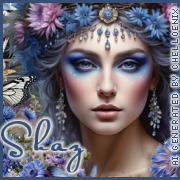
This tut was written July 12th, 2025 for those with a basic knowledge of psp.
I am using the awesome Al kit Cornflower Cottage
The kit and tubes are Al generated by Chelloenix
Credit your tags with their credits
I used PSP2020...but any of them should work.
Drop shadow is V-1 H-4 Black, 40, 10, use what you prefer.
Let's get started
*Remember to add your drop shadow as you go along*
Open the template, delete the credits, resize the canvas to 800 x 800,
then resize all layers of the template to 140 and then go back and resize
the canvas again to 800 x 800.
Paste paper 70, apply your mask.
Merge raster layer 3 with all the copy layers of 3, select all, float, defloat,
paste paper 71, move where you like, invert, delete.
Close off layer 5, click on raster 2 with the magic wand, paste paper 4, move
where you like, invert, delete, keep selected, resize tube 30 to 50, duplicate,
close the top tube, delete on the bottom tube.
Open the top tube, erase the bottom part, move above the dotted line.
Click on the white circle, add noise at 100%.
Raster 4, add a color of choice and noise and a fat gradient glow.
Resize element 17 to 25%, apply Mura Meister Copies-Encircle, first
3 numbers on 14, 45, 45, paste on the bottom layer below the dotted lines.
Resize element 107 to 70%, paste on the bottom layer.
Resize element 17 to 25%, being on the top layer, paste on the right, duplicate, mirror.
Resize element 23 to 25%, paste on the right, duplicate, mirror.Resize element 18 to 25%, paste at the bottom.
Resize element 209 to 25%, paste at the bottom left below the top flower,
Resize element 64 to 20%, paste at the bottom left.
Resize element 102 to 20%, paste on the right.
Resize element 308 to 15%, paste at the bottom.
Resize element 305 to 15%, paste at the bottom.
Resize element 272 to 15%, paste at the bottom left.
Resize element 258 to 20%, paste at the bottom right between the books.
Resize element 274 to 15%, paste at the bottom to the left of the books.
Resize element 236 to 15%, paste at the bottom.
Resize element 156 to 15%, paste at the bottom.
Resize element 12 to 12%, paste at the top right, free rotate to the left at
20, duplicate mirror.
Add any other elements that you would like, make it your own.
Always readjust your mask and elements how you like them before you
merge your tag, sharpen once.
Crop your tag to make sure no shadows or anything on the edges
Crop your tag to make sure no shadows or anything on the edges
Then add your copyright and name.
That's it
Hope you enjoyed doing my tut.
No comments:
Post a Comment