Tuesday, September 30, 2025

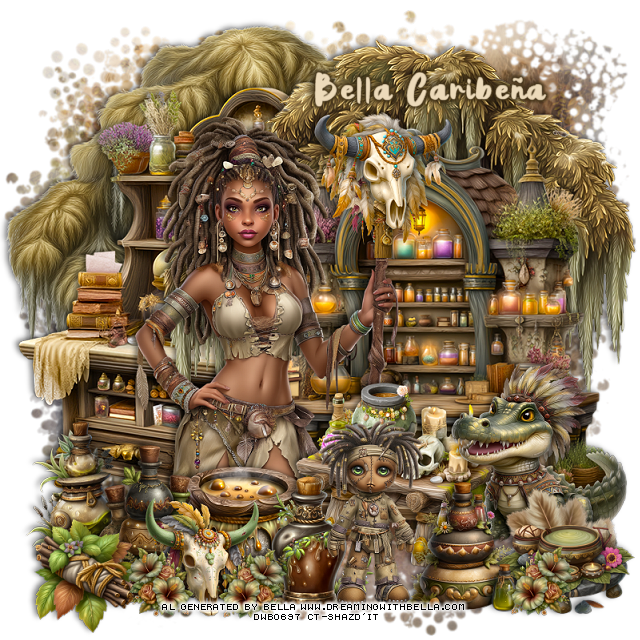
PTU Voodoo Time


 This tut was written September 30th, 2025,  for those with a basic knowledge of psp. 

I am using Awesome Al tubes and kit by Bella Caribeña
Tubes are included
Read the TOU on how to credit your tags

I used PSP2020...but any of them should work.
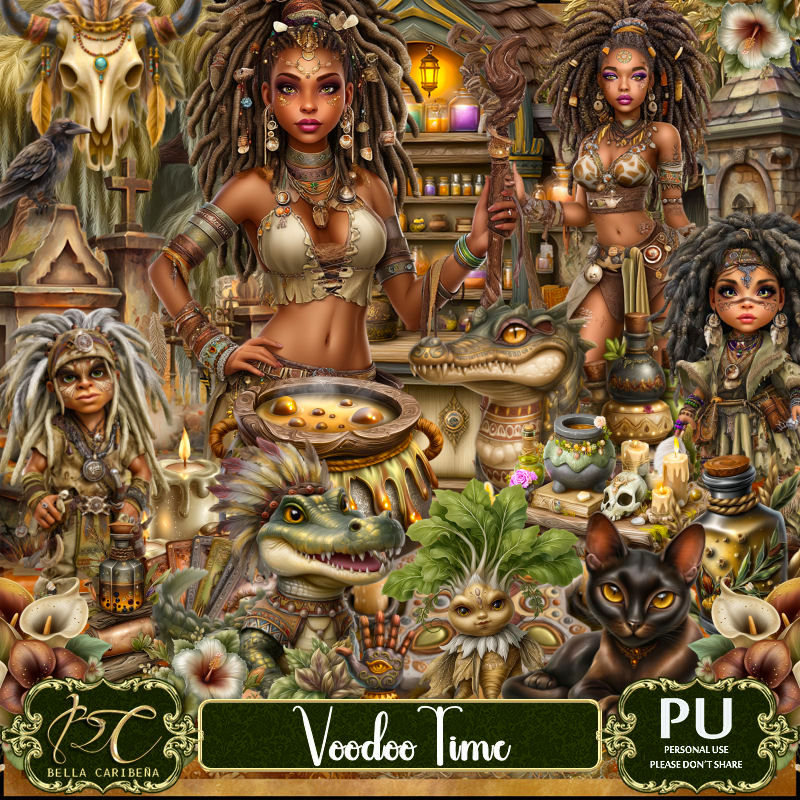
PTU Scrap Voodoo Time by Bella Caribeña  HERE
Voodoo Theme
Kit contains 15 Al gen tubes/dolls, 151 elements, 18 papers and 3 masks
You can check out the rest of her store HERE 

Font of choice, I used Jungle

 Drop shadow as you go is V -2 H 4, 50, 10, or use what you prefer.
Let's get started
*Remember to add your drop shadow as you go along*

Open a new image 800 x 800, paste mask 1.

Paste element 53 at the upper right.
Paste element 133 on the upper left below the tree.
Paste element 39 on the left between the trees.
Resize element 42 to 85%, paste on the right above the tree.
Resize tube 3 to 35%, paste to the left.
Resize element 43 to 35%, paste at the bottom above the tube.
Resize element 37 to 30%, paste at the bottom above the tube.
Resize element 63 to 40%, mirror, paste at the bottom right.
Resize element 45 to 30%, paste on the left below the bottles.
Resize element 46 to 30%, paste at the bottom above the pot.

Resize element 41 to 45%, paste at the bottom below the bottle and gator.
Resize element 2 to 25%, paste at the bottom left.
Resize element 61 to 40%, paste at the bottom.
Resize element 116 to 30%, paste at the bottom right.
Resize element 122 to 30%, paste at the bottom right.
Resize element 44 to 30%, paste on the cane of the tube.
Resize element 48 to 25%, paste at the bottom left.
Resize element 74 to 15%, paste at the bottom to the right of the cow skull, 
duplicate, mirror, move to the left, duplicate again, mirror, move over
to the far right.

Add any other elements you would like, resize.
Crop your tag to be sure no shadows or lines are on the edges.
 Then add your copyright and name.
That's it

            Hope you enjoyed doing my tut              

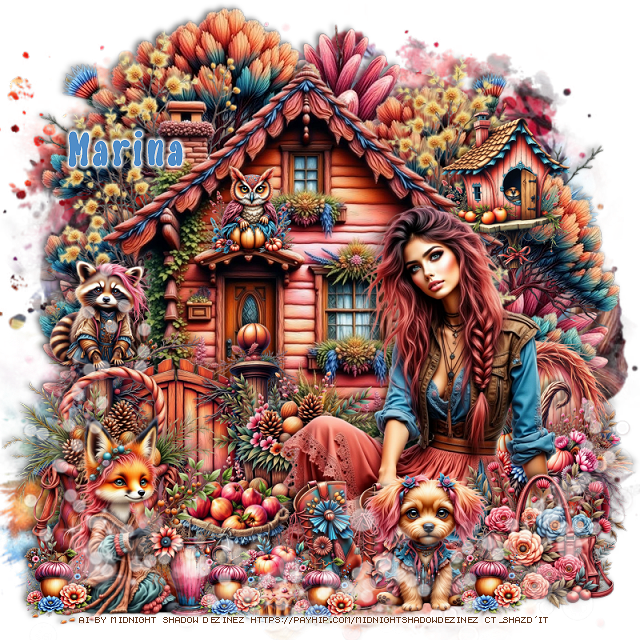
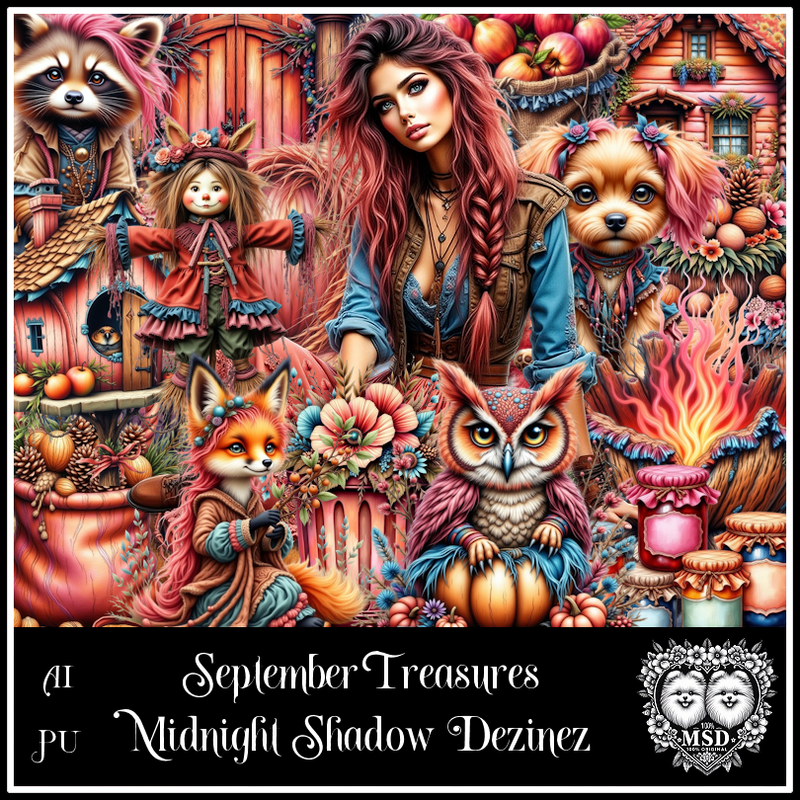
PTU September Treasures


  This tut was written September 30th, 2025 for those with a basic knowledge of psp. 

Awesome AI kit and tube by Midnight Shadow Dezinez

Everything used is included in the kit
Read the TOU on how to credit your tags

I used PSP2020...but any of them should work.
PTU Scrap September Treasures by Midnight Shadow Dezinez  HERE
You can find all Midnight Shadow Dezinez kits HERE
Mask of choice, I used RD Mask 720 HERE
Check out the rest of the blog HERE        

Font of choice, I used Liquidie

Drop shadow as you go is V -2 H -4, 50, 10, or use what you prefer.
Let's get started
*Remember to add your drop shadow as you go along*

Open a new image 800 x 800, paste paper 3, apply your mask.

Paste element 48.
Resize element 30 to 75%, paste.
Resize element 45 to 40%, paste on the bottom left above the house.
Resize element 20 to 60%, paste.
Resize element 11 to 30%, paste below the tube on the right.
Resize element 8 to 35%, paste below the tube.
Resize element 7 to 25%, paste at the bottom right above the tube.
Resize element 26 to 25%, mirror, paste at the bottom above the tube.
Resize element 2 to 25%, paste at the bottom.

Resize element 59 to 35%, paste on the bottom left.
Resize element 41 to 35%, paste at the bottom left.
Resize element 52 to 25%, paste at the bottom below the fox.
Resize element 60 to 18%, paste at the bottom.
Resize element 32 to 30%, mirror, paste on the right below the pumpkin 
behind the tube.
Resize element 46 to 17%, paste at the bottom.
Resize element 10 to 20%, paste on the gate post on the left.
Resize element 9 to 12%, paste at the bottom left, duplicate a couple of times
move where you like.
Resize element 24 to 25%, paste on the upper right above the house.
Mirror element 56, paste above the mask layer.
Paste element 28 at the bottom being on the top layer.
Resize element 22 to 15%, paste on the house over the door.

Add any other elements that you would like, make it your own.
Always readjust your mask and elements how you like them before you
 merge your tag, resize, sharpen.

Crop your tag to be sure no shadows or lines are on the edges.
 Then add your copyright and name.
That's it

Hope you enjoyed doing my tut               
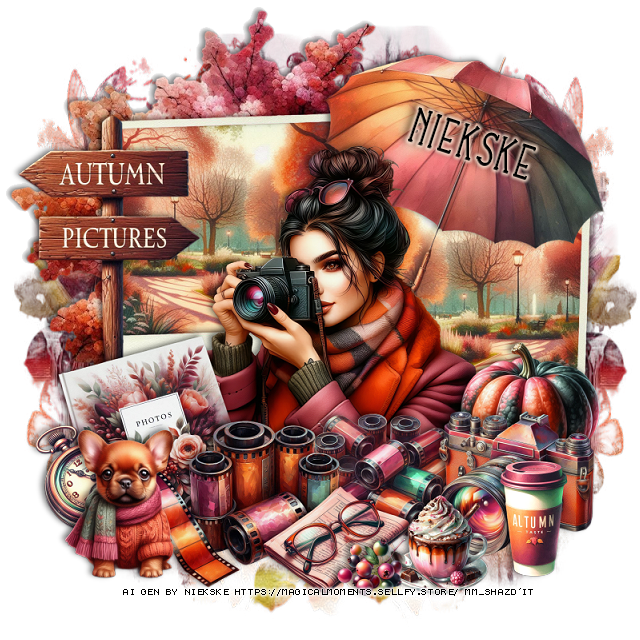
PTU Autumn Pictures


  This tut was written September 30th, 2025 for those with a basic knowledge of psp. 

I am using the awesome tube Al gen by Niekske
Tube is Included
Reas the TOU on how to credit your tags

I used PSP2020...but any of them should work.
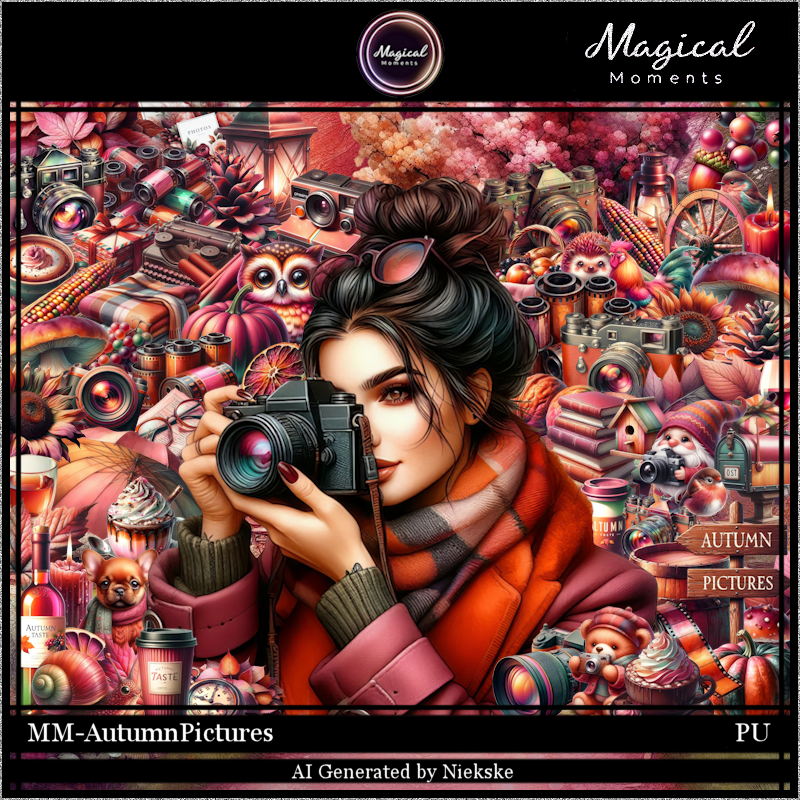
PTU Scrap Autumn Pictures by Magical Moments HERE  
72 elements, 5 papers and 1 tube
Check out the rest of her store HERE
Mask of choice, I used Miz Teeques Mask 246 HERE
Check out the rest of the blog HERE  

Font of choice, I used Lovey Dovey

Drop shadow is V -2 H 4, 50, 10, color Black or use what you prefer.
Let's get started
*Remember to add your drop shadow as you go along*

Open a new layer 800 x 800, paste paper 5, apply your mask, move to the 
left, duplicate, mirror.

Resize element 12 to 40%, paste to the left, click inside, resize paper
3 to 40%, paste, invert, delete, merge together, duplicate, mirror.
Resize element 72 to 75%, paste below the pictures on the left, erase the trunk.

Resize the tube to 20%, paste above the frames about center.

Resize element 72 to 25%, paste on the bottom left above the tube.
Resize element 45 to 20%, paste on the bottom left above the book.
Resize element 3 to 20%, paste at the bottom left.
Resize element 8 to 40%, paste on the left above the frame.
Resize element 21 to 20%, paste on the right above the frame.

Resize element 58 to 20%, paste at the bottom.
Resize element 16 to 15%, paste at the bottom right.
Resize element 26 to 20%, paste at the bottom below the cup.
Resize element 62 to 15%, paste at the bottom left below the film.
Resize element 7 to 20%, paste on the right below the camera.
Resize element 23 to 40%, paste at the upper right below the tube.
Resize element 11 to 10%, paste at the bottom above the cup.
Resize element 19 to 20%, paste at the bottom right.
Resize element 6  to 20%, paste at the bottom left.

Add any other elements that you would like, make it your own.
Always readjust your mask and elements how you like them before you
 merge your tag, resize, sharpen.

Crop your tag to be sure no shadows or lines are on the edges.
 Then add your copyright and name.
That's it

Hope you enjoyed doing my tut.     

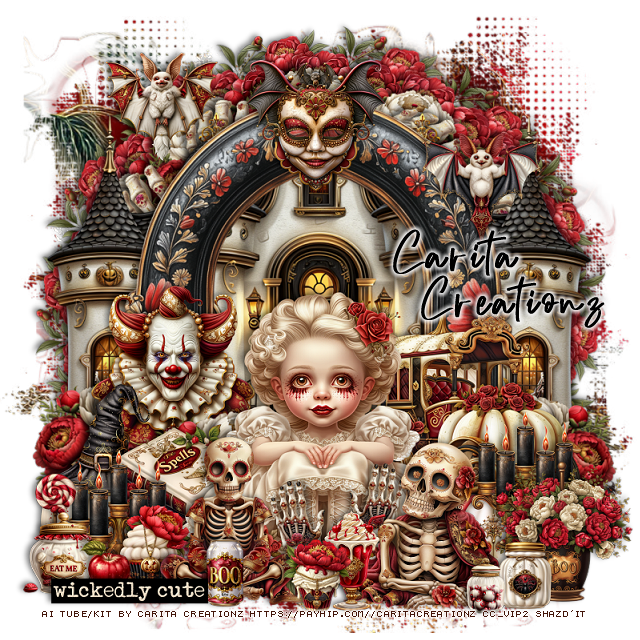
PTU Bewitching Sweetness


 This tut was written September 30th, 2025 for those with a basic knowledge of psp. 

I am using the Awesome tubes/kit by Carita Creationz
Everything is included in the kit.
Read the TOU how to credit your tags.

I used PSP2020...but any of them should work.
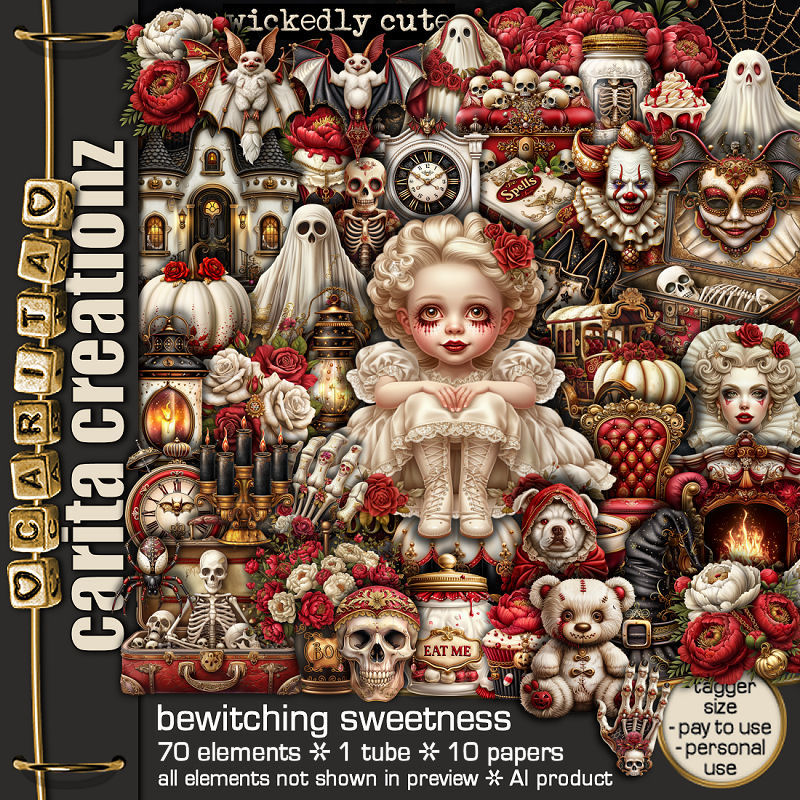
PTU Scrap Bewitching Sweetness by Carita Creationz  HERE
The kit includes 70 elements, 10 papers and 1 tube 
Check her store out to see all her other kits and tubes HERE
Mask of choice, I used Miz Teeques Mask 125  HERE
Check out the rest of the blog HERE    
Filter
Mura Meister Copies-Encircle.

Font of choice, I used Richard Hamilton

Drop shadow as you go is V -2 H 4, 50, 10, or use what you prefer.
Let's get started
*Remember to add your drop shadow as you go along*

Open a new image 800 x 800, paste paper 7, apply your mask.

Resize element 57 to 30%, apply Mura Meister Copies-Encircle, first 
3 numbers on 14, 65, 65, paste.
Resize element 35 to 25%, apply Mura Meister, first 3 numbers on
12, 55, 55, paste.
Resize element 21 to 20%, apply the same Mura Meister, paste.
Resize element 64 to 75%, paste, click inside, resize element 5 to 
75%, paste, invert, delete.
Resize element 5 to 65%, paste on the left below the castle, duplicate, mirror.
Resize element 35 to 25%, paste at the bottom right above the frame,
duplicate, mirror.

Resize element 8 to 30%, paste on the left above the flower, duplicate the 
flower, move above the clown and down a little.
Resize element 7 to 20%, paste on the bottom left.
Resize element 18 to 20%, paste on the pumpkin.
Resize element 36 to 25%, paste at the bottom left above the pumpkin.
Resize element 52 to 20%, paste at the upper right above the frame.

Resize the tube to 40%, paste at the bottom above the book.
Resize element 4 to 40%, mirror, paste below the tube on the right, move
the flower behind it.
Resize element 6 to 25%, paste at the bottom right above the carriage.
Resize element 50 to 30%, mirror, paste on the bottom right above the tube.
Resize element 29 to 25%, paste on the bottom right below the skeleton,
duplicate, move to the left above the pumpkin.
Resize element 28 to 30%, paste on the bottom left above the tube.

Resize element 19 to 15%, paste at the bottom left.
Resize element 25 to 15%, paste at the bottom.
Resize element 54 to 10%, paste at the bottom.
Resize element 13 to 25%, paste at the bottom right.
Resize element 17 to 18%, paste at the bottom above the tube.
Resize element 38 to 13%, paste at the bottom.
Resize element 31 to 12%, paste at the bottom right.
Resize element 39 to 10%, paste at the bottom.
Resize element 16 to 12%, paste at the bottom by the left skeleton.
Resize element 37 to 10%, paste on the bottom left below the eat me jar.
Resize element 22 to 20%, paste at the upper left above the frame.
Resize element 10 to 20%, paste at the top on the frame.
Resize element 69 to 15%, paste at the bottom above the tube, duplicate, mirror.
Resize element 66 to 20%, paste at the bottom left.

Add any other elements that you would like, make it your own.
Always readjust your mask and elements how you like them before you
 merge your tag, resize, sharpen.
Crop your tag to be sure no shadows or lines are on the edges.
 Then add your copyright and name.
That's it

Hope you enjoyed doing my tut.       

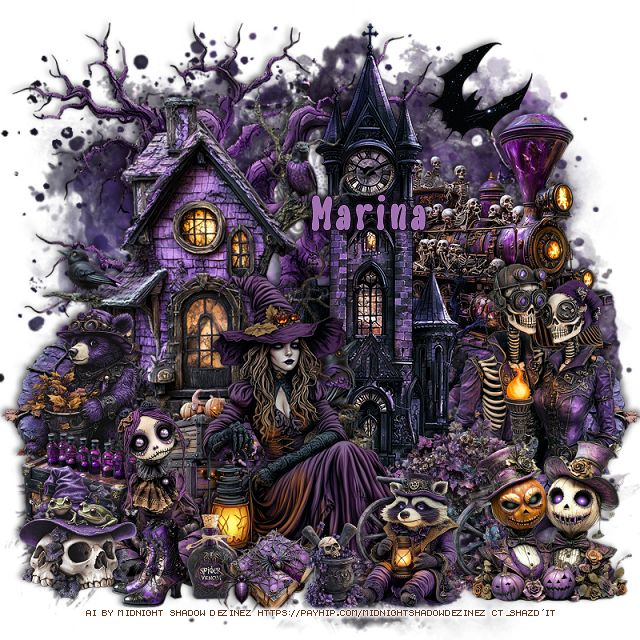
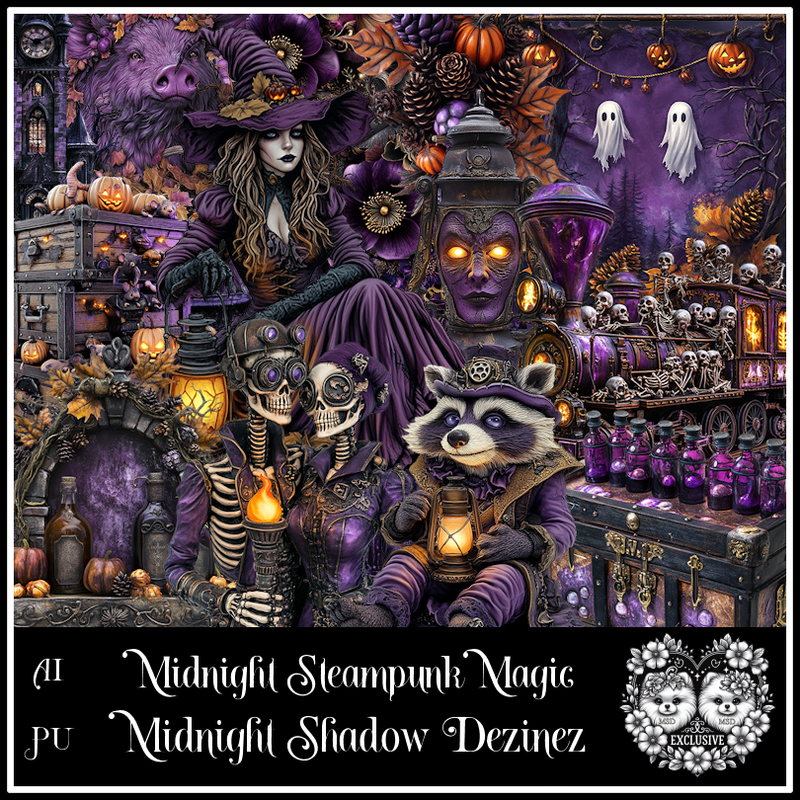
PTU Midnight Steampunk Magic Exclusive


  This tut was written September 30th, 2025 for those with a basic knowledge of psp. 

Awesome AI kit and tube by Midnight Shadow Dezinez

Everything used is included in the kit
Read the TOU on how to credit your tags

I used PSP2020...but any of them should work.
PTU Scrap Midnight Steampunk Magic Exclusive by 
Midnight Shadow Dezinez  HERE
You can find all Midnight Shadow Dezinez kits HERE
Mask of choice, I used RD Mask 720 HERE
Check out the rest of the blog HERE        

Font of choice, I used Liquidie

Drop shadow as you go is V -2 H -4, 50, 10, or use what you prefer.
Let's get started
*Remember to add your drop shadow as you go along*

Open a new image 800 x 800, paste paper 7, apply your mask.

Paste element 20 on the left.
Resize element 1 to 85%, paste on the upper left.
Paste element 23 on the right below the house.
Resize element 5 to 65%, paste above the house.
Resize element 39 to 40%, paste below the tube on the left.
Resize element 18 to 40%, paste at the bottom above the tube.
Resize element 28 to 60%, paste on the left below the house, duplicate, mirror.
Resize element 27 to 60%, mirror, paste on the upper right below the buildings.

Resize element 36 to 40%, paste at the bottom left above the tube.
Resize element 25 to 45%, paste on the right above the clock tower.
Resize element 31 to 35%, paste on the left above the house.
Resize element 3 to 30%, paste on the left above the bear.
Resize element 2 to 30%, paste on the bottom right above the wagon.
Resize element 59 to 40%, paste at the bottom right.
Resize element 37 to 30%, paste at the bottom left.

Resize element 50 to 20%, paste at the bottom.
Resize element 48 to 15%, paste at the bottom.
Resize element 30 to 20%, paste at the bottom.
Resize element 10 and 13 to 20%, paste at the bottom.

Add any other elements that you would like, make it your own.
Always readjust your mask and elements how you like them before you
 merge your tag, resize, sharpen.

Crop your tag to be sure no shadows or lines are on the edges.
 Then add your copyright and name.
That's it

Hope you enjoyed doing my tut               
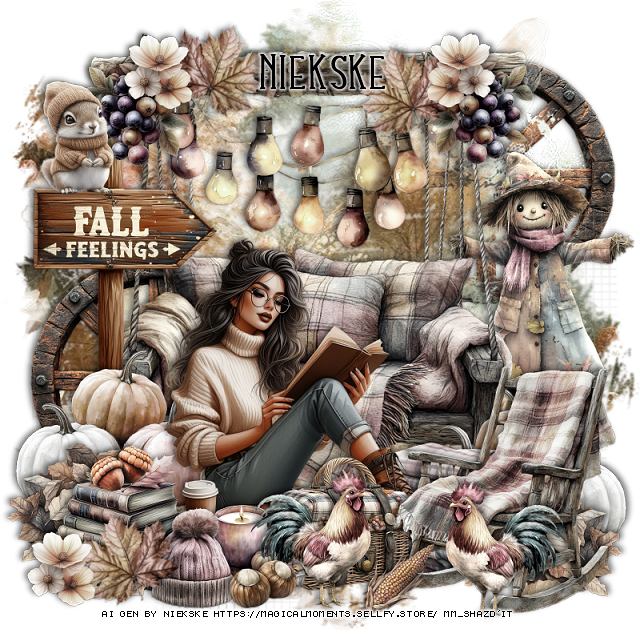
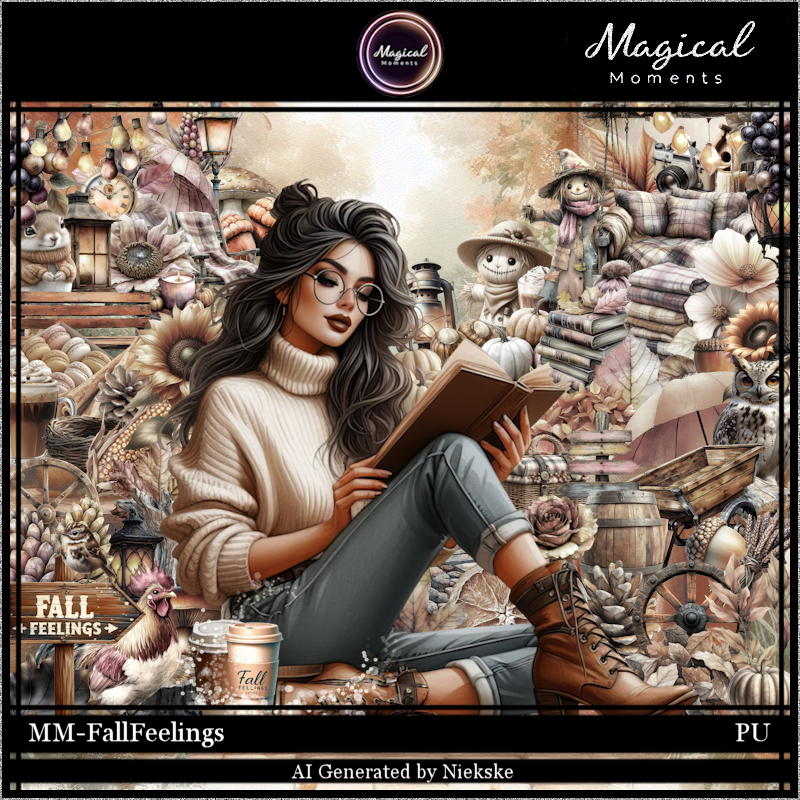
PTU Fall Feelings


  This tut was written September 30th, 2025 for those with a basic knowledge of psp. 

I am using the awesome tube Al gen by Niekske
Tube is Included
Reas the TOU on how to credit your tags

I used PSP2020...but any of them should work.
PTU Scrap Fall Feelings by Magical Moments HERE  
78 elements, 6 papers and 1 tube
Check out the rest of her store HERE
Mask of choice, I used Miz Teeques Mask 127 HERE
Check out the rest of the blog HERE  

Font of choice, I used Lovey Dovey

Drop shadow is V -2 H 4, 50, 10, color Black or use what you prefer.
Let's get started
*Remember to add your drop shadow as you go along*

Open a new layer 800 x 800, paste paper 4, apply your mask.

Resize element 53 to 60%, paste.
Resize element 5 to 50%, paste on the top of the swing.
Resize element 15 to 15%, paste on one side of the swing at the top.
duplicate, mirror.
Resize element 26 to 25%, free rotate to the right at 20, paste by the 
grapes on the left, duplicate, mirror.

Resize the tube to 20%, paste above the swing.

Resize element 51 to 20%, paste at the bottom below the tube on the right.
Resize element 52 to 20%, paste on the bottom left above the tube.
Resize element 31 to 25%, paste at the bottom above the tube.
Resize element 63 to 30%, paste below the tube on the left, duplicate, mirror.

Resize element 56 to 15%, paste at the bottom above the basket.
Resize element 2 to 35%, paste on the left below the pumpkins.
Resize element 55 to 40%, paste on the right below the swing.
Resize element 58 to 35%, mirror, paste on the bottom right above the basket.
Resize element 4 to 30%, paste below the books on the left, duplicate, mirror.
Resize element 54 to 15%, paste at the bottom left.
Resize element 47 to 15%, paste on the sign on the left.
Resize element 70 to 20%, paste at the bottom above the chair, duplicate, mirror.
Resize element 29 to 15%, paste at the bottom.
Go back to the leaves at the top, duplicate, one move down to 
the bottom left above the cap.
Resize element 44 to 15%, paste at the bottom left, duplicate twice, move 
to the top by the leaves on the swing.
Resize element 64 and 68 to 10%, paste one at the bottom and the other 
one on the books.
Resize element 11 to 35%, paste on the left above the mask behind the tube,
duplicate, move to the upper right below the mask.

Add any other elements that you would like, make it your own.
Always readjust your mask and elements how you like them before you
 merge your tag, resize, sharpen.

Crop your tag to be sure no shadows or lines are on the edges.
 Then add your copyright and name.
That's it

Hope you enjoyed doing my tut.     

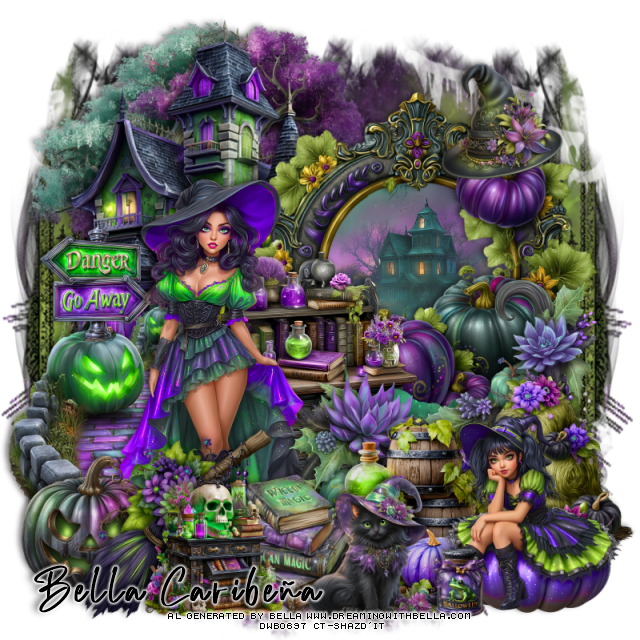
PTU A Witch Story


 This tut was written September 30th, 2025,  for those with a basic knowledge of psp. 

I am using Awesome Al tubes and kit by Bella Caribeña
Tubes are included
Read the TOU on how to credit your tags

I used PSP2020...but any of them should work.
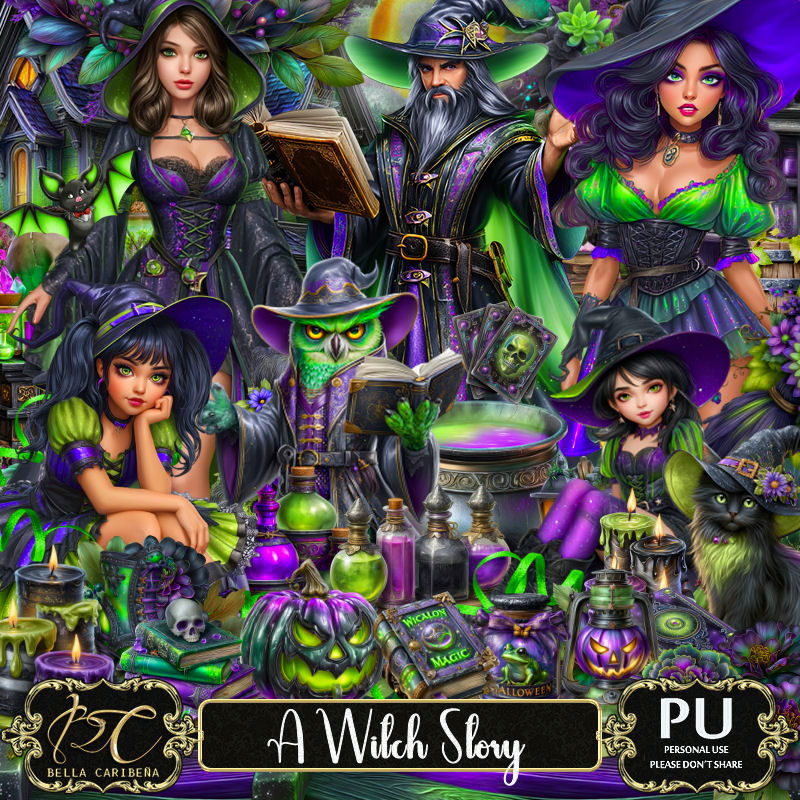
PTU Scrap A Witch Story by Bella Caribeña  HERE
Halloween Theme
Kit contains 2 Al gen tubes, 165 elements, 20 papers and 3 masks
You can check out the rest of her store HERE 

Font of choice, I used Richard Hamilton

 Drop shadow as you go is V -2 H 4, 50, 10, or use what you prefer.
Let's get started
*Remember to add your drop shadow as you go along*

Open a new image 800 x 800, paste mask 1, move to the left,
duplicate, mirror.

Resize element 115 to 75%, paste at the upper left.
Resize element 110 to 85%, paste at the upper left above the tree.
Resize element 91 to 75%, paste to the right, click inside, resize paper 16 to 
50%, paste, invert, delete.
Resize element 105 to 65%. paste on the bottom left above the tree.

Resize tube 11 to 25%, paste to the left.

Resize element 65 to 65%, paste at the bottom of the frame.
Resize element 42 to 50%, paste below the tube.
Resize element 71 to 30%, paste at the bottom left.
Resize element 51 to 40%, paste at the bottom.
Resize element 74 to 30%, paste at the bottom left.
Resize element 120 to 40%, paste at the bottom right.
Resize element 46 to 40%, paste on the right below the girl.
Resize element 75 to 40%, paste at the bottom left above the books.
Resize element 123 to 30%, paste at the bottom above the broom.

Resize element 83 to 25%, paste on the left below the tube on the pumpkin.
Resize element 76 to 30%, paste at the bottom.
Resize element 66 to 15%, paste at the bottom.
Resize element 78 to 25%, paste at the upper right above the frame.

Add any other elements you would like, resize.
Crop your tag to be sure no shadows or lines are on the edges.
 Then add your copyright and name.
That's it

            Hope you enjoyed doing my tut