
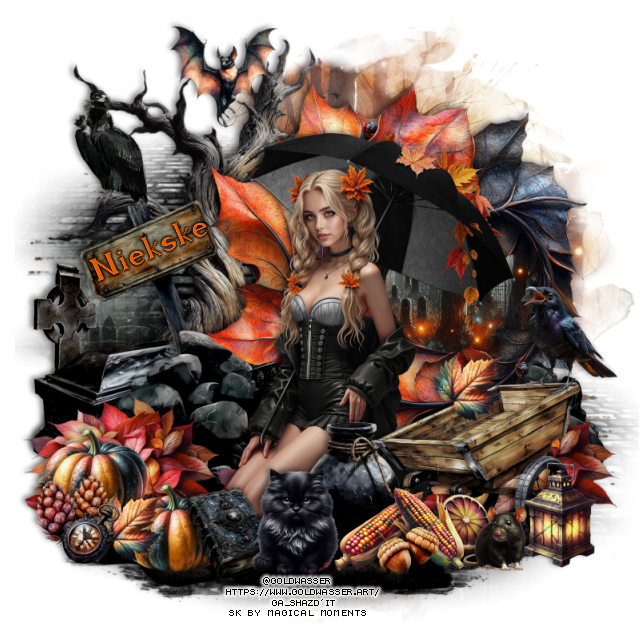
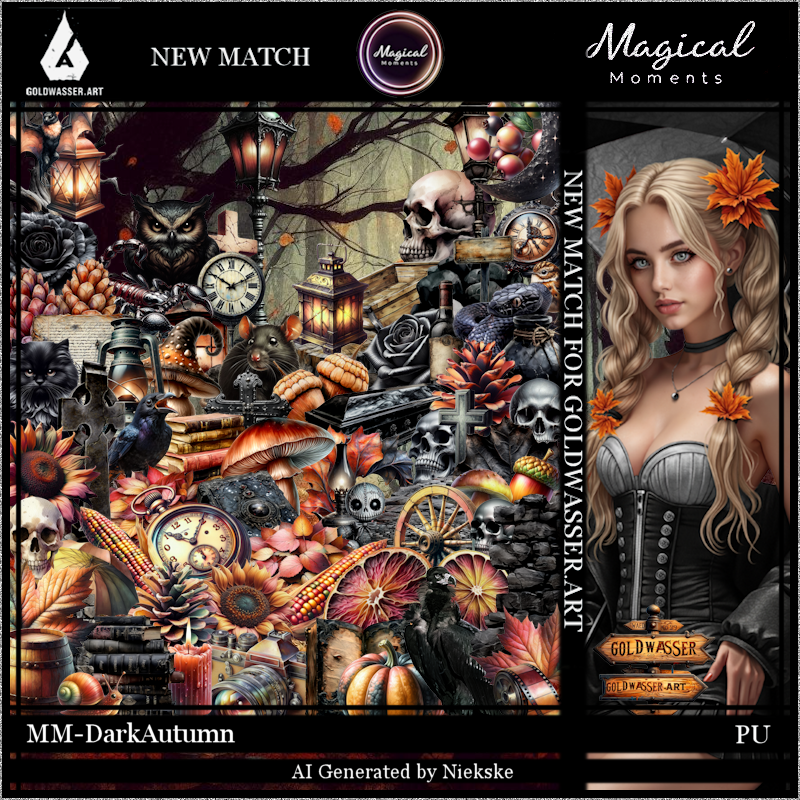
This tut was written September 24th, 2025 for those with a basic knowledge of psp.
I am using the awesome tube ©Goldwasser
Tube is call Rebekah
Tube is "Not" Included
You need a license to use this tube, please do not use without a license
You can find this tube at their store HERE
Drop shadow is V -2 H 4, 50, 10, color Black or use what you prefer.
Let's get started
*Remember to add your drop shadow as you go along*
Open a new layer 800 x 800, paste paper 2, apply your mask, mirror,
adjust to fit your tag.
Resize element 36 to 110%, paste on the left and up a bit, duplicate,
move to the bottom right.
Resize element 71 to 50%, paste on the left.
Resize element 51 to 50%, paste on the right, click inside, resize
paper 2 to 50%, paste below the frame, invert, delete.
Resize the tube to 30%, paste above the leaf frame.
Resize element 73 to 25%, paste on the left above the tree, duplicate,
move to the right.
Resize element 74 to 60%, paste on the bottom right above the tube.
Resize element 53 to 20%, paste below the wagon.
Resize element 61 to 35%, free rotate to the left at 20, paste on the left
below the rocks.
Resize element 52 to 75%, paste on the left above the tree.
Resize element 31 to 15%, paste below the coffin.
Resize element 10 to 15%, duplicate, paste both on the bottom left.
Resize element 8 to 30%, paste on the left on the tree.
Resize element 33 to 25%, paste at the bottom left below the pumpkins,
duplicate, move to the right below the wagon, duplicate once more,
move under the tube.
Resize element 26 and 28 to 12%, paste at the bottom right above the wagon.
Resize element 9 and 60 to 10%, paste by the corn.
Resize element 4 to 15%, paste at the upper left.
Resize element 2 to 10%, paste at the bottom left above the pumpkins,
duplicate, move over to the wagon.
Resize element 62 to 10%, paste at the bottom right.
Resize element 32 to 12%, paste at the bottom above the pumpkins.
Resize element 46 to 15%, paste at the bottom.
Resize element 35 to 15%, mirror, paste on the wagon.
Paste element 63 at the bottom below the other elements.
Resize element 65 to 10%, paste at the bottom left above the pumpkins.
Resize element 70 to 15%, paste on the bottom right.
Resize element 77 to 15%, paste on the bottom right.
Add any other elements that you would like, make it your own.
Always readjust your mask and elements how you like them before you
merge your tag, resize, sharpen.
Crop your tag to be sure no shadows or lines are on the edges.
Then add your copyright and name.
That's it
Hope you enjoyed doing my tut.

No comments:
Post a Comment