
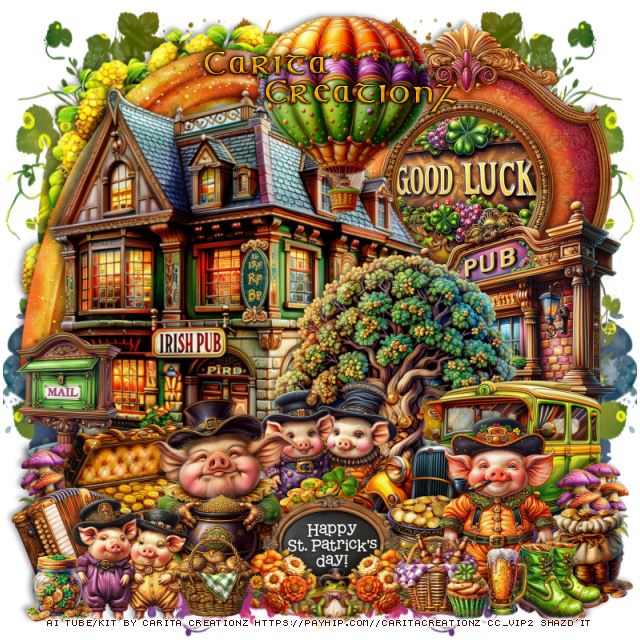
This tut was written February 24th, 2026 for those with a basic knowledge of psp.
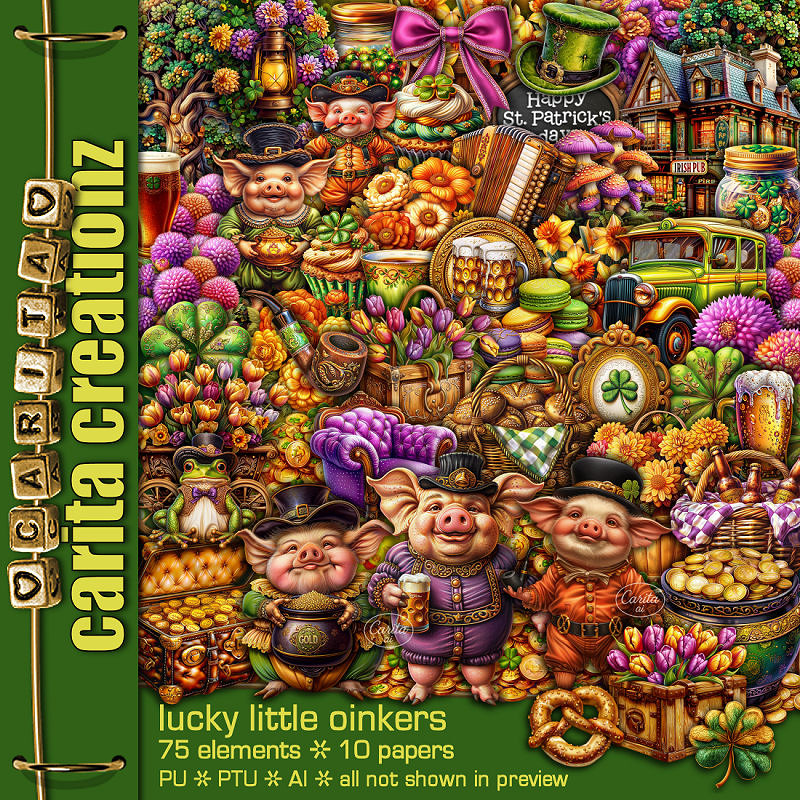
I am using the Awesome Al kit by Carita Creationz
This kit is a fun St Patty kit
Read the TOU how to credit your tags.
Drop shadow as you go is V -2 H 4, 50, 10, or use what you prefer.
Let's get started
*Remember to add your drop shadow as you go along*
Open a new image 800 x 800, paste paper 1, apply your mask, move
to the left, duplicate, mirror.
Resize 75 to 75%, paste on the upper left.
Resize 42 to 55%, paste at the upper right.
Resize 65 to 37%, paste below the frame.
Resize 38 to 75%, paste on the upper left above the frame.
Resize 64 to 40%, paste on the right.
Resize 48 to 45%, paste above the pub sign.
Resize 55 to 65%, paste at the upper left below the house.
Resize 25 to 40%, paste on the right above the tree.
Resize 72 to 25%, paste below the car.
Resize 6 to 25%, paste at the bottom above the car.
Resize 4 to 20%, paste at the bottom to the right of the coins.
Resize 1 to 35%, paste on the bottom above the coins to the left.
Resize 7 to 27%, paste at the bottom left below the pig.
Resize 70 to 20%, paste on the left below the chest.
Resize 36 to 15%, paste on the left above the mail, duplicate,
move to the bottom right above the car.
Resize 60 to 17%, paste on the bottom right above the mushrooms.
Resize 54 to 25%, paste at the bottom center above the pig.
Resize 73 to 22%, paste on the bottom left.
Resize 35 to 20%, mirror, paste below the little pigs on the left.
Resize 30 to 35%, paste on the bottom right.
Resize 33 to 12%, paste at the bottom above the sign to one side, duplicate,
mirror, move to the other side of the sign.
Resize 9 to 10%, paste at the bottom above the flowers.
Resize 57 to 15%, mirror, paste on the bottom right above the pig.
Resize 16 to 12%, paste at the bottom right.
Resize 13 to 15%, paste at the bottom by the beer.
Resize 10 to 15%, paste at the bottom below the flower.
Resize 67 to 35%, paste at the top above the Irish pub.
Resize 27 to 12%, paste at the bottom left.
Resize 31 to 10%, paste at the bottom right by the beer.
Add any other elements that you would like, make it your own.
Always readjust your mask and elements how you like them before you
merge your tag, resize, sharpen.
Crop your tag to be sure no shadows or lines are on the edges.
Then add your copyright and name.
That's it
Hope you enjoyed doing my tut.

No comments:
Post a Comment