Thursday, May 29, 2025

FTU Summer Blast May Blogtrain

 This tut was written May 29th, 2025 for those with a basic knowledge of psp.

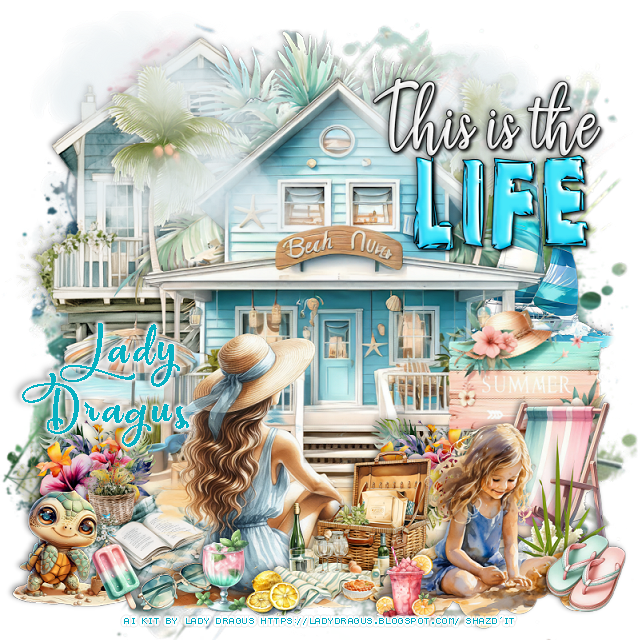
I am using a beautiful Al kit by Lady Dragus
Everything used is included in the kit
Read their TOU on how to credit your tags.

I used PSP2020...but any of them should work.
FTU Al kit Summer Blast May Blog Train by Lady Dragus HERE
Check out the rest of the blog  HERE
Mask of choice, I used RD Mask 897 HERE
Check out the rest of the blog HERE
Wordart by Millie's PSP Madness HERE
Check out the rest of the blog HERE

Font of choice, I used Pacific Again

Drop shadow is  V-1 H-4 Black, 40, 10, use what you prefer.
Let's get started
*Remember to add your drop shadow as you go along*
 
Open a new image 800 x 800, paste 6, apply your mask.

Resize element 39 to 95%, paste.
Resize element 38 to 35%, paste on the right below the beach house.
Resize element 21 to 90%, paste on the upper left below the beach house.
Paste element 63 behind the beach house at the top.
Resize element 13 to 50%, paste at the bottom above the beach house, erase 
some of the water parts.
Resize element 65 to 40%, paste at the bottom above the lady.

Resize element 25 to 30%, paste on the bottom left below the lady.
Resize element 6 to 30%, paste on the bottom right.
Resize element 29 to 35%, paste on the bottom right.
Resize element 35 to 45%, paste on the bottom right.
Resize element 17 to 25%, paste on the left above the beach house, duplicate, 
move to the right of the lady.

Resize element  59 to 20%, mirror, paste at the bottom left.
Resize element 64 to 15%, paste at the bottom left.
Paste element 53 at the top being on the top layer.
Resize element 9 to 15%, paste at the bottom right.
Resize element 2 to 15%, paste at the bottom above the lady.
Resize element 3 to 12%, mirror, paste at the bottom left.
Resize element 76 to 10%, mirror, paste at the bottom left.
Resize element 51 to 25%, paste at the bottom right below the girl.
Resize element 46 to 12%, mirror, paste at the bottom.
Resize the wordart to 30%, paste on the upper right.

Add any other elements that you would like, make it your own.
Always readjust your mask and elements how you like them before you
 merge your tag, sharpen once.
Crop your tag to make sure no shadows or anything on the edges

 Then add your copyright and name.
That's it
Hope you enjoyed doing my tut.   

Tag for Lady Dragus


Monday, May 26, 2025

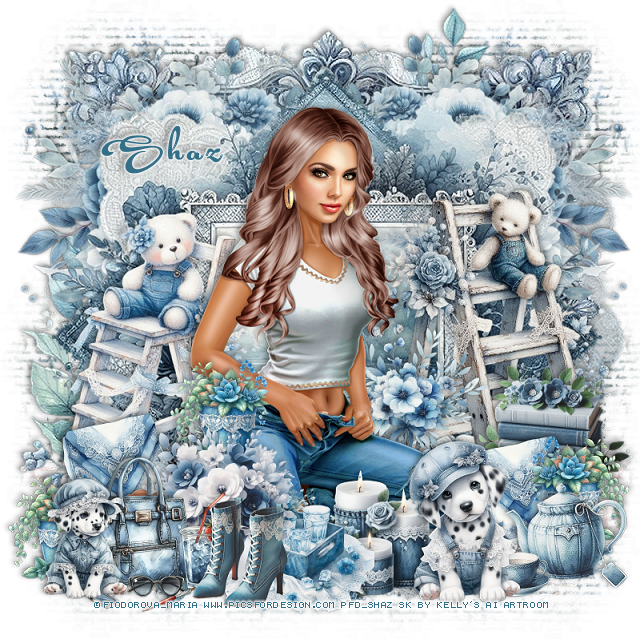
FTU Denim and Lace

This tut was written May 26th, 2025 for those with a basic knowledge of psp.

I am using the beautiful tube ©Fiodorova_Maria
The tube is called Maribel
You need a license to use this tube, please do not use without a license
You can find the tube at PFD  HERE

I used PSP2020...but any of them should work.
FTU Al kit Denim and Lace by Kelly's Al Artroom HERE
Check out the rest of the blog HERE
Miz Teeques Mask 54 HERE
Check out the rest of the blog HERE

Font of choice, I used Acryle Script

Drop shadow is  V-1 H-4 Black, 40, 10, use what you prefer.
Let's get started
*Remember to add your drop shadow as you go along*
 
Open a new image 800 x 800, paste paper 24, apply your mask, duplicate,
merge down, duplicate, mirror.

Paste frame 12.
Resize flowers 6 to 90%, paste on the right above the frame, duplicate, mirror.
Resize frame 10 to 90%, click inside, paste paper 13, invert, delete.

Resize your tube to 30%, paste.

Resize ladder 13 to 75%, mirror, paste on the right below the tube.
Resize ladder 11 to 65%, mirror, paste below the tube on the left.
Resize hanky 6 to 25%, paste at the bottom right below the tube, duplicate, 
move to the left.
Resize element flowers 7 to 40%, paste at the bottom left above the tube.
Resize cup 1 to 35%, paste at the bottom right.
Resize candles 1 to 35%, paste at the bottom.
Resize puppy 9 to 35%, paste at the bottom.
Resize tray 6 to 35%, paste at the bottom.
Resize bag 8 to 35%, paste at the bottom left.
Resize books 1 to 35%, paste on the right above the ladder.
Resize boots 4 to 30%, paste at the bottom left.
Resize plant 8 to 25%, paste at the bottom left below the purse, duplicate, 
move to the right more by the tube, duplicate, mirror.
Resize element 21 to 40%, paste on the right below the tube by the ladder.
Resize puppy 11 to 30%, paste at the bottom left.

Add any other elements that you would like, make it your own.
Always readjust your mask and elements how you like them before you
 merge your tag, sharpen once.
Crop your tag to make sure no shadows or anything on the edges

 Then add your copyright and name.
That's it

Hope you enjoyed doing my tut.    

Saturday, May 24, 2025

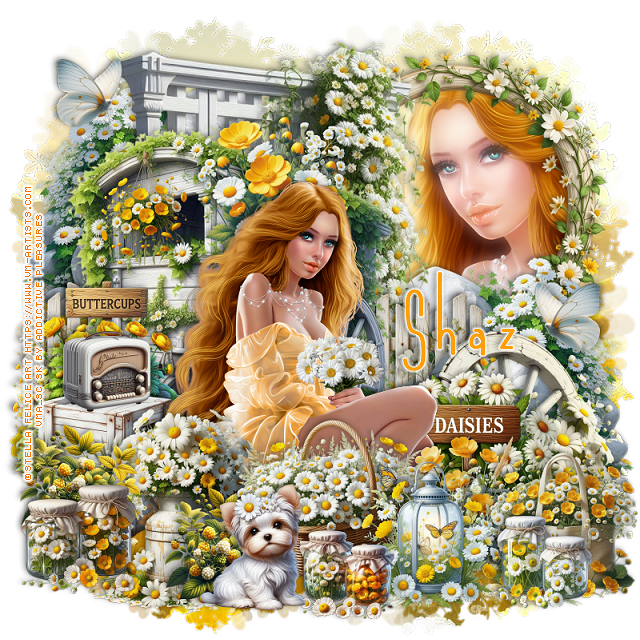
FTU Buttercups and Daisies


  This tut was written May 24th, 2025 for those with a basic knowledge of psp.

I am using the beautiful tube ©Stella Felice Art
The tube is called Adelina
You need a license to use this tube, please do not use without a license
You can find the tube at VMA HERE

I used PSP2020...but any of them should work.
FTU Al kit Buttercups and Daisies by Addictive Pleasures HERE
Check out the rest of the blog HERE
SC Mask 30 HERE
Check out the rest of the blog HERE

Font of choice, I used Andeglei sanse

Drop shadow is  V-1 H-4 Black, 40, 10, use what you prefer.
Let's get started
*Remember to add your drop shadow as you go along*
 
Open a new image 800 x 800, paste paper 6, apply your mask.

Resize trellis 2 to 65%, paste toward the top.
Resize frame 9 to 40%, mirror, paste on the upper right below the trellis,
click inside, paste paper 5, invert, delete, keep selected, resize the 
tube to 40%, mirror, paste in the frame, delete. select none.
Duplicate the tube, go to Adjust, Blur Gaussian blur, number on 10,
change the blend mode to Screen, apply xero filter, Porcelain.
Resize rock 3 to 35%, paste on the right above the frame, duplicate, mirror,
move to the top more on the left.
Resize cart 3 to 50%, being on top, paste to the left and down.
Resize wheel 3 to 35%, mirror, paste at the bottom right above the rocks.
Resize the daisy sign to 25%, paste on the bottom right above the wheel.

Resize the tube to 20%, paste above the sign.

Resize flowers 10 to 20%, paste at the bottom above the tube.
Resize fence 2 to 30%, paste on the left below the cart, duplicate, move to the 
right behind the cart.
Resize the basket to 25%, paste at the bottom above the tube.
Resize crates 3 to 25%, paste on the left below the tube.
Resize bag 3 to 20%, paste on the bottom right.
Resize lantern 3 to 20%, paste at the bottom by the basket.
Resize glass jars 3 to 12%, paste at the bottom right.
Resize glass jars 2 to 12%, paste at the bottom.
Resize puppy 2 to 18%, paste at the bottom.
Resize radio 3 to 12%, paste on the left on the crates.
Resize hanging flowers 2 to 15%, paste on the left on the cart.
Resize milk churn 3 to 30%, paste on the bottom left below the dog.
Resize glass jars to 15%, paste at the bottom left.
Resize blackberries to 15%, paste on the bottom left below the jars, duplicate,
move to the right behind the dog.
Resize buttercup sign 3 to 20%, paste on the left behind the radio.
Resize flowers 13 to 20%, paste behind the head of the tube.
Resize butterfly 3 to 10%, paste at the upper left, duplicate, mirror, move down.

Add any other elements that you would like, make it your own.
Always readjust your mask and elements how you like them before you
 merge your tag, sharpen once.
Crop your tag to make sure no shadows or anything on the edges

 Then add your copyright and name.
That's it

Hope you enjoyed doing my tut.    

Friday, May 23, 2025

FTU Strawberrylicious


 This tut was written May 23rd, 2025 for those with a basic knowledge of psp.

I am using the beautiful tube ©Trinita
The tube is called Primavera
You need a license to use this tube, please do not use without a license
You can find the tube at VMA HERE

I used PSP2020...but any of them should work.
FTU Al kit Strawberrylicious by Addictive Pleasures HERE
Check out the rest of the blog HERE
SC Mask 30 HERE
Check out the rest of the blog HERE

Font of choice, I used Acryle Script

Drop shadow is  V-1 H-4 Black, 40, 10, use what you prefer.
Let's get started
*Remember to add your drop shadow as you go along*
 
Open a new image 800 x 800, paste paper 6, apply your mask.

Resize element 73 to 50%, paste on the upper right.
Resize frame 5 to 50%, paste on the left, click inside, resize paper 8 to 
50%, paste below the frame, invert, delete.
Resize tree 2 to 80%, paste at the top below the fruit stand.
Resize bike 3 to 35%, mirror, paste on the bottom left above the frame.
Resize hanging mobile 3 to 25%, paste on the frame at the top.
Resize the garland to 25%, paste at the top above the frame.
Resize cart 2 to 30%, paste on the right above the fruit stand.
Resize bush 2 to 35%, paste below the bike, duplicate, move to the right
below the cart.

Resize the tube to 40%, paste above the bike and cart.

Resize basket 2 to 20%, paste at the bottom above the tube.
Resize log 3 to 25%, paste at the bottom right above the cart.
Resize table 3 to 30%, paste in the frame.
Resize blanket 2 to 25%, paste at the bottom left below the basket.
Resize the dog to 20%, paste at the bottom left.
Resize the ladder to 35%, paste on the right below the tube.
Resize sign 2 to 30%, paste at the upper right below the fruit stand.
Resize cheeseboard to 15%, paste below the dog on the left.
Resize the jars to 15%, paste at the bottom right by the log.
Resize candy jar 2 to 15%, paste at the bottom by the jars.

Resize cup 3 to 12%, paste at the bottom.
Resize signpost 3 to 30%, paste below the cheese plate.
Resize flower jar 2 to 20%, paste at the bottom left.
Resize branch 2 to 50%, paste at the upper left above the mask, duplicate, mirror.
Duplicate the tree, move to the bottom so the rocks shows and move below
the first tree.
Resize bird 3 to 10%, paste on the upper right on the fruit stand.

Add any other elements that you would like, make it your own.
Always readjust your mask and elements how you like them before you
 merge your tag, sharpen once.
Crop your tag to make sure no shadows or anything on the edges

 Then add your copyright and name.
That's it

Hope you enjoyed doing my tut.    

Wednesday, May 21, 2025

FTU Sun Beach Fun


This tut was written May 21st, 2025 for those with a basic knowledge of psp.

I am using the beautiful tube ©Misticheskaya
Tube is called Tina
You need a license to use this tube, please do not use without a license
You can find the tube at the store HERE

I used PSP2020...but any of them should work.
FTU Al kit Sun Beach Fun by Annie's Designs HERE HERE
Check out the rest of the store  HERE
Mask of choice, I used RD Mask 758 HERE
Check out the rest of the blog HERE

Font of choice, I used Beauty Mountain

Drop shadow is  V-1 H-4 Black, 40, 10, use what you prefer.
Let's get started
*Remember to add your drop shadow as you go along*
 
Open a new image 800 x 800, paste paper 3, apply your mask.
Resize frame 1 to 65%, paste to the right, click inside, resize paper 12 to 65%,
paste, invert, delete.

Resize element 56 to 75%, paste above the frame to the left a little.
Resize element 19 to 50%, paste below the trees on the right.
Resize element 91 to 50%, paste on the left above the trees.
Resize element 20 to 75%, paste on the bottom layer at the bottom, duplicate, mirror.

Resize the tube to 30%, paste above the sign.

Resize element 85 to 30%, paste below the sign on the left, duplicate, mirror.
Resize element 12 to 30%, paste on the bottom left below the tube layer.
Resize element 33 to 20%, paste on the bottom left below the tube.
Resize element 34 to 30%, paste at the bottom above the tube.
Resize element 2 to 20%, paste at the bottom above the suitcase.
Resize element 25 to 25%, paste on the right below the tube.
Resize element 54 to 75%, paste at the top above the mask layer.
Resize element 53 to 65%, paste on the left.
Resize element 13 to 20%, paste at the bottom below the shells.

Resize element 68 to 20%, paste at the bottom right.
Resize element 66 to 20%, paste at the bottom above the suitcase.
Resize element 22 to 15%, paste on the bottom right.
Resize element 15 to 20%, paste on the bottom right below the flowers.
Paste the wordart on the upper right.

Add any other elements that you would like, make it your own.
Always readjust your mask and elements how you like them before you
 merge your tag, sharpen once.
Crop your tag to make sure no shadows or anything on the edges

 Then add your copyright and name.
That's it
Hope you enjoyed doing my tut.   

Tuesday, May 20, 2025

FTU Dandelion Mice


 This tut was written May 20th, 2025 for those with a basic knowledge of psp.

I am using the adorable Al mini kit Dandelion Mice
and Al mice tubes
The kit and tubes is Al generated by Chelloenix
Credit your tags with their credits

I used PSP2020...but any of them should work.
FTU Al  kit Dandelion Mice by Chelloenix HERE
Dandelion Mice tubes HERE
Check out the rest of the blog HERE
Mask of choice, I used RD Mask 731 HERE
Check out the rest of the blog HERE

Font of choice, I used Yellow Sunflower

Drop shadow is  V-1 H-4 Black, 40, 10, use what you prefer.
Let's get started
*Remember to add your drop shadow as you go along*
 
Open a new image 800 x 800, paste paper 13, apply your mask, move
to the left, duplicate, mirror.

Resize element 17 to 75%, draw around the frame, paste paper 10, invert,
delete. Go to Effects, Texture Effects, Texture, apply to the paper
Canvas Fine, 30
2, 4, 2, 0
315, 50, 30
Color white.
Resize element 8 to 50%, paste above the frame at the bottom.
Resize element 21 to 25%, paste at the bottom above the mouse, duplicate twice,
move one to each side.
Resize mouse tube 2 to 25%, paste at the bottom left.
Resize tube 8 to 20%, paste at the bottom right, move the center dandelion above the mice.

Resize tube 1 to 20%, paste on the bottom right below the dandelion.
Resize tube 5 to 20%, paste on the bottom left below the dandelion.
Resize tube 6 to 15%, paste at the bottom.
Resize element 4 to 35%, paste on the left above the bigger mouse.
Resize element 2 to 35%, paste on the right above the bigger mouse.
Paste element 27 at the top.
Resize element 23 to 25%, paste below the mice on the bottom left, duplicate, mirror.

If you want to do a Signature tag
Open a new image 700 x 200 or a size you prefer.
I copies the elements from the tag before merging and resized most to 75%, 
and pasted
Resize the wordart to 45%, free rotate to the right at 20, paste on the right.
Once happy with this, merge together and add a frame of choice and name 
and copyright.

Avatar, size of choice, I did 180 x 180, draw a circle, paste the tag in the 
circle how you like, invert, delete.
Add name and copyright.

Add any other elements that you would like, make it your own.
Always readjust your mask and elements how you like them before you
 merge your tag, sharpen once.
Crop your tag to make sure no shadows or anything on the edges

 Then add your copyright and name.
That's it

Hope you enjoyed doing my tut.     

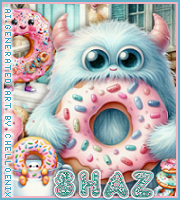
FTU Dunkin Donuts


 This tut was written May 19th, 2025 for those with a basic knowledge of psp.

Everything used is in this Al kit Dunkin Donuts
The kit is Al generated by Chelloenix
Credit your tags with their credits

I used PSP2020...but any of them should work.
FTU Al  kit Dunkin Donuts by Chelloenix HERE
Check out the rest of the blog HERE
Mask of choice, I used RD Mask 897 HERE
Check out the rest of the blog HERE

Font of choice, I used PW Yummy Donuts

Drop shadow is  V-1 H-4 Black, 40, 10, use what you prefer.
Let's get started
*Remember to add your drop shadow as you go along*
 
Open a new image 800 x 800, resize paper 19 to 75%, paste, apply your mask.

Resize frame 8 to 65%, paste.
Resize element 21 to 75%, paste on the upper left below the frame.
Resize element 22 to 75%, paste on the right below the frame.
Resize element 32 to 65%, paste above the frame.
Resize element 27 to 45%, paste below the house on the left, duplicate, mirror.
Resize element 14 to 65%, paste on the left below the frame, duplicate, mirror.

Resize element 60 to 20%, paste on the upper left on the small house.
Resize element 63 to 15%, paste on the roof of the bigger house.
Resize element 3 and 19 to 20%, paste at the bottom right, duplicate, mirror.
Resize tube 5 to 30%, paste at the bottom.
Resize tube 9 to 20%, paste at the bottom.
Resize element 75 to 12%, paste at the bottom above the tubes.
Resize element 71 to 20%, paste at the bottom left.
Resize element 68 to 20%, paste on the bottom right.
Resize element 76 to 12%, paste on the bottom right.
Resize element 44 to 10%, paste at the bottom left.
Resize element 48 to 10%, paste at the bottom left.
Resize element 55 to 10%, paste at the upper right.
Resize element 24 to 30%, paste on the left above the house.
Resize element 39 to 10%, paste at the bottom by the cup.
Resize element 67 to 15%, paste on the steps of the house.

Add any other elements that you would like, make it your own.
Always readjust your mask and elements how you like them before you
 merge your tag, sharpen once.
Crop your tag to make sure no shadows or anything on the edges

 Then add your copyright and name.
That's it

Hope you enjoyed doing my tut.