Showing posts with label VMArtists. Show all posts

Saturday, November 1, 2025

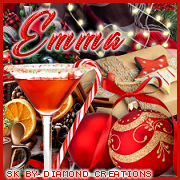
FTU Christmas Morning


  This tut was written November 1st, 2025 for those with a basic knowledge of psp. 

I am using an Awesome tube by © Stella Felice Art
The tube is called Xmas Morning
The store is closed for now, so you cannot buy the tube at that store anymore
I am not sure where she is selling at this time
You need a license to use this tube, please do not use without a license
I bought this tube when they were up and selling at the store HERE

I used PSP2020...but any of them should work.
FTU Scrap Christmas Morning by Diamond Creations HERE 
Check out the rest of the blog HERE
Mask of choice, I used MizTeeques Mask 63 HERE
Check out the rest of the blog HERE
Filter
xero-Artworx, Bad Dream

Font of choice, I used Christmas Day

Drop shadow as you go is V -2 H 4, 40, 10, or use what you prefer.
Let's get started
*Remember to add your drop shadow as you go along*

Open a new image 800 x 800, paste paper 9, apply your mask, move
to the left, duplicate, mirror

Resize frame 1 to 65%, paste, click inside, resize the tube to 85%, 
paste, invert, delete.
Duplicate the tube, go to Adjust, Blur, Gaussian Blur, number on 10,
change the blend mode to Screen, then apply xero filter, Artworx and then
Bad Dream, merge down.
Resize element 64 to 70%, paste below the frame.
Resize element 70 to 25%, apply Mura Meister Copies-Encircle, first
3 numbers on 14, 57, 57, paste below the ornament wreath.
Resize element 76 to 25%, apply Mura Meister, change the numbers to
16, 63, 63, paste below the red flower circle.
Resize element 75 to 50%, paste on the bottom left above the frame, 
duplicate, mirror.

Resize your tube to 33%, paste on the right.

Resize element 80 to 35%, paste at the bottom above the tube.
Resize element 79 to 25%, paste below the gift on one side, duplicate,
mirror.
Resize element 77 to 35%, paste at the bottom left below the tube
layer, duplicate, mirror.
Resize element 68 to 25%, paste at the bottom right below the top 
gift, duplicate, mirror.
Resize element 30 to 25%, mirror, paste below the orange element on the right.
Resize element 83 to 50%, paste on the left above the frame.
Resize element 9 to 30%, paste at the bottom right, duplicate, mirror.
Resize element 44 to 35%, paste at the bottom.
Resize element 43 to 25%, paste at the bottom.
Resize element 59 to 20%, paste at the bottom.
Resize element 84 to 25%, paste at the bottom left.
Resize element 32 to 30%, paste at the bottom to the left below the gifts.
Duplicate the sticks elements, move to the bottom so the leaves shows.
Any wordart of choice, I wrote out Time To Enjoy the Holidays.

Add any other elements you would like, resize.
Crop your tag to be sure no shadows or lines are on the edges.
 Then add your copyright and name.
That's it

Hope you enjoyed doing my tut    

Sunday, October 12, 2025

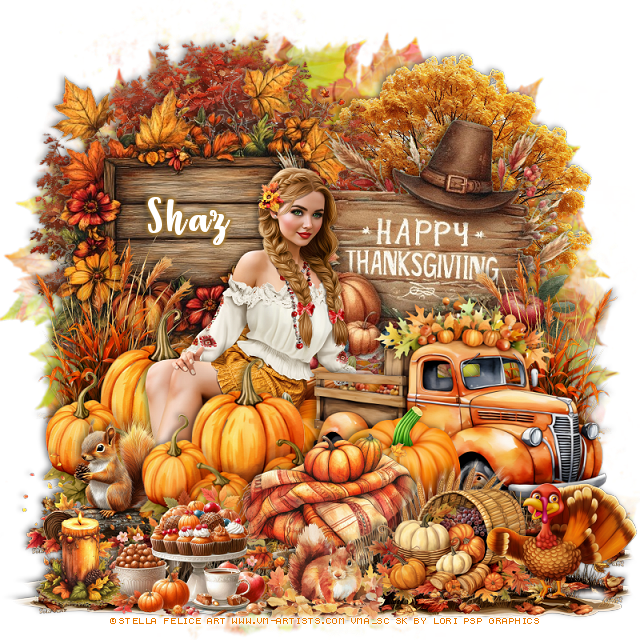
FTU Giving Thanks


  This tut was written October 12th, 2025 for those with a basic knowledge of psp. 

I am using the awesome tube ©Stella Felice Art

Tube is called Pumpkins
You need a license to use this tube, please do not use without a license
You can get it at VMArtists until Oct 21st HERE

I used PSP2020...but any of them should work.
FTU Scrap Giving Thanks contains Al by Lori's PSP Graphics  HERE
You can check out her blog HERE
Mask of choice, I used RD Mask 683 HERE
Check out the rest of the blog HERE    

Font of choice, I used Strawberry Blossom

Drop shadow as you go is V -2 H -4, 50, 10, or use what you prefer.
Let's get started
*Remember to add your drop shadow as you go along*

Open a new image 800 x 800, paste paper 13, apply your mask.

Resize wooden sign 1 to 80%, paste on the upper left.
Resize the Thanksgiving sign to 80%, paste to the right.
Resize the fall truck to 75%, paste on the right above the sign.
Paste the tree below the left sign at the top.
Paste tree 1 below the sign on the right.
Resize the pumpkins to 60%, paste on the left above the sign.

Resize the tube to 25%, mirror, paste below the truck on the left.

Duplicate the pumpkins, resize to 90%, move above the truck and tube.
Resize the blanket to 50%, paste at the bottom above the pumpkins.
Resize Squirrel on the log to 50%, paste on the bottom left below the pumpkin.
Resize fall grass to 50%, paste below the pumpkins on the left, duplicate, 
mirror below the truck.
Resize pumpkin 3 to 50%, paste below the blanket by the truck.
Resize fruit basket 1 to 50%, paste at the bottom right.

Resize the food to 50%, paste at the bottom.
Resize the squirrel in leaves to 25%, paste at the bottom.
Resize turkey 1 to 50%, paste at the bottom right.
Resize the candle to 25 %, paste at the bottom left.

Draw around the bottom of wood sign 1, paste at the bottom on the 
bottom layer, duplicate 2 or 3 times, move how you like on the bottom.

Add any other elements that you would like, make it your own.
Always readjust your mask and elements how you like them before you
 merge your tag, resize, sharpen.

Crop your tag to be sure no shadows or lines are on the edges.
 Then add your copyright and name.
That's it

Hope you enjoyed doing my tut              
Saturday, September 6, 2025

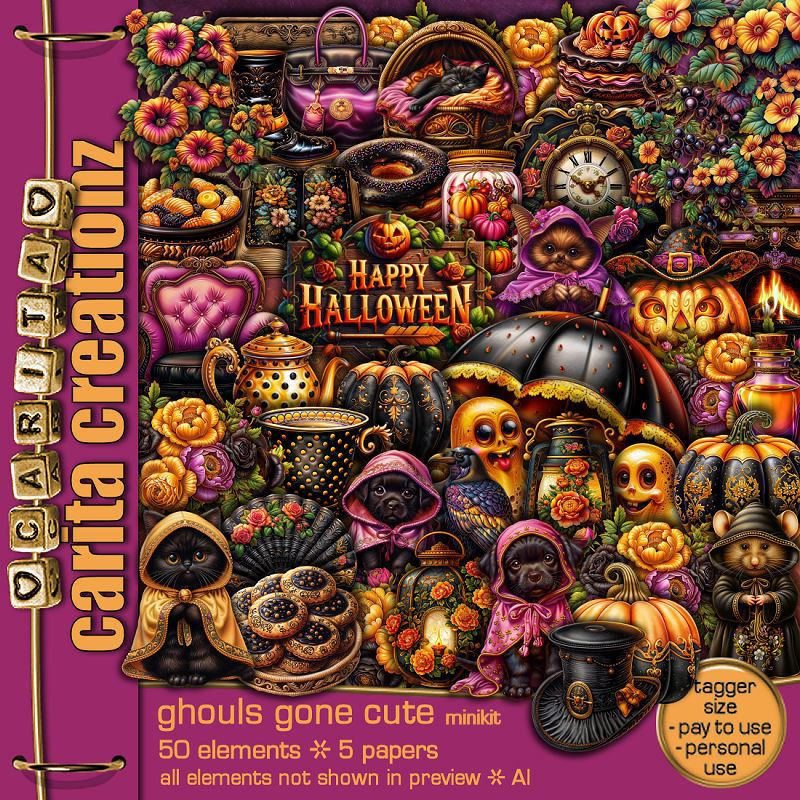
PTU Ghouls Gone Cute


  This tut was written September 6th, 2025 for those with a basic knowledge of psp. 

I am using the beautiful tube ©Stella Felice Art
Tube is called Autumn Mood
You need a license to use this tube, please do not use without a license
You can find this tube at VMA HERE

I used PSP2020...but any of them should work.
PTU Scrap Ghouls Gone Cute by Carita Creationz  HERE
The kit includes 50 elements, 5 papers
Check her store out to see all her other kits and tubes HERE
Mask of choice, I used Vivienne's Digital Tagging Mask 45 HERE
Check out the rest of the blog HERE    
Filter 
Mura Meister Copies-Encircle

Font of choice, I used Happy Halloween

Drop shadow as you go is V -2 H 4, 50, 10, or use what you prefer.
Let's get started
*Remember to add your drop shadow as you go along*

Open a new image 800 x 800, paste paper 1, apply your mask,
move to the left, duplicate, mirror.

Resize element 49 to 65%, paste at the top, click inside, resize paper 5
to 40%, paste below the frame, invert, delete, keep selected,
resize paper 1 to 40%, paste, delete, change the blend mode to Hard Light.
Resize element 10 to 25%, apply Mura Meister Copies, Encircle, first 3
numbers on 10, 45, 50, paste below the frame.
Resize element 44 to 25%, apply Mura Meister Copies, Encircle, first 3
numbers on 14, 50, 55, paste below the flower circle.
Resize element 22 to 35%, paste on the frame at the top.
Resize element 5 to 90%, paste at the top on the bottom layer.

Resize element 34 to 20%, paste at the upper right.
Resize element 20 to 20%, paste on the upper left.
Resize element 42 to 45%, paste at the bottom above the frame.
Resize element 30 to 25%, paste on top of the fireplace.
Resize element 29 to 15%, paste on the fireplace by the pumpkin.
Resize element 17 to 45%, paste on the right.

Resize the tube to 20%, paste to the left.

Resize element 41 to 25%, paste at the bottom by the chair.
Resize element 1 to 25%, paste below the cat, duplicate, mirror.
Resize element 1 to 50%, paste on the bottom right below the frame
so a little bit shows, duplicate, mirror.
Resize element 15 and 19 to 25%, paste at the bottom below the left flowers.
Resize element 31 to 25%, paste on the left below the pumpkins.
Resize element 25 to 23%, paste in the chair.
Resize element 48 to 25%, paste at the bottom.
Resize element 11 to 20%, paste at the bottom right.

Resize element 7 to 15%, paste at the bottom.
Resize element 33 to 15%, paste at the bottom.
Resize element 13 to 20%, paste at the bottom.
Resize element 14 to 13%, paste at the bottom.
Resize element 21 to 15%, paste at the bottom left.
Resize element 32 to 15%, paste at the bottom right.
Resize element 35 to 15%, paste at the bottom.
Resize element 9 to 13%, paste at the bottom.
Resize element 18 to 13%, paste at the bottom.

Add any other elements that you would like, make it your own.
Always readjust your mask and elements how you like them before you
 merge your tag, resize, sharpen.
Crop your tag to be sure no shadows or lines are on the edges.
 Then add your copyright and name.
That's it

Hope you enjoyed doing my tut.      

Saturday, May 24, 2025

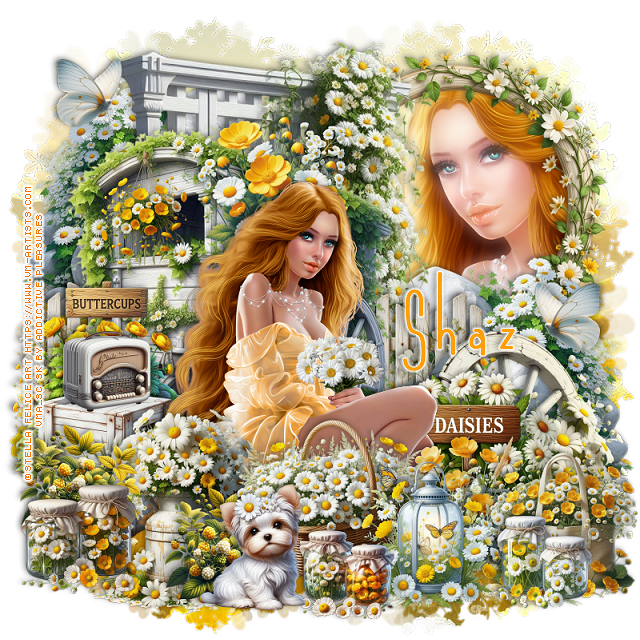
FTU Buttercups and Daisies


  This tut was written May 24th, 2025 for those with a basic knowledge of psp.

I am using the beautiful tube ©Stella Felice Art
The tube is called Adelina
You need a license to use this tube, please do not use without a license
You can find the tube at VMA HERE

I used PSP2020...but any of them should work.
FTU Al kit Buttercups and Daisies by Addictive Pleasures HERE
Check out the rest of the blog HERE
SC Mask 30 HERE
Check out the rest of the blog HERE

Font of choice, I used Andeglei sanse

Drop shadow is  V-1 H-4 Black, 40, 10, use what you prefer.
Let's get started
*Remember to add your drop shadow as you go along*
 
Open a new image 800 x 800, paste paper 6, apply your mask.

Resize trellis 2 to 65%, paste toward the top.
Resize frame 9 to 40%, mirror, paste on the upper right below the trellis,
click inside, paste paper 5, invert, delete, keep selected, resize the 
tube to 40%, mirror, paste in the frame, delete. select none.
Duplicate the tube, go to Adjust, Blur Gaussian blur, number on 10,
change the blend mode to Screen, apply xero filter, Porcelain.
Resize rock 3 to 35%, paste on the right above the frame, duplicate, mirror,
move to the top more on the left.
Resize cart 3 to 50%, being on top, paste to the left and down.
Resize wheel 3 to 35%, mirror, paste at the bottom right above the rocks.
Resize the daisy sign to 25%, paste on the bottom right above the wheel.

Resize the tube to 20%, paste above the sign.

Resize flowers 10 to 20%, paste at the bottom above the tube.
Resize fence 2 to 30%, paste on the left below the cart, duplicate, move to the 
right behind the cart.
Resize the basket to 25%, paste at the bottom above the tube.
Resize crates 3 to 25%, paste on the left below the tube.
Resize bag 3 to 20%, paste on the bottom right.
Resize lantern 3 to 20%, paste at the bottom by the basket.
Resize glass jars 3 to 12%, paste at the bottom right.
Resize glass jars 2 to 12%, paste at the bottom.
Resize puppy 2 to 18%, paste at the bottom.
Resize radio 3 to 12%, paste on the left on the crates.
Resize hanging flowers 2 to 15%, paste on the left on the cart.
Resize milk churn 3 to 30%, paste on the bottom left below the dog.
Resize glass jars to 15%, paste at the bottom left.
Resize blackberries to 15%, paste on the bottom left below the jars, duplicate,
move to the right behind the dog.
Resize buttercup sign 3 to 20%, paste on the left behind the radio.
Resize flowers 13 to 20%, paste behind the head of the tube.
Resize butterfly 3 to 10%, paste at the upper left, duplicate, mirror, move down.

Add any other elements that you would like, make it your own.
Always readjust your mask and elements how you like them before you
 merge your tag, sharpen once.
Crop your tag to make sure no shadows or anything on the edges

 Then add your copyright and name.
That's it

Hope you enjoyed doing my tut.    

Friday, May 23, 2025

FTU Strawberrylicious


 This tut was written May 23rd, 2025 for those with a basic knowledge of psp.

I am using the beautiful tube ©Trinita
The tube is called Primavera
You need a license to use this tube, please do not use without a license
You can find the tube at VMA HERE

I used PSP2020...but any of them should work.
FTU Al kit Strawberrylicious by Addictive Pleasures HERE
Check out the rest of the blog HERE
SC Mask 30 HERE
Check out the rest of the blog HERE

Font of choice, I used Acryle Script

Drop shadow is  V-1 H-4 Black, 40, 10, use what you prefer.
Let's get started
*Remember to add your drop shadow as you go along*
 
Open a new image 800 x 800, paste paper 6, apply your mask.

Resize element 73 to 50%, paste on the upper right.
Resize frame 5 to 50%, paste on the left, click inside, resize paper 8 to 
50%, paste below the frame, invert, delete.
Resize tree 2 to 80%, paste at the top below the fruit stand.
Resize bike 3 to 35%, mirror, paste on the bottom left above the frame.
Resize hanging mobile 3 to 25%, paste on the frame at the top.
Resize the garland to 25%, paste at the top above the frame.
Resize cart 2 to 30%, paste on the right above the fruit stand.
Resize bush 2 to 35%, paste below the bike, duplicate, move to the right
below the cart.

Resize the tube to 40%, paste above the bike and cart.

Resize basket 2 to 20%, paste at the bottom above the tube.
Resize log 3 to 25%, paste at the bottom right above the cart.
Resize table 3 to 30%, paste in the frame.
Resize blanket 2 to 25%, paste at the bottom left below the basket.
Resize the dog to 20%, paste at the bottom left.
Resize the ladder to 35%, paste on the right below the tube.
Resize sign 2 to 30%, paste at the upper right below the fruit stand.
Resize cheeseboard to 15%, paste below the dog on the left.
Resize the jars to 15%, paste at the bottom right by the log.
Resize candy jar 2 to 15%, paste at the bottom by the jars.

Resize cup 3 to 12%, paste at the bottom.
Resize signpost 3 to 30%, paste below the cheese plate.
Resize flower jar 2 to 20%, paste at the bottom left.
Resize branch 2 to 50%, paste at the upper left above the mask, duplicate, mirror.
Duplicate the tree, move to the bottom so the rocks shows and move below
the first tree.
Resize bird 3 to 10%, paste on the upper right on the fruit stand.

Add any other elements that you would like, make it your own.
Always readjust your mask and elements how you like them before you
 merge your tag, sharpen once.
Crop your tag to make sure no shadows or anything on the edges

 Then add your copyright and name.
That's it

Hope you enjoyed doing my tut.    

Tuesday, April 29, 2025

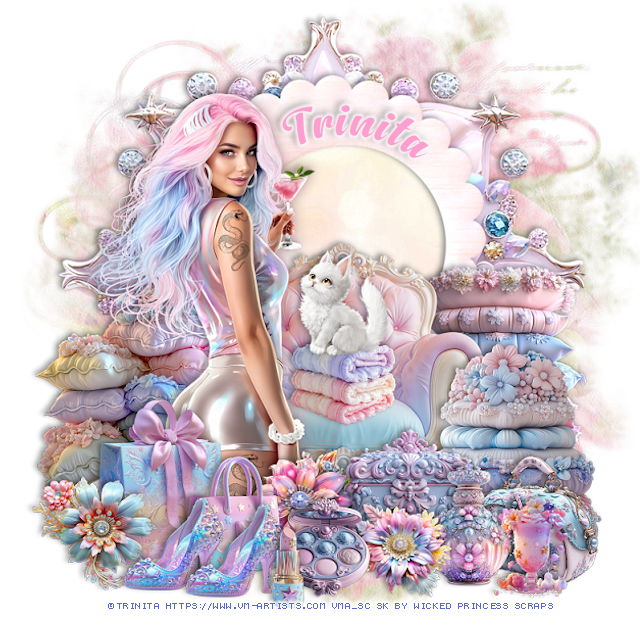
PTU Alissiya


  This tut was written April 28th, 2025 for those with a basic knowledge of psp. 

I am using the Awesome tube by ©Trinita

Tube is called Alissiya
You need a license to use this tube, please do not use without a license
You can find the tube at VMA  HERE


I used PSP2020...but any of them should work.
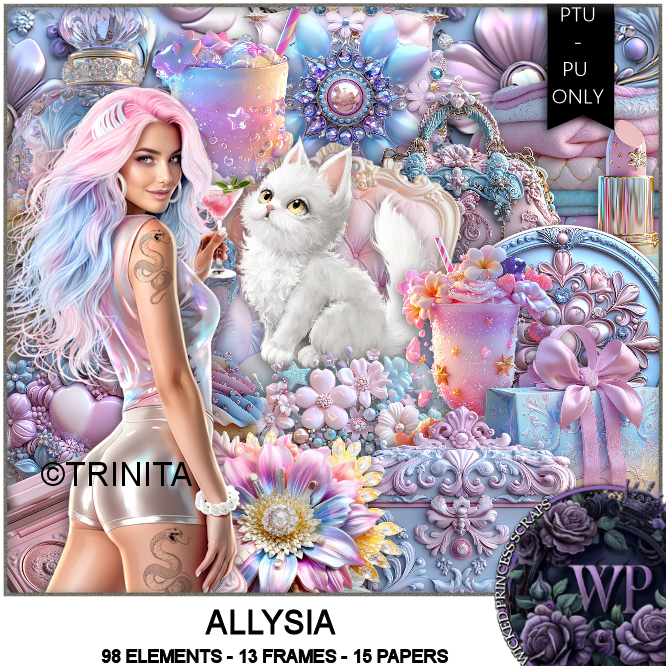
PTU Scrap Allysia by Wicked Princess Scraps HERE
You can find all Wicked Princess Scraps kits  HERE
Mask of choice, I used Miz TeeQue's Mask 56 HERE
Check out the rest of the blog HERE

Font of choice, I used Anydore

Drop shadow as you go is V -2 H 4, 40, 10, or use what you prefer.
Let's get started
*Remember to add your drop shadow as you go along*

Open a new image 800 x 800, paste paper 7, apply your mask.

Resize element 56 to 115%, paste at the top, click inside, 
paste paper 13, invert, delete.
Paste element 6 below the frame.
Resize element 105 to 55%, paste at the bottom above the frame.

Resize the tube to 40%, paste above the chair on the left.

Resize element 32 to 40%, paste on the right below the chair.
Resize element 34 to 40%, paste on the right above the chair.
Resize element 33 to 40%, paste on the left below the tube.
Resize element 10 to 30%, paste at the bottom above the tube.
Resize element 12 to 25%, paste at the bottom.
Resize element 47 to 25%, paste at the bottom left above the bags.
Resize element 20 to 25%, paste at the bottom right above the pillows.
Resize element 36 to 25%, paste on the bottom right.
Resize element 31 to 25%, paste at the bottom right.

Resize element 95 to 20%, paste on the chair.
Resize element 79 to 20%, paste on the towels on the chair.
Resize element 18 to 20%, paste at the bottom left, duplicate, move over.
Resize element 44 to 25%, paste at the bottom above the tube.
Resize element 7 to 20%, paste at the bottom above the shoes.
Resize element 24 to 15%, paste at the bottom.
Resize element 49 to 20%, paste at the bottom below the compact.
Resize element 1 to 20%, paste at the bottom right.

Add any other elements that you would like, make it your own.
Always readjust your mask and elements how you like them before you
 merge your tag, resize, sharpen.

Crop your tag to be sure no shadows or lines are on the edges.
 Then add your copyright and name.
That's it

Hope you enjoyed doing my tut 
Tag for Shani 

Saturday, April 26, 2025

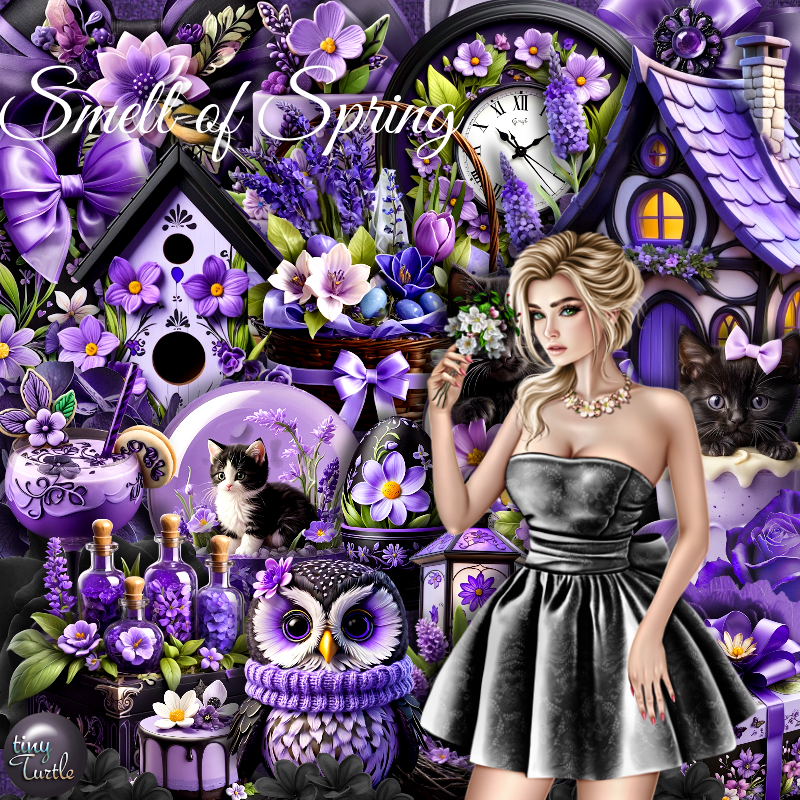
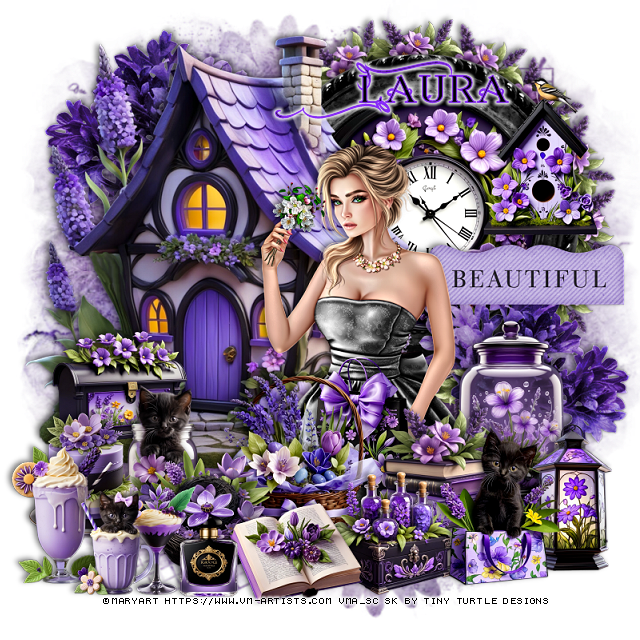
PTU Smell of Spring


 This tut was written April 24th, 2025 for those with a basic knowledge of psp. 

I am using the Beautiful tube by © MaryArt

Tube is called Smell of Spring
You need a license to use this tube, please do not use without a license
You can find this tube at VMA HERE

I used PSP2020...but any of them should work.
PTU Scrap Smell of Spring by Tiny Turtle Designs  HERE
You can find all Tiny Turtle Designs Scraps kits  HERE
Miz TeeQues Mask 78 HERE
Check the rest of the blog HERE
Filter
Mura Meister Copies-Encircle

Font of choice, I used Annabel

Drop shadow as you go is V-2 H-4, 50, 10, color black or use what you prefer.
Let's get started

*Remember to add your drop shadow as you go along*

Open a new image 800 x 800, paste paper 3, apply your mask.

Resize element 13 to 75%, paste on the upper left.
Resize element 21 to 25%, paste on the bottom left of the house.
Resize element 94 to 60%, paste on the upper right below the house.
Resize element 26 to 50%, paste in the frame.
Resize element  43 to 25%, apply Mura Meister Copies-Encircle, first 3 
numbers on 16, 42, 42, paste below the frame.

Resize the tube to 25%, paste to the right.

Resize element 43 to 30%, paste at the bottom above the tube.
Resize element 29 to 30%, paste at the bottom above the books.
Resize element 16 to 25%, paste at the bottom above the basket.
Resize element 32 to 30%, paste at the bottom right.
Resize element 44 to 25%, paste at the bottom by the basket.
Resize element 42 to 35%, paste on the right below the tube.
Resize element 24 to 25%, paste at the bottom below the book.
Resize element 23 to 25%, paste on the bottom right below the cat.
Resize element 30 to 25%, paste above the tube at the bottom.

Resize element 20 to 30%, paste on the frame on the right.
Resize element 35 to 25%, paste on the left.
Resize element 38 to 25%, paste on the bottom left.
Resize element 22 to 20%, paste at the bottom by the book.
Resize element 9 to 25%, paste at the bottom left.
Resize element 12 and 37 to 20%, paste at the bottom left.
Resize element 86 to 35%, paste on the right below the tube.
Resize element 126 to 50%, paste on the right below the jar, duplicate, mirror,
move to the upper left below the house.

Add any other elements that you would like, make it your own.
Always readjust your mask and elements how you like them before you
 merge your tag, resize, sharpen.

Crop your tag to be sure no shadows or lines are on the edges.
 Then add your copyright and name.
That's it

Hope you enjoyed doing my tut
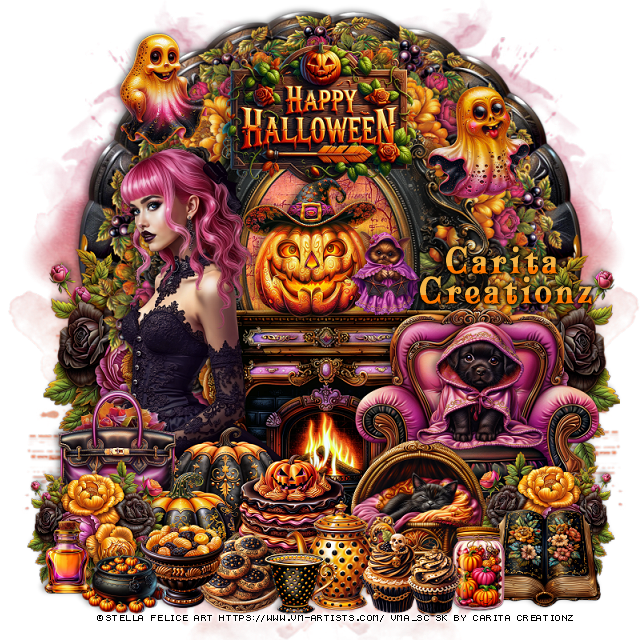
Laura tag