Showing posts with label Gothic. Show all posts

Saturday, June 20, 2026

PTU Love Hurts


 This tut was written June 20th, 2026 for those with a basic knowledge of psp. 

I am using the awesome Al tube and kit gen by Carita Creations
Everything used is in the kit
Please read the TOU on how to credit your tags.

I used PSP2020...but any of them should work.
PTU Scrap Love Hurts by Carita Creationz  HERE
Kit has 60 elements and 7 papers and 1 tube
Check her store out to see all her other kits and tubes HERE

Font of choice, I used Copperplate Gothic

Drop shadow as you go is V -2 H 4, 50, 10, or use what you prefer.
Let's get started
*Remember to add your drop shadow as you go along*

Open a new image 800 x 800, resize paper 46 to 75%, paste.

Resize 19 to 55%, paste at the upper right, duplicate, mirror.
Resize 22 to 65%, paste above the castle center.
Resize 9 to 50%, paste below the window on one side, duplicate, mirror.
Resize 11 to 40%, paste on the upper left above the window,
duplicate, mirror.
Resize 21 to 30%, paste at the top.
Resize 44 to 40%, paste at the bottom right.
Resize 49 to 45%, paste on the bottom left.
Resize 37 to 35%, paste on the fireplace on the right.

Resize the tube to 50%, mirror, paste above the chair at the bottom.

Resize 51 to 20%, paste at the bottom above the tube.
Resize 41 to 20%, paste at the bottom.
Resize 42 to 15%, paste on the fireplace below the greenery.
Resize 39 to 20%, paste on the fireplace.
Resize 32 to 15%, paste on the fireplace.

Resize 12 to 20%, paste on the left above the window, duplicate, mirror.
Resize 33 to 20%, paste at the bottom by the book.
Resize 20 to 20%, paste on the back of the chair.
Resize 8 to 30%, flip, paste at the bottom right.
Resize 14 to 20%, paste at the bottom left.
Resize 6 and 16 to 20%, paste at the bottom left.
Resize 28 to 15%, paste at the bottom left.
Resize 47 to 25%, paste in the chair, you might have to move the crow 
below the bear.
Resize 57 to 13%, free rotate to the right at 20, paste at the bottom right.
Resize 60 to 10%, paste at the bottom left.

Add any other elements that you would like, make it your own.
Always readjust your mask and elements how you like them before you
 merge your tag, resize, sharpen.
Crop your tag to be sure no shadows or lines are on the edges.
 Then add your copyright and name.
That's it

Hope you enjoyed doing my tut.       

PTU Velvet Shadows

This tut was written June 20th, 2026 for those with a basic knowledge of psp. 

I am using the awesome Al tube and kit gen by Carita Creations
Everything used is in the kit
Please read the TOU on how to credit your tags.

I used PSP2020...but any of them should work.
PTU Scrap Velvet Shadows by Carita Creationz  HERE
Kit has 75 elements and 10 papers and 1 tube
Check her store out to see all her other kits and tubes HERE
Mask of choice, I used Miz Teeques Mask 125 HERE 
Check the blog HERE

Font of choice, I used Copperplate Gothic

Drop shadow as you go is V -2 H 4, 40, 10, or use what you prefer.
Let's get started
*Remember to add your drop shadow as you go along*

Open a new image 800 x 800, paste paper 3, apply your mask, move
to the right, duplicate, mirror.

Resize 22 to 60%, paste at the top.
Resize 55 to 35%, paste below the castle on one side, duplicate, mirror.
Resize 31 to 25%, paste below the window on one side, duplicate, mirror.
Resize 59 to 30%, paste on the window on the left, duplicate, mirror.
Resize 39 to 50%, paste at the top below the castle on the right, duplicate, mirror.
Resize 53 to 50%, paste at the top center, being on the bottom layer, 
duplicate twice, move one to each side.
Resize 36 to 40%, paste on the left.
Resize 25 to 25%, paste on the left below the steps, duplicate, mirror.
Resize 30 to 35%, paste at the bottom.
Resize 21 to 35%, paste on the bottom right.
Resize 5 to 12%, paste in the chair.

Resize the tube to 50%, paste at the bottom being on the top layer.

Resize 57 to 25%, paste at the bottom left above the steps.
Resize 37 to 30%, paste at the bottom right above the chair.
Resize 71 to 27%, paste at the bottom left above the vase.
Resize 18 to 20%, paste on the bottom right below the cat.
Resize 10 to 20%, paste at the bottom above the tube.
Resize 6 to 20%, paste at the bottom to the left of the tube below the cat.
Resize 20 to 25%, paste at the bottom above the chest.
Resize 34 to 20%, paste at the bottom above the bottle.
Resize 8 to 15%, paste at the bottom below the bottle.

Resize 9 to 25%, paste below the tube on the left.
Resize 46 to 12%, paste at the bottom by the bottles.
Resize 15 to 20%, paste at the top on the castle on one side, duplicate, mirror.
Resize 17 to 10%, paste at the bottom.
Resize 7 to 15%, paste at the bottom left above the cat.
Resize 75 to 10%, paste on the bottom right.
Resize 2 to 15%, paste on the stair rail.
Resize 14 to 20%, paste at the top on the castle.

Add any other elements that you would like, make it your own.
Always readjust your mask and elements how you like them before you
 merge your tag, resize, sharpen.
Crop your tag to be sure no shadows or lines are on the edges.
 Then add your copyright and name.
That's it

Hope you enjoyed doing my tut.       

Friday, June 19, 2026

PTU It's A Gothic Beach


   This tut was written June 18th, 2026,  for those with a basic knowledge of psp. 

Awesome Al kit and tubes by Bella Caribeña
Everything is included in the kit
Read the TOU on how to credit tags

I used PSP2020...but any of them should work.
PTU Scrap It's A Gothic Beach by Bella Caribeña  HERE
Gothic/Beach Theme
Kit contains 3 Al gen tubes, 150 elements, 18 papers
You can check out the rest of her store HERE 
Miz Teeque's Mask 52 HERE
Check the blog out HERE

Font of choice I used Shadow of Xizor

 Drop shadow as you go is V -2 H 4, 50, 10, or use what you prefer.
Let's get started
*Remember to add your drop shadow as you go along*

Open a new image 800 x 800, paste paper 11, apply your mask,
Paste 147 on the left, duplicate, mirror, adjust.

Resize 29 to 75%, paste at the upper left.
Resize 137 to 65%, paste on the right.
Resize 32 to 50%, paste above the castle at the bottom.
Resize 82 to 65%, mirror, paste on the right below the stairs.
Resize 60 to 75%, paste below the castle on the upper right.
Resize 40 to 40%, paste at the upper left below the castle.

Resize tube 1 to 23%, paste at the bottom above the stairs and water.

Resize 145 to 40%, paste at the bottom right above the tube.
Resize 24 to 25%, paste at the bottom above the sign.
Resize 135 to 40%, paste on the bottom left below the tube.
Resize 121 to 25%, paste at the bottom left above the tube.
Resize 113 to 20%, mirror, paste at the bottom left.
Resize 85 to 25%, paste at the bottom right above the chest.
Resize 3 to 20%, paste at the bottom.
Resize 133 to 25%, paste on the bottom left above the chair.

Resize 104 to 25%, paste at the bottom below the cat and skull.
Resize 123 to 20%, paste at the bottom below the skull.
Resize 16 to 20%, paste at the bottom above the tube.
Paste 56 being on the top layer, erase off the face of the tube.

Add any other elements you would like, resize.
Crop your tag to be sure no shadows or lines are on the edges.
 Then add your copyright and name.
That's it

            Hope you enjoyed doing my tut                    

Friday, June 12, 2026

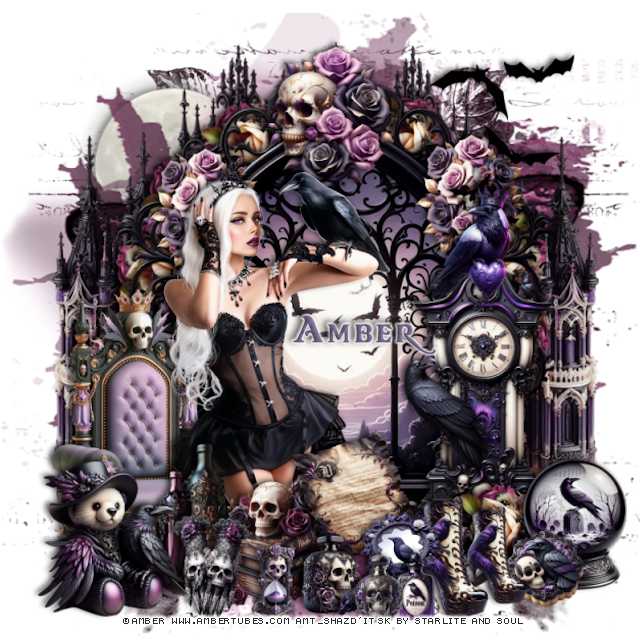
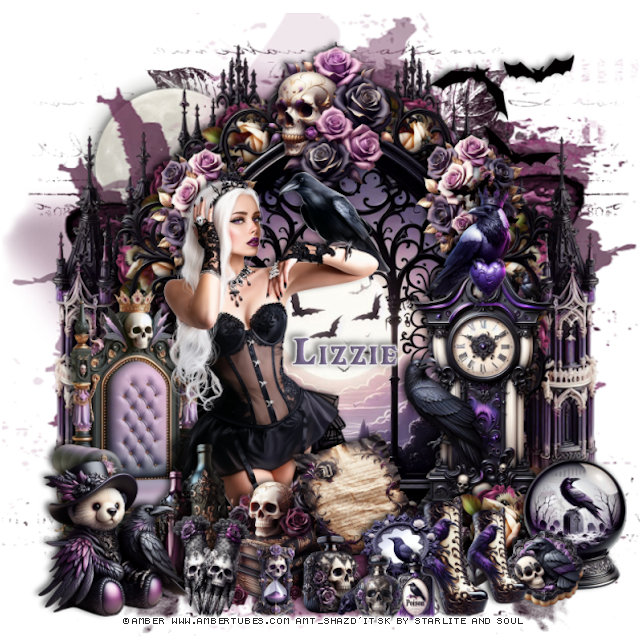
PTU Call of the Crow


 This tut was written June 12th, 2026 for those with a basic knowledge of psp. 

I am using the beautiful tube by © Amber

Tube is called Crow Queen
Tube is NOT included
You need a license to use this tube, please do not use without a license
You can find this tube at Amber store HERE

I used PSP2020...but any of them should work.
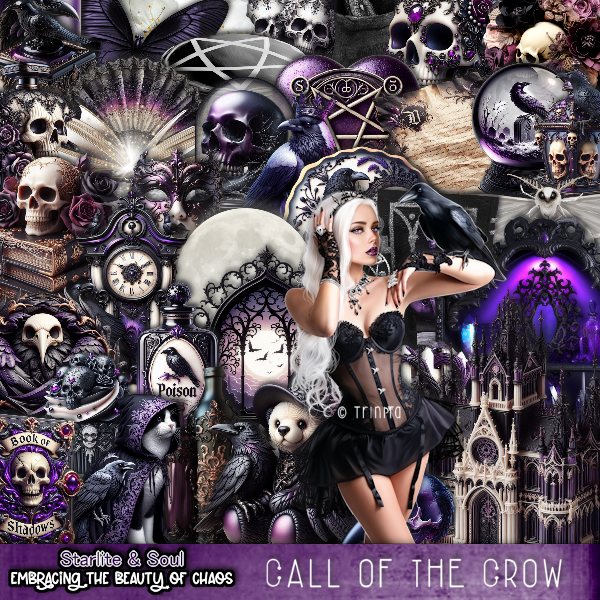
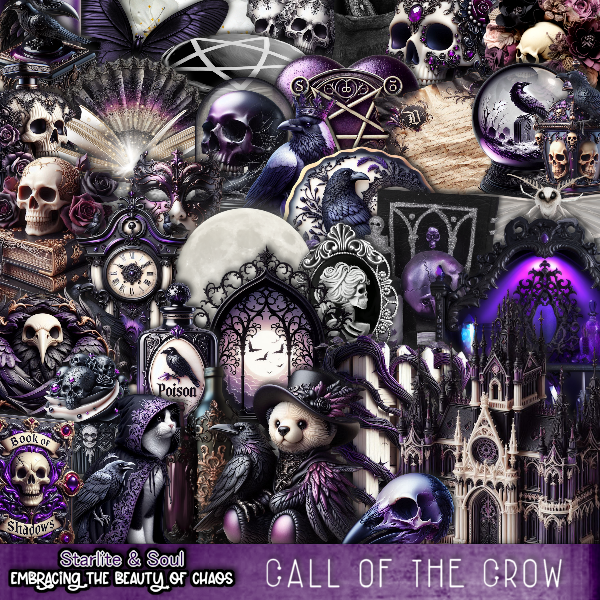
PTU Scrap Call of the Crow by Starlite and Soul  HERE
You can find all Starlite and Soul kits  HERE 

Font of choice, I used Skulls and Crossbones

Drop shadow as you go is V -2 H 4, 50, 10, or use what you prefer.
Let's get started
*Remember to add your drop shadow as you go along*

Open a new image 800 x 800, paste 175, resize to fit your tag.
Paste 172 at the upper right, duplicate, mirror, adjust.

Paste element 15.
Resize 1 to 90%, paste on the left below the window, duplicate, mirror.
Resize 123 to 25%, apply Mura Meister Copies-encircle, first 3 numbers 
on 12, 50, 50, paste below the window.
Resize 113 to 30%, paste on the window on the right, duplicate, mirror.
Resize 114 to 30%, paste at the top of the window.
Resize 48 to 60%, mirror, paste on the bottom left above the window.
Resize 35 to 55%, paste on the right above the window.

Resize the tube to 25%, paste on the left above the chair.

Resize 37 to 25%, paste at the bottom above the tube.
Resize 40 to 25%, paste above the books.
Resize 52 to 30%, paste at the bottom above the books on the left.
Resize 2 to 30%, mirror, paste at the bottom left above the bottles.
Resize 32 to 15%, paste at the bottom by the books.
Resize 10 to 20%, paste at the bottom.
Resize 36 to 20%, paste at the bottom above the bottles.
Resize 19 to 23%, paste on the bottom right below the mirror.

Resize 123 to 25%, paste at the bottom right below the boots.
Resize 8 and 25 to 13%, paste at the bottom above the mirror.
Resize 20 to 25%, paste on the bottom right.
Resize 29 to 15%, paste at the bottom right.
Resize 46 to 15%, paste at the bottom by the books.
Resize 54 to 30%, paste at the upper right.
Resize 91 to 40%, paste on the upper left below the mask.
Resize 38 to 23%, paste on top of the clock.

Add any other elements that you would like, make it your own.
Always readjust your mask and elements how you like them before you
 merge your tag, resize, sharpen.

Crop your tag to be sure no shadows or lines are on the edges.
 Then add your copyright and name.
That's it

Hope you enjoyed doing my tut

Tag for Lizzie     


Thursday, June 11, 2026

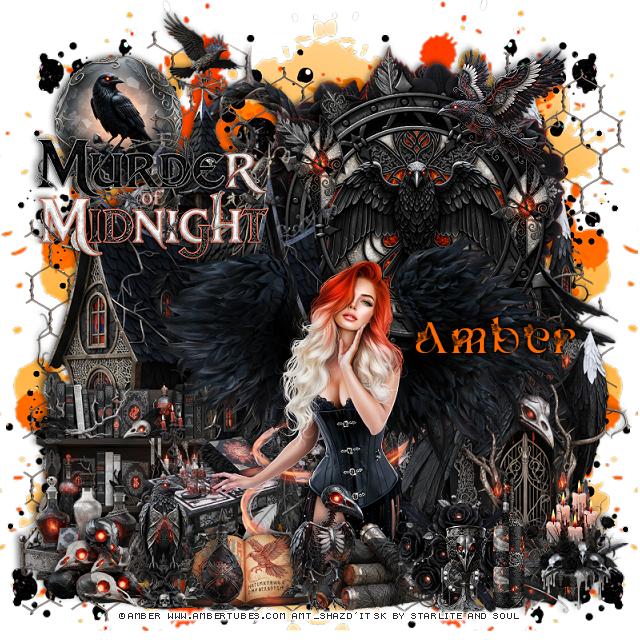
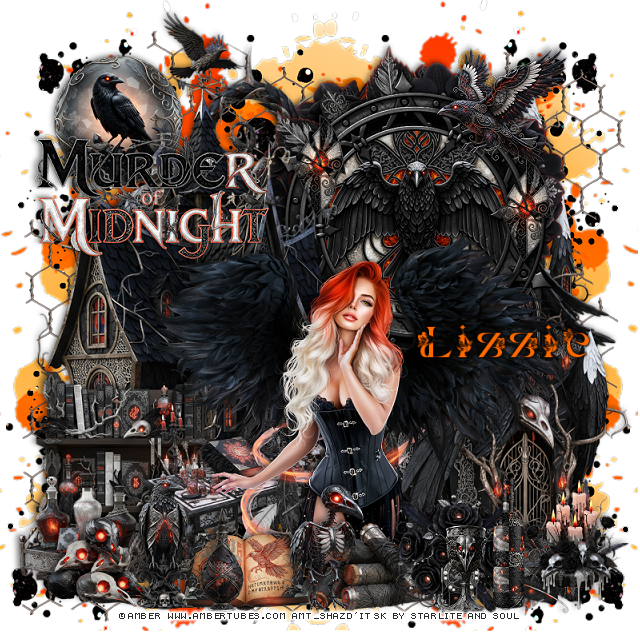
PTU Murder of Midnight


 This tut was written June 10th, 2026 for those with a basic knowledge of psp. 

I am using the beautiful tube by © Amber

Tube is called Lady Crow
Tube is NOT included
You need a license to use this tube, please do not use without a license
You can find this tube at Amber store HERE

I used PSP2020...but any of them should work.
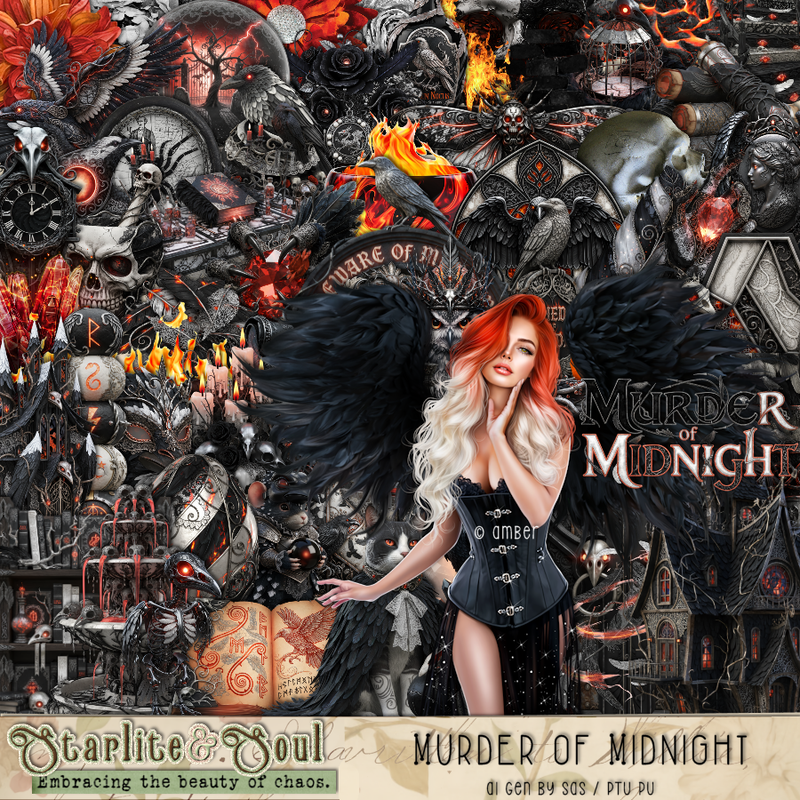
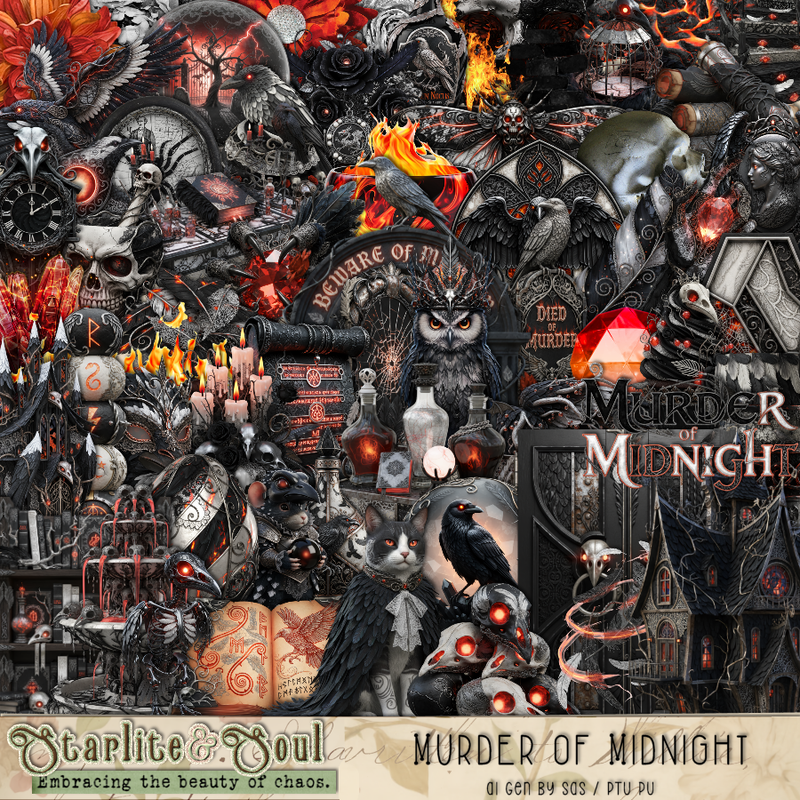
PTU Scrap Murder Of Midnight by Starlite and Soul  HERE
You can find all Starlite and Soul kits  HERE 

Font of choice, I used Marital

Drop shadow as you go is V -2 H 4, 50, 10, or use what you prefer.
Let's get started
*Remember to add your drop shadow as you go along*

Open a new image 800 x 800, paste 187 on the upper left, duplicate, mirror,
duplicate both, flip, move to the bottom.
Paste 204 the same way.
Paste 200 on the upper right above the orange splatter, duplicate, move to the 
left and down.

Resize frame 3 to 60%, paste at the upper right, click inside, 
resize 17 to 45%, paste, invert, delete.
Paste 139 below the frame, erase the ribbon and key.
Paste 1 on the left above the frame.
Paste 4 on the bottom right below the frame.
Resize 18 to 25%, paste at the upper right on the frame.
Resize 11 to 20%, paste on the frame on the right, duplicate, move to 
the left and up a little.
Resize 64 to 90%, paste at the top left below frame.

Resize the tube to 22%, paste at the bottom above the house.

Resize 35 to 45%, paste on the bottom below the tube to the left.
Resize 9 to 45%, paste on the bottom left below the table.
Resize 26 to 25%, paste at the upper left below the house.
Resize the wordart to 45%, paste at the upper left above the house.
Resize 138 to 25%, paste at the bottom right above the tube.
Resize 53 to 25%, paste at the bottom above the tube.
Resize 52 to 25%, paste below the flowers to the right.
Resize 15 to 25%, paste at the bottom.

Resize 54 to 25%, paste at the bottom left.
Resize 20 to 25%, paste on the bottom left by the table.
Resize 30 to 50%, paste at the bottom behind the tube.
Resize 56 to 25%, paste at the bottom by the crow.
Resize 49 to 25%, paste at the bottom right.
Resize 51 to 20%, paste on the bottom left.
Resize 29 to 20%, paste at the bottom by the book.
Resize 10 to 25%, paste at the bottom to the right.
Resize 13 to 17%, paste at the bottom.

Add any other elements that you would like, make it your own.
Always readjust your mask and elements how you like them before you
 merge your tag, resize, sharpen.

Crop your tag to be sure no shadows or lines are on the edges.
 Then add your copyright and name.
That's it

Hope you enjoyed doing my tut

Tag for Lizzie     


Sunday, June 7, 2026

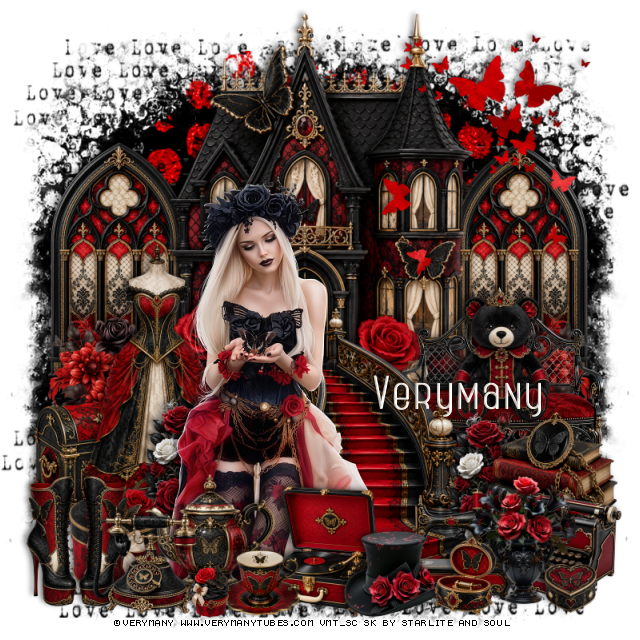
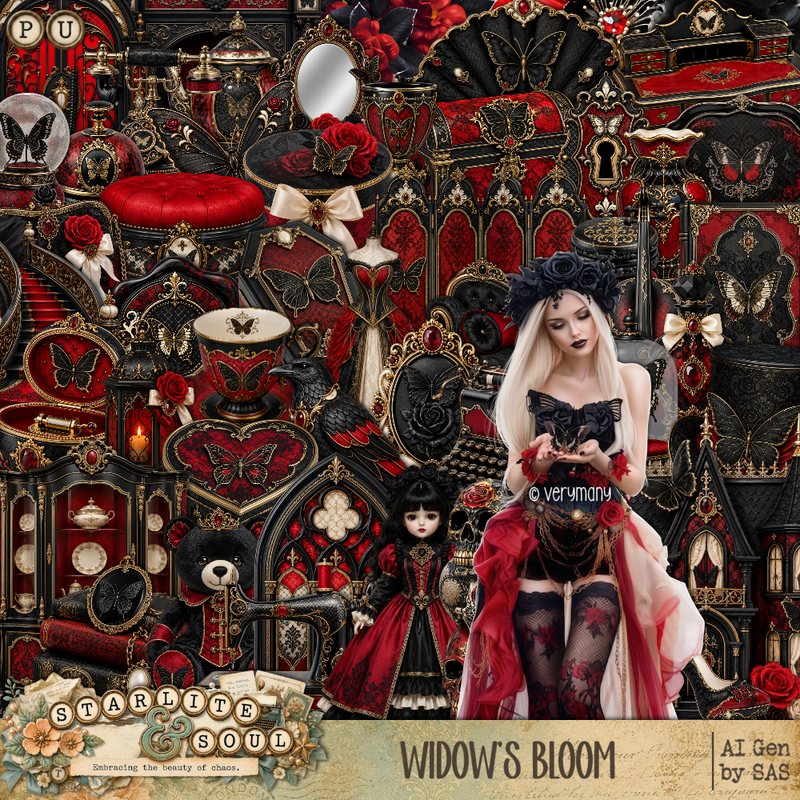
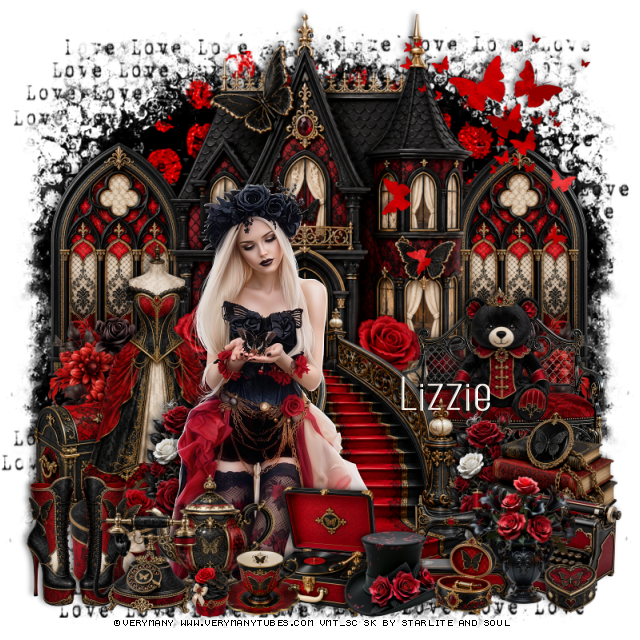
PTU Widow's Bloom


 This tut was written June 7th, 2026 for those with a basic knowledge of psp. 

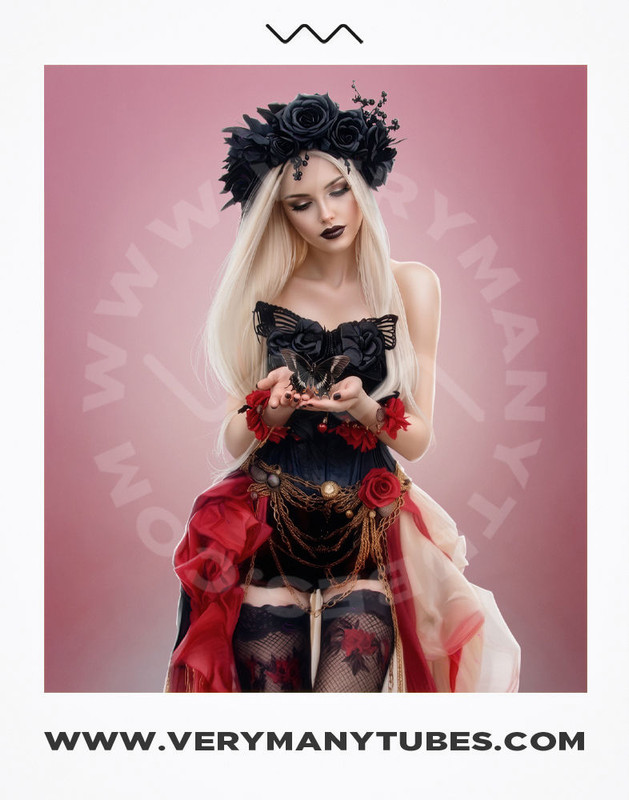
I am using the beautiful tube by © Verymany

Tube is called Black Butterfly
Tube is NOT included
You need a license to use this tube, please do not use without a license
You can find this tube at Verymany store HERE

I used PSP2020...but any of them should work.
PTU Scrap Widow's Bloom by Starlite and Soul  HERE
You can find all Starlite and Soul kits  HERE 

Font of choice, I used Home Away

Drop shadow as you go is V -2 H 4, 40, 10, or use what you prefer.
Let's get started
*Remember to add your drop shadow as you go along*

Open a new image 800 x 800

Resize 1 to 75%, paste at the top.
Resize 18 to 45%, paste on the left below the house, duplicate, mirror.
Paste 154 on the left below the windows, duplicate, mirror, merge, duplicate,
move to the bottom.
Paste 169 next on the left, duplicate, mirror.
Paste 170 at the top behind the house.

Resize 120 to 30%, paste on the left above the house at the bottom of
the window, duplicate, mirror.
Resize 49 to 40%, paste on the right above the flowers.
Resize 40 to 25%, paste on the bench.
Resize 27 to 55%, paste in front of the house at the door.

Resize the tube to 30%, paste to the left of the stairs.

Resize 63 to 25%, paste on the right above the bench seat.
Resize 46 to 25%, paste at the bottom right.
Resize 101 to 30%, paste on the right below the books, duplicate, move
to the left behind the tube.
Resize 29 to 30%, paste on the left above the flowers.
Resize 38 to 25%, paste at the bottom above the tube.
Resize 52 to 25%, paste at the bottom right above the stairs.
Resize 66 to 25%, paste on the bottom right.

Resize 60 to 25%, paste at the bottom to the left of the record player.
Resize 43 to 15%, paste by the tea pot.
Resize 84 to 20%, paste at the bottom by the record player.
Resize 167 to 50%, paste at the upper right.
Resize 57 to 50%, paste on the left behind the tube.
Resize 11 to 20%, paste below the tube on the left.
Resize 42 to 25%, paste on the bottom left.
Resize 33 to 25%, paste at the bottom left.
Resize 32 to 15%, paste at the bottom right.
Resize 4 to 10%, paste at the bottom by the cup.
Resize 17 to 10%, paste at the bottom right.

Add any other elements that you would like, make it your own.
Always readjust your mask and elements how you like them before you
 merge your tag, resize, sharpen.

Crop your tag to be sure no shadows or lines are on the edges.
 Then add your copyright and name.
That's it

Hope you enjoyed doing my tut

Tag for Lizzie  


Wednesday, May 27, 2026

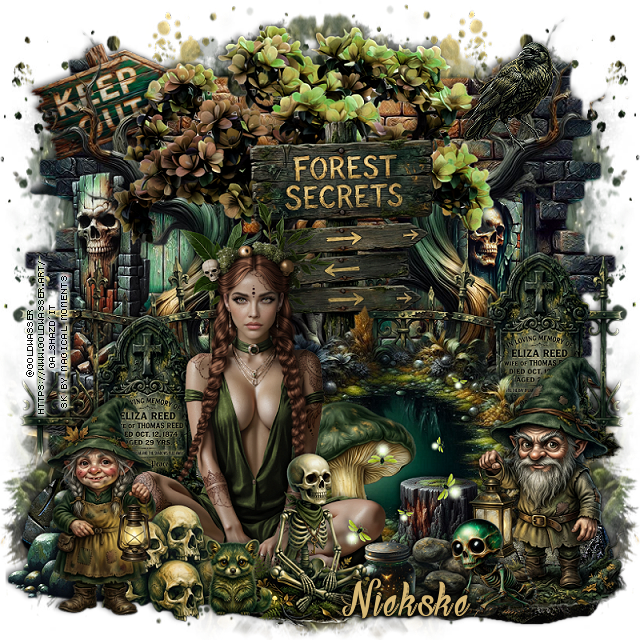
PTU Forest Secrets


 This tut was written May 26th, 2026 for those with a basic knowledge of psp.

I am using the awesome tube ©Goldwasser
The tube is called Druanthia
The tube is NOT included
You need a license to use this tube, please do not use without a license
You can find the tube at their store HERE


I used PSP2020...but any of them should work.
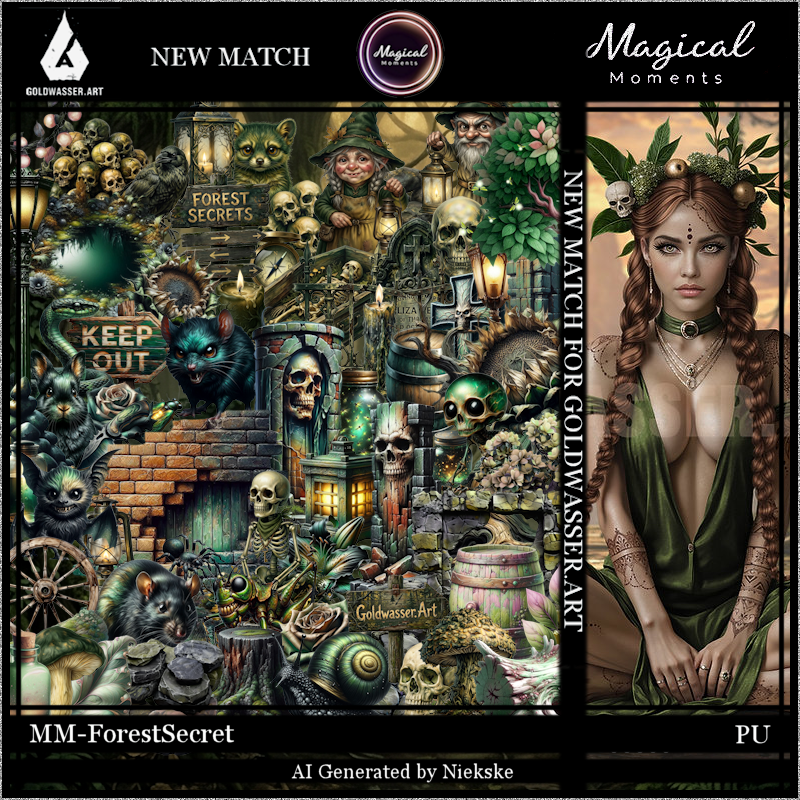
PTU Scrap Forest Secrets match for the tube by Magical Moments HERE  
Kit has 70 elements, 5 papers 
Check out the rest of her store HERE   
Mask of choice, I used RD Mask 720 Here
Check the blog Here

Font of choice, I used Your Fear

Drop shadow is V -2 H 4, 50, 10, color Black or use what you prefer.
Let's get started
*Remember to add your drop shadow as you go along*

Open a new layer 800 x 800, paste paper 3, apply your mask, move
to the left, duplicate, mirror.

Resize 20 to 75%, paste on the right, duplicate, mirror.
Resize 12 to 55%, paste at the top, duplicate, change the blend mode
to Multiply, merge down.
Resize 39 to 60%, paste on the left below the tree, erase the pointed 
part at the bottom, duplicate, mirror.
Resize 46 to 50%, paste at the bottom above the trees.
Paste 11 at the bottom above the mask layer, erase the top part showing.

Resize 33 to 25%, paste on the right below the curved tree.
Resize 16 to 30%, paste on the left below the curved tree.
Resize 52 to 35%, paste on the right below the pond, duplicate, mirror.

Resize the tube to 30%, paste at the bottom above the pond to the left.

Resize 53 to 30%, paste on the right below the pond, duplicate, move
to the left below the tube.
Resize 29 to 30%, paste below the tube on the bottom left.
Resize 58 to 30%, paste on the bottom right.
Resize 18 to 20%, paste at the bottom below the little man.
Resize 56 to 30%, paste on the bottom left above the tube.
Resize 65 to 25%, paste below the tube on the right.
Resize 63 to 25%, paste at the bottom below the girl.
Resize 69 to 25%, paste at the bottom to the right.
Resize 44 to 13%, paste at the bottom by the rocks.
Resize 67 to 30%, mirror, paste at the bottom.

Resize 55 to 30%, paste below the pond in the center more.
Resize 42 to 20%, free rotate to the left at 20, paste at the upper left
below the trees.
Resize 15 to 50%, paste at the bottom by the jar being on the top layer.
Resize 22 to 13%, paste on the bottom right.
Resize 57 to 17%, paste on the upper right.
Resize 68 to 12%, paste at the bottom.

Add any other elements that you would like, make it your own.
Always readjust your mask and elements how you like them before you
 merge your tag, resize, sharpen.

Crop your tag to be sure no shadows or lines are on the edges.
 Then add your copyright and name.
That's it

Hope you enjoyed doing my tut.