Showing posts with label Retro. Show all posts

Tuesday, July 7, 2026

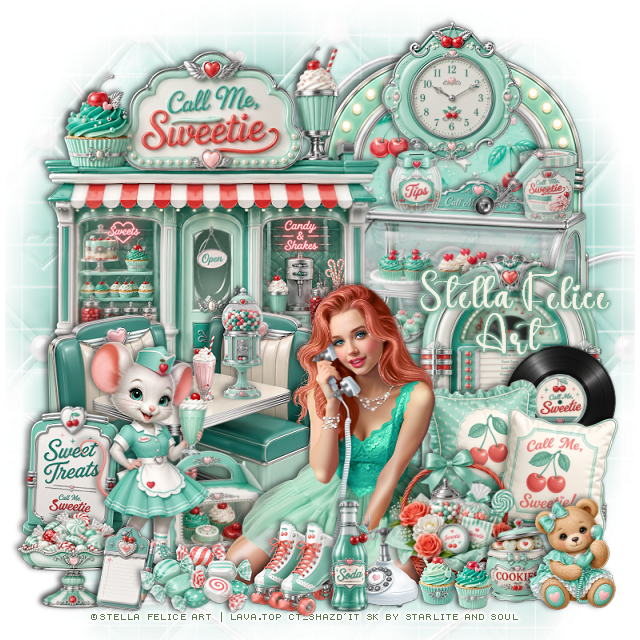
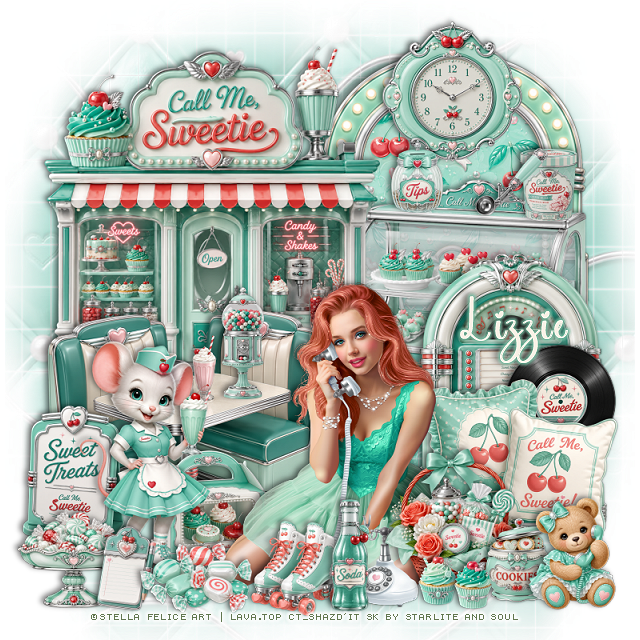
PTU Call Me


 This tut was written July 7th, 2026 for those with a basic knowledge of psp. 

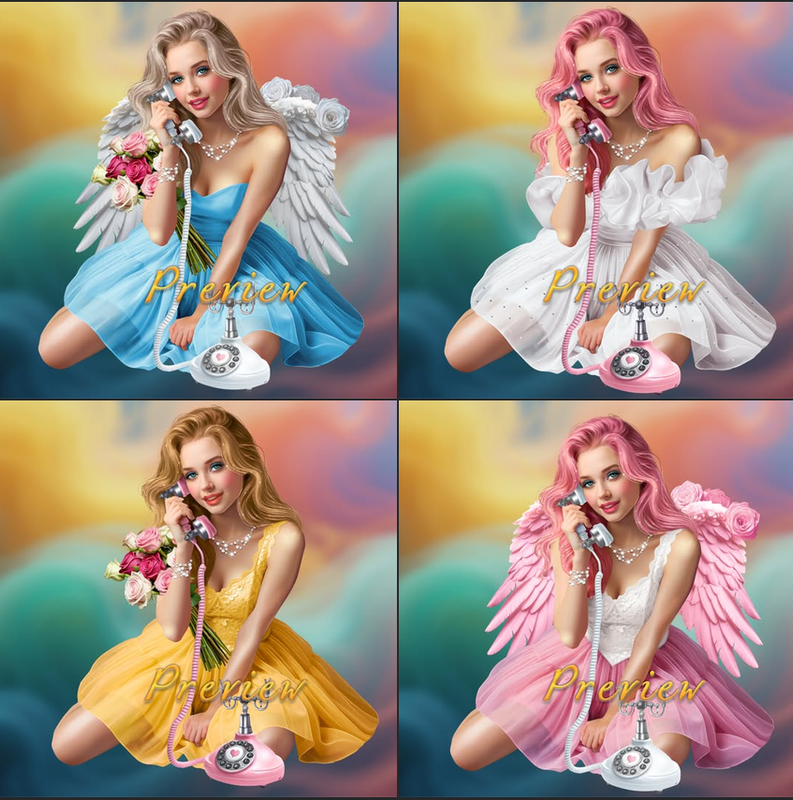
I am using the beautiful tube by © Stella Felice Art

Tube is called Call Me
Tube is NOT included
You need a license to use this tube, please do not use without a license
You can find this tube at Lava.top store HERE

I used PSP2020...but any of them should work.
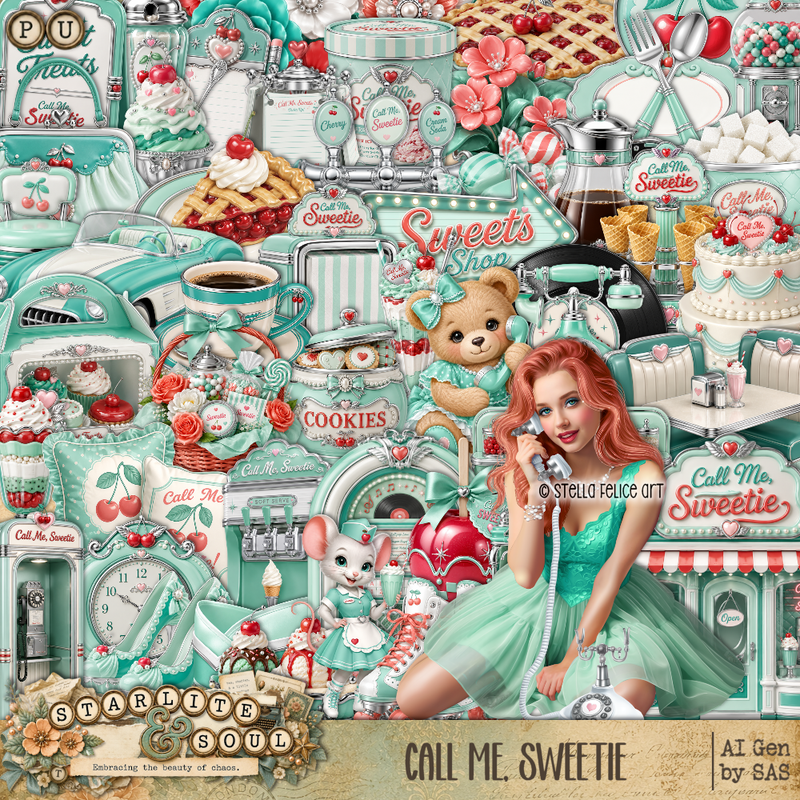
PTU Scrap Call Me Sweetie by Starlite and Soul  HERE
You can find all Starlite and Soul kits  HERE 
DBV Mask 72 HERE
Check the blog Here

Font of choice, I used Coffee Christmas

Drop shadow as you go is V -2 H 4, 40, 10, or use what you prefer.
Let's get started
*Remember to add your drop shadow as you go along*

Open a new image 800 x 800, paste paper 19, apply your mask,
move to the left, duplicate, mirror.

Resize frame 8 to 55%, paste on the upper right, click inside,
resize paper 17 to 50%, paste, invert, delete.
Resize 8 to 45%, paste above the frame.
Resize 1 to 60%, paste at the upper left.
Resize 10 to 50%, paste on the right.
Resize 43 to 50%, paste on the bottom left.

Resize the tube to 20%, paste at the bottom.

Resize 54 to 25%, paste on the bottom left.
Resize 56 to 20%, paste on the right above the juke box.
Resize 73 to 35%, paste on the bottom right below the tube.
Resize 70 to 25%, paste at the bottom right above the tube.
Resize 2 to 43%, paste on the bottom left above the sign.
Resize 11 to 20%, paste on the table.

Resize 20 to 25%, paste at the top on the frame.
Resize 33, 34, and 45  to 13%, paste on the shelf of the cupcake case shelf.
Resize 23 to 15%, paste at the bottom right above the basket.
Resize 57 to 20%, paste at the bottom above the tube.
Resize 77 to 20%, paste at the bottom right.
Resize 68 to 17%, paste at the bottom below the soda.

Resize 26 to 20%, paste below the tube on the left.
Resize 27 to 20%, paste on the bottom left above the mouse.
Resize 44 to 15%, paste at the bottom.
Resize 64 to 20%, paste at the bottom by the mouse.
Resize 3 and 4 to 10%, paste at the bottom by the basket.

Add any other elements that you would like, make it your own.
Always readjust your mask and elements how you like them before you
 merge your tag, resize, sharpen.

Crop your tag to be sure no shadows or lines are on the edges.
 Then add your copyright and name.
That's it

Hope you enjoyed doing my tut

Tag for Lizzie   


Monday, May 11, 2026

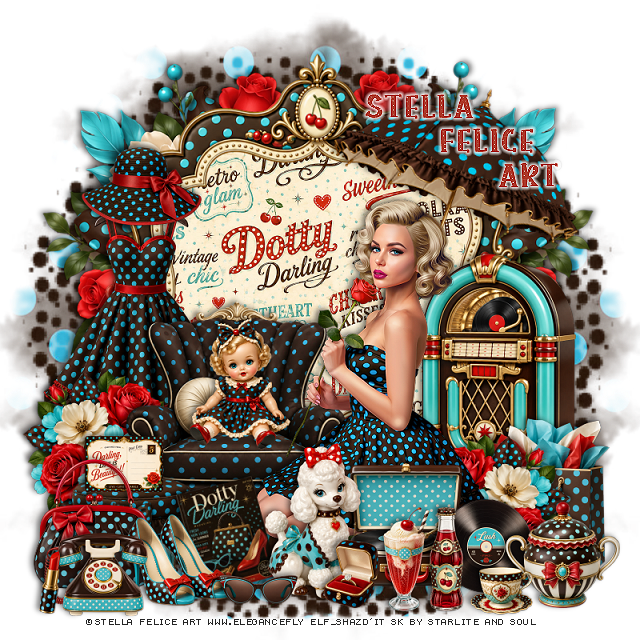
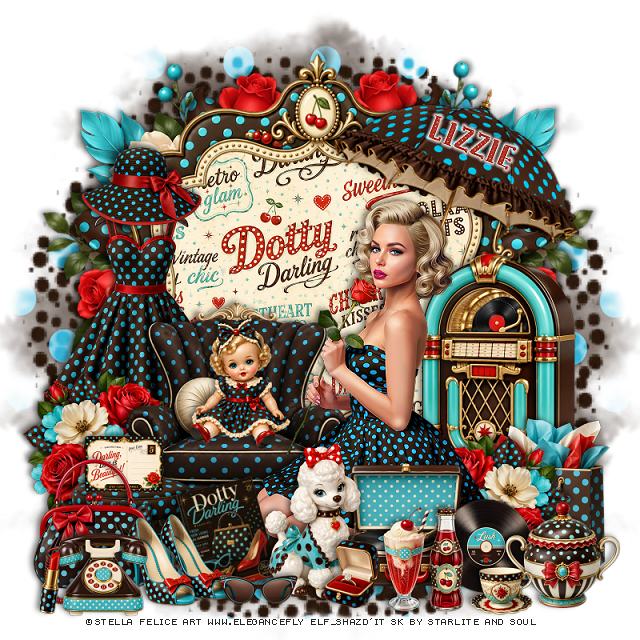
PTU Dotty Darling


  This tut was written May 11th, 2026 for those with a basic knowledge of psp. 

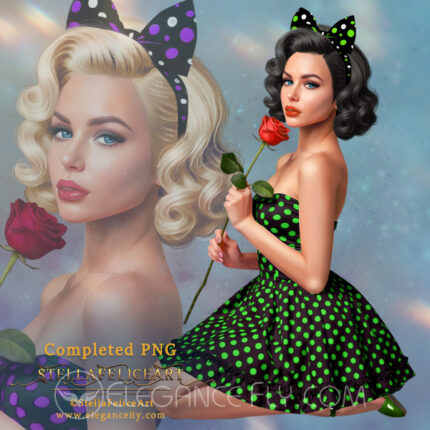
I am using the beautiful tube by © Stella Felice Art

Tube is called Mollie
You need a license to use this tube, please do not use without a license
You can find this tube at Elegancefly store  HERE 

I used PSP2020...but any of them should work.
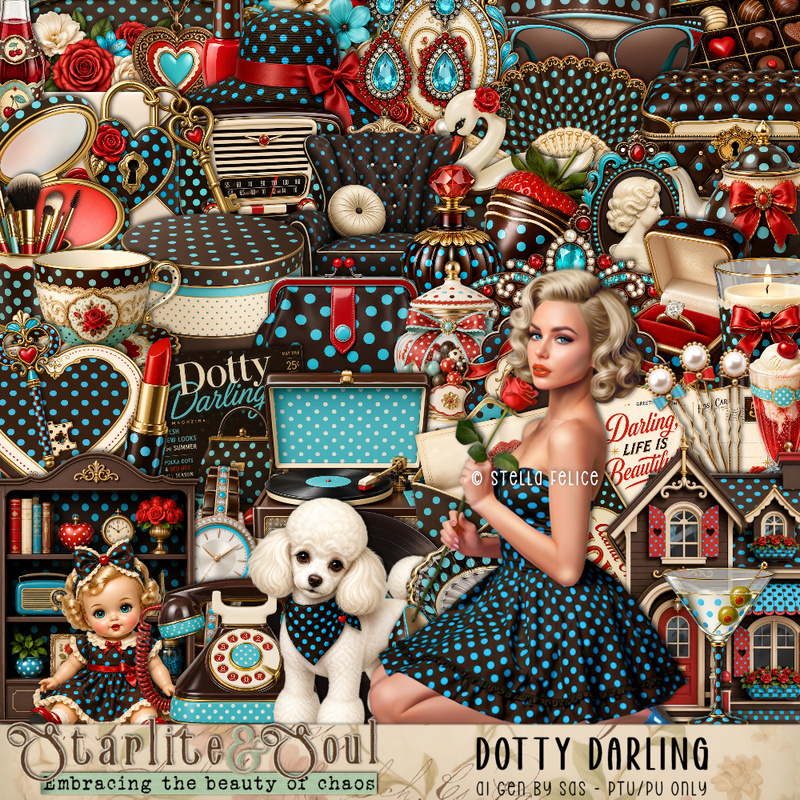
PTU Scrap Dotty Darling by Starlite and Soul HERE
You can find all Starlite and Soul  kits  HERE 
 Miz Teeques Mask 70 HERE
Check the blog out HERE

Font of choice, I used Polkadot

Drop shadow as you go is V -2 H 4, 40, 10, or use what you prefer.
Let's get started
*Remember to add your drop shadow as you go along*

Open a new image 800 x 800, paste paper 16, apply your mask,
move to the left, duplicate, mirror.

Resize frame 7 to 85%, click inside, resize paper 17 to 50%, 
paste, invert, delete.
Paste 124 below the frame on the left, duplicate, mirror.

Resize the tube to 20%, paste at the bottom of the frame.

Resize 91 to 45%, paste behind the tube on the left.
Resize 92 to 25%, paste at the bottom above the tube.
Resize 87 to 20%, free rotate to the left at 15, paste at the bottom above 
the foot stool.
Resize 75 to 30%, paste at the bottom above the book.
Resize 74 to 45%, paste below the tube on the right.
Resize 10 to 20%, paste on the bottom left by the book.
Resize 73 to 25%, paste at the bottom right.
Resize 72 to 18%, paste at the bottom right above the record player.

Resize 6 to 25%, paste below the shoes on the left.
Resize 7 to 15%, paste at the bottom by the dog.
Resize 3 to 25%, paste on the chair.
Resize 80 to 15%, paste on the foot stool.
Resize 19 to 50%, paste on the left behind the chair.
Resize 129 to 30%, paste above the dress on the left, duplicate, mirror,
move above the juke box.
Resize 65 to 22%, paste at the bottom right.
Resize 63 to 12%, paste at the bottom.
Resize 60 and 62 to 20%, paste at the bottom.
Resize 70 to 20%, paste at the bottom left.
Resize 22 to 12%, paste at the bottom left by the phone.
Resize 39 to 30%, paste on the bottom right above the jukebox.
Resize 47 to 13%, paste at the bottom by the dog.
Resize 8 to 23%, paste on the upper left on the dress.
Resize 83 to 50%, free rotate to the right at 20, paste at the upper right below the tube.

Add any other elements that you would like, make it your own.
Always readjust your mask and elements how you like them before you
 merge your tag, resize, sharpen.

Crop your tag to be sure no shadows or lines are on the edges.
 Then add your copyright and name.
That's it

Hope you enjoyed doing my tut

Tag for Lizzie 


Monday, March 24, 2025

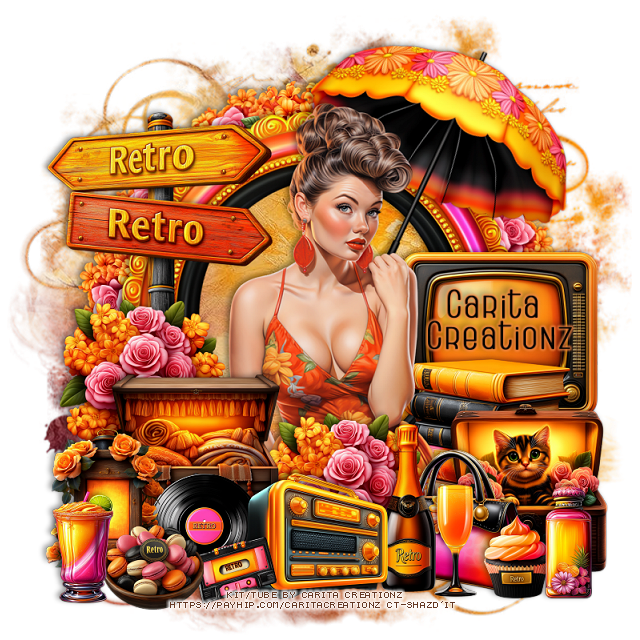
FTU So Retro


  This tut was written March 24th, 2025 for those with a basic knowledge of psp. 

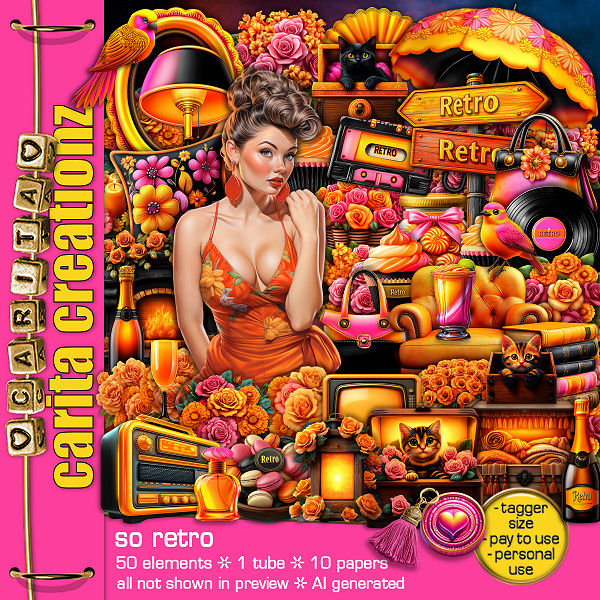
I am using the Awesome kit So Retro
You can get this kit for free if you spend $5.00 in one order
Contact Carita to get the kit once you have spent $5.00.
Read TOU on how to credit your tags

I used PSP2020...but any of them should work.
PTU Scrap So Retro by Carita Creationz  HERE
The kit includes 50 elements, 10 papers and 1 tube
Check her store out to see all her other kits and tubes HERE
Miz Teeques's Mask 56 HERE
Check the rest of the blog HERE

Font of choice, I used Home Away

Drop shadow as you go is V -2 H 4, 50, 10, or use what you prefer.
Let's get started
*Remember to add your drop shadow as you go along*

Open a new image 800 x 800, paste paper 4, apply your mask.

Resize element 27 to 75%, paste, click inside, paste paper 4, invert, delete.
Resize element 41 to 30%, apply Mura Meister Copies-Encircle, first 3 
numbers on 12, 50, 50, paste below the frame.

Resize the tube to 60%, paste above the frame.

Resize element 3 to 30%, paste at the bottom above the tube to the left.
Resize element 43 to 30%, paste below the chest on the left, duplicate,
move to the right.
Resize element 34 to 30%, paste on the right below the tube.
Resize element 24 to 35%, paste below the books on the right.
Resize element 38 to 30%, paste on the bottom right above the flowers.
Resize element 40 to 25%, paste at the bottom by the cat.
Resize element 14 to 30%, paste at the bottom.
Resize element 9 to 20%, paste at the bottom.

Resize element 11 to 25%, paste at the bottom above the bottle.
Resize element 13 to 20%, paste below the radio on the left.
Resize element 5 to 25%, paste at the bottom left.
Resize element 20 to 50%, free rotate to the right at 25, paste below the tube
on the upper right.
Resize element 4 to 45%, paste on the left below the tube.
Resize element 35 to 15%, paste at the bottom left.
Resize element 16 to 18%, paste at the bottom at the bottom left.
Resize element 23 to 15%, paste at the bottom right.
Resize element 32 to 20%, paste at the bottom right.
Resize element 44 to 20%, paste at the bottom left.

Add any other elements that you would like, make it your own.
Always readjust your mask and elements how you like them before you
 merge your tag, resize, sharpen.
Crop your tag to be sure no shadows or lines are on the edges.
 Then add your copyright and name.
That's it

Hope you enjoyed doing my tut.    

Wednesday, March 5, 2025

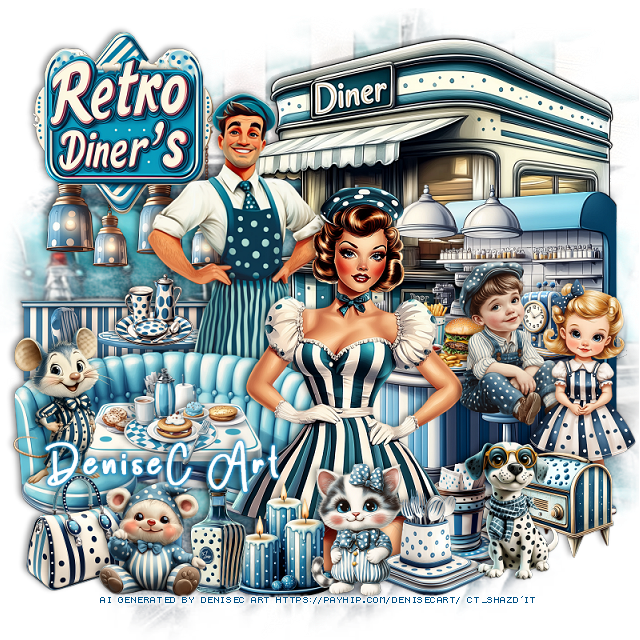
PTU My Favorite Retro Diner


This tut was written March 5th, 2025 for those with a basic knowledge of psp. 

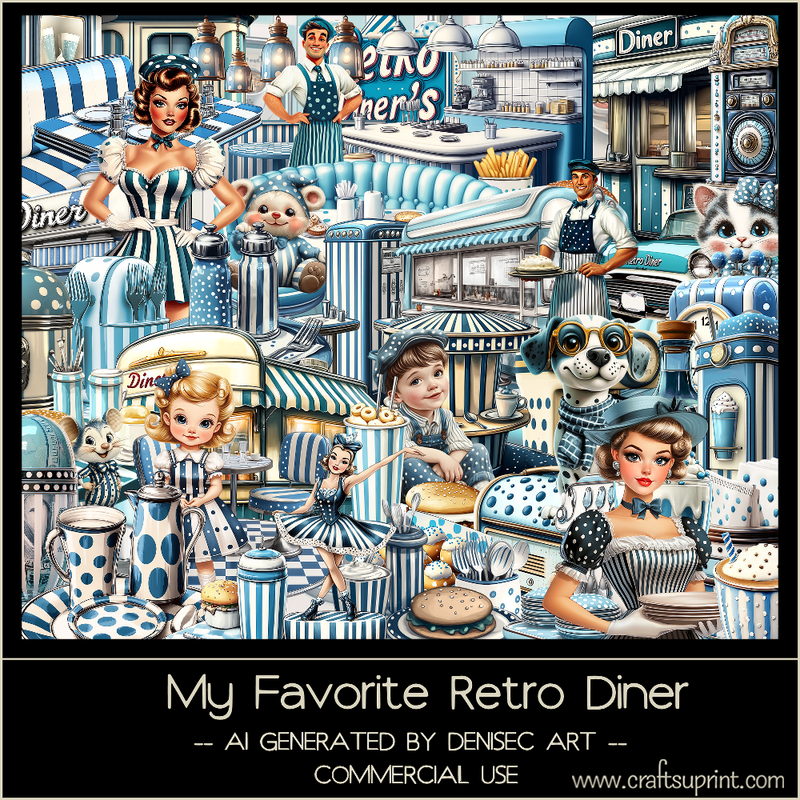
AI generated kit and tube by DeniseC Art

Everything used is included in the kit
Read the TOU on how to credit your tags

I used PSP2020...but any of them should work.
PTU Scrap My Favorite Retro Diner by DeniseC Art  HERE  
You can find all DeniseC Art kits  HERE
Miz Teeques Mask 40 HERE
Check the rest of the blog HERE 
 
Font of choice, I used Champion

Drop shadow as you go is V -2 H -4, 40, 10, or use what you prefer.
Let's get started
*Remember to add your drop shadow as you go along*

Open a new image 800 x 800, paste paper 1, apply your mask.

Resize element 54 to 50%, paste on the upper right.
Resize element 29 to 40%, paste on the bottom left.
Resize element 23 to 50%, paste on the upper right behind the counter.
Resize element 16 to 25%, paste on the upper left.
Resize element 46 to 50%, paste on the left behind the booth.
Resize element 17 to 35%, paste on the left below the diner sign.

Resize element 34 to 13%, paste on the table.
Resize element 52 to 50%, paste by the table.
Resize element 47 to 10%, paste on the counter on the right.
Resize element 12 to 10%, paste on the counter on the right by the burger.
Resize element 14 to 10%, paste on the table behind the man.

Resize element 22 to 18%, paste on the bar stool on the right.
Resize element 35 to 18%, paste on the bar stool on the right.
Resize element 42 to 15%, paste on the bottom right below the dog.
Resize element 3 to 25%, paste on the bottom right above the boy.
Resize element 48 to 15%, paste on the bottom left above the table.
Resize element 31 to 15%, paste on the bottom right of the tube.
Resize element 1 to 15%, paste on the bottom right below cup with the silverware.
Resize element 30 to 20%, paste on the seat on the booth.

Resize element 1 to 15%, paste on the seat on the booth.
Resize element 44 to 17%, paste at the bottom above the tube.
Resize element 27 to 15%, paste at the bottom below the cat.
Resize element 25 and 33 to 15%, paste at the bottom above the purse.

Add any other elements that you would like, make it your own.
Always readjust your mask and elements how you like them before you
 merge your tag, resize, sharpen.

Crop your tag to be sure no shadows or lines are on the edges.
 Then add your copyright and name.
That's it

Hope you enjoyed doing my tut            

Sunday, January 14, 2024

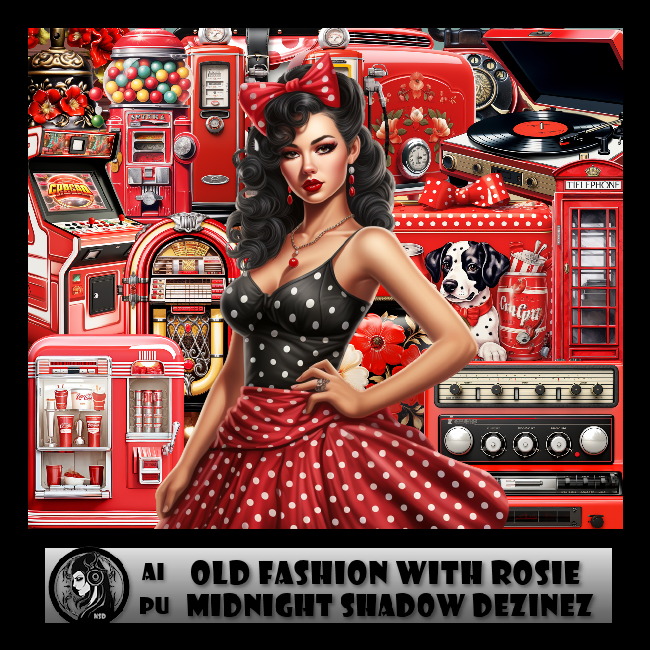
PTU Old Fashion with Rosie


 This tut was written January 14th, 2024 for those with a basic knowledge of psp. 

Awesome AI kit and tube by Midnight Shadow Dezinez

Everything used is included in the kit
Read the TOU on how to credit your tags

I used PSP2020...but any of them should work.
PTU Scrap Old Fashion with Rosie  HERE  HERE  
Everything used is included in the kit
You can find all Midnight Shadow Dezinez kits  HERE
Mask of choice I used Miz Teeques Mask 63 HERE
Check out the rest of the blog HERE
Mask 78 by vivienne's Digital Tagging HERE
Check out the rest of the blog HERE

 Font of choice, I used CrazyCrazy

Drop shadow as you go is V -2 H -4, 50, 10, or use what you prefer.
Let's get started
*Remember to add your drop shadow as you go along*

Open a new image 800 x 800,  resize paper 5 to 75%, apply mask 78 at the bottom
of the paper on the floor part, invert, delete, paste at the bottom,
duplicate, mirror, merge down.
Paste paper 8, apply mask 63, delete.

Resize element 19 to 75%, paste to the left.
Paste your tube (element 60).
Paste element 10 on the right behind the tube.
Resize element 28 to  85%, paste at the top left behind the clock.
Resize element 55 to 50%, paste at the bottom above the tube.
Resize element 56 to 35%, paste at the bottom.
Resize element 14 to 50%, paste on the left above the clock.

Resize element 37 to 40%, paste at the bottom behind the records.
Resize element 54 to 50%, paste on the left behind the tube.
Resize element 22 to 85%, paste on the right behind the car.
Resize element 52 to 85%, paste at the top right behind the juke box.

Resize element 45 to 50%, paste on the bottom left behind the record player.
Resize element 59 to 40%, paste on the left below the back pack.
Resize element 27 to 25%, paste at the bottom left.
Resize element 2 to 30%, paste at the bottom left.
Resize element 36 to 35%, paste at the bottom right above the car.
Resize element 18 to 85%, paste at the top behind the tube.
Resize element 25 to 30%, paste at the bottom.

Resize element 13 to 30%, paste at the bottom.
Resize element 33 to 35%, paste at the bottom.
Resize element 9 to 25%, paste at the bottom.
Resize element 35 to 25%, paste at the bottom, duplicate, move over.

Add any other elements that you would like, make it your own.
Always readjust your mask and elements how you like them before you
 merge your tag, resize, sharpen.

Crop your tag to be sure no shadows or lines are on the edges.
 Then add your copyright and name.
That's it

Hope you enjoyed doing my tut