Showing posts with label PTU. Show all posts

Wednesday, August 12, 2026

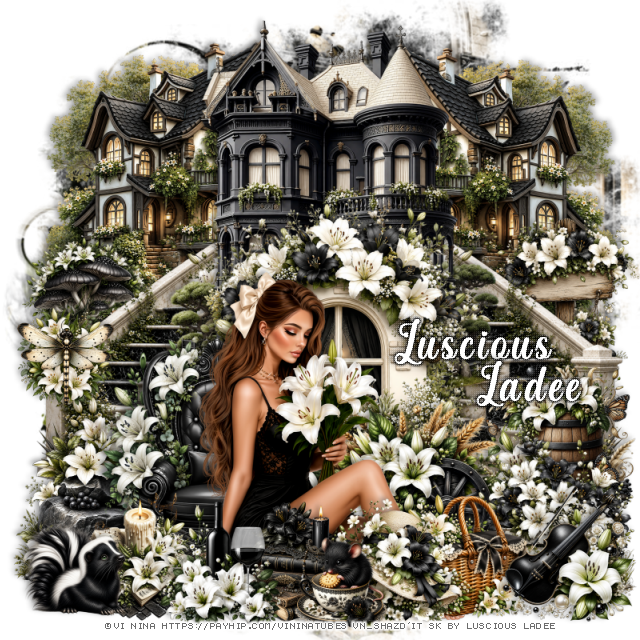
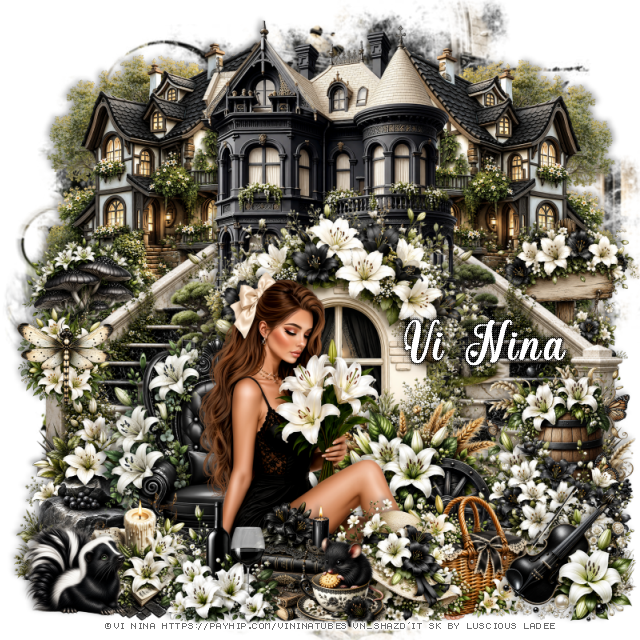
PTU Lily Serenity


This tut was written August 12th, 2026 for those with a basic knowledge of psp. 

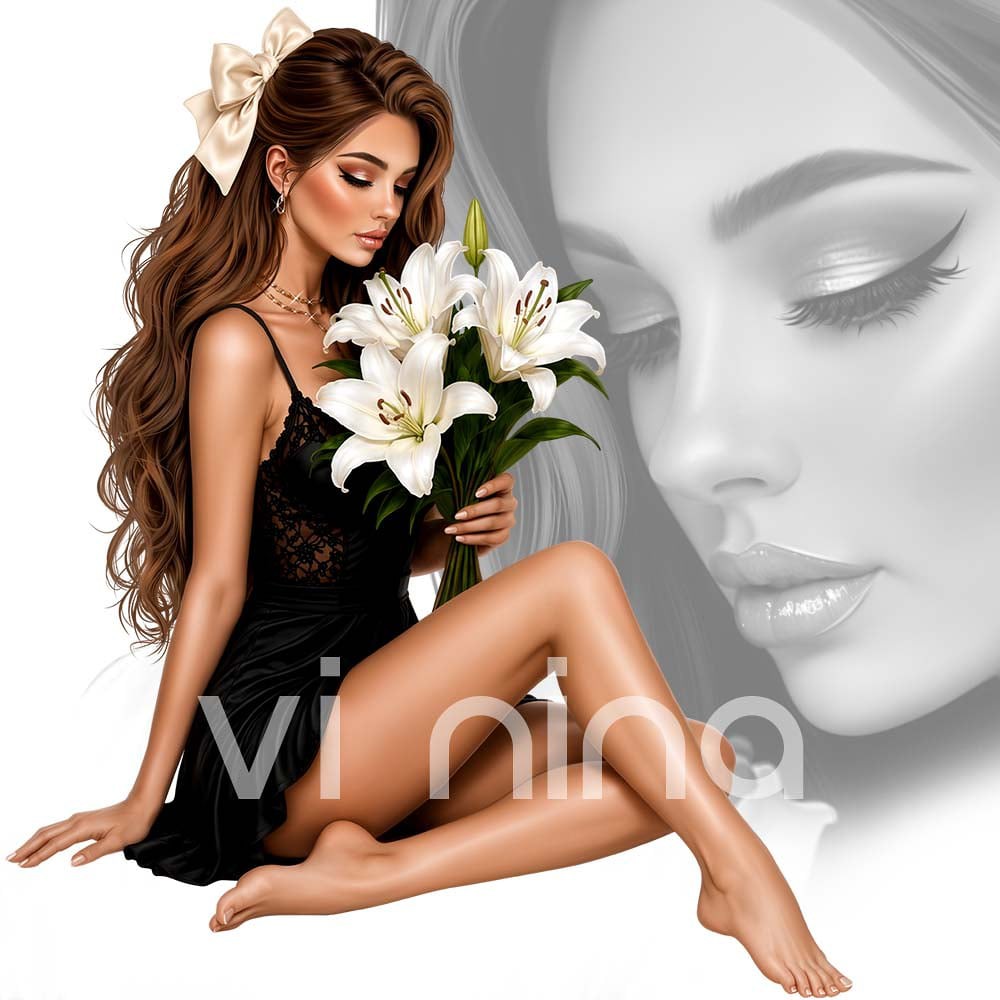
I am using the Beautiful tube ©Vi Nina
The tube is called Lily Serenity
The tube is "NOT" included
You need a license to use this tube, please do not use without a license
You can find the tube at Vi Nina Store HERE

I used PSP2020...but any of them should work.
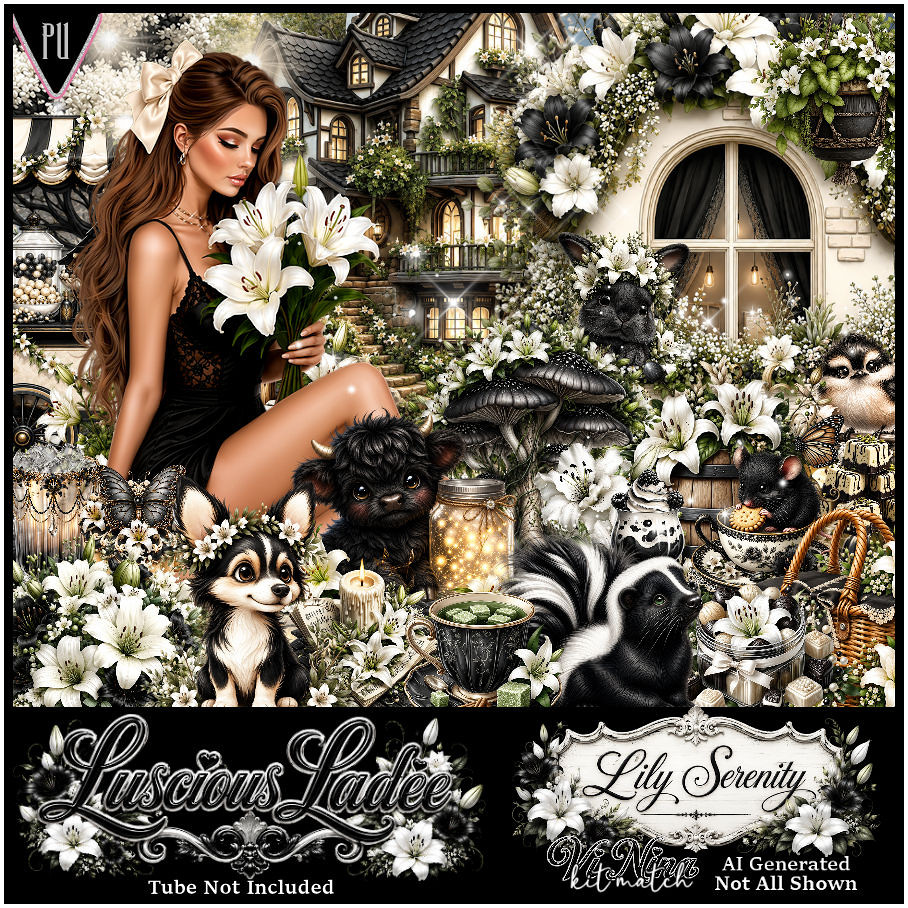
PTU Scrap Lily Serenity by Luscious Ladee  HERE
Check her store out to see all her other kits and tubes HERE

Font of choice, I used Angelia Beauty

Drop shadow as you go is V -2 H 4, 50, 10, or use what you prefer.
Let's get started
*Remember to add your drop shadow as you go along*

Open a new image 800 x 800, paste mask 7, adjust to fit.

Resize 3 to 50%, paste at the upper left, duplicate, mirror.
Resize 2 to 55%, paste at the top in the center.
Resize 7 to 45%, paste on the right below the black house, duplicate, mirror.
Resize 4 to 45%, paste above the house and down.
Resize 39 to 37%, paste at the bottom left above the window.
Resize 64 to 30%, paste at the bottom below the chair on the right.
Resize 56 to 25%, paste on the right at the bottom of the stairs.
Resize 35 to 15%, paste on the stairs on the left.

Resize the tube to 35%, paste at the bottom above the chair.

Resize 43 to 20%, paste at the bottom above the tube.
Resize 53 to 20%, paste at the bottom above the books.
Resize 76 to 20%, paste at the bottom by the books to the left.
Resize 57 to 20%, paste at the bottom right below the hat.
Resize 21 to 25%, paste on the bottom left below the chair.
Resize 20 to 25%, paste on the bottom left above the barrel.

Resize 11 to 23%, paste on the right below the stairs by the house.
Resize 40 to 20%, paste on the left below the stairs by the house.
Resize 18 to 22%, paste at the bottom right above the basket.
Resize 91 to 20%, paste on the bottom left below the drink.
Resize 23 to 17%, paste at the bottom left.
Resize 31 to 15%, paste at the bottom by the hat.

Add any other elements that you would like, make it your own.
Always readjust your mask and elements how you like them before you
 merge your tag, resize, sharpen.
Crop your tag to be sure no shadows or lines are on the edges.
 Then add your copyright and name.
That's it

Hope you enjoyed doing my tut.     

Tag for Vi Nina   


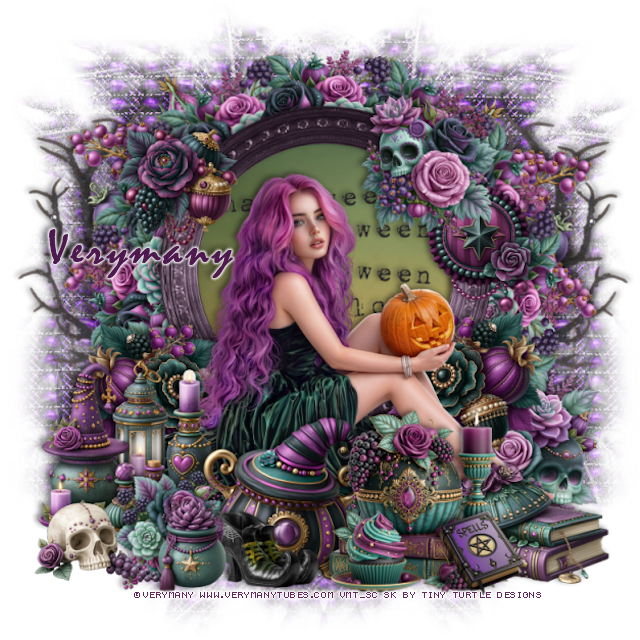
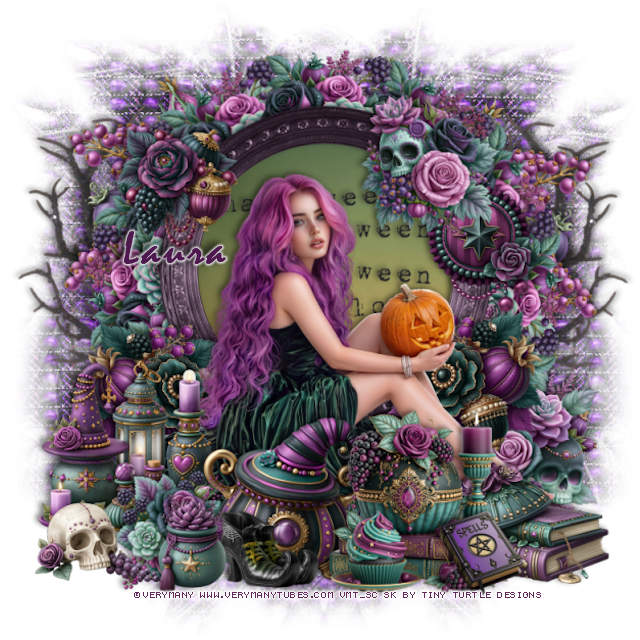
PTU Magic Pumpkin 2


  This tut was written August 11th, 2026 for those with a basic knowledge of psp. 

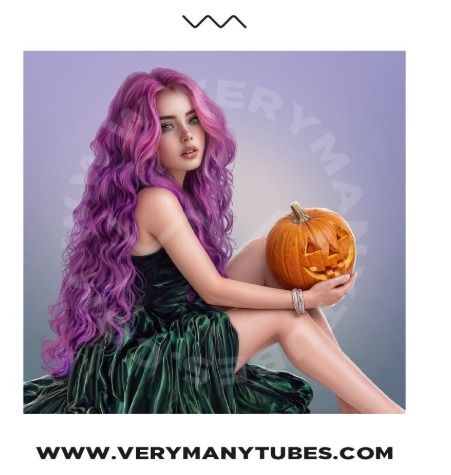
I am using the beautiful tube by © Verymany

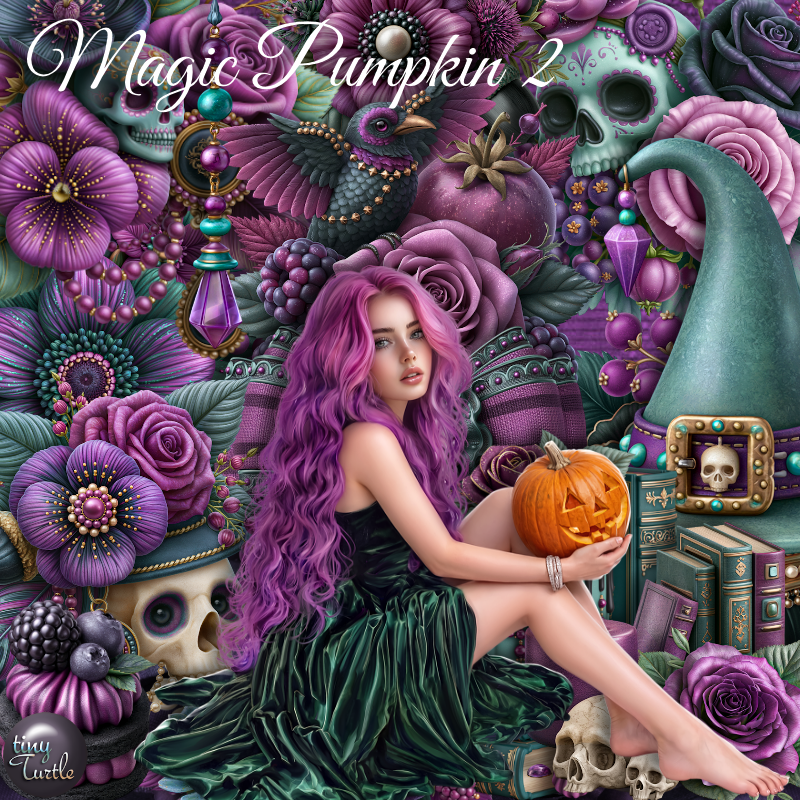
Tube is called Magic Pumpkin 2
Tube is NOT included
You need a license to use this tube, please do not use without a license
You can find this tube at Verymany HERE

I used PSP2020...but any of them should work.
PTU Scrap Magic Pumpkin 2 by Tiny Turtle Designs  HERE
You can find all Tiny Turtle Designs kits  HERE 
Mask of choice, I used Miz Teeques Mask 40 HERE
Check out the rest of the blog HERE
Filter
Mura Meister Copies-Encircle

Font of choice, I used Mistral

Drop shadow as you go is V -2 H 4, 50, 10, or use what you prefer.
Let's get started
*Remember to add your drop shadow as you go along*

Open a new image 800 x 800, paper paper 18, apply your mask,
move to the right, duplicate, mirror.

Resize 46 to 665%, paste, click inside, paste paper 1, invert, delete.
Resize 85 to 65%, paste in the frame, merge the paper, wordart and 
frame together.
Resize 26 to 25%, apply Mura Meister Copies-Encircle, first 3 numbers 
on 12, 50, 50, paste below the frame.
Resize 24 to 50%, paste below the circle on the left, duplicate, mirror.

Resize the tube to 35%, paste above the frame.

Resize 119 to 30%, paste at the bottom above the tube.
Resize 113 to 25%, paste at the bottom above the tube.
Resize 181 to 25%, paste on the bottom right below the candle.
Resize 27 to 25%, paste on the right below the tube, duplicate, mirror.
Resize 11 to 25%, paste on the right below the flowers.
Resize 10 to 23%, paste on the frame at the upper right.

Resize 144 to 30%, paste on the bottom left below the kettle.
Resize 5 to 20%, paste at the bottom left above the kettle.
Resize 95 to 20%, paste on the right below the flower on the frame.
Resize 56 to 22%, paste at the bottom above the flower.
Resize 1 to 20%, paste on the bottom left.
Resize 14 to 20%, paste on the upper left on the frame.
Resize 189 to 15%, paste at the bottom left.
Resize 70 to 15%, paste on the bottom right.
Paste 44 above the mask on the left, duplicate, mirror.

Add any other elements that you would like, make it your own.
Always readjust your mask and elements how you like them before you
 merge your tag, resize, sharpen.

Crop your tag to be sure no shadows or lines are on the edges.
 Then add your copyright and name.
That's it

Hope you enjoyed doing my tut

Tag for Laura  


Tuesday, August 11, 2026

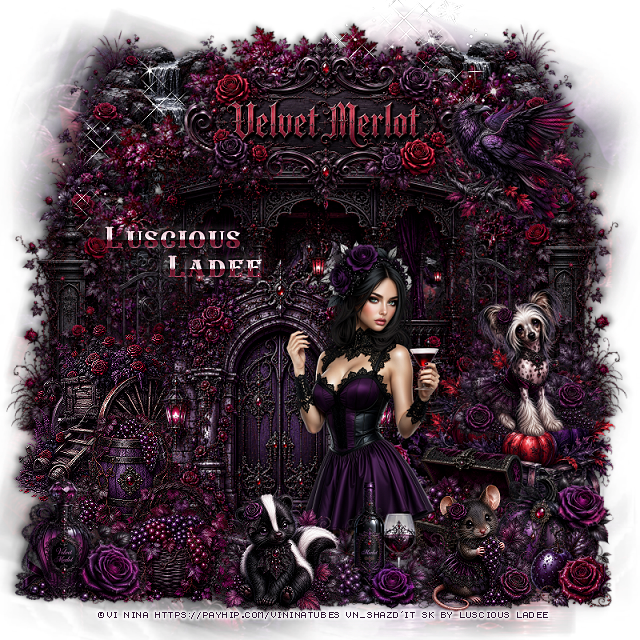
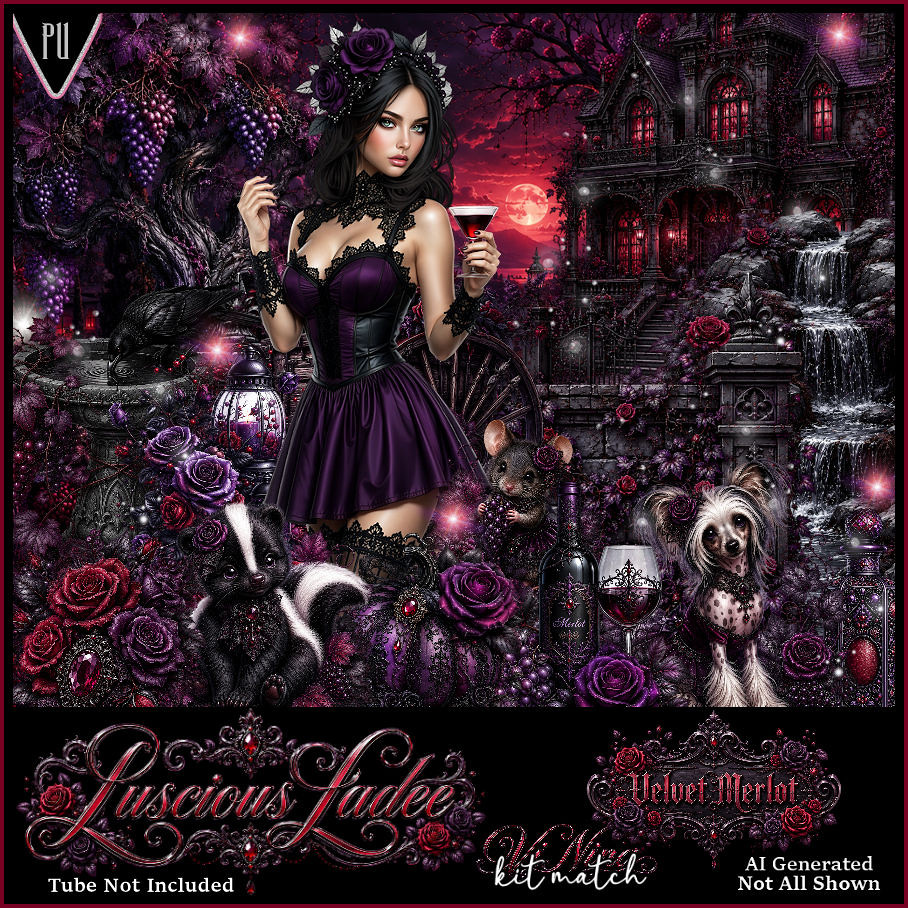
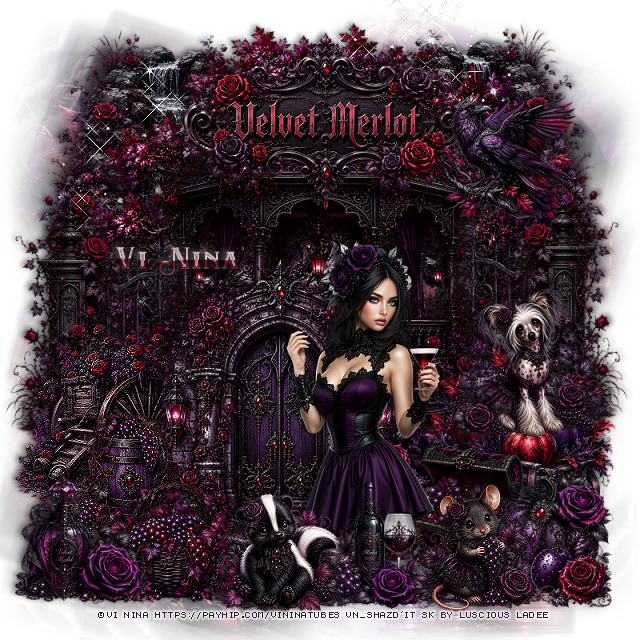
PTU Velvet Merlot


  This tut was written August 11th, 2026 for those with a basic knowledge of psp. 

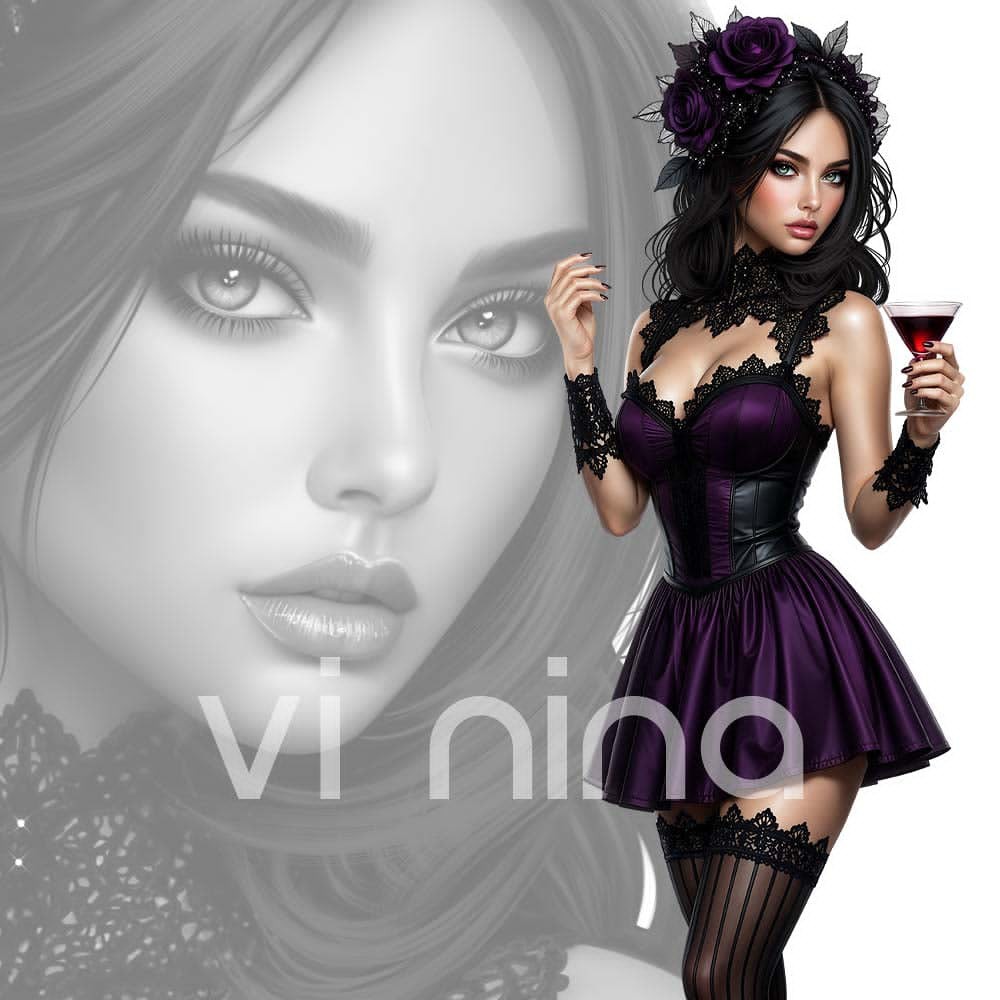
I am using the Beautiful tube ©Vi Nina
The tube is called Velvet Merlot
The tube is "NOT" included
You need a license to use this tube, please do not use without a license
You can find the tube at Vi Nina Store HERE

I used PSP2020...but any of them should work.
PTU Scrap Velvet Merlot by Luscious Ladee  HERE
Check her store out to see all her other kits and tubes HERE

Font of choice, I used Eastwood

Drop shadow as you go is V -2 H 4, 50, 10, or use what you prefer.
Let's get started
*Remember to add your drop shadow as you go along*

Open a new image 800 x 800, paste mask 2, resize to fit your tag.

Resize 2 to 60%, paste at the top.
Resize 9 to 40%, paste below the patio on the left, duplicate, mirror.
Resize 10 to 75%, paste at the top below the fences.
Resize 33 to 30%, paste on the bottom left being on the top layer, sharpen 
a couple of times.
Resize 34 to 30%, paste on the bottom right.
Resize 7 to 40%, paste at the upper left below the tree, duplicate, 
mirror.

Resize the tube to 35%, paste on the right.

Resize 3 to 50%, paste below the tube to the left.
Resize 35 to 20%, paste at the bottom above the tube.
Resize 53 to 20%, paste on the bottom right below the tube.
Resize 11 to 20%, paste at the bottom to the left of the drink.
Resize 15 to 20%, paste at the bottom to the right of the drink.
Resize 54 to 20%, paste on the left of the door, sharpen.
Resize 55 to 20%, paste at the bottom left of the skunk.

Resize 41 to 20%, paste on the bottom right below the mouse.
Resize 59 to 15%, paste at the bottom right.
Resize 44 to 20%, paste on the bottom left.
Resize wordart 2 to 35%, paste at the top.
Resize 21 to 20%, paste on the upper right by the sign.
Resize 14 to 23%, paste on the right on the wagon with the pumpkins.
Paste sparkle 7 on the upper left on the waterfall, duplicate, mirror.

Add any other elements that you would like, make it your own.
Always readjust your mask and elements how you like them before you
 merge your tag, resize, sharpen.
Crop your tag to be sure no shadows or lines are on the edges.
 Then add your copyright and name.
That's it

Hope you enjoyed doing my tut.     

Tag for Vi Nina   


PTU Lily Serenity


  This tut was written August 11th, 2026 for those with a basic knowledge of psp. 

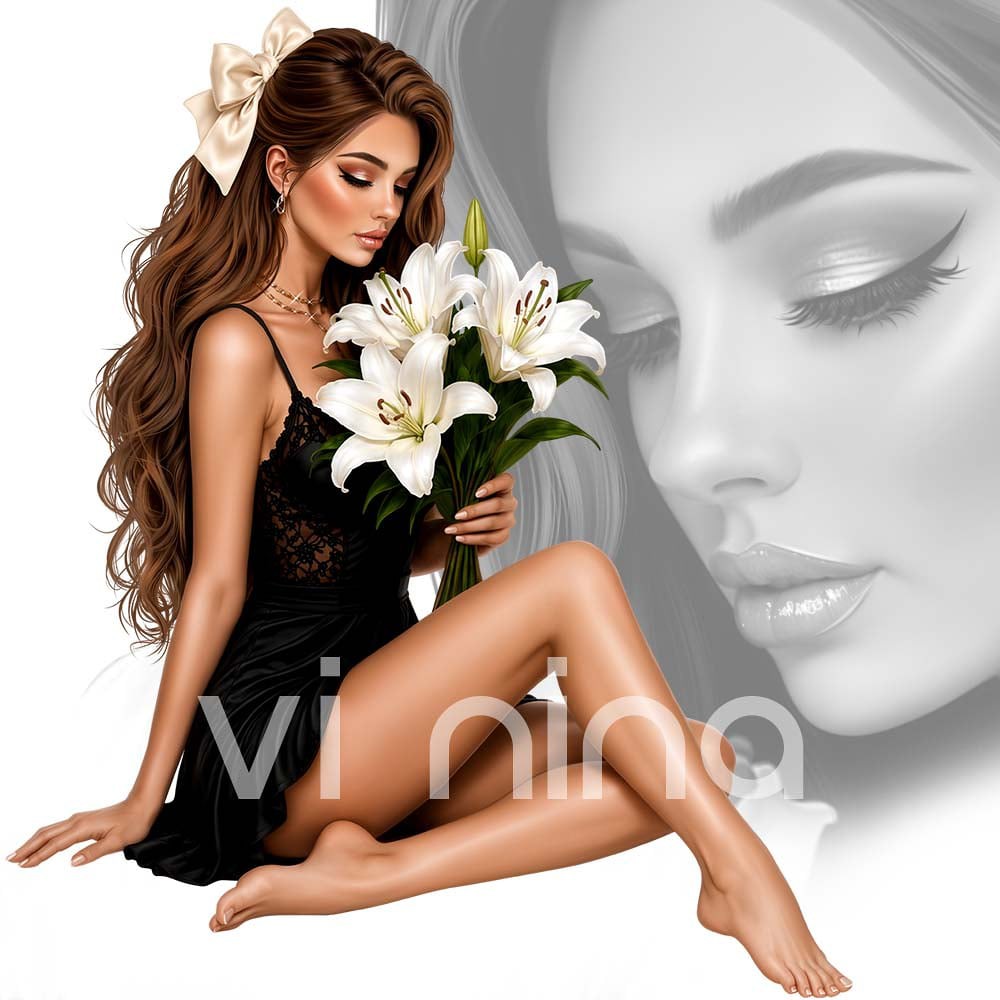
I am using the Beautiful tube ©Vi Nina
The tube is called Lily Serenity
The tube is "NOT" included
You need a license to use this tube, please do not use without a license
You can find the tube at Vi Nina Store HERE

I used PSP2020...but any of them should work.
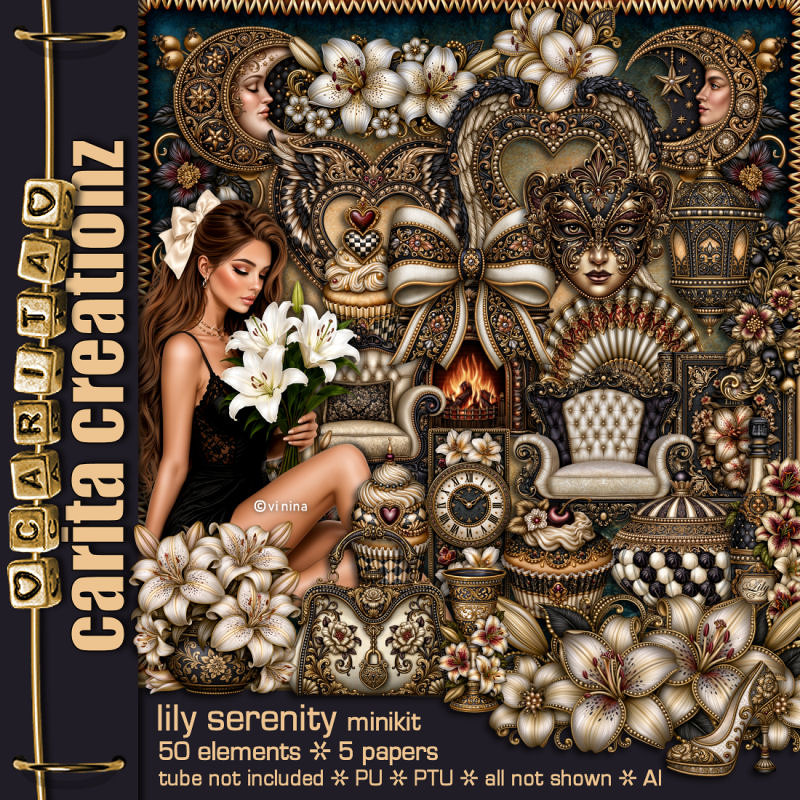
PTU Scrap Lily Serenity by Carita Creationz  HERE
Kit has 50 elements and 5 papers 
Check her store out to see all her other kits and tubes HERE
Miz TeeQues Mask 54 HERE 
Check the blog out HERE

Font of choice, I used Acryle Script

Drop shadow as you go is V -2 H 4, 50, 10, or use what you prefer.
Let's get started
*Remember to add your drop shadow as you go along*

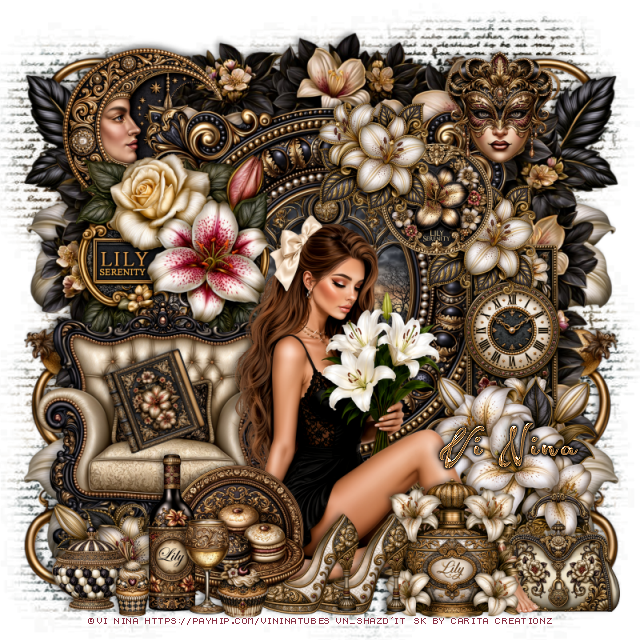
Open a new image 800 x 800, paste paper 6, apply your mask,
duplicate, change the blend mode to Multiply, merge down.

Resize frame 4 to 65%, paste, click inside, resize 40 to 45%, paste
below the frame, invert, delete.
Resize 33 to 45%, paste above the frame at the bottom left.
Paste 29 below the frame at the top.

Resize the tube to 40%, paste at the bottom above the chair.

Resize 41 to 35%, paste on the left on the frame.
Resize 43 to 30%, paste below the tube on the bottom right.
Resize 49 to 25%, paste at the bottom above the tube.
Resize 10 to 18%, paste at the bottom above the bottle, duplicate, move over.
Resize 9 to 22%, paste at the bottom right below the tube.
Resize 42 to 20%, paste on the frame on the upper right.
Resize 22 to 20%, paste on the upper right on the circle element, duplicate,
move down and under.
Resize 31 to 25%, paste at the bottom below the shoes.
Resize 50 to 28%, paste at the bottom left.
Resize 48 to 17%, paste at the bottom.

Resize 16 to 35%, paste on the right below the flowers.
Resize 35 to 35%, paste on the bottom left above the chair.
Resize 34 to 30%, mirror, paste at the upper left below the frame.
Resize 28 to 95%, paste on the right below the tree, duplicate, mirror.

Resize 19 to 15%, free rotate to the left at 20, paste in the chair.
Resize 18 to 10%, paste at the bottom.
Resize 7 to 15%, paste at the bottom left.
Resize 17 to 12%, paste at the bottom left.
Resize 32 to 20%, paste at the upper right.

Add any other elements that you would like, make it your own.
Always readjust your mask and elements how you like them before you
 merge your tag, resize, sharpen.
Crop your tag to be sure no shadows or lines are on the edges.
 Then add your copyright and name.
That's it

Hope you enjoyed doing my tut.       

Tag for Nina 


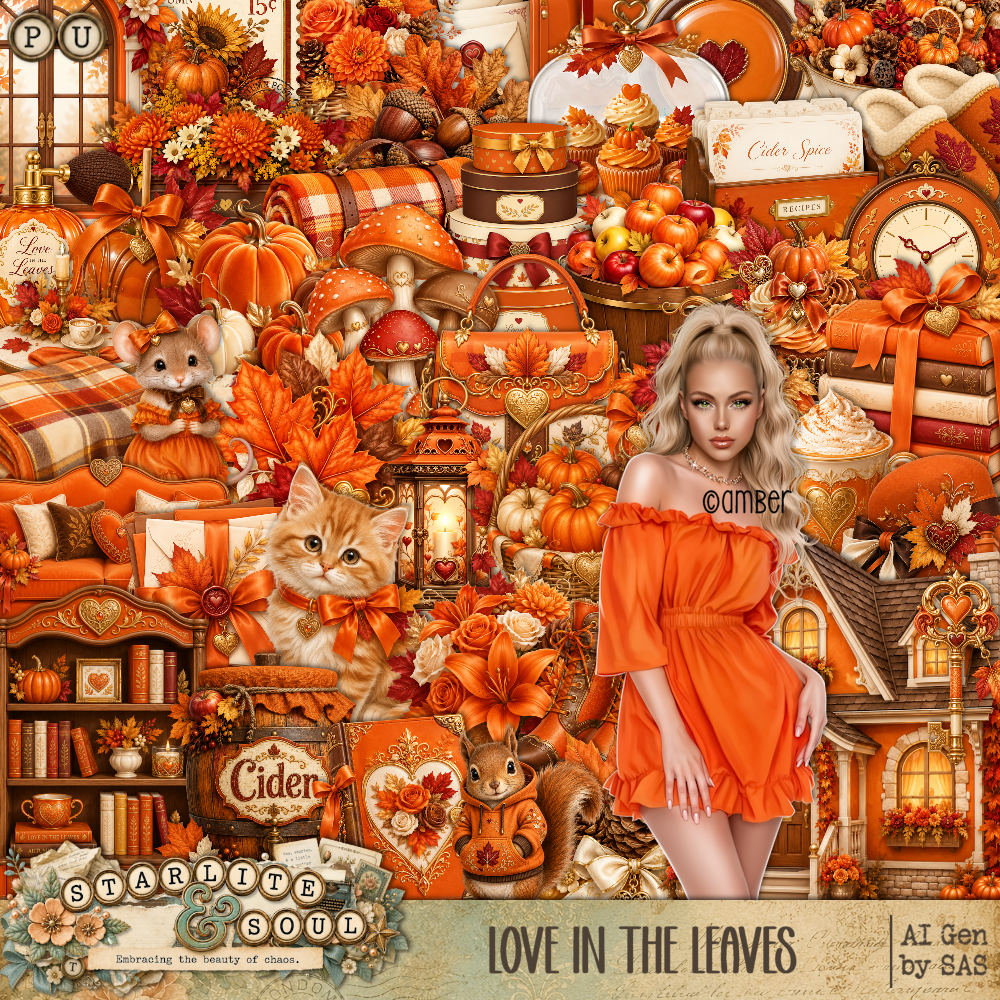
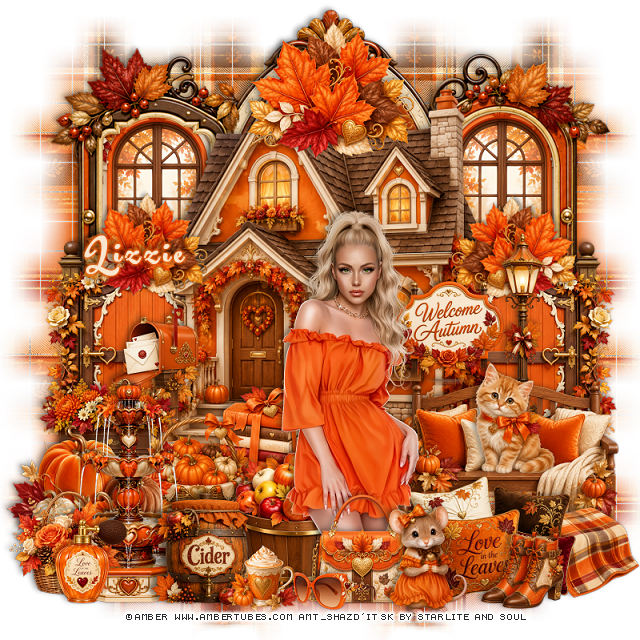
PTU Autumn In The Leaves


This tut was written August 10th, 2026 for those with a basic knowledge of psp. 

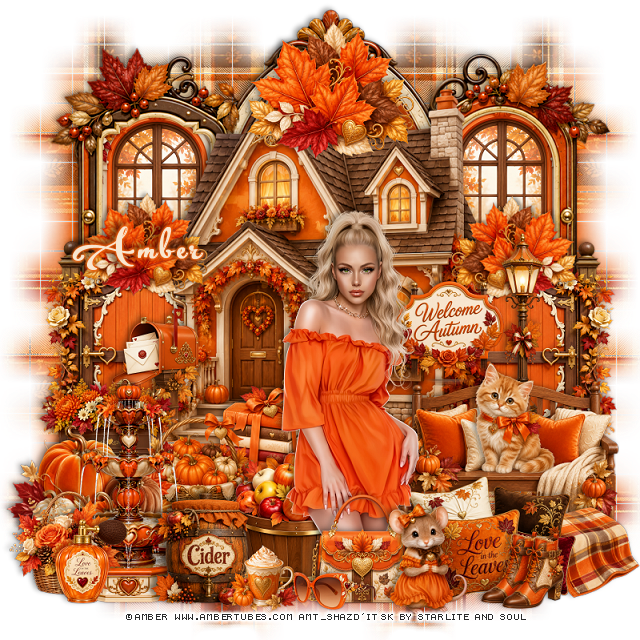
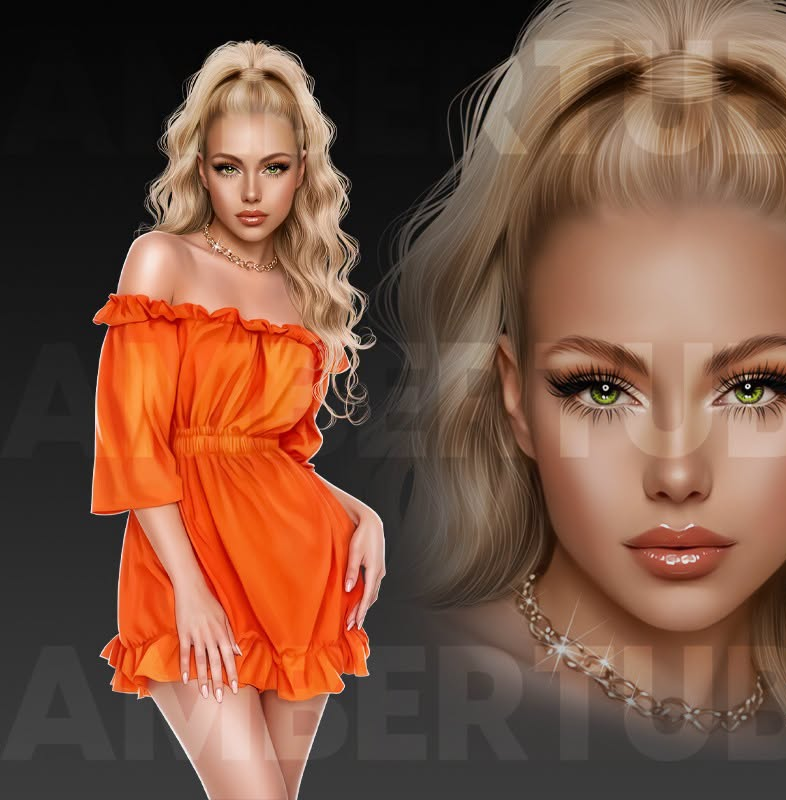
I am using the beautiful tube by © Amber 

Tube is called Orange Mood
Tube is NOT included
You need a license to use this tube, please do not use without a license
You can find this tube at Amber store HERE

I used PSP2020...but any of them should work.
PTU Scrap Autumn in the Leaves by Starlite and Soul  HERE
You can find all Starlite and Soul kits  HERE 
WSL Mask 84, link no longer available so use a mask of choice.

Font of choice, I used Acryle Script

Drop shadow as you go is V -2 H 4, 40, 10, or use what you prefer.
Let's get started
*Remember to add your drop shadow as you go along*

Open a new image 800 x 800, paste paper 16, apply your mask, 
move to the left, duplicate, mirror, duplicate both and move down 
to the bottom.

Paste frame 4 at the top.
Resize 89 to 35%, paste the frame on the left, duplicate, mirror.
Resize 1 to 65%, paste.
Resize 92 to 20%, paste on the house on the right, erase the dark brown base.
Resize 84 to 35%, paste below the house on the right, duplicate, mirror.
Resize 89 to 35%, paste below the gate on the right, duplicate, mirror.
Resize 63 to 40%, paste on the right above the house.
Resize 85 to 20%, paste on the left above the house.

Resize 101 to 25%, paste at the bottom left.
Resize 15 to 40%, paste on the bottom right.
Resize 11 to 20%, paste at the bottom right.

Resize the tube to 25%, paste at the bottom above the bench.

Resize 51 to 30%, paste at the bottom below the tube.
Resize 18 to 15%, paste on the bottom right.
Resize 26 to 20%, paste at the bottom above the tube.
Resize 7 to 30%, paste at the bottom left.
Resize 48 to 40%, paste on the bottom left above the pumpkins.
Resize 60 to 25%, paste below the tube.
Resize 31 to 20%, paste on the bench.
Resize 43 to 15%, paste at the bottom by the purse.

Resize 20 to 20%, paste below the water fountain.
Resize 40 to 20%, paste at the bottom left above the fountain.
Resize 59 to 20%, paste at the bottom.
Resize 14 to 20%, paste above the house behind the tube.
Resize 2 to 20%, paste at the bottom by the purse.
Resize 22 to 13%, paste at the bottom.
Resize 29 to 25%, paste at the top above the house, duplicate, resize to 
75%, paste on the left above above the gate, duplicate, mirror.
Resize 96 to 15%, paste at the bottom left.

Add any other elements that you would like, make it your own.
Always readjust your mask and elements how you like them before you
 merge your tag, resize, sharpen.

Crop your tag to be sure no shadows or lines are on the edges.
 Then add your copyright and name.
That's it

Hope you enjoyed doing my tut

Tag for Lizzie    


Monday, August 10, 2026

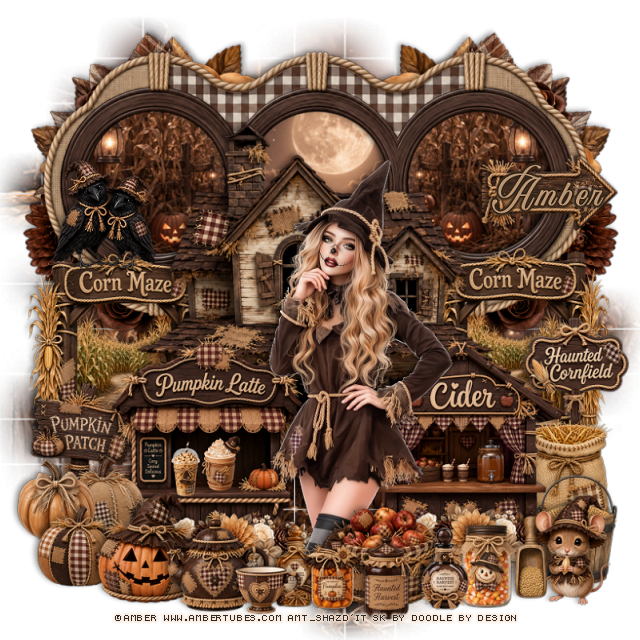
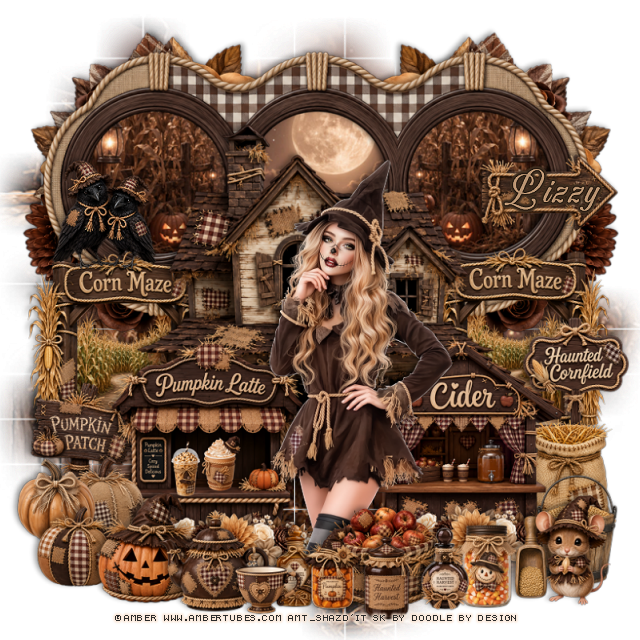
PTU Cute Scarecrow


 This tut was written August 10th, 2026 for those with a basic knowledge of psp. 

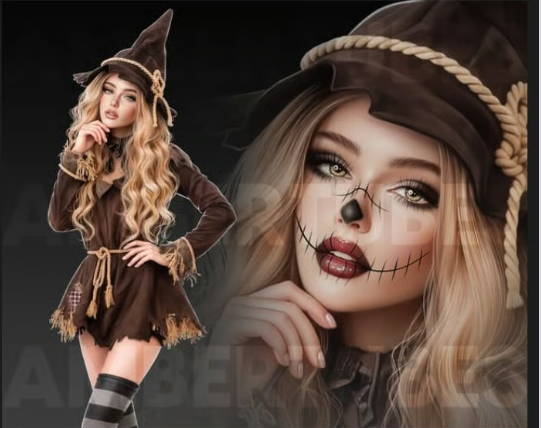
I am using the awesome tube ©Amber
The tube is called Cute Scarecrow
The tube is NOT included
You need a license to use this tube, please do not use without a license
You can find the tube at Amber store HERE


I used PSP2020...but any of them should work.
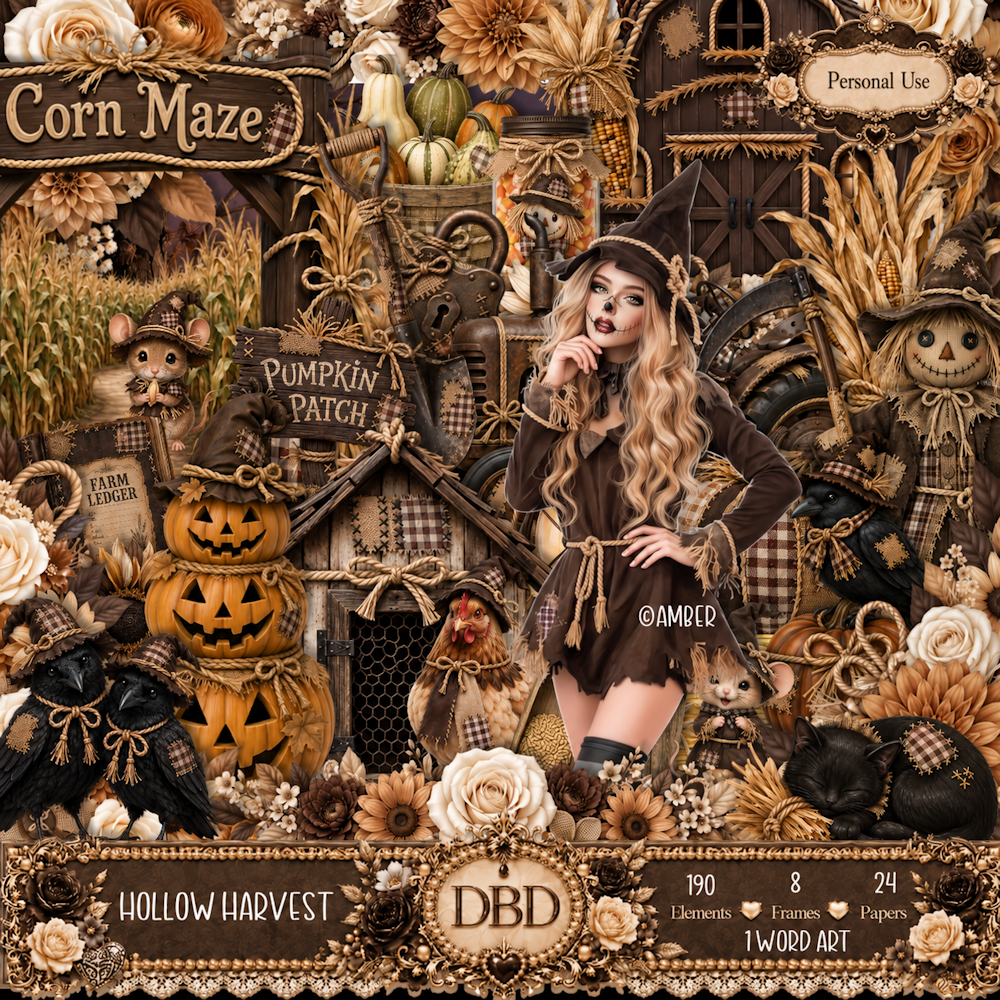
PTU Scrap Hollow Harvest by Doodle by Design  HERE
You can find all Doodle by Design kits  HERE 
WSL Mask 84, link no longer available so use mask of choice

Font of choice, I used Aurethia

Drop shadow as you go is V -2 H 4, 40, 10, or use what you prefer.
Let's get started
*Remember to add your drop shadow as you go along*

Open a new image 800 x 800, paste paper 1, apply your mask,
Paste frame 6 at the top, click inside each frame, 
resize paper 1 to 50%, paste the paper in each frame the way you want, 
invert, delete, merge the papers and frame together.
Resize 150 to 60%, paste below the frame on the upper right,
duplicate, mirror.

Resize 66 to 65%, paste above the frame.
Resize 111 to 35%, paste on the left below the house, duplicate move
to the right of the house.
Resize 54 to 20%, paste on the right on the cornfield post.

Resize the tube to 25%, paste above the house.

Resize 116 to 40%, paste on the left below the tube.
Resize 117 to 40%, paste on the right.
Resize 154 to 40%, paste at the bottom of the latte stand, duplicate, move
to the right.
Resize 25 to 20%, paste at the bottom above the tube.
Resize 22 to 20%, paste on the right below the cider stand.
Resize 49 to 25%, paste on the left below the latte stand.
Resize element 5, 7 and 10 to 15%, paste on the bottom left.
Resize 39 to 20%, paste on the bottom left.

Resize 34 to 20%, paste on the bottom right.
Resize 33 to 15%, paste at the bottom right.
Resize 98 and 99 to 10%, paste on the latte stand.
Resize 93, 94, 95, 96 and 97 to 15%, paste at the bottom above the apply basket.

Resize 108 to 20%, paste at the bottom right.
Resize 103 to 20%, paste at the bottom.
Resize 104 to 12%, paste at the bottom.
Resize 112 to 20%, paste on top of the corn maze sign.
Resize 51 to 25%, paste on the frame on the upper right.

Add any other elements that you would like, make it your own.
Always readjust your mask and elements how you like them before you
 merge your tag, resize, sharpen.

Crop your tag to be sure no shadows or lines are on the edges.
 Then add your copyright and name.
That's it

Hope you enjoyed doing my tut 

Tag for Lizzy    


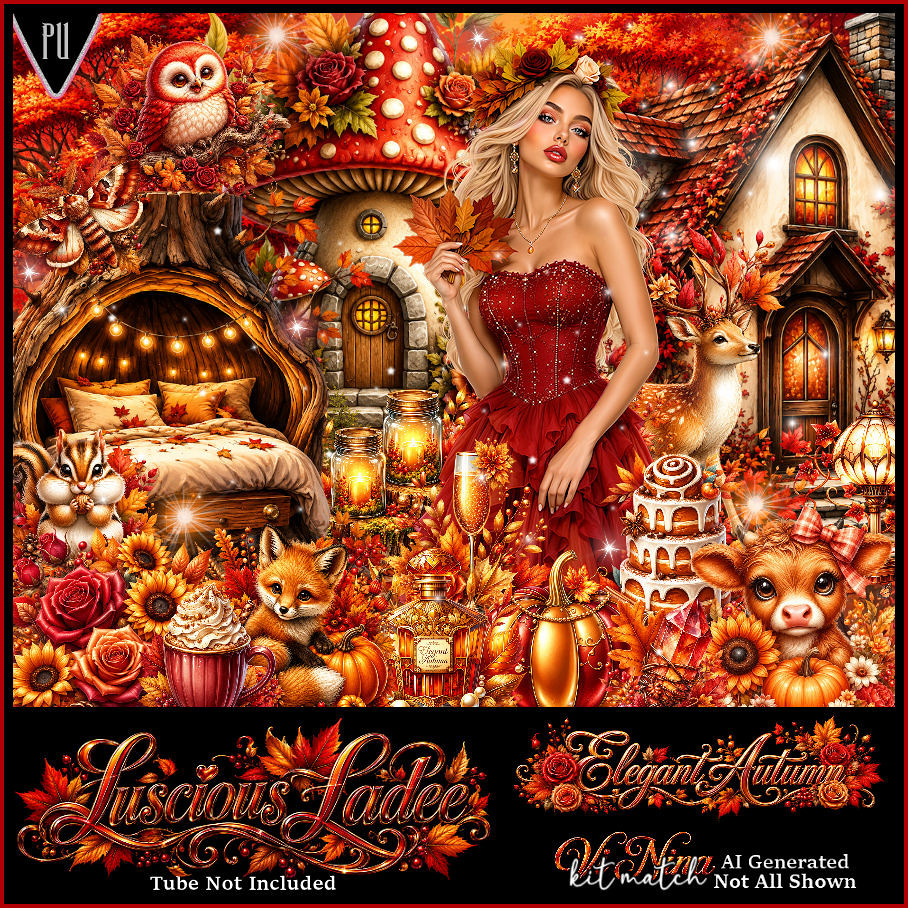
PTU Elegant Autumn


 This tut was written August 9th, 2026 for those with a basic knowledge of psp. 

I am using the Beautiful tube ©Vi Nina
The tube is called Autumn Elegance
The tube is "NOT" included
You need a license to use this tube, please do not use without a license
You can find the tube at Vi Nina Store HERE

I used PSP2020...but any of them should work.
PTU Scrap Elegant Autumn by Luscious Ladee  HERE
Check her store out to see all her other kits and tubes HERE
WSL Mask 84, link no longer available so use mask of choice

Font of choice, I used Angelia Beauty

Drop shadow as you go is V -2 H 4, 50, 10, or use what you prefer.
Let's get started
*Remember to add your drop shadow as you go along*

Open a new image 800 x 800, paste paper 14, apply your mask, resize to fit your tag.

Resize frame 4 to 75%, paste, move up.
Resize frame 6 to 65%, paste, click inside the frame, paste 
profile paper 7, move where you like, invert, delete.

Resize the tube to 40%, paste above the frame to the right.

Resize 88 to 35%, paste below the tube on the left.
Resize 110 to 25%, paste on the bottom left above the apple barrel, 
duplicate, mirror.
Resize 24 to 25%, paste on the left below the flowers, duplicate, mirror.
Resize 17 to 25%, paste on the bottom above the tube to the right.
Resize 4 to 25%, paste on the bottom right.
Resize 27 to 25%, paste at the bottom.
Resize 89 to 25%, paste below the pumpkin on the left.
Resize 45 to 25%, paste on the bottom left.

Resize 51 to 15%, paste on the bottom on the pumpkin.
Resize 82 to 15%, paste at the bottom to the left.
Resize 46 to 15%, paste at the bottom right.
Resize 15 to 15%, paste at the bottom left.
Resize 39 to 15%, paste on the left on top of the mushrooms.
Resize wordart 4 to 40%, paste where you like.

Add any other elements that you would like, make it your own.
Always readjust your mask and elements how you like them before you
 merge your tag, resize, sharpen.
Crop your tag to be sure no shadows or lines are on the edges.
 Then add your copyright and name.
That's it

Hope you enjoyed doing my tut.     

Tag for Vi Nina