Showing posts with label Digital Art Heaven. Show all posts

Tuesday, July 7, 2020

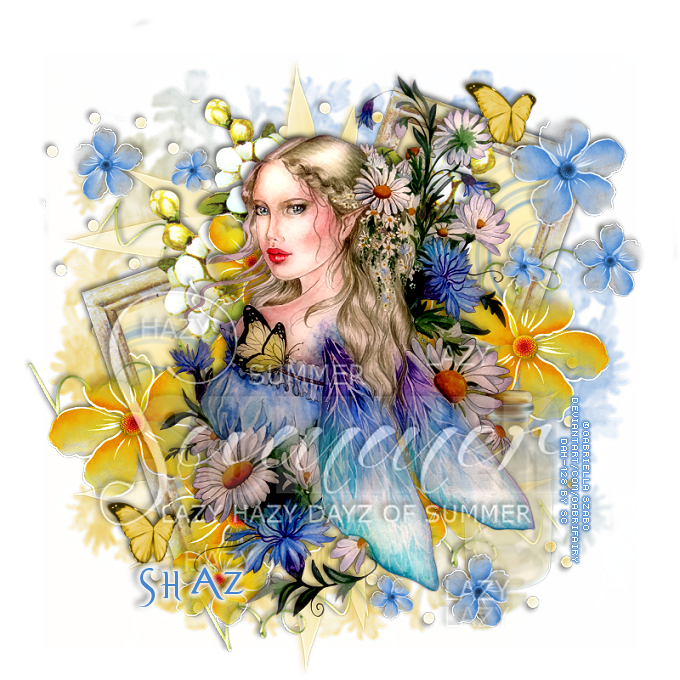
FTU Waiting for Summer


This tut was written July 7th, 2020 for those with a basic knowledge of psp.
I am using the awesome artwork of Gabriella Szabo
The tube is called "Waiting for the Summer"
You need a license to use this tube, do not use without a license.
You can find this tube at Digital Art Heaven store  HERE

I used PSPX...but any of them should work.
FTU kit No Blue without Yellow by Melissaz Creationz  HERE 
Check out the rest of the blog HERE
Mask of choice, I used Trese Mask 0459  HERE
Check out the rest of the blog HERE
Wordart by MizTeeques HERE
Check out the rest of the blog HERE
Filters
 xero-Bad Dream

Font of choice,  I used Evanescent

Drop shadow is  V-3 H-3 Black, 50, 8, use what you prefer.
Let's get started
*Remember to add your drop shadow as you go along*

Open a new image 800 x 800 or a size you prefer.
Paste paper 13, apply your mask, delete, merge group, resize smaller
to 85%.

Resize element 4 to 50%, paste at the upper right, duplicate, mirror, 
move down more on the left, click inside the frames, expand by 5, 
resize paper 1 to 75%, paste, invert, delete, select none.

Resize your tube to 80%, paste above the frames.
Apply the filter xero-Bad Dream

Paste element 6 below the tube and up on the right a little, duplicate, 
mirror, move below the first flower and down on the left.
Being on the top layer, paste element 2 at the upper right, duplicate, 
move down at the lower right below the yellow flowers, duplicate, 
mirror, move to the upper left, erase the large flower.

Paste element 5 above the mask layer at the upper left, duplicate,
flip, move down to the bottom.
Add a dark yellow drop shadow, I used #eac658.

Resize element 20 to 55%, paste on the mask at the upper left, duplicate,
flip, move to the lower right.
Resize element 3 to 50%, being back on the top layer, paste at to the lower
left, duplicate, move to the upper right.

Resize element 33 to 50%, free rotate to the right at 15 degrees, 
paste at the bottom below the yellow flower layer, erase the ends on each side,
duplicate, move over more. 
Duplicate a couple more times, move where you like.
Paste element 26 on the right below the tube, move the blue flowers at the bottom
to the top layer and erase the large blue one.

Paste the wordart on the top layer where you like, lower the opacity to 50%.

Add any other elements that you would like, make it your own.
Always readjust your mask and elements how you like them before you
 merge your tag, sharpen once.
Crop your tag to make sure no shadows or anything on the edges

 Then add your copyright and name.

That's it
Hope you enjoyed doing my tut.

Wednesday, May 13, 2020

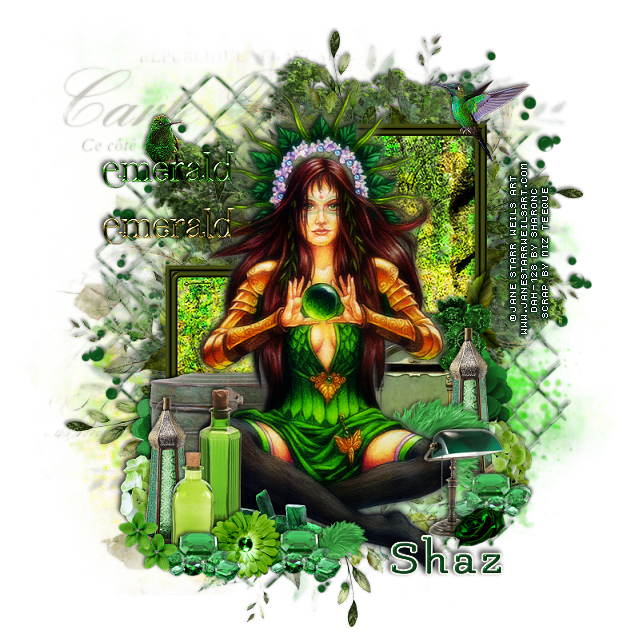
FTU Emerald Fairy Stone Keeper


This tut was written May 12th, 2020 for those with a basic knowledge of psp.
I am using the awesome artwork of Jane Starr Weils
The tube is called "Emerald Fairy Stone Keeper"
You need a license to use this tube, do not use without a license.
You can find this tube at DAH store  HERE

I used PSPX...but any of them should work.
FTU kit Emerald by Miz Teeque  HERE
Check out the rest of the blog  HERE
Mask of choice, I used DFly Mask 0016  HERE
Check out the rest of the blog HERE

Font of choice,  I used Flamenco

Drop shadow is usually V-2 H-2 Black, 50, 5, use what you prefer.
Let's get started
*Remember to add your drop shadow as you go along*

Open a new image 800 x 800
Paste paper 1, apply your mask, delete, merge group.

Resize element 21 to 85%, paste on the mask.
Paste element 29 to 90%, paste on the wire screen to the left.
Resize element 27 to 90%, paste.

Paste frame 4 on the tree and move up on the right a little.
Click inside with your magic wand, expand by 6, paste paper 2, move
how you prefer, invert, delete, select none.
Duplicate the frame and paper, move to the left and down more.

Resize your tube to 75%, paste above the frame, duplicate the tube,
go to Adjust, Blur, Gaussian blur, number on 4, change the 
blend mode to Soft Light, merge down.

Resize element 32 to 25%, paste behind the tube on the left.
Resize element 24 to 25%, paste behind the tube on the right.
Resize element 20, 55 and 56 to 25%, paste at the lower left above the tube,
duplicate element 20, move to the right below the tube.

Resize element 8 to 15%, paste at the bottom above the bottles.
Resize element 6 to 15%, paste at the bottom left, duplicate, move to the right
of the flower and below.
Resize element 3 to 20%, paste above the tube on the left behind
the other elements.

Resize element 15 to 15%, paste behind the tube and up on the frame a little.
Resize element 13 to 25%, paste on the frame behind the flower.
Resize element 51 to 25%, paste behind the tube on the right,
duplicate, resize to 40%, move above the tube by the emeralds.
Go back to the emerald stones, duplicate one, move to the right below 
the feathers.

Resize element 34 to 50%, paste on the upper right below the tree, duplicate,
mirror, move down on the right more, duplicate again, move down to
the bottom so only a few dots shows.
Paste element 49 at the bottom below the tube.
Resize element 18 to 25%, paste at the lower right above the tube.
Resize element 11 and 22 to 25%, paste on the right below the green and 
gold metal box, duplicate, mirror, adjust both on the left.
Resize element 43 to 10%, paste at the bottom by the lamp.

Resize element 9 to 20%, paste at the lower left above the bottles, duplicate,
move down a little.

Resize element 23 to 20%, mirror, paste at the upper right.
Resize element 58 to 50%, paste on the left.
Resize element 22 to 15%, paste on the left below the wordart as if
it is sitting on it, sharpen.

Add any other elements that you would like, make it your own.
Always readjust your mask and elements how you like them before you
 merge your tag, sharpen once.

Crop your tag to make sure no shadows or anything on the edges, merge visible.
 Then add your copyright and name.

That's it
Hope you enjoyed doing my tut.
Saturday, February 29, 2020

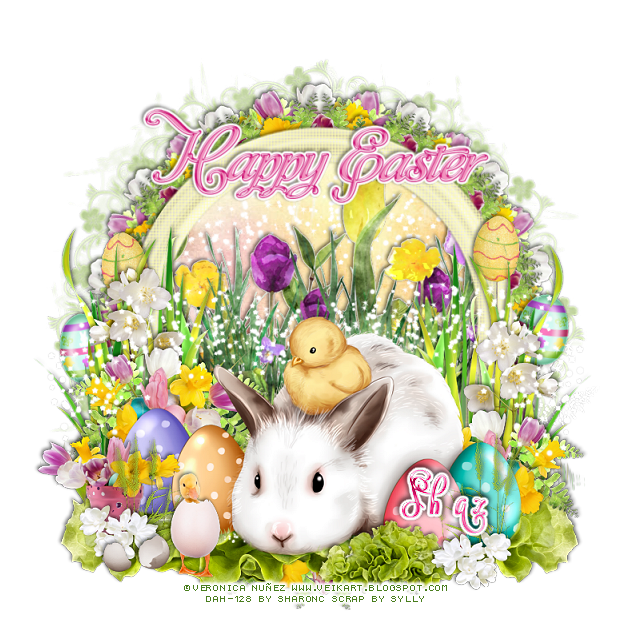
FTU Easter Bunny 3 Piece Set


This tut was written Feb 29th, 2020 for those with a basic knowledge of psp.
I am using the awesome artwork of  ©Veronica Nuñez
The tube is called "Easter Bunny and Chick"
You need a license to use this tube, do not use without a license.
You can find this tube at DAH store  HERE

I used PSPX...but any of them should work.
FTU kit Easter Time by sylly creationz  HERE
Check out the rest of the blog HERE
Mask of choice, I used DD_FM_2015_4  HERE
Check out the rest of the blog HERE
Filters
Mura Meister Copies-Encircle

Font of choice,  I used Vytorla Mix

Drop shadow is usually V-2 H-2 Black, 50, 5, use what you prefer.
Let's get started
*Remember to add your drop shadow as you go along*

Open a new image 800 x 800
Paste paper 7, apply your mask, delete, merge group.

Resize frame 1 to 80%, paste, click inside with your magic wand,
expand by 5, paste paper 5, invert, delete, select none.
Take your Soften tool and go around the edges of the frame.
Go to Effects, Texture Effects, Blinds with these setting for the frame
4, 50
Both boxes checked
Color of choice I used #fffeb1
Then go back and uncheck the horizontal box and apply again.

Resize your tube to 70%, paste at the bottom above the frame.

Resize flower 3 element to 35%, then resize leaves 5 element to 25%, 
paste the leaves element below the flower element move to the right a bit, duplicate,
 mirror,  adjust on the left under the flower, merge visible.
This might take a couple of times doing to get it right, duplicate.

Duplicate three times.
On one layer flip apply Mura Meister Copies, Enicrcle, first number on 14,
 move below the paper layer of the frame.
On the second one that is not flipped, apply the same Mura Meisters Copies,
resize larger to 107%, move below the first circle.
Now the third one move behind your tube to one side, duplicate, mirror.

Resize the flower bunch to 80%, paste inside the frame, erase any parts
on the outside of the frame.

Resize grass 2 to 75%, paste on the frame on one side, duplicate, mirror.
Resize flower 9 to 30%, paste above the tall blade grass on one side,
duplicate, mirror.

Resize the chick to 25%, paste at the lower left above the tube.
Resize egg shell 1 to 25%, paste behind the chick.

Resize grass 3 to 35%, paste below the egg shell on the left, sharpen once,
duplicate, mirror.
Resize flowers 1 to 30%, paste at the lower left below the grass and egg shell.
Resize flower 6 to 20%, paste at the lower right above the small grass, duplicate,
mirror, move to the left.
Paste the lettuce below the frame layer on the lower left, duplicate, mirror.
Resize the lettuce to 30%, paste above the tube at the lower right.

Resize the Easter egg to 35%, paste on the right behind the tall grass.
Resize Easter egg 2 to 35%, free rotate to the right at 10 degrees, paste by the
first egg, duplicate both, mirror, adjust on the left.
Wordart of choice, I resized mine to 55%, pasted at the top, add a
fat white gradient glow.
Paste sparkle three on the paper layer in the frame, duplicate, move below 
the tube on the left, duplicate, mirror.

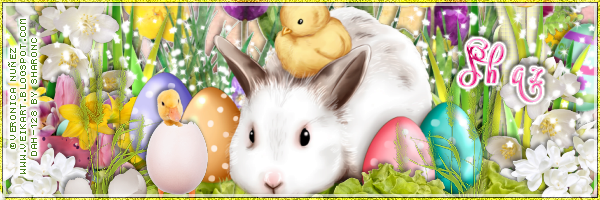
Signature tag
600 x 200
Take the elements from your tag before merging and place where 
you like.
Resize the tube smaller and paste.
Frame of choice.

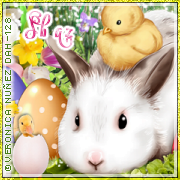
Ava tag180 x 180
Resize your tag to 75%, paste, add frame of choice.

Add any other elements that you would like, make it your own.
Always readjust your mask and elements how you like them before you
 merge your tag, sharpen once.

Crop your tag to make sure no shadows or anything on the edges, merge visible.
 Then add your copyright and name.

That's it
Hope you enjoyed doing my tut.
Wednesday, October 23, 2019

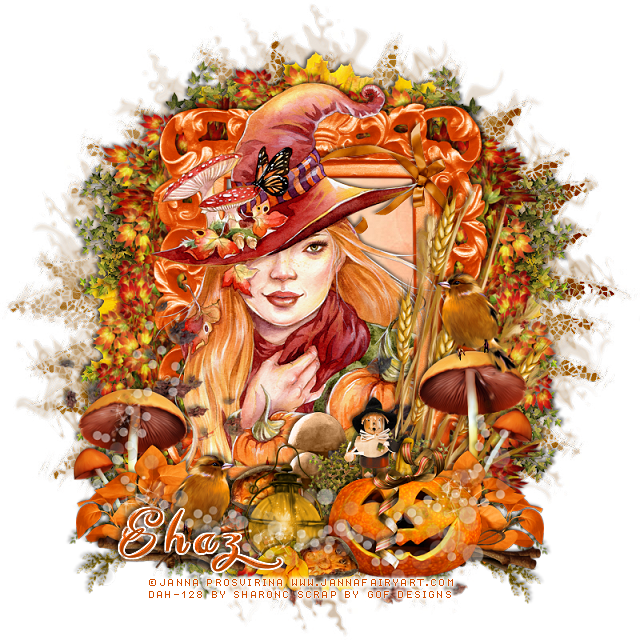
FTU Fall Witch Hazel


This tut was written Oct 23rd, 2019 for those with a basic knowledge of psp.
I am using the awesome artwork of  Janna Prosvirina
The tube is called "Hazel" 
You need a license to use this tube, do not use without a license.
You can find this tube at DAH store  HERE

I used PSPX...but any of them should work.
FTU kit Forest Fantasy by GOF Designs HERE
DD Assorted Mask_MM1 HERE
Check out the rest of the blog HERE
Filter
Mura Meister Copies

Font of choice,  I used Everything Holiday

Drop shadow is usually V-2 H-2 Black, 50, 5, use what you prefer.
Let's get started
*Remember to add your drop shadow as you go along*

Open a new image 800 x 800 or a size you prefer.
Select all, add a new layer, paste paper 6 into selection, apply your mask,
delete, merge group, duplicate, change the blend mode to Burn, merge down.

Resize frame 4 to 80%, paste, click inside with your magic wand, expand
by 5, paste paper 4, invert, delete, select none.

Resize your tube to 65%, paste below the frame, duplicate, move above the
frame, erase the part on the right and the bottom.

Paste element 39 at the top below the paper layer of the frame,
duplicate, flip move to the bottom, duplicate, free rotate to the right, paste on 
the left side, duplicate, mirror, adjust behind the frame.

Resize element 73 to 40%, apply Mura Meister Copies-Encircle, paste 
at the top below the leaves layers, duplicate, move down to the bottom.
Paste element 35 at the lower left between the leaves, duplicate, flip, duplicate,
mirror, duplicate, flip.
Duplicate once more, resize to 50%, move above the frame at the bottom.

Resize element 70 to 40%, paste at the lower right, duplicate, mirror.
Mirror element 36, paste on the right below the orange leaves.
Resize element 45 to 40%, mirror, paste on the right below the orange leaves,
duplicate, mirror.

Resize element 71 to 35%, paste at the lower right being on the top layer.
Resize element 38 to 50%, free rotate to the left at 90 degrees, paste 
at the bottom above the frame layer, duplicate, mirror.

Resize element 46 to 25%, paste on the right on the mushroom,
duplicate, mirror, resize to 85%, move to the lower left.
Resize element 79 to 30%, paste at the lower right below the greenery.

Resize element 42 to 30%, paste on the pumpkin.
Resize element 68 to 20%, paste at the bottom above the pumpkin.
Resize element 32 to 35%, paste at the bottom below the flower.
Resize element 12 to 15%, paste at the bottom below the flower, duplicate, 
move behind the lantern.
Paste element 50 at the bottom being on the top layer.

Resize element 62 to 25%, paste on the lower right below the pumpkin.
Paste element 49 on the tube layer, erase any of the bottom leaves that you
don't want.
Resize element 43 to 30%, mirror, paste on the frame at the upper right
below the tube.
Resize element 93 to 40%, paste at the bottom to the left, 
duplicate, move to the right below the pumpkin layer.

Add any other elements that you would like, make it your own.
Always readjust your mask and elements how you like them before you merge your tag.

Once happy with your tag, close off any background used, 
crop your tag to make sure no shadows or anything on the edges, merge visible.
Resize your tag first, then add your copyright and name.

That's it
Hope you enjoyed doing my tut.