Showing posts with label Alex Prihodko. Show all posts

Friday, April 18, 2025

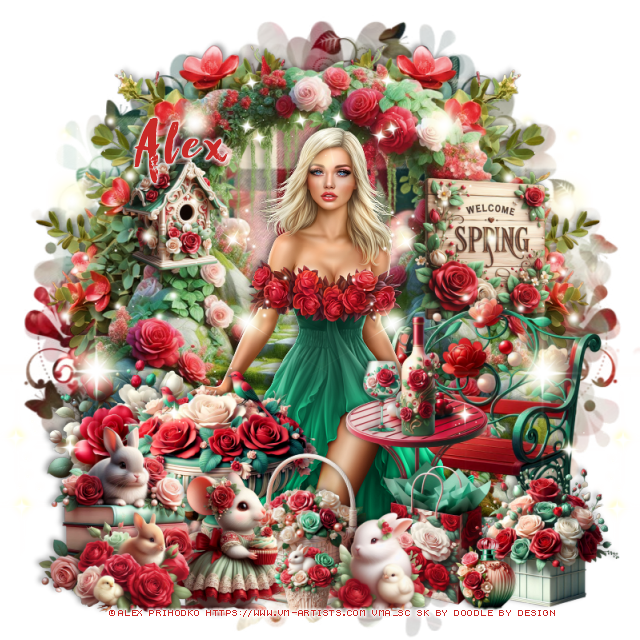
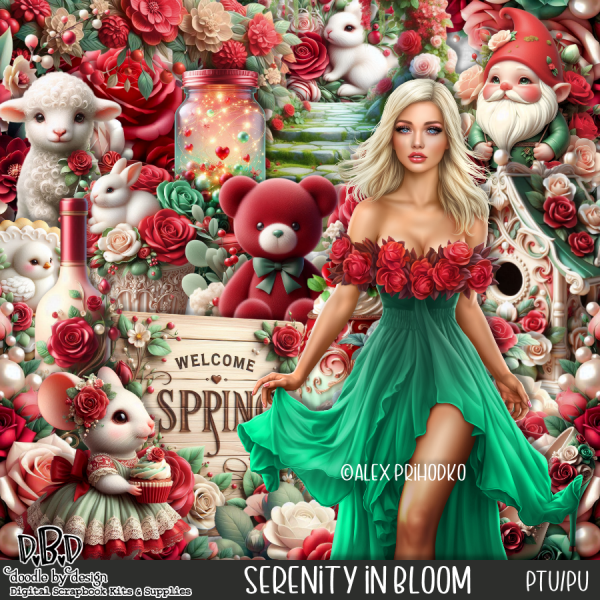
PTU Serenity in Bloom


 This tut was written April 17th, 2025 for those with a basic knowledge of psp. 

I am using the beautiful tube by © Alex Prihodko

Tube is called Spring Time
You need a license to use this tube, please do not use without a license
You can find this tube at VMA HERE

I used PSP2020...but any of them should work.
PTU Scrap Serenity in Bloom by Doodle by Design  HERE
You can find all Doodle by Design kits  HERE 
SC Mask 5 HERE
Check the rest of the blog HERE

Font of choice, I used Rofi Taste

Drop shadow as you go is V -2 H 4, 40, 10, or use what you prefer.
Let's get started
*Remember to add your drop shadow as you go along*

Open a new image 800 x 800, paste paper 4, apply your mask.

Paste element 9 at the top.
Paste element 66 to the right below the arch, duplicate, mirror.
Draw around the arch, being on the tree, delete on both.

Resize the tube to 35%, paste.

Resize element 53 to 35%, paste at the bottom above the tube on the left.
Resize element 40 to 20%, paste at the bottom above the basket.
Resize element 49 to 60%, paste on the right below the tube.
Resize element 52 to 45%, paste to the right above the tube.
Resize element 11 to 30%, paste on the bottom right.
Resize element 59 to 30%, paste on the bottom right.
Resize element 1 to 45%, paste on the bottom right.
Resize element 55 to 30%, paste on the right below the bench.
Resize element 30 to 15%, paste on the bottom right.

Resize element 39 to 25%, paste on the left and up on the arch.
Resize element 98 to 35%, paste on the left below the fountain.
Resize element 14 to 35%, paste on the left above the fountain.
Resize element 60 to 35%, paste at the bottom.
Resize element 3 to 15%, paste at the bottom.
Resize element 4 to 25%, paste at the bottom left.
Resize element 7 to 15%, paste on the table. 
Resize element 48 to 25%, paste on the table.
Paste element 141 on the left, duplicate, mirror.

Add any other elements that you would like, make it your own.
Always readjust your mask and elements how you like them before you
 merge your tag, resize, sharpen.

Crop your tag to be sure no shadows or lines are on the edges.
 Then add your copyright and name.
That's it

Hope you enjoyed doing my tut

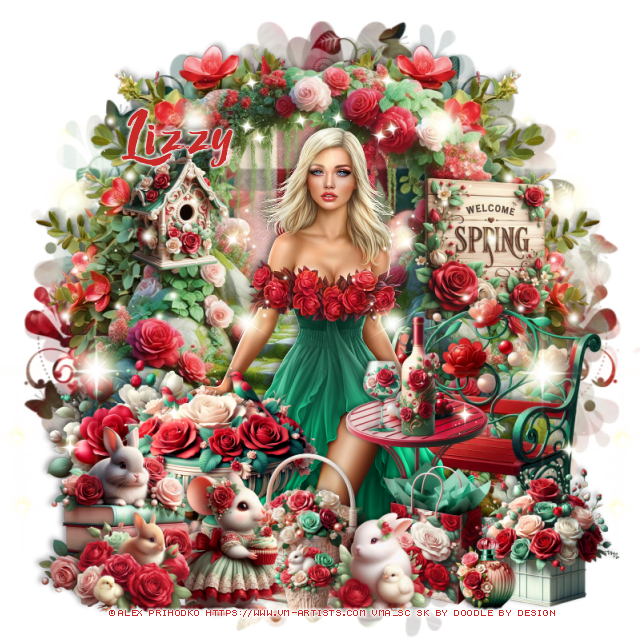
Tag for Lizzy  


Tuesday, April 15, 2025

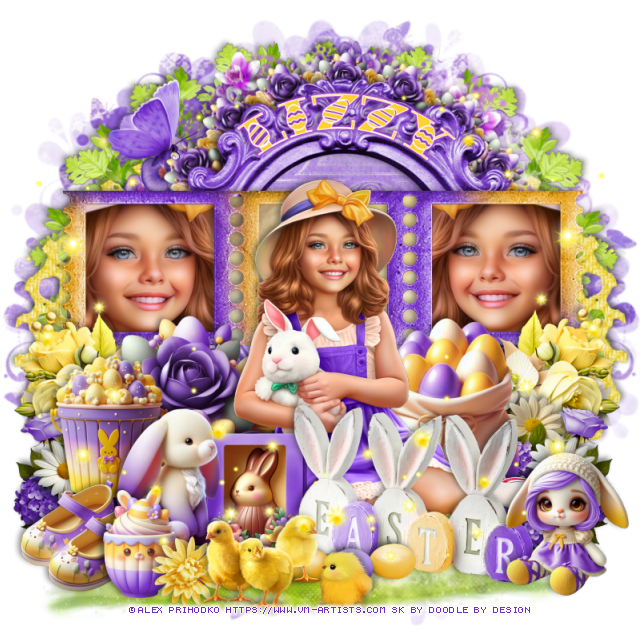
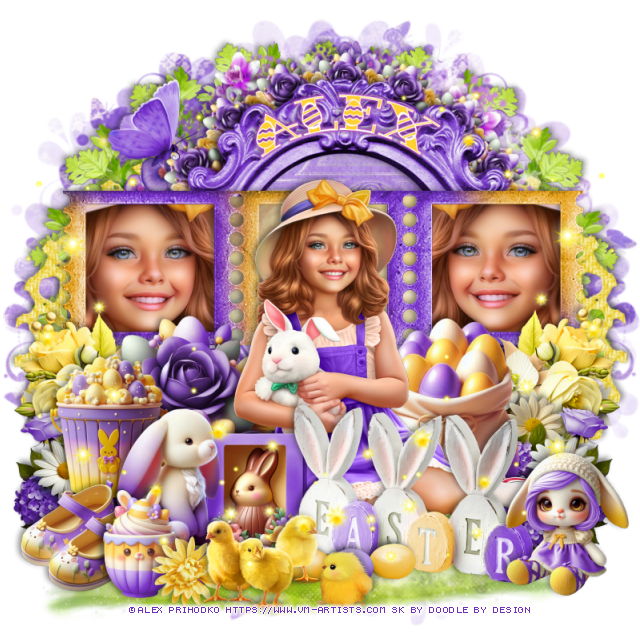
PTU Happy 2


  This tut was written April 15th, 2025 for those with a basic knowledge of psp. 

I am using the beautiful tube by © Alex Prihodko

Tube is called Happy 2
You need a license to use this tube, please do not use without a license
You can find this tube at VMA HERE

I used PSP2020...but any of them should work.
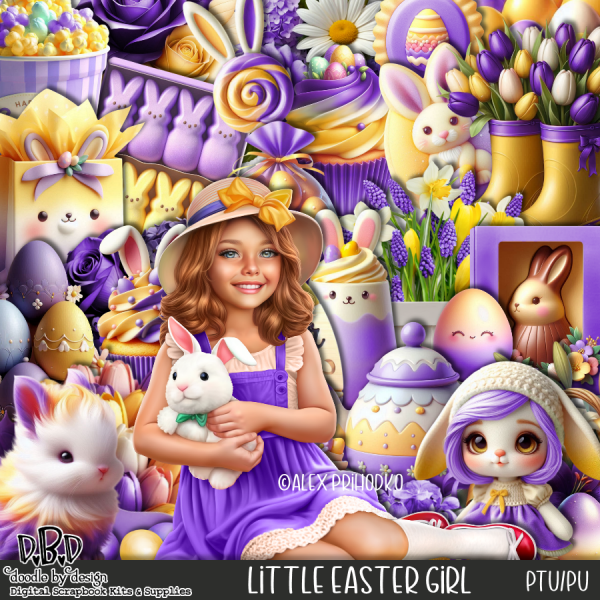
PTU Scrap Little Easter Girl by Doodle by Design  HERE
You can find all Doodle by Design kits  HERE 
SC Mask 5 HERE
Check the rest of the blog HERE
Filters
Mura Meister Copies-Encircle
xero-Porcelain

Font of choice, I used Easter Egg

Drop shadow as you go is V -2 H 4, 40, 10, or use what you prefer.
Let's get started
*Remember to add your drop shadow as you go along*

Open a new image 800 x 800, paste paper 12, apply your mask.

Resize frame 3 to 75%, paste, click inside, paste paper 11, invert, delete.
Resize element 84 to 50%, mirror, paste at the bottom left above the frame.
Resize element 84 to 20%, apply Mura Meister Copies-Encircle, first 3 
number on 18, 50, 55, paste below the frame.
Resize element 132 to 40%, apply Mura Meister Copies-Encircle, first 3 
number on 16, 60, 60, paste above the mask layer on the left, duplicate, mirror.
Resize element 145 to 115 or so the fit below the flower frame.
Paste frame 1 above the frame, free rotate 90 one way on the other, click inside, paste 
paper 21, invert, delete, keep selected, resize the tube to 50%, paste on 
one side, delete, duplicate, mirror.
Apply the filter xero-Porcelain to the tubes in the frame

Resize the tube to 30%, paste in the center.

Resize element 6 to 30%, paste at the bottom left above the tube.
Resize element 21 to 30%, paste at the bottom left below the rabbit.
Resize element 7 to 25%, paste at the bottom below the rabbit.
Resize element 36 to 25%, paste at the bottom left.
Resize element 33 to 40%, paste below the tube.
Resize element 29 to 23%, paste at the bottom left above the rabbit.
Resize wordart 2 to 50%, paste at the bottom being on the top layer.
Resize element 90 to 35%, paste on the right below the egg bag, 
duplicate, mirror.
Resize element 115 to 35%, paste on the right above the yellow flower, 
duplicate, mirror.

Resize element 27 to 30%, paste on the bottom right above the wordart.
Resize element 42 to 50%, paste at the bottom.
Resize the chicks from the tube to 35%, paste at the bottom.
Resize element 112 to 15%, paste at the bottom below the chicks.
Resize element 63 to 110%, paste at the bottom on the bottom layer.
Resize element 52 to 15%, mirror, paste at the bottom.
Paste element 51 on the left on the bottom layer, duplicate, mirror.
Paste element 140 on the left on the top layer, duplicate, mirror.
Resize element 48 to 20%, paste on the upper left.

Add any other elements that you would like, make it your own.
Always readjust your mask and elements how you like them before you
 merge your tag, resize, sharpen.

Crop your tag to be sure no shadows or lines are on the edges.
 Then add your copyright and name.
That's it

Hope you enjoyed doing my tut

Tag for Lizzy  


Thursday, April 10, 2025

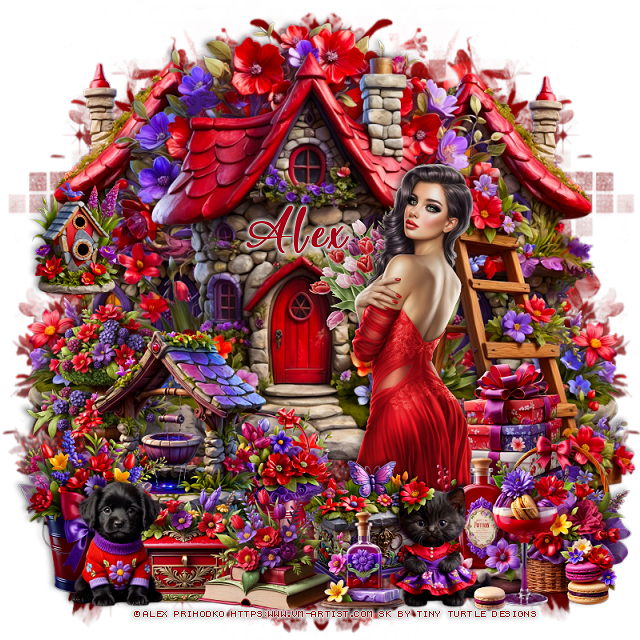
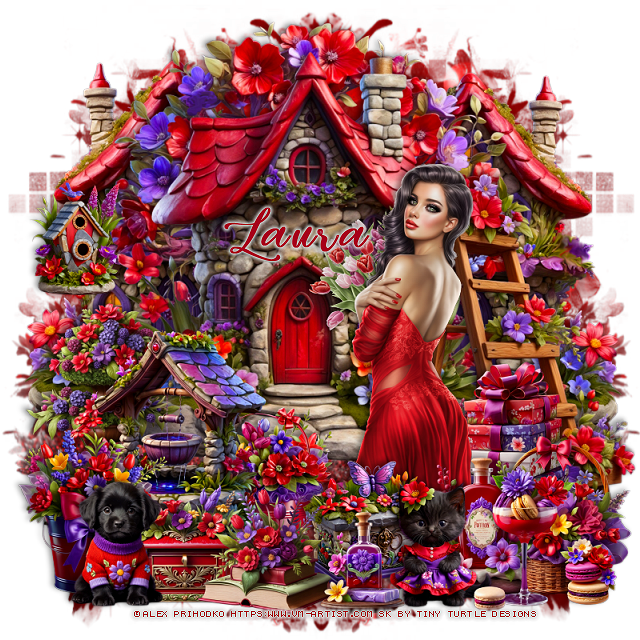
PTU Bouquet of Tulips


This tut was written April 10th, 2025 for those with a basic knowledge of psp. 

I am using the Beautiful tube by © Alex Prihodko

Tube is called Bouquet of Tulips
You need a license to use this tube, please do not use without a license
You can find this tube at VMA HERE

I used PSP2020...but any of them should work.
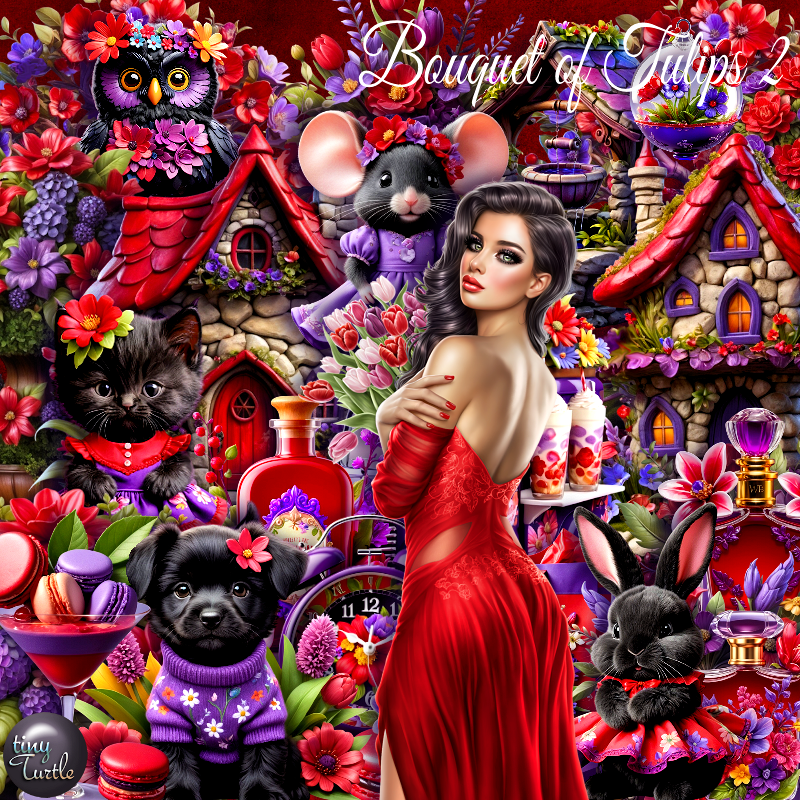
PTU Scrap Bouquet of Tulips 2 by Tiny Turtle Designs  HERE
You can find all Tiny Turtle Designs Scraps kits  HERE
RD Mask 812 HERE
Check the rest of the blog HERE

Font of choice, I used Easy November

Drop shadow as you go is V-2 H-4, 40, 10, color black or use what you prefer.
Let's get started

*Remember to add your drop shadow as you go along*

Open a new image 800 x 800, paste paper 10, apply your mask, move to
the left, duplicate, mirror.

Resize element 142 to 80%, paste.
Resize element 119 to 75%, paste at the top below the house.
Resize element 138 to 65%, paste below the tree on the upper left, 
duplicate, mirror.
Resize element 122 to 40%, paste on the bottom left above the house.
Resize element 14 to 65%, paste on the right above the house.
Resize element 106 to 25%, paste on the left above the house.
Resize element 167 to 30%, paste on the left below the water well.
Resize element 38 to 30%, paste below the water well to the right.

Resize the tube to 30%, paste above ladder.

Resize element 50 to 30%, paste to the right below the tube.
Resize element 25 to 30%, paste on the bottom right.
Resize element 22 to 25%, paste on the bottom right.
Resize element 83 to 23%, paste at the bottom.
Resize element 71 to 30%, paste at the bottom right.
Resize element 56 to 15%, paste at the bottom right.
Resize element 161 to 25%, paste at the bottom.
Resize element 35 to 20%, paste at the bottom above the book.
Resize element 103 to 25%, paste at the bottom left below the book.
Resize element 108 to 28%, paste at the bottom left.
Resize element 51 to 30%, paste at the bottom left below the dog.

Add any other elements that you would like, make it your own.
Always readjust your mask and elements how you like them before you
 merge your tag, resize, sharpen.

Crop your tag to be sure no shadows or lines are on the edges.
 Then add your copyright and name.
That's it

Hope you enjoyed doing my tut

Laura tag 


Thursday, April 3, 2025

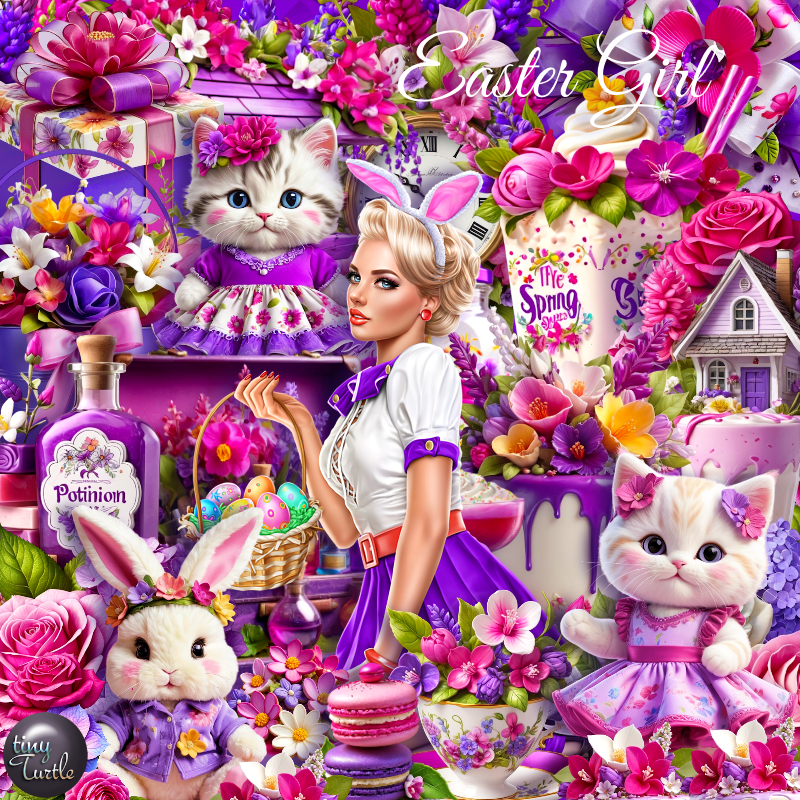
PTU Easter Girl


This tut was written April 2nd, 2025 for those with a basic knowledge of psp. 

I am using the beautiful tube ©Alex Prihodko

Tube is called Easter Girl 5
You need a license to use this tube, please do not use without a license
You can find the free tube at VMA HERE

I used PSP2020...but any of them should work.
 RD Mask 812 HERE
Check the rest of the blog HERE

Font of choice, I used Trinigan

Drop shadow as you go is V -2 H 4, 40, 10, or use what you prefer.
Let's get started
*Remember to add your drop shadow as you go along*

Open a new image 800 x 800, paste paper 1, apply your mask.

Resize element 62 to 50%, paste on the right.
Resize the tube to 35%.
Resize element 60 to 30%, paste above the tube.
Resize element 51 to 35%, paste at the bottom above the flowers.
Resize element 92 to 40%, paste on the bottom left below the tube.
Resize element 118 to 30%, paste at the bottom.
Resize element 46 to 25%, paste at the bottom right below the flower.
Resize element 56 to 30%, paste at the bottom below the flower to the left.

Resize element 114 to 30%, paste on the bottom left below the bottle.
Resize element 126 to 25%, paste at the bottom left by the book.
Resize element 71 to 40%, paste on the left below the suitcases.
Resize element 53 to 30%, paste on the bottom left.
Resize element 166 to 75%, paste on the upper right on the bottom layer.
Resize element 164 to 90%, paste on the upper left on the bottom layer.
Resize element 61 to 25%, paste at the bottom left.
Resize element 96 to 25%, paste at the bottom.
Resize element 47 and 182 to 15%, paste at the bottom.
Resize element 105 to 25%, paste behind the tube on the right.
Resize element 97 to 25%, paste at the bottom right.
Resize element 7 to 25%, paste on the bottom right below the rabbit.

Add any other elements that you would like, make it your own.
Always readjust your mask and elements how you like them before you
 merge your tag, resize, sharpen.

Crop your tag to be sure no shadows or lines are on the edges.
 Then add your copyright and name.
That's it

Hope you enjoyed doing my tut 

Laura tag


Friday, March 28, 2025

PTU Time Traveler: Wild West


  This tut was written March 28th, 2025 for those with a basic knowledge of psp. 

I am using the beautiful tube by © Alex Prihodko

Tube is called Patrick
You need a license to use this tube, please do not use without a license
You can find this tube at VMA HERE

I used PSP2020...but any of them should work.
PTU Scrap Time Traveler: Wild West by Doodle by Design  HERE
You can find all Doodle by Design kits  HERE 
Lori's Mask 1226 HERE
Check the rest of the blog HERE

Font of choice, I used Wild Lines

Drop shadow as you go is V -2 H 4, 40, 10, or use what you prefer.
Let's get started
*Remember to add your drop shadow as you go along*

Open a new image 800 x 800, paste paper 1, apply your mask.

Resize element 84 to 85%, paste at the upper right.
Resize element 47 to 55%, mirror, paste at the bottom of the rocks.
Resize element 81 to 75%, paste on the upper left above the rocks.
Resize element 50 to 75%, paste on the upper right below the rocks.

Resize the tube to 30%, paste above the wagon to the left.

Resize element 54 to 55%, paste below the tube on the left.
Resize element 94 to 35%, paste at the bottom above the tube on the right.
Resize element 66 to 35%, paste on the right above the wagon.
Resize element 117 to 35%, paste on the bottom right.
Resize element 44 to 35%, paste on the bottom right.
Resize element 4 to 30%, paste below the horse to the left.
Resize element 12 to 40%, paste below the wagon on the right.
Resize element 28 to 30%, paste at the bottom left below the barrel.
Resize element 96 to 25%, paste at the bottom above the tube.

Resize element 115 to 30%, free rotate to the left at 25, paste at the bottom left.
Resize element 24 to 30%, mirror, paste at the bottom left.
Resize element 41 to 20%, paste below the dog on the bottom left.
Resize element 15 to 20%, paste on top of the wagon.
Resize element 90 to 25%, paste below the dog.
Resize element 13 to 30%, paste at the upper left above the building.
Resize element 86 to 15%, paste at the bottom.
Resize element 100 to 20%, paste at the bottom.
Resize element 72 to 15%, paste at the bottom left.
Resize element 80 to 15%, paste at the bottom.

Add any other elements that you would like, make it your own.
Always readjust your mask and elements how you like them before you
 merge your tag, resize, sharpen.

Crop your tag to be sure no shadows or lines are on the edges.
 Then add your copyright and name.
That's it

Hope you enjoyed doing my tut

Tag for Lizzy 


Thursday, March 20, 2025

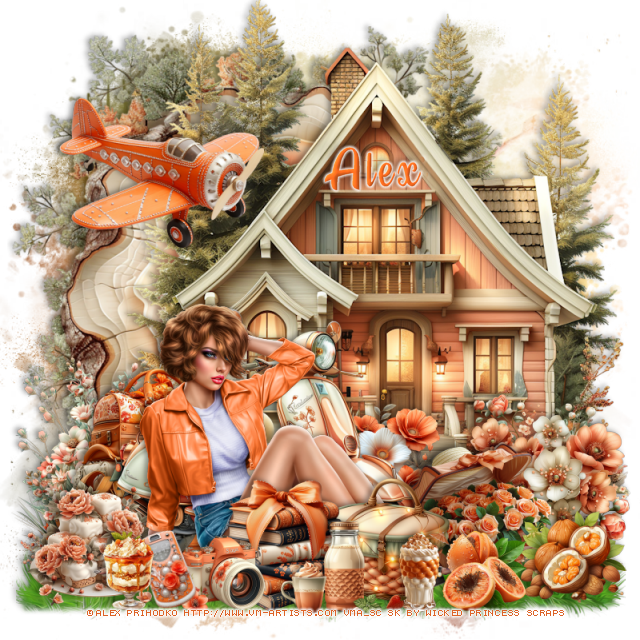
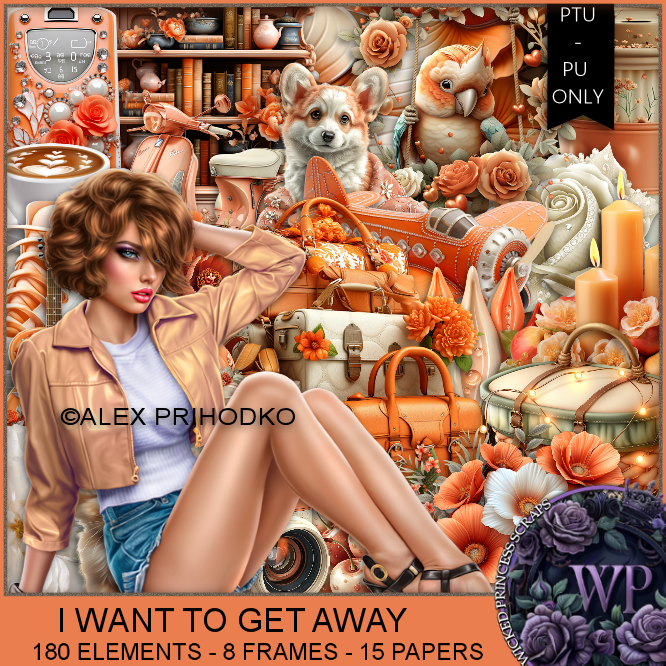
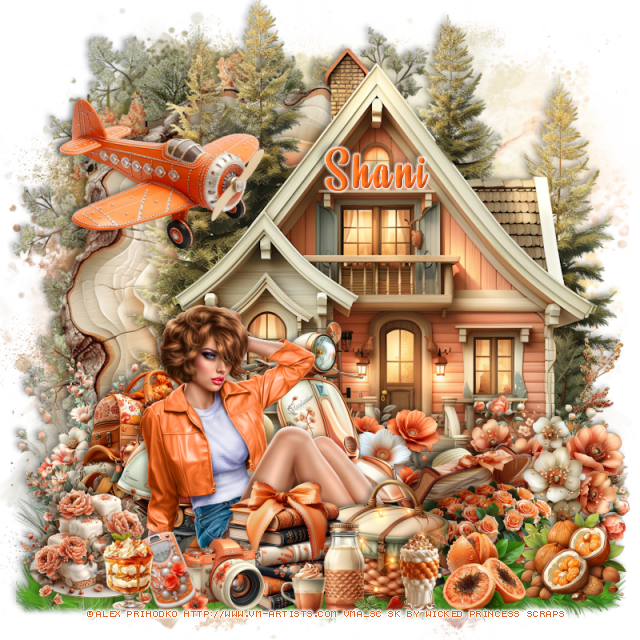
PTU I Want To Get Away


  This tut was written March 19th, 2025 for those with a basic knowledge of psp. 

I am using the Awesome tube by ©Alex Prihodko

Tube is called Spring Mood
You need a license to use this tube, please do not use without a license
You can find the tube at VMA  HERE


I used PSP2020...but any of them should work.
PTU Scrap I Want To Get Away by Wicked Princess Scraps HERE
You can find all Wicked Princess Scraps kits  HERE
RD Mask 756 HERE
Check out the rest of the blog HERE

Font of choice, I used Beauty Mountains

Drop shadow as you go is V -2 H 4, 40, 10, or use what you prefer.
Let's get started
*Remember to add your drop shadow as you go along*

Open a new image 800 x 800, paste paper 13, apply your mask.

Paste element 155 on the right.
Resize element 162 to 95%, paste below the house on the left.
Resize the tube to 25%, paste to the left.
Resize element 159 to 60%, paste below the tube.
Resize element 52 to 40%, paste on the left below the scooter.
Resize element 50 to 15%, paste at the bottom above the tube.
Resize element 92 to 15%, free rotate to the left at 20, paste at the bottom.
Resize element 90 to 40%, paste at the upper left.
Resize element 51 to 25%, paste at the bottom below the camera.

Resize element 141 to 15%, paste at the bottom left.
Resize element 147 to 40%, mirror, paste on the left below the suitcases.
Resize element 63 to 25%, paste at the bottom right below the books.
Resize element 49 to 25%, paste below the scooter.
Resize element 47 to 25%, paste at the bottom right below the basket.
Resize element 143 to 30%, paste on the bottom right above the house.
Resize element 160 to 25%, paste on the bottom left below the drink.
Resize element 73 to 20%, paste on the bottom right.
Resize element 20 to 20%, paste at the bottom.
Resize element 17 to 15%, paste at the bottom.
Resize element 53 to 15%, paste at the bottom.
Paste element 84 at the bottom on the bottom layer to the left, duplicate,
move to the right.

Add any other elements that you would like, make it your own.
Always readjust your mask and elements how you like them before you
 merge your tag, resize, sharpen.

Crop your tag to be sure no shadows or lines are on the edges.
 Then add your copyright and name.
That's it

Hope you enjoyed doing my tut 

Tag for Shani


Friday, March 7, 2025

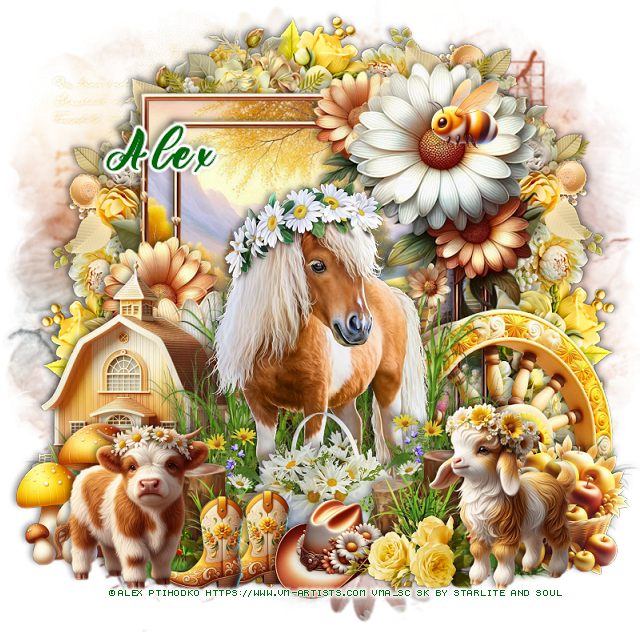
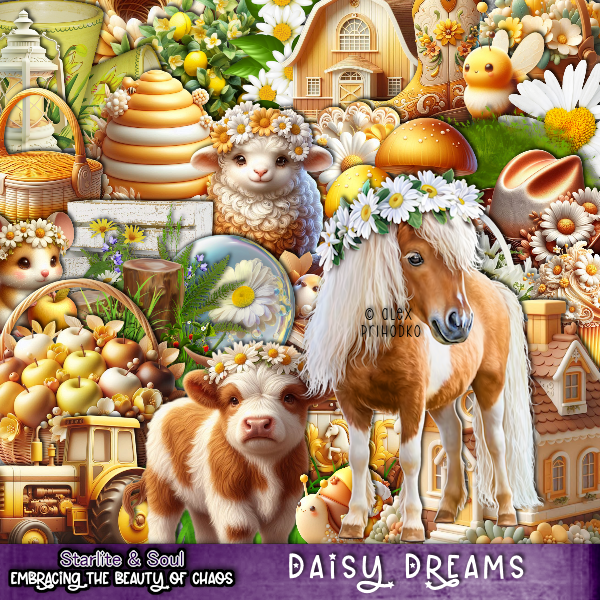
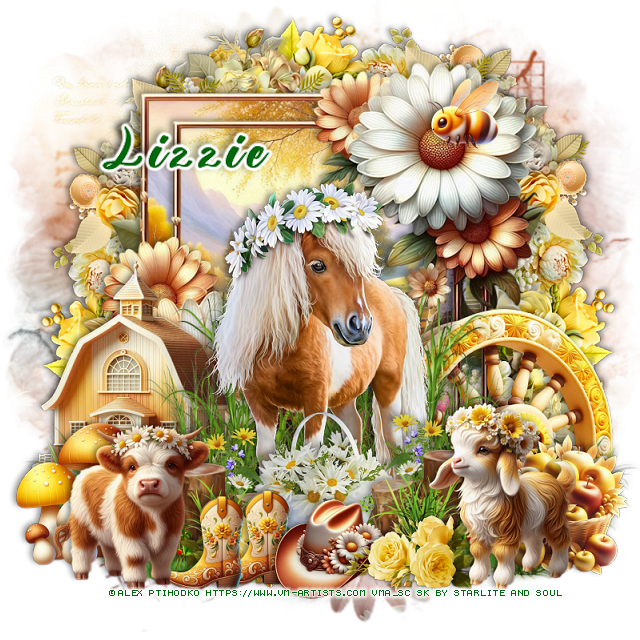
PTU Daisy Dreams


   This tut was written March 6th, 2025 for those with a basic knowledge of psp. 

I am using the beautiful tube by ©Alex Prihodko

The tube is Pony
You need a license to use this tube, please do not use without a license
You can find the tube at VMA HERE

I used PSP2020...but any of them should work.
PTU Scrap Daisy Dreams by Starlite and Soul  HERE
You can find all Starlite and Soul kits  HERE
Miz Teeques Mask 78 HERE
Check the rest of the blog HERE

Font of choice, I used Yellow Sunflower

Drop shadow as you go is V -2 H 4, 40, 10, or use what you prefer.
Let's get started
*Remember to add your drop shadow as you go along*

Open a new image 800 x 800, paste paper 2, apply your mask.

Resize frame 7 to 90%, paste, click inside, resize paper 8 to 55%, paste,
invert, delete.
Resize element 49 to 75%, paste on the bottom left, duplicate, mirror.
Resize element 6 to 40%, paste on the bottom right.
Paste element 92 at the top below the frame, duplicate, free rotate to the
left, duplicate, mirror.

Resize the tube to 30%, paste center.

Resize element 61 to 40%, paste at the bottom above the tube, duplicate, mirror.
Resize element 33 to 55%, paste on the right below the grass.
Resize element 4 to 50%, paste on the left below the grass.
Resize element 17 to 25%, paste at the bottom above the stumps.
Resize element 80 to 30%, paste at the bottom above the hat, duplicate, mirror,
move below the hat.
Resize element 68 to 30%, paste above the tube below the stumps.
Resize element 5 to 35%, paste at the bottom left.

Resize element 14 to 15%, paste on the flower on the upper right.
Resize element 21 to 30%, paste on the bottom right below goat.
Resize element 8 to 30%, paste on the bottom left below cow.
Resize element 41 to 20%, paste on the bottom by the hat.

Add any other elements that you would like, make it your own.
Always readjust your mask and elements how you like them before you
 merge your tag, resize, sharpen.

Crop your tag to be sure no shadows or lines are on the edges.
 Then add your copyright and name.
That's it

Hope you enjoyed doing my tut

Tag for Lizzie