Showing posts with label 50s. Show all posts

Wednesday, May 6, 2026

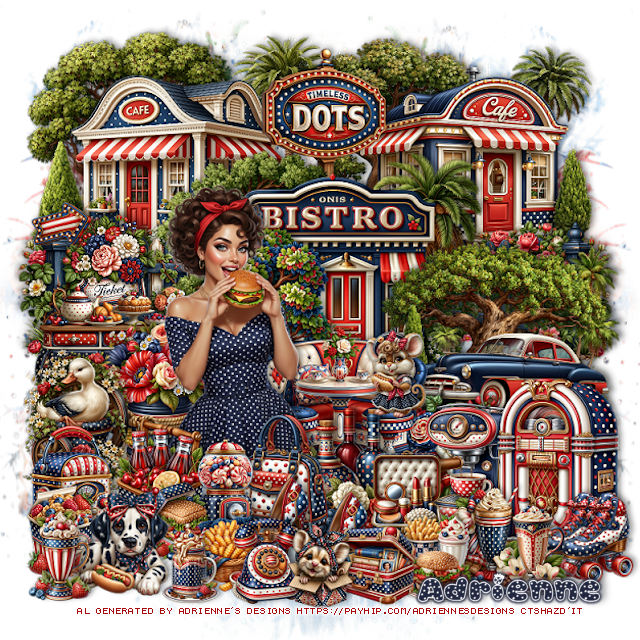
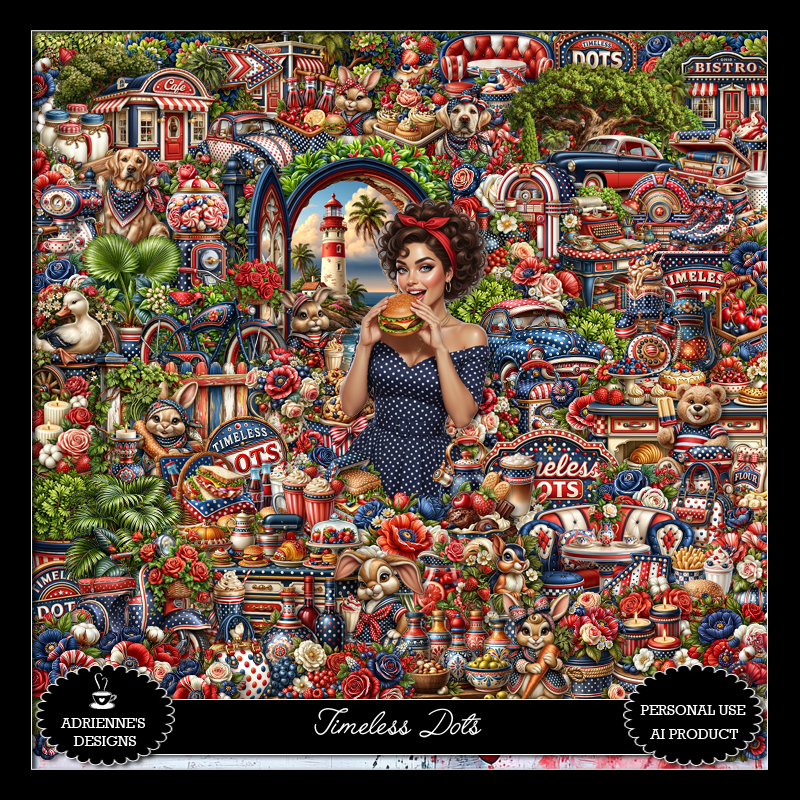
PTU Timeless Dots

 This tut was written May 5th, 2026,  for those with a basic knowledge of psp. 

Awesome Al kit and tubes by Adrienne's Designs
Everything is included
Read the TOU on how to credit tags

I used PSP2020...but any of them should work.
PTU Scrap Timeless Dots by Adrienne's Designs  HERE
Check out the rest of her store  HERE
or
you can find all her kits on her blog  HERE
Mask of choice, I used RD Mask 797 HERE 
Check the blog out HERE

Font of choice I used Halo Berry

 Drop shadow as you go is V -2 H 4, 50, 10, or use what you prefer.
Let's get started

*Remember to add your drop shadow as you go along* 

Open a new image  800 x 800, resize paper 13 to 80%, paste, apply your mask,
move to the right, duplicate, mirror.

Resize 56 to 50%, paste at the upper left.
Resize 54 to 50%, paste on the upper right.
Resize 47 to 55%, paste in the center.
Resize 97 to 25%, paste at the top below the bistro building.
Resize 66 to 35%, paste on the right below the bistro building,
duplicate, mirror.
Resize 85 to 17%, paste on the left above the fence.
Resize 48 to 40%, paste on the right above the bistro building.
Resize 41 to 30%, paste on the left by the fence.

Resize tube 4 to 30%, mirror, paste on the left.

Resize 70 to 30%, paste below the tube to the right.
Resize 9 to 20%, paste below the table.
Resize 31 to 30%, paste below the table behind the tube.
Resize 21 to 25%, paste on the left below the tube.
Resize 126 to 25%, paste on the left.
Resize 158 to 20%, paste at the bottom above the tube.
Resize 73 to 20%, paste at the bottom by the bottles.
Resize 111 to 20%, paste at the bottom by the candy jar.
Resize 104 to 15%, paste at the bottom, duplicate, move over a little.

Resize 80 to 18%, paste on the bottom left.
Resize 176 to 13%, paste at the bottom left.
Resize 182 to 13%, paste at the bottom.
Resize 77 to 30%, paste on the bottom right.
Resize 127 to 18%, paste on the bottom left.
Resize 153 to 25%, paste at the bottom below the shoes.
Resize 115 to 17%, paste on the bottom right above the jukebox.

Resize 106 to 17%, paste at the bottom.
Resize 144 to 20%, paste below the jukebox.
Resize 186 to 15%, paste on the bottom left below the dog.
Resize 164 to 17%, paste at the bottom right by the skates.
Resize 171 to 15%, paste at the bottom by the milkshake.
Resize 165 to 15%, paste on the bottom left.
Resize 114 to 15%, paste at the bottom.
Resize 79 to 15%, paste at the bottom.
Resize 154 to 13%, paste at the bottom to the left.
Resize 150 to 15%, paste at the bottom left by the dog.

Resize 91 to 10%, paste on the left on the fence post.
Resize 134 to 15%, paste on the chair of the booth.
Resize 133 to 15%, paste at the bottom.

Add any other elements that you would like, make it your own.
Always readjust your mask and elements how you like them before you
 merge your tag, resize, sharpen.

Crop your tag to be sure no shadows or lines are on the edges.
 Then add your copyright and name.
That's it

Hope you enjoyed doing my tut             

Wednesday, April 1, 2026

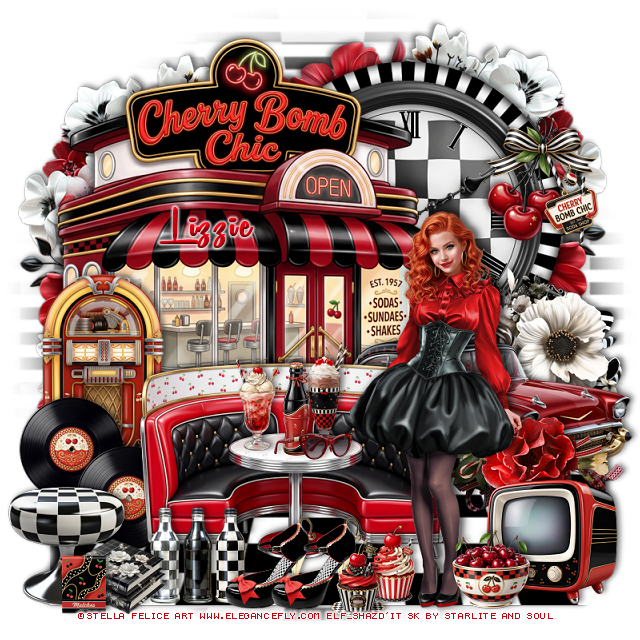
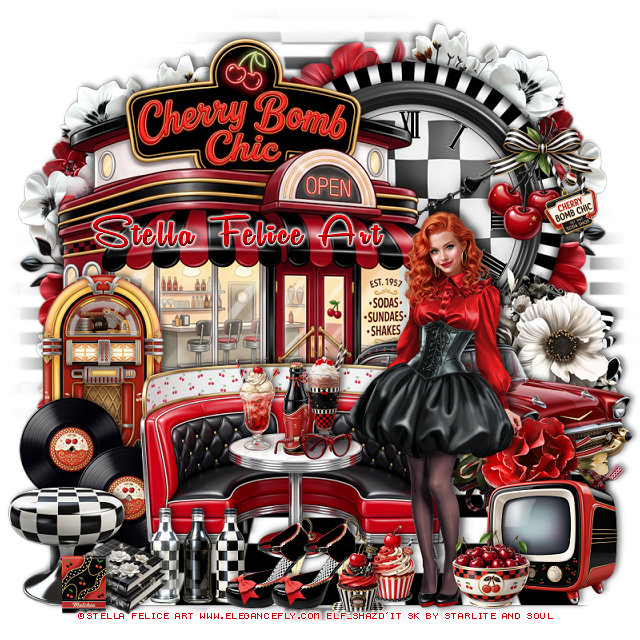
PTU Cherry Bomb Chic


 This tut was written April 1st, 2026 for those with a basic knowledge of psp. 

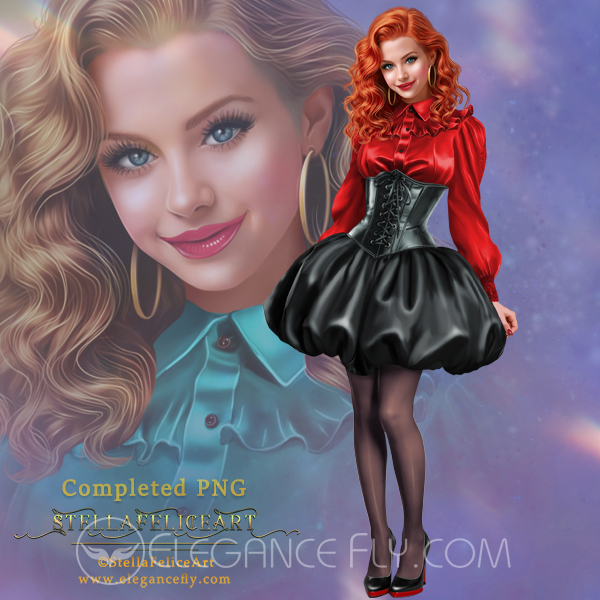
I am using the beautiful tube by © Stella Felice Art

Tube is called Elisabetta
You need a license to use this tube, please do not use without a license
You can find this tube at Elegancefly store HERE

I used PSP2020...but any of them should work.
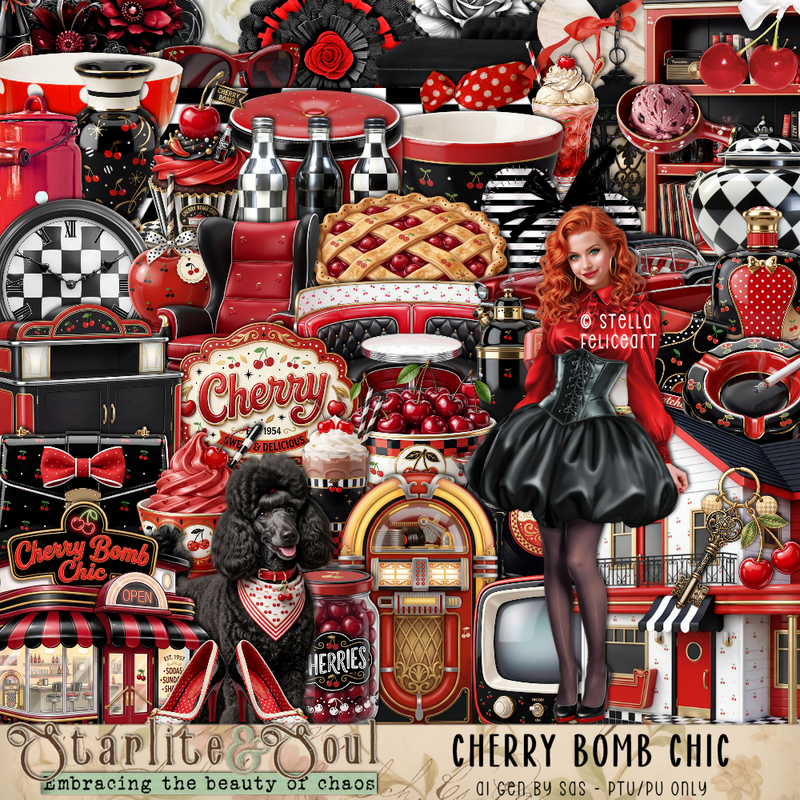
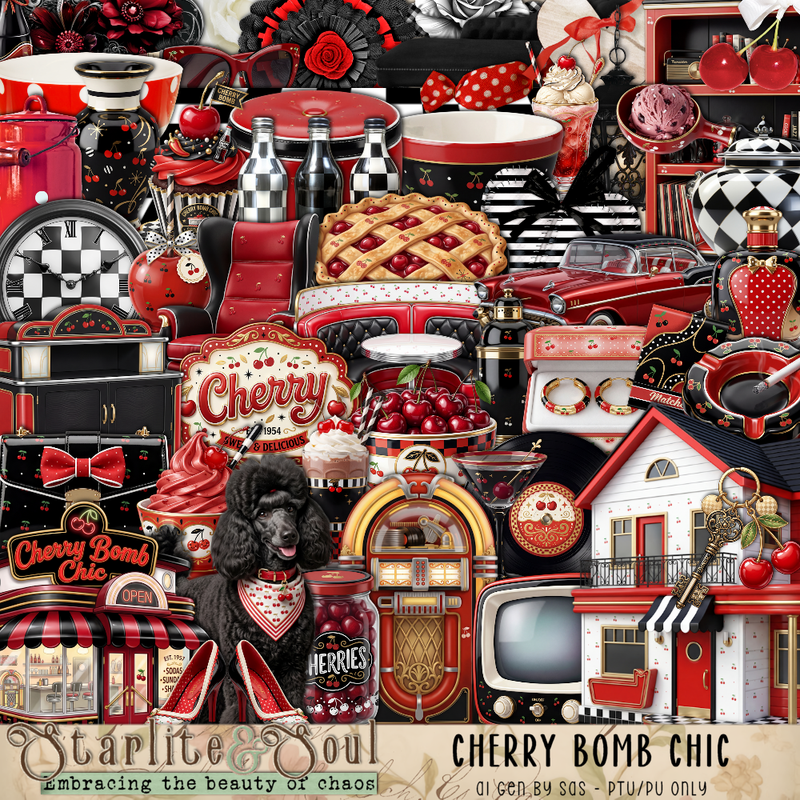
PTU Scrap Cherry Bomb Chic by Starlite and Soul HERE
You can find all Starlite and Soul  kits  HERE 
 Monti's Blind Mask 1 HERE
Check the blog out HERE

Font of choice, I used Remachine Script

Drop shadow as you go is V -2 H 4, 50, 10, or use what you prefer.
Let's get started
*Remember to add your drop shadow as you go along*

Open a new image 800 x 800, resize paper 19 to 85%, apply your mask, 
resize the mask to 145%.

Resize 10 to 60, paste on the upper right.
Resize 76 to 60%, paste below the frame.
Resize 109 to 85%, paste below the clock and frame.
Resize 2 to 75%, paste on the left above the frame.
Duplicate the flowers behind the clock, move to the left and down a 
little behind the cafe.
Resize 4 to 25%, paste on the right on the frame.
Resize 88 to 105%, paste at the bottom below the diner.
Resize 7 to 65%, mirror, paste on the bottom right above the diner.

Resize 148 to 35%, paste on the right below the car.
Resize 26 to 40%, paste on the left above the diner.
Resize 41 to 60%, paste at the bottom.

Resize the tube to 20%, paste on the right.

Resize 42 to 20%, paste on the bottom left by the jukebox, duplicate,
move over a little.
Resize 32 to 20%, paste on the table.
Resize 37 to 18%, paste on the table.
Resize 36 to 18%, paste on the table.
Resize 38 to 15%, paste on the table.

Resize 83 to 25%, paste on the bottom left.
Resize 79 to 20%, paste on the bottom left by the stool.
Resize 82 to 20%, paste at the bottom by the bottles.

Resize 55 to 20%, paste at the bottom by the bottles, duplicate, move over.
Resize 115 to 40%, paste on the right at the bottom of the car.
Resize 39 to 25%, paste at the bottom right above the tube.
Resize 5 and 6 to 15%, paste at the bottom by the shoes.
Resize 10 to 15%, paste at the bottom right.
Resize 31 to 10%, paste on the bottom left above the books.

Add any other elements that you would like, make it your own.
Always readjust your mask and elements how you like them before you
 merge your tag, resize, sharpen.

Crop your tag to be sure no shadows or lines are on the edges.
 Then add your copyright and name.
That's it

Hope you enjoyed doing my tut
Tag for Lizzie


Thursday, March 26, 2026

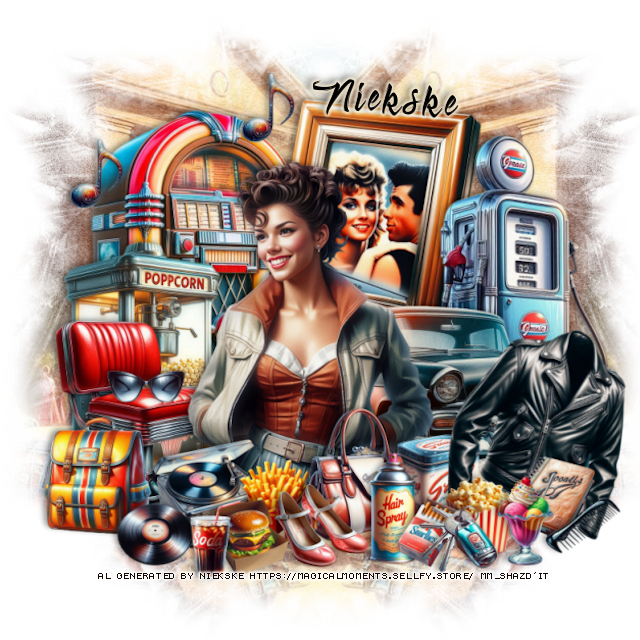
PTU Back In Time

 This tut was written March 26th, 2026 for those with a basic knowledge of psp.

Pretty tube used is Al gen by Niekske
The tube is included in the kit
Please read the TOU on how to credit your tags


I used PSP2020...but any of them should work.
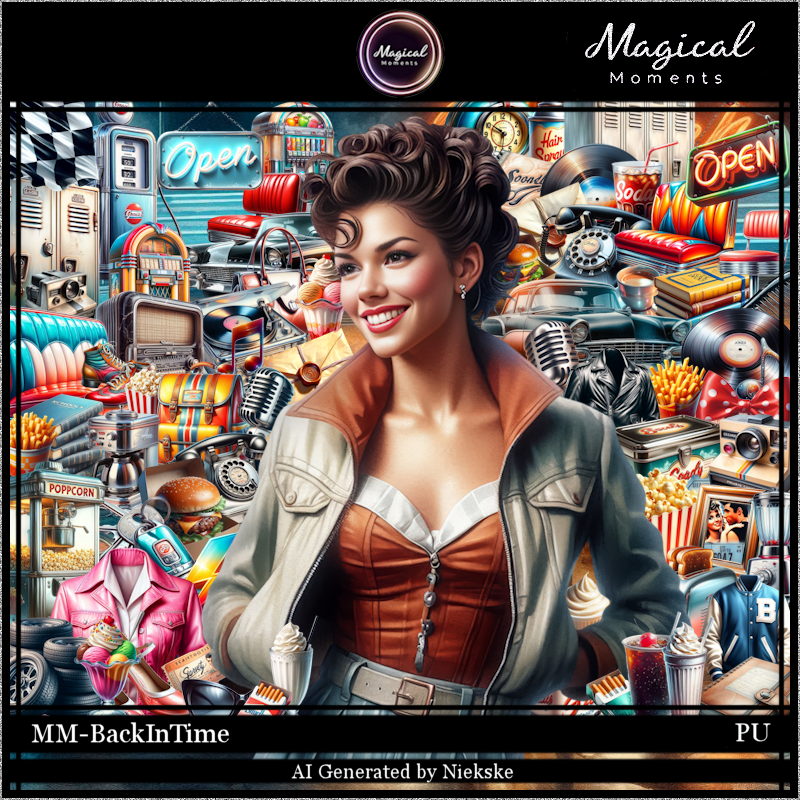
PTU Scrap Back In Time by Magical Moments HERE  
Kit has 72 elements, 5 papers and 1 Al gen tube by Niekske
Check out the rest of her store HERE   
Mask of choice, I used Miz Teeque's Mask 40  HERE
Check the blog out HERE

Font of choice, I used Absolute

Drop shadow is V -2 H 4, 40, 10, color Black or use what you prefer.
Let's get started
*Remember to add your drop shadow as you go along*

Open a new layer 800 x 800, paste paper 4, apply your mask, move
to the right, duplicate, mirror.

Resize 54 to 40%, paste on the left.
Resize 39 to 40%, paste on the right.
Resize 70 to 40%, paste below the car on the right.
Resize 14 to 40%, paste below the gas pump and up, click inside,
resize 23 to 40%, free rotate to the right at 20, paste below the frame,
invert, delete.
Resize 59 to 25%, paste on the bottom right above the jukebox.
Resize 5 to 35%, paste below the chair.

Resize the tube to 20%, paste above the chair.

Resize 33 to 17%, paste at the bottom left above the chair.
Resize 56 to 17%, paste at the bottom above the tube.
Resize 10 to 12%, paste at the bottom by the purse.
Resize 65 to 15%, paste at the bottom.
Resize 51 to 15%, paste at the bottom by the back pack above the tube.
Resize 36 to 10%, paste at the bottom left by the player.
Resize 48 to 10%, paste at the bottom.
Resize 27 to 10%, paste at the bottom below the burger and shoes.

Resize 25 to 25%, paste on the bottom left above the car, free rotate
to the right at 20.
Resize 63 to 10%, paste at the bottom by the hair spray.
Resize 17 to 12%, paste on the bottom right below the spray.
Resize 53 to 12%, paste at the bottom by the burger.

Resize 40 to 10%, paste at the bottom right by the jacket.
Resize 16 to 12%, paste at the bottom below the cigarettes.
Resize 60 to 12%, paste on the bottom right below the comb and popcorn.
Resize 69 to 13%, paste on the bottom right.
Resize 12 to 10%, paste on the bottom right.
Resize 32 to 10%, duplicate a couple of time and move where you like.
Resize 1 to 10%, paste on the left on the chair.

Add any other elements that you would like, make it your own.
Always readjust your mask and elements how you like them before you
 merge your tag, resize, sharpen.

Crop your tag to be sure no shadows or lines are on the edges.
 Then add your copyright and name.
That's it

Hope you enjoyed doing my tut.          

Wednesday, October 15, 2025

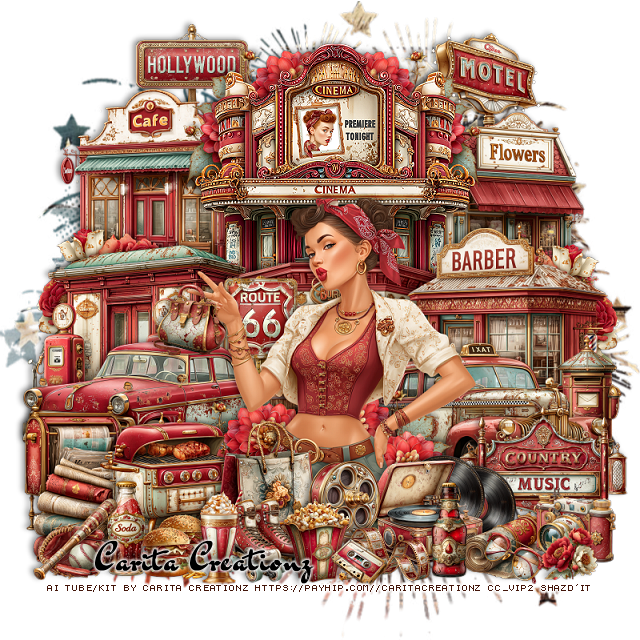
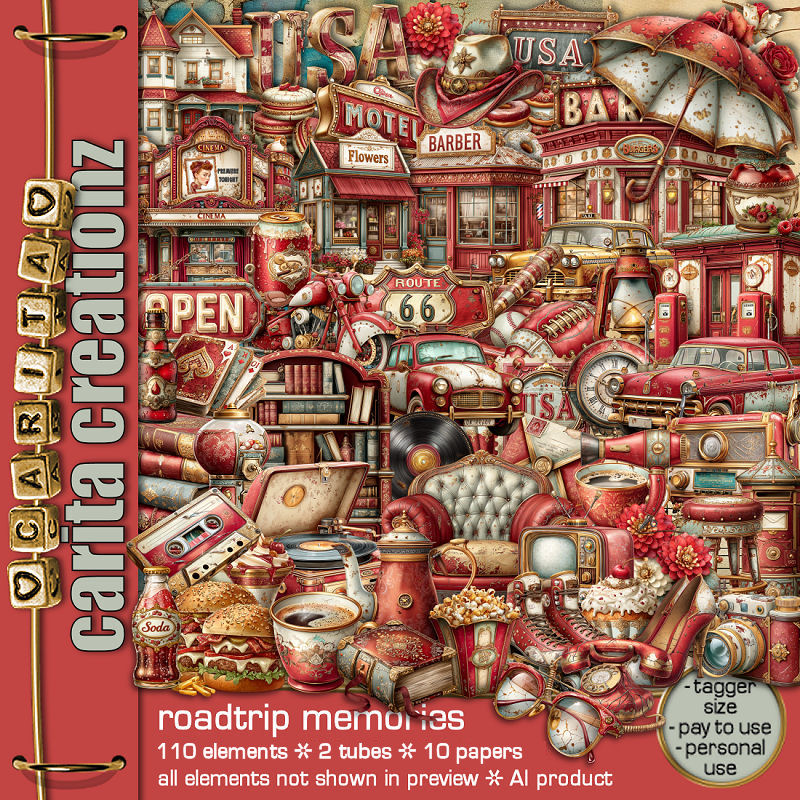
PTU Roadtrip Memories


 This tut was written October 15th, 2025 for those with a basic knowledge of psp. 

I am using the Awesome Al kit by Carita Creationz
Tubes are included
Read the TOU how to credit your tags.

I used PSP2020...but any of them should work.
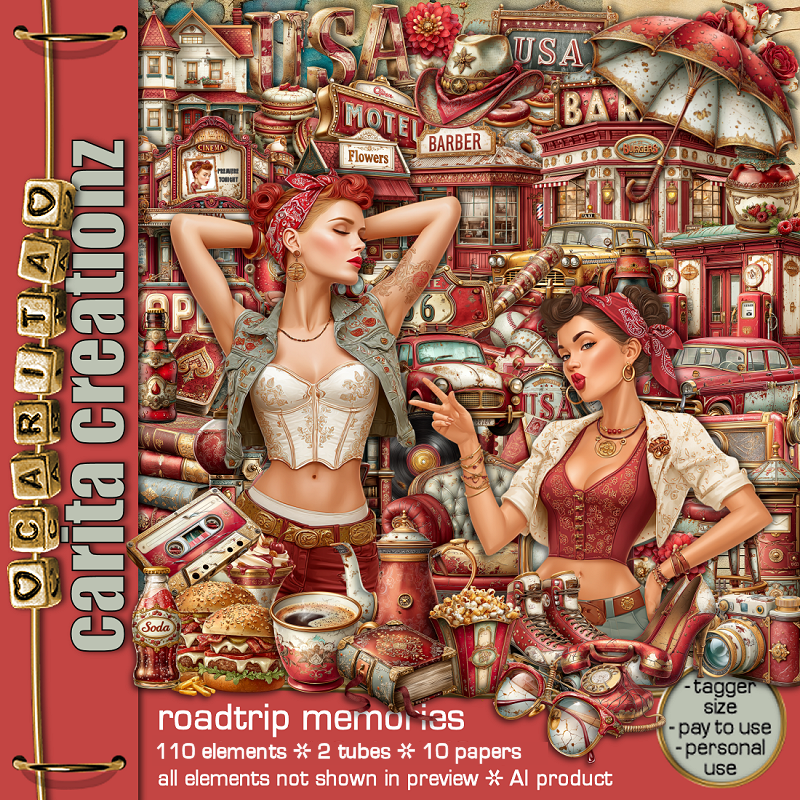
PTU Scrap Roadtrip Memories by Carita Creationz  HERE
The kit includes 110 elements, 10 papers and 2 Tubes 
Check her store out to see all her other kits and tubes HERE
Mask of choice, I used DD Patriotic Mask 3 (blog closed now)

Font of choice, I used Dr Sugiyama

Drop shadow as you go is V -2 H 4, 40, 10, or use what you prefer.
Let's get started
*Remember to add your drop shadow as you go along*

Open a new image 800 x 800, resize paper 9 to 80%, apply your mask.

Resize element 53 to 40%, paste on the upper left.
Resize element 46 to 40%, paste on the upper right.
Resize element 16 to 50%, paste at the top center above the other buildings.
Resize element 44 to 30%, paste at the top below the cinema building on the right,
duplicate, mirror.
Resize element 48 and 60 to 15%, paste at the top, one on each side
below the buildings.
Resize element 30 to 45%, paste at the bottom of the cinema building.
Resize element 2 to 40%, paste on the left.
Resize element 39 to 40%, paste on the right.

Resize element 1 to 45%, paste on the left above the gas station.
Resize element 91 to 20%, paste below the car.
Resize element 74 to 45%, mirror, paste on the right above the barber shop.

Resize tube 2 to 40%, paste above the car about center.

Resize element 44 to 30%, paste behind the tube on the left, duplicate, mirror.
Resize element 18 to 25%, paste on the right below the taxi.
Resize element 100 to 30%, paste on the bottom right above the taxi.
Resize element 92 to 25%, paste at the bottom above the tube.
Resize element 98 to 15%, paste at the bottom by the bag.
Resize element 99 to 15%, paste at the bottom.
Resize element 34 to 15%, paste on the bottom right by the sign, duplicate,
move over a little.
Resize element 3 to 20%, paste by the records.

Resize element 71 to 25%, paste on the bottom left below the bag.
Resize element 59 to 15%, paste at the bottom right by the records.
Resize element 37 to 17%, paste at the bottom by the record player.
Resize element 11 to 15%, paste at the bottom by the bag.
Resize element 23 to 12%, paste at the bottom by the skates.
Resize element 7 and 21 to 17%, paste at the bottom.
Resize element 32 to 15%, paste at the bottom.
Resize element 20 to 10%, paste at the bottom.
Resize element 63 to 25%, paste on the bottom left above the car.
Resize element 51 to 20%, paste on the bottom left above the paper stand.
Resize element 68 to 15%, paste at the bottom left.
Resize element 9 to 12%, paste on the bottom right.
Resize element 57 to 13%, paste by the finger of the tube on the car.
Resize element 77 to 10%, paste at the bottom right.

Resize element 38 to 15%, paste on the bottom right.
Resize element 65 to 25%, paste on the right below the barber shop,
duplicate, mirror.

Add any other elements that you would like, make it your own.
Always readjust your mask and elements how you like them before you
 merge your tag, resize, sharpen.
Crop your tag to be sure no shadows or lines are on the edges.
 Then add your copyright and name.
That's it

Hope you enjoyed doing my tut.