Showing posts with label StarliteandSoul. Show all posts

Sunday, June 21, 2026

PTU Black Sand Paradise

This tut was written June 21th, 2026 for those with a basic knowledge of psp. 

I am using the beautiful Al tube gen by SAS

Tube is included

Everything is included in the kit
Read the TOU on how to credit your tags


I used PSP2020...but any of them should work.
PTU Scrap Black Sand Paradise by Starlite and Soul  HERE
You can find all Starlite and Soul kits  HERE 
Miz Teeques Mask 63 HERE 
Check the blog out HERE

Font of choice, I used Starlight Rune

Drop shadow as you go is V -2 H 4, 50, 10, or use what you prefer.
Let's get started
*Remember to add your drop shadow as you go along*

Open a new image 800 x 800, paste paper 5, apply your mask, move
to the left, duplicate, mirror.

Resize frame 3 to 85%, paste, click inside, paste the tube,
invert, delete.
 Apply the xero filter-Porcelain.
Resize 48 to 85%, paste below the frame on the upper left.
Paste 78 on the upper right.
Resize 23 to 80%, paste below the frame on the upper right.
Resize 53 to 50%, paste on the bottom right below the frame,
duplicate, mirror.
Resize 44 to 45%, paste at the bottom left above the frame.

Resize the tube to 40%, paste at the bottom.

Resize 43 to 35%, paste on the bottom left.
Resize 15 to 25%, paste at the bottom left.
Resize 35 to 40%, paste on the right below the tube.
Resize 20 to 30%, paste at the bottom right below the tube.
Resize 56 to 30%, paste at the bottom above the pond.

Resize 29 to 30%, paste at the bottom below the plant.
Resize 47 to 22%, paste at the bottom.
Resize 41 to 30%, paste at the bottom to the left.
Resize the wordart to 40%, paste on the bottom right above the tube,
move the coconut drink above it.
Resize 22 to 25%, paste on the bottom left.
Resize 16 to 20%, paste at the bottom right.
Resize 36 to 30%, mirror, paste on the left below the sign.

Add any other elements that you would like, make it your own.
Always readjust your mask and elements how you like them before you
 merge your tag, resize, sharpen.

Crop your tag to be sure no shadows or lines are on the edges.
 Then add your copyright and name.
That's it

Hope you enjoyed doing my tut 

PTU Lanterns and Fireflies

  This tut was written June 20th, 2026 for those with a basic knowledge of psp. 

I am using the beautiful Al tube gen by SAS

Tube is included

Everything is included in the kit
Read the TOU on how to credit your tags


I used PSP2020...but any of them should work.
PTU Scrap Lanterns and Fireflies by Starlite and Soul  HERE
You can find all Starlite and Soul kits  HERE 
Miz Teeques Mask 173 HERE 
Check the blog out HERE

Font of choice, I used Something Maker

Drop shadow as you go is V -2 H 4, 40, 10, or use what you prefer.
Let's get started
*Remember to add your drop shadow as you go along*

Open a new image 800 x 800, paste paper 18, apply your mask.

Resize frame 7 to 65%, paste on the upper left, click inside, paste
paper 13, invert, delete.
Resize 1 to 85%, paste above the frame to the right.
Resize 16 to 20%, paste on the porch of the cabin.
Paste 117 on the right below the frame.
Resize 104 to 85%, paste on the left above the cabin.
Resize 10 to 65%, paste on the bottom left.
Resize 28 to 30%, paste at the bottom by the tent.
Resize 19 to 25%, paste at the bottom left above the tent.
Resize 18 to 35%, mirror, paste at the bottom below the fire.

Resize tube 1 and 2 to 33%, paste where you like.

Resize 30 to 27%, paste behind the fire.
Resize 17 to 30%, paste on the left below the tent, duplicate, move
to the right below the lady.
Resize 34 to 15%, paste on the bottom right.
Resize 33 to 25%, paste behind the lady.
Resize 32 to 20%, paste at the bottom above the man.
Resize 3 to 20%, paste in the chair.
Resize 56 to 20%, paste at the bottom left.
Resize 38 to 20%, paste at the bottom right above the fire.
Resize 29 to 20%, paste at the bottom.

Resize 37 to 15%, paste on the left on the ice chest.
Resize 4 to 25%, paste at the bottom left.
Resize 8 to 15%, paste at the bottom.
Resize 84 to 15%, paste on the left on the basket.
Resize 15 to 30%, paste on the right below the flowers and tube.
Resize 85 to 15%, paste at the bottom.
Resize 99 to 30%, paste at the upper right.
Resize 103 to 35%, paste at the bottom left, duplicate, move to the right.

Add any other elements that you would like, make it your own.
Always readjust your mask and elements how you like them before you
 merge your tag, resize, sharpen.

Crop your tag to be sure no shadows or lines are on the edges.
 Then add your copyright and name.
That's it

Hope you enjoyed doing my tut


Saturday, June 20, 2026

PTU Sugarleaf Frogs


 This tut was written June 20th, 2026 for those with a basic knowledge of psp. 

I am using the beautiful Al tube gen by SAS

Tube is included

Everything is included in the kit
Read the TOU on how to credit your tags


I used PSP2020...but any of them should work.
PTU Scrap Sugarleaf Frogs by Starlite and Soul  HERE
You can find all Starlite and Soul kits  HERE 
Miz Teeques Mask 173 HERE 
Check the blog out HERE

Font of choice, I used Something Maker

Drop shadow as you go is V -2 H 4, 40, 10, or use what you prefer.
Let's get started
*Remember to add your drop shadow as you go along*

Open a new image 800 x 800, paste paper 12, apply your mask.

Paste frame 7, click inside the frames, resize paper 8 to 50%, 
paste, invert, delete.
Resize 2 to 50%, paste at the bottom right above the frame.
Resize 37 to 35%, paste at the bottom left.
Resize 57 to 35%, paste on the right below the house.
Resize 36 to 50%, mirror, paste on the left below the pond.
Resize 35 to 90%, paste on the upper right below the frame.
Resize 42 to 75%, paste on the upper left below the tree layer,
duplicate, move to the right and down.

Resize the tube to 40%, paste on the left.

Resize 22 to 20%, paste on the house on the right.
Resize 20 to 25%, paste in the top frame.
Resize 28 to 30%, paste at the bottom by the house.
Resize 59 to 20%, paste at the bottom.
Resize 8 to 12%, paste at the bottom.
Resize 39 to 30%, paste at the bottom below the pond.

Resize 4 to 15%, paste on the bottom left on the pond.
Resize 5 to 15%, paste on the bottom right.
Resize 54 to 12%, paste at the bottom.
Resize 55 to 12%, paste at the bottom left by the pond.
Resize 64 to 12%, paste at the bottom by the pie.
Resize 26 to 13%, paste at the bottom above the tube.
Resize 12 to 20%, paste on the flower on the frame about half 
way down.

Add any other elements that you would like, make it your own.
Always readjust your mask and elements how you like them before you
 merge your tag, resize, sharpen.

Crop your tag to be sure no shadows or lines are on the edges.
 Then add your copyright and name.
That's it

Hope you enjoyed doing my tut


PTU Squeeze The Day

 This tut was written June 20th, 2026 for those with a basic knowledge of psp. 

I am using the beautiful Al tube gen by SAS

Tube is included

Everything is included in the kit
Read the TOU on how to credit your tags


I used PSP2020...but any of them should work.
PTU Scrap Squeeze the Day by Starlite and Soul  HERE
You can find all Starlite and Soul kits  HERE 
Miz Teeques Mask 162 HERE 
Check the blog out HERE

Font of choice, I used Elephant

Drop shadow as you go is V -2 H 4, 40, 10, or use what you prefer.
Let's get started
*Remember to add your drop shadow as you go along*

Open a new image 800 x 800, paste paper 14, apply your mask, 
move to the right, duplicate, mirror, adjust.

Resize frame 7 to 75%, click inside, resize paper 17 to 35%, paste,
invert, delete.
Resize frame 3 to 85%, paste below the frame on the left, duplicate, 
move to the right, click inside the frames, paste paper 14, invert, delete.
Resize 108 to 40%, mirror, paste above the frame.
Resize 29 to 30%, paste in the frame below the lemon shelf.
Resize 48 to 30%, paste on the frame on the left.
Resize 139 to 25%, paste at the upper left on the bow, duplicate, mirror.
Resize 138 to 25%, paste at the top below the yellow flowers, duplicate, mirror.

Resize the tube to 40%, paste to the right.

Resize 31 to 30%, paste at the bottom right above the tube
Resize 141 to 50%, paste at the bottom of the frame.
Resize 150 to 35%, paste on the bottom right, duplicate, mirror.
Resize 33 to 25%, paste at the bottom by the purse.
Resize 65 to 50%, paste at the bottom below the tube.
Paste 40 to 25%, paste at the bottom right below the purse.
Resize 11 to 30%, paste at the bottom left above the bench.

Resize 12 to 15%, paste on the bench.
Resize 2 to 20%, paste on the bench.
Resize 32 to 35%, paste on the right below the flowers.
Resize 73 to 20%, paste at the bottom right.
Resize 3 to 20%, paste at the bottom below the hat.
Resize 78 to 20%, paste at the bottom left above the bucket of flowers.

Resize 6 to 17%, paste at the bottom.
Resize 7 to 20%, paste on the left.
Resize 13 to 15%, paste at the bottom left below the pink bottle.
Resize 74 to 15%, paste at the bottom by the hat.
Resize 71 to 15%, paste at the bottom right.
Resize 28 to 10%, paste at the bottom left.
Resize 99 to 30%, paste on the upper left.
Resize 34 to 17%, paste at the bottom on the hat.
Resize 156 to 25%, paste at the bottom below the hat.
Resize 26 to 15%, paste at the bottom above the bottle.
Resize 25 to 12%, paste at the bottom.

Add any other elements that you would like, make it your own.
Always readjust your mask and elements how you like them before you
 merge your tag, resize, sharpen.

Crop your tag to be sure no shadows or lines are on the edges.
 Then add your copyright and name.
That's it

Hope you enjoyed doing my tut


Friday, June 19, 2026

PTU Liberty Bombshell


  This tut was written June 19thth, 2026 for those with a basic knowledge of psp. 

I am using the beautiful tube by © Barbara Jensen

Tube is called Obsidian 164-2
Tube is NOT included
You need a license to use this tube, please do not use without a license
You can find this tube at Barbara store HERE

I used PSP2020...but any of them should work.
PTU Scrap Liberty Bombshell  by Starlite and Soul  HERE
You can find all Starlite and Soul kits  HERE 
Miz Teeques Mask 81 HERE
Check the rest of the blog HERE

Font of choice, I used Castellar

Drop shadow as you go is V -2 H 4, 40, 10, or use what you prefer.
Let's get started
*Remember to add your drop shadow as you go along*

Open a new image 800 x 800, paste paper 17, apply your mask.

Paste frame 4, click in the rectangle, paste paper 20, invert, delete,
keep selected. 
Paste your tube, delete, select none.
Select the oval frame, paste element 1 how you like, invert, delete.
Select the bottom frame, resize paper 12 to 50%, paste, invert, delete.
Resize 25 to 80%, paste on the left above the frame.
Resize 33 to 50%, paste on the bottom left.
Resize 178 to 75%, paste at the upper left being on the bottom layer, duplicate,
move to the right.

Resize the tube 55%, paste on the right.

Resize 70 to 20%, paste on the right below the tube.
Resize 17 to 45%, paste on the left above the bike.
Resize 48 to 25%, paste at the bottom above the tube.
Resize 32 to 27%, paste at the bottom above the records.
Resize 30 to 20%, paste at the bottom left.
Resize 51 to 20%, paste at the bottom right.
Resize 56 to 15%, paste at the bottom right.
Resize 54 to 15%, paste at the bottom.

Resize 134 to 25%, paste at the top on the frame, duplicate, move
down below the bike, duplicate again, move behind the tube.
Resize 81 to 28%, paste below the record player.
Resize 73 to 25%, paste at the bottom.
Resize 74 to 20%, paste at the bottom.
Resize 71 to 55%, paste on the upper right below the tube.
Resize 106 to 35%, paste below the flower at the top.
Resize 84 to 15%, paste at the bottom.
Resize 11 to 15%, paste at the bottom left.

Add any other elements that you would like, make it your own.
Always readjust your mask and elements how you like them before you
 merge your tag, resize, sharpen.

Crop your tag to be sure no shadows or lines are on the edges.
 Then add your copyright and name.
That's it

Hope you enjoyed doing my tut

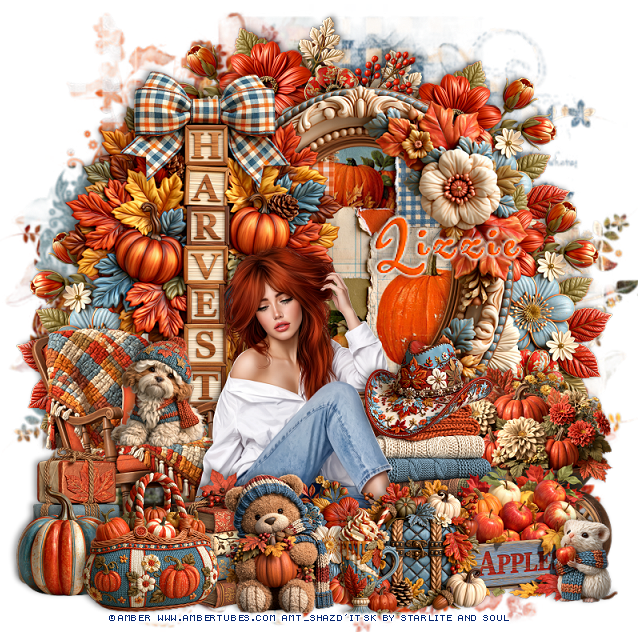
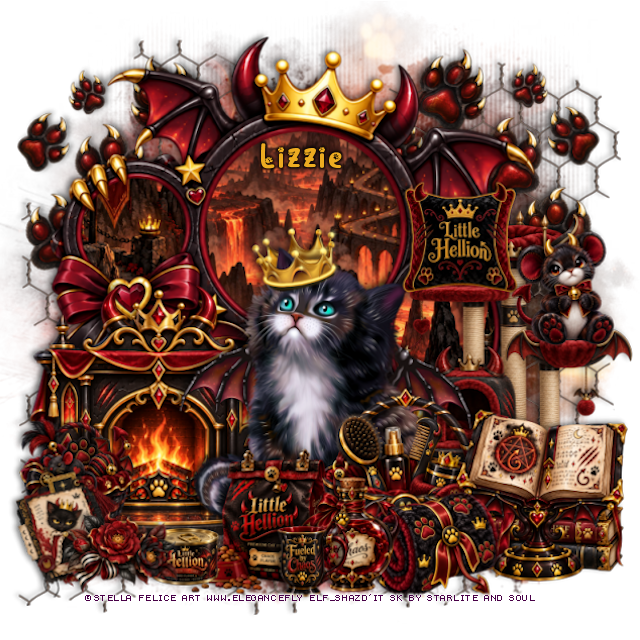
Tag for Lizzie      


Monday, June 15, 2026

PTU The Final Aria


 This tut was written June 15th, 2026 for those with a basic knowledge of psp. 

I am using the beautiful tube by © Verymany

Tube is called Crimson Petals
Tube is NOT included
You need a license to use this tube, please do not use without a license
You can find this tube at Verymany store HERE

I used PSP2020...but any of them should work.
PTU Scrap The Final Aria by Starlite and Soul  HERE
You can find all Starlite and Soul kits  HERE 

Font of choice, I used Aurethia

Drop shadow as you go is V -2 H 4, 50, 10, or use what you prefer.
Let's get started
*Remember to add your drop shadow as you go along*

Open a new image 800 x 800, paste 161 at the upper left, duplicate, merge down,
duplicate, move to the right, duplicate both, move to the bottom, merge
all together, duplicate, merge down.
Paste 92 on the right, duplicate, mirror.

Resize 1 to 65%, paste at the top.
Resize frame 6 to 40%, paste below the building on the left, duplicate,
mirror, click inside both, resize paper 9 to 30%, paste so the light
shows, invert, delete.
Resize 17 to 50%, paste on the bottom right.
Resize 125 to 33%, paste on the left at the bottom of the window,
duplicate, mirror.
Resize 45 to 50%, paste at the bottom of the building.

Resize the tube to 28%, paste at the bottom above the seats.

Resize 5 to 45%, paste on the left below the seats.
Resize 53 to 22%, paste on the bottom left.
Resize 44 to 35%, paste on the bottom left below the tube and sign.
Resize 68 to 35%, paste below the seats behind the tube.
Resize 54 to 25%, paste on the bottom right below the tube layer,
by the ticket booth.
Resize 41 to 20%, paste on the bottom right.
Resize 25 to 15%, paste at the bottom right.
Resize 11 to 30%, paste on the left below the piano.

Resize 12 to 25%, paste at the bottom above the tube.
Resize 6 to 30%, paste on the left above the piano.
Resize 40 to 15%, paste at the bottom by the box.
Resize 7 to 15%, paste at the bottom.
Resize 14 to 40%, paste below the piano by the tube.
Resize 24 to 15%, paste on the seat.
Resize 48 to 23%, paste at the bottom right.
Resize 39 to 15%, paste at the bottom on the book.
Resize 124 to 25%, paste at the bottom below box, move the book above.
Resize 123 to 25%, paste at the bottom below the tube by her feet.
Resize 59 to 25%, paste at the bottom above the tube by the legs.
Resize 49 to 20%, paste at the bottom.
Resize 16 to 20%, paste at the bottom left.
Resize 74 to 25%, paste at the bottom left.
Resize 129 to 25%, paste at the top on the building, duplicate, mirror.

Resize 34 to 15%, paste at the top left, duplicate, move to the right.
Resize 99 to 17%, paste at the bottom left.
Resize 43 to 15%, paste at the bottom left.
Resize 2 to 25%, paste at the bottom.

Add any other elements that you would like, make it your own.
Always readjust your mask and elements how you like them before you
 merge your tag, resize, sharpen.

Crop your tag to be sure no shadows or lines are on the edges.
 Then add your copyright and name.
That's it

Hope you enjoyed doing my tut

Tag for Lizzie