Showing posts with label St Patrick. Show all posts

Monday, March 9, 2026

PTU Celtic Spring


   This tut was written March 8th, 2026 for those with a basic knowledge of psp. 

I am using the awesome tube ©Stella Felice Art
The tube is called Melina
The tube is NOT included
You need a license to use this tube, please do not use without a license
You can find the tube at Elegancefly store HERE


I used PSP2020...but any of them should work.
PTU Scrap Celtic Spring by Doodle by Design  HERE
You can find all Doodle by Design kits  HERE 
Mask of choice, I used RD Mask 737 HERE
Check out the rest of the blog HERE

Font of choice, I used Daisy Roots

Drop shadow as you go is V -2 H 4, 40, 10, or use what you prefer.
Let's get started
*Remember to add your drop shadow as you go along*

Open a new image 800 x 800, paste paper 2, apply your mask.

Resize 176 to 115%, paste.
Paste 172 on the right, duplicate, mirror, move up a little.
Paste 75 on the upper left below the daisy flowers.
Paste 88 on the left.
Resize 56 to 50%, paste on the right below the house.
Resize 86 to 75%, paste on the bottom right above the house.
Resize 33 to 30%, paste on the right bottom above the bridge.
Resize 68 to 40%, paste on the bottom left, duplicate, mirror.
Resize 54 to 40%, paste on the bottom left.
Paste 80 on the bottom layer  above the daisy elements,
at the bottom left, duplicate, mirror.

Resize the tube to 18%, paste at the bottom.

Resize 5 to 30%, paste at the bottom right above the tube.
Resize 69 to 30%, paste at the bottom below the sheep.
Resize 3 to 30%, mirror, paste at the bottom to the left of the sheep.
Resize 45 to 30%, paste on the bottom left.

Resize 58 to 20%, paste at the bottom left below the hedge hogs.
Resize 1 to 15%, paste at the bottom by the basket.
Resize 47 to 10%, paste at the bottom by the cup.
Resize 8 to 25%, mirror, paste on the bottom right.
Resize 16 to 15%, paste at the bottom left.
Resize 34 to 10%, paste on the left, duplicate, move where you like.
Paste 173 above the house at the top, duplicate, move down more.
Resize 82 to 35%, paste at the bottom above the sheep, duplicate, mirror.

Add any other elements that you would like, make it your own.
Always readjust your mask and elements how you like them before you
 merge your tag, resize, sharpen.

Crop your tag to be sure no shadows or lines are on the edges.
 Then add your copyright and name.
That's it

Hope you enjoyed doing my tut 

Tag for Lizzy  


Sunday, March 1, 2026

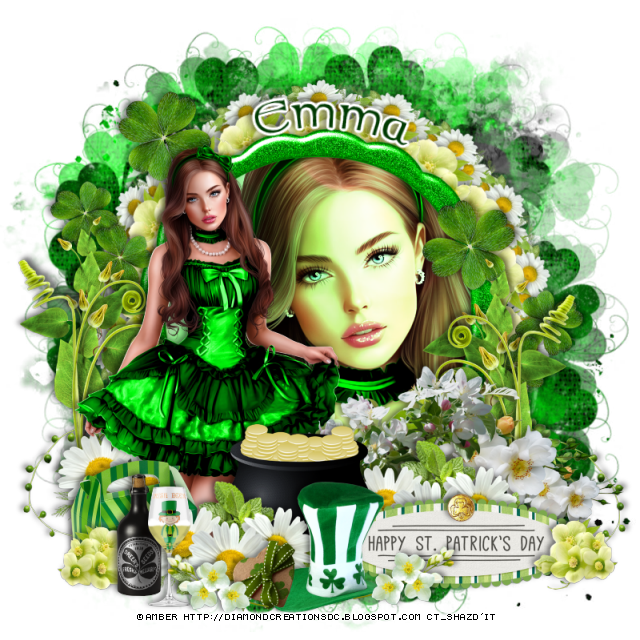
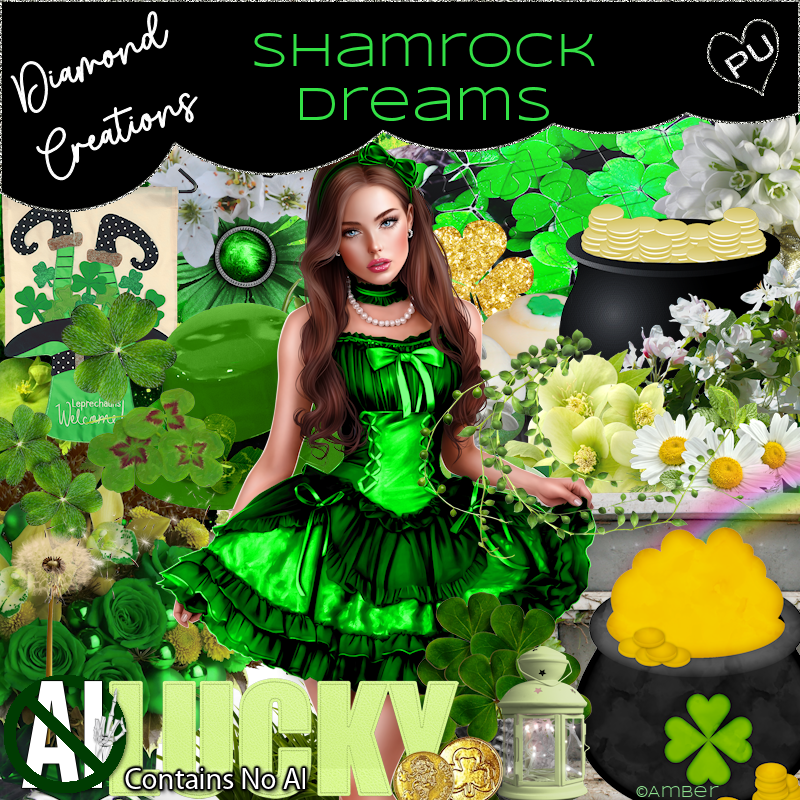
PTU Shamrock Dreams


  This tut was written March 1st, 2026 for those with a basic knowledge of psp. 

Awesome tube used ©Amber

The tube is included in the kit, this kit contains "NO Al"
Everything used is included in the kit
Read the TOU on how to credit your tags

I used PSP2020...but any of them should work.
PTU Scrap Shamrock Dreams "NO Al" by Diamond Creations  HERE
You can find all Diamond Creations  kits HERE
Mask of choice, I used RD Mask 737 and 740 HERE
Check out the rest of the blog HERE
Filter
Mura Meister Copies-Encircle

Font of choice, I used Celtic

Drop shadow as you go is V -2 H -4, 40, 10, or use what you prefer.
Let's get started
*Remember to add your drop shadow as you go along*

Open a new image 800 x 800, paste paper 15, apply mask 737, paste
paper 15 again, apply mask 740, move to the bottom, duplicate, flip, mirror.

Resize frame 7 to 70%, paste, click inside, paste paper 8, invert, delete,
keep selected, resize the tube to 45%, paste in the frame, delete, select none.
Change the blend mode to Hard Light.
Resize 61 to 35%, apply Mura Meister Copies-Encircle, first 3 
numbers on 18, 52, 52, paste below the frame.
Resize 63 to 30%, flip, apply Mura Meister, change the numbers to 
18, 62, 62, paste below the flower circle.

Resize the tube to 15%, paste on the left above the frame.

Resize 5 to 50%, paste on the upper left below the tube, duplicate, mirror,
move down on the right.
Resize 56 to 40%, paste below the tube on the left, duplicate, mirror,
move down on the right.
Resize 21 to 40%, paste at the bottom above the tube.
Resize 66 to 50%, paste below the pot on the right.
Resize 63 to 60%, paste at the bottom above the pot, duplicate it 2 more times,
move one to the right above the flowers and the other to the left below the tube.

Resize 77 to 25%, paste at the bottom left below the top flowers.
Resize 50 to 50%, mirror, paste on the bottom right below all the flowers.
Resize 53 to 50%, paste on the bottom left above the frame, duplicate, mirror.
Resize wordart 1 to 45%, paste at the bottom to the right.
Resize 37 to 30%, paste at the bottom above the sign.
Resize 61 to 25%, paste on the bottom right above the sign, duplicate, mirror.
Resize 27 to 20%, paste at the bottom left.
Resize 26 to 25%, paste at the bottom left.
Resize 81 to 20%, paste at the bottom by the hat.
Resize 50 to 25%, paste at the bottom of the sign by the hat, duplicate, 
mirror, paste by the heart.
Resize 23 to 25%, paste on top of the sign.
Resize 62 to 40%, paste on the right below the flowers, duplicate, mirror.

Add any other elements that you would like, make it your own.
Always readjust your mask and elements how you like them before you
 merge your tag, resize, sharpen.

Crop your tag to be sure no shadows or lines are on the edges.
 Then add your copyright and name.
That's it

Hope you enjoyed doing my tut           

Thursday, February 26, 2026

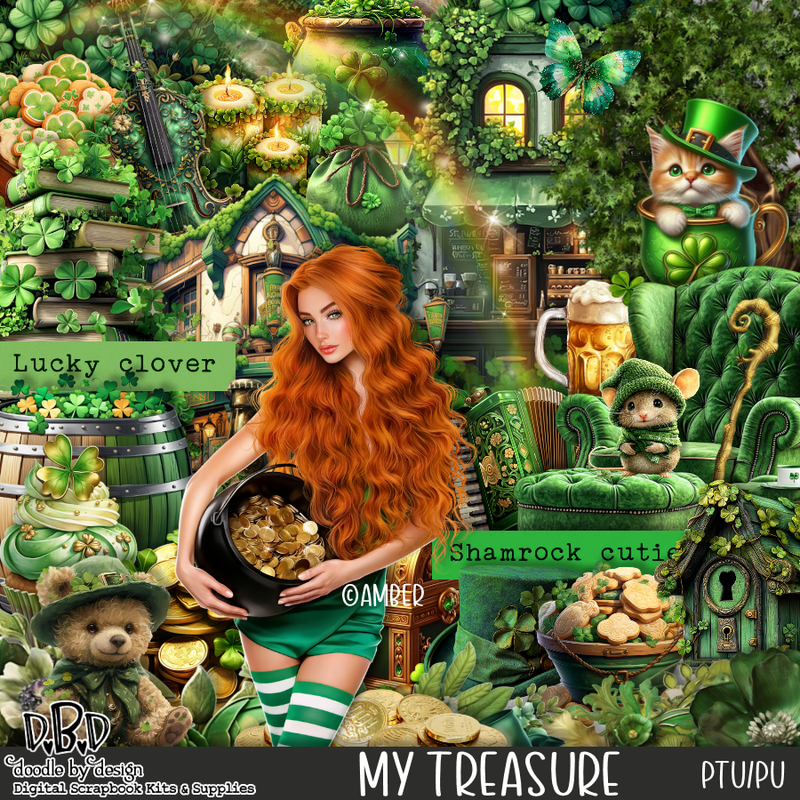
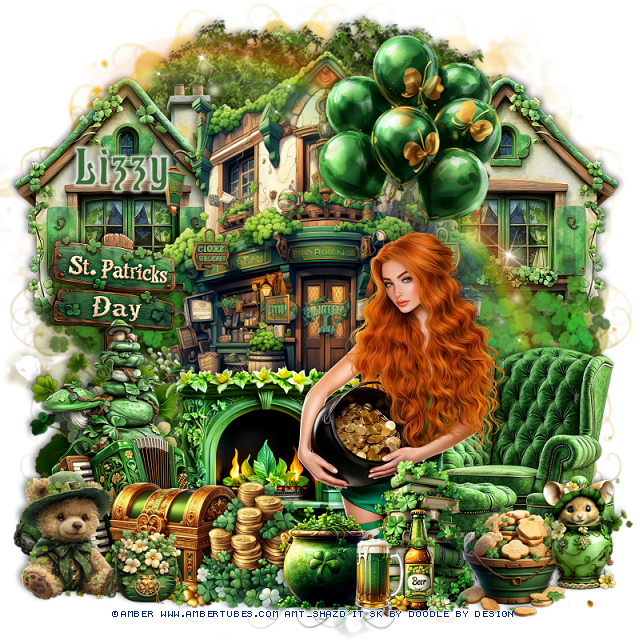
PTU Treasure 2


  This tut was written February 25th, 2026 for those with a basic knowledge of psp. 

I am using the awesome tube ©Amber
The tube is called Treasure 2
The tube is NOT included
You need a license to use this tube, please do not use without a license
You can find the tube at Amber store HERE


I used PSP2020...but any of them should work.
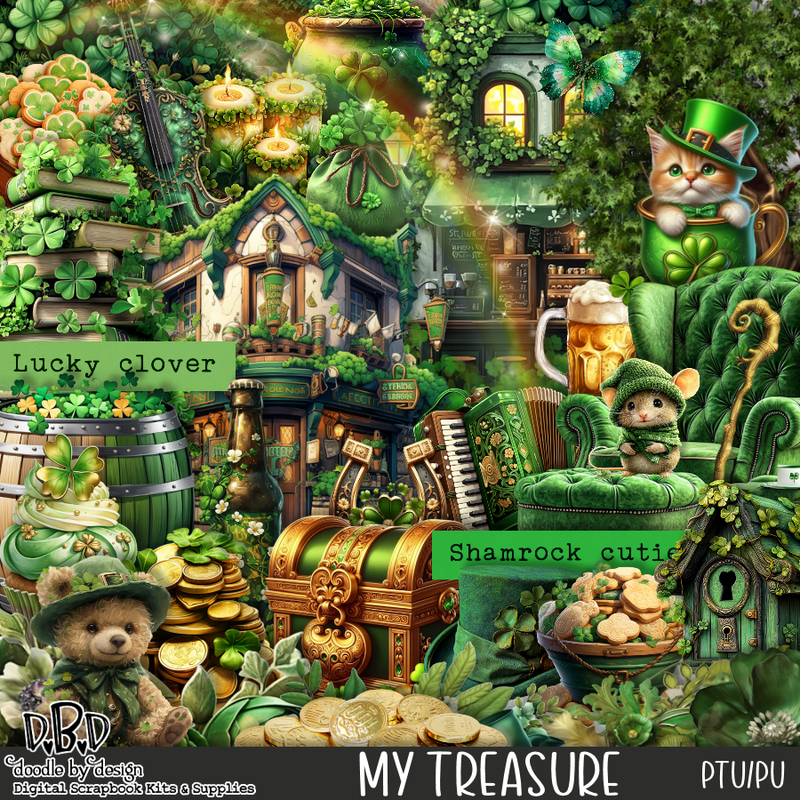
PTU Scrap My Treasure by Doodle by Design  HERE
You can find all Doodle by Design kits  HERE 
RD Mask 737 HERE
Check the blog out HERE

Font of choice, I used Cat Hohenzollern

Drop shadow as you go is V -2 H 4, 50, 10, or use what you prefer.
Let's get started
*Remember to add your drop shadow as you go along*

Open a new image 800 x 800, paste paper 11, apply your mask

Resize 22 to 70%, paste at the top center.
Resize 9 to 50%, paste on the left below the building, duplicate, mirror.
Resize 73 to 110, paste below the house at the bottom of the windows.
Paste 111 on the bottom layer at the top.
Paste 113 above the house.

Resize the tube to 25%, paste above the building to the right.

Resize 2 to 45%, paste on the right below the tube.
Resize 77 to 40%, paste on the left below the tube.
Resize 29 to 30%, paste on the left above the fireplace.
Resize 36 to 25%, paste at the bottom above the chest.
Resize 13 to 28%, paste at the bottom above the tube.
Resize 96 to 20%, paste at the bottom above the books and coins.
Resize 1 to 22%, paste at the bottom to the right of the books.
Resize 114 to 22%, paste at the bottom right.
Resize 21 to 25%, paste on the left by the window.
Resize 135 to 35%, paste on the left above the sign.
Resize 116 to 50%, mirror, paste on the left below chest.

Resize 38 to 20%, paste at the bottom.
Resize 39 to 15%, paste at the bottom.
Resize 45 to 25%, paste at the bottom left.
Resize 24 to 28%, paste at the bottom left below the chest.
Resize 34 to 50%, paste at the top below the tube.
Resize 51 to 15%, paste at the bottom by the bear.

Add any other elements that you would like, make it your own.
Always readjust your mask and elements how you like them before you
 merge your tag, resize, sharpen.

Crop your tag to be sure no shadows or lines are on the edges.
 Then add your copyright and name.
That's it

Hope you enjoyed doing my tut 

Tag for Lizzy


Tuesday, February 24, 2026

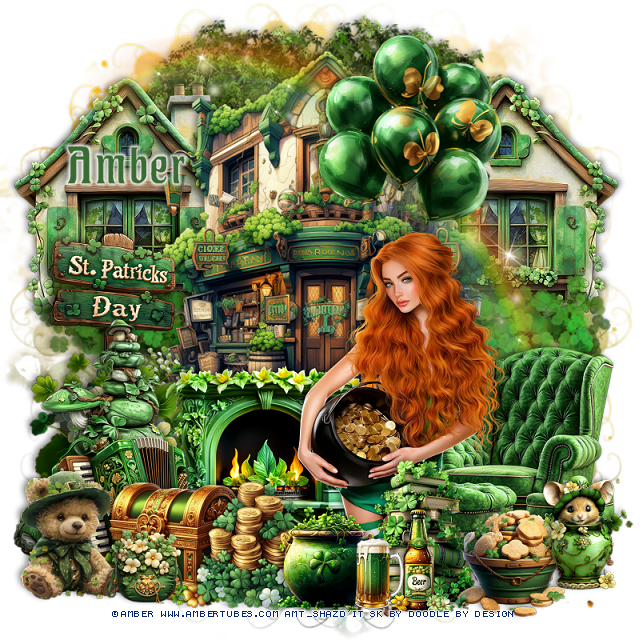
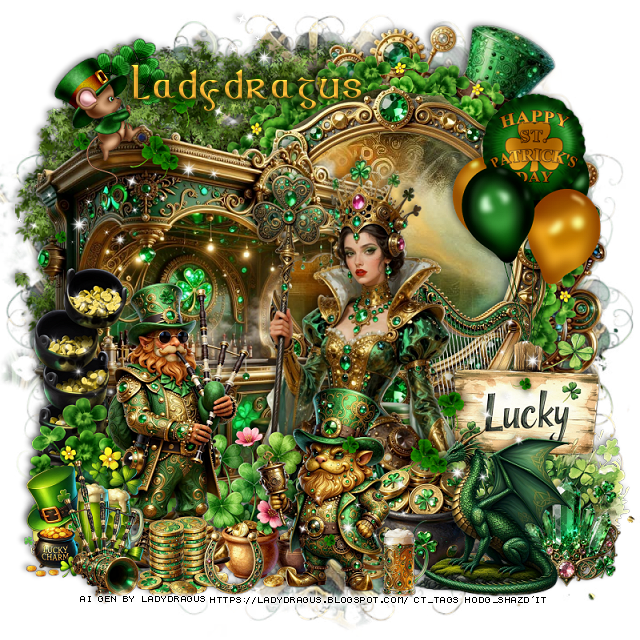
PTU St Patrick's Day 2026


 This tut was written February 24th, 2026 for those with a basic knowledge of psp. 

I am using the Awesome St Patrick Al kit by LadyDragus

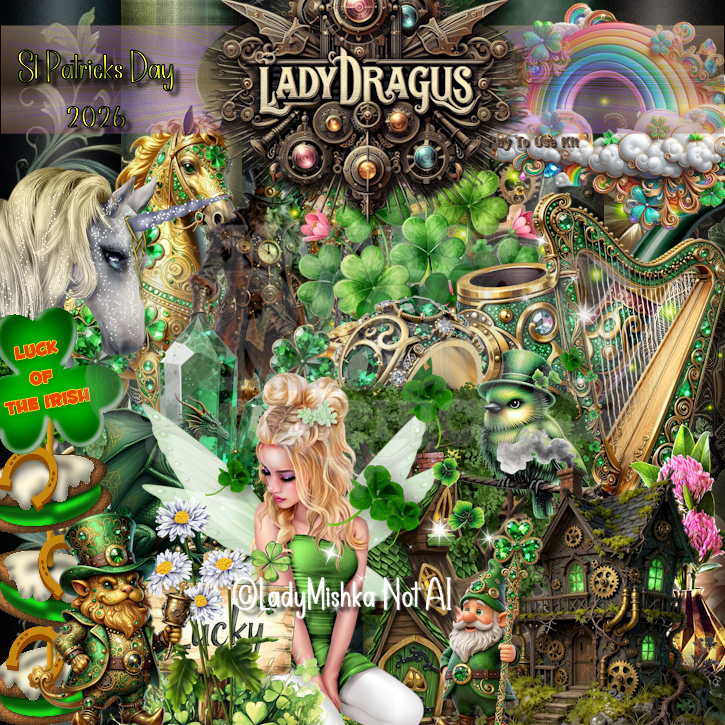
St Patrick's Day 2026
Tube ©Lady Mishka is included and is not Al 
Read the TOU on how to credit your tags


I used PSP2020...but any of them should work.

PTU Scrap St Patrick's Day 2026  by Lady Dragus  HERE HERE
Al tube I used is included in the kit.
RD Mask 737 HERE
Check the blog out HERE

Font of choice, I used Celtic

Drop shadow as you go is V -2 H 4, 40, 10, or use what you prefer.
Let's get started
*Remember to add your drop shadow as you go along*

Open a new image 800 x 800, paste paper 14, apply your mask.

Resize frame 6 to 50%, paste on the upper right, click inside,
paste paper 16 how you like, invert, delete.
Resize 15 to 25%, apply Mura Meister Copies-Encircle, first 3 number
on 14, 40, 40, paste below the frame.
Resize 82 to 75%,  paste below the clover circle.
Resize 55 to 70%, paste on the left above the frame.
Resize 46 to 75%, paste on the left below the frame.
Resize 50 to 40%, paste on the left above the bar.

Resize 15 to 30%, paste at the bottom left above the bar.
Resize 118 to 60%, paste above the bar to the right.
Resize 69 to 50%, paste at the bottom left above the clover.
Resize 58 to 40%, paste below the tube on the right.
Resize 117 to 30%, paste below the man.
Resize 101 to 20%, paste on the bottom left above the man.
Resize 102 to 35%, paste on the bottom  right.
Resize 21 to 60%, paste on the right below the sign, erase the bear.
Resize 79 to 20%, paste on the bottom right above the sign.

Resize 57 to 25%, paste on the bottom above the tube.
Resize 124 to 15%, paste on the bottom above above the man.
Resize 7 to 35%, mirror, paste on the bottom above the gold pot.
Resize 86 to 10%, paste at the bottom.
Resize 17 to 30%, mirror, paste at the bottom right.
Resize 111 to 50%, paste at the bottom right, duplicate, move 
up to the upper left.
Resize 88 to 10%, paste at the bottom.
Resize 23 to 25%, paste at the upper left on top of the bar.
Resize 59 to 25%, paste at the bottom left.

Add any other elements that you would like, make it your own.
Always readjust your mask and elements how you like them before you
 merge your tag, resize, sharpen.

Crop your tag to be sure no shadows or lines are on the edges.
 Then add your copyright and name.
That's it

Hope you enjoyed doing my tut   

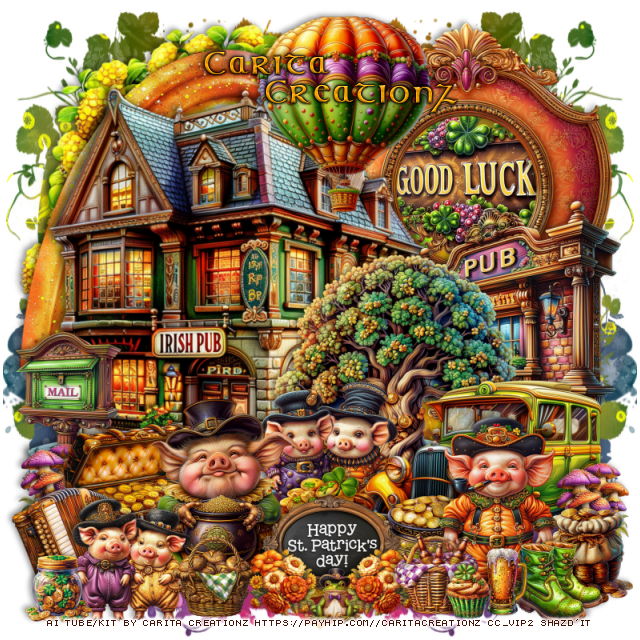
PTU Lucky Little Oinkers


This tut was written February 24th, 2026 for those with a basic knowledge of psp. 

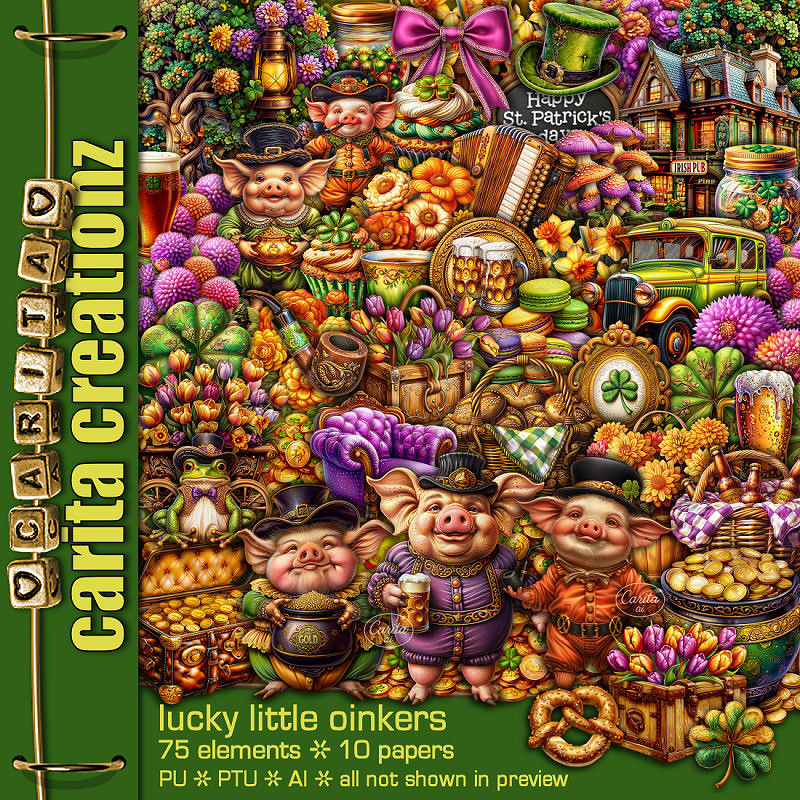
I am using the Awesome Al kit by Carita Creationz
This kit is a fun St Patty kit
Read the TOU how to credit your tags.

I used PSP2020...but any of them should work.
PTU Scrap Lucky Little Oinkers by Carita Creationz  HERE
Kit has 75 elements, 10 papers
Check her store out to see all her other kits and tubes HERE
Miz TeeQues Mask 384 HERE
Check the blog out HERE

Font of choice, I used Celtic

Drop shadow as you go is V -2 H 4, 50, 10, or use what you prefer.
Let's get started
*Remember to add your drop shadow as you go along*

Open a new image 800 x 800, paste paper 1, apply your mask, move
to the left, duplicate, mirror.

Resize 75 to 75%, paste on the upper left.
Resize 42 to 55%, paste at the upper right.
Resize 65 to 37%, paste below the frame.
Resize 38 to 75%, paste on the upper left above the frame.
Resize 64 to 40%, paste on the right.
Resize 48 to 45%, paste above the pub sign.
Resize 55 to 65%, paste at the upper left below the house.
Resize 25 to 40%, paste on the right above the tree.
Resize 72 to 25%, paste below the car.
Resize 6 to 25%, paste at the bottom above the car.
Resize 4 to 20%, paste at the bottom to the right of the coins.

Resize 1 to 35%, paste on the bottom above the coins to the left.
Resize 7 to 27%, paste at the bottom left below the pig.
Resize 70 to 20%, paste on the left below the chest.
Resize 36 to 15%, paste on the left above the mail, duplicate,
move to the bottom right above the car.
Resize 60 to 17%, paste on the bottom right above the mushrooms.
Resize 54 to 25%, paste at the bottom center above the pig.

Resize 73 to 22%, paste on the bottom left.
Resize 35 to 20%, mirror, paste below the little pigs on the left.
Resize 30 to 35%, paste on the bottom right.
Resize 33 to 12%, paste at the bottom above the sign to one side, duplicate,
mirror, move to the other side of the sign.
Resize 9 to 10%, paste at the bottom above the flowers.
Resize 57 to 15%, mirror, paste on the bottom right above the pig.
Resize 16 to 12%, paste at the bottom right.
Resize 13 to 15%, paste at the bottom by the beer.
Resize 10 to 15%, paste at the bottom below the flower.
Resize 67 to 35%, paste at the top above the Irish pub.
Resize 27 to 12%, paste at the bottom left.
Resize 31 to 10%, paste at the bottom right by the beer.

Add any other elements that you would like, make it your own.
Always readjust your mask and elements how you like them before you
 merge your tag, resize, sharpen.
Crop your tag to be sure no shadows or lines are on the edges.
 Then add your copyright and name.
That's it

Hope you enjoyed doing my tut.         

Thursday, February 19, 2026

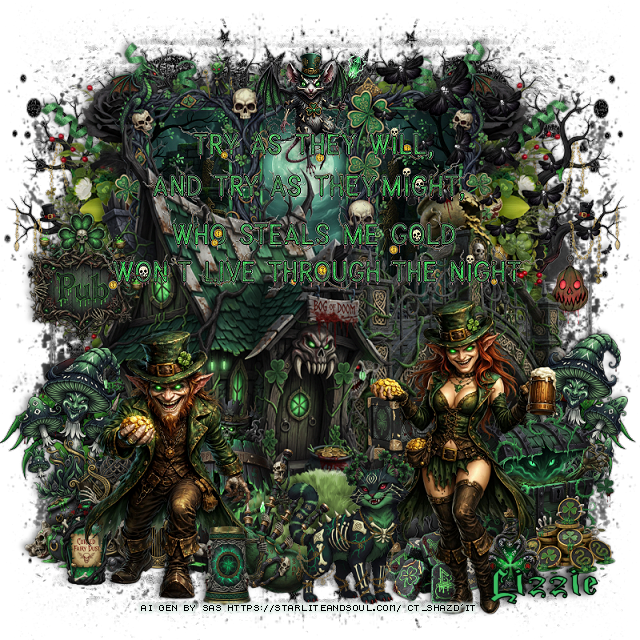
PTU Cursed Clovers


   This tut was written February 19th, 2026 for those with a basic knowledge of psp. 

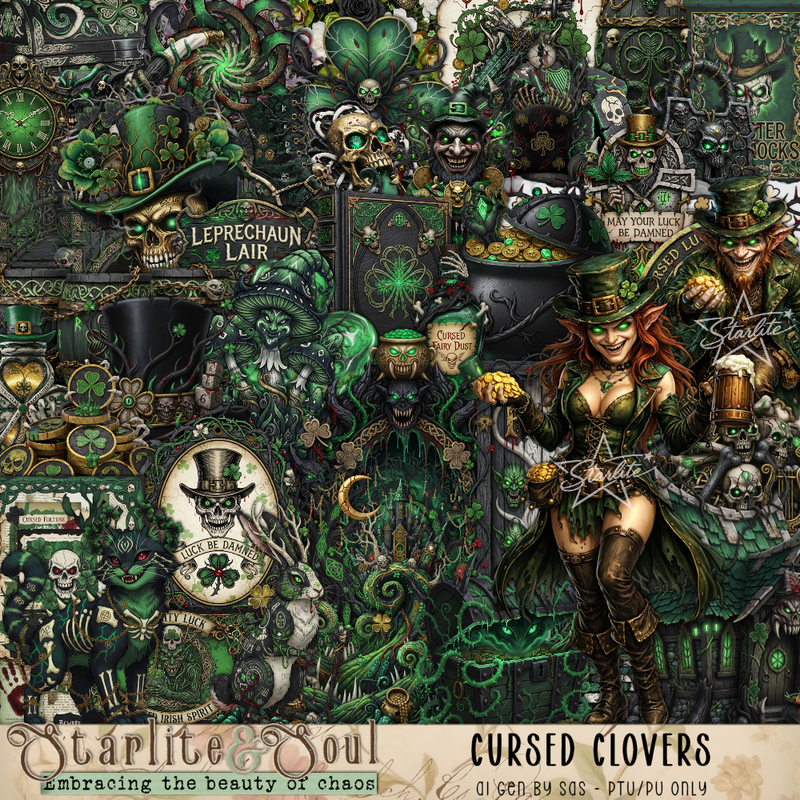
I am using the Awesome Cursed Clovers Al kit
The tubes are included Al gen by SAS included in the kit
Please read the TOU on how to credit your tags


I used PSP2020...but any of them should work.
PTU Scrap Cursed Clovers by Starlite and Soul  HERE
You can find all Starlite and Soul kits  HERE 

Font of choice, I used Magic School One

Drop shadow as you go is V -2 H 4, 50, 10, or use what you prefer.
Let's get started
*Remember to add your drop shadow as you go along*

Open a new image 800 x 800, paste 192 at the upper right, duplicate,
merge down, duplicate, mirror, merge, duplicate, flip, move
to the bottom.
Paste 183 on the upper right, duplicate, mirror.

Resize frame 8 to 75%, paste, click inside, resize paper 2 to 50%, 
paste, invert, delete.
Resize 149 to 75%, paste below the frame on the left, duplicate, mirror.
Paste 65 below the flowers on the upper left, duplicate, mirror.
Resize 35 to 75%, paste on the right.
Resize 1 to 75%, paste on the left.
Resize 47 to 30%, paste on the left by the house, duplicate, 
move to the right by the bridge.
Resize 104 to 50%, paste at the bottom of the house.

Resize 12 to 35%, paste above the house at the bottom.
Resize 10 to 35%, paste at the bottom left above the barrel.
Resize 11 to 30%, paste on the bottom right.
Resize 78 to 25%, paste by the chest on the right.
Resize 70 to 30%, paste below the pot and chest.
Resize 32 to 20%, paste at the bottom by the pot.

Resize 28 to 25%, paste on the left on the house.
Resize 18 to 20%, paste on the bottom right.
Resize 68 to 20%, paste at the bottom right.
Resize 21 to 20%, paste on the bottom left.
Resize 46 to 25%, paste at the top.
Resize 8 to 30%, paste at the bottom.
Resize 2 to 30%, paste at the bottom.
Resize tube 1 to 30%, paste on the bottom left.
Resize tube 2 to 35%, paste on the bottom right below the dog.
Resize 9 to 15%, paste at the bottom above the man.
Resize 96 to 50%, paste at the upper right.
Resize the wordart to 85%, paste at the top, sharpen a couple of times.

Add any other elements that you would like, make it your own.
Always readjust your mask and elements how you like them before you
 merge your tag, resize, sharpen.

Crop your tag to be sure no shadows or lines are on the edges.
 Then add your copyright and name.
That's it

Hope you enjoyed doing my tut

Sunday, February 15, 2026

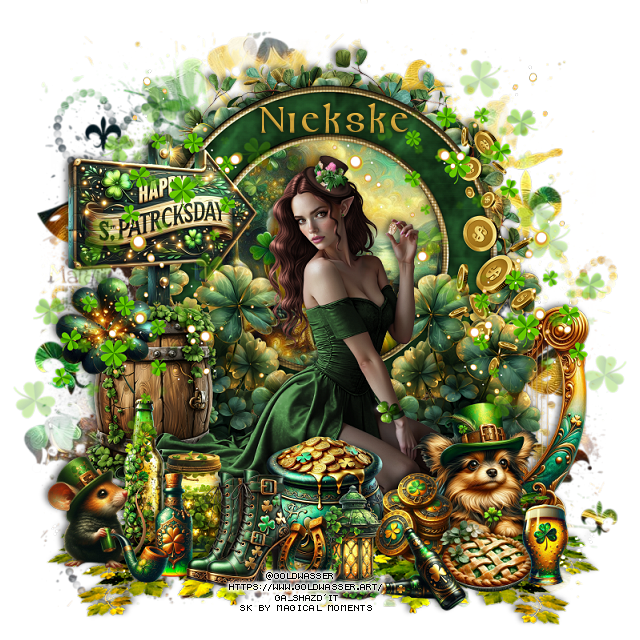
PTU Pretty Patty


  This tut was written January 15th, 2026 for those with a basic knowledge of psp.

I am using the awesome tube ©Goldwasser
The tube is called Miraelle
The tube is NOT included
You need a license to use this tube, please do not use without a license
You can find the tube at their store HERE


I used PSP2020...but any of them should work.
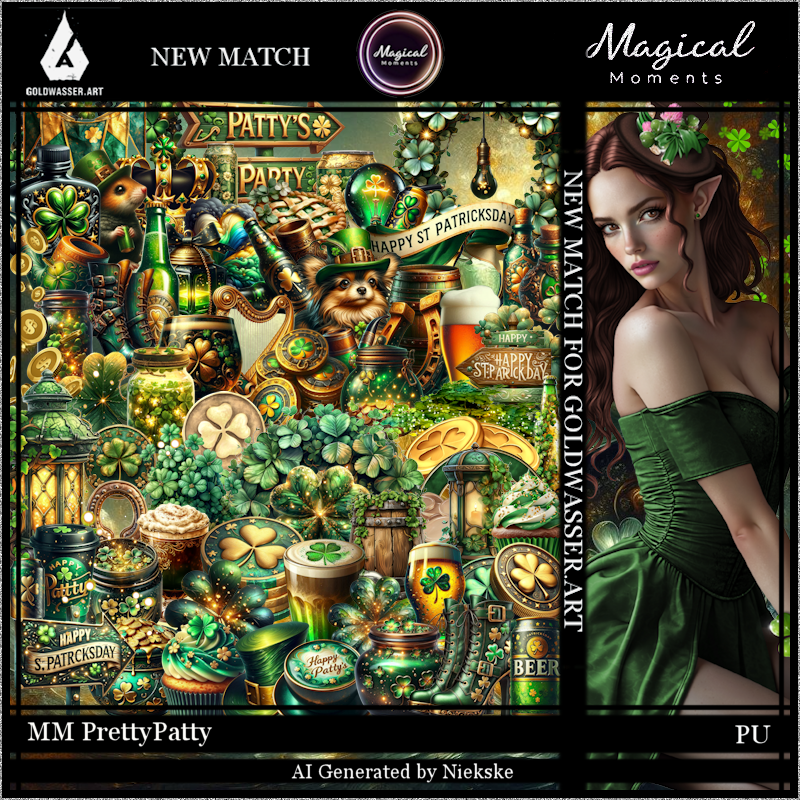
PTU Scrap Pretty Patty match for the tube by Magical Moments HERE  
Kit has 74 elements, 5 papers 
Check out the rest of her store HERE   
Mask of choice, I used Click on the 110 number and scroll down HERE

Font of choice, I used Celtic

Drop shadow is V -2 H 4, 50, 10, color Black or use what you prefer.
Let's get started
*Remember to add your drop shadow as you go along*

Open a new layer 800 x 800, paste paper 2, apply your mask.

Resize 33 to 65%, paste, click inside, resize paper 1 to 40%, paste so
the beer glass is hidden, invert, delete. 
Resize 24 to 53%, paste below the frame.
Resize 41 to 25%, paste at the bottom right above the frame, duplicate, mirror.

Resize the tube to 30%, paste at the bottom.

Paste 38 at the bottom below the tube to the right, duplicate, mirror.
Resize 12 to 20%, paste at the bottom above the tube.
Resize 20 to 25%, paste on the left below the tube.
Resize 4 to 15%, paste at the bottom by the pot of gold.
Resize 53 to 18%, paste at the bottom right above the tube.
Resize 1 to 25%, paste on the left below the barrel.

Resize 32 to 28%, paste on the right above the clover.
Resize 48 to 12%, paste at the bottom above the pot and dog.
Resize 37 to 15%, paste at the bottom left below the boots.
Resize 36 to 20%, paste at the bottom left.
Resize 51 to 15%, paste above the other bottle and jar.
Resize 60 to 15%, paste at the bottom left.
Resize 50 to 30%, mirror, paste on the right below the clover.
Resize 54 to 8%, paste at the bottom left.
Resize 19 to 15%, paste at the bottom by the pot.
Resize 14 to 15%, paste on the barrel on the left.
Resize 49 to 10%, paste by the lantern.
Resize 69 to 15%, paste at the bottom right by the dog.
Resize 7 to 12%, paste by the pie.
Resize 62 to 12%, paste at the bottom by the pie.

Resize 35 to 50%, paste on the right how you like, duplicate, mirror.
Resize 39 to 50%, paste on the left, duplicate, mirror.

Add any other elements that you would like, make it your own.
Always readjust your mask and elements how you like them before you
 merge your tag, resize, sharpen.

Crop your tag to be sure no shadows or lines are on the edges.
 Then add your copyright and name.
That's it

Hope you enjoyed doing my tut.