Showing posts with label Julia Fox. Show all posts

Thursday, September 17, 2026

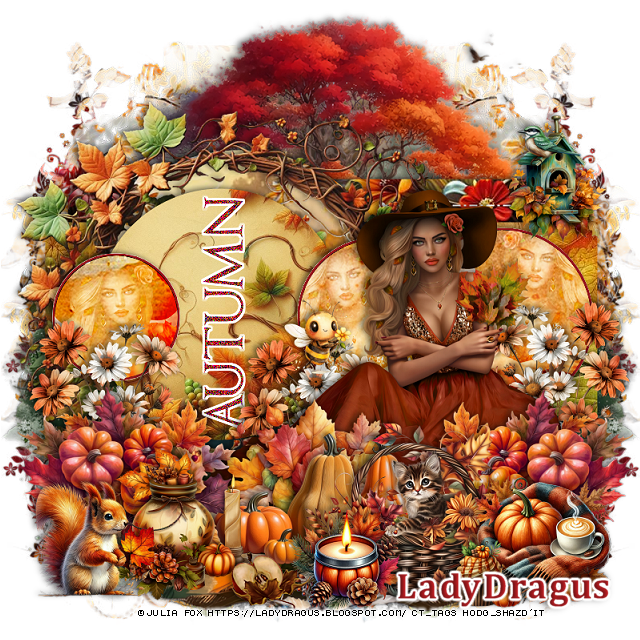
PTU Fall Beauties


This tut was written September 17th, 2026 for those with a basic knowledge of psp. 

I am using the tube ©Julia Fox

The tube is included in the kit
Everything used is in the kit 
Read the TOU on how to credit your tags 


I used PSP2020...but any of them should work.

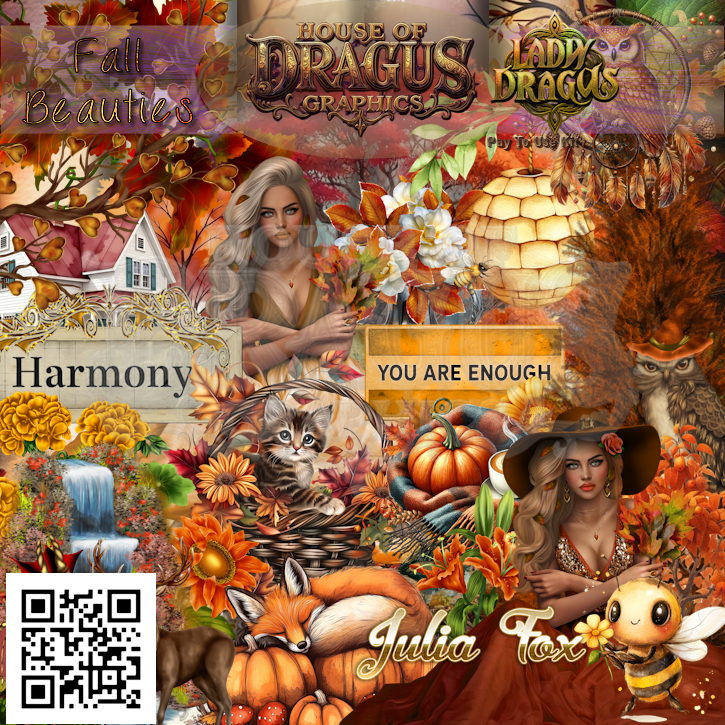
PTU Scrap Fall Beauties by Lady Dragus  HERE  HERE
Kit comes with 2 tube ©Julia Fox, 112 elements, 7 frames, 10 papers
Check her store out to see all her other kits and tubes HERE
Miz Tee Ques Mask 117 HERE
Miz Teeques' Template 62 HERE
Check the rest of the blog HERE

Font of choice, I used Cambria

Drop shadow as you go is V -2 H 4, 50, 10, or use what you prefer.
Let's get started
*Remember to add your drop shadow as you go along*

Open the Template, delete the credits.
Go to image, Canvas size  800 x 800
Paste paper 3, apply your mask, move to the upper left, duplicate, move down
to the bottom, erase anything you don't want, merge the masks, duplicate,
mirror.

Select layer 1, paste paper 3, adjust how you like, invert, delete,
delete the template layer also.
Layer 2 change the color if you like, I just left it as is.

Layer 3, paste paper 2, move to where you like, invert, delete, delete the template also.
Resize frame 3 to 75%, paste
Layer 4, paste paper 3, invert, delete.
Resize frame 3 to 75%, paste above the circle.
Delete layer 5.

Select layer 6, resize paper 2 to 50%, paste so the lighter color shows,
invert, delete.

Layers 7, 9 and 11, change to a color of choice.
Select layer 8, paste paper 10, invert, delete, keep selected, resize the 
tube to 50%, paste, delete, select none.
Layer 10, paste the paper, invert, delete, paste the tube, delete.
Layer 12, paste the paper and the tube, invert.
Change the blend mode to Overlay on the tubes in the circles, then
duplicate them.
Select the black wordart part, fill with a color of choice, I used
#98191d and add noise at 100%.

Resize your tube to 50%, paste on the right above the circled tubes.

Resize 1 to 95%, paste below the template layers at the bottom, duplicate,
mirror.
Paste 13 on the bottom layer below the templates, erase the bottom half.
Resize 105 to 40%, paste at the bottom center above the tube.
Resize 109 to 40%, paste at the bottom right above the pumpkins, duplicate,
mirror.

Resize 2 to 30%, paste on the left below the pumpkins, duplicate, move
behind the tube, duplicate again, mirror, move to the right.
Resize 49 to 30%, paste at the bottom to the right.
Resize 50 to 25%, paste on the bottom left.
Resize 8 to 20%, mirror, paste at the bottom left.
Resize 7 to 23%, paste on the bottom right.
Resize 6 to 20%, paste at the bottom to the left of the basket.
Resize 10 to 13%, paste at the bottom by the scarf.
Resize 108 to 30%, paste above the tube behind the pumpkins.

Resize 111 to 25%, paste on the upper right on the template.
Resize 85 to 15%, paste on the flower by the tube.
Resize 27 to 20%, paste at the bottom.

Add any other elements that you would like, make it your own.
Always readjust your mask and elements how you like them before you
 merge your tag, resize, sharpen.

Crop your tag to be sure no shadows or lines are on the edges.
 Then add your copyright and name.
That's it

Hope you enjoyed doing my tut      

Sunday, October 5, 2025

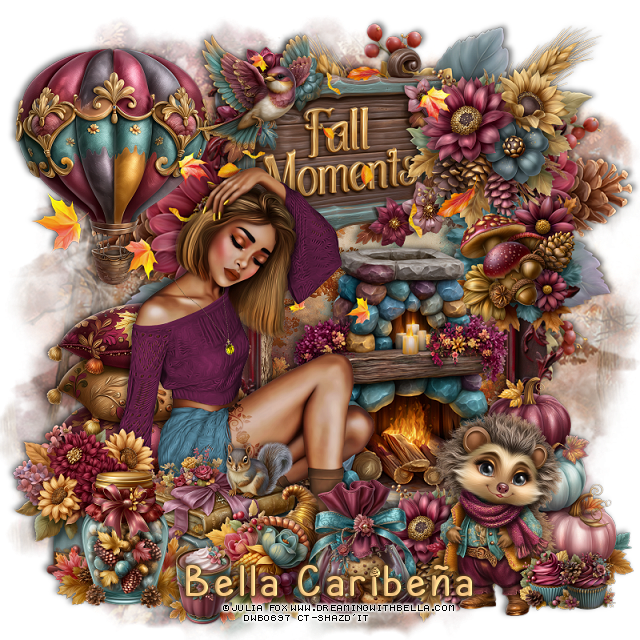
PTU My Burgundy Fall


  This tut was written October 5th, 2025,  for those with a basic knowledge of psp. 

I am using Awesome tube ©Julia Fox
The tube is included
Read the TOU on how to credit your tags

I used PSP2020...but any of them should work.
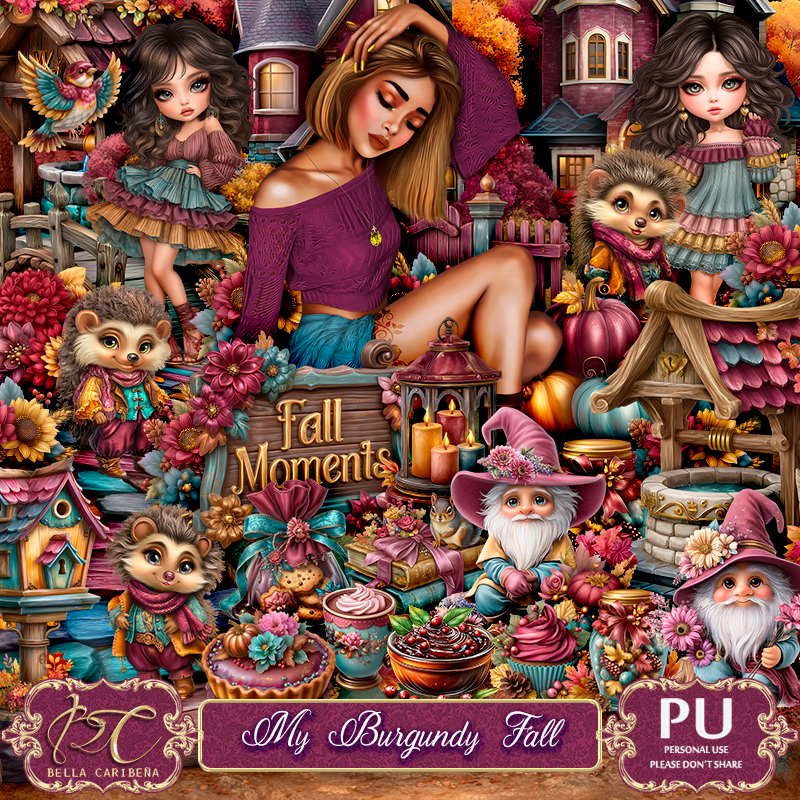
PTU Scrap My Burgundy Fall by Bella CaribeƱa  HERE
Autumn Theme
Kit contains 1 Julia Fox tube, 6Al gen Tubes/ Dolls, 98 elements, 16 papers and 3 masks
You can check out the rest of her store HERE 

Font of choice, I used Autumn Ceria

 Drop shadow as you go is V -2 H 4, 50, 10, or use what you prefer.
Let's get started
*Remember to add your drop shadow as you go along*

Open a new image 800 x 800, paste element mask 4, duplicate,
merge down.

Resize element 13 to 90%, paste on the right, click inside, resize paper
5 to 50%, paste, invert, delete.
Resize element 29 to 85%, paste below the frame on the left, duplicate,
mirror, move a little on the right.
Resize element 35 to 35%, paste on the frame on the upper right.
Resize element 64 to 30%, paste on the right below the flower.
Paste element 87 at the top where you like.

Resize the Julia Fox tube to 20%, paste on the left above the frame.

Resize element 35 to 30%, paste at the bottom above the tube by the 
fireplace.
Resize element 77 to 65%, paste below the tube.
Resize element 74 to 50%, paste below the tube on the left.
Resize element 76 to 35%, paste at the bottom above the tube.
Resize element 37 to 45%, paste on the bottom right.
Resize element 42 to 35%, paste on the left below the books.
Resize element 26, 43 and 49 to 30%, paste at the bottom.
Resize element 47 to 17%, paste at the bottom.
Resize element 33 to 45%, paste on the right above the pumpkins.
Resize element 40 and 41 to 13%, paste at the bottom right.

Resize element 63 to 50%, paste at the top on the frame below the
flowers.
Resize element 70 to 50%, paste at the upper left.
Resize element 71 to 25%, mirror, paste at the top.

Add any other elements you would like, resize.
Crop your tag to be sure no shadows or lines are on the edges.
 Then add your copyright and name.
That's it

            Hope you enjoyed doing my tut              
Friday, April 4, 2025

PTU Steam Magic Dreams


  This tut was written April 4th, 2025,  for those with a basic knowledge of psp. 

I am using a beautiful tube ©Julia Fox
Tubes are Not included
Use your license from the store where you purchased the kit
Steam Magic Dreams Tubes to match the kit
You can find the tubes at her store HERE

I used PSP2020...but any of them should work.
PTU Scrap Steam Magic Dreams by Bella CaribeƱa  HERE 
Steam/Easter theme kit 
Kit contains 114 elements, 3 masks and 16 papers.
You can check out the rest of her store HERE

Font of choice, I used Angot

 Drop shadow as you go is V -2 H 4, 50, 10, or use what you prefer.
Let's get started
*Remember to add your drop shadow as you go along*

Open a new image 800 x 800, paste mask 1, resize to fit your tag.

Resize element 43 to 65%, paste on the upper right, click inside, 
resize mask 1 to 45%, paste, invert, delete.
Resize element 1 to 60%, paste above the frame on the right.
Resize element 3 to 20%, paste at the bottom above the wagon.
Resize element 5 to 50%, mirror, paste at the upper left below the frame.
Resize element 4 to 40%, paste at the top behind the frame.
Paste element 113 on the bottom layer, move to the bottom left, duplicate, mirro.

Resize tube 3 to 25%, paste above the frame.

Resize element 34 to 45%, paste on the left below the wagon layer.
Resize element 12 to 25%, paste on the left above the fence.
Resize element 71 to 65%, paste on the upper left below the train.
Resize element 48 to 40%, paste below the tube to the left.
Resize element 101 to 30%, paste on the upper right on the frame.
Resize element 97 to 35%, paste on the left below the train.
Resize element 73 to 30%, paste on the left above the gnome, duplicate, mirror.
Resize element 102 to 20%, paste on the upper right by the light, duplicate,
move to the upper left.
Resize element 110 to 25%, paste at the bottom above the tube.
Resize element 50 to 25%, paste at the bottom.
Resize element 112 to 25%, mirror, paste at the bottom.
Resize element 57 to 20%, paste at the bottom left, duplicate, mirror.

Add any other elements you would like, resize.
Crop your tag to be sure no shadows or lines are on the edges.
 Then add your copyright and name.
That's it

Hope you enjoyed doing my tut         
Wednesday, March 5, 2025

PTU Scarecrow Party


  This tut was written March 5th, 2025,  for those with a basic knowledge of psp. 

I am using the awesome tube ©Julia Fox
Tube is included
Read the TOU on how to credit your tags

I used PSP2020...but any of them should work.
PTU Scrap Scarecrow Party by Bella CaribeƱa  HERE 
Easter theme kit 
Kit contains 1 ©Julia Fox tube, 2 Al Dolls, 115 elements and 19 papers.
You can check out the rest of her store HERE

Font of choice, I used Lovely Butterfly

 Drop shadow as you go is V -2 H 4, 40, 10, or use what you prefer.
Let's get started
*Remember to add your drop shadow as you go along*

Open a new image 800 x 800, paste element 39, resize to fit your tag.

Resize element 55 to 75%, paste on the upper left.
Resize element 54 to 85%, paste down and to the right a little.
Resize element 51 to 75%, paste at the top on the bottom layer.
Resize element 29 to 75%, mirror, paste between the buildings on the left.
Resize element 19 to 75%, mirror, paste at the upper right below the tree.
Resize element 96 to 35%, paste on the left.
Resize element 106 to 40%, paste at the bottom left.
Resize element 28 to 35%, mirror, paste at the bottom left.

Resize the tube to 18%, paste at the bottom.

Paste element 66 below the tube to the left.
Resize element 13 to 35%, paste at the bottom right above the tube.
Resize element 37 to 35%, paste on the right below the Easter sign.
Resize element 21 to 20%, paste on the bottom left below the grass.
Resize element 23 to 20%, paste at the bottom below the grass by the tube.
Resize element 68 to 20%, duplicate 3 times, paste at the bottom above the 
tube where you like.
Resize element 8 to 35%, paste at the bottom left above the tube.
Paste element 76 above the building.

Add any other elements you would like, resize.
Crop your tag to be sure no shadows or lines are on the edges.
 Then add your copyright and name.
That's it

Hope you enjoyed doing my tut        

Friday, January 31, 2025

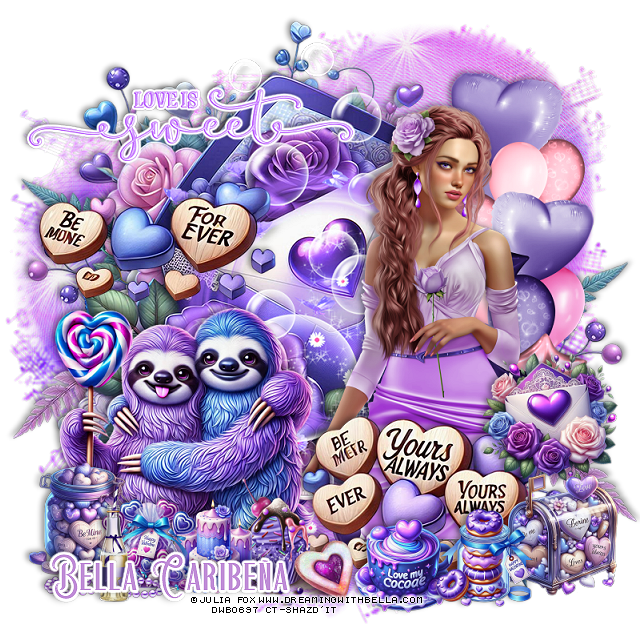
PTU Love Is Sweet


 This tut was written January 29th, 2025,  for those with a basic knowledge of psp. 

I am using the beautiful tube ©Julia Fox
Tubes are included in the kit
Read the TOU on how to credit your tags

I used PSP2020...but any of them should work.
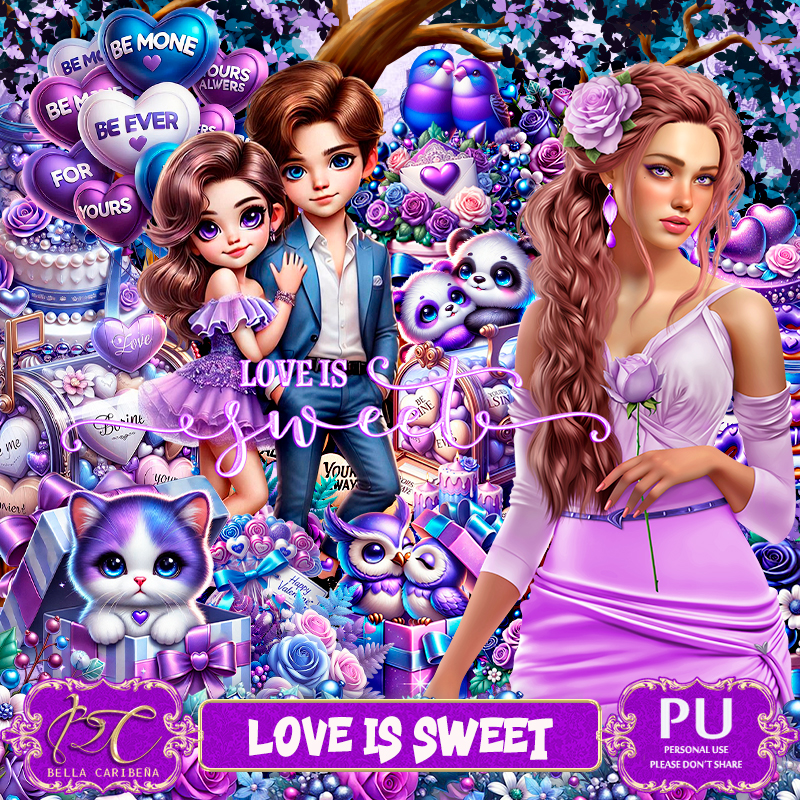
PTU Scrap Love Is Sweet by Bella CaribeƱa  HERE 
Valentine Theme kit
 This kit contains 1 ©Julia Fox tube, 3 Al dolls by Bella Caribena,
89 elements and 12 papers.

Font of choice, I used Beauty Sleep

 Drop shadow as you go is V -2 H 4, 40, 10, or use what you prefer.
Let's get started
*Remember to add your drop shadow as you go along*

Open a new image 800 x 800, paste element 4.

Paste element 81.
Resize your tube to 20%, paste to the right.
Paste element 18 on the right below the tube.
Resize element 3 to 50%, paste at the bottom of the tube.
Resize element 2 to 50%, paste on the left on the envelope.
Resize element 20 to 30%, paste at the bottom above the hearts.
Paste element 59 below the envelope on the upper left, duplicate, mirror, 
move down on the right.
Resize element 63 to 55%, paste on the bottom left below the cupcake.

Resize element 58 to 25%, paste at the bottom left.
Resize element 48 to 20%, paste at the bottom on the hearts.
Resize element 83 to 20%, paste at the bottom left.
Resize element 19 to 25%, paste at the bottom.
Resize element 87 to 25%, paste at the bottom below the bag of candy.
Resize element 89 to 60%, paste at the upper left, add a fat gradient glow.
Resize element 62 to 30%, paste on the right above the hearts.
Resize element 78 to 25%, paste on the bottom right above the small envelope.
Resize element 73 to 20%, paste at the bottom above the hearts.
Resize element 40 to 25%, paste at the bottom left below the bottle.
Resize element 73 to 20%, paste at the bottom.
Paste element 33 below the sloth animals about center.

Add any other elements you would like, resize.
Crop your tag to be sure no shadows or lines are on the edges.
 Then add your copyright and name.
That's it

Hope you enjoyed doing my tut               

Monday, May 20, 2024

PTU Red Beach


 This tut was written May 19th, 2024 for those with a basic knowledge of psp. 

Awesome tube by ©Julia Fox
The tube is included
Read the TOU on how to credit your tags.

I used PSP2020...but any of them should work.
PTU Scrap Red Beach by Bella CaribeƱa  HERE 
Summer theme kit.  It has 2 tubes by Julia Fox, 3 masks, 134 elements and 12 papers. 
This kit is for personal use Only. Check out the rest of her store HERE

Font of choice, I used Trinigan

Drop shadow as you go is V -2 H 4, 40, 10, or use what you prefer.
Let's get started
*Remember to add your drop shadow as you go along*

Open a new image 800 x 800, paste mask 1, resize larger to fit 
your tag.

Resize Al-El 33, to 85%, paste at the bottom left, duplicate, mirror.
Paste Al-El 22 on the upper left.
Mirror Al-El 62, paste on the left and up.
Resize Al-El 31, to 90%, paste on the right.
Resize Al-El 55 to 40%, paste at the bottom left above the hut.
Resize Al-El 35 to 60%, paste on the left below the hut.
Resize Al-El 19 to 40%, paste on the left below the boat.

Resize your tube to 15%, mirror, paste at the bottom.

Resize Al-El 27 to 40%, paste on the bottom right behind the tube.
Resize Al-El 29 to 15%, paste at the bottom right on the sign, duplicate,
move down.
Resize Al-El 14 to 30%, paste at the bottom below the tube to the left.
Resize element 37 to 20%, paste at the bottom above the tube.
Resize element 39 to 25%, paste at the bottom.
Resize element 40 to 15%, paste at the bottom.
Resize element 33 to 20%, paste at the upper right.
Resize Al-El 61 to 30%, paste at the bottom left.
Resize Al-El 1 to 20%, paste on top of the beach sign.
Resize Al-El 10 to 15%,  paste at the bottom below the shoes.
Resize element 58 to 50%, paste on the mask layer on the right.
Paste element 62 on the left being on the top layer, duplicate, mirror, 
move down on the right.

Add any other elements you would like, resize.
Crop your tag to be sure no shadows or lines are on the edges.
 Then add your copyright and name.
That's it

Hope you enjoyed doing my tut    

Tuesday, April 2, 2024

PTU Thoughts of Spring


 This tut was written April 1st, 2024 for those with a basic knowledge of psp. 

 I am using the beautiful tube ©Julia Fox
and AI kit by Bella CaribeƱa 
The tube is included in the kit, use your license where you bought
the kit
Read the TOU on how to credit your tags 

I used PSP2020...but any of them should work.
PTU Scrap Thoughts of Spring by Bella Caribena  HERE 
The kit contains one tube by Julia Fox
It has 141 elements, 13 papers and 2 mask. This kit is for personal use Only
Check out the rest of her store HERE

Font of choice, I used Sea Balance

Drop shadow as you go is V -2 H 4, 50, 10, or use what you prefer.
Let's get started
*Remember to add your drop shadow as you go along*

Open a new image 800 x 800, paste mask 1 on the left, duplicate, mirror.

Resize element 10 to 55%, paste, click inside with the magic wand,
paste mask 1, invert, delete.
Paste element 12 on the left behind the frame, duplicate, mirror, 
erase the part showing behind the mask in the frame.

Resize element 73 to 75%, mirror, paste on the right above the frame, 
erase the frame part showing behind.
Duplicate the mask move to the right behind the well, move below the mask,
erase any parts showing in the frame.

Resize the tube to 17%, paste on the right above the well.

Resize element 71 to 75%, paste on the left below the well.
Paste element 50 at the bottom below the well.
Paste element 46 at the bottom below the rocks, duplicate, mirror, 
duplicate again, move up behind the well and below the frame.

Resize element 45 to 50%, paste behind the tube.
Resize element 13 to 40%, paste at the bottom above the tube.
Resize element 16 to 30%, paste on the left below the tube.
Resize element 28 to 30%, paste between the baskets.
Resize element 27 to 30%, paste on the bottom right below the basket.
Resize element 1 to 20%, paste at the bottom.
Resize element 4 to 35%, paste on the right above the tube.

Resize element 6 to 35%, paste on the left behind the basket.
Resize element 2 to 40%, paste on the left being on the top layer.
Resize element 38 to 35%, mirror, paste at the upper left.
Resize element 66 to 35%, paste on the left above the bridge, duplicate, move
to the right behind the tube.
Resize element 77 to 50%, paste on the left below the bridge, duplicate,
move to the right.
Resize element 18 to 50%, paste at the top below the balloon.

Add any other elements you would like, resize.
Crop your tag to be sure no shadows or lines are on the edges.
 Then add your copyright and name.
That's it

Hope you enjoyed doing my tut