Showing posts with label Cuddly Rigor Mortis. Show all posts

Monday, August 28, 2023

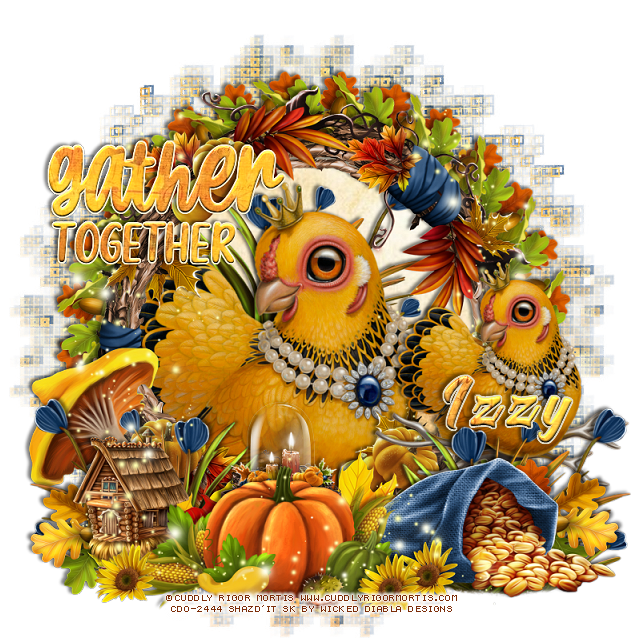
PTU Cuddly Rigor Mortis


 This tut was written August 27th, 2023 for those with a basic knowledge of psp. 

I am using the awesome artist ©Cuddly Rigor Mortis 

Tube is 65-1
You need a license to use this tube, please do not use without a license.
You can this tube at CDO HERE

I used PSP2020...but any of them should work.
PTU Scrap WD_ IB_Cuddly Rigor Mortis-65-1  HERE 
Awesome kit made to match the tube
Mask of choice, I used DD Geo Mask_1 (blog is closed now)

Filter
Mura Meister Copies-Encircle

Font of choice, I used Blackadder 

Drop shadow is V -2 H -4, 50, 10, color black or use what you prefer.
Let's get started
*Remember to add your drop shadow as you go along*

This is a quickie

Open a new image, 800 x 800, paste paper 5 first, apply the mask, 
then paper 4, apply your mask, delete, merge group.

Resize frame 1 to 65%, paste click inside with the magic wand, expand
by 15, paste paper 1, invert, delete, select none.
Resize element 21 to 30%, flip, apply Mura Meister Copies-Encircle, first 
3 numbers on 20, 60, 60, move below the paper layer.
Now resize the original element to 30, apply Mura Meister Copies-Encircle,
change the first number to 28, leaving the other numbers the same, move below
the first circle.

Paste the large hen in the frame.
Resize the one on the perch to 70%, paste above the frame on the right.

Resize element 27 to 60%, paste at the bottom above the perch.
Resize element 16 to 50%, paste at the bottom left.
Paste element 9 at the bottom above the mushroom.
Resize element 8 to 75%, paste behind the hen in the frame, duplicate, move
above the one on the perch, duplicate, mirror.

Resize element 13 to 65%, paste at the bottom above the bag.
Resize element 14 to 35%, paste on the left below the pumpkin corn layer.
Resize element 3 to 10%, paste at the bottom.
Resize element 19 to 15%, duplicate twice, paste at the bottom where you like.
Resize element 30 to 30%, paste behind the pumpkin.
Resize element 21 to 30%, paste at the lower left above the blue flowers,
duplicate, mirror.

Resize the wordart to 30%, apply a bevel, glass or texture of choice.
Paste element 29 on the left below the wordart, duplicate, mirror, move below
the perched bird.

Add any other elements that you would like, make it your own.
Always readjust your mask and elements how you like them before you
 merge your tag, resize, sharpen.

Crop your tag to be sure no shadows or lines are on the edges.
 Then add your copyright and name.
That's it

Hope you enjoyed doing my tut.   

Saturday, June 10, 2023

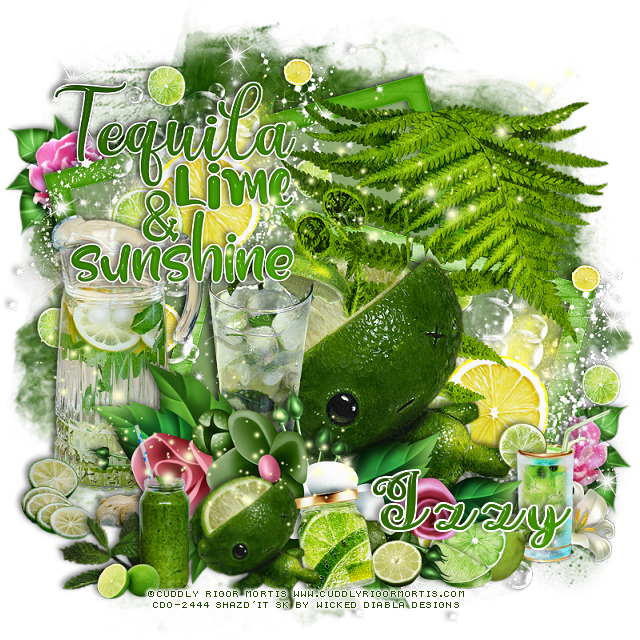
PTU Tequila, Lime and Sunshine


This tut was written June 10th, 2023 for those with a basic knowledge of psp. 

I am using the beautiful artist ©Cuddly Rigor Mortis

Tube is 45-2 
You need a license to use this tube, please do not use without a license.
You can find all Cuddly Rigor Mortis tubes at CDO HERE

I used PSP2020...but any of them should work.
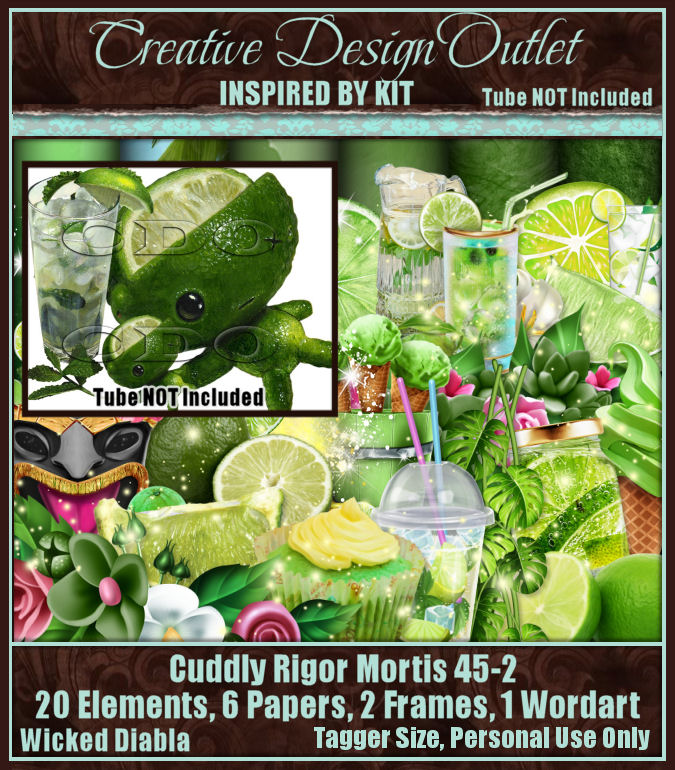
PTU Scrap WD_IB-Cuddly Rigor Mortis 49-2 by Wicked Diabla Designs  HERE 
Awesome gothic kit with 20 elements, 6 papers, 2 frames and 1 wordart
Mask of choice, I used Miz Teeques' Mask 345   HERE  
Check out the rest of the Blog HERE

Font of choice, I used Pretty Summer

Drop shadow is V -2 H -4, 50, 10, color black or use what you prefer.
Let's get started
*Remember to add your drop shadow as you go along*

Open a new image, 800 x 800, paste paper 4, apply your mask,
delete, merge group.

Resize frame 1 to 85%, paste, click inside with the magic wand, expand
by 5 as usual, paste paper 2, invert, delete, select none.
Paste element 2, mirror, move to the upper left on the frame, duplicate,
move down on the right.

Resize your tube with the drink to 70%, paste.
Paste element 23 above the tube, erase or use your free hand tool and
remove the dirt and part of the plant off the tube.

Paste element 4 at the bottom above the tube.
Go back to the tube and copy and paste the smaller tube with the leaves
above the flowers, resize to 85%.

Resize element 1 to 25%, paste below the smaller tube.
Resize element 10 to 75%, paste on the left below the flowers.
Resize element 11 to 20%, paste at the bottom right below the jar.
Resize element 19 and 20 to 15%, paste at the bottom right.
Resize element 8 to 40%, paste at the bottom right above the tube.
Resize element 45 to 40%, paste at the bottom left.
Resize element 5 to 75%, mirror, move down on the right so the pink
flower shows, duplicate, mirror, move to the top.
Resize the wordart to 30%, paste where you like being on the top layer.
Paste element 14 where you like.
Resize element 24 to 15%, paste at the bottom left.

Add any other elements that you would like, make it your own.
Always readjust your mask and elements how you like them before you
 merge your tag, resize, sharpen.

Crop your tag to be sure no shadows or lines are on the edges.
 Then add your copyright and name.
That's it

Hope you enjoyed doing my tut.