Showing posts with label Shelley Lynn Designz. Show all posts

Tuesday, May 7, 2024

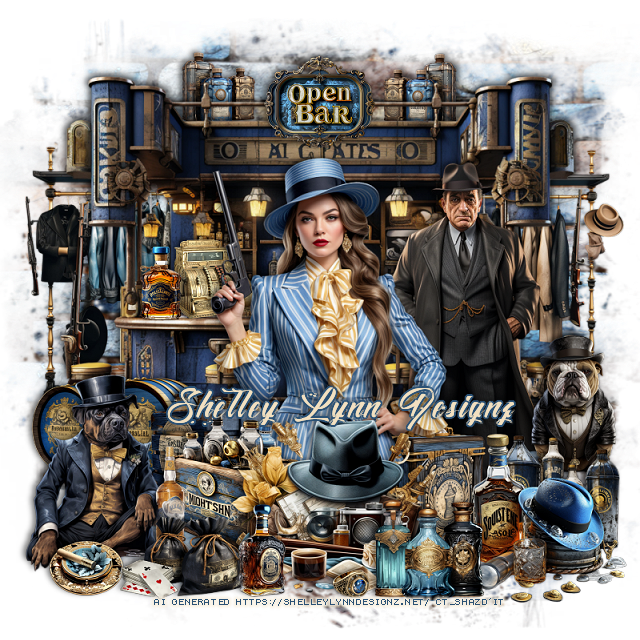
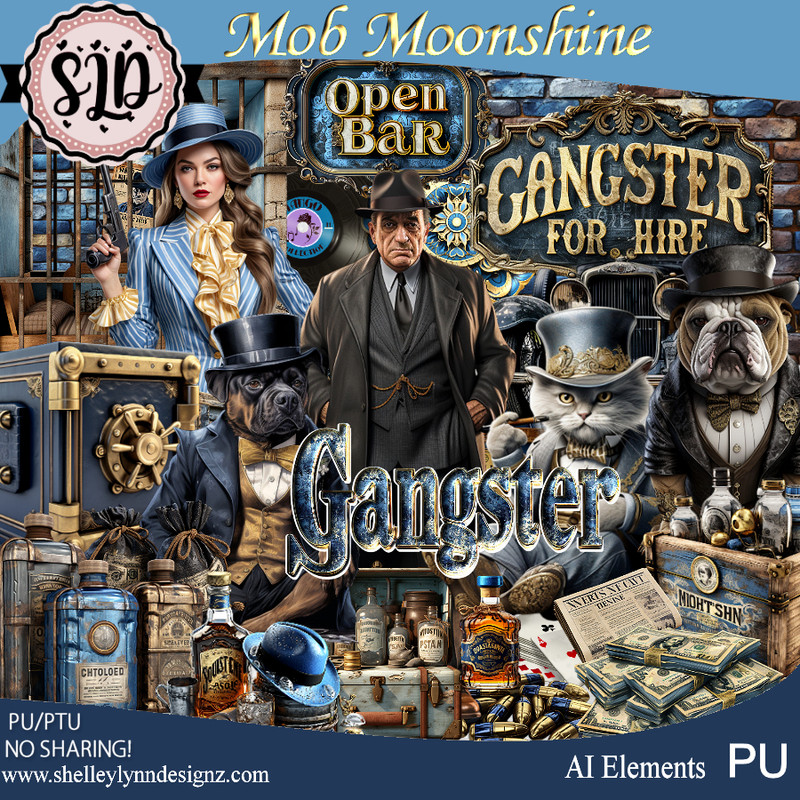
PTU Mob Moonshine


 This tut was written May 7th, 2024 for those with a basic knowledge of psp. 

AI generate tubes and kits 
Awesome Mob Moonshine kit/gangster

I used PSP2020...but any of them should work.
PTU Mob Moonshine by Shelley Lynn Designz  HERE 
The kit has 217 elements, 8 papers, 12 frames and 1 wordart 
You can find all Shelley's kits at her store HERE
Mask of choice, I used RD Mask 674 HERE
Check out the rest of the blog HERE

Font of choice, I used Monte Cristo

Drop shadow is V-2, H-4, 50, 10 or use what you prefer
Let's get Started
*Remember to add your drop shadow as you go along*

Open a new image 800 x 800, paste element 66, apply your mask.

Resize element 70 to 70%, paste at the top.
Resize element 78 to 15%, paste at the top.
Resize element 0 to10%, paste at the top below the bar, duplicate, mirror.
Resize element 158 to 40%, paste behind the bar on one side, duplicate,
move to the other side.

Resize element 1 to 40%, paste.
Resize element 2 to 50%, paste behind the lady on the right.
Resize element 55 to 20%, paste on the right above the man.
Resize element 177 to 30%, paste at the bottom above the lady.
Resize element 23 to 5%, mirror, paste on the bar behind the tube.
Resize element 72 to 10%, paste on the bar by the register.

Resize element 15 to 20%, paste on the bottom right behind the lady.
Resize element 29 to 20%, paste to the bottom right.
Resize element 88 to 25%, paste at the bottom right.
Resize element 17 to 20%, paste behind the lady to the left.
Resize element 16 to 20%, paste at the bottom left above the lady.

Resize element 172 to 15%, paste at the bottom.
Resize element 167 to 27%, paste on the bottom left.
Resize element 71 to 25%, paste on the left above the bar at the bottom.
Resize element 84 to 5%, paste at the bottom.
Resize element 86 to 15%, paste at the bottom.
Resize element 168 to 10%, paste at the bottom left.
Resize element 18 to 5%, paste at the bottom left.
Resize element 14 to 13%, paste at the bottom.

Add any other elements that you like, make it your own.
Crop your tag to be sure no shadows or lines are on the edges.
 Then add your copyright and name.
That's it

Hope you enjoyed doing my tut.

Friday, April 5, 2024

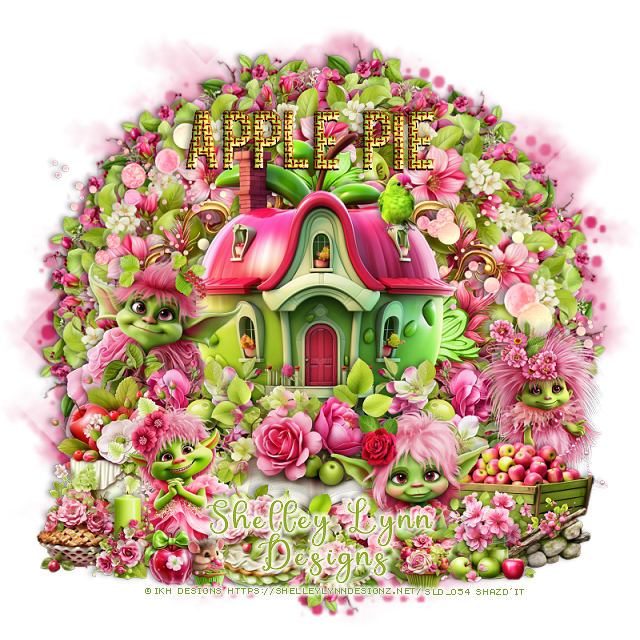
PTU Apple Pie


 This tut was written April 5th, 2024 for those with a basic knowledge of psp. 

The tubes are ©IKH Designs 
Kit has AI elements, awesome kit
Read the TOU  on how to credit your tags

I used PSP2020...but any of them should work.
PTU Apple Pie by Shelley Lynn Designz  HERE 
The kit has 182 elements, 8 papers, 7 frames and 2 wordart 
You can find all Shelley's kits at her store HERE
Miz Teeques' Mask 70 HERE
Check out the rest of the blog HERE

Font of choice, I used Sabanita

Drop shadow is V -2 H -4, 40, 10, or use what you prefer.
Let's get started
*Remember to add your drop shadow as you go along*

Open a new image 800 x 800, paste paper 1, apply your mask,

Resize element 49 to 25%, apply Mura Meister Copies-Encircle, first
3 numbers on 10, 55, 50, paste.
Resize element 32 to 25%, apply Mura Meister, change the first 3 numbers
to 16, 60, 55, move below the first circle.
Resize element 121 to 25%, apply Mura Meister Copies, first 3 numbers 
on 13, 60, 60, move to the bottom layer.
Resize frame 2 to 55%, paste.
Resize element 159 to 40%, paste above the frame.
Resize element 177 to 80%, paste behind the house.

Resize element 70 to 35%, paste at the bottom of the house.
Resize element 52 to 25%, paste on the right below the book, duplicate, 
mirror.
Resize element 1 to 30%, paste on the left above the house.
Resize element 5 to 25%, paste above the book on the bottom left.
Resize element 3 to 25%, paste on the right.
Resize element 56 to 25%, paste on the left between the green elves.
Resize element 115 to 15%, paste at the bottom above the elf.
Resize element 118 to 15%, paste at the bottom below the pie.
Resize element 34 to 20%, paste on the bottom right behind the elf.
Resize element 20 to 15%, paste above the wagon.

Resize element 6 to 25%, paste behind the wagon on the right.
Resize element 117 to 12%, paste on the bottom right behind the elf.
Resize element 112 to 10%, paste at the bottom above the other pie.
Resize element 60 to 13%, paste on the bottom right.
Resize element 145 to 13%, paste at the bottom left.
Resize element 13 to 8%, paste on the house where you like.
Paste wordart 1 at the top.
Resize element 69 and 10 to 8%, paste at the bottom left.
Resize element 47 to 8%, paste at the bottom right.

Add any other elements that you like, make it your own.
Crop your tag to be sure no shadows or lines are on the edges.
 Then add your copyright and name.
That's it

Hope you enjoyed doing my tut.
Monday, September 11, 2023

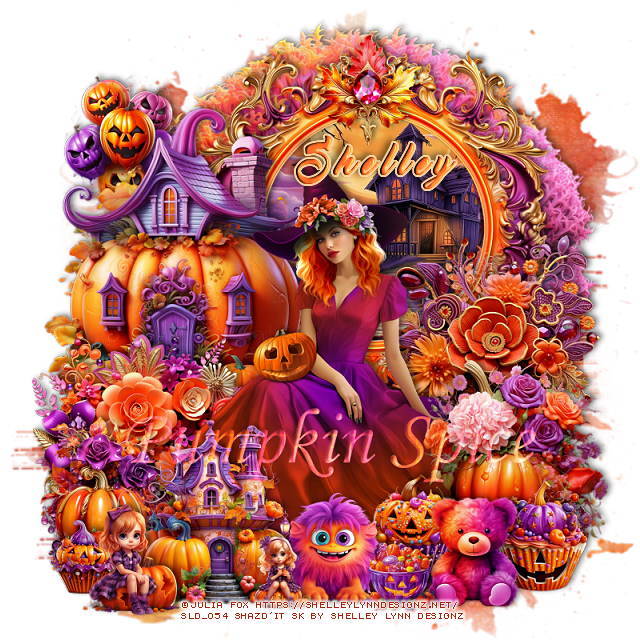
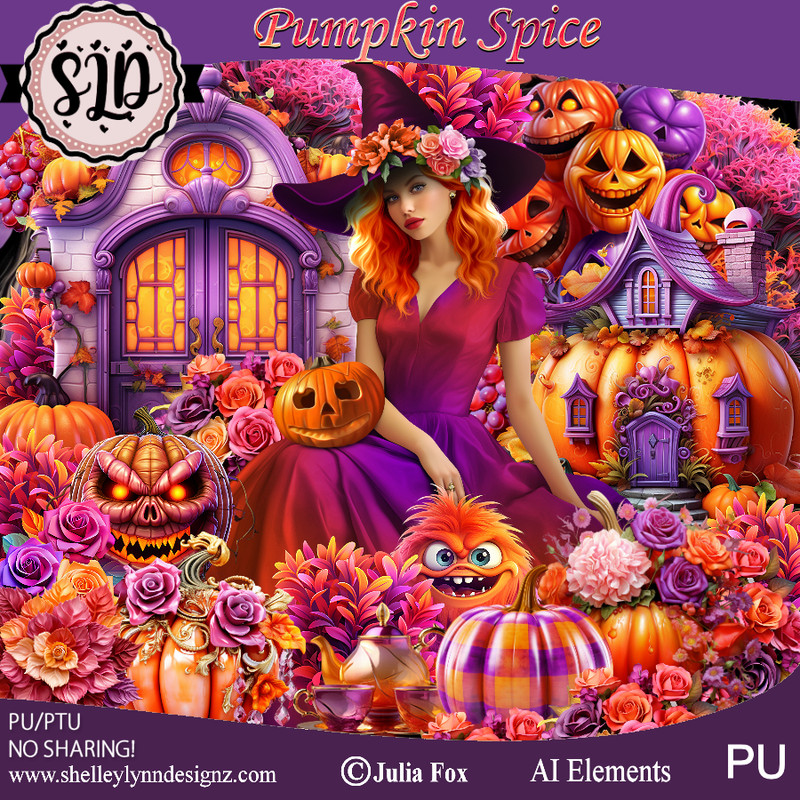
PTU Pumpkin Spice


This tut was written September 11th, 2023 for those with a basic knowledge of psp. 

Awesome tube used is ©Julia Fox
It is included in the kit.
You need a license to use this artist, please do not use without a license.
Use your license from the store you bought the kit.

I used PSP2020...but any of them should work.
PTU Pumpkin Spice by Shelley Lynn Designz  HERE 
The kit has 174 elements, 10 papers, 10 frames, 1 wordart and 
1 tube by ©Julia Fox
You can find all Shelley's kits at her store HERE
Vivienne's Digital Tagging Mask 46 HERE
Check out the rest of the blog HERE

Font of choice, I used Master of Break

Drop shadow is V -2 H -4, 40, 10, or use what you prefer.
Let's get started
*Remember to add your drop shadow as you go along*

Open a new image 800 x 800, paste paper 4, apply your mask,
delete, invert, merge group.

Resize frame 7 to 50%, paste at the upper right, click inside with the magic
wand, expand, resize paper 7 to 50%, paste inside the frame, move how you like,
invert, delete, select none.
Resize element 161 to 65%, paste behind the paper layer of the frame.

Resize element 145 to 40%, paste on the left above the frame.
Resize element 110 to 30%, paste on the right above the frame.
Resize element 117 to 30%, paste on the left above the house.

Resize tube to 65%, paste above the flowers.

Resize element 25 to 25%, paste above the tube on the bottom right.
Resize element 93 to 20%, paste at the lower left.
Resize element 144 to 25%, paste at the bottom.
Resize element 63 to 10%, paste at the bottom left.
Resize element 1 to 10%, paste at the bottom.
Resize element 2 to 15%, paste at the bottom left.

Resize element 10 to 15%, paste at the bottom right.
Resize element 51 to 10%, paste at the bottom by the bear.
Resize element 64 to 15%, paste at the bottom right behind the bear.
Resize element 66 to 15%, paste behind the bear.
Resize element 21 to 20%, paste on the upper left behind the house.
Resize element 15 to 15%, paste at the bottom behind the little girl.
Resize element 103 to 15%, paste at the top on the frame.
Resize the wordart to 50%, paste where you like, change the blend 
mode to Screen.

Add any other elements that you like, make it your own.
Crop your tag to be sure no shadows or lines are on the edges.
 Then add your copyright and name.
That's it

Hope you enjoyed doing my tut.

Saturday, August 5, 2023

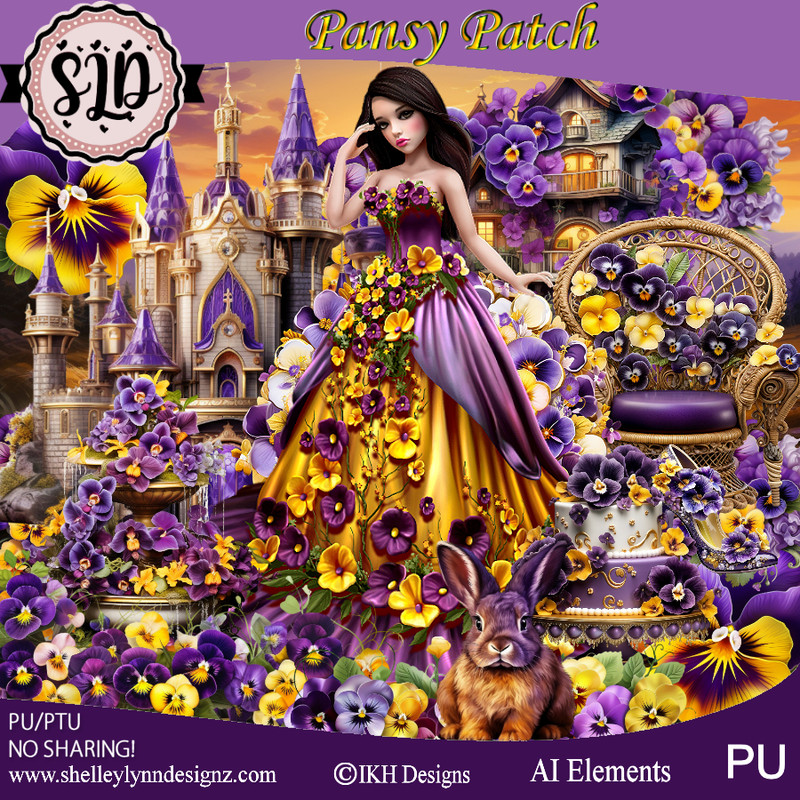
PTU Pansy Patch


 This tut was written August 5th, 2023 for those with a basic knowledge of psp. 

Awesome tube used is ©IKH Designs 
You need a license to use this artist, please do not use without a license.
Use your license from the store you bought the kit.

I used PSP2020...but any of them should work.
PTU Pansy Patch by Shelley Lynn Designz  HERE 
The kit has 160 elements, 12 papers, 10 frames and 1 tube by ©IKH Designs
You can find all Shelley's kits at her store HERE
Vivienne's Digital Tagging Mask 35 HERE
Check out the rest of the blog HERE

Font of choice, I used Hello Lovely

Drop shadow is V -2 H -4, 50, 10, or use what you prefer.
Let's get started
*Remember to add your drop shadow as you go along*

Open a new image 800 x 800, paste paper 1, apply your mask,
delete, invert, merge group.

Resize element 11 to 55%, paste at the top.
Resize element 12 to 30%, paste at the upper left behind the cottage,
duplicate, mirror, move down a little on the right.
Resize element 69 to 30%, flip, paste at the top behind the left cottage,
duplicate, mirror, duplicate again move to the center.

Resize your tube to 50%, paste down.

Resize element 23 to 30%, paste at the bottom left behind the tube.
Resize element 19 to 30%, paste behind the tube on the right.
Resize element 131 to 25%, paste at the bottom left above the water fountain.
Resize element 68 to 10%, paste at the bottom above the tube.
Resize element 3 to 15%, paste at the bottom.
Resize element 100 to 12%, paste at the bottom right.
Resize element 96 to 10%, paste at the bottom right below the shoes.

Resize element 45 and 46 to 15%, paste at the bottom below the rabbit.
Resize element 55 and 61 to 8%, paste at the bottom by the cake.
Resize element 25 to 20%, paste on the bottom left below the cupcakes.
Resize element 4 to 10%, paste on the chair.

Resize frame 7 to 50%, paste on the left above the mask, click inside with 
the magic wand, expand, resize paper 5, paste, invert delete, merge the 
frame and paper together, duplicate, mirror.
Resize element 141 to 15%, paste at the bottom left by the chair.
Resize element 121 to 15%, paste at the bottom above the chair.

Add any other elements that you like, make it your own.
Crop your tag to be sure no shadows or lines are on the edges.
 Then add your copyright and name.
That's it

Hope you enjoyed doing my tut.        
Sunday, July 30, 2023

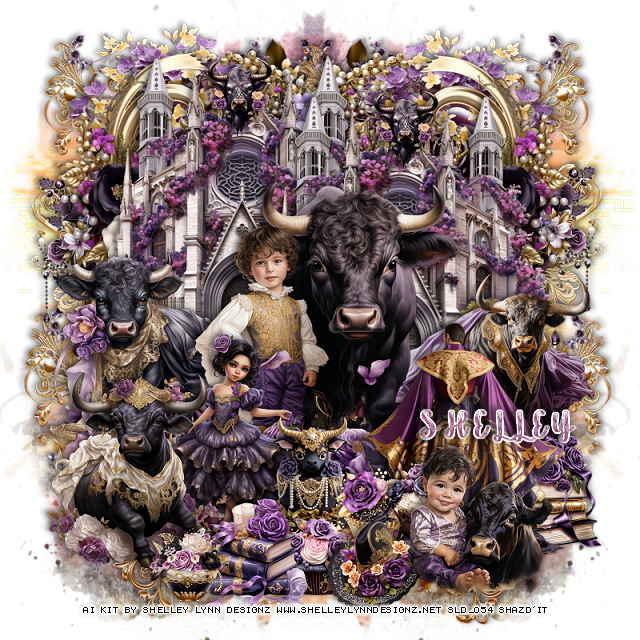
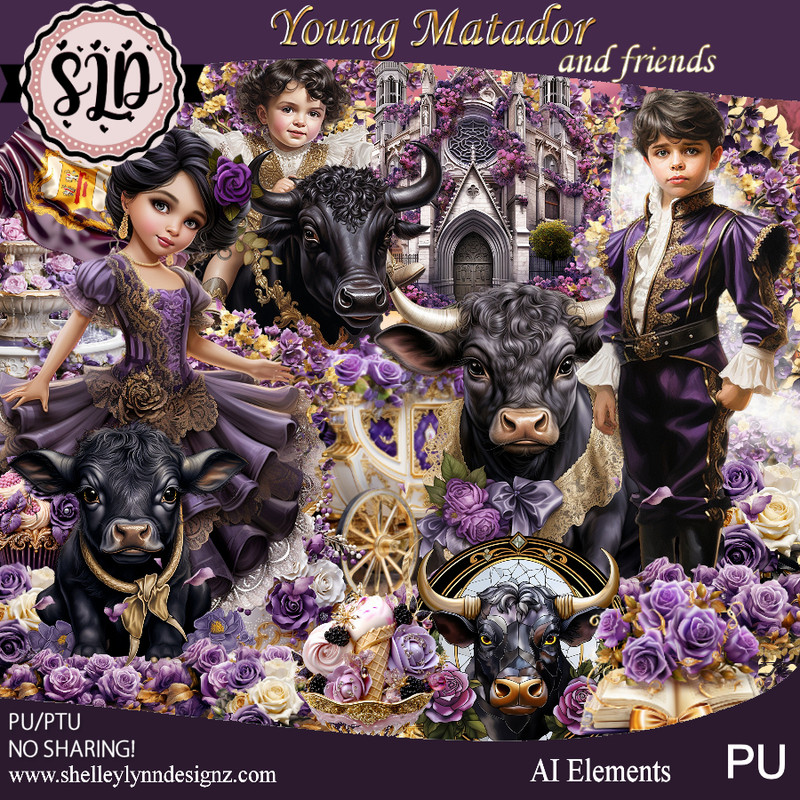
PTU Young Matador and Friends


 This tut was written July 30th, 2023 for those with a basic knowledge of psp. 

Everything used is in the kit (AI)
You need a license to use this artist, please do not use without a license.
Use your license from the store you bought the kit.

I used PSP2020...but any of them should work.
PTU Young Matador & Friends by Shelley Lynn Designz  HERE 
The kit has 168 elements, 12 papers, 15 frames 
You can find all Shelley's kits at her store HERE
Vienne's Digital Tagging Mask 41 HERE
Check out the rest of the blog HERE

Font of choice, I used Shinesy-Swash 2-1

Drop shadow is V -2 H -4, 50, 10, or use what you prefer.
Let's get started
*Remember to add your drop shadow as you go along*

Open a new image 800 x 800, paste paper 10, apply your mask,
delete, invert, merge group, duplicate, mirror.

Element 144 to 40%, paste upper right, duplicate, mirror.
114 to 40%, paste upper left, duplicate, mirror, move down.
Resize element 158 to 40%, paste above the mask on the left, duplicate, mirror.
Element 6 to 40%, paste about center.
Element 138 to 40%, paste at the upper left, duplicate, mirror, duplicate
both, move both down to the bottom.

136 to 30%, paste on the left above the mask, so the dangle part shows a little, 
duplicate, mirror.
Element 25 to 25%, paste on the left below the boy and bull.
Element 22 to 30%, paste on the right.
13 to 30%, paste on the right being on the top layer. 
Element 24 to 25%, paste on the lower left.

 Element 134 to 30%, paste at the bottom above the boy and bull.
 Element 14 to 25%, paste below the bull.
 Element 47 to 13%, paste at the bottom.
 Element 101 to 15%, paste below the hat.
Element 70, 76 and 82 to 10%, paste below the hat.
Element 36 to 15%, paste on the bottom right below the matador.
Element 61 to 10%, paste at the top on the arch of the building, duplicate, 
move to the other building.
Element 34 to 15%, paste at the bottom.
Element 104 to 10%, paste at the bottom.
Element 11 to 20%, paste at the bottom right.

Add any other elements that you like, make it your own.
Crop your tag to be sure no shadows or lines are on the edges.
 Then add your copyright and name.
That's it

Hope you enjoyed doing my tut.       
Monday, July 24, 2023

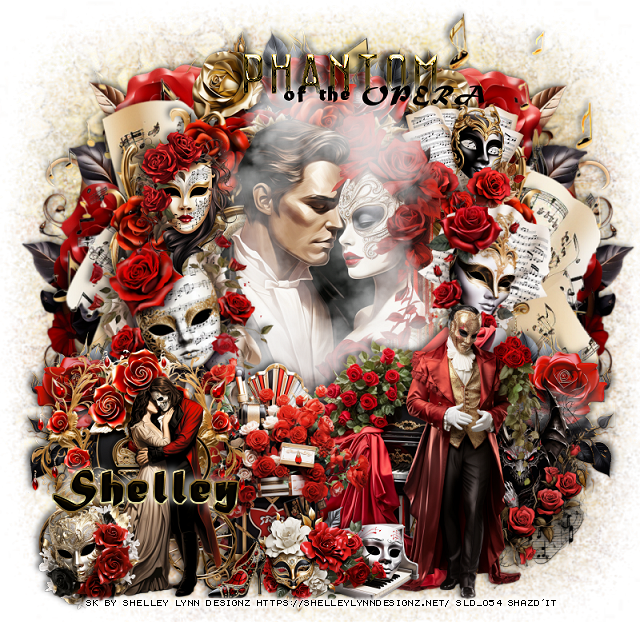
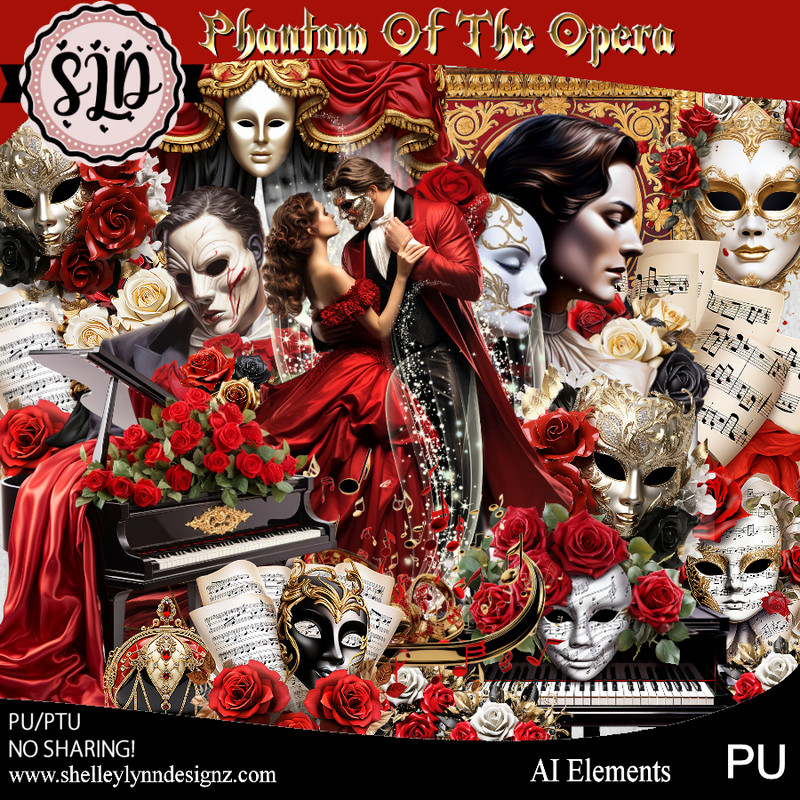
PTU Phantom of the Opera


 This tut was written July 24th, 2023 for those with a basic knowledge of psp. 

Everything used is in the kit (AI)
You need a license to use this artist, please do not use without a license.
Use your license from the store you bought the kit.

I used PSP2020...but any of them should work.
PTU Phantom of the Opera by Shelley Lynn Designz  HERE 
The kit has 130 elements, 12 papers, 14 frames 
You can find all Shelley's kits at her store HERE
Miz Teeques' Mask 88 HERE
Check out the rest of the blog HERE

Font of choice, I used Mature MT Script

Drop shadow is V -2 H -4, 50, 10, or use what you prefer.
Let's get started
*Remember to add your drop shadow as you go along*

Open a new image 800 x 800, paste paper 4, apply your mask,
delete, invert, merge group.

Resize frame 5 to 60%, paste, click inside with the magic wand, expand, resize
paper 6 to 20%, paste, invert, delete, select none.
Resize element 1 to 50%, paste above the frame.
Resize element 31 to 75%, paste below the paper layer of the frame.
Resize element 126 to 75%, paste above the mask at the top.
Resize element 51 to 65%, paste on the right on the mask layer, duplicate, mirror.

Resize element 43 to 40%, paste at the lower right.
Resize element 11 to 40%, paste at the bottom right.
Resize element 37 to 25%, free rotate to the left at 15, paste on the left.
Resize element 28 to 20%, free rotate to the right at 15, paste on the right 
below the piano layer.

Resize element 24 to 20%, paste at the upper left.
Resize element 26 to 20%, paste at the upper right below the tube.
Resize element 70 to 25%, paste at the bottom right below the man.
Resize element 64 to 30%, paste at the bottom being on the top layer.
Resize element 46 to 15%, paste at the bottom.
Resize element 66 to 30%, paste at the bottom left.
Resize element 16 to 30%, paste at the bottom left.
Resize element 25 and 33 to 15%, paste at the bottom left.
Resize element 63 to 8%, paste at the bottom.
Resize element 124 to 90%, paste above the tube, I lowered the opacity to 85%.

Resize element 80 to 25%, paste at the top below the paper layer of the frame,
duplicate, mirror, duplicate one once more, move down on one side,
duplicate, mirror.

Add any other elements that you like, make it your own.
Crop your tag to be sure no shadows or lines are on the edges.
 Then add your copyright and name.
That's it

Hope you enjoyed doing my tut.       

Tuesday, July 18, 2023

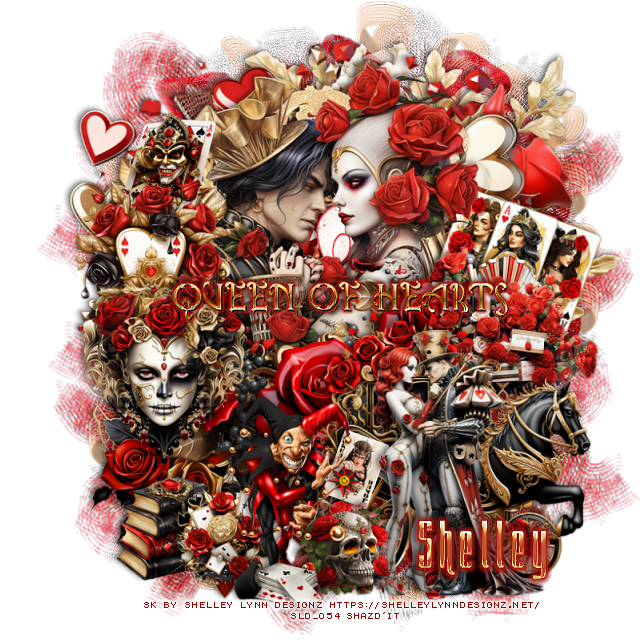
PTU Queen of Hearts


 This tut was written July 18th, 2023 for those with a basic knowledge of psp. 

Everything used is in the kit (AI)
You need a license to use this artist, please do not use without a license.
Use your license from the store you bought the kit.

I used PSP2020...but any of them should work.
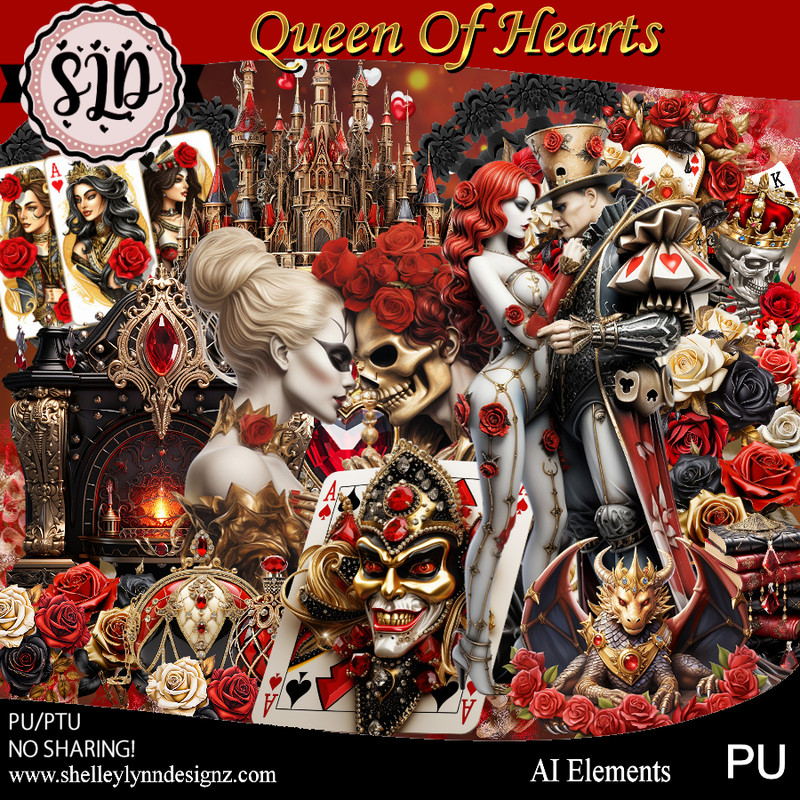
PTU Queen of Hearts by Shelley Lynn Designz  HERE 
The kit has 156 elements, 15 papers, 15 frames and 1 wordart
You can find all Shelley's kits at her store HERE

Font of choice, I used Queeny

Drop shadow is V -2 H -4, 50, 10, or use what you prefer.
Let's get started
*Remember to add your drop shadow as you go along*

Open a new image 800 x 800, paste mask 1 included in the kit.

Resize frame 4 to 60%, paste, take your free hand tool, draw around the frame
or use your magic wand, resize paper 8 to 50%, paste, invert, delete, select none.
Resize element 6 to 50%, paste below the frame, duplicate, move above 
the frame, erase the parts you don't want.

Resize element 108 to 25%, paste on the left being on the top layer.
Resize element 62 to 25%, paste on the left and down a little.
Resize element 117 to 70%, paste below the paper layer of the frame.

Resize element  13 to 40%, paste at the bottom right being on top.
Resize element 72 to 30%, paste on the right behind the horse.
Resize element 71 to 30%, paste at the bottom above the horse.
Resize element 138 to 65%, paste on the bottom layer at the upper right.

Resize element 68 to 15%, paste at the bottom below the jester.
Resize element 42 to 15%, paste at the top left below the element.
Resize element 125 to 25%, paste at the bottom left below the frame layer.
Resize element 2 to 35%, paste at the bottom right above the carriage.
Resize element 25 to 20%, free rotate to the right at 20, paste at the upper right
below the tube layer.
Resize element 30 to 10%, free rotate to the right at 20, paste at the bottom
behind the jester and skull.
Resize element 39 to 10%, paste at the bottom.
Resize element 116 to 15%, paste at the bottom left below the jester.
Resize element 91 to 15%, paste at the bottom left.

Resize the wordart to 50%, add a gradient glow, paste where you like.
Resize element 153 to 85%, duplicate 2 more times, paste them how you like
being on the bottom layer.

Add any other elements that you like, make it your own.
Crop your tag to be sure no shadows or lines are on the edges.
 Then add your copyright and name.
That's it

Hope you enjoyed doing my tut.       
Saturday, June 24, 2023

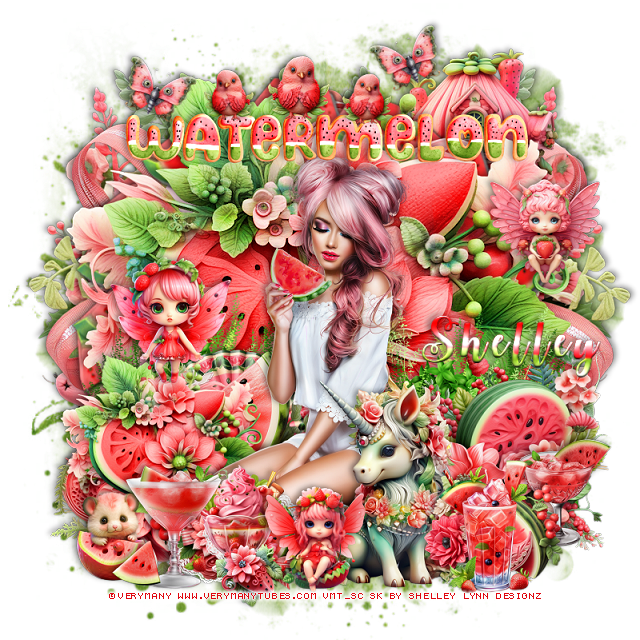
PTU Watermelon Blast


This tut was written June 24th, 2023 for those with a basic knowledge of psp. 

I am using the awesome artist ©Verymany
Tube is called Watermelon 6
You need a license to use this artist, please do not use without a license.
You can find this tube at Verymany HERE

I used PSP2020...but any of them should work.
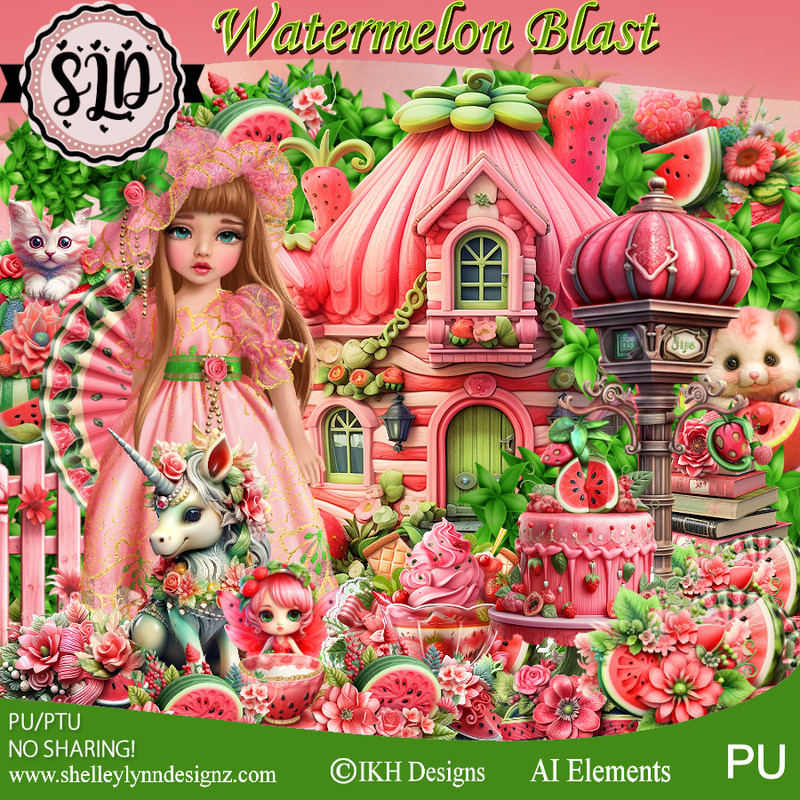
PTU Watermelon Blast by Shelley Lynn Designz  HERE 
The kit has 123 elements, 12 papers, 10 frames, 1 wordart and 
2 tubes ©IKHDesigns
You can find all Shelley's kits at her store HERE
Mask of choice, I used RD 964 HERE
Check out the rest of the blog HERE

Font of choice, I used Watermelon Script

Drop shadow is V -2 H -4, 40, 10, or use what you prefer.
Let's get started
*Remember to add your drop shadow as you go along*

Open a new image 800 x 800, paste paper 8, apply your mask, delete,
merge group.

Resize frame 8 to 70%, paste, click inside with the magic wand, resize paper 9
to 22%, paste, invert, delete, select none.
Paste element 25 on the mask layer on the left, duplicate, mirror.
Paste element 72 to the left, duplicate, mirror.
Resize element 49 to 40%, paste at the upper right below the watermelon
frame.
Paste element 74 on the frame.

Resize your tube to 40%, paste being on the top layer.
Resize element 113 to 40%, paste behind the tube to one side, duplicate, mirror.

Resize element 97 to 50%, paste at the bottom left below the tube.
Resize element 22 to 50%, paste on the bottom right below the tube.
Resize element 1 to 30%, paste at the bottom right above the tube.
Resize element 101 to 25%, paste at the bottom.
Resize element 88 to 30%, paste at the bottom right.
Resize element 14 to 30%, paste on the right between the watermelons.

Resize element 33 to 30%, paste on the lower left being on the top layer.
Resize element 43 to 30%, paste on the bottom right.
Resize element 9 to 50%, paste at the bottom left below the other elements.
Resize element 103 to 25%, paste on the right.
Resize element 50 to 25%, paste on the left.
Resize element 56 to 25%, paste above the unicorn.
Resize element 51 to 20%, paste at the bottom left below the drink.
Resize the wordart to 15%, paste at the top, add a light bevel.

Resize element 94 to 15%, free rotate to the right at 20, paste by the wordart
on the left, duplicate, mirror.
Resize element 36 to 15%, paste on the wordart, duplicate, resize smaller
to 80%, paste on one side, duplicate, mirror to the other side.

Add any other elements that you like, make it your own.
Crop your tag to be sure no shadows or lines are on the edges.
 Then add your copyright and name.
That's it

Hope you enjoyed doing my tut.