Showing posts with label PinUp toons. Show all posts

Sunday, July 3, 2022

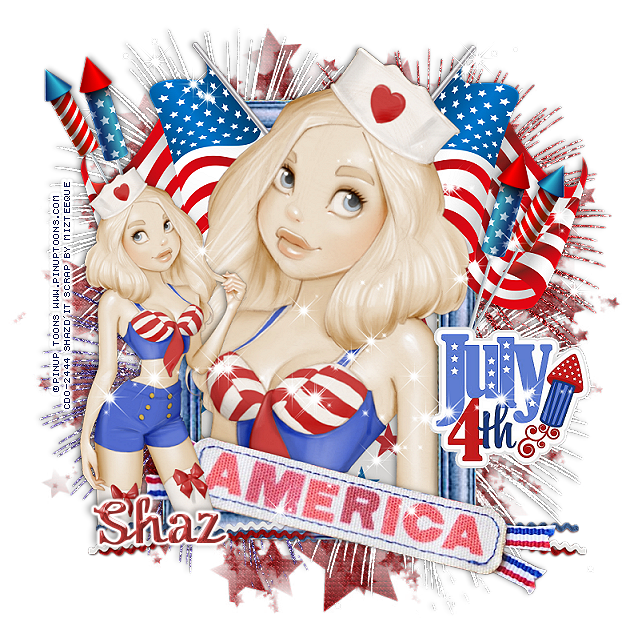
FTU America July 4th


 This tut was written July 3rd, 2022 for those with a basic knowledge of psp. 

I am using the awesome artwork of PinUp Toons
The tube is "244-3"
You need a license to use this tube, do not use without a license.
You can find this art at CDO Store HERE

I used PSP2020...but any of them should work.
FTU kit Stars and Stripes by Miz Teeque HERE
Scroll down about half way
Check out the rest of the blog HERE
DD Star Mask 2 HERE 
Check out the rest of the Blog HERE

Font of choice, I used Octoberfest

Drop shadow is V -1 H -4, 40, 10, or use what you prefer.
Let's get started
*Remember to add your drop shadow as you go along*

"This is a quickie"

Open a new image 800 x 800, paste paper 1, apply your mask, delete, merge group.

Paste element 37, free rotate to 90 degrees, click inside with your magic wand,
expand by 5, paste paper 5, invert, delete, select none.

Paste element 43 above the frame toward the top.
Resize your close up to 95, paste below the frame, duplicate, move above the flags,
erase the parts on the outside.

Resize your tube to 75%, mirror, paste on the left.

Resize element 16 to 35%, paste at the upper right above the flag,
 duplicate, mirror.
Resize element 2 to 65%, paste at the bottom above the frame.
Resize element 17 to 50%, paste on the right.

Paste element 49, 50 and 51 on the mask layer where you like.
Paste element 68 on the top layer and down, duplicate, flip, move to the top more
and behind the large tube.
Resize element 46 to 50%, paste at the bottom to hide the legs of the 
small tube, erase the part over the banner, duplicate, mirror, move below the banner.

Add any other elements that you would like, make it your own.
Always readjust your mask and elements how you like them before you
 merge your tag, resize, sharpen.

Crop your tag to be sure no shadows or lines are on the edges.
 Then add your copyright and name.
That's it

Hope you enjoyed doing my tut.      

Tuesday, April 26, 2022

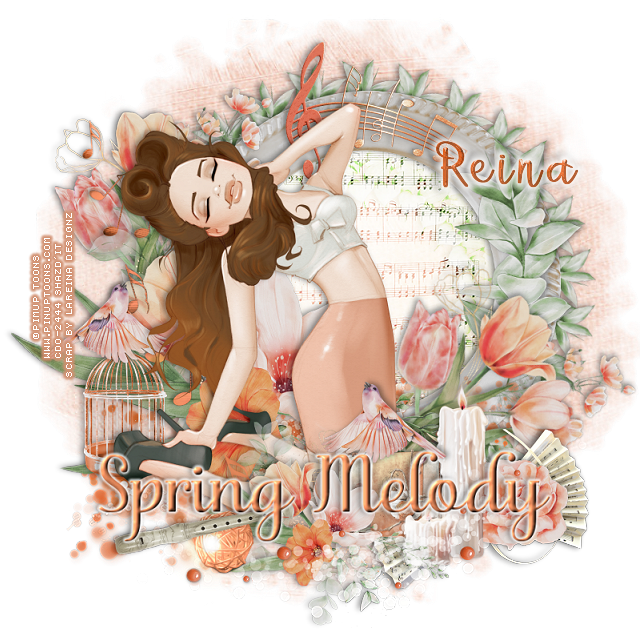
PTU Spring Melody


 This tut was written April 25th, 2022 for those with a basic knowledge of psp. 

I am using the awesome artwork of PinUp Toons 221-3
You need a license to use this tube, do not use without a license.
You can find this tube at CDO HERE

I used PSP2020...but any of them should work.
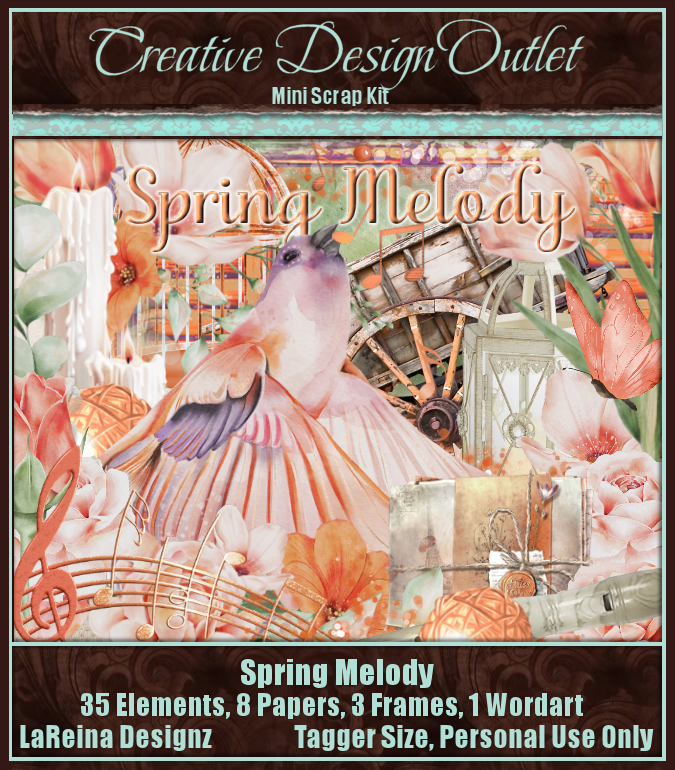
PTU kit Spring Melody Mini by LeReina Designz HERE 
Beautiful kit with 35 elements, 8 papers and 3 frames and 1 wordart
Mask of choice, I used MizTeeques Mask 288 HERE
Check out the rest of the Blog HERE
Filter
Mura Meister Copies-Encircle

Font of choice, I used Betterfly

Drop shadow is V -1 H -4, 50, 10, or use what you prefer.
Let's get started
*Remember to add your drop shadow as you go along*

Open a new image 800 x 800, paste paper 4, apply your mask, delete, 
merge group.

Resize frame 1 to 60%, paste, move up on the right more, click inside with your 
magic wand, expand by 5, paste element 15, invert, delete, select none.
Change the blend mode to Overlay.

Resize element 21 to 30%, apply Mura Meister Copies-Encircle, first 3 numbers 
on 26, 60, 60
Paste element 28 on the left on the frame.

Paste your tube on the flower how you like.

Resize element 27 to 50%, paste on the left below the flowers toward the top, 
duplicate, mirror, free rotate to the right at 45 degrees, move down on the right.

Paste element 35 at the bottom above the frame layer and to the left more.
Resize element 17 to 40%, paste at the bottom being on the top layer, to the 
right by the tube.
Resize element 28 to 50%, paste at the bottom above the candle layer.
Resize element 9 to 25%, paste at the lower right below the candle.
Resize element 23 to 25%, paste below the candle to the left a bit.

Resize element 14 to 75%, paste on the left behind the tube.
Resize element 2 to 50%, paste on the lower right below the flower.
Paste element 34 at the bottom being on the top layer.

Resize element 21 to 50%, mirror, paste on the frame on the right.
Resize element 3 to 25%, mirror, paste on the letters.
Resize element 32 to 30%, paste at the bottom being on the top layer.

Resize element 4 to 30%, paste behind the tube on the left.
Go back to the bird, duplicate, mirror, move on the cage.
Resize element 13 to 40%, paste at the bottom above the light ball.

Resize the wordart to 90%, paste at the bottom.
Resize element 12 to 35%, paste on the frame at the top below the tube.

Add any other elements that you would like, make it your own.
Always readjust your mask and elements how you like them before you
 merge your tag, resize, sharpen.

Crop your tag to be sure no shadows or lines are on the edges.
 Then add your copyright and name.
That's it

Hope you enjoyed doing my tut.