Showing posts with label Ellie_Milk. Show all posts

Sunday, September 29, 2024

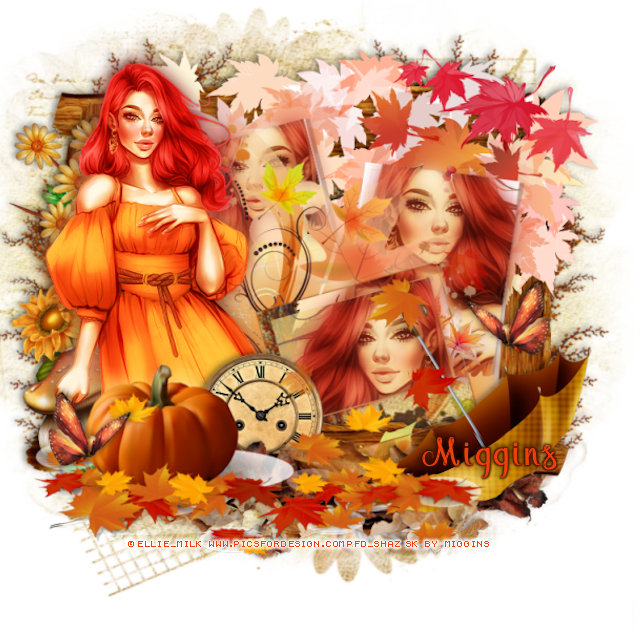
FTU Autumn Is My Fav Color


 This tut was written September 29th, 2024 for those with a basic knowledge of psp.

I am using a beautiful tube ©Ellie_Milk
You need a license to use this tube, please do not use without a license
The tube is called Lily
You can find it at PFD HERE

I used PSPX...but any of them should work.
FTU kit Autumn Is My Fav Color by Miggins HERE
2nd kit down
Check out the rest of the blog HERE
Mask of choice, I used Miz Teeques Mask 234 HERE
Check out the rest of the blog HERE

Font of choice,  I used  Megaibeilya

Drop shadow is  V-1 H-4 Black, 40, 10, use what you prefer.
Let's get started
*Remember to add your drop shadow as you go along*

Open a new image 800 x 800, paste paper 14, apply your mask.

Resize element 4 to 70%, duplicate, change the blend mode to
Multiply, merge down.
Paste element 61 on the frame on the upper right.
Click inside each frame with the magic wand, resize your 
tube to 75%, mirror one, paste in each frame, invert, delete, select none.
Duplicate the tubes, go to Adjust, Blur, Gaussian blur, number on 10,
change the blend mode to Hard Light.
Go back to the bottom tube, go to Effects, Artists Effects, Aged 
Newspaper, number on 35, apply to both bottom tubes, merge the tubes together.

Resize element 62 to 75%, paste above the other frames, draw around
the bottom frame, resize the tube to 75%, paste, invert, delete.
Duplicate the tube, go to Adjust, Blur, Gaussian blur, number on 10,
change the blend mode to Hard Light.
Go back to the bottom tube, go to Effects, Artists Effects, Aged 
Newspaper, number on 35, apply to the bottom tube, merge the tubes together.

Resize your tube to 35%, paste on the left, duplicate, go to Adjust, Blur, 
Gaussian blur, number on 10, change the blend mode to Hard Light,
merge down.

Resize element 20 to 90%, paste at the bottom above the tube.
Resize element 5 to 25%, paste on the right, duplicate, mirror, move down 
on the pumpkin.
Resize element 9 to 40%, paste on the left below the tube.
Resize element 23 to 20%, paste on the left below the tube.
Resize element 55 to 50%, paste on the left below the tube.
Resize element 30 to to 50%, flip, paste at the bottom right below the
pumpkin layer.
Resize element 35 to 25%, paste at the bottom below the pumpkin.
Resize element 22 to 90%, paste below the frame on the left, duplicate, mirror,
erase the part showing at the bottom.
Paste element 32 at the bottom below the umbrella layer.

Add any other elements that you would like, make it your own.
Always readjust your mask and elements how you like them before you
 merge your tag, sharpen once.
Crop your tag to make sure no shadows or anything on the edges

 Then add your copyright and name.

That's it

Hope you enjoyed doing my tut.  

Sunday, December 10, 2023

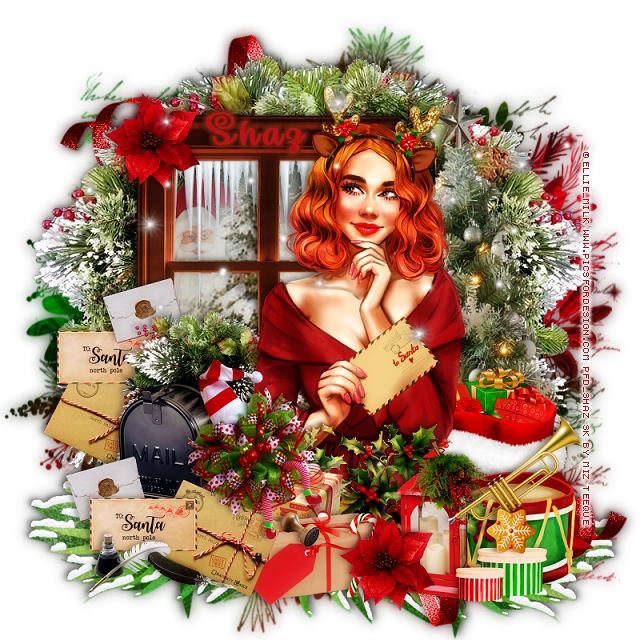
FTU Santa Letters


 This tut was written December 10th, 2023 for those with a basic knowledge of psp.

I am using the awesome artwork of ©Ellie_Milk
The tube is called Make a Wish
You need a license to use this tube, please do not use without a license.
You can find this tube at PFD store HERE

I used PSP2020...but any of them should work.
FTU Scrap A Letter To Santa by Miz Teeques HERE  
Check out the rest of her blog HERE
Mask of choice, I used DD 2019Xmas Mask1 (blog closed now)

Font of choice I used Make Magic Happen

Drop shadow is V -2 H -4, 50, 10, Black or use what you prefer.
Let's get started
*Remember to add your drop shadow as you go along*

Open a new image 800 x 800, paste paper 4, apply your mask.

Resize element 29 to 85%, paste on the left.
Paste element 22 below the window.
Resize element 73 to 50%, paste below the window at the top.
Resize element 26 to 50%, paste behind the tree to the left, erase any parts
outside the window.

Paste element 7 on the right above the mask layer, move where you
want behind the window on the right, erase the mailbox part,
duplicate, mirror, move below the first one.
Resize element 18 to 75%, paste on the right above the frame, pull 
the greenery out more on the right.

Resize your tube to 40%, paste above the tree.

Resize element 7 to 40%, paste behind the tube on the left.
Resize element 5 to 30%, paste at the bottom above the tube.
Resize element 1 to 25%, paste at the bottom above the gift, duplicate,
move up on the left behind the mailbox.
Resize element 2 to 25%, paste above the first letter, duplicate, 
move to the left behind the mailbox.
Resize element 3 to 30%, paste below the Santa letter, duplicate, move
to the left by the other letters.

Resize element 4 to 40%, paste by the other gift at the bottom.
Resize element 19 to 30%, paste on the gifts above the letters,
Resize element 32 to 25%, paste at the bottom by the letters.
Resize element 33 to 20%, paste at the bottom.

Resize element 8 to 20%, paste on the gift.
Resize element 48 to 40%, paste behind the tube on the right.
Resize element 20 to 50%, paste at the bottom above the tube.
Resize element 58 to 35%, paste on the bottom right.

Resize element 41 to 25%, paste at the bottom.
Resize element 43 to 20%, paste at the bottom by the lantern, duplicate,
move to the top left on the frame.
Resize element 17 to 25%, paste on the drum.
Resize element 60 to 20%, paste at the bottom behind the flower.
Resize element 55 to 20%, mirror, paste at the bottom right.

Resize element 66 to 75%, paste at the bottom right below all the 
elements, duplicate, flip, mirror, move to the upper left.
Resize element 52 to 75%, paste at the bottom left below the mailbox,
duplicate, mirror, move below the ribbon.
Paste element 35 where you like, erase any part on the face.
Resize element 63 to 15%, paste at the bottom right.

(Optional)
If happy with everything, close off any white background, merge 
your tag, duplicate, go to Adjust, Blur, Gaussian blur, number on 8,
change the blend mode to Soft Light, merge down.

Add any other elements you like, once happy, add your name
and copyright.
Crop your tag to be sure no stray shadows or lines or on the edges.

That's it

Hope you enjoyed doing my tut.    
Wednesday, November 15, 2023

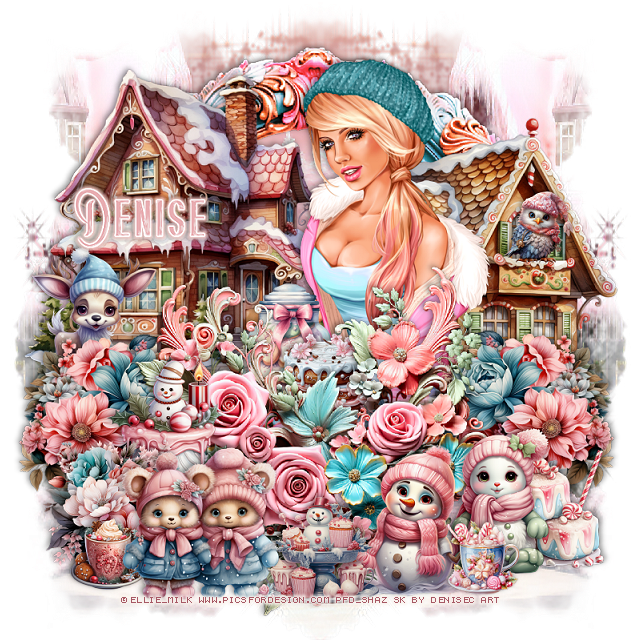
PTU Pastel Winter Sweets


 This tut was written  November 15th, 2023 for those with a basic knowledge of psp. 

I am using an awesome tube ©Ellie_Milk

The tube is called Snowflake
You need a license to use this tube, please do not use without a license
You find the tube at PFD HERE

I used PSP2020...but any of them should work.
PTU Scrap Pastel Winter Sweets by DeniseC Art  HERE HERE HERE
"Tube is NOT included"
You can find all DeniseC Art kits  HERE
Mask of choice I used Lori's Mask 1180  HERE
Check out the rest of the blog HERE

 Font of choice, I used Beauty Sleep

Drop shadow as you go is V -2 H -4, 50, 10, or use what you prefer.
Let's get started
*Remember to add your drop shadow as you go along*

Open a new image 800 x 800,  paste paper 2, apply your
mask, duplicate, mirror.

Resize element 59 to 50%, paste, click inside with the magic wand,
paste paper 3, invert, delete.

Resize your tube to 40%, paste below the frame, duplicate, move above,
erase the bottom parts.
Resize element 29 to 35%, paste at the upper left above the frame.
Resize element 3 to 35%, mirror, paste behind the tube on the right.
Resize element 53 to 25%, paste on the left above the frame, duplicate, mirror.
Resize element 55 to 50%, paste at the bottom above the flowers.

Resize element 6 and 7 to 20%, paste at the bottom right.
Resize element 16 to 17%, mirror, paste on the right behind the snow people.
Resize element 30 to 15%, paste above the tube.
Resize element 33 to 20%, paste behind the cake.

Resize element 15 to 10%, paste at the bottom right above the snow people.
Resize element 14 to 30%, paste at the bottom left.
Resize element 58 to 20%, paste at the bottom left above the cake.
Resize element 12 to 10%, paste at the bottom left.
Resize element 11 to 20%, paste at the bottom.
Resize element 17 to 15%, paste at the bottom below the bears layer.
Resize element 24 to 20%, mirror, paste on the left above the house.
Resize element 18 to 10%, paste on the house on the right.

Add any other elements that you would like, make it your own.
Always readjust your mask and elements how you like them before you
 merge your tag, resize, sharpen.

Crop your tag to be sure no shadows or lines are on the edges.
 Then add your copyright and name.
That's it

Hope you enjoyed doing my tut


Monday, October 23, 2023

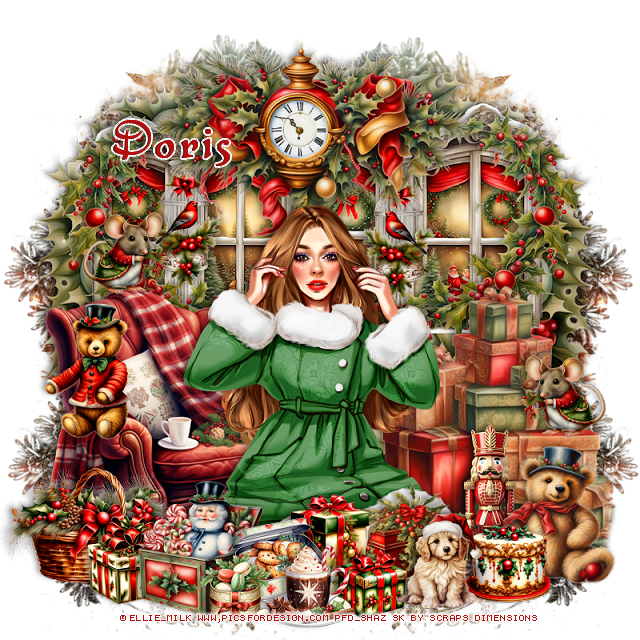
PTU Nostalgic Christmas


 This tut was written  October 23rd, 2023 for those with a basic knowledge of psp. 

I am using an Awesome tube ©Ellie_Milk
The tube is called Winter tale
You need a license to use this art, please do not use without a license.
You can find this tube at PFD HERE

I used PSP2020...but any of them should work.
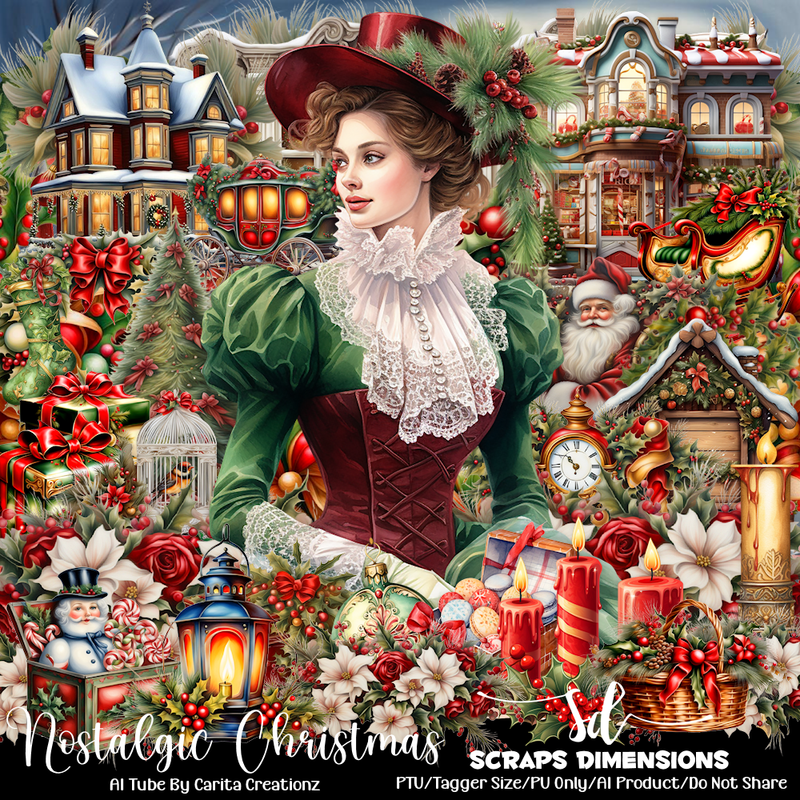
PTU Scrap Nostalgic Christmas by Scraps Dimensions  HERE
Check her blog to see what stores her kits are in and check out 
all of her kits.
Mask of choice, I used Vivienne's Digital Tagging Mask 52 HERE
Check out the rest of the blog HERE

 Font of choice, I used Base: Christmas

Drop shadow as you go is V -2 H -4, 40, 10, or use what you prefer.
Let's get started
*Remember to add your drop shadow as you go along*

Open a new image 800 x 800, paste paper 9, apply your mask, delete,
duplicate, move down to the bottom, duplicate, mirror, duplicate, move
up to the top, merge these 4 layers together.

Paste element 4 at the top.
Paste element 2 to the right, erase the left side, duplicate, mirror.
Resize element 3 to 70%, paste at the top.
Paste element 13 behind the window on the left, duplicate, mirror.
Resize element 58 to 60%, paste on the bottom left.
Resize element 90 to 75%, mirror, paste on the right below the chair.

Resize your tube to 40%, paste above the chair.

Resize element 52 to 30%, paste on the window below the clock on one
side, duplicate, mirror.
Resize element 41 to 30%, paste at the bottom right above the tube.
Resize element 66 to 30%, paste by the bear.
Resize element 42 to 30%, paste at the bottom left.
Resize element 24 to 30%, paste at the bottom.
Resize element 40 to 50%, paste at the bottom left above the chair.
Resize element 11 to 20%, paste above the basket.

Resize element 75 and 83 to 20%, paste at the bottom.
Resize element 25 to 30%, paste on the chair.
Resize element 37 to 20%, paste at the bottom.
Resize element 45 to 20%, paste behind the cup.
Resize element 46 to 15%, paste at the bottom.
Resize element 68 to 15%, paste at the bottom.
Resize element 70 to 20%, paste.
Resize element 16 to 20%, mirror, paste on the gift boxes on the right, 
duplicate, mirror, paste on top of the chair.

Add any other elements that you would like, make it your own.
Always readjust your mask and elements how you like them before you
 merge your tag, resize, sharpen.

Crop your tag to be sure no shadows or lines are on the edges.
 Then add your copyright and name.
That's it

Hope you enjoyed doing my tut.
Monday, October 16, 2023

PTU Cheerful Season


 This tut was written  October 16th, 2023 for those with a basic knowledge of psp. 

I am using an awesome tube ©Ellie_Milk
Tube is called Make A Wish
You need a license to use this tube, please do not use without a license.
You can find this tube at PFD HERE

I used PSP2020...but any of them should work.
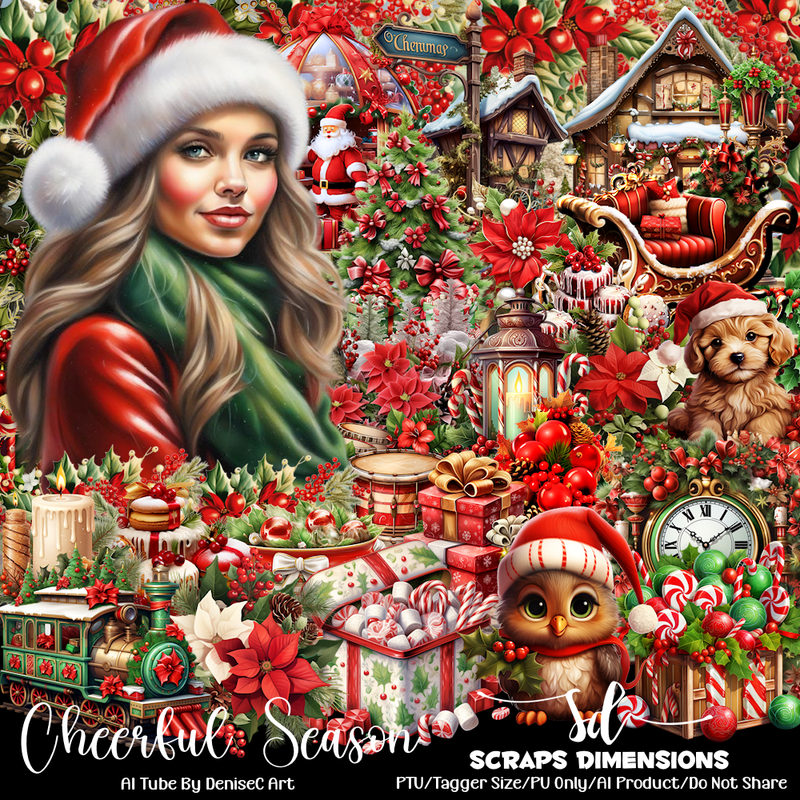
PTU Scrap Cheerful Season by Scraps Dimensions  HERE
Check her blog to see what stores her kits are in and check out 
all of her kits.
Mask of choice, I used Miz Teeque's Mask 211 HERE
Check out the rest of the blog HERE

 Font of choice, I used Paulistana Deco

Drop shadow as you go is V -2 H -4, 40, 10, or use what you prefer.
Let's get started
*Remember to add your drop shadow as you go along*

Open a new image 800 x 800, paste paper 11, apply your mask.

Resize element 73 to 75%, paste at the upper right.
Resize element 10 to 90%, paste to the left.
Resize element 84 to 50%, paste on the right above the house.
Resize element 2 to 40%, paste on the right above the sign.

Resize your tube to 30%, paste to the right by the mailbox.

Resize element 19 to 75%, paste on the left above the house.
Paste element 29 behind the house on the left, duplicate, move over,
duplicate once more, move to the right behind the top house, erase any part
on the right side showing.

Resize element 41 to 30%, paste on the bottom right above the tube.
Resize element 21 to 25%, paste on the right behind the dog, duplicate,
move to the left of the dog.
Resize element 64 to 70%, paste on the right above the street light.

Resize element 90 to 30%, paste at the bottom above the sled.
Resize element 39 to 35%, paste by the drums.
Resize element 89 to 25%, paste at the bottom left.
Resize element 66 to 35%, paste behind the tube.
Resize element 68 to 30%, paste behind the boy.

Resize element 74 to 25%, paste at the bottom.
Resize element 65 to 25%, paste at the bottom.
Resize element 7 to 20%, paste at the bottom right behind the dog,
duplicate, mirror, move behind the sled.
Resize element 75 to 15%, paste on the house.
Resize element 6 to 15%, paste on the bottom left.
Resize element 17 to 20%, paste on the sled.
Resize element 3 to 15%, paste at the bottom.

Add any other elements that you would like, make it your own.
Always readjust your mask and elements how you like them before you
 merge your tag, resize, sharpen.

Crop your tag to be sure no shadows or lines are on the edges.
 Then add your copyright and name.
That's it

Hope you enjoyed doing my tut.
Thursday, June 29, 2023

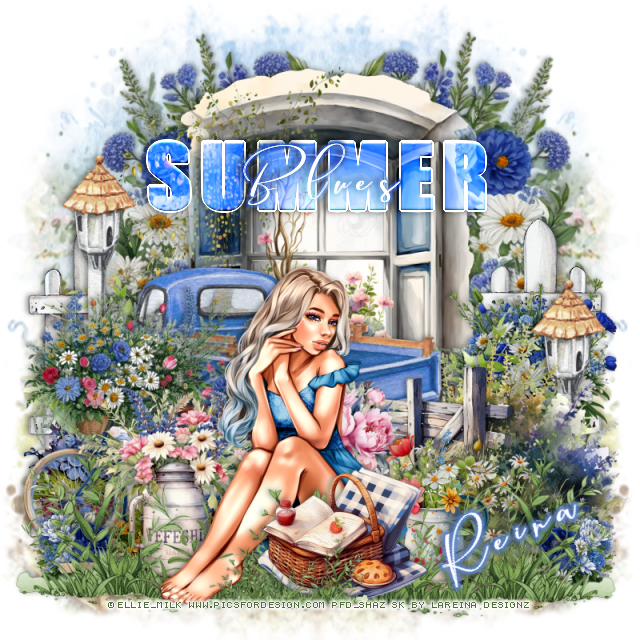
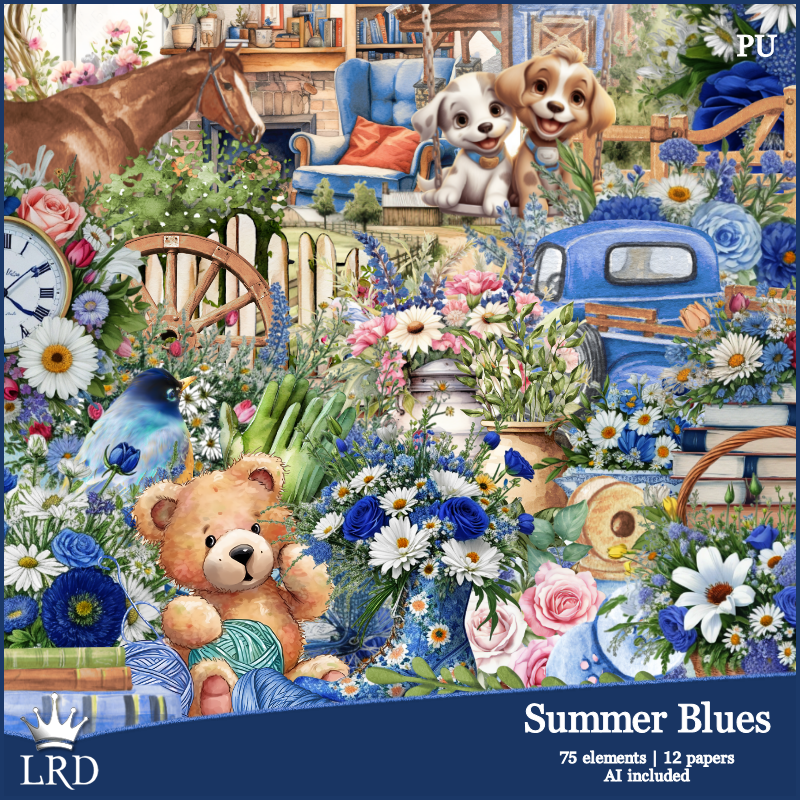
PTU Summer Blues

This tut was written June 28th, 2023 for those with a basic knowledge of psp. 

I am using the awesome tube ©Ellie_Milk
The tube is called Butterfly Fairy
You need a license to use this tube, please do not use without a license
You can find this tube at PFD HERE 

I used PSP2020...but any of them should work.
PTU Summer Blues, Exclusive at MM Store, by La Reina Designz HERE  
Awesome kit with 75 elements and 12 papers 
Mask of choice, I used Vivienne's Digital Tagging Mask 35 HERE
Check out the rest of the blog HERE

Font of choice, I used Cameliya Stark

Drop shadow is V -1 H -4, 40, 10, color Black or use what you prefer.
Let's get started
*Remember to add your drop shadow as you go along*

Open a new image 800 x 800, paste paper 5, apply your mask, delete, merge
group.
Resize element 2 to 85%, paste on the upper right, duplicate, mirror.
Resize element 31 to 75%, paste.
Paste element 62 on the left below the flower circle, duplicate, mirror,
move above the flower circle.

Resize element 60 to 75%, paste to the left.
Paste element 23 to the right above the truck.
Resize element 41 to 50%, paste on the right below the fence.
Paste element 49 behind the truck on the right, duplicate, mirror.

Resize your tube to 30%, paste at the bottom being on the top layer.

Paste element 6 at the bottom above the tube to the right, erase the little bit on
the foot, duplicate, mirror, move below the tube.
Resize element 54 to 60%, paste below the grass on the left.
Resize element 24 to 40%, paste behind the tube on the right.

Resize element 42 to 40%, paste at the bottom above the grass.
Duplicate one of the grasses and resize to 40%, move above the picnic basket.
Resize element 36 to 40%, paste on the left below the truck, duplicate,
move to the right.
Resize element 51 to 60%, mirror, paste on the left above the truck.
Resize element 67 to 30%, paste behind the tube above the fence.

Resize element 59 to 20%, paste at the lower right below the grass, duplicate,
mirror.
Add any wordart if you like, change the blend mode to go with your tag.
I typed out Summer using Impact and Blues using Cameliya Stark

Add any other elements you would like, make it your own.
Crop your tag to be sure no shadows or lines are on the edges.
 Then add your copyright and name.
That's it

Hope you enjoyed doing my tut.    

Wednesday, May 31, 2023

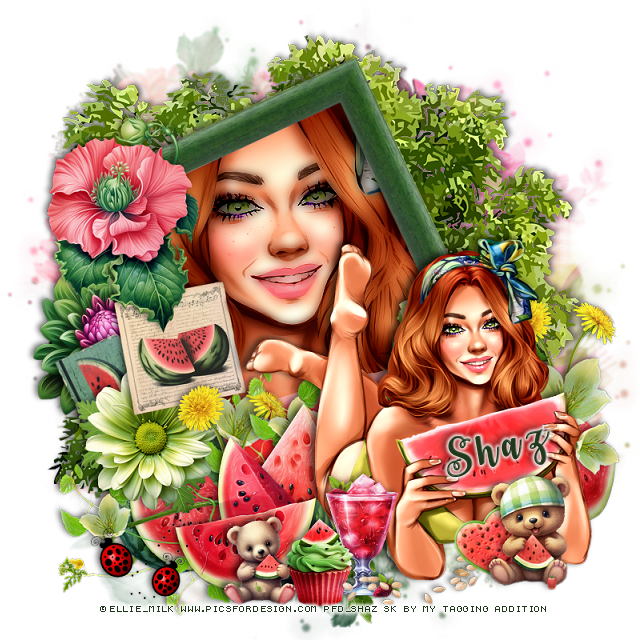
FTU Watermelon Delight

 This tut was written May 31th, 2023 for those with a basic knowledge of psp.

I am using the awesome artwork of ©Ellie_Milk
The tube is called Watermelon Dream
You need a license to use this tube, please do not use without a license.
You can find this tube at PFD Store HERE

I used PSP2020...but any of them should work.
FTU Scrap Watermelon Delight by MTA HERE  
Check out the rest of the blog  HERE
Mask of choice, I used Miz Teeque's Mask 79 HERE
Check out the rest of the blog HERE

Font of choice I used Watermelon Script

Drop shadow is V -2 H -4, 50, 10, Black or use what you prefer.
Let's get started
*Remember to add your drop shadow as you go along*

Open a new image 800 x 800, paste paper 11, apply your mask, resize as needed.

Resize frame 2 to 50%, free rotate to the left at 25%, paste, click inside
with the magic wand, expand by 5, paste paper 12, invert, delete, keep selected. 
Resize your tube to 75%, paste, delete, select none.
Duplicate the tube, go to Adjust, Blur, Gaussian blur, number on 5, change
the blend mode to Darken

Resize your tube to 35%, paste at the bottom above the frame.

Resize element 28 to 25%, paste on the frame at the upper left.
Resize element 26 to 25%, paste on the left below the flower.
Resize element 29 to 20%, paste on the left above the flower.
Paste element 10 above the mask, mirror, erase the truck at the bottom.

Resize element 24 to 40%, paste on the left below the tube.
Resize element 33 to 20%, paste at the bottom left below the green flower,
duplicate, move to the right behind the tube.

Resize element 34 to 20%, paste at the bottom below the tube.
Resize element 35 to 25%, paste at the bottom.
Paste element 48 at the bottom below the tube and top 2 watermelons,
duplicate, move up and to the right.

Resize element 2 to 50%, paste at the bottom below the watermelons.
Resize element 18 to 15%, paste at the bottom above the tube.
Resize element 13 to 15%, paste at the bottom.
Resize element 40 to 75%, paste at the bottom by the tube.
Resize element 9 to 25%, paste below the green branch behind the tube 
on the right, duplicate, move back to the left of the tube.
Resize element 22 to 25%, paste on the left below the light green flower, 
free rotate to the left at 25.

Resize element 39 to 25%, paste at the bottom left above the watermelons.
Resize element 15 to 15%, paste at the bottom above the tube.
Resize element 14 to 15%, paste at the bottom.
Resize element 17 to 15%, free rotate to the left at 20, paste at the bottom
behind the bear.

Add any other elements you would like, make it your own.
Crop your tag to be sure no shadows or lines are on the edges.
 Then add your copyright and name.
That's it

Hope you enjoyed doing my tut.