Showing posts with label Valentine. Show all posts

Friday, February 13, 2026

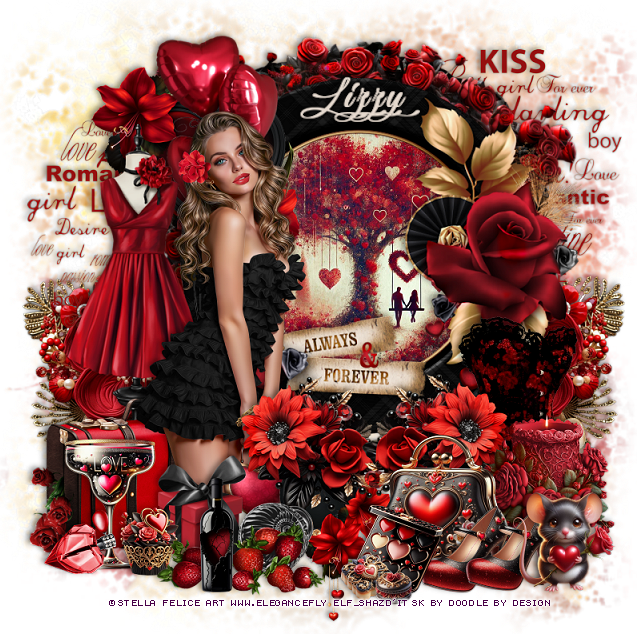
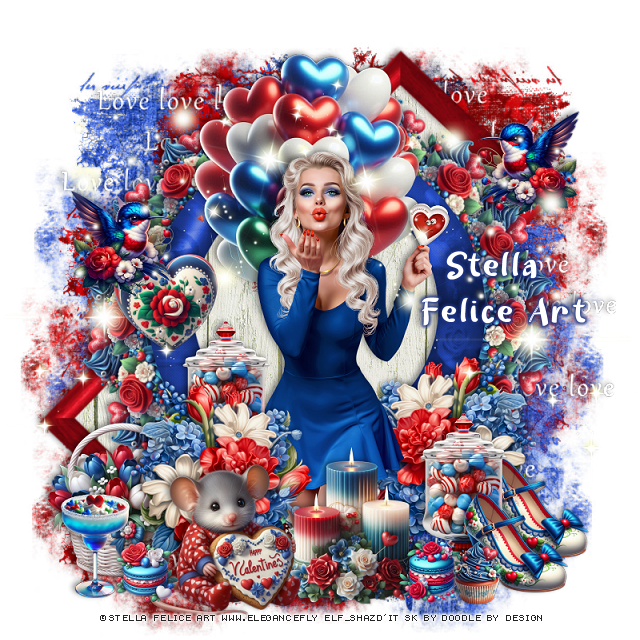
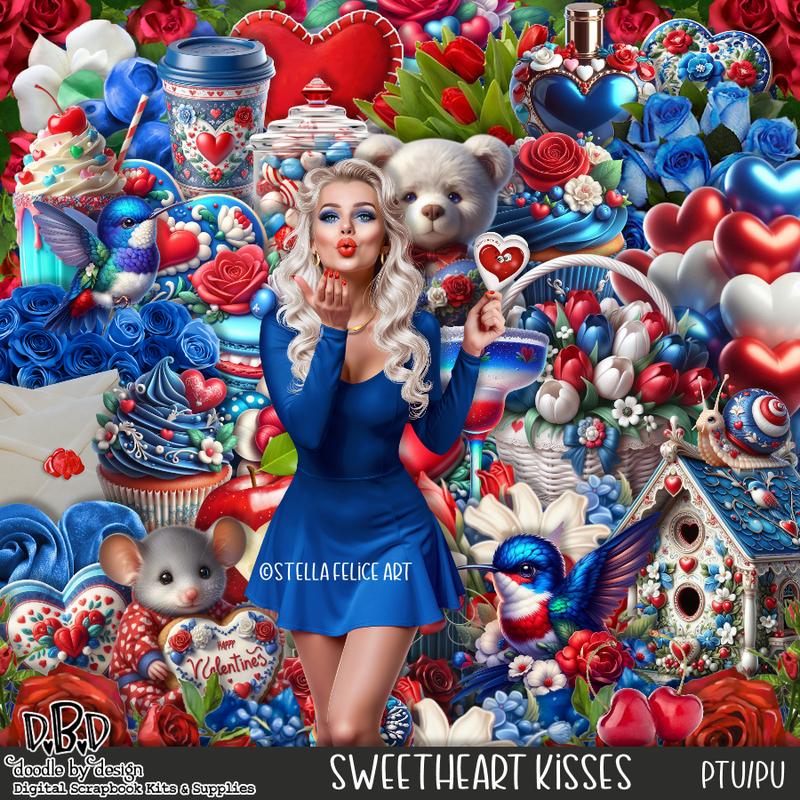
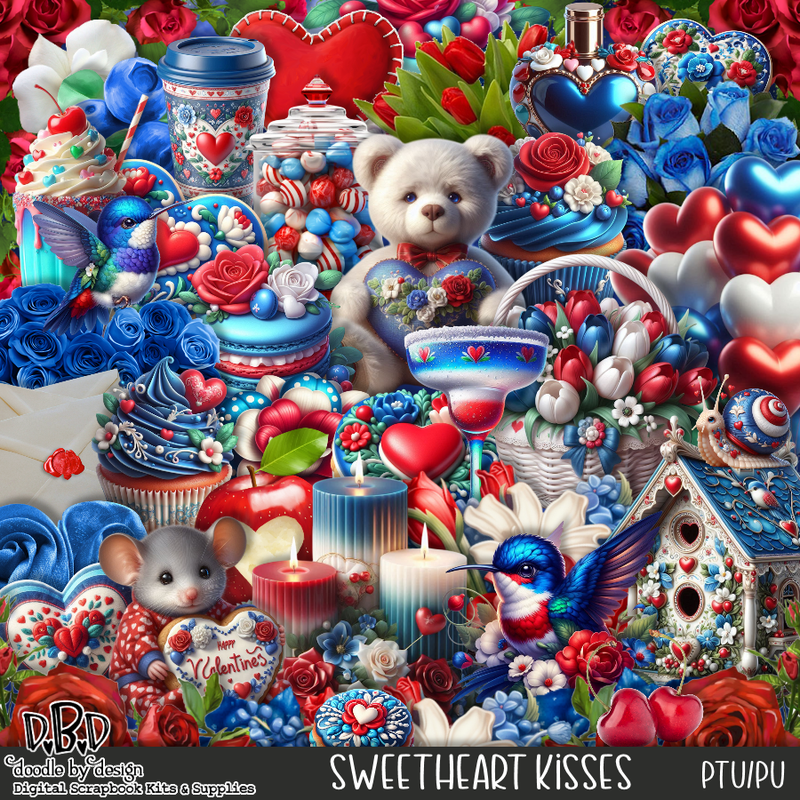
PTU Sweetheart Kisses


 This tut was written February 12th, 2026 for those with a basic knowledge of psp. 

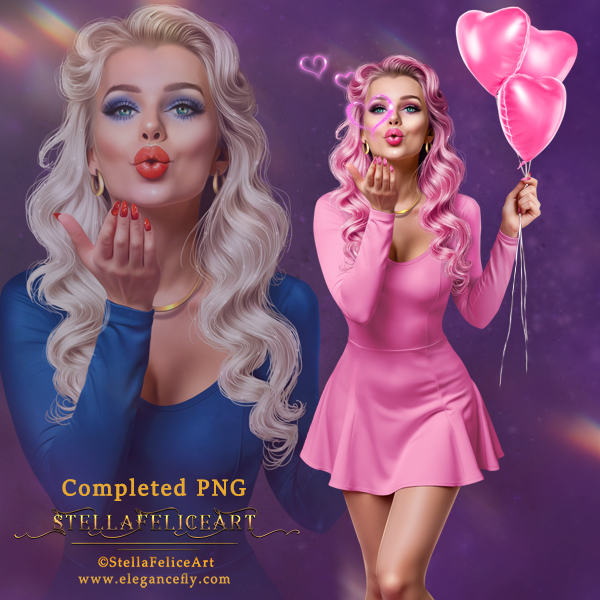
I am using the beautiful tube by © Stella Felice Art

Tube is called Nancy
You need a license to use this tube, please do not use without a license
You can find this tube at Elegancefly store HERE

I used PSP2020...but any of them should work.
Tube is NOT included
PTU Scrap Sweetheart Kisses by Doodle By Design  HERE
You can find all Doodle By Design kits  HERE 
Mask of choice, I used Miz Teeques Mask 160 HERE
Check out the rest of the blog HERE

Font of choice, I used Sweet Letter

Drop shadow as you go is V -2 H 4, 50, 10, or use what you prefer.
Let's get started
*Remember to add your drop shadow as you go along*

Open a new image 800 x 800, paste paper 2 first, apply your mask,
then paper 11, apply your mask, adjust them to your liking.
Paste 135 above the masks to the left, duplicate, move to the right.

Resize frame 8 to 65%, paste, click inside, resize paper 20 to 50%, 
paste, invert, delete.
Resize 1 to 20%, apply Mura Meister Copies-Encircle, first 3 numbers
on 16, 50, 50, paste below the frame.
Resize 2 to 20%, apply Mura Meister Copies-Encircle, first 3 numbers
on 18, 58, 58, paste below the first circle.
Paste frame 7 below the circles, free rotate to the left at 45, click inside,
paste paper 20, invert, delete.

Resize the tube to 25%, paste.

Resize 98 to 40%, paste above the tube on the left, duplicate, mirror,
move below the tube on the right.
Resize 13 to 50%, paste below the tube at the top.
Resize 22 to 33%, paste at the bottom above the flowers.
Resize 58 to 35%, paste on the left below the flowers, duplicate, move 
down on the right by the candles.
Resize 16 to 30%, paste at the bottom left above the candles.

Resize 27 to 30%, paste below the mouse on the left.
Resize 2 and 7 to 12%, paste at the bottom right by the candy canister.
Resize 6 to 12%, paste at the bottom left by the mouse.
Resize 15 to 20%, paste on the bottom left.
Resize 23 to 20%, paste on the frame on the left.
Resize 17 to 20%, mirror, paste at the bottom right below the canister, duplicate,
move above the canister.
Resize 12 to 20%, paste on the upper right on the frame, duplicate,
mirror, paste on the heart on the left.
Paste 127 on the left, duplicate, mirror.

Add any other elements that you would like, make it your own.
Always readjust your mask and elements how you like them before you
 merge your tag, resize, sharpen.

Crop your tag to be sure no shadows or lines are on the edges.
 Then add your copyright and name.
That's it

Hope you enjoyed doing my tut 

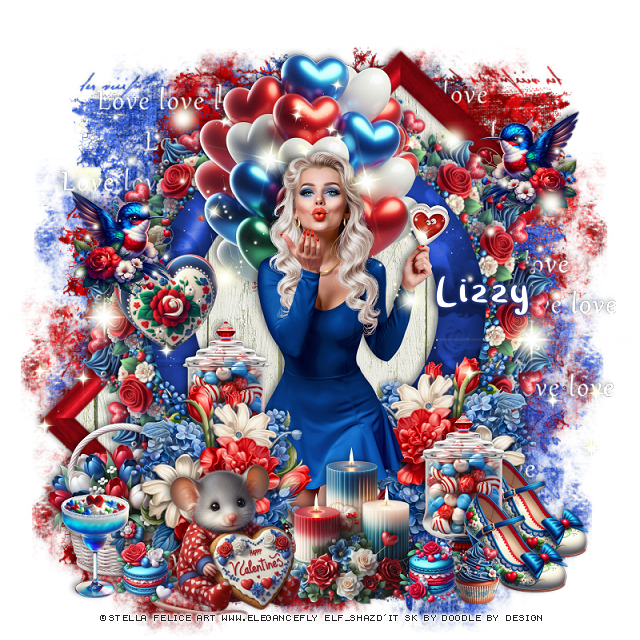
Tag for Lizzy


Wednesday, February 11, 2026

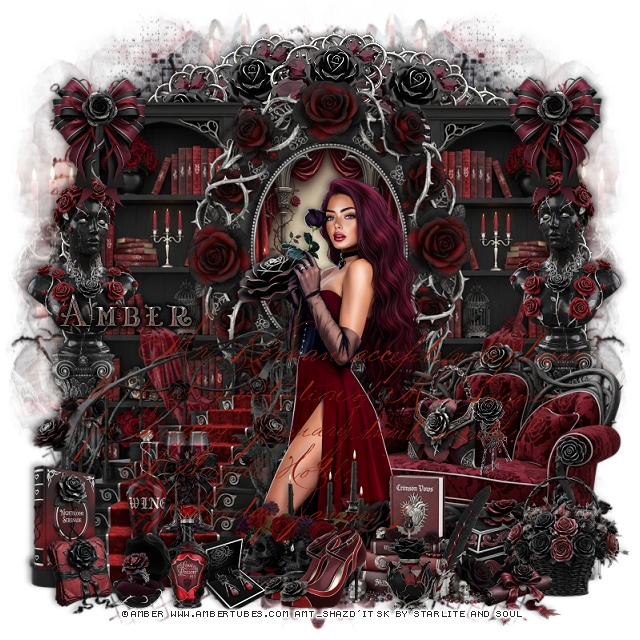
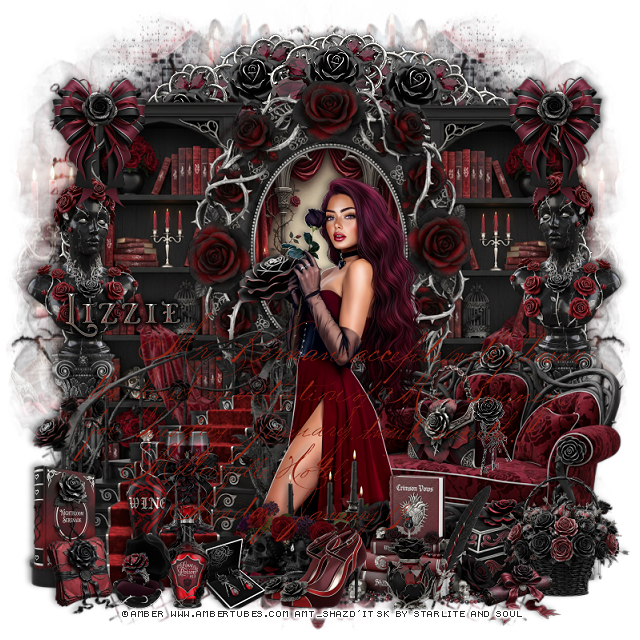
PTU Black Rose


  This tut was written February 10th, 2026 for those with a basic knowledge of psp. 

I am using the beautiful tube by © Amber

Tube is called Black Rose
You need a license to use this tube, please do not use without a license
You can find this tube at Amber store HERE

I used PSP2020...but any of them should work.
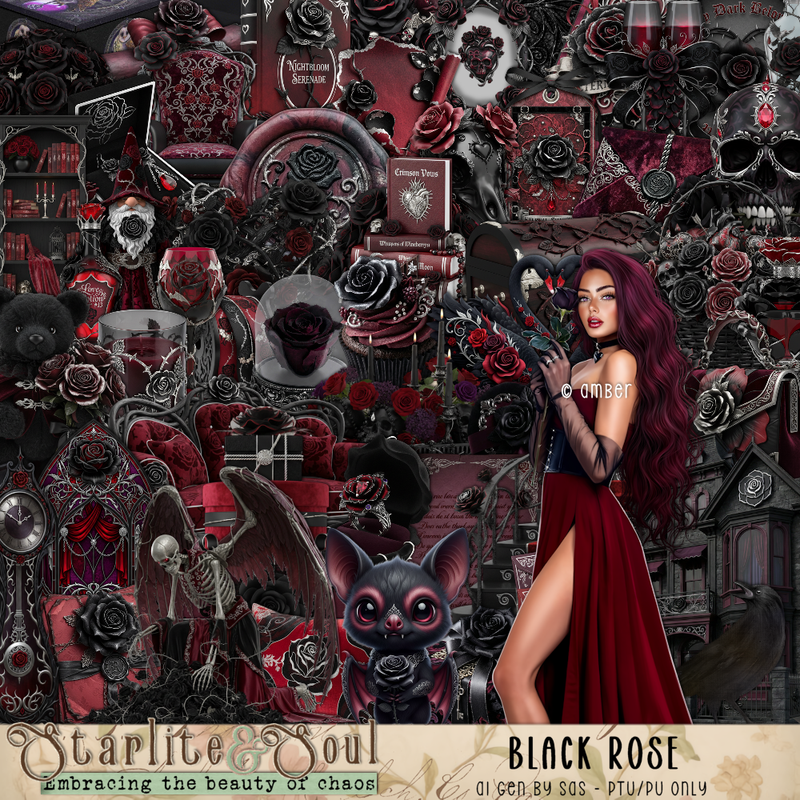
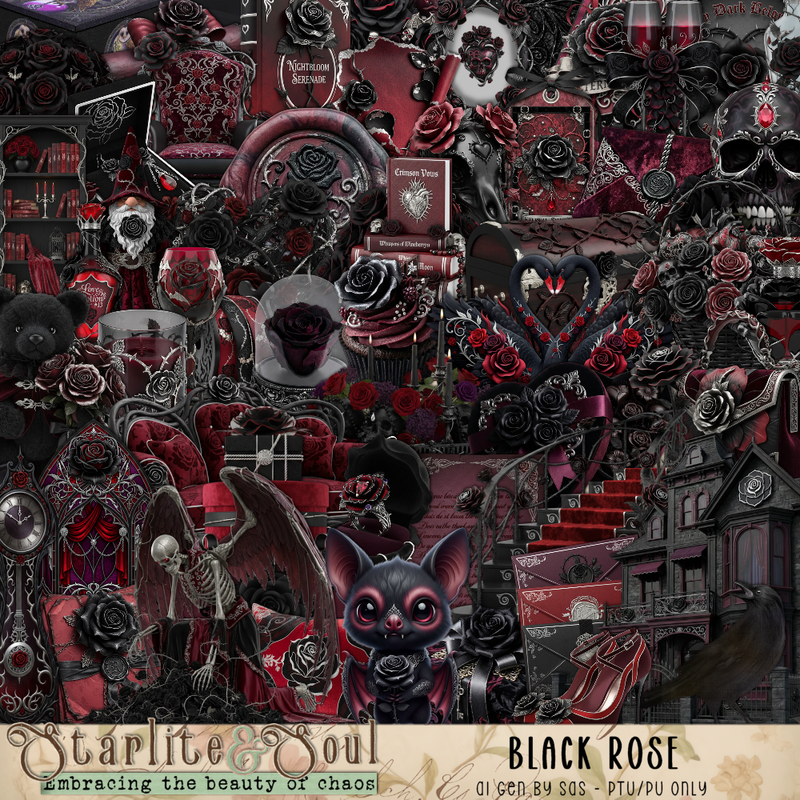
PTU Scrap Black Rose by Starlite and Soul HERE
You can find all Starlite and Soul  kits  HERE 
Miz Teeques Mask 78 HERE
Check the blog out HERE
Filter
Mura Meister Copies-Encircle

Font of choice, I used Misteri Caps

Drop shadow as you go is V -2 H 4, 50, 10, or use what you prefer.
Let's get started
*Remember to add your drop shadow as you go along*

Open a new image 800 x 800, paste paper 8, apply your mask, move
to the left, duplicate, mirror.

Resize 11 to 25%, apply Mura Meister Copies-Encircle, first 3 numbers
on 18, 70, 65, paste.
Resize 10 to 75%, paste on the left above the circle, duplicate, mirror.
Resize frame 1 to 65%, paste, click inside, resize paper 15 to 40%, paste below 
the frame, invert, delete.

Resize the tube to 25%, paste above the frame.

Resize 59 to 65%, paste on the left below the tube.
Resize 54 to 60%, mirror, paste below the tube on the right.
Resize 19 to 45%, paste below the steps on the left, duplicate, mirror.
Resize 12 to 35%, paste on the post on the left, duplicate, mirror, move on
the post on the right.
Resize 53 to 45%, paste at the bottom above the tube.
Resize 8 to 33%, paste at the bottom above the candles to the right.
Resize 34 to 25%, paste at the bottom above the books.

Resize 31 to 20%, paste on the sofa below the tube layer.
Resize 23 to 25%, paste at the bottom right below the books.
Resize 5 to 25%, paste on the bottom right above the box.
Resize 35 to 15%, paste on the sofa by the purse.
Resize 33 to 20%, paste at the bottom by the candles.
Resize 47 to 15%, paste at the bottom right by the basket.
Resize 70 to 20%, paste on the steps.
Resize 69 to 25%, paste on the steps.

Resize 24 to 15%, paste at the bottom.
Resize 39 to 20%, paste at the bottom.
Resize 9 to 20%, paste on the left on the bottom step.
Resize 37 to 15%, paste at the bottom left.
Resize 48 to 15%, paste at the bottom.
Paste 176 where you like being on the top layer.
Resize 106 to 25%, paste at the upper left on the bookcase, duplicate, mirror.

Add any other elements that you would like, make it your own.
Always readjust your mask and elements how you like them before you
 merge your tag, resize, sharpen.

Crop your tag to be sure no shadows or lines are on the edges.
 Then add your copyright and name.
That's it

Hope you enjoyed doing my tut

Tag for Lizzie 


Sunday, February 8, 2026

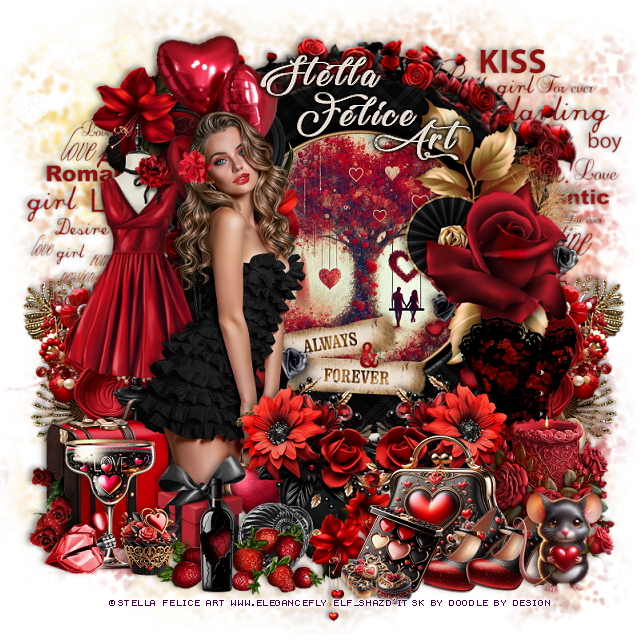
PTU Valentines Girl


  This tut was written February 8th, 2026 for those with a basic knowledge of psp. 

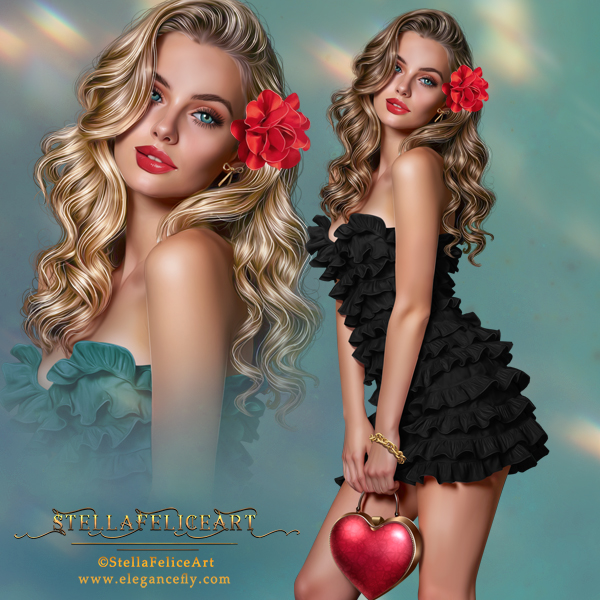
I am using the beautiful tube by © Stella Felice Art

Tube is called Alicia
You need a license to use this tube, please do not use without a license
You can find this tube at Elegancefly store HERE

I used PSP2020...but any of them should work.
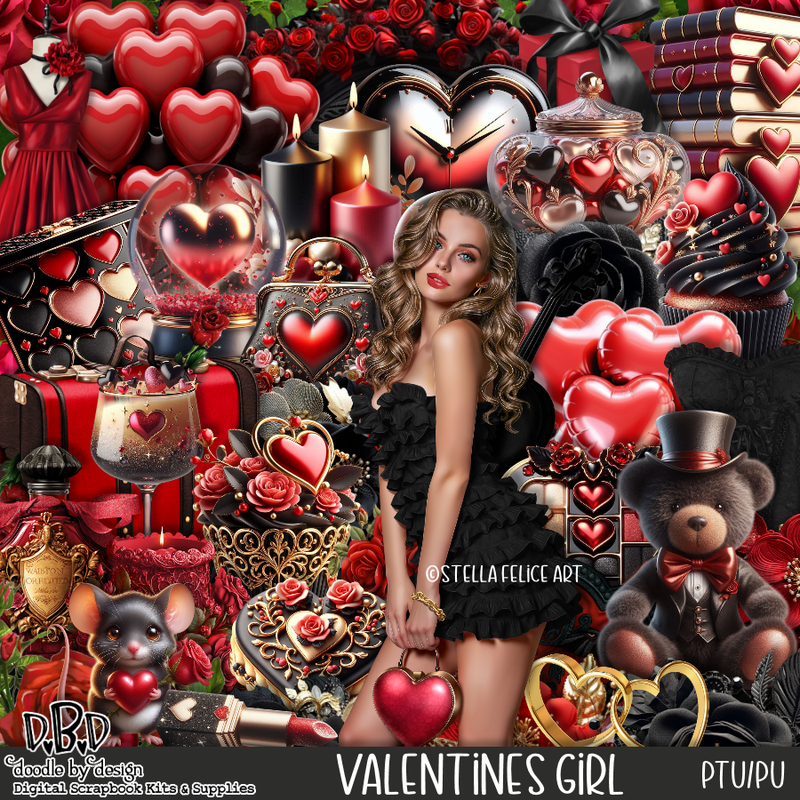
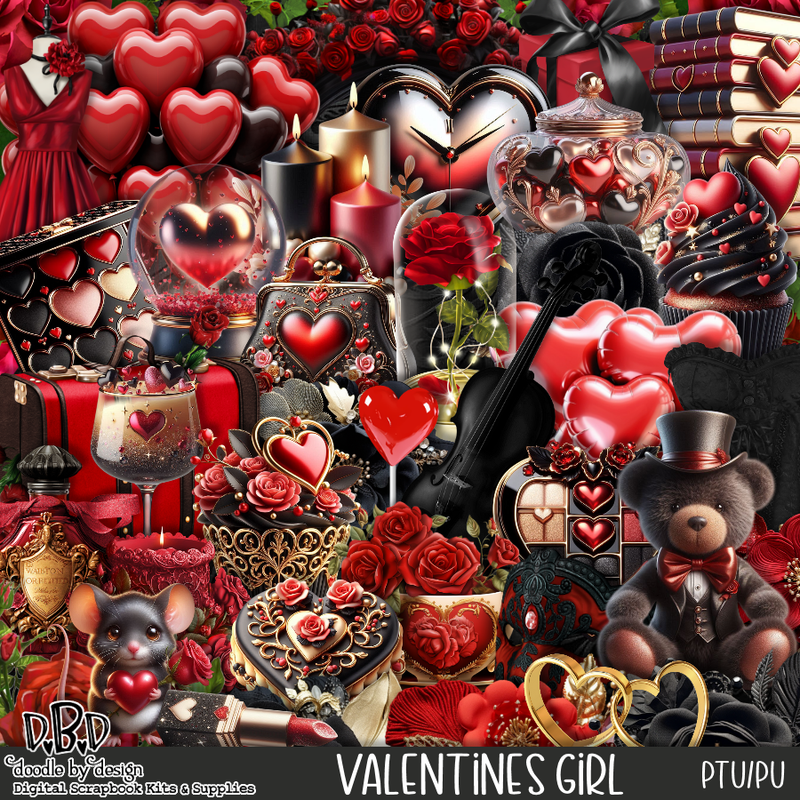
PTU Scrap Valentines Girl by Doodle by Design  HERE
You can find all Doodle by Design kits  HERE 
Mask of choice I used Miz Teeques Mask 52 HERE
Check out the rest of the blog HERE

Font of choice, I used Lovely Home

Drop shadow as you go is V -2 H 4, 40, 10, or use what you prefer.
Let's get started
*Remember to add your drop shadow as you go along*

Open a new image 800 x 800, paste paper 8, apply your mask.

Resize frame 3 to 75%, paste at the top, click inside, resize paper 10
to 40%, paste how you like, invert, delete.
Paste 73 below the frame at the top.
Paste 150 below the arch on the upper right, duplicate, move down on 
the left.
Resize 123 to 50%, paste below the words on the lower right so 
the gold part shows, duplicate, mirror.
Resize 76 to 45%, paste at the upper left on the frame.
Resize 35 to 75%, paste on the left above the heart.

Resize the tube to 23%, mirror, paste on the left above the balloons.

Resize 34 to 80%, paste on the left below the tube.
Resize 52 to 45%, paste on the bottom left above the dress stand.
Resize 78 to 40%, paste at the bottom above the tube.
Resize 120 to 35%, paste above the circle element with the hanging hearts,
duplicate, mirror.

Resize 32 to 25%, paste at the bottom left above the tube.
Resize 25 to 25%, paste on the bottom left.
Resize 1 to 13%, paste at the bottom left above the drink.
Resize 41 to 35%, paste at the bottom.
Resize 64 to 40%, paste on the right below the flowers.
Resize 86 to 30%, paste at the bottom right above the flowers.
Resize 18 to 25%, paste on the bottom right.
Resize 19 to 17%, paste at the bottom right, duplicate, move over.
Resize 17 to 17%, paste at the bottom by the purse.
Resize 10 to 20%, paste on the bottom right above the shoes.

Resize 47 to 15%, paste at the bottom left above the drink.
Resize 2 to 10%, paste at the bottom by the makeup.
Resize 6 to 7%, paste by the cookie.
Resize 75 to 25%, paste at the bottom by the strawberries.

Add any other elements that you would like, make it your own.
Always readjust your mask and elements how you like them before you
 merge your tag, resize, sharpen.

Crop your tag to be sure no shadows or lines are on the edges.
 Then add your copyright and name.
That's it

Hope you enjoyed doing my tut

Tag for Lizzy  


Saturday, February 7, 2026

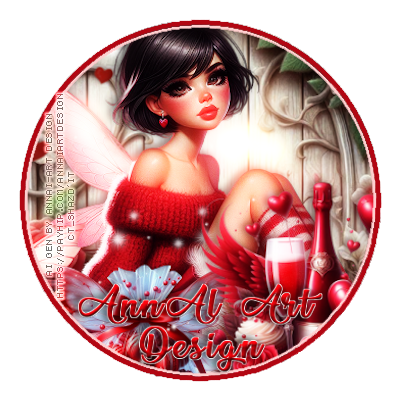
CT for AnnAl-Art Design

   **~**CT for AnnAl-Art Design **~**

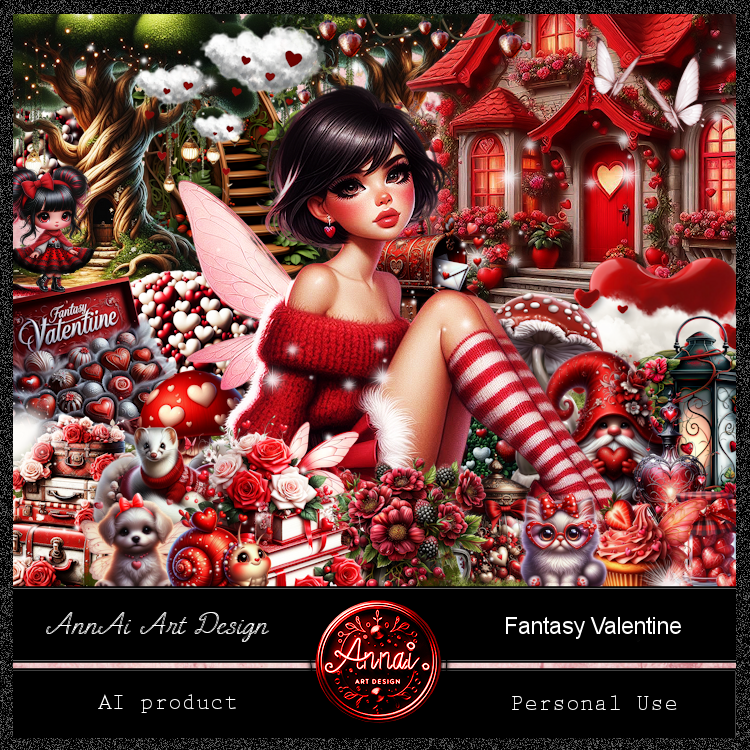
 PTU Scrap Fantasy Valentine by Annai-Art  HERE   
You can find all AnnAl Art kits  HERE

Timeline and Tag I made with the kit  


Friday, February 6, 2026

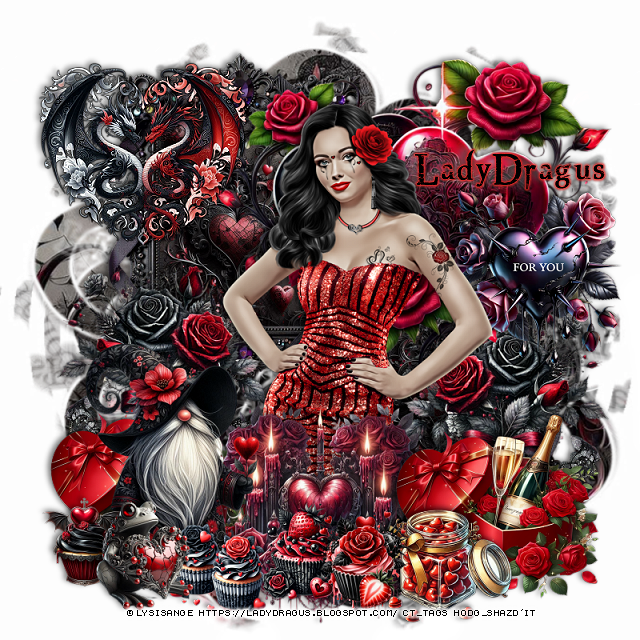
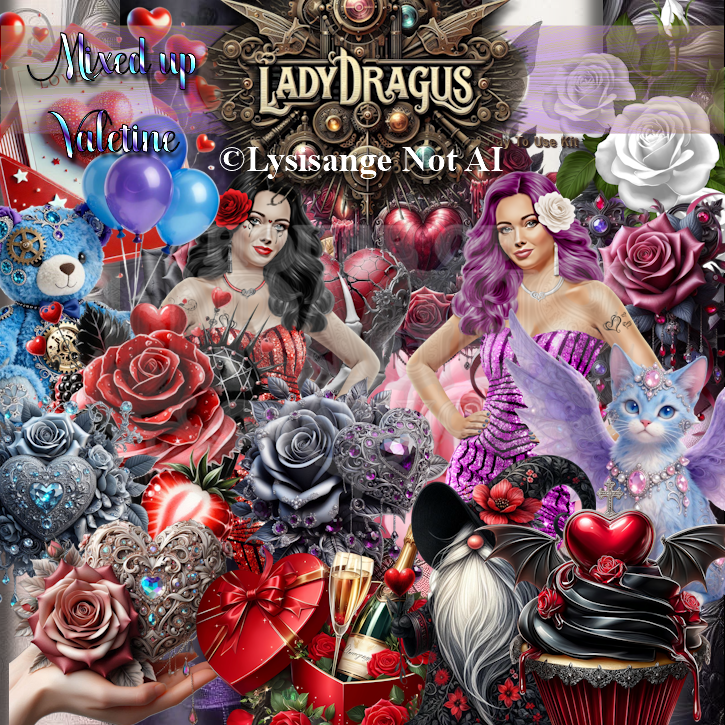
PTU Mixed Up Valentine


  This tut was written February 6th, 2026 for those with a basic knowledge of psp. 

I am using the Awesome tube ©Lysisange

2 Tubes are in this kit
Tubes are not Al
Please read the TOU on how to credit your tags

I used PSP2020...but any of them should work.
PTU Scrap Mixed Up Valentine by Lady Dragus  HERE HERE
Kit has Al in it, 104 elements, 18 frames and 25 papers
Miz Teeques Mask 64 HERE
Check the blog out HERE

Font of choice, I used Northwood High

Drop shadow as you go is V -2 H 4, 50, 10, or use what you prefer.
Let's get started
*Remember to add your drop shadow as you go along*

Open a new image 800 x 800, paste paper 25, apply your mask, mirror,
erase a little where you like.

Resize 18 to 45%, paste at the upper left, duplicate, move
down on the right, click inside, resize paper 25 to 35%, paste in 
each frame, invert, delete.

Resize tube 1 to 55%, paste above the frames.

Resize 4 to 35%, paste on the right below the tube, duplicate, mirror,
move up on the frame.
Resize 15 to 35%, paste at the bottom right above the tube,
 duplicate, do not mirror, move to the right below the tube.
Resize 69 to 65%, paste below the tube to the upper right.
Resize 63 to 30%, paste on the right on the hearts.

Resize 18 to 22%, paste at the bottom above the candy and champagne.
Resize 13 to 35%, paste at the upper left on the frame, add a black 
gradient glow.
Resize 9 and 10 to 17%, paste at the bottom above the tube.
Resize 6 to 40%, mirror, paste on the bottom left, hiding the champagne bottle.
Resize 14 to 17%, paste at the bottom left above the gnome.
Resize 24 to 20%, paste at the bottom left above the cupcakes.
Resize 2 to 40%, paste at the bottom in front of the tube behind the cupcakes.
Resize 12 to 15%, paste below the frog on the bottom left.

Add any other elements that you would like, make it your own.
Always readjust your mask and elements how you like them before you
 merge your tag, resize, sharpen.

Crop your tag to be sure no shadows or lines are on the edges.
 Then add your copyright and name.
That's it

Hope you enjoyed doing my tut 

Tuesday, February 3, 2026

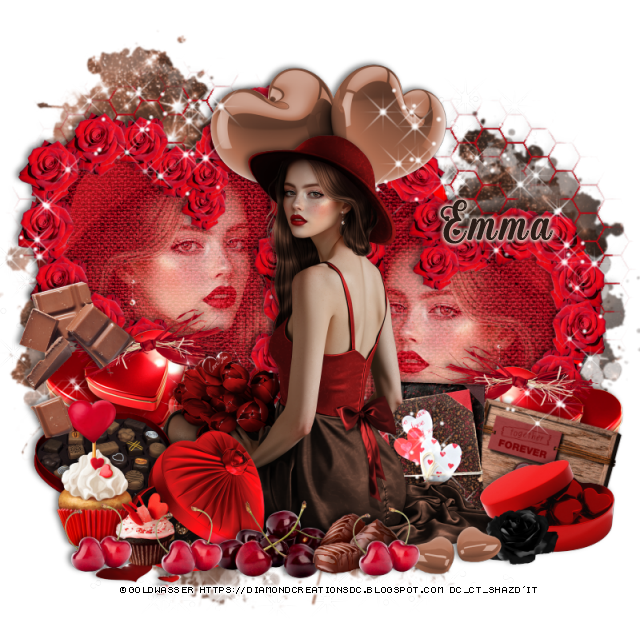
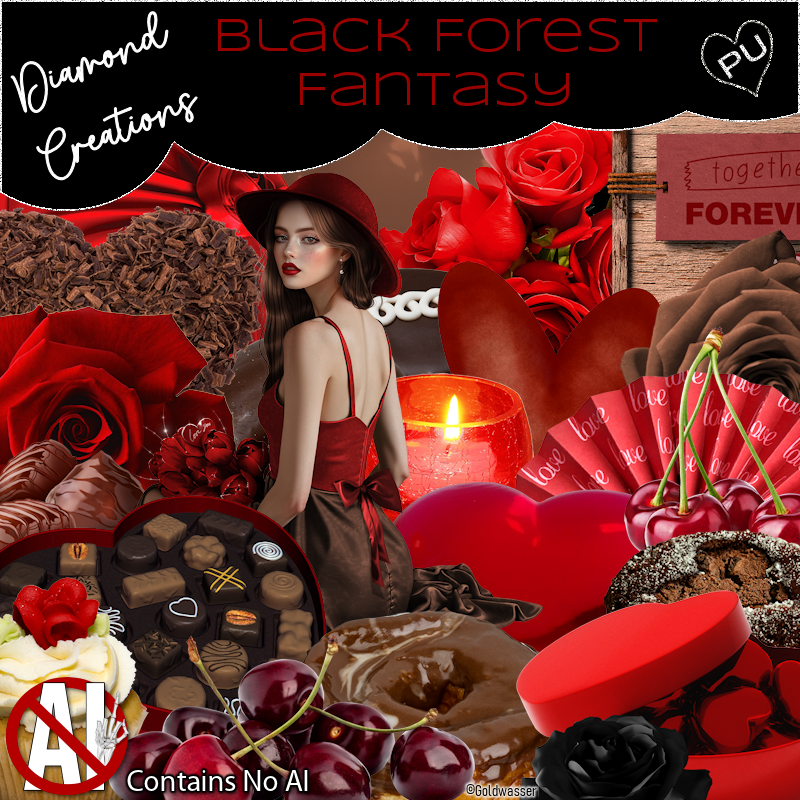
PTU Black Forest Fantasy

 This tut was written February 3rd, 2026 for those with a basic knowledge of psp. 

Awesome tube used ©Goldwasser

The tube is included in the kit, this contains "NO Al"
Everything used is included in the kit
Read the TOU on how to credit your tags

I used PSP2020...but any of them should work.
PTU Scrap Black Forest Fantasy "NO Al" by Diamond Creations  HERE
You can find all Diamond Creations  kits HERE
Mask of choice, I used MizTeeques 289 HERE
Check out the rest of the blog HERE

Font of choice, I used Angelized

Drop shadow as you go is V -2 H -4, 50, 10, or use what you prefer.
Let's get started
*Remember to add your drop shadow as you go along*

Open a new image 800 x 800, paste paper 16, apply your mask,
rotate to the right at 15.

Paste element 91.
Resize 86 to 65%, draw around the hearts, paste 32 in the hearts
invert, delete.
Resize tube to 65%, duplicate, mirror, paste one in each frame, 
change the blend mode to Screen.

Resize the tube to 33%, paste above the frame.

Resize 81 to 40%, paste below the tube on the bottom left, duplicate, mirror.
Resize 21 to 20%, paste at the bottom above the tube.
Resize 3 to 25%, paste at the bottom above the candy box.
Resize 26 to 25%, paste at the bottom left below the candy.
Resize 14 to 30%, paste at the bottom.
Resize 13 to 25%, paste at the bottom left.
Resize 30 to 25%, paste at the bottom left.
Resize 79 to 25%, paste below the tube to the right.
Resize 15 to 30%, paste on the left above candy box.
Resize 38 to 15%, paste at the bottom.
Resize 29 to 25%, paste on the bottom right below the brown hearts.
Resize 7 to 20%, paste at the bottom left by the cupcakes, duplicate, 
a couple more times moving each one to the right more.
Resize 85 to 20%, free rotate to the right at 15, paste on the bottom 
right between the candy heart boxes.
Resize 45 to 30%, paste at the top below the tube.
Paste 97 below the tube on the right how you like, erase the sparkles off the faces,
duplicate, mirror, erase any other sparkles.

Add any other elements that you would like, make it your own.
Always readjust your mask and elements how you like them before you
 merge your tag, resize, sharpen.

Crop your tag to be sure no shadows or lines are on the edges.
 Then add your copyright and name.
That's it

Hope you enjoyed doing my tut           

Sunday, February 1, 2026

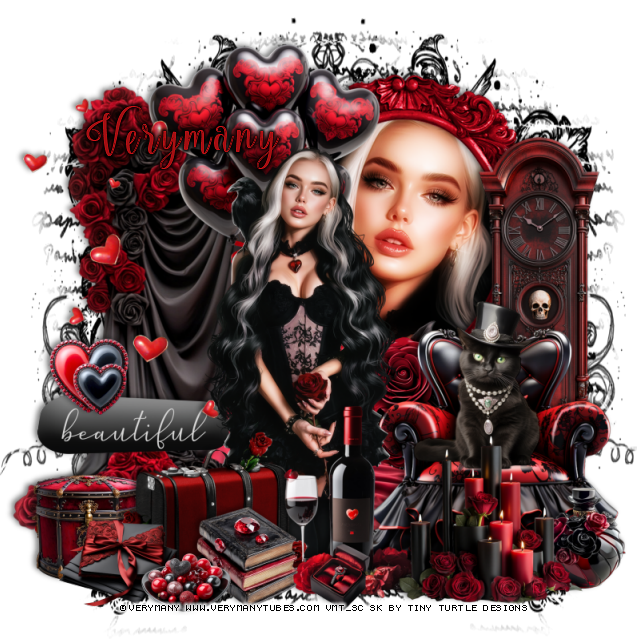
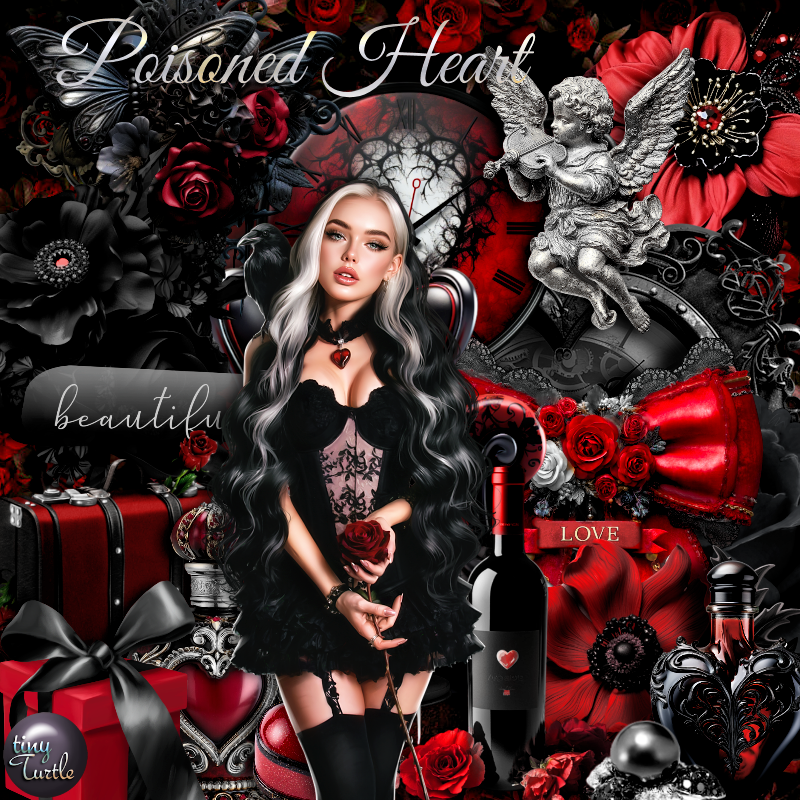
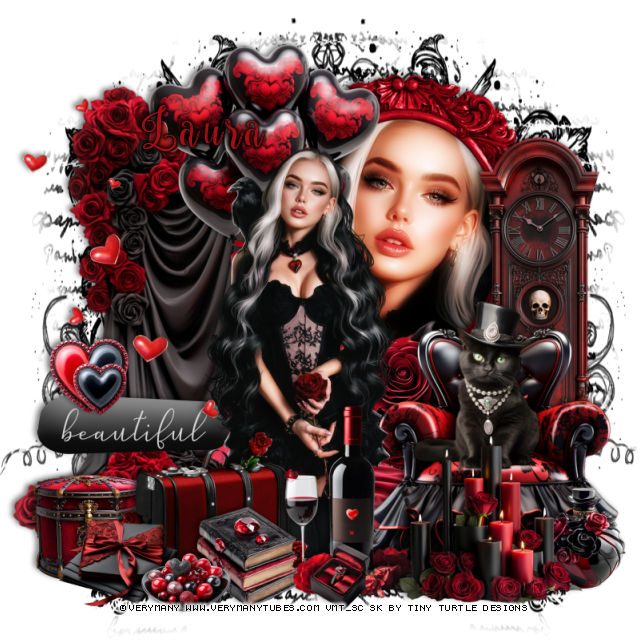
PTU Poisoned Heart


  This tut was written February 1st, 2026 for those with a basic knowledge of psp. 

I am using the beautiful tube by © Verymany

Tube is called Poisoned Heart
You need a license to use this tube, please do not use without a license
You can find this tube at Verymany store HERE

I used PSP2020...but any of them should work.
PTU Scrap Poisoned Heart by Tiny Turtle Designs  HERE
You can find all Tiny Turtle Designs kits  HERE 

Font of choice, I used Nouradilla

Drop shadow as you go is V -2 H 4, 50, 10, or use what you prefer.
Let's get started
*Remember to add your drop shadow as you go along*

Open a new image 800 x 800, paste 11, resize to fit your tag

Resize 92 to 65%, paste on the upper right, click inside, paste paper 25,
invert, delete, keep selected, resize the tube to 80%, paste, invert, delete.
Duplicate the tube, go to Adjust, Blur, Gaussian blur, number on 10, 
change the blend mode to Hard Light.
Paste 105 to the left above the frame.

Resize the tube to 35%, paste above the curtain.

Resize 96 to 60%, paste at the top below the tube.
Resize 162 to 40%, paste at the bottom of the frame.
Resize 79 to 55%, paste on the bottom right above the flower.
Resize 157 to 35%, paste on the chair.
Resize 100 to 65%, paste on the right below the chair.
Resize 94 to 40%, paste at the bottom above the tube.
Resize 178 to 40%, paste at the bottom above the tube.
Resize 46 to 20%, paste at the bottom above the suitcase.
Resize 104 to 40%, paste at the bottom above the chair.

Resize 97 to 25%, paste at the bottom left below the suitcase.
Resize 95 to 25%, paste at the bottom right below the candles.
Resize 14 to 40%, paste on the left.
Resize 22 to 75%, paste on the left.
Resize 76 to 20%, paste on the left on the wordart.
Resize 106 to 15%, paste at the bottom.
Resize 45 to 15%, paste at the bottom left.
Resize 128 to 25%, paste at the bottom left below bowl.

Add any other elements that you would like, make it your own.
Always readjust your mask and elements how you like them before you
 merge your tag, resize, sharpen.

Crop your tag to be sure no shadows or lines are on the edges.
 Then add your copyright and name.
That's it

Hope you enjoyed doing my tut

Tag for Laura