Showing posts with label Sheokate. Show all posts

Wednesday, November 6, 2024

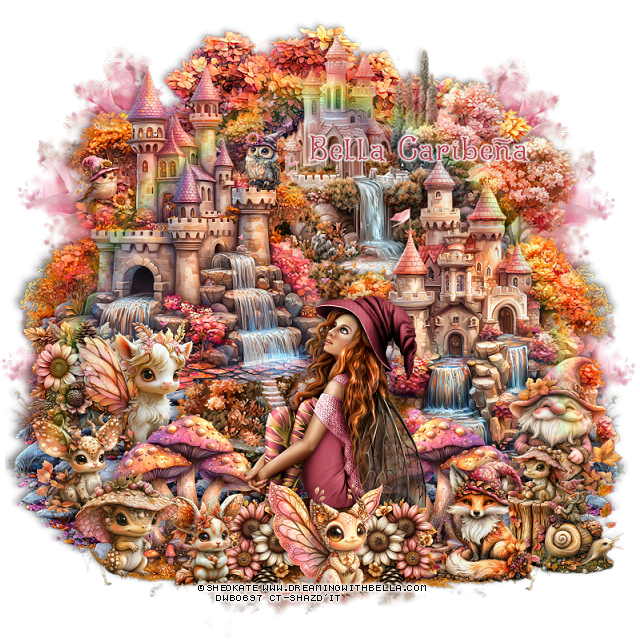
PTU A World of Fantasy


This tut was written November 6th, 2024 for those with a basic knowledge of psp. 

I am using the awesome tube ©Sheokate
You need a license to use this tube, please do not use without a license
Use your license from DWB store

I used PSP2020...but any of them should work.
Scrap A World of Fantasy HERE
Fantasy theme, 2 Tubes by Sheokate,  1 doll by IKH Designs, 
129 elements and 13 papers
Check out the rest of her store HERE

Font of choice, I used Fairy Godmother

 Drop shadow as you go is V -2 H 4, 40, 10, or use what you prefer.
Let's get started
*Remember to add your drop shadow as you go along*

Open a new image 800 x 800,  paste element 53 at the upper right, duplicate,
mirror, duplicate both, move to the bottom.

Resize element 122 to 85%, paste on the upper right.
Resize element 126 to 65%, paste on the upper left.
Resize element 81 to 65%, paste on the right and down.
Resize element 102 to 25%, paste on the left.
Resize element 118 to 65%, mirror, paste on the bottom layer to the left 
and down  below the castles, duplicate, mirror.
Resize element 86 to 30%, mirror, paste on the left on the steps.
Resize element 113 to 25%, mirror, paste on the bottom left.
Paste element 92 on the bottom layer at the top.

Resize your tube to 12%, paste at the bottom.

Resize element 101 to 35%, paste below the tube on the left, duplicate,
mirror. 
Move the rock steps down more.
Resize element 115 to 20%, paste at the bottom above the tube to one 
side, duplicate, mirror.
Resize element 128 to 25%, paste at the bottom above the flowers.
Resize element 105 to 30%, paste on the bottom right.
Resize element 2 to 12%, mirror, paste on the left on the tree.
Resize element 83 to 12%, paste on the top on the castle, erase the branch.
Resize element 3 to 25%, paste at the bottom right.
Resize element 80 to 20%, paste below the fox on the right.
Resize element 108 to 20%, paste at the bottom right.
Resize element 13 to 80%, paste on the left, duplicate, mirror.
Resize element 88 to 20%, paste at the bottom.
Resize element 87 to 20%, paste on the left below the animal with the hat.
Resize element 112 to 15%, paste on the right on the stump.

Add any other elements you would like, resize.
Crop your tag to be sure no shadows or lines are on the edges.
 Then add your copyright and name.
That's it

Hope you enjoyed doing my tut       

Wednesday, July 24, 2024

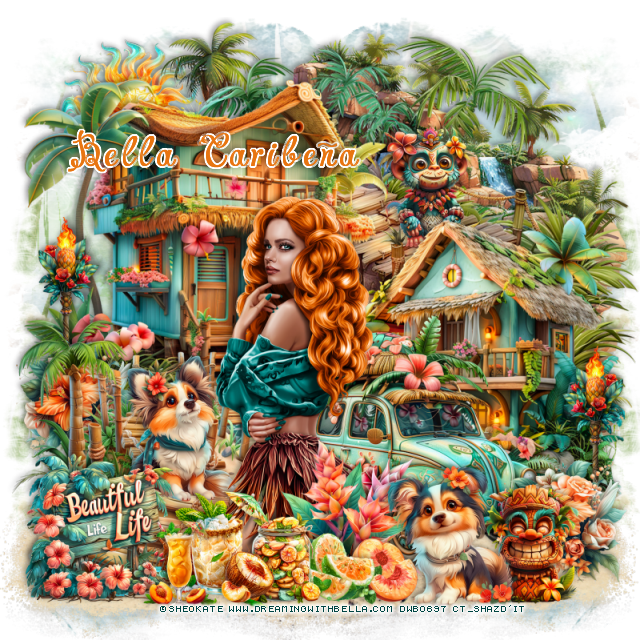
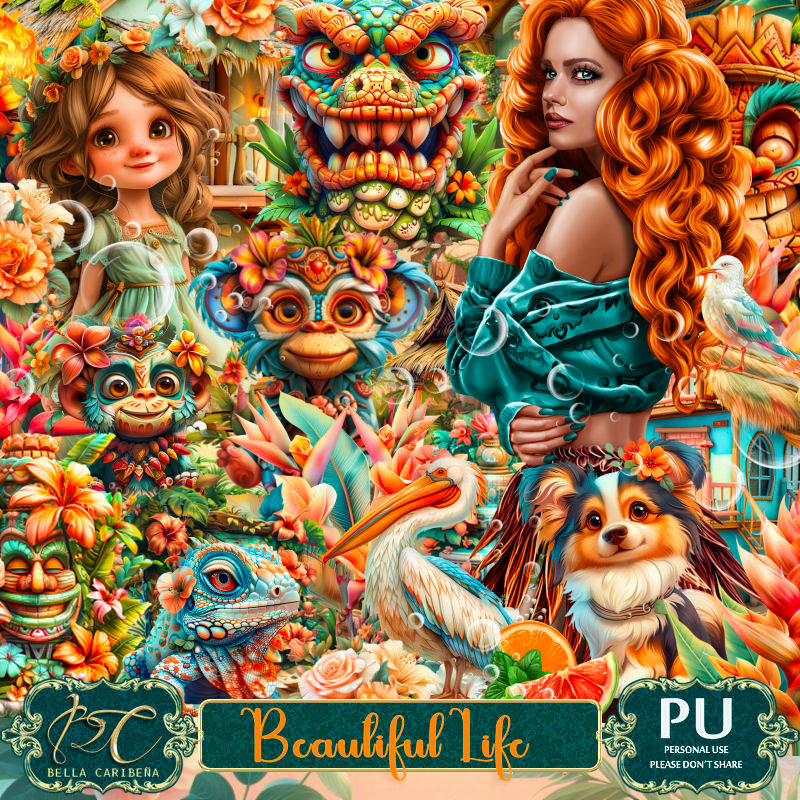
PTU Beautiful Life


  This tut was written July 24th, 2024 for those with a basic knowledge of psp. 

I am using the Beautiful tube by ©Sheokate
Tube is included in the kit
Use your store license with this tube
Read the TOU on how to credit your tags

I used PSP2020...but any of them should work.
PTU Scrap  Beautiful Life by Bella CaribeƱa  HERE 
Summer theme kit
The kit contains 3 tubes © Sheokate, 4 masks, 159 elements and 18 papers.
Check out the rest of her store HERE

Font of choice, I used Charming Normal

Drop shadow as you go is V -2 H 4, 50, 10, or use what you prefer.
Let's get started
*Remember to add your drop shadow as you go along*

Open a new image 800 x 800, paste mask 3 on the left, duplicate, mirror,
duplicate both, move to the bottom, merge all the masks together,
duplicate, merge down.

Resize Al el 42 to 75%, paste at the upper left.
Resize Al el 14 to 60%, paste on the bottom left.
Resize Al el 98 to 65%, mirror, paste on the right.
Paste Al el 47 at the top right below the houses.
Paste Al el 87 on the bottom layer at the upper right.,

Resize your tube to 25%, paste.

Resize Al el 74 to 55%, mirror, paste below the tube on the right.
Resize Al el 8 to 30%, paste on the walkway steps.
Resize Al el 44 to 30%, paste at the bottom left being on the top layer.
Resize Al el 59 to 25%, paste at the bottom right above the car, duplicate,
move to the left below the walkway by the house.
Resize Al el 48 to 25%, paste at the bottom above the tube.
Resize Al el 115 to 20%, paste at the bottom.
Resize Al el 121 to 20%, paste at the bottom left.
Resize Al el 38 and 39 to 15%, paste at the bottom.
Resize Al el 52 to 30%, paste at the bottom above the tube.
Resize Al el 39 to 30%, paste at the bottom.

Resize Al el 41 to 25%, paste at the bottom right.
Resize Al el 62 to 25%, paste on the upper right on the walkway.
Resize Al el 77 to 30%, paste on the bottom right below the flower, duplicate,
mirror, move up on the left by the house.
Paste element 16 at the bottom right below the elements, duplicate, mirror.
Resize Al el 64 to 30%, paste at the upper right above the mask.

Add any other elements you would like, resize.
Crop your tag to be sure no shadows or lines are on the edges.
 Then add your copyright and name.
That's it

Hope you enjoyed doing my tut     
Thursday, June 13, 2024

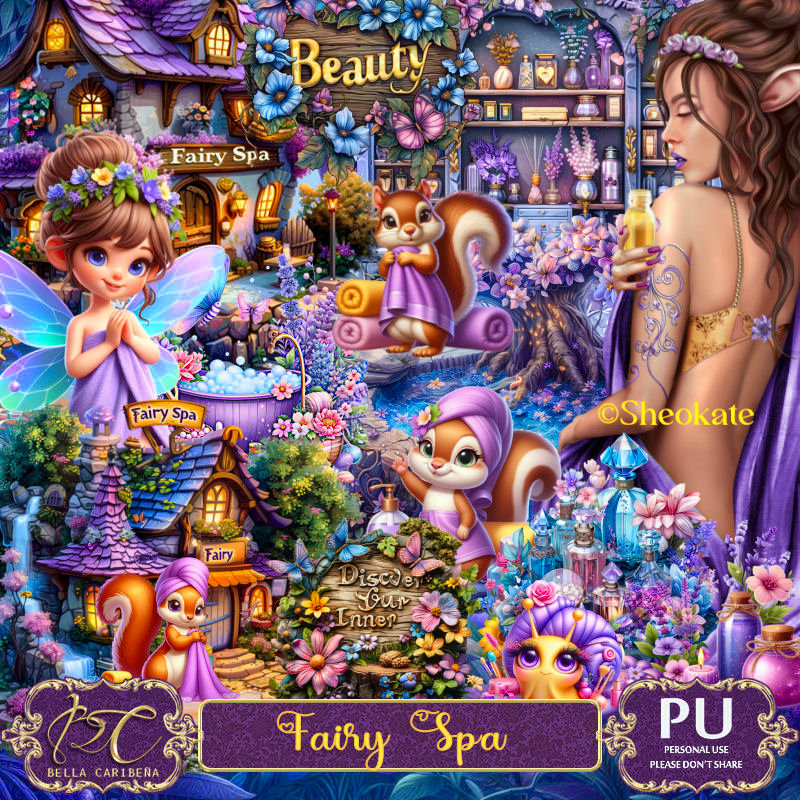
PTU Fairy Spa


 This tut was written June 9th, 2024 for those with a basic knowledge of psp. 

AI generated tubes and kit by Bella CaribeƱa
Awesome Spa/Fairy kit
Read the TOU on how to credit your tags.

I used PSP2020...but any of them should work.
PTU Scrap Fairy Spa by Bella CaribeƱa  HERE 
Spa/Fairy theme, this kit has 2 tubes by © Sheokate, 1 doll by
Tamara Scrap Vision, 3 masks, 
 101 elements  and 15 papers. This kit is for personal use Only. 
Check out the rest of her store HERE

Font of choice, I used Another Day

Drop shadow as you go is V -2 H 4, 50, 10, or use what you prefer.
Let's get started
*Remember to add your drop shadow as you go along*

Open a new image 800 x 800, paste mask 1, resize to fit your tag.

Resize AI element 24 to 90%, paste at the upper right.
Resize AI element 2 to 70%, paste at the upper left.
Resize AI element 23 to 50%, paste on the right above the building.
Resize element 38 to 50%, paste on the right below the small building.

Resize the tube to 12%, paste on the lower left. 

Resize AI element 11 to 65%, paste at the bottom right above the tube.
Resize AI element 5 to 50%, paste on the left below the tube, duplicate, 
mirror, move below the house on the upper right.
Resize AI element 16 to 50%, mirror, paste on the left below the tube.
Resize AI element 25 to 30%, paste on the bottom left above the tube.

Resize AI element 18 to 30%, paste at the bottom.
Resize AI element 20 to 25%, paste at the bottom.
Resize AI element 32 to 25%, paste at the bottom left.
Resize AI element 14 to 22%, paste at the bottom left.
Resize AI element 26 to 30%, paste at the bottom left below the 
squirrel and the snail.
Mirror element 6, paste at the bottom right, duplicate, mirror, flip, move to
the upper left.

Add any other elements you would like, resize.
Crop your tag to be sure no shadows or lines are on the edges.
 Then add your copyright and name.
That's it

Hope you enjoyed doing my tut      
Saturday, July 10, 2021

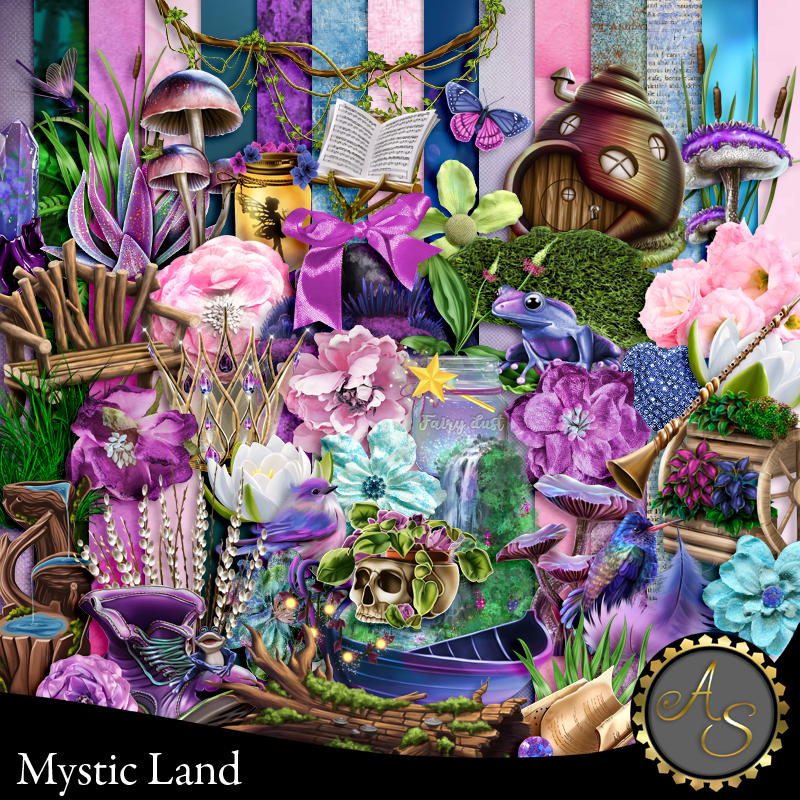
PTU Mystic Land


This tut was written July 10th, 2021  for those with a basic knowledge of psp.
I am using the awesome artwork by  © Sheokate 
The tube is "Elvira"
You need a license to use this tube, do not use without a license.
You can find this tube at Elegancefly store  HERE

I used PSPX...but any of them should work.
PTU Mystic Land by Artistic Studio  HERE & HERE  
Mask of choice, I used MizTeeque's Mask 077 HERE
Check out the rest of the blog HERE

Font of choice,  I used betterfly

Drop shadow is usually V-1 H-4 Black, 50, 10, use what you prefer.
Let's get started
*Remember to add your drop shadow as you go along*

Open a new image 800 x 800
Paste paper 3, apply your mask, delete, merge group, move to the right and up a bit, 
duplicate, mirror, move more to the left and down some.

Paste element 47 on the mask a little to the right.
Resize element 118 to 30%, paste on the tree at the upper left, duplicate, move to 
the right, duplicate again, move down, duplicate once more, mirror.
Resize element 143 to 85%, paste how you like.

Resize element 10 to 85%, mirror, paste above the flowers.
Paste element 165 on the mask layer at the top.

Resize your tube to 30%, paste to the right a little.

Resize element 44 to 40%, paste on the lower right, below the tube, 
duplicate, mirror.
Resize element 13 to 30%, paste on the right behind the tube, 
duplicate, mirror.

Resize element 1 to 25%, paste at the bottom above the tube.
Resize element 3 to 50%, paste at the bottom below the little house.
Resize element 58 to 20%, paste at the bottom above the little house.
Resize element 12 to 10%, paste at the bottom above the house.
Resize element 25 to 10%, paste at the bottom.

Resize element 30 to 10%, paste on the log.
Resize element 57 to 15%, paste at the bottom below the skull plant to the right.
Resize element 62 to 65%, paste at the bottom above the log layer and to 
the left more.
Resize element 87 to 15%, paste below the little house on the left, duplicate, move
to the right above the small grass layer.
Resize element 2 to 13%, paste on the upper left where you like.
Resize element 163 to 20%, paste at the upper right. duplicate, move down on the left.
Resize element 16 to 20%, paste at the lower left below the small grass, 
duplicate, move to the right more below the log.

Resize element 68 to 20%, paste at the lower right above the tube.
Resize element 156 to 50%, paste on the left being on the top layer, duplicate, mirror,
move up on the right.

Add any other elements you would like, make it your own.
Always remember to adjust the elements before merging to get them like you like.

Once happy with your tag, close off any background, crop your tag to make
sure there are no stray edges, merge visible, resize first.
Add your copyrights and name.

That's it
Hope you enjoyed doing my tut.