Showing posts with label Barbara Jensen. Show all posts

Friday, June 19, 2026

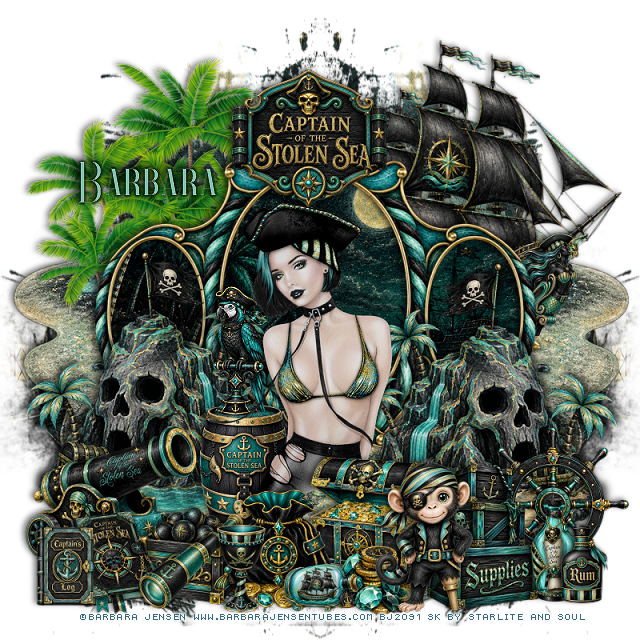
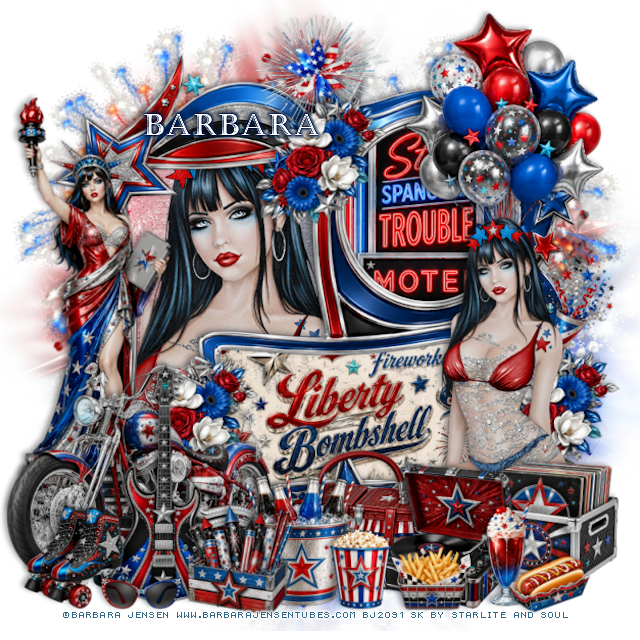
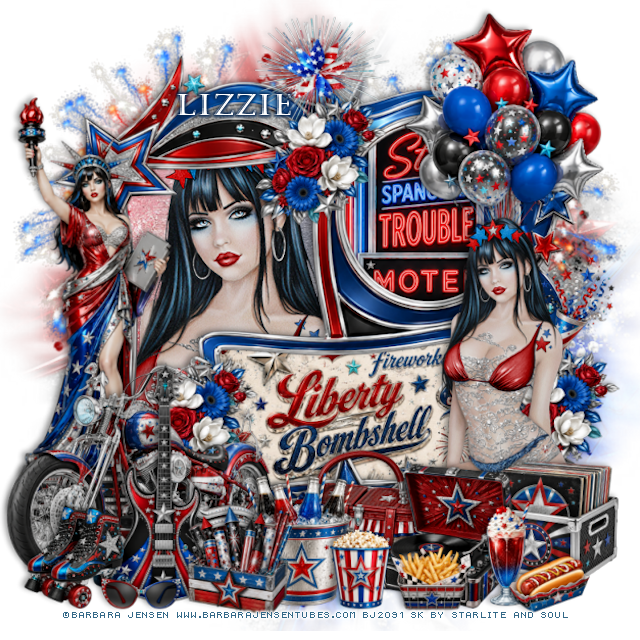
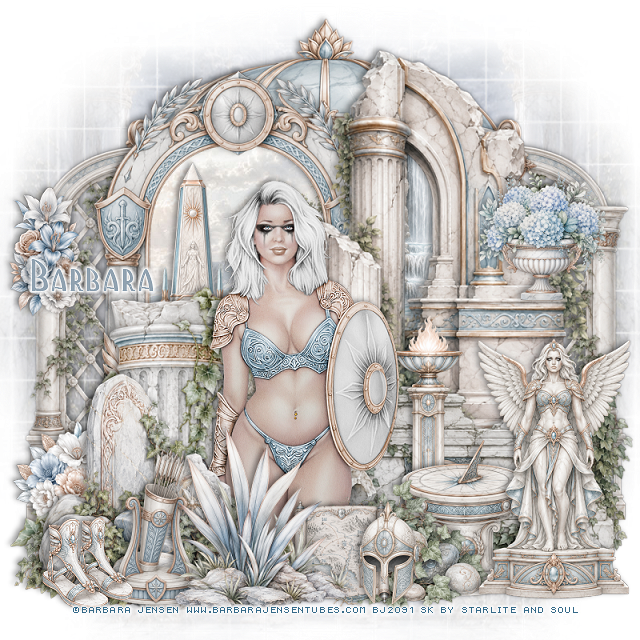
PTU Liberty Bombshell


  This tut was written June 19thth, 2026 for those with a basic knowledge of psp. 

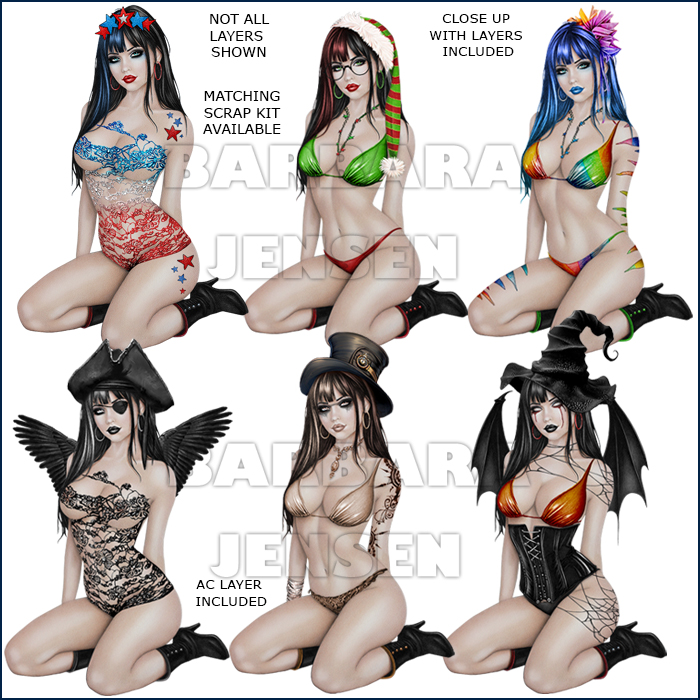
I am using the beautiful tube by © Barbara Jensen

Tube is called Obsidian 164-2
Tube is NOT included
You need a license to use this tube, please do not use without a license
You can find this tube at Barbara store HERE

I used PSP2020...but any of them should work.
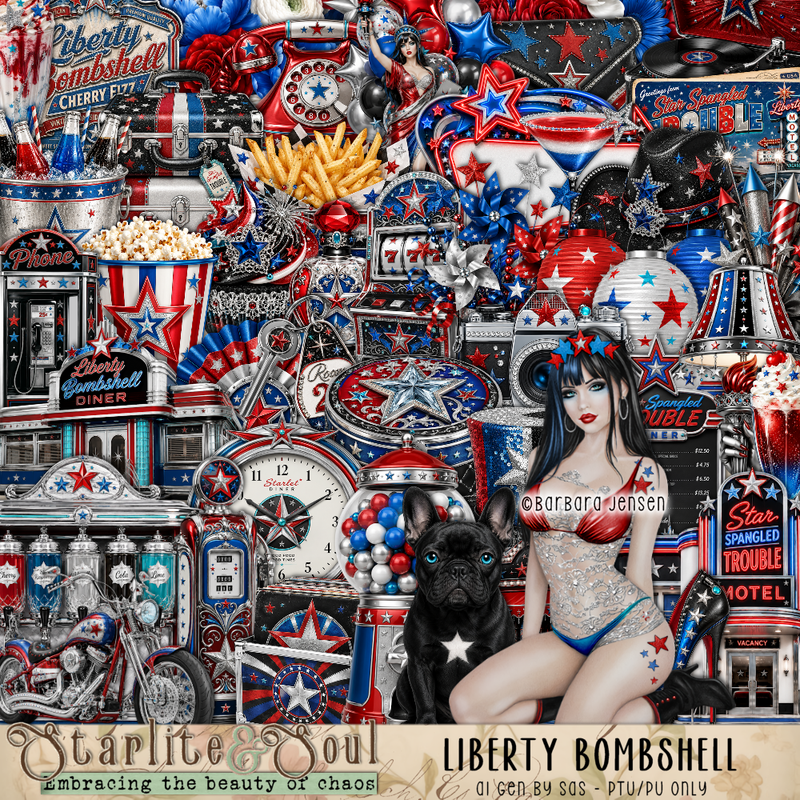
PTU Scrap Liberty Bombshell  by Starlite and Soul  HERE
You can find all Starlite and Soul kits  HERE 
Miz Teeques Mask 81 HERE
Check the rest of the blog HERE

Font of choice, I used Castellar

Drop shadow as you go is V -2 H 4, 40, 10, or use what you prefer.
Let's get started
*Remember to add your drop shadow as you go along*

Open a new image 800 x 800, paste paper 17, apply your mask.

Paste frame 4, click in the rectangle, paste paper 20, invert, delete,
keep selected. 
Paste your tube, delete, select none.
Select the oval frame, paste element 1 how you like, invert, delete.
Select the bottom frame, resize paper 12 to 50%, paste, invert, delete.
Resize 25 to 80%, paste on the left above the frame.
Resize 33 to 50%, paste on the bottom left.
Resize 178 to 75%, paste at the upper left being on the bottom layer, duplicate,
move to the right.

Resize the tube 55%, paste on the right.

Resize 70 to 20%, paste on the right below the tube.
Resize 17 to 45%, paste on the left above the bike.
Resize 48 to 25%, paste at the bottom above the tube.
Resize 32 to 27%, paste at the bottom above the records.
Resize 30 to 20%, paste at the bottom left.
Resize 51 to 20%, paste at the bottom right.
Resize 56 to 15%, paste at the bottom right.
Resize 54 to 15%, paste at the bottom.

Resize 134 to 25%, paste at the top on the frame, duplicate, move
down below the bike, duplicate again, move behind the tube.
Resize 81 to 28%, paste below the record player.
Resize 73 to 25%, paste at the bottom.
Resize 74 to 20%, paste at the bottom.
Resize 71 to 55%, paste on the upper right below the tube.
Resize 106 to 35%, paste below the flower at the top.
Resize 84 to 15%, paste at the bottom.
Resize 11 to 15%, paste at the bottom left.

Add any other elements that you would like, make it your own.
Always readjust your mask and elements how you like them before you
 merge your tag, resize, sharpen.

Crop your tag to be sure no shadows or lines are on the edges.
 Then add your copyright and name.
That's it

Hope you enjoyed doing my tut

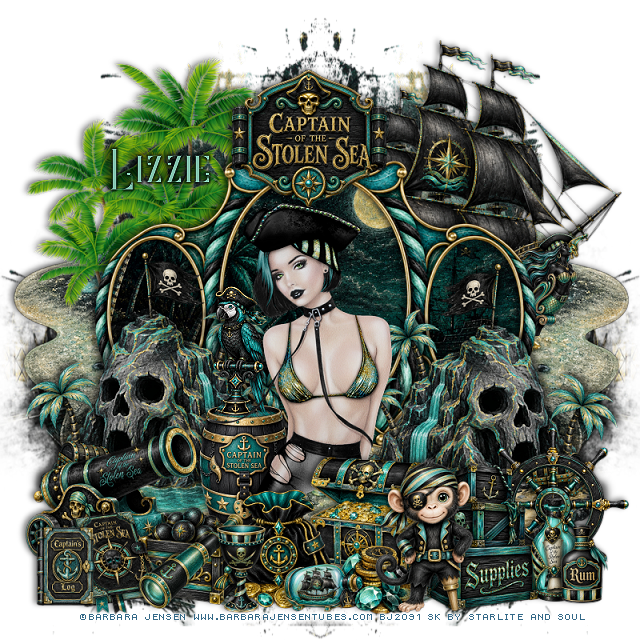
Tag for Lizzie      


Thursday, May 28, 2026

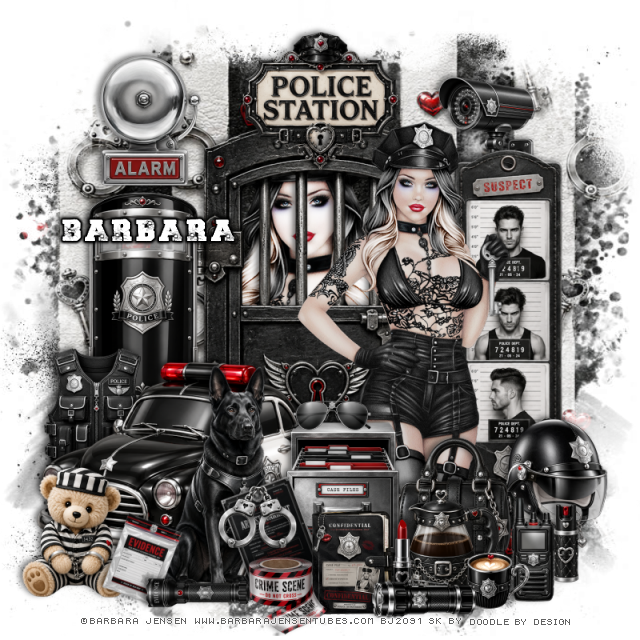
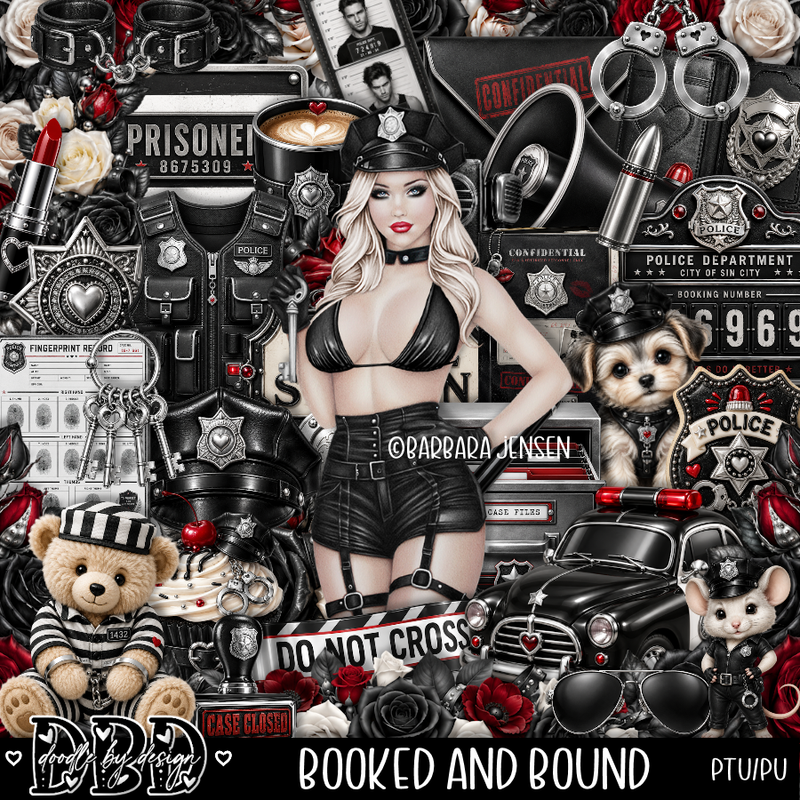
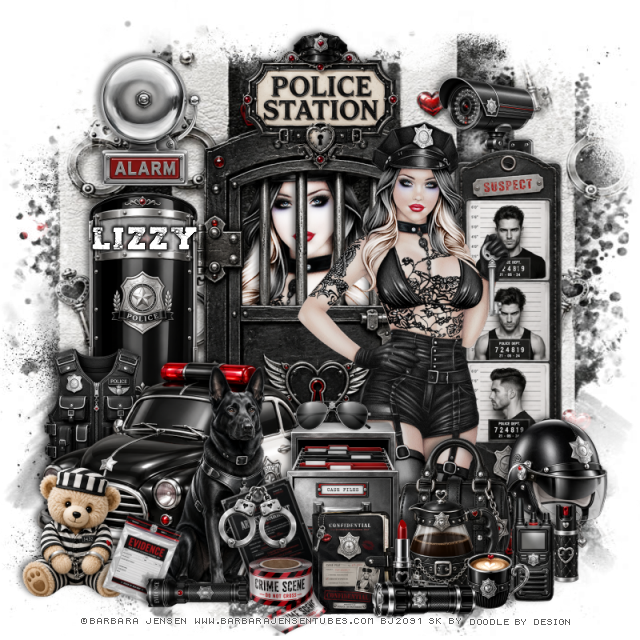
PTU Booked And Bound


   This tut was written May 26th, 2026 for those with a basic knowledge of psp. 

I am using the awesome tube ©Barbara Jensen
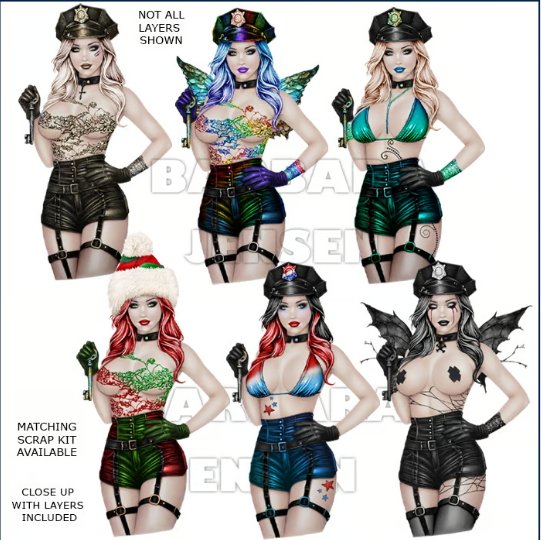
The tube is called Key To My Heart 164-1
The tube is NOT included
You need a license to use this tube, please do not use without a license
You can find the tube at her HERE


I used PSP2020...but any of them should work.
PTU Scrap Booked And Bound by Doodle by Design  HERE
You can find all Doodle by Design kits  HERE 
RD Mask 756 HERE
Check out the rest of the blog  HERE
Filter
xero-Porcelain

Font of choice, I used Take A Shot

Drop shadow as you go is V -2 H 4, 50, 10, or use what you prefer.
Let's get started
*Remember to add your drop shadow as you go along*

Open a new image 800 x 800, paste paper 1, apply your mask, duplicate,
merge down.

Resize 77 to 70%, paste.
Resize the tube to 85%, paste below the cell door, apply xero filter,
Porcelain to the tube.
Resize 85 to 65%, paste on the right by the door.
Resize 100 to 30%, paste at the top on the door.
Resize 99 to 60%, paste on the bottom left above the door.

Resize the tube to 60%, mirror, paste above the door to the right.

Resize 34 to 23%, paste at the bottom above the tube.
Resize 93 to 25%, paste at the bottom above the purse.
Resize 104 to 45%, paste on the bottom left by the car.
Resize 103 to 20%, paste at the bottom above the file cabinet.
Resize 102 to 12%, paste at the bottom by the pot.
Resize 109 to 15%, paste on top of the file cabinet.
Resize 108 to 25%, paste below the car on the left.
Resize 105 to 40%, paste on the left below the vest.
Resize 106 to 22%, paste on the bottom right below the tube.
Resize 88 to 25%, paste at the upper left.

Resize 86 to 20%, paste at the upper right below the pictures.
Resize 67 to 20%, free rotate to the left at 20, paste at the bottom above the 
file cabinet.
Resize 5 to 15%, paste on the warrant element.
Resize 62 to 20%, paste at the bottom.
Resize 68 to 15%, paste at the bottom.
Resize 56 to 15%, paste at the bottom below the cup.
Resize 20 to 15%, paste at the bottom.
Resize 96 to 25%, paste at the bottom left.
Resize 72 to 15%, free rotate to the right at 20, paste at the bottom left.
Resize 113 to 20%, free rotate to the left at 90, paste at the bottom left.
Resize 26 to 15%, paste at the bottom right.
Resize 30 to 20%, free rotate to the left at 90, paste at the bottom.

Add any other elements that you would like, make it your own.
Always readjust your mask and elements how you like them before you
 merge your tag, resize, sharpen.

Crop your tag to be sure no shadows or lines are on the edges.
 Then add your copyright and name.
That's it

Hope you enjoyed doing my tut 

Tag for Lizzy


Wednesday, April 29, 2026

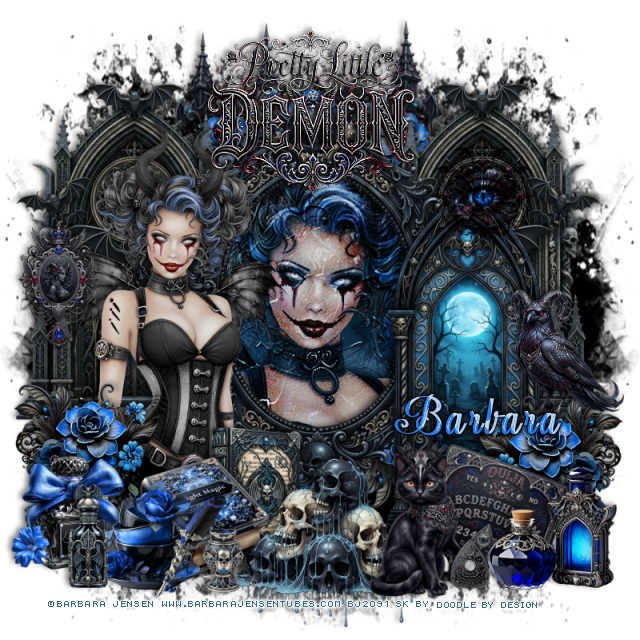
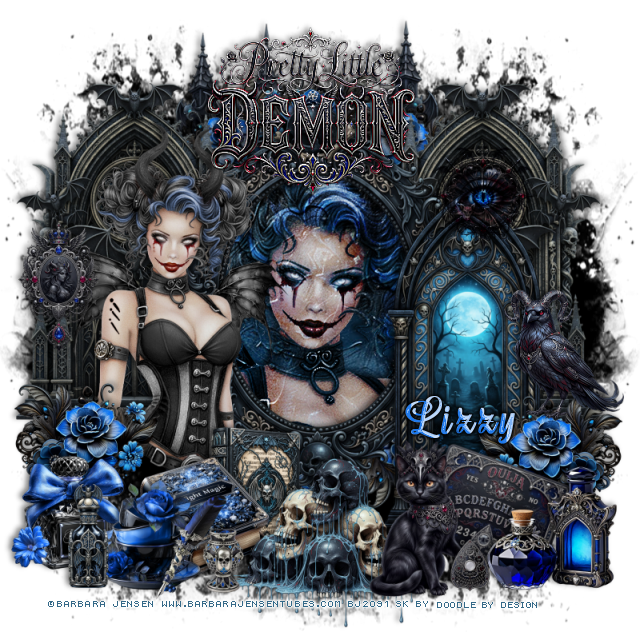
PTU On The Steamy Side


   This tut was written April 29th, 2026 for those with a basic knowledge of psp. 

I am using the beautiful tube by © Barbara Jensen

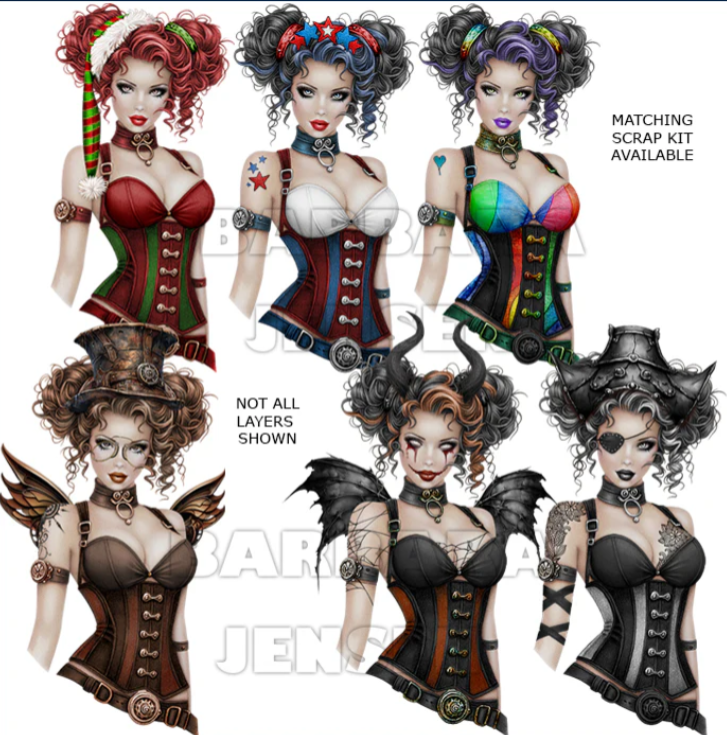
Tube is Package 163-3 On The Steamy Side
You need a license to use this tube, please do not use without a license
You can find this tube at Barbara Jensen store HERE

I used PSP2020...but any of them should work.
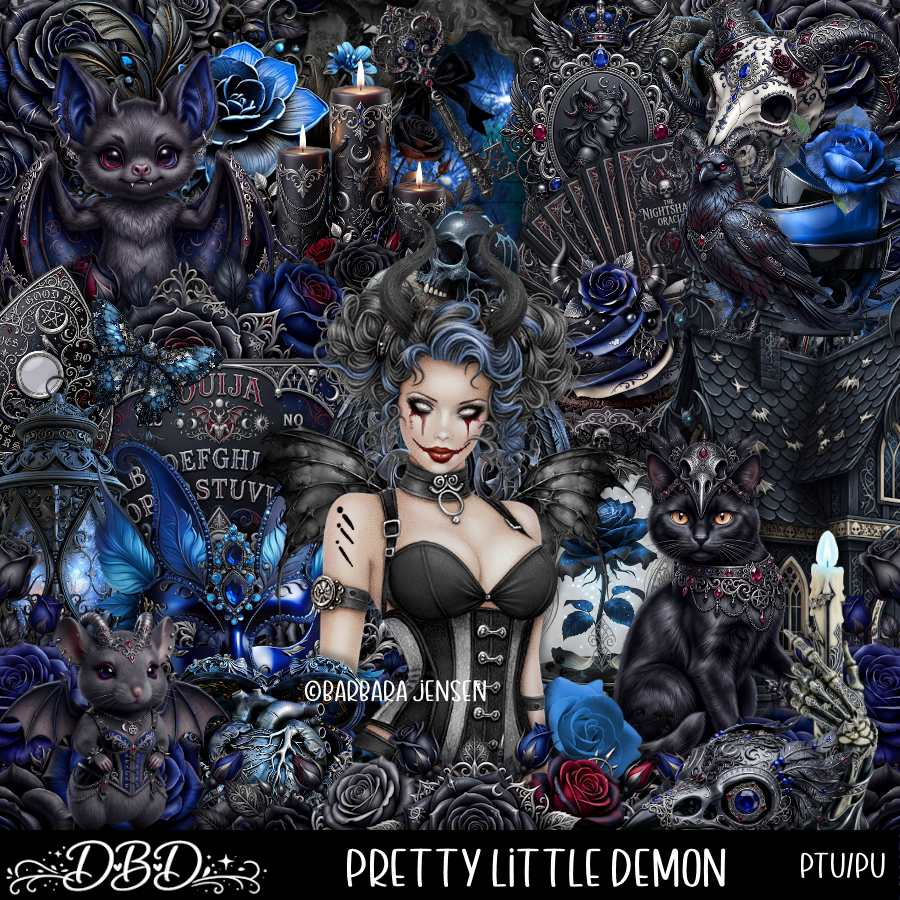
PTU Scrap Pretty Little Demon by Doodle By Design HERE
You can find all Doodle By Design  kits  HERE 
Filters 
Mura Meister Copies-Encircle

Font of choice, I used Aroma bar

Drop shadow as you go is V -2 H 4, 50, 10, or use what you prefer.
Let's get started
*Remember to add your drop shadow as you go along*

Open a new image 800 x 800, paste 156 on the left, duplicate, mirror.
adjust to fit your tag.

Resize 135 to 25%, apply Mura Meister Copies-Encircle, first 3
numbers on 12, 50, 50, paste.
Resize frame 1 to 75%, paste, click inside, paste paper 17, invert, delete,
keep selected, paste your tube, delete, select none.
Change the blend mode to Hard Light.
Resize 29 to 90%, paste at the top below the flower circle.

Resize 47 to 65%, paste on the left below the paper layer of the frame,
duplicate, mirror.
Resize 33 to 65%, paste on the right above the frame.

Resize the tube to 55%, paste on the left.

Resize 135 to 28%, paste on the bottom right, duplicate, mirror.
Resize 14 to 25%, paste on the right on top of the flower.
Resize 30 to 40%, paste at the bottom.
Resize 46 to 25%, paste on the bottom behind the skulls.
Resize 72 to 25%, paste at the bottom below the skulls.
Resize 44 to 20%, paste at the bottom by the book.
Resize 69 and 70 to 22%, paste on the bottom left.
Resize 54 to 25%, paste on the bottom right.
Resize 3 to 30%, paste at the bottom above the skulls.

Resize 11 to 20%, free rotate to the right at 20, paste below the cat and bottles.
Resize 12 to 10%, paste at the bottom right.
Resize 38 to 20%, paste on the bottom left.
Resize 4 to 25%, paste on the left on the arch element.
Resize the wordart to 40%, paste at the top, sharpen more a couple of times.
Resize 9 to 20%, paste on the upper right on the arch element, change
the blend mode to Hard Light.

Add any other elements that you would like, make it your own.
Always readjust your mask and elements how you like them before you
 merge your tag, resize, sharpen.

Crop your tag to be sure no shadows or lines are on the edges.
 Then add your copyright and name.
That's it

Hope you enjoyed doing my tut

Tag for Lizzy


Sunday, April 26, 2026

PTU Midnight Whiskers


 This tut was written April 26th, 2026 for those with a basic knowledge of psp. 

I am using the beautiful tube by © Barbara Jensen

Tube is Package 163-1 Kitty Kitty Kat Kat
You need a license to use this tube, please do not use without a license
You can find this tube at Barbara Jensen store HERE

I used PSP2020...but any of them should work.
PTU Scrap Midnight Whiskers by Starlite and Soul HERE
You can find all Starlite and Soul  kits  HERE 
Vivienne's Digital Tagging Mask 41 HERE
Check the blog HERE
Filters
xeroRadiance

Font of choice, I used Cat Paw

Drop shadow as you go is V -2 H 4, 50, 10, or use what you prefer.
Let's get started
*Remember to add your drop shadow as you go along*

Open a new image 800 x 800, paste paper 12, apply your mask, move
to the left, duplicate, mirror.

Resize 57 to 25%, apply Mura Meister Copies-Encircle, first 3 numbers
on 16, 70, 70, paste.
Resize 1 to 65%, paste on the upper left.
Resize 6 to 65%, paste below the house at the top, duplicate, move
to the right and down a little.
Draw around the right arch, resize your tube to 75%, paste, invert, delete,
duplicate, mirror, move below the left arch so the eyes shows,
change the blend mode on both tubes to xero Radiance.
Resize 65 to 55%, paste on the right above the house and down.

Resize 55 to 35%, mirror, paste at the bottom of the house.
Resize 3 to 25%, paste on the steps.
Resize 10 to 50%, paste on the right above the window.

Resize your tube to 50%, paste above the window to the left.

Resize 25 to 40%, paste on the bottom right.
Resize 20 to 30%, paste at the bottom left by the stairs.
Resize 21 to 25%, paste at the bottom above the tube.
Resize 60 to 25%, paste at the bottom above the tube.
Resize 9 to 25%, paste below the toy box.
Resize 21 to 25%, paste at the bottom.
Resize 64 to 25%, paste at the bottom right above the chair.
Resize 38 to 30%, paste at the bottom above the basket.
Resize 17 to 20%, paste on the bottom left.
Resize 18 to 15%, paste at the bottom left.
Resize 51 to 20%, paste at the bottom.
Resize 8 to 10%, paste at the bottom by the purse.
Resize 47 to 20%, paste at the bottom.
Resize 59 to 20%, paste on the bottom right.
Resize 24 to 15%, paste at the bottom left.
Resize 11 to 15%, paste on the upper left on the curly part of
the arch, duplicate, move to the right on the curly part.

Add any other elements that you would like, make it your own.
Always readjust your mask and elements how you like them before you
 merge your tag, resize, sharpen.

Crop your tag to be sure no shadows or lines are on the edges.
 Then add your copyright and name.
That's it

Hope you enjoyed doing my tut

Tag for Barbara 


PTU Electric HeartBreak


  This tut was written April 26th, 2026 for those with a basic knowledge of psp. 

I am using the beautiful tube by © Barbara Jensen

Tube is Package 163-2 Licorice Stick
You need a license to use this tube, please do not use without a license
You can find this tube at Barbara Jensen store HERE

I used PSP2020...but any of them should work.
PTU Scrap Electric Heartbreak by Starlite and Soul HERE
You can find all Starlite and Soul  kits  HERE 
 Miz Teeques Mask 125 HERE
Check the blog out HERE

Font of choice, I used Copperplate Gothic Light

Drop shadow as you go is V -2 H 4, 50, 10, or use what you prefer.
Let's get started
*Remember to add your drop shadow as you go along*

Open a new image 800 x 800, paste paper 6 apply your mask.

Paste 70 to the left, duplicate, move to the right.
Resize frame 4 to 90%, paste to the left, click inside, resize paper 4 to 60%, 
paste, invert, delete.

Resize the tube to 60%, paste.

Resize the wordart to 50%, paste at the bottom above the tube.
Resize 37 to 50%, paste on the bottom right below the tube.
Resize 34 to 25%, paste in the chair.
Resize 28 to 65%, mirror, paste behind the chair.
Resize 32 to 50%, paste on the bottom right above the wordart.
Resize 30 to 30%, paste on the bottom right below the guitar.
Resize 39 to 20%, paste at the bottom right above the guitar.
Resize 17 to 10%, free rotate to the right at 20, paste at the bottom.
Resize 11 to 15%, paste at the bottom right.

Resize 58 to 25%, paste on the frame on the upper left, erase a little 
of the loop part.
Resize 26 to 30%, paste at the bottom left below the wordart.
Resize 6 to 20%, paste at the bottom left.
Resize 21 to 25%, paste at the upper right on the bookcase.
Resize 61 to 25%, paste at the bottom left.
Resize 52 to 20%, paste on the left on top of the purse.
Resize 46 to 20%, free rotate to the left at 20, paste on the left below the cup.
Resize 8 and 35 to 15%, paste at the bottom by the picture album.
Resize 47 to 20%, paste at the bottom below the wordart.
Resize 12, 42 and 55 to 15%, paste above the wordart by the books.
Resize 56 to 15%, paste on the bottom left.

(Optional)
If happy with your tag, merge together, duplicate, go to Adjust,
Blur, Gaussian blur, number on 10, change the blend mode to Soft Light,
merge together.

Add any other elements that you would like, make it your own.
Always readjust your mask and elements how you like them before you
 merge your tag, resize, sharpen.

Crop your tag to be sure no shadows or lines are on the edges.
 Then add your copyright and name.
That's it

Hope you enjoyed doing my tut

Tag for Lizzie 


Thursday, March 19, 2026

PTU Spoiled Brat


   This tut was written March 19th, 2026 for those with a basic knowledge of psp. 

I am using the beautiful tube by © Barbara Jensen

Tube is Package 161-1 Annika
You need a license to use this tube, please do not use without a license
You can find this tube at Barbara Jensen store HERE


I used PSP2020...but any of them should work.
PTU Scrap Spoiled Girl by Doodle by Design  HERE
You can find all Doodle by Design kits  HERE 
Miz Teeques's Mask 127 HERE
Check the blog out HERE

Font of choice, I used Stardust Adventure

Drop shadow as you go is V -2 H 4, 40, 10, or use what you prefer.
Let's get started
*Remember to add your drop shadow as you go along*

Open a new image 800 x 800, paste paper 22, apply your mask.

Resize 12 to 70%, paste on the upper right.
Resize 16 to 60%, paste on the upper left.
Resize 51 to 55%, paste on the left above the hand.
Resize 114 to 20%, apply Mura Meister Copies-Encircle, first 3
numbers on 16 50, 55, paste below the house, duplicate, mirror.
Resize 109 to 30%, paste on the left below the car, duplicate, mirror.

Resize the tube to 50%, paste above the car.

Resize 24 and 25 to 25%, paste at the bottom above the tube.
Resize 26 to 25%, paste at the bottom below the bags.
Resize 13 to 25%, paste at the bottom right below the purse.
Resize 1 to 25%, paste at the bottom.
Resize 30 to 17%, paste at the bottom right below the dog.
Resize 34 to 15%, paste at the bottom above the bags.
Resize 42 to 30%, paste on the left below the credit card.
Resize 31 to 27%, paste on the bottom left by the gift.

Resize 57 to 17%, paste on the bottom left by the bottle.
Resize 59 to 15%, paste at the bottom.
Resize 56 to 13%, paste at the bottom.
Resize 50 to 12%, paste at the bottom above the drink.
Resize 38 to 15%, paste at the bottom below the drink.
Resize 2 to 15%, free rotate to the left at 20, paste at the bottom
by the camera.
Resize 9 to 10%, paste at the bottom by the dog.
Resize 52 to 25%, paste on the left above the car.
Resize 33 to 15%, paste at the bottom by the dog.
Resize 55 to 12%, paste at the bottom by the dog.

Add any other elements that you would like, make it your own.
Always readjust your mask and elements how you like them before you
 merge your tag, resize, sharpen.

Crop your tag to be sure no shadows or lines are on the edges.
 Then add your copyright and name.
That's it

Hope you enjoyed doing my tut 

Tag for Barbara