Showing posts with label Dreamworld Design. Show all posts

Monday, March 9, 2026

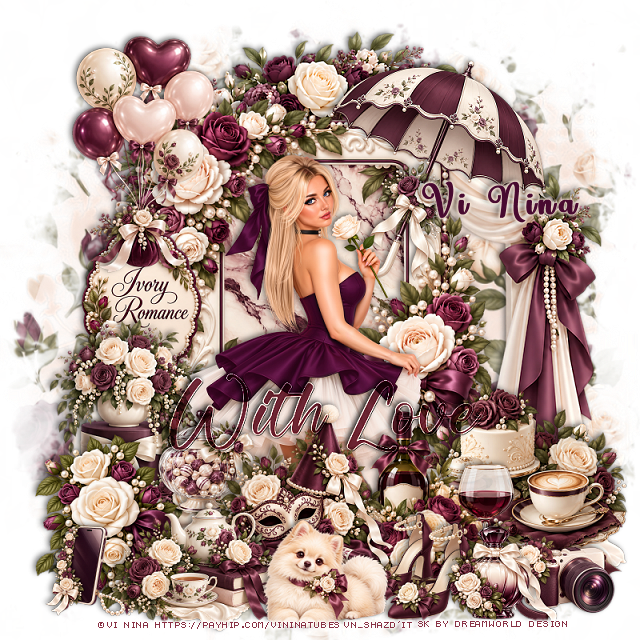
PTU My Best Friend


  This tut was written March 9th, 2026 for those with a basic knowledge of psp. 

I am using the Beautiful tube ©Vi Nina
The tube is called My Best Friend
comes in 8 colors
The tube is "NOT" included
You need a license to use this tube, please do not use without a license
You can find the tube at Vi Nina Store HERE

I used PSP2020...but any of them should work.
PTU Scrap My Best Friend by DWD  HERE
Beautiful kit with 126 elements, 25 papers
You can find all Dreamworld Design kits  HERE

Font of choice, I used October Twilight

Drop shadow as you go is V -2 H -4, 40, 10, or use what you prefer
Let's get started
*Remember to add your drop shadow as you go along*

Open a new image 800 x 800, resize mask 3 to fit your tag,
duplicate, change the blend mode to Multiply, merge down.

Resize frame 5 to 65%, paste, click inside, resize paper 8 to 50%, 
invert, delete.
Paste 89 below the frame on the right, duplicate, mirror.
Paste 110 at the top above the tree plants.
Resize 53 to 75%, paste on the right above the frame.

Resize the tube to 30%, paste at the bottom above the dog house.

Resize 29 to 35%, paste on the left below the tube, duplicate, mirror, 
move above the tube and down a little.
Resize 16 to 40%, paste on the left below the flower.
Resize 8 to 40%, paste on the left between the flowers.
Resize 30 to 35%, paste on the bottom left above the tube.
Resize 36 to 32%, paste at the bottom left above the dog bed.
Resize 28 to 35%, paste at the bottom.
Resize 41 to 25%, paste at the bottom left.
Resize 14 to 25%, paste at the bottom.

Resize 26 to 27%, paste at the bottom right by the flower.
Resize 23 and 29 to 20%, paste at the bottom by the cake.
Resize 4 to 30%, paste on the bottom right below the cake.
Resize 111 to 30%, paste at the bottom right above the cupcakes.
Resize 91 to 18%, paste at the bottom by the dog.
Paste 42 on the bottom layer at the bottom so the green shows on 
the bottom, duplicate, mirror, duplicate, move to the top center.
Resize wordart 1 to 50%, paste on the upper left, give it a gradient glow.

Add any other elements that you would like, make it your own.
Always readjust your mask and elements how you like them before you
 merge your tag, resize, sharpen.

Crop your tag to be sure no shadows or lines are on the edges.
 Then add your copyright and name.
That's it

Hope you enjoyed doing my tut     

Tag for Nina
Tuesday, March 3, 2026

PTU Easter Meadow


 This tut was written March 3rd, 2026 for those with a basic knowledge of psp. 

I am using the Beautiful Easter Al kit by Dreamworld Design
Tubes are included
Please read the TOU on how to credit your tags.

I used PSP2020...but any of them should work.
PTU Scrap Easter Meadow by DWD  HERE
Beautiful kit with 109 elements, 25 papers
You can find all Dreamworld Design kits  HERE

Font of choice, I used Beauty In The Ordinary

Drop shadow as you go is V -2 H -4, 40, 10, or use what you prefer
Let's get started
*Remember to add your drop shadow as you go along*

Open a new image 800 x 800, resize mask 3 to 70%, paste on the right,
duplicate, mirror.

Paste 60  at the top.
Resize 76 to 65%, paste above the tree.
Resize 36 to 40%, paste below the house on the left, duplicate, move
to the right.

Resize tube 1 to 45%, paste at the bottom above the house.

Resize 38 to 40%, paste below the tube on the left, duplicate, move
to the of the tube.
Resize 16 to 40%, paste below the tube on the right.
Resize 94 to 40%, paste at the bottom above the tube.
Resize 77 to 40%, paste below the tube on the left.
Resize 59 to 35%, paste on the bottom left.
Resize 31 to 22%, paste at the bottom left.
Resize 33 to 28%, mirror, paste at the bottom right below the Easter sign.
Resize 51 to 78%, paste at the bottom on the bottom layer.
Resize 52 to 20%, paste on the bottom left below the chicks, duplicate,
mirror, move below the Easter sign.

Resize 25 to 35%, mirror, paste on the left below the chicks
in the eggs.
Resize 32 to 25%, paste on the right on the fence.
Resize 18 to 15%, paste at the bottom.
Resize 26 to 20%, paste on the left by the painting.

Add any other elements that you would like, make it your own.
Always readjust your mask and elements how you like them before you
 merge your tag, resize, sharpen.

Crop your tag to be sure no shadows or lines are on the edges.
 Then add your copyright and name.
That's it

Hope you enjoyed doing my tut     


Tuesday, February 24, 2026

PTU Vintage Steampunk


 This tut was written February 24th, 2026 for those with a basic knowledge of psp. 

I am using the Beautiful tube ©Vi Nina
The tube is called Vintage Steampunk
The tube is "NOT" included
You need a license to use this tube, please do not use without a license
You can find the tube at Vi Nina Store HERE

I used PSP2020...but any of them should work.
PTU Scrap Vintage Steampunk match by DWD  HERE
Beautiful kit with 116 elements, 25 papers
You can find all Dreamworld Design kits  HERE

Font of choice, I used Acryle Script

Drop shadow as you go is V -2 H -4, 50, 10, or use what you prefer
Let's get started
*Remember to add your drop shadow as you go along*

Open a new image 800 x 800, paste mask 1, resize to 65%, move to 
the left, erasing a little, duplicate, mirror.

Resize 4 to 50%, paste, click inside, resize paper 23 to 50%,
paste where you like, invert, delete.
Resize 3 to 65%, mirror, paste on the upper right below the frame.
Resize 24 to 65%, paste on the left above the frame.

Resize the tube to 35%, paste at the bottom.

Resize 14 to 60%, mirror, paste below the tube on the right.
Resize 74 to 50%, paste below the car.
Resize 78 to 35%, paste at the bottom above the tube.
Resize 33 to 85%, paste at the upper left above the mask, duplicate, mirror.
Resize 71 to 40%, mirror, paste below the car on the right, duplicate, mirror.
Resize 40 to 25%, paste at the bottom above the tube.
Resize 23 to 40%, paste at the top on the frame.
Resize 51 to 50%, mirror, paste on the bottom left below the tube.

Resize 64 to 27%, paste at the bottom left.
Resize 10 to 25%, paste at the bottom left.
Resize 1 to 30%, paste at the bottom by the boots.
Resize 76 to 25%, paste at the bottom left.
Resize 39 to 30%, paste at the bottom right above the flowers.
Resize 19 to 20%, paste at the bottom by the dog.
Resize 32 to 20%, paste on the chair.
Resize 53 to 20%, paste below the gloves.
Resize 20 to 25%, paste at the bottom right.
Resize 12 to 25%, paste at the bottom right.

Resize 113 to 30%, paste at the bottom by the tube.
Resize 28 to 20%, paste at the bottom.
Resize 37 to 25%, paste at the bottom.
Resize 89 to 15%, paste at the bottom.
Resize 63 to 40%, paste on the upper left.
Resize 65 to 20%, paste at the bottom.
Reize wordart 2 to 90%, paste at the top.

Add any other elements that you would like, make it your own.
Always readjust your mask and elements how you like them before you
 merge your tag, resize, sharpen.

Crop your tag to be sure no shadows or lines are on the edges.
 Then add your copyright and name.
That's it

Hope you enjoyed doing my tut     

Tag for  Nina


Wednesday, February 18, 2026

PTU St Patty's Day


 This tut was written February 18th 2026 for those with a basic knowledge of psp. 

I am using the Awesome St Patty's Day Al kit by Dreamworld Design
Tubes are included
Please read the TOU on how to credit your tags.

I used PSP2020...but any of them should work.
PTU Scrap St Patty's Day by DWD  HERE
Beautiful kit with 134 elements, 25 papers
You can find all Dreamworld Design kits  HERE

Font of choice, I used Beauty In The Ordinary

Drop shadow as you go is V -2 H -4, 40, 10, or use what you prefer
Let's get started
*Remember to add your drop shadow as you go along*

Open a new image 800 x 800, resize mask 4 to 85%, paste.

Resize frame 2 to 50%, paste, click inside, resize paper 3 to
30%, paste, invert, delete.
Resize 33 to 65%, paste on the left above the frame.
Resize 26 to 60%, paste.
Resize 11 to 45%, paste on the right above the house.
Resize 6 to 40%, paste below the tube to the left.
Paste 27 below the frame.

Resize 20 to 35%, paste at the bottom above the tube.
Resize 7 to 30%, paste at the bottom above the tube. 
Resize 19 to 35%, paste to the right of the beer.
Resize 30 to 30%, paste on the left.
Resize 42 to 30%, paste on the left below the chest.
Resize 9 to 30%, paste on the left.
Resize 60 to 35%, paste on the right.
Resize 29 to 25%, paste at the bottom by the basket.
Resize 24 to 30%, paste on the bottom left.
Resize 54 to 25%, paste on the bottom right by the dog, duplicate,
move to the left.
Resize 38 to 25%, paste at the bottom, duplicate, move over.
Resize 59 to 25%, paste on the bottom.
Resize 28 to 23%, paste on the bottom.
Resize 132 to 75%, paste on the left, duplicate, mirror.
Resize wordart 1 to 40%, paste on the upper, right.

Add any other elements that you would like, make it your own.
Always readjust your mask and elements how you like them before you
 merge your tag, resize, sharpen.

Crop your tag to be sure no shadows or lines are on the edges.
 Then add your copyright and name.
That's it

Hope you enjoyed doing my tut     


Friday, February 13, 2026

PTU Mardi Gras 2026


This tut was written February 13th 2026 for those with a basic knowledge of psp. 

I am using the Awesome Mardi Gras Al kit by Dreamworld Design
Tube is included
Please read the TOU on how to credit your tags.

I used PSP2020...but any of them should work.
PTU Scrap Lucky Charm '26 by DWD  HERE
Beautiful kit with 130 elements, 25 papers
You can find all Dreamworld Design kits  HERE

Font of choice, I used  Mardi Gras

Drop shadow as you go is V -2 H -4, 40, 10, or use what you prefer
Let's get started
*Remember to add your drop shadow as you go along*

Open a new image 800 x 800, paste mask 3, resize to 85%.

Resize frame 2 to 50%, paste, click inside, resize paper 25 to 35%, paste,
invert, delete.
Resize 97 to 90%, paste below the frame on the upper left, duplicate, mirror, 
move down a little.
Resize 98 to 90%, paste at the top more center.
Resize 95 to 50%, paste on the bottom left of the frame, duplicate, mirror.

Resize 102 to 60%, paste on the left below the flower.
Resize 54 to 30%, paste on the upper left below the bus.
Resize 43 to 60%, paste on the bottom right above the flower.
Resize 37 to 60%, paste at the upper left.
Resize 24 to 45%, paste at the upper right.
Resize 5 to 60%, paste on the bottom right.
Resize 00 to 80%, paste on the left.

Resize 68 to 45%, paste at the bottom right by the Jester.
Resize 99 to 30%, paste at the bottom below the dog.
Resize 118 to 25%, paste at the bottom right.
Resize 19 to 30%, paste at the bottom right.
Resize 100 to 30%, paste at the bottom above the lady.
Resize 104 to 40%, paste at the bottom by the hat.
Resize 22 to 25%, paste at the bottom.
Resize 55 and 101 to 15%, paste at the bottom by the drink.

Resize 103 to 40%, paste on the left in front of the bus.
Resize 32 to 25%, paste at the bottom left.
Resize 51 to 30%, mirror, paste at the bottom left.
Resize 83 to 40%, paste at the top where you like.
Resize 56, 57, 112 and 119 to 17%, paste at the bottom.

Add any other elements that you would like, make it your own.
Always readjust your mask and elements how you like them before you
 merge your tag, resize, sharpen.

Crop your tag to be sure no shadows or lines are on the edges.
 Then add your copyright and name.
That's it

Hope you enjoyed doing my tut     


Tuesday, February 3, 2026

PTU "Angel in Black"


 This tut was written February 2nd, 2026 for those with a basic knowledge of psp. 

I am using the Beautiful tube ©Vi Nina
The tube is called Angel in Black
The tube is "NOT" included
You need a license to use this tube, please do not use without a license
You can find the tube at Vi Nina Store HERE

I used PSP2020...but any of them should work.
PTU Scrap Angel in Black by DWD  HERE
Beautiful kit with 123 elements, 25 papers
You can find all Dreamworld Design kits  HERE

Font of choice, I used  Ambara

Drop shadow as you go is V -2 H -4, 50, 10, or use what you prefer
Let's get started
*Remember to add your drop shadow as you go along*

Open a new image 800 x 800, paste mask 1, resize to fit your tag.

Resize 71 to 75%, paste at the top.
Resize 30 to 50%, paste below the church on the right, duplicate,
move to the left.
Resize 83 to 50%, paste on the left above the church.

Resize the tube to 30%, paste at the bottom.

Resize 115 to 35%, paste at the bottom above the tube.
Resize 5 to 25%, paste at the bottom below the bottle.
Resize 40 to 30%, paste at the bottom below the gift.
Resize 39 to 40%, paste on the right below the tube.
Resize 57 to 30%, paste below the flowers on the left.

Resize 6 to 30%, paste at the bottom to the right.
Resize 105 to 40%, paste below the tube on the left.
Resize 73 to 35%, paste at the bottom being on the top layer.
Resize 69 to 40%, mirror, paste on the bottom left.
Resize 4 to 25%, paste on the bottom left by the book.
Resize 108 to 30%, paste at the bottom right above the fireplace.
Resize 86 to 25%, paste at the bottom right.
Resize 47 and 48 to 15%, paste at the bottom right.
Resize 103 to 25%, paste at the bottom.

Resize 88 to 13%, paste at the bottom by the cat.
Resize 70 to 30%, paste at the bottom left.
Paste 109 on the mask layer at the upper left, erase the ledge 
showing on the bottom left, duplicate, mirror, duplicate again, move
to the center above the others, erase any part you don't want.
Resize wordart 2 to 70%, paste on the upper left, add a gradient glow of choice.

Add any other elements that you would like, make it your own.
Always readjust your mask and elements how you like them before you
 merge your tag, resize, sharpen.

Crop your tag to be sure no shadows or lines are on the edges.
 Then add your copyright and name.
That's it

Hope you enjoyed doing my tut     

Tag for  Nina


Sunday, February 1, 2026

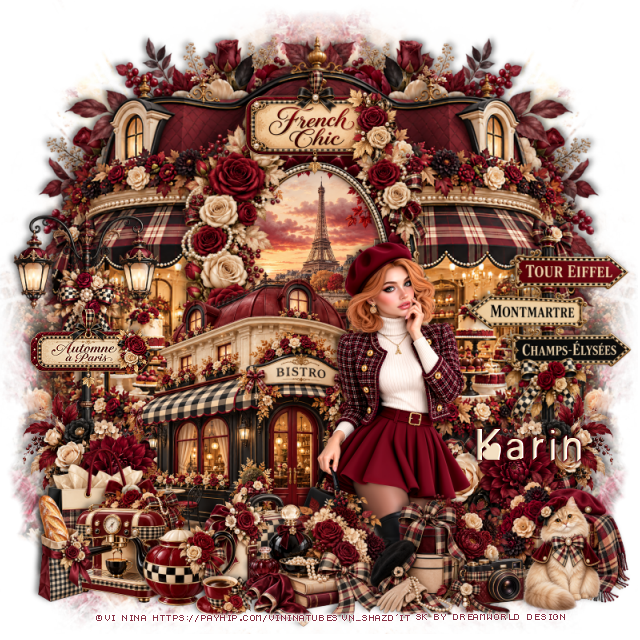
PTU Lucky Charm'26


  This tut was written January 31th 2026 for those with a basic knowledge of psp. 

I am using the beautiful Al kit by Dreamworld Design
Tube ©Goldwasser is included
Please read the TOU on how to credit your tags.

I used PSP2020...but any of them should work.
PTU Scrap Lucky Charm '26 by DWD  HERE
Beautiful kit with 155 elements, 25 papers, ©Goldwasser is included
You can find all Dreamworld Design kits  HERE

Font of choice, I used  Nouradilla

Drop shadow as you go is V -2 H -4, 40, 10, or use what you prefer
Let's get started
*Remember to add your drop shadow as you go along*

Open a new image 800 x 800, paste mask 2, resize to fit your tag.

Resize 83 to 75%, paste on the upper left, duplicate, move to the
right and down more.
Resize 58 to 65%, mirror, paste on the upper left above the tree.
Resize 33 to 50%, paste on the upper right below the house.
Resize 57 to 65%, paste at the bottom above the houses.
Resize 74 to 50%, paste on the left below the bar.

Resize the tube to 50%, mirror, paste at the bottom to the left
above the bar.

Resize 44 to 30%, paste below the car on the left, duplicate, move
above the car, duplicate once more, move to the right of the tube.
Resize 135 to 30%, paste at the bottom above the tube, duplicate, move below 
the tube to the left a little.
Resize 72 to 30%, paste at the bottom above the tube.
Resize 16 to 30%, paste at the bottom by the pot.
Resize 13 to 35%, paste at the bottom below the tube to the right.
Resize 25 to 30%, paste at the bottom right.

Resize 115 to 50%, paste on the bottom right below the food tray.
Resize 36 to 25%, paste at the bottom above the food tray.
Resize 82 to 25%, paste on the bottom left above the pot.
Resize 3 to 35%, paste on the bottom left.
Resize 11 to 25%, paste on the bottom right.
Resize 102 to 23%, paste at the bottom by the pot.
Resize 26 to 20%, paste at the bottom left by the dog.
Resize 20 to 20%, paste on the bar.
Resize 66 and 69 to 20%, paste at the bottom left above the dog.
Resize 136 to 50%, paste at the upper right, add a white gradient glow.

Add any other elements that you would like, make it your own.
Always readjust your mask and elements how you like them before you
 merge your tag, resize, sharpen.

Crop your tag to be sure no shadows or lines are on the edges.
 Then add your copyright and name.
That's it

Hope you enjoyed doing my tut     

Tag for  Nina