Showing posts with label July4th. Show all posts

Sunday, June 7, 2026

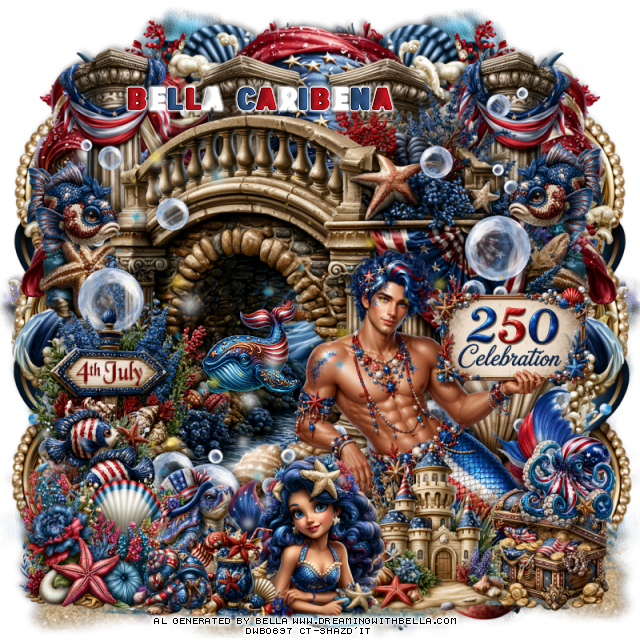
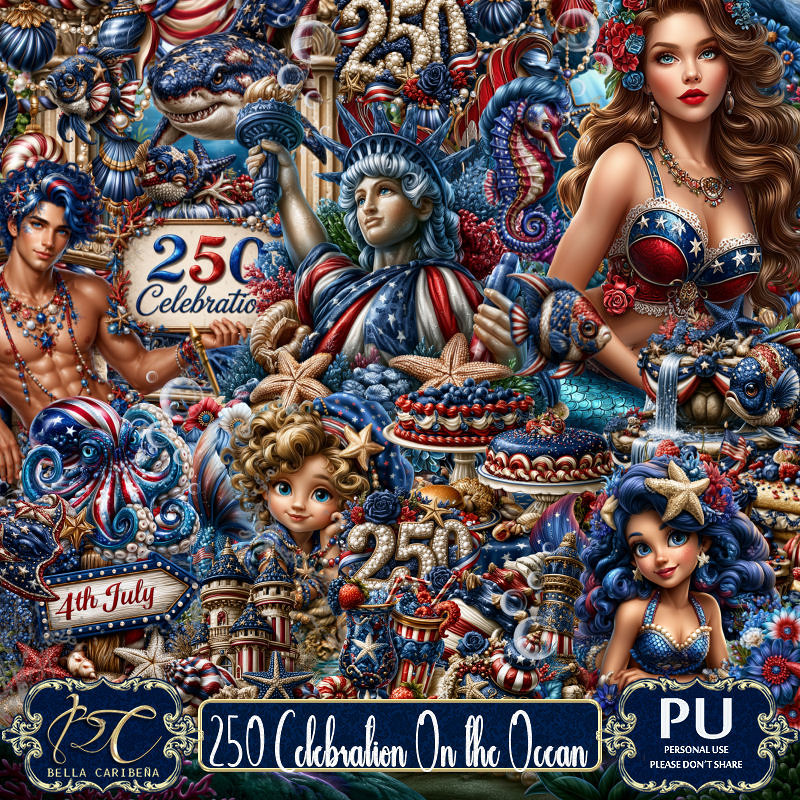
PTU 250 Celebration On The Ocean

  This tut was written June 6th, 2026,  for those with a basic knowledge of psp. 

Awesome Al kit and tubes by Bella Caribeña
Everything is included in the kit
Read the TOU on how to credit tags

I used PSP2020...but any of them should work.
PTU Scrap 250 Celebration On The Ocean by Bella Caribeña  HERE
4th of July/Ocean Theme
Kit contains 5Al gen tubes, 149 elements, 15 papers and 3 masks
There are tubes that match this kit you can use also
Packs 290, 291 and 292
You can check out the rest of her store HERE 

Font of choice I used USA Spirit

 Drop shadow as you go is V -2 H 4, 50, 10, or use what you prefer.
Let's get started
*Remember to add your drop shadow as you go along*

Open a new image 800 x 800, paste mask 3, move to the left, 
duplicate, mirror, erase some if needed and adjust to fit, merge
together.
Go to Effects, Texture Effects, Sandstone, 20, 80, 13
45, color white. 
Paste 38 on the right, duplicate, mirror, let some of the gold show
on the sides, duplicate both, move to the bottom.

Paste element 4.
Resize 36 to 60%, paste below the bridge on the upper right, 
duplicate, mirror.
Paste 3 below the columns on the right, duplicate, mirror.
Resize 42 to 20%, paste in the opening of the bridge.
Paste 60 on the bottom layer above the mask at the bottom right,
duplicate, mirror, you just want the water showing at the bottom.
Paste 125 at the bottom above the water to the left, duplicate, mirror.

Resize tube 5 to 20%, paste at the bottom right above the bridge.

Resize 27 to 35%, paste at the bottom above the tube.
Resize 46 to 25%, paste at the bottom right below the castle.
Resize 62 to 35%, paste at the bottom above the castle.
Resize 66 to 20%, paste at the bottom by the mermaid.
Resize 146 to 30%, paste on the bottom left.
Resize 6 to 25%, paste on the left below the flower.
Resize 96 to 35%, paste on the left below the fish.

Resize 8 to 20%, paste above the tube on the right, duplicate, mirror.
Resize 16 to 20%, paste on the bottom right on top of the chest.
Resize 53 to 15%, paste at the bottom left by the drink.
Resize 14 to 20%, paste below the mermaid.
Paste 108 on the left being on the top layer.
Click on the bridge layer, paste 113 on the right below the tube,
duplicate, mirror.

Add any other elements you would like, resize.
Crop your tag to be sure no shadows or lines are on the edges.
 Then add your copyright and name.
That's it

            Hope you enjoyed doing my tut                   

Saturday, June 6, 2026

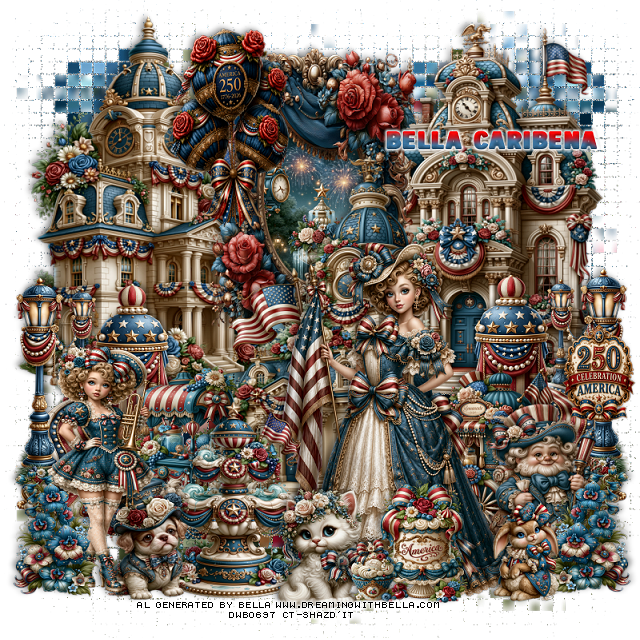
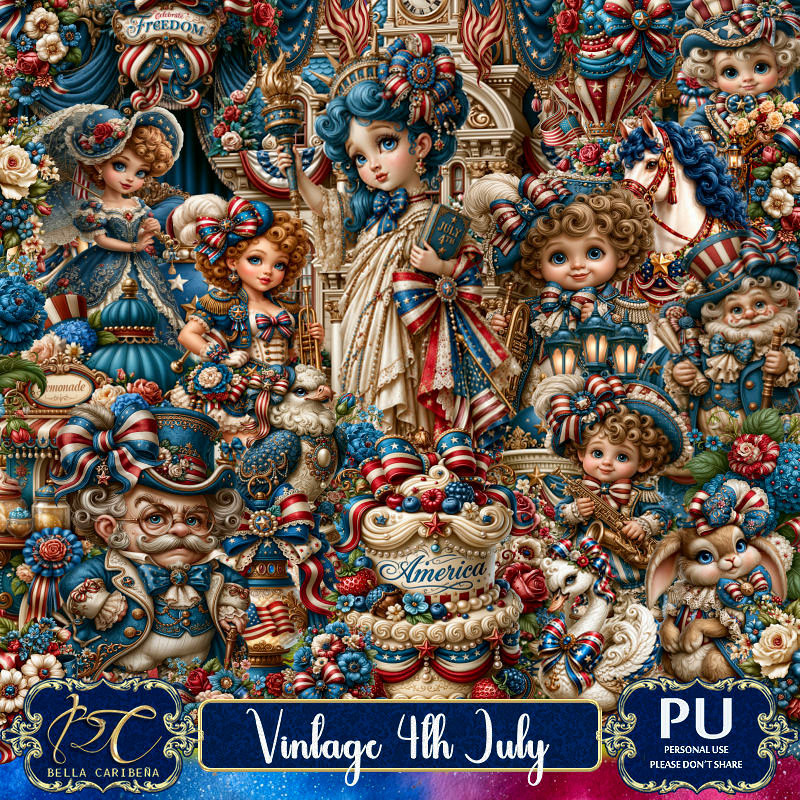
PTU Vintage 4th of July

 This tut was written June 6th, 2026,  for those with a basic knowledge of psp. 

Awesome Al kit and tubes by Bella Caribeña
Everything is included in the kit
Read the TOU on how to credit tags

I used PSP2020...but any of them should work.
PTU Scrap Vintage 4th of July by Bella Caribeña  HERE
4th of July Theme
Kit contains 3Al gen tubes, 135 elements, 14 papers
You can check out the rest of her store HERE 

Font of choice I used USA Spirit

 Drop shadow as you go is V -2 H 4, 50, 10, or use what you prefer.
Let's get started
*Remember to add your drop shadow as you go along*

Open a new image 800 x 800
Paste 30 on the bottom layer , go to Effects, Texture, Mosaic Antique,
50, 50, 
70, 2, 50, apply 2 times
move to the right, duplicate, mirror, adjust

Resize 98 to 60%, paste at the top, click inside, resize 105 to 15%, 
paste, invert, delete.
Resize 88 to 75%, paste on the right above the frame.
Resize 87 to 75%, paste on the upper left below the frame.
Resize 89 to 75%, paste on the upper right below the frame.
Resize 17 to 50%, paste on the right, duplicate, mirror.
Resize 11 to 35%, paste at the bottom above the building on the left.
Resize 10 to 35%, paste at the bottom right above the building.

Resize tube 1 to 23%, paste at the bottom to the right.
Resize 47 to 50%, mirror, paste on the bottom left.
Resize 18 and 19 to 25%, paste at the bottom.
Resize 56 to 40%, paste at the top.
Resize 66 to 35%, paste on the bottom right.
Resize 46 to 40%, paste at the bottom below the dog and cat.
Resize 28 to 25%, paste at the bottom left above the girl, duplicate, mirror.
Resize 121 to 25%, paste at the bottom above the tube.
Resize 126 to 13%, paste at the bottom.
Resize 119 to 20%, paste at the bottom right.
Resize 51 to 20%, paste on the right on the light post.

Add any other elements you would like, resize.
Crop your tag to be sure no shadows or lines are on the edges.
 Then add your copyright and name.
That's it

            Hope you enjoyed doing my tut                   
Saturday, June 28, 2025

FTU Rockin the 4th


This tut was written June 28th, 2025 for those with a basic knowledge of psp.

I am using Al gen kit Rockin the 4th by Miggins
Al tube Denim and Glory used by Sassy Soul Dezinez HERE
Check out the rest of the blog HERE
Read their TOU on how to credit your tags

I used PSP2020...but any of them should work.
FTU Rockin the 4th by Miggins  HERE
Check out the rest of the blog HERE

Font of choice, I used  Sea Balance (you will have to use a different one for the 4)

Drop shadow is  V-1 H-4 Black, 50, 10, use what you prefer.
Let's get started
*Remember to add your drop shadow as you go along*
 
Open a new image 800 x 800, paste paper 24, apply mask 1 in the kit.

Element 141, resize to 50%, paste at the top.
Element 91, resize to 40%, paste at the upper right below the frames.
Element 9 to 30%, paste on the right below the fireworks element.
Element 155, resize to 40%, mirror, paste at the upper left.
Element 50 to 30%, paste on the left above the frames.

Resize tube of choice, I used tube 1, resized to 65%, paste.
Element 96, resize to 50%, paste above the tube, duplicate the tube, move 
above the star, erase the bottom part on both tubes.
Element 68 to 30%, paste on the left below the tube, duplicate, mirror. 
move down.
Element 67, resize to 30%, paste on the bottom left below the red flowers,
duplicate, mirror.
Element 71, resize to 30%, paste on the right above the star frame.
Element 127 to 35%, paste at the bottom above the tube.
Element 130, resize to 25%, paste at the bottom left below the flowers.

Element 25 to 25%, paste on the bottom right below the tube, duplicate, mirror.
Element 158 to 20%, paste at the bottom.
Element 105 to 20%, mirror, paste at the bottom left.

Add any other elements that you would like, make it your own.
Always readjust your mask and elements how you like them before you
 merge your tag, sharpen once.
Crop your tag to make sure no shadows or anything on the edges

 Then add your copyright and name.
That's it
Hope you enjoyed doing my tut.   

Thursday, June 19, 2025

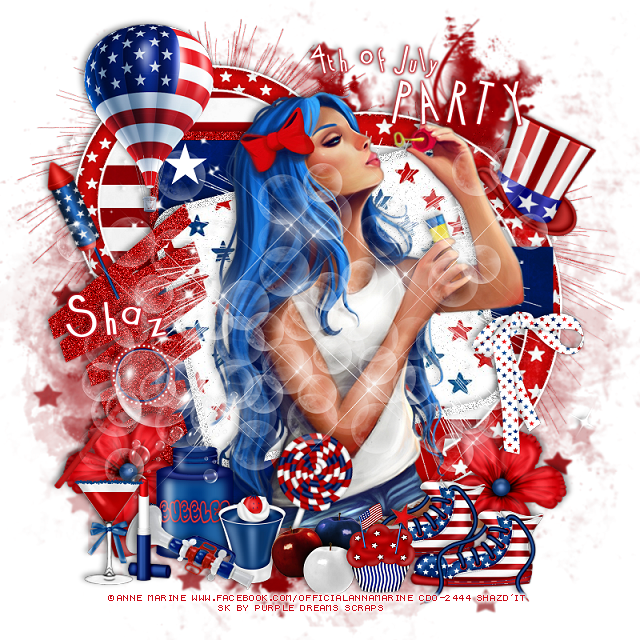
FTU 4th of July Party


This tut was written June 19th, 2025 for those with a basic knowledge of psp.

I am using the 4th of July kit by Purple Dreams Scraps
I am using Anna Marine tube 56-1 from CDO
That store has closed now 
I did not see this tube at DAH store but some of  her other tubes are there.
You can find some of her tubes at DAH now HERE

I used PSP2020...but any of them should work.
FTU Happy 4th of July by Purple Dreams Scraps  HERE
Check out the rest of the blog  HERE
Mask of choice, I used RD Mask 890 HERE
Check out the rest of the blog HERE
4th of July Template 2 by Millie's PSP Madness HERE
If Millie's link to the template does not work try this one (save as)  HERE
This is the zip file for the temp, try this one also HERE
Check out the rest of the blog HERE

Font of choice, I used Cocktail

Drop shadow is  V-1 H-4 Black, 40, 10, use what you prefer.
Let's get started
*Remember to add your drop shadow as you go along*
 
Open the template, resize canvas size to 800 x 800, 
delete the credits, close off the wordart for now.
Paste paper 2 on the bottom layer, resize larger to 110, apply your mask.

Layer 1, resize paper 9 to 75%, paste, invert, delete.
Resize element 21 to 60%, paste above the stripe paper, add a fat white gradient glow.
Layers 2 and 3, add noise at 50%.
Layer 5, resize paper 9 to 75%, paste, invert, delete,
Resize element 21 to 85%%, paste above the circle, add a fat white gradient glow.
Layer 6, paper 1
Layer 7, paper 1
Layer 9, paper 6
Move element 13 to the left more, add noise.

Paste the large tube on the top layer.

Resize element 16 to 50%, paste on the bottom left above the tube.
Resize element 30 to 25%, paste at the bottom by the bubble bottle.
Resize element 27 to 25%, paste at the bottom.
Resize element 31 to 30%, free rotate to the right at 20, paste at the bottom above the tube.
Resize element 35 to 35%, paste at the bottom right below the apples, duplicate, 
move over to the right a little more.
Resize element 12 to 30%, paste on the bottom left below the bubble bottle,
duplicate, mirror.

Resize element 17 to 25%, paste at the bottom above the apples.
Resize element 26 to 35%, mirror, paste at the bottom left.
Resize element 37 to 25%, paste at the bottom left.
Resize element 20 to 30%, paste at the bottom left.
Resize element 36 to 35%, paste on the right by the arm of the tube.
Resize element 18 to 90%, paste below the tube where you like.
Paste element 10 being on the top layer.
Resize element 34 to 35%, free rotate to the left at 25, paste at the upper left.
Resize element 19 to 50%, paste on the upper left.
Paste element 14 on the bottom layer at the upper left, duplicate, move
to the right and down.
Paste element 32 behind the tube.
Resize element 38 to 30%, free rotate to the right at 25, paste on the right below the tube.
Open the wordarts, add a red gradient glow, move where you like.

Add any other elements that you would like, make it your own.
Always readjust your mask and elements how you like them before you
 merge your tag, sharpen once.
Crop your tag to make sure no shadows or anything on the edges

 Then add your copyright and name.
That's it
Hope you enjoyed doing my tut.   

Tag by Pammers, thank you Pammers

sandy


Tuesday, July 2, 2024

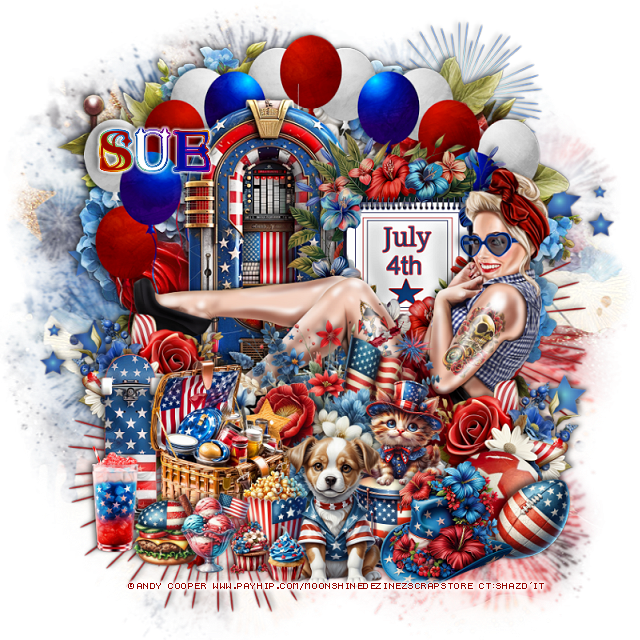
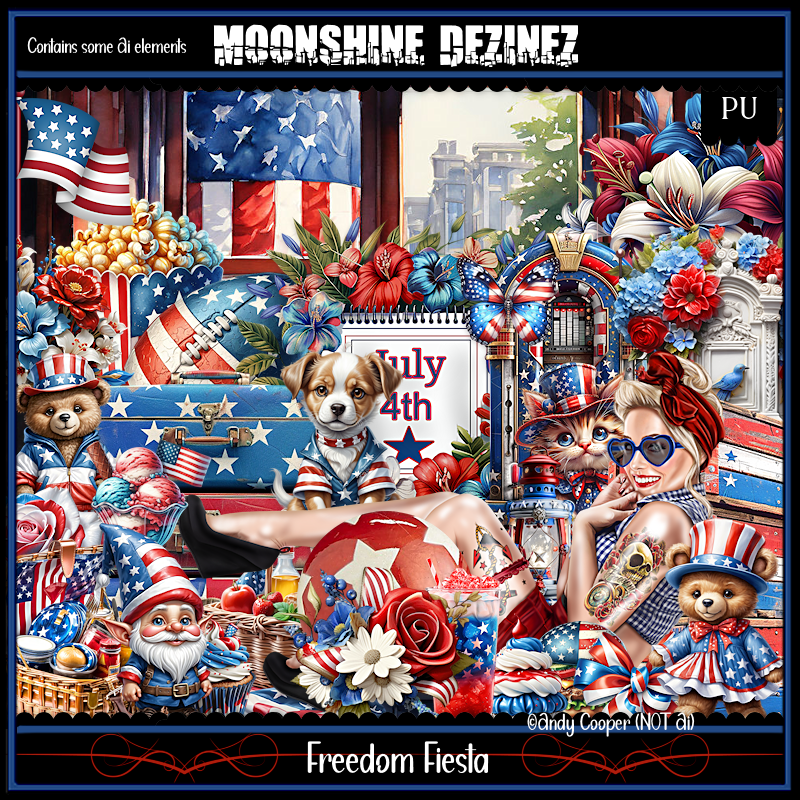
PTU Freedom Fiesta


This tut was written  July 2nd, 2024 for those with a basic knowledge of psp. 

I am using the awesome tube by ©Andy Cooper

It is included in the kit
Please read the TOU on how to credit your tags

I use PSP 2020 but any of them should work
PTU Scrap Freedom Fiesta by Moonshine Dezinez  HERE  
You can find all the stores she sells at on her blog.
You can find all Moonshine Dezinez kits  HERE
Mask of choice, I used DD Patriotic Mask 4 (blog is closed now)

 Font of choice, I used StarStruck

Drop shadow as you go is V -2 H -4, 50, 10, or use what you prefer.
Let's get started
*Remember to add your drop shadow as you go along*

Open a new image 800 x 800, paste paper 1, apply your mask.
Resize element 23 to 90%, paste at the upper right, duplicate, mirror, 
move down to the bottom left.

Paste element 29 at the top.
Resize element 78 to 75%, paste above the mailbox.
Resize element 31 to 40%, paste to the right.
Resize element 48 to 60%, paste below the 4th sign to the left.

Resize the tube to 45%, paste.

Resize element 1 to 30%, paste at the bottom above the tube.
Resize element 45 to 30%, paste on the left below the flower and up, 
duplicate, mirror, move down some.
Resize element 62 to 30%, paste at the bottom to the left.
Resize element 77 to 30%, paste at the bottom.
Resize element 12 to 13%, paste at the bottom by the basket.
Resize element 7 to 15%, paste at the bottom by the burger.
Resize element 4 to 20%, paste at the bottom right behind the dog.

Resize element 14 to 15%, paste at the bottom by the burger.
Resize element 38 and 73 to 10%, paste at the bottom.
Resize element 37 to 20%, paste on the bottom left below the burger.
Resize element 3 to 25%, paste at the bottom by the drum.
Resize element 35 to 35%, paste on the left below the basket.
Resize element 18 to 20%, mirror, paste on top of the drum.
Resize element 27 to 35%, paste on the bottom right below the drum.
Resize element 30 to 15%, paste at the bottom right below the hat.

Add any other elements that you would like, make it your own.
Always readjust your mask and elements how you like them before you
 merge your tag, resize, sharpen.

Crop your tag to be sure no shadows or lines are on the edges.
 Then add your copyright and name.
That's it

Hope you enjoyed doing my tut        
Monday, July 1, 2024

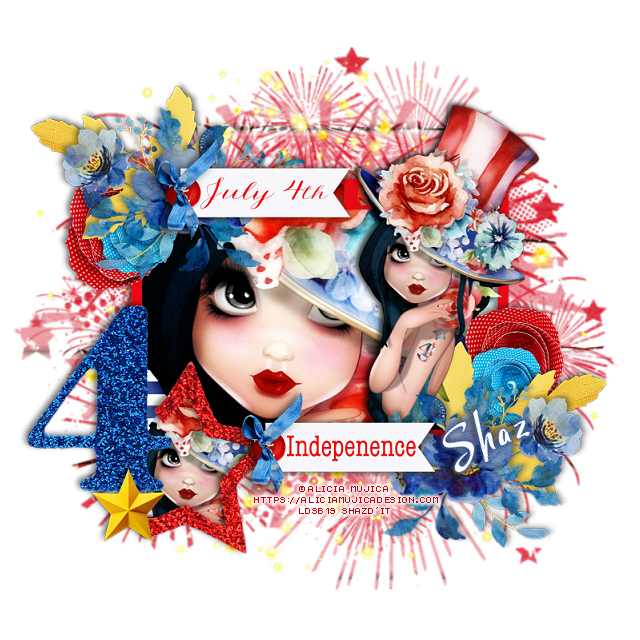
FTU Celebrate America


 This tut was written July 1st, 2024 for those with a basic knowledge of psp. 

I am using an adorable tube by ©Alicia Mujica
The tube is called July by Alicia 2024
You need a license to use this tube, please do not use without a license
You can find this tube at Alicia store HERE

I used PSP2020...but any of them should work.
FTU Scrap Celebrate America by Raspberry Road HERE 
You will have to register at the store if you are not already to get the kit
Mask of choice, I used DD Patriotic Mask 3 (blog is closed now)

Font of choice, I used  StarmiX free

Drop shadow as you go is V -2 H 4, 40, 10, or use what you prefer.
Let's get started
*Remember to add your drop shadow as you go along*

Open a new image 800 x 800, resize paper 4 to 25%, apply your mask.
Resize element 3 to 35%, paste on the mask.

Resize element 16 to 35%, paste, take your free hand tool, draw around the
frame, resize paper 3 to 15%, paste, invert, delete, keep selected, paste 
your tube, delete, select none.
Duplicate the tube, go to Adjust, Blur, Gaussian blur, number on 8, 
change the blend mode to Overlay, merge down.

Resize your tube to 40%, paste below the frame, duplicate, move
above the frame, erase the bottom parts of the tubes.
Resize element 15 to 20%, paste at the upper left above the frame, duplicate,
mirror, move down on the bottom right above the tube.
Resize element 8 to 15%, paste at the bottom right below the tube, erase
the stem, duplicate, mirror, move below the flower at the upper left.

Resize element 2 to 25%, paste on the bottom left above the frame, take your
free hand tool, draw around the star, resize paper 1 to 15, paste, invert, delete, 
keep selected, resize your tube to 40%, paste, delete, select none.
Resize element 18 to 25%, paste at the top above the blue flowers.
Resize element 7 to 20%, paste on the right below the yellow leaves, 
duplicate, mirror, move below the yellow leaves on the upper left.
Resize element 4 to 15%, paste above the red flower, duplicate, move above
the other red flower.
Resize element 20 to 25%, paste at the bottom above the tube.
Resize element 10 to 10%, paste on the bottom left above the 4 star.

Add any other elements you would like, resize.
Crop your tag to be sure no shadows or lines are on the edges.
 Then add your copyright and name.
That's it

Hope you enjoyed doing my tut   


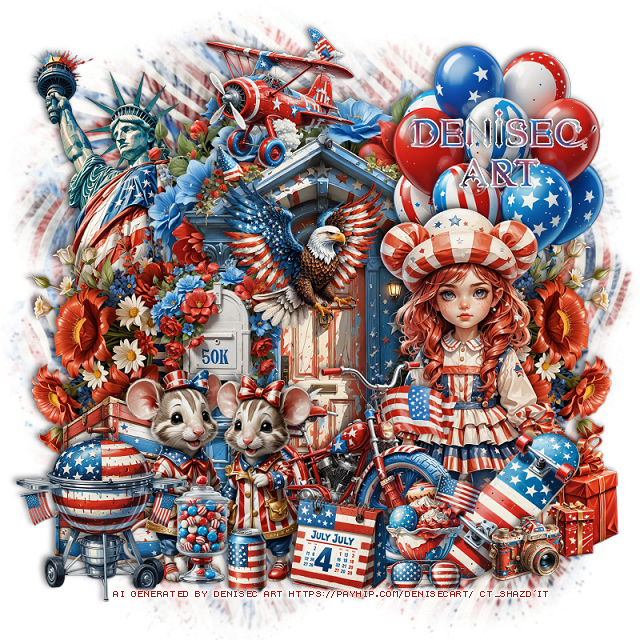
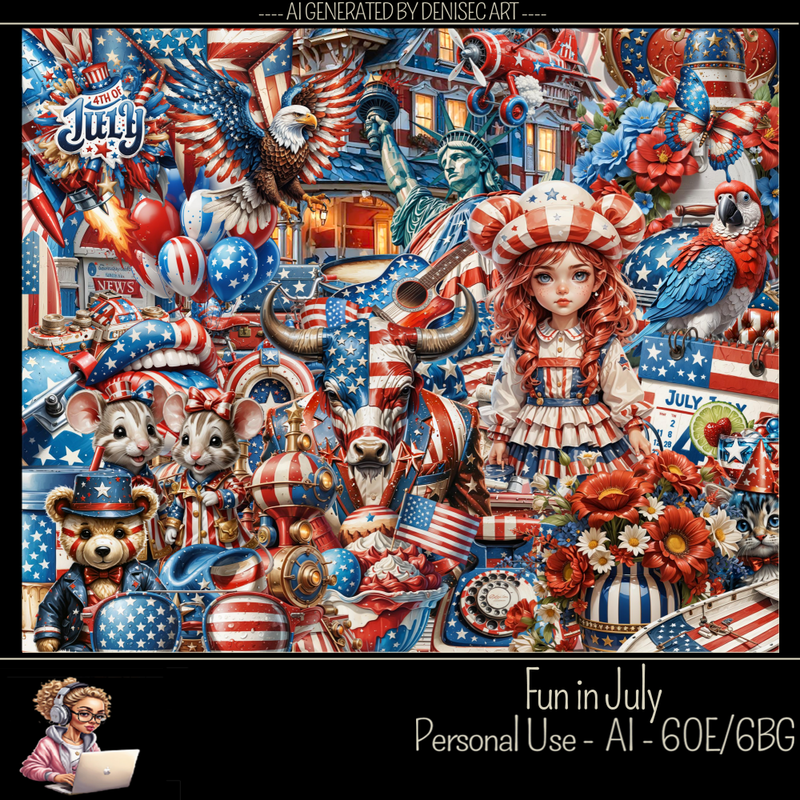
PTU Fun in July


 This tut was written July 1st, 2024 for those with a basic knowledge of psp. 

AI generated kit and tube by DeniseC Art

Everything used is included in the kit
Read the TOU on how to credit your tags

I used PSP2020...but any of them should work.
PTU Scrap Fun in July by DeniseC Art  HERE  
Everything used is included in the kit
You can find all DeniseC Art kits  HERE
Mask of choice I used DD Patriotic Mask 4 (blog closed now)

 Font of choice, I used Star Struck

Drop shadow as you go is V -2 H -4, 40, 10, or use what you prefer.
Let's get started
*Remember to add your drop shadow as you go along*

Open a new image 800 x 800, resize paper 2 to 60%, paste, apply your mask.

Resize element 15 to 50%, paste at the top.
Resize element 24 to 40%, paste.
Resize element 43 to 40%, free rotate to the right at 90, paste on the 
right below the mailbox, duplicate, mirror.
Resize element 15 to 20%, paste on the door on the left.
Resize element 9 to 25%, paste on the right.
Resize element 45 to 25%, paste on the bottom right behind the girl.
Resize element 18 to 20%, mirror, paste on the bottom right above the girl.
Resize element 46 to 10%, paste at the bottom right.
Resize element 37 to 15%, paste at the bottom.
Resize element 26 to 35%, paste on the bottom left.

Resize element 52 to 35%, paste on the upper right below the girl.
Resize element 28 to 25%, paste on the upper left below the flowers.
Resize element 59 to 25%, paste on the bottom left below the mice.
Resize element 34 and 55 to 15%, paste at the bottom.
Resize element 22 to 30%, paste at the bottom below the mice.
Resize element 23 to 20%, paste at the top being on the top layer.
Resize element 33 to 10%, paste at the bottom left.
Resize element 21 to 23%, paste at the bottom left.
Resize element 19 to 10%, paste at the bottom.
Resize element 60 to 20%, paste in front of the door.

Add any other elements that you would like, make it your own.
Always readjust your mask and elements how you like them before you
 merge your tag, resize, sharpen.

Crop your tag to be sure no shadows or lines are on the edges.
 Then add your copyright and name.
That's it

Hope you enjoyed doing my tut