Showing posts with label Food. Show all posts

Tuesday, July 7, 2026

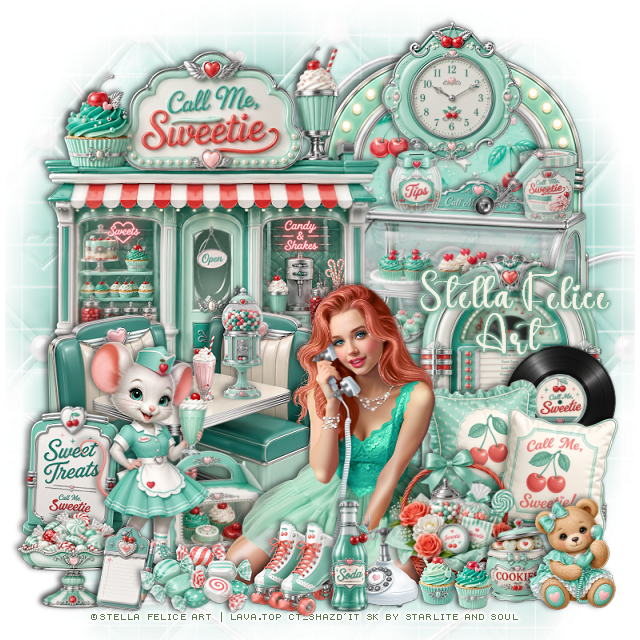
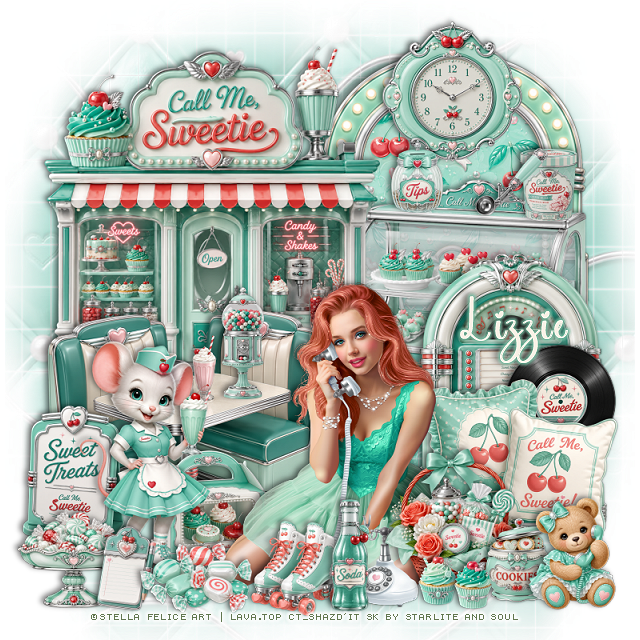
PTU Call Me


 This tut was written July 7th, 2026 for those with a basic knowledge of psp. 

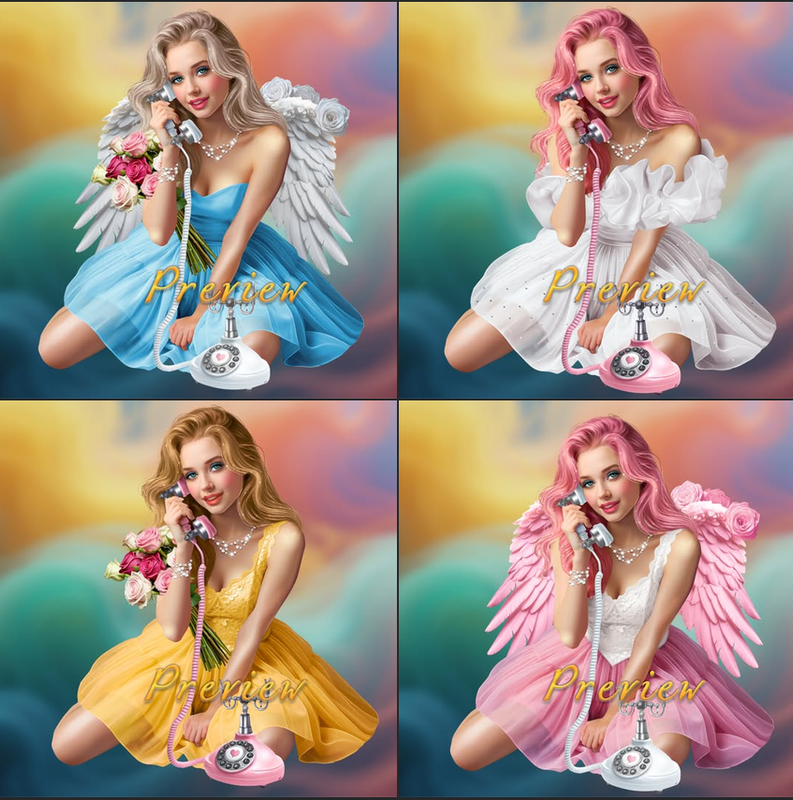
I am using the beautiful tube by © Stella Felice Art

Tube is called Call Me
Tube is NOT included
You need a license to use this tube, please do not use without a license
You can find this tube at Lava.top store HERE

I used PSP2020...but any of them should work.
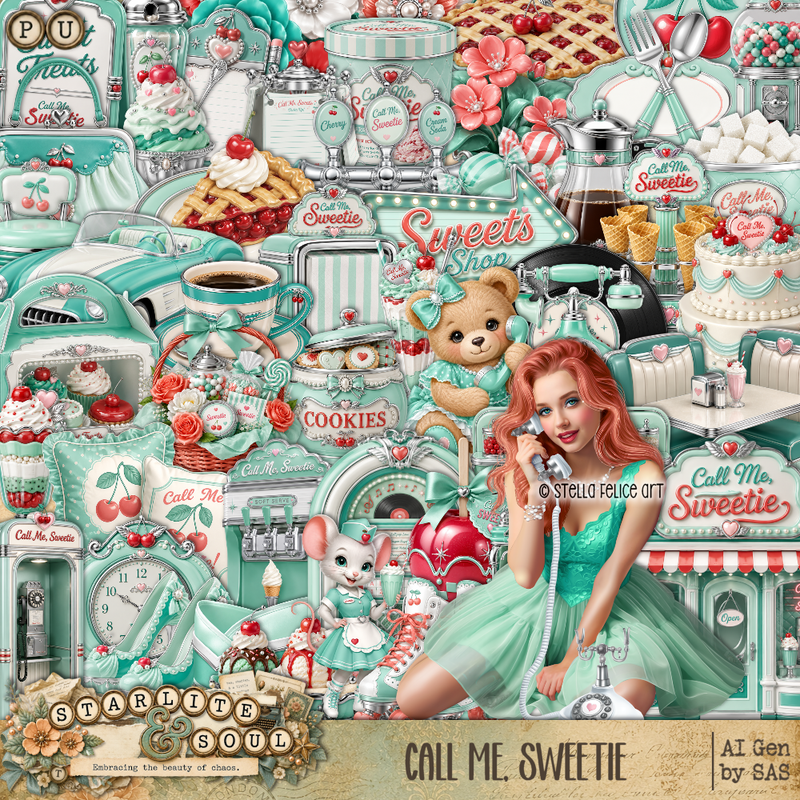
PTU Scrap Call Me Sweetie by Starlite and Soul  HERE
You can find all Starlite and Soul kits  HERE 
DBV Mask 72 HERE
Check the blog Here

Font of choice, I used Coffee Christmas

Drop shadow as you go is V -2 H 4, 40, 10, or use what you prefer.
Let's get started
*Remember to add your drop shadow as you go along*

Open a new image 800 x 800, paste paper 19, apply your mask,
move to the left, duplicate, mirror.

Resize frame 8 to 55%, paste on the upper right, click inside,
resize paper 17 to 50%, paste, invert, delete.
Resize 8 to 45%, paste above the frame.
Resize 1 to 60%, paste at the upper left.
Resize 10 to 50%, paste on the right.
Resize 43 to 50%, paste on the bottom left.

Resize the tube to 20%, paste at the bottom.

Resize 54 to 25%, paste on the bottom left.
Resize 56 to 20%, paste on the right above the juke box.
Resize 73 to 35%, paste on the bottom right below the tube.
Resize 70 to 25%, paste at the bottom right above the tube.
Resize 2 to 43%, paste on the bottom left above the sign.
Resize 11 to 20%, paste on the table.

Resize 20 to 25%, paste at the top on the frame.
Resize 33, 34, and 45  to 13%, paste on the shelf of the cupcake case shelf.
Resize 23 to 15%, paste at the bottom right above the basket.
Resize 57 to 20%, paste at the bottom above the tube.
Resize 77 to 20%, paste at the bottom right.
Resize 68 to 17%, paste at the bottom below the soda.

Resize 26 to 20%, paste below the tube on the left.
Resize 27 to 20%, paste on the bottom left above the mouse.
Resize 44 to 15%, paste at the bottom.
Resize 64 to 20%, paste at the bottom by the mouse.
Resize 3 and 4 to 10%, paste at the bottom by the basket.

Add any other elements that you would like, make it your own.
Always readjust your mask and elements how you like them before you
 merge your tag, resize, sharpen.

Crop your tag to be sure no shadows or lines are on the edges.
 Then add your copyright and name.
That's it

Hope you enjoyed doing my tut

Tag for Lizzie   


Saturday, June 20, 2026

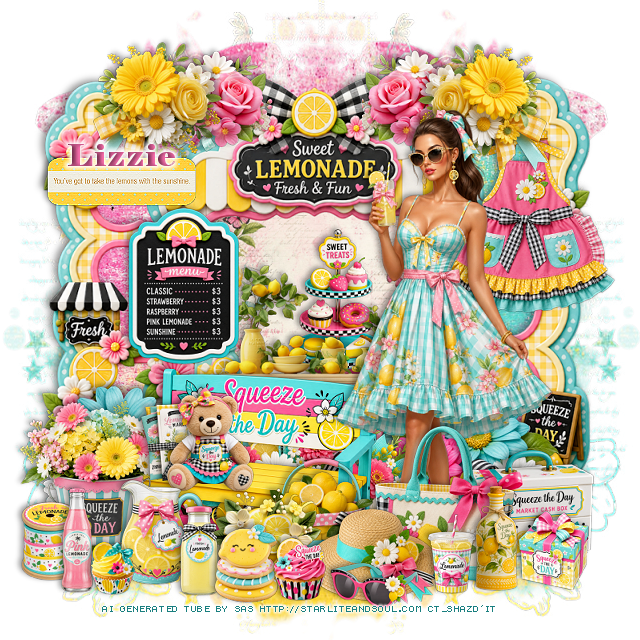
PTU Squeeze The Day

 This tut was written June 20th, 2026 for those with a basic knowledge of psp. 

I am using the beautiful Al tube gen by SAS

Tube is included

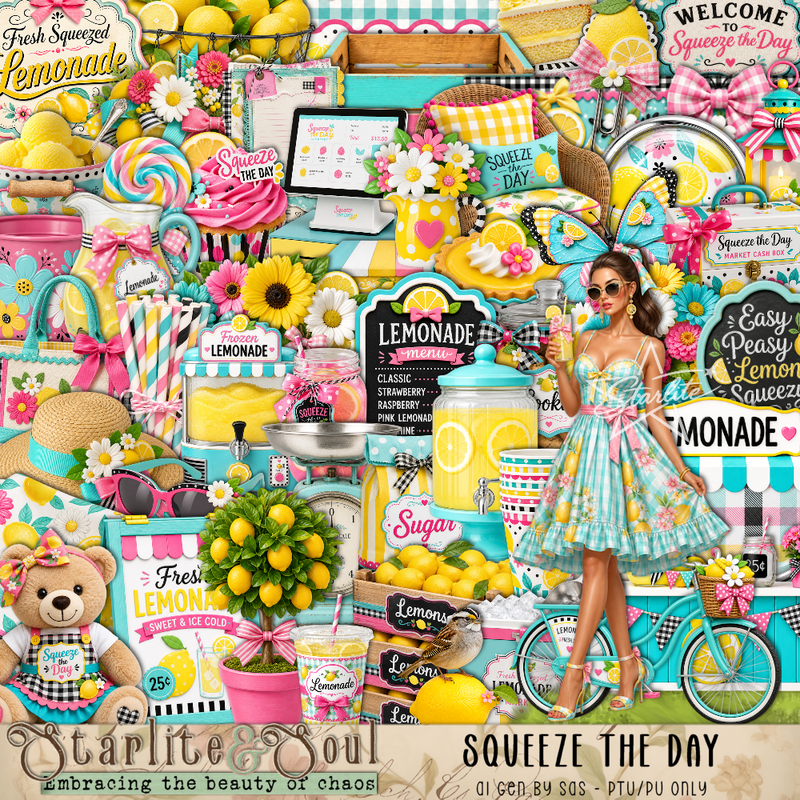
Everything is included in the kit
Read the TOU on how to credit your tags


I used PSP2020...but any of them should work.
PTU Scrap Squeeze the Day by Starlite and Soul  HERE
You can find all Starlite and Soul kits  HERE 
Miz Teeques Mask 162 HERE 
Check the blog out HERE

Font of choice, I used Elephant

Drop shadow as you go is V -2 H 4, 40, 10, or use what you prefer.
Let's get started
*Remember to add your drop shadow as you go along*

Open a new image 800 x 800, paste paper 14, apply your mask, 
move to the right, duplicate, mirror, adjust.

Resize frame 7 to 75%, click inside, resize paper 17 to 35%, paste,
invert, delete.
Resize frame 3 to 85%, paste below the frame on the left, duplicate, 
move to the right, click inside the frames, paste paper 14, invert, delete.
Resize 108 to 40%, mirror, paste above the frame.
Resize 29 to 30%, paste in the frame below the lemon shelf.
Resize 48 to 30%, paste on the frame on the left.
Resize 139 to 25%, paste at the upper left on the bow, duplicate, mirror.
Resize 138 to 25%, paste at the top below the yellow flowers, duplicate, mirror.

Resize the tube to 40%, paste to the right.

Resize 31 to 30%, paste at the bottom right above the tube
Resize 141 to 50%, paste at the bottom of the frame.
Resize 150 to 35%, paste on the bottom right, duplicate, mirror.
Resize 33 to 25%, paste at the bottom by the purse.
Resize 65 to 50%, paste at the bottom below the tube.
Paste 40 to 25%, paste at the bottom right below the purse.
Resize 11 to 30%, paste at the bottom left above the bench.

Resize 12 to 15%, paste on the bench.
Resize 2 to 20%, paste on the bench.
Resize 32 to 35%, paste on the right below the flowers.
Resize 73 to 20%, paste at the bottom right.
Resize 3 to 20%, paste at the bottom below the hat.
Resize 78 to 20%, paste at the bottom left above the bucket of flowers.

Resize 6 to 17%, paste at the bottom.
Resize 7 to 20%, paste on the left.
Resize 13 to 15%, paste at the bottom left below the pink bottle.
Resize 74 to 15%, paste at the bottom by the hat.
Resize 71 to 15%, paste at the bottom right.
Resize 28 to 10%, paste at the bottom left.
Resize 99 to 30%, paste on the upper left.
Resize 34 to 17%, paste at the bottom on the hat.
Resize 156 to 25%, paste at the bottom below the hat.
Resize 26 to 15%, paste at the bottom above the bottle.
Resize 25 to 12%, paste at the bottom.

Add any other elements that you would like, make it your own.
Always readjust your mask and elements how you like them before you
 merge your tag, resize, sharpen.

Crop your tag to be sure no shadows or lines are on the edges.
 Then add your copyright and name.
That's it

Hope you enjoyed doing my tut


Tuesday, June 2, 2026

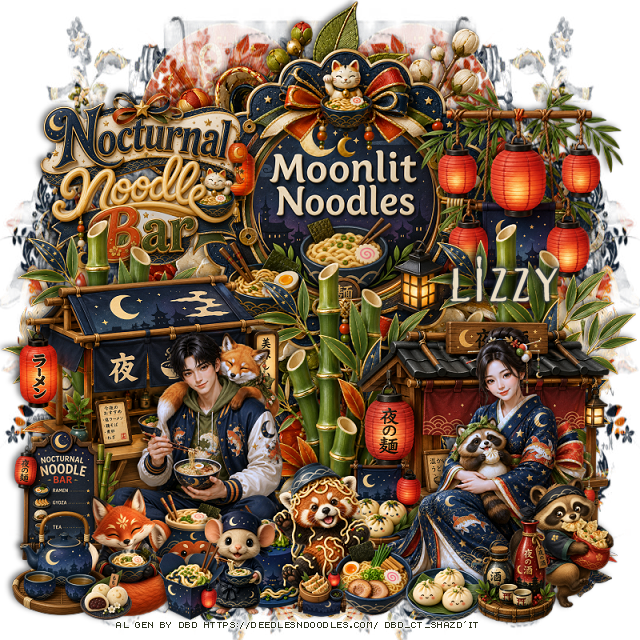
PTU Nocturnal Noodles

 This tut was written June 1st, 2026 for those with a basic knowledge of psp. 

I am using the awesome tube Al gen by DBD
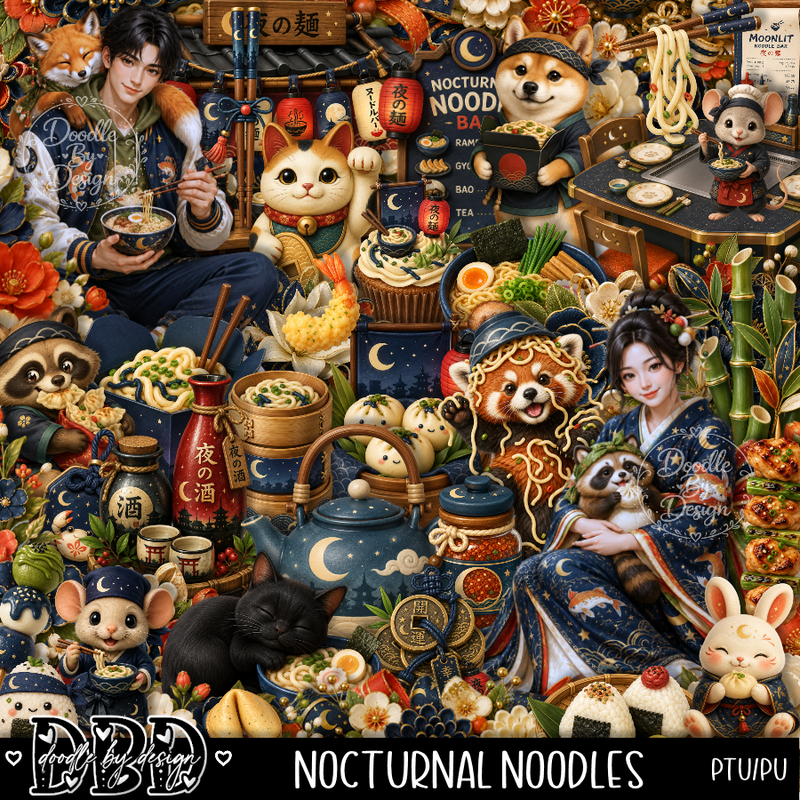
Everything is included in the kit
Read the TOU on how to credit your tags


I used PSP2020...but any of them should work.
PTU Scrap Nocturnal Noodles by Doodle by Design  HERE
You can find all Doodle by Design kits  HERE 
Mask of choice, I used Miz Teeques Mask 117 HERE 
Check the blog out HERE

Font of choice, I used Lemonchicken

Drop shadow as you go is V -2 H 4, 50, 10, or use what you prefer.
Let's get started
*Remember to add your drop shadow as you go along*

Open a new image 800 x 800, paste paper 19, apply your mask, move
to the left, duplicate, mirror, adjust.

Resize frame 8 to 60%, paste at the top, click inside the frame,
resize 55 to 50%, paste below the frame, invert, delete.
Paste 117 below the frame.
Resize the wordart to 40%, paste on the left on the frame.
Resize 8 to 40%, paste on the right on the frame.
Resize 67 to 50%, paste at the bottom left.
Resize 20 to 50%, paste on the bottom right.

Resize 2 to 25%, paste on the bottom left.
Resize 1 to 28%, paste on the bottom right.
Resize 58 to 25%, paste on the bottom left.
Resize 71 to 50%, paste above the frame, duplicate twice, move one 
behind each cart on each side.
Resize 81 and 89 to 20%, paste at the bottom above the man.
Resize 23 to 25%, paste at the bottom left.
Resize 27 to 28%, paste at the bottom.
Resize 24 to 25%, paste at the bottom right above the lady.

Resize 30 to 15%, paste at the bottom above the lady.
Resize 21 to 20%, paste at the bottom right.
Resize 6 to 20%, paste below the lady.
Resize 2 to 20%, paste at the bottom by the animal.
Resize 11 to 20%, paste on the bottom left.
Resize 18 to 10%, paste at the bottom left.
Resize 5 to 10%, paste at the bottom by the animal.
Resize 91 to 20%, paste at the bottom.
Resize 7 to 15%, paste at the bottom by the mouse.

Add any other elements that you would like, make it your own.
Always readjust your mask and elements how you like them before you
 merge your tag, resize, sharpen.

Crop your tag to be sure no shadows or lines are on the edges.
 Then add your copyright and name.
That's it

Hope you enjoyed doing my tut 

Tuesday, May 19, 2026

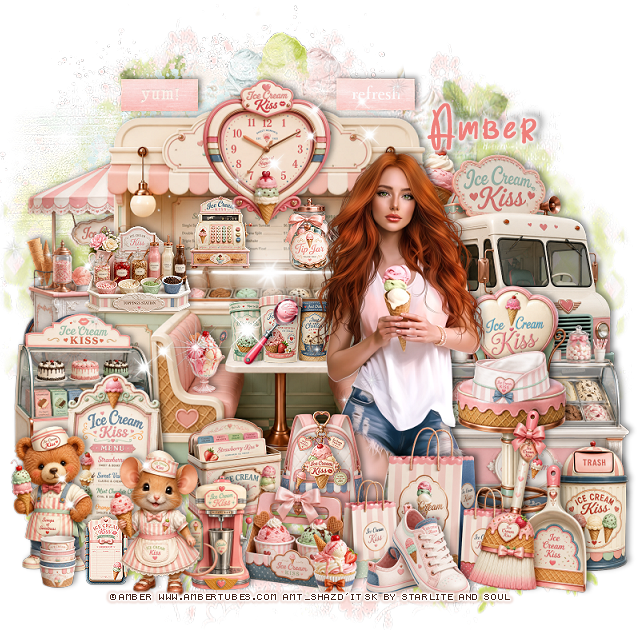
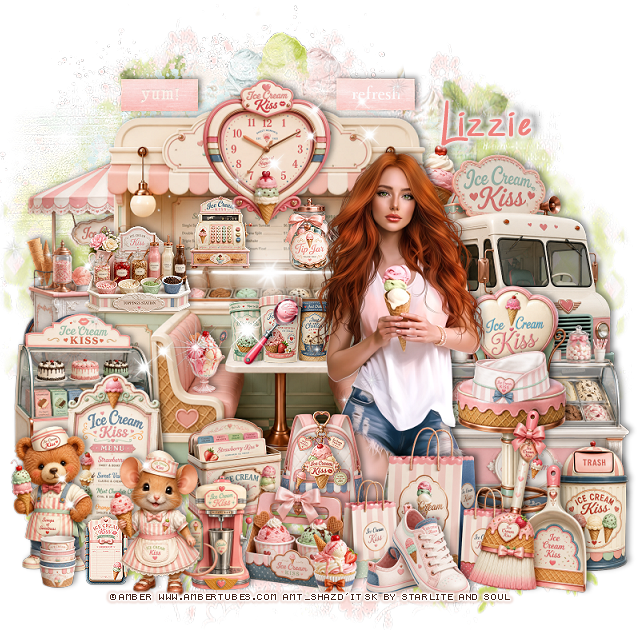
PTU Ice Cream Kisses


  This tut was written May 18th, 2026 for those with a basic knowledge of psp. 

I am using the beautiful tube by © Amber

Tube is called Ice Cream Kisses
Tube is NOT included
You need a license to use this tube, please do not use without a license
You can find this tube at Amber store HERE

I used PSP2020...but any of them should work.
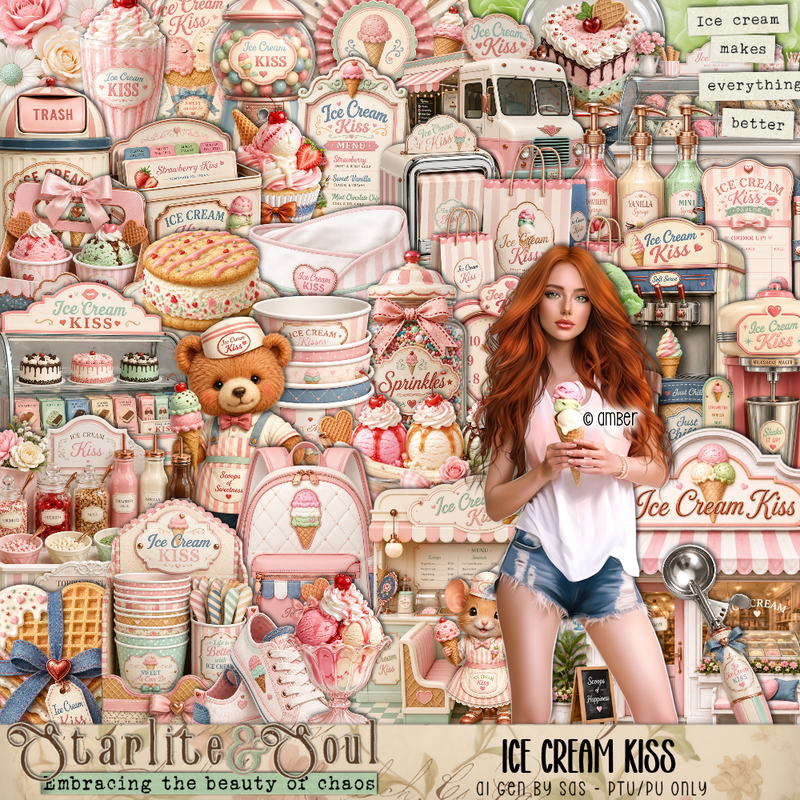
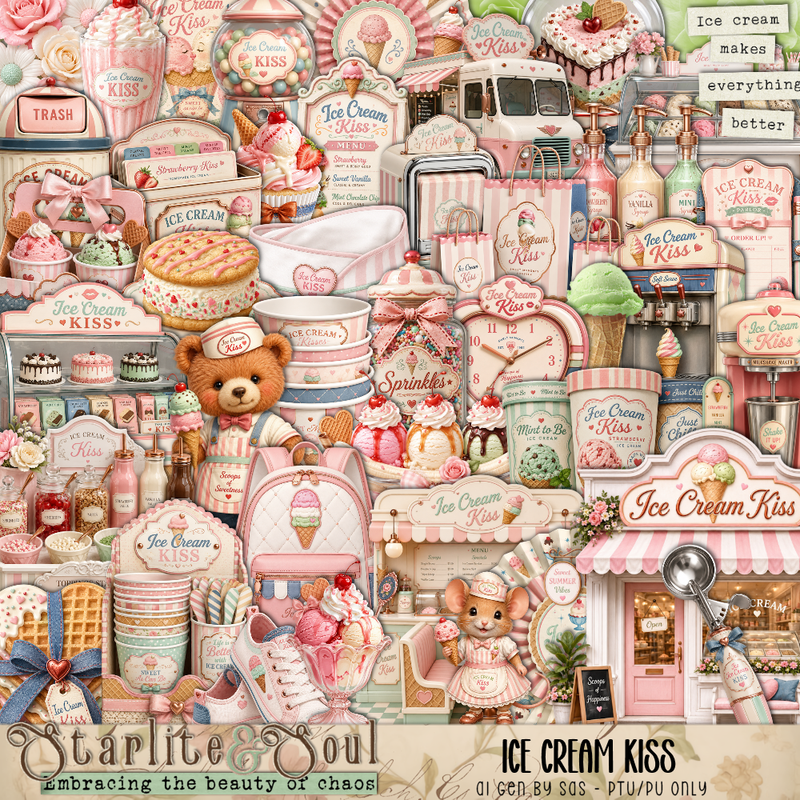
PTU Scrap Ice Cream Kisses by Starlite and Soul  HERE
You can find all Starlite and Soul kits  HERE 

Font of choice, I used Birthday Balloon

Drop shadow as you go is V -2 H 4, 40, 10, or use what you prefer.
Let's get started
*Remember to add your drop shadow as you go along*

Open a new image 800 x 800, paste 162 on the upper right, erase the
straw, duplicate, mirror.
Paste 161 at the top.

Resize 33 to 50%, paste on the right.
Resize 10 to 40%, paste on the left.
Resize 24 to 75%, paste off center a little.
Resize 21 to 20%, paste on the table.
Resize 79 to 13%, paste in front of the ice cream.
Resize 8 to 20%, paste on the counter to the left.
Resize 19 to 14%, paste on the glass part of the counter covering the ice cream.
Resize 13 to 14%, paste on the counter on the glass part.
Resize 12 to 40%, paste on the right.
Resize 14 to 55%, paste on the right.
Resize 26 to 15%, paste on the stool.
Resize 15 to 35%, paste on the bottom left.

Resize the tube to 27%, paste by the stool.

Resize 47 to 28%, paste at the top on the counter top sign.
Resize 104 to 23%, paste at the upper left.
Resize 100 to 23%, paste at the top to the right of the clock.
Resize 54 to 25%, paste on the bottom right above the stool.
Resize 44 to 35%, paste on the bottom right above the trash can.
Resize 40 to 35%, paste at the bottom below the broom.
Resize 25 to 20%, paste at the bottom above the bags.
Resize 27 to 20%, paste below the bags on the left.
Resize 49 to 15%, paste on the back pack.

Resize 2 and 3 to 28%, paste at the bottom left by the sign.
Resize 43 to 20%, paste at the bottom behind the mouse.
Resize 31 to 20%, paste at the bottom.
Resize 11 to 13%, paste at the bottom by the shoes.
Resize 4 to 13%, paste on the booth seat.
Resize 36 to 30%, paste on the left below the sign.

Resize 29 to 13%, paste at the bottom left above the bear and mouse.
Resize 20 to 22%, paste at the bottom by the mouse.
Resize 28 to 10%, paste at the bottom left above the bear.
Paste 172 where you like.

Add any other elements that you would like, make it your own.
Always readjust your mask and elements how you like them before you
 merge your tag, resize, sharpen.

Crop your tag to be sure no shadows or lines are on the edges.
 Then add your copyright and name.
That's it

Hope you enjoyed doing my tut

Tag for Lizzie      


Wednesday, January 21, 2026

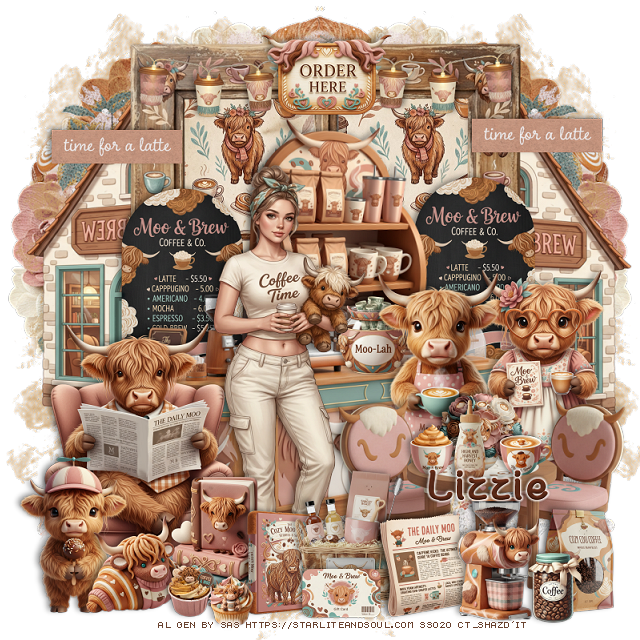
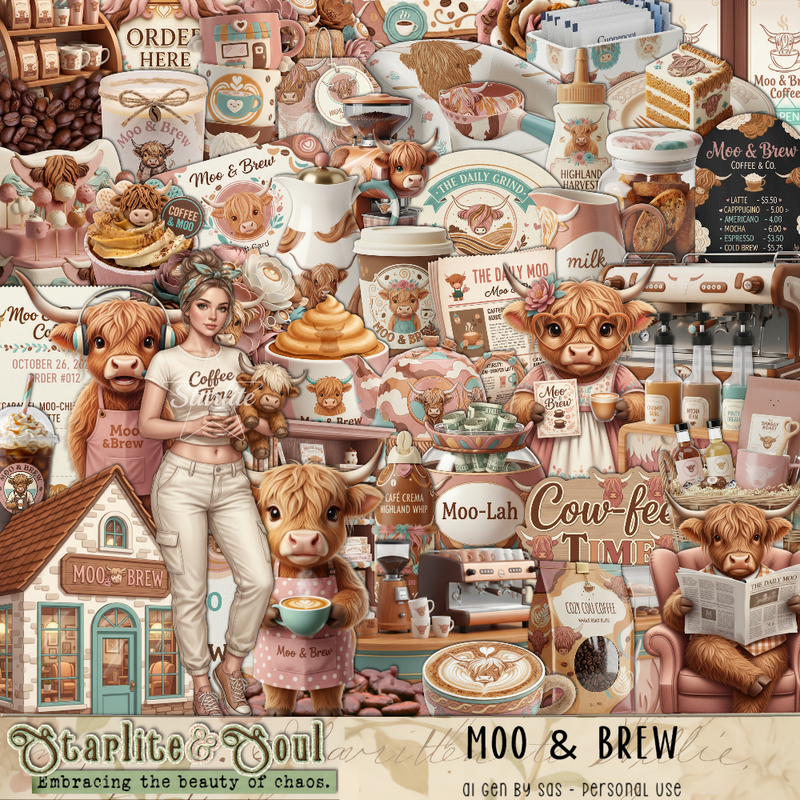
PTU Moo and Brew

  This tut was written January 21st, 2026 for those with a basic knowledge of psp. 

I am using the Awesome Moo and Brew Al kit
The tube is included in the kit
Please read the TOU on how to credit your tags


I used PSP2020...but any of them should work.
PTU Scrap Moo & Brew by Starlite and Soul  HERE
You can find all Starlite and Soul kits  HERE 

Font of choice, I used Coffee with Sugar

Drop shadow as you go is V -2 H 4, 50, 10, or use what you prefer.
Let's get started
*Remember to add your drop shadow as you go along*

Open a new image 800 x 800, paste paper 191 on the upper left, duplicate,
mirror, duplicate both, move to the bottom.
Paste 141 below the mask layer on the upper right, duplicate, mirror.

Resize 70 to 50%, free rotate to the right a 4, paste.
Resize 69 to 70%, paste above the shelf.
Resize frame 3 to 75%, paste at the top being on the bottom layer, 
click inside, paste paper 14 to 50%, paste, invert, delete.
Resize 5 to 40%, paste on the bottom right.
Resize 3 to 40%, paste on the bottom right.
Resize 13 to 35%, paste on the the left below the bar, duplicate,
move to the right side.
Resize 1 to 65%, paste below the window on the right, duplicate, mirror.

Resize the tube to 40%, paste to the left.

Resize 14 to 50%, paste on the bottom right above the cows.
Resize 93 to 15%, paste on the table.
Resize 7 and 39 to 10%, paste on the table.
Resize 72 to 15%, paste on the table.
Resize 2 to 50%, paste on the left below the tube.
Resize 91 to 25%, paste at the bottom by the tube.
Resize 90 to 20%, paste at the bottom by the books.
Resize 57 to 25%, paste at the bottom by the books.
Resize 27 to 25%, paste on top of the frame.
Resize 35 to 15%, paste on the counter behind the bulls that are standing.
Resize 6 to 30%, paste on the bottom left above the sitting bull.

Resize 50 to 40%, paste at the top left on the frame below the sign,
duplicate, mirror.
Resize 9 to 20%, paste at the bottom by the table.
Resize 29 to 20%, paste at the bottom left.
Resize 58 to 15%, paste at the bottom.
Resize 52 to 25%, paste at the bottom by the newspaper.
Resize 22 and 23 to 10%, paste at the bottom to the left.
Resize 18 to 20%, paste on the bottom right.
Resize 105 to 15%, paste at the bottom right.
Resize 86 to 25%, paste on the upper left on the frame, duplicate, 
move it to the right on the frame.

Add any other elements that you would like, make it your own.
Always readjust your mask and elements how you like them before you
 merge your tag, resize, sharpen.

Crop your tag to be sure no shadows or lines are on the edges.
 Then add your copyright and name.
That's it

Hope you enjoyed doing my tut

Tuesday, May 20, 2025

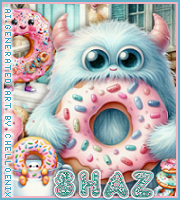
FTU Dunkin Donuts


 This tut was written May 19th, 2025 for those with a basic knowledge of psp.

Everything used is in this Al kit Dunkin Donuts
The kit is Al generated by Chelloenix
Credit your tags with their credits

I used PSP2020...but any of them should work.
FTU Al  kit Dunkin Donuts by Chelloenix HERE
Check out the rest of the blog HERE
Mask of choice, I used RD Mask 897 HERE
Check out the rest of the blog HERE

Font of choice, I used PW Yummy Donuts

Drop shadow is  V-1 H-4 Black, 40, 10, use what you prefer.
Let's get started
*Remember to add your drop shadow as you go along*
 
Open a new image 800 x 800, resize paper 19 to 75%, paste, apply your mask.

Resize frame 8 to 65%, paste.
Resize element 21 to 75%, paste on the upper left below the frame.
Resize element 22 to 75%, paste on the right below the frame.
Resize element 32 to 65%, paste above the frame.
Resize element 27 to 45%, paste below the house on the left, duplicate, mirror.
Resize element 14 to 65%, paste on the left below the frame, duplicate, mirror.

Resize element 60 to 20%, paste on the upper left on the small house.
Resize element 63 to 15%, paste on the roof of the bigger house.
Resize element 3 and 19 to 20%, paste at the bottom right, duplicate, mirror.
Resize tube 5 to 30%, paste at the bottom.
Resize tube 9 to 20%, paste at the bottom.
Resize element 75 to 12%, paste at the bottom above the tubes.
Resize element 71 to 20%, paste at the bottom left.
Resize element 68 to 20%, paste on the bottom right.
Resize element 76 to 12%, paste on the bottom right.
Resize element 44 to 10%, paste at the bottom left.
Resize element 48 to 10%, paste at the bottom left.
Resize element 55 to 10%, paste at the upper right.
Resize element 24 to 30%, paste on the left above the house.
Resize element 39 to 10%, paste at the bottom by the cup.
Resize element 67 to 15%, paste on the steps of the house.

Add any other elements that you would like, make it your own.
Always readjust your mask and elements how you like them before you
 merge your tag, sharpen once.
Crop your tag to make sure no shadows or anything on the edges

 Then add your copyright and name.
That's it

Hope you enjoyed doing my tut.    

Saturday, May 10, 2025

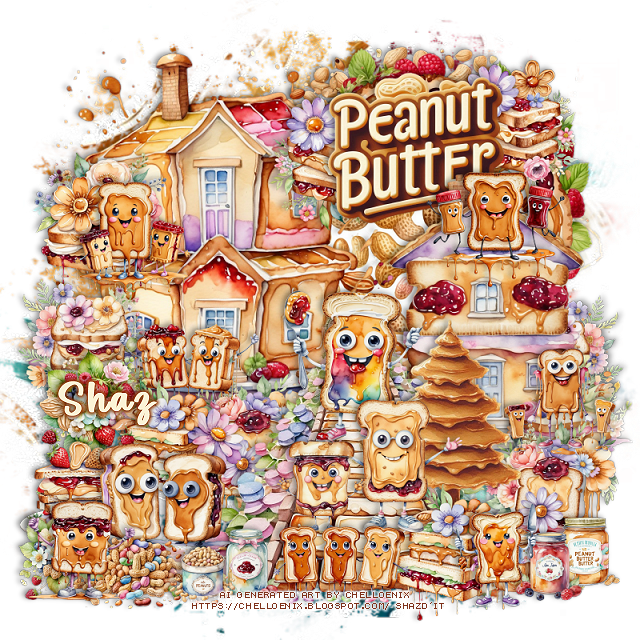
FTU Peanut Butter and Jelly


  This tut was written May 10th, 2025 for those with a basic knowledge of psp.

Everything used is in this Al kit Peanut Butter & Jelly 
The kit is Al generated by Chelloenix
Credit your tags with their credits

I used PSP2020...but any of them should work.
FTU Al  kit Peanut Butter & Jelly by Chelloenix HERE
Check out the rest of the blog HERE
Mask of choice, I used Miz TeeQue's Mask 173 HERE
Check out the rest of the blog HERE

Font of choice, I used Peanut Butter

Drop shadow is  V-1 H-4 Black, 40, 10, use what you prefer.
Let's get started
*Remember to add your drop shadow as you go along*
 
Open a new image 800 x 800, paste paper 8, apply your mask.

Resize frame 5 to 45%, paste at the upper right.
Resize frame 13 to to 40%, paste above the frame, click inside,
resize paper 22 to 40%, paste, invert, delete.
Resize element 30 to 50%, paste on the upper left above the frame.
Resize element 27 to 40%, paste on the right and down.
Resize element 23 to 50%, paste above the houses.
Resize wordart 1 to 30%, paste at the upper right below the house.
Resize element 9 to 20%, paste below the wordart on the upper right,
duplicate, mirror, move above the house behind the wordart on the left.

Resize element 15 to 20%, paste on the left above the house, duplicate,
mirror, move below the house on the right.
Resize element 5 to 15%, paste above the sandwich on the left.
Resize element 69 to 15%, paste on the right at the bottom of the house.
Resize element 82 to 20%, paste on the left on the house roof.
Resize element 14 to 20%, paste below the figures on the roof.
Resize element 84 to 20%, paste above the house by the door.
Resize element 12 to 20%, paste below the walkway on the left above the house,
duplicate, move down on the right below the walkway.
Resize element 13 to 20%, paste at the bottom right above the walkway, 
duplicate, move to the left above the flowers.
Resize element 19 to 40%, paste at the bottom right below the flower sandwich.

Resize element 83 to 20%, paste on the upper right on the house.
Resize element 73 to 20%, paste on the walkway.
Resize element 80 to 20%, paste on the walkway being on the top layer.
Resize element 79 to 15%, paste on the walkway.
Resize elements 45, 47 and 52 to 10%, paste at the bottom right.
Resize element 60 to 15%, paste on the left by the flower sandwich.
Resize element 81 to 22%, paste on the bottom left.
Resize element 36 and 54 to 10%, paste at the bottom.
Resize element 35 to 15%, paste at the bottom left.
Resize element 1 to 12%, paste at the bottom left.
Resize element 66 and 77 to 15%, paste at the bottom, one on the right 
and the other on the left.
Resize element 67 to 18%, paste at the bottom.

Add any other elements that you would like, make it your own.
Always readjust your mask and elements how you like them before you
 merge your tag, sharpen once.
Crop your tag to make sure no shadows or anything on the edges

 Then add your copyright and name.
That's it

Hope you enjoyed doing my tut.