Showing posts with label Rebecca Sinz. Show all posts

Tuesday, February 10, 2026

PTU Longing Fairy


  This tut was written February 10th, 2026 for those with a basic knowledge of psp. 

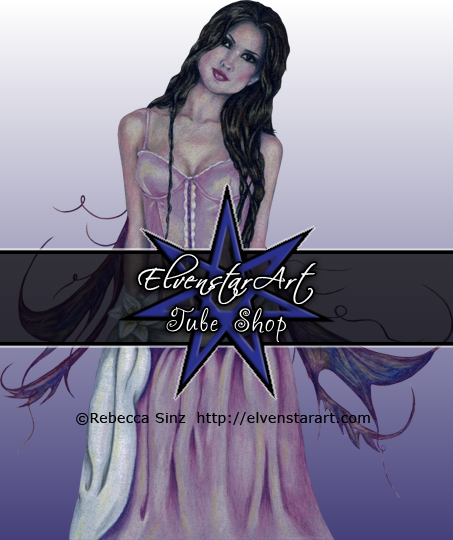
I am using the Awesome tube ©Rebecca Sinz

Tube is not included
Tube is called Longing
You need a license to use this tube, please do not use without a license
You can find this tube at their store HERE


I used PSP2020...but any of them should work.
"NO Al kit"
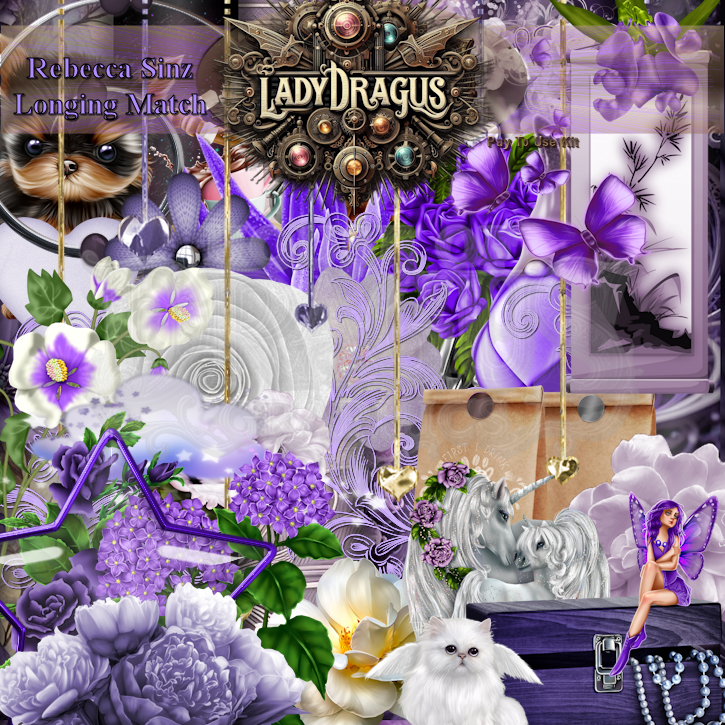
PTU Scrap Longing Fairy match  by Lady Dragus  HERE HERE
Miz Teeques Mask 92 HERE
Check the blog out HERE

Font of choice, I used Dragon Free

Drop shadow as you go is V -2 H 4, 40, 10, or use what you prefer.
Let's get started
*Remember to add your drop shadow as you go along*

Open a new image 800 x 800, paste paper 7 apply your mask, move 
to the left, duplicate, mirror.

Resize frame 4 to 75%, free rotate to the right at 90, click inside, resize
paper 7 to 65%, paste, invert, delete.
Paste frame 3, click inside, resize paper 6 to 65%, paste, invert, delete.
Resize 31 to 25%, apply Mura Meister Copies-Encircle, first 3 numbers on
16, 50, 50, paste below the circle frame.
Resize 41 to 25%, apply Mura Meister Copies-Encircle, first 3 numbers on
14, 55, 55, paste above the flower circle.

Paste the tube above the frame to the right a bit, sharpen twice.

Resize 16 to 45%, paste on the frame at the upper left, duplicate, mirror,
move down on the right.
Resize 9 to 65%, paste on the left below the tube.
Paste 111 above the Unicorns.
Resize 41 to 30%, paste above the tube, duplicate, move to the left a little and down.
Resize 37 to 30%, paste at the bottom above the flowers.
Resize 31 to 20%, paste at the bottom above the chest to the left.
Resize 103 to 30%, paste below the flowers on the right, duplicate, mirror.

Resize 4 to 35%, paste on the bottom left above the flower, duplicate, mirror.
Resize 85 to 18%, paste on the bottom right below the right flowers.
Resize 121 to 40%, paste at the bottom.
Resize 108 to 30%, paste on the upper right being on the top layer.
Resize 3 to 20%, paste on the bottom left above the flowers, duplicate, mirror.
Paste 36 on the mask layer to the left, duplicate, mirror.
Paste 105 at the bottom, duplicate, flip, move to the top below the Unicorns.
Resize 101 to 40%, paste at the upper right below the butterflies.

Add any other elements that you would like, make it your own.
Always readjust your mask and elements how you like them before you
 merge your tag, resize, sharpen.

Crop your tag to be sure no shadows or lines are on the edges.
 Then add your copyright and name.
That's it

Hope you enjoyed doing my tut 

Sunday, January 25, 2026

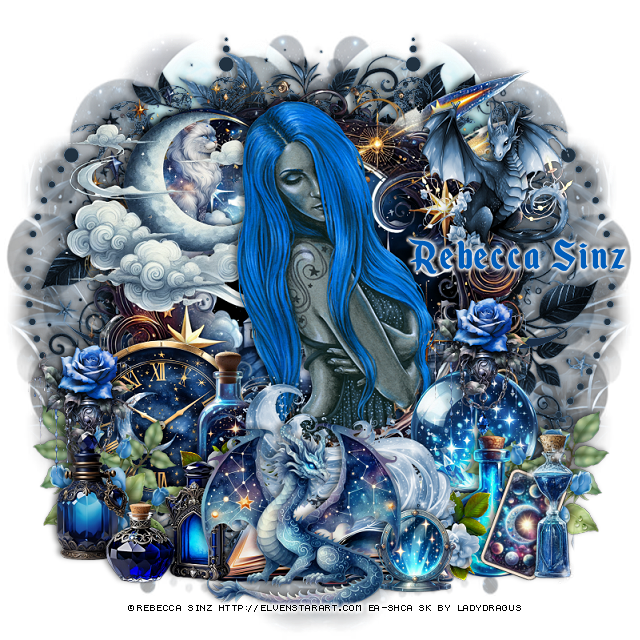
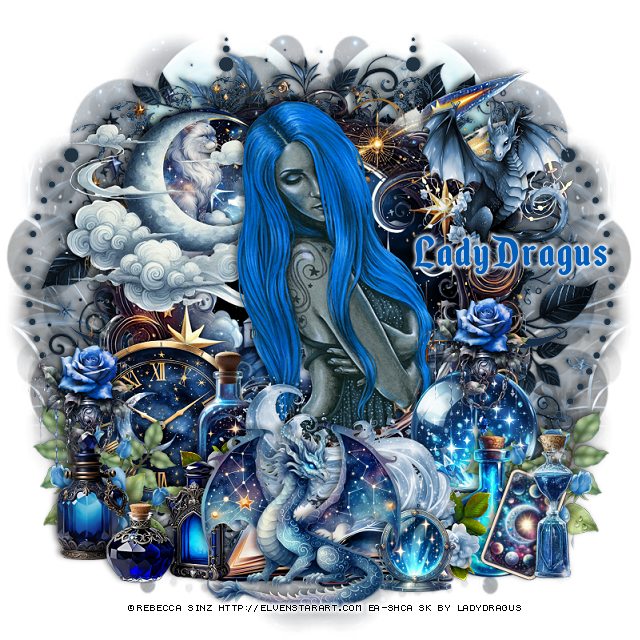
PTU Blue Bouquet


 This tut was written January 25th, 2026 for those with a basic knowledge of psp. 

I am using the Awesome tube ©Rebecca Sinz

Tube is "NOT" in the kit
Tube is called Blue Moon
You need a license to use this tube, please do not use without a license
You can ge the tube at her store HERE

I used PSP2020...but any of them should work.
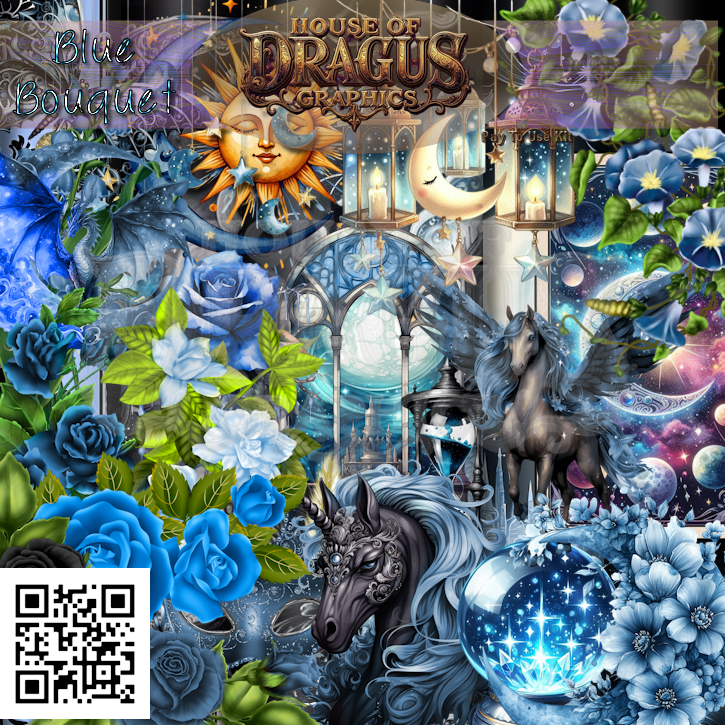
PTU Scrap Blue Bouquet by Lady Dragus  HERE HERE
Miz Teeques Mask 63 HERE
Check the blog out HERE

Font of choice, I used Enchanted Land

Drop shadow as you go is V -2 H 4, 40, 10, or use what you prefer.
Let's get started
*Remember to add your drop shadow as you go along*

Open a new image 800 x 800, paste paper 1, apply your mask, 
move to the left, duplicate, mirror.
Paste 82 on the mask.
Paste 74 on the left, erase the bottom part hanging, duplicate, mirror.

Resize frame 9 to 65%, paste.
Resize 85 to 60%, paste below the frame.
Resize 84 to 40%, paste on the upper left on the moon.
Resize 101 to 25%, mirror, paste below the moon.

Paste the tube below the frame, erase the bottom part, duplicate, 
move above the moon with the clouds, erase the bottom.
Resize 88 to 30%, paste at the upper right.
Resize 96 to 40%, paste at the bottom.
Resize 71 to 30%, paste on the bottom left below the book.
Resize 56 to 25%, paste on the left above the bottle, duplicate, mirror, 
move over the bottle a little, erase the stem showing below the book.

Resize 91 to 30%, paste on the left below the bottle.
Resize 61 to 25%, paste on the bottom left below the bottles.
Resize 60 to 30%, paste at the bottom left above the book.
Resize 11 to 30%, paste on the bottom right below the book.
Resize 10 to 25%, paste on the right above the globe.
Resize 37 to 25%, paste on the right between the globe and bottle, 
duplicate, mirror, adjust on the left.

Resize 98 to 25%, paste on the right at the top of the globe below
the bottle, duplicate, move over to the left on the clock.
Resize 65 to 35%, paste on the bottom right.
Resize 3 to 13%, free rotate to the right at 20, paste on the right
between the bottles.
Resize 95 to 35%, paste at the bottom above the book.
Resize 4 to 15%, paste at the bottom below the dragon on the right.

Add any other elements that you would like, make it your own.
Always readjust your mask and elements how you like them before you
 merge your tag, resize, sharpen.

Crop your tag to be sure no shadows or lines are on the edges.
 Then add your copyright and name.
That's it

Hope you enjoyed doing my tut 
Tag for Rebecca Sinz


Tuesday, February 26, 2019

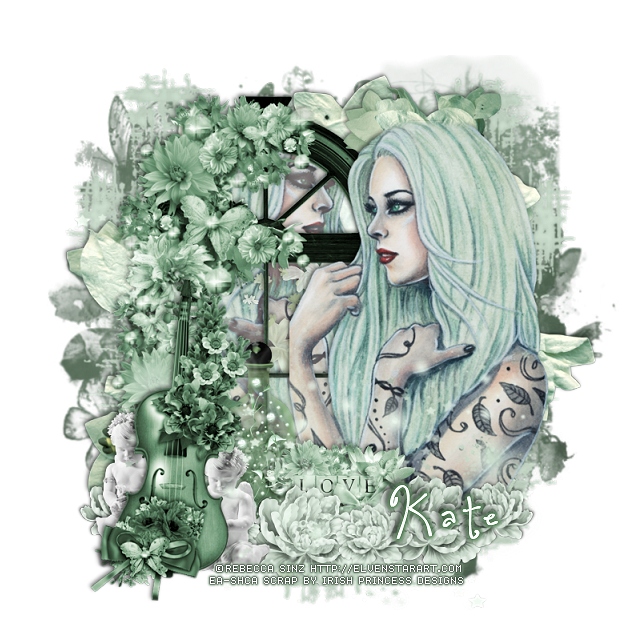
PTU Mint Dream


This tut was written Feb 26th, 2019 for those with a basic knowledge of psp.
I am using the awesome artwork of  Rebecca Sinz
The tube is  "Mint" 
You need a license to use this tube, do not use without a license.
You can find this art at her Store  HERE

I used PSPX...but any of them should work.
PTU matching kit Mint Dream by Irish Princess Designs HERE, HERE and HERE
MizTeeques Mask 246 HERE
Check out the rest of the blog HERE
Filters
xero-Alienmist

Font of choice,  I used One Starry Night

Drop shadow is usually V-2 H-2 Black, 50, 5, use what you prefer.
Let's get started
*Remember to add your drop shadow as you go along*

Open a new layer 800 x 800
Select all, add a new layer, paste paper 13, into selection, apply your mask, 
delete, merge group, select none.  Resize the mask larger to 110%.
Adjust to fit your tag later.
Resize element 12 to 90%, paste on the mask on the right, duplicate, mirror.
Resize element 5 to 85%, paste next.

Resize element 103 to 75%, paste to the left. Take your free hand tool, draw around
the frame, resize paper 27 to 80%, paste below the window, invert, delete, keep 
selected.  Resize your tube to 85%, paste below the window how you like, delete,
select none.
Apply the xero filter-Alienmist with the default settings.

Resize your tube to 85%, mirror, paste on the right above the frame.
Take your eraser and just hit the edges at the top of the tube lightly.

Resize element 146 to 55%, paste on the left above the frame.
Resize element 4 to 35%, free rotate to the right at 90 degrees, mirror, paste
at the upper right below the tube.
Resize element 149 to 20%, paste at the bottom above the tube, duplicate,  move 
over more, duplicate again, resize smaller to 65%, duplicate three more times, 
place on each side of the larger flowers.

Resize element 101 to 85%, paste below the violin layer.
Resize element 105 to 25%, paste below the flowers about center above the tube layer.
Resize element 7 to 25%, paste at the bottom below the sparkle layer by the
violin, duplicate move to the left behind the violin.

Resize element 144 to 45%, paste below the window frame.
Resize element 141 to 35%, paste below the love sign to the right of the violin a little.

Add any other elements that you like, make your own.
Adjust all the elements before merging your tag.

Once happy, close off any background you had.
 Crop your tag to get rid of any stray edges, merge visible.
Resize, sharpen, add your Copyright and name.

That's it
Hope you enjoyed doing my tut.

Wednesday, February 13, 2019

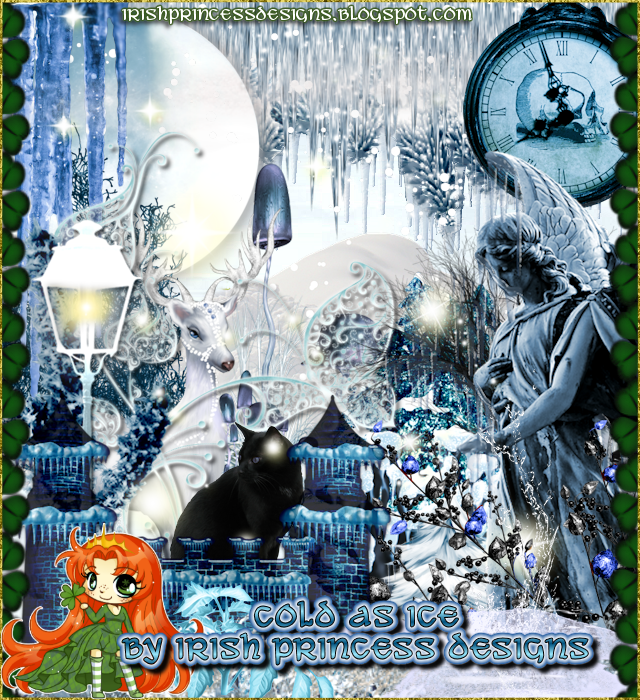
PTU Cold as Ice


This tut was written Feb 13th, 2019 for those with a basic knowledge of psp.
I am using the awesome artwork of  Rebecca Sinz
The tube is  "Cold as Ice" 
You need a license to use this tube, do not use without a license.
You can find this art at her Store  HERE

I used PSPX...but any of them should work.
PTU matching kit Cold as Ice by Irish Princess Designs HERE, HERE and HERE
MizTeeques Mask 247 HERE
Check out the rest of the blog HERE

Font of choice,  I used Across the Road

Drop shadow is usually V-2 H-2 Black, 50, 5, use what you prefer.
Let's get started
*Remember to add your drop shadow as you go along*

Open a new layer 800 x 800
Select all, add a new layer, paste paper 9, into selection, apply your mask, 
delete, merge group, select none.  Resize the mask larger to 120%.
Adjust to fit your tag later.

Paste element 3 below the mask layer.

Resize your tube to 85%, paste to the right more.

Resize element 33 to 50%, free rotate to the left at 15 degrees, paste at the bottom
above the tube to one side, duplicate, mirror.
Resize element 38 to 40%, paste below the tube to the left, duplicate, mirror.
Resize element 126 to 50%, paste on the right above the tube layer, erase a little of
the white edge showing at the bottom.

Resize element 80 to 75%, paste below the tube to the left more.
Resize element 158 to 50%, paste on the mask to the right behind the tube,
duplicate, mirror.
Resize element 13 to 30%, paste at the lower right below the mushrooms.

Resize element 40 to 20%, free rotate to the left at 90 degrees, paste below the
flowers at the lower left, duplicate, mirror, duplicate again, move back to 
the center more.
Resize element 127 to 15%, paste at the left above the tube to cover the straight 
edge of her arm.

Resize element 151 to 85%, paste at the bottom being on the top layer now.
Go back to the mushroom layer on the right, duplicate, mirror, move below 
the white wolf on the left.
Resize element 45 to 15%, paste on the right below the angel so just a little of
the harp shows.

Resize element 131 to 45%, paste below the flowers at the bottom on one side, duplicate,
mirror, adjust so a little shows at the bottom of the flowers and the tops of them.
Paste element 72 on the mask layer, mirror, adjust.

Add any other elements that you like, make your own.
Adjust all the elements before merging your tag.

Once happy, close off any background you had.
 Crop your tag to get rid of any stray edges, merge visible.
Resize, sharpen, add your Copyright and name.

That's it
Hope you enjoyed doing my tut.

Friday, July 14, 2017

PTU The Eyes Tells All


This tut was written July 14th, 2017 for those with a basic knowledge of psp.
I am using the awesome artwork of  Rebecca Sinz.
Tube is called Gun Metal
You need a license to use this art work. Please do not use without a license.
 You can find this art at their store  HERE 

I used PSPX...but any of them should work.
PTU Scrap Greyscale Grace by Irish Princess Designs  HERE
This kit is Gorgeous
You can also find this kit at one of these stores HERE, HERE, HERE
Vix's Big Mask 018 HERE
Check out the rest of the blog HERE
Filter
Xero Filter-Soft Mood (optional)

Font of choice, I used Close to You

Drop shadow is usually V-2 H-2 Black, 50, 5, use what you prefer.
Let's get started
*Remember to add your drop shadow as you go along*

Open a new image 800 x 800, paste paper 20, resize to 85%, apply your
mask, delete, merge group, duplicate, merge down.

Paste frame element 84, free rotate to the right at 90 degrees, resize to 80%,
click inside with your magic wand, expand by 5, paste paper 20, invert, delete,
paste your tube, delete, select none.
Duplicate the tube, go to Adjust, Blur, Gaussian Blur, number on 4, change the
blend mode to Hard Light.
Duplicate the frame, free rotate to the right at 15 degrees, move below the
paper layer of the top frame.

Resize element 3 to 50%, paste at the bottom left of the frame.
Resize element 7 to 45%, paste on the left below the flowers.
Resize element 8 to 35%, mirror, paste below the first bottle.
Resize element 18 to 35%, paste below the flower layer on the right.
Resize element 52 to 35%, paste on the left below the bottle,  duplicate,
free rotate to the left at 15 degrees.

Duplicate the bottle, mirror, move below the flowers on the right.
Resize element 6 to 70%, paste below the bottles and up so some shows.
Resize element 81 to 35%, paste on the right above the bottle.

Go back to the top flower, element 3, duplicate, mirror, move below the
bottle  on the right and up some behind the box, duplicate, mirror, move up
some on the left.
Resize element 4 to 35%, paste below the flower on the right and up, duplicate,
mirror and move up some.
Resize element 99 to 50%, free rotate to the left at 10 degrees, mirror, paste on
the frame layer on the right, duplicate, mirror, adjust how you like,
duplicate again, move down some, erase any stem showing below.

Resize element 38 to 50%, paste on the upper right, duplicate, mirror,
move down some, erase a few of them.
Resize element 69 to 50%, paste between some of the flowers on the right, duplicate,
mirror, move up some.
Resize element 43 to 50%, flip, paste on the lower left on the flowers.

Add any other elements that you would like, make it your own.

Once happy with your tag, close off any background, crop your tag to make
sure there are no stray edges, merge visible.
Duplicate your tag, go to Adjust, Blur, Gaussian Blur, number on 4, change the blend
mode to Screen, apply the Xero Filter-Soft Mood, three times, resize then sharpen.

Add your copyrights and name.

That's it
Hope you enjoyed doing my tut.