Showing posts with label Vintage. Show all posts

Saturday, November 7, 2026

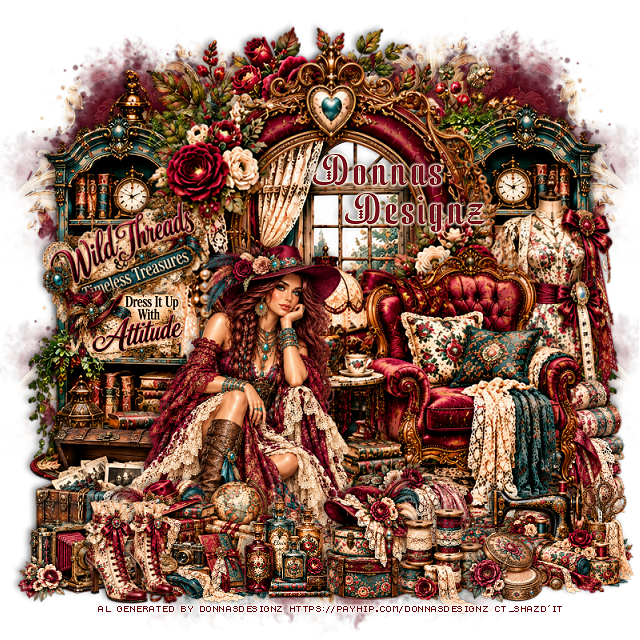
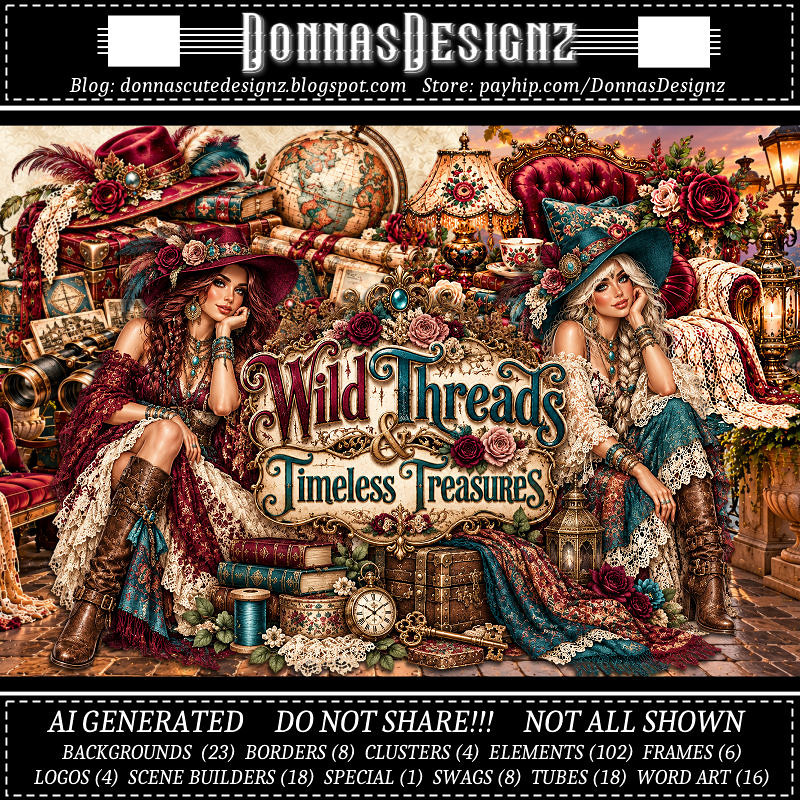
PTU Wild Treads and Timeless Treasures


 This tut was written November 7th, 2026 for those with a basic knowledge of psp. 

I am using the Awesome Al kit/Tubes by Donna Designz
Everything used is included in the kit
Please read the TOU on how to credit your tags

I used PSP2020...but any of them should work.
PTU Scrap Wild Treads and Timeless Treasures by Donnas Designz  HERE 
Check the rest of her kit at her store HERE
Vivienne's Digital Tagging Mask 35 HERE
Check the rest of the blog HERE

Font of choice, I used Yulltan

Drop shadow as you go is V -2 H 4, 50, 10, or use what you prefer.
Let's get started
*Remember to add your drop shadow as you go along*

Open a new image 800 x 800, paste paper 11, apply your mask, 
move to the left, duplicate, mirror, adjust to fit.

Resize frame 3 to 90%, paste Scene builder 18 below the frame so the 
window shows, duplicate, mirror, move below the first one.
Resize Scene builder 18 to 75%, paste at the bottom right.
Paste Cluster 1 at the top above the mask, erase the parts showing on 
each side.

Resize tube 5 to 40%, paste at the bottomleft.

Resize 47 to 50%, paste below the tube on the bottom left.
Resize 35 to 75%, paste on the right below the chair.
Resize 79 to 50%, paste on the bottom right below the chair.
Resize Cluster 3 to 30%, paste at the bottom left above the tube.
Resize 64 to 40%, paste at the bottom above the chair.
Resize Cluster 2 to 30%, paste on the bottom right.

Resize 75 to 35%, paste on the bottom left.
Resize 25 to 40%, paste at the bottom.
Resize 29 to 40%, paste on the bottom to the right.
Resize 94 to 40%, paste at the bottom left.
Resize 60 to 30%, paste on the bottom right.
Resize 23 to 40%, paste at the bottom by the bottles.
Resize wordart 16 to 45%, free rotate to the left at 20, paste on the left 
below the tube.
Resize wordart 8 to 40%, paste on the left by the other wordart.

Add any other elements that you would like, make it your own.
Always readjust your mask and elements how you like them before you
 merge your tag, resize, sharpen.
Crop your tag to be sure no shadows or lines are on the edges.
 Then add your copyright and name.
That's it

Hope you enjoyed doing my tut.        

Tuesday, July 21, 2026

PTU A Vintage Garden


This tut was written July 19th, 2026,  for those with a basic knowledge of psp. 

Awesome Al kit and tubes by Bella Caribeña
Everything is included in the kit
Read the TOU on how to credit tags

I used PSP2020...but any of them should work.
PTU Scrap A Vintage Garden by Bella Caribeña  HERE
Fantasy/Vintage Theme
Kit contains 2 Al gen tubes, 118 elements, 20 papers and 3 masks
You can check out the rest of her store HERE 

Font of choice I used Cambria

 Drop shadow as you go is V -2 H 4, 50, 10, or use what you prefer.
Let's get started
*Remember to add your drop shadow as you go along*

Open a new image 800 x 800, paste mask 3, adjust.

Resize 32 to 75%, paste at the upper left, click inside, paste paper 7,
move how you like, invert, delete.
Paste 7 below the frame at the top.
Resize 100 to 85%, paste on the upper right below the tree,
duplicate, mirror.

Resize 2 tube to 20%, paste at the bottom.

Resize 5 to 75%, mirror, paste on the right below the tube.
Resize 75 to 30%, paste at the bottom above the tube.
Resize 47 to 40%, mirror, paste below the tube on the left.
Resize 62 to 50%, paste below the tube on the right.
Resize 44 to 30%, paste on the bottom left.
Resize 45 to 25%, paste on the bottom left.
Resize 68 to 25%, paste below the rabbits.
Resize 18 to 20%, paste at the bottom right above the horse.

Resize 112 to 30%, mirror, paste at the bottom right.
Paste 15 at the bottom on the bottom layer.
Resize 73 to 15%, paste at the bottom right.
Resize 102 to 15%, paste at the bottom to the left.

Add any other elements you would like, resize.
Crop your tag to be sure no shadows or lines are on the edges.
 Then add your copyright and name.
That's it

            Hope you enjoyed doing my tut                     

Thursday, June 18, 2026

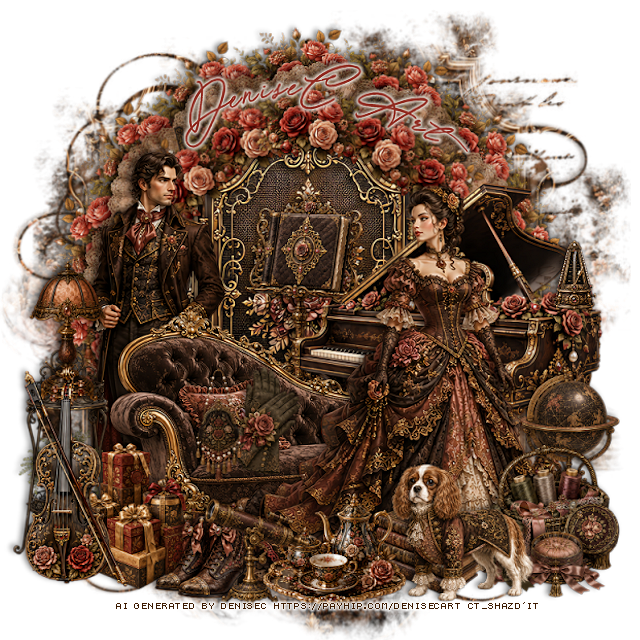
PTU A Victorian Treasury


 This tut was written June 17th, 2026 for those with a basic knowledge of psp. 

I am using the beautiful Al kit/tube by DeniseC Art

Everything is included in the kit
Please read their TOU on how to credit your tags

I used PSP2020...but any of them should work.
PTU Scrap A Victorian Treasury by DeniseC Art HERE
Check out her store here for more of her kits  HERE 
Miz Teeques Mask 56 HERE
Check out the rest of the blog  HERE

Font of choice, I used Special Touch

Drop shadow as you go is V -2 H 4, 50, 10, or use what you prefer.
Let's get started
*Remember to add your drop shadow as you go along*

Open a new image 800 x 800, resize paper 1 to 50%, apply your mask.

Draw around element 35 on the bottom part of the flowers,
resize to 25%, apply Mura Meister Copies-Encircle, first 3 numbers
on 14, 63, 63, paste.
Resize 14 to 20%, apply Mura Meister Copies-Encircle, first 3 numbers
on 12, 50, 50, paste.
Duplicate the flower circle, move above the fan circle, resize to 80%, 
erase the tassels showing.
Resize 57 to 50%, paste below the frame.
Resize 7 to 50%, paste on the right above the frame.

Resize 22 to 50%, paste on the left.
Resize 25 to 50%, paste at the bottom.
Resize 21 to 50%, paste on the right.
Resize 6 to 10%, paste on the piano.
Resize 51 to 30%, paste on the bottom left by the couch.
Resize 15 to 20%, paste on the plant stand.
Resize 45 to 15%, paste on the couch to the left of the lady.
Resize 26 to 15%, paste by the gloves.
Resize 32 to 20%, paste at the bottom left.
Resize 20 to 20%, paste at the bottom right below the tube.

Resize 40 to 20%, paste at the bottom right above the tube.
Resize 41 to 15%, paste at the bottom right.
Resize 5 to 15%, paste at the bottom by the gift boxes.
Resize 37 to 20%, paste at the bottom right above the tube.
Resize 3 to 30%, paste at the bottom left above the gift boxes.
Resize 1 to 20%, paste at the bottom by the shoes.
Resize 60 to 15%, paste at the bottom below the dog.
Resize 18 to 15%, paste at the bottom above the tray.
Resize 8 to 30%, paste below the piano.

Add any other elements that you would like, make it your own.
Always readjust your mask and elements how you like them before you
 merge your tag, resize, sharpen.

Crop your tag to be sure no shadows or lines are on the edges.
 Then add your copyright and name.
That's it

Hope you enjoyed doing my tut   

Saturday, June 13, 2026

PTU A Victorian Breeze

   This tut was written June 12th, 2026,  for those with a basic knowledge of psp. 

Awesome Al kit and tubes by Bella Caribeña
Everything is included in the kit
Read the TOU on how to credit tags

I used PSP2020...but any of them should work.
PTU Scrap A Victorian Breeze by Bella Caribeña  HERE
Victorian Theme
Kit contains 4 Al gen tubes, 137 elements, 20 papers and 3 masks
You can check out the rest of her store HERE 

Font of choice I used Aromabar

 Drop shadow as you go is V -2 H 4, 50, 10, or use what you prefer.
Let's get started
*Remember to add your drop shadow as you go along*

Open a new image 800 x 800, paste mask 2.

Paste 101 at the upper left, duplicate, mirror.
Resize 6 to 75%, mirror, paste on the upper left.
Resize 4 to 75%, paste on the right.
Resize 38 to 50%, paste on the bottom left.
Resize 85 to 50%, paste on the upper right below the houses, 
click inside, resize paper  8 to 40%, paste, invert, delete.

Resize tube 2 to 20%, mirror, paste on the bottom left above the
flower cart.

Resize 115 to 45%, paste on the bottom right below the tube.
Resize 36 to 40%, paste at the bottom above the tube.
Resize 65 to 27%, paste at the bottom left above the bike.
Resize 92 to 30%, paste at the bottom.

Resize 56 to 35%, mirror, paste on the bottom right by the fence.
Resize 103 to 40%, paste at the bottom right below the fence and girl.
Resize 78 to 35%, paste below the fence by the house.
Resize 112 to 15%, paste at the top on the house.
Resize 23 to 23%, paste at the bottom to the left of the basket.

Add any other elements you would like, resize.
Crop your tag to be sure no shadows or lines are on the edges.
 Then add your copyright and name.
That's it

            Hope you enjoyed doing my tut                   

Saturday, June 6, 2026

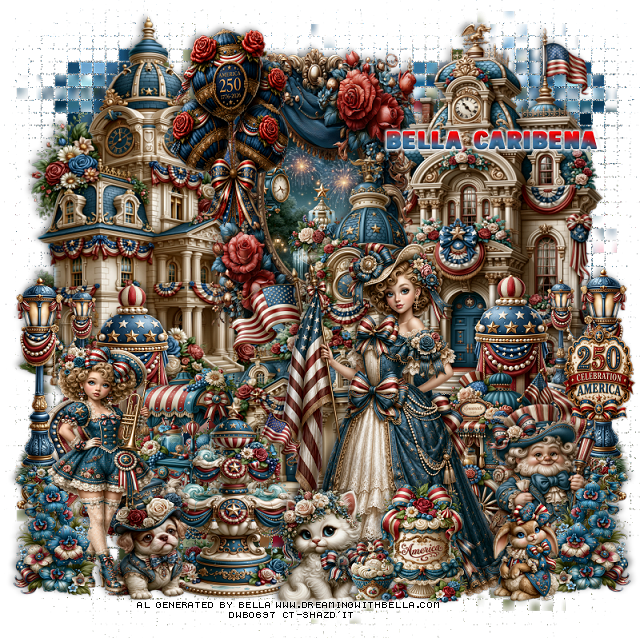
PTU Vintage 4th of July

 This tut was written June 6th, 2026,  for those with a basic knowledge of psp. 

Awesome Al kit and tubes by Bella Caribeña
Everything is included in the kit
Read the TOU on how to credit tags

I used PSP2020...but any of them should work.
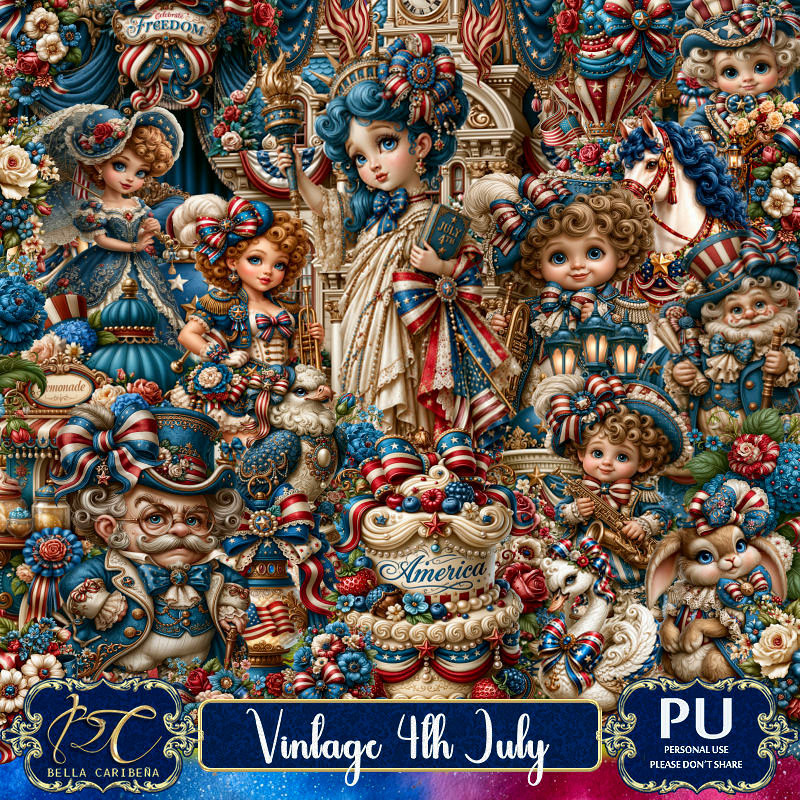
PTU Scrap Vintage 4th of July by Bella Caribeña  HERE
4th of July Theme
Kit contains 3Al gen tubes, 135 elements, 14 papers
You can check out the rest of her store HERE 

Font of choice I used USA Spirit

 Drop shadow as you go is V -2 H 4, 50, 10, or use what you prefer.
Let's get started
*Remember to add your drop shadow as you go along*

Open a new image 800 x 800
Paste 30 on the bottom layer , go to Effects, Texture, Mosaic Antique,
50, 50, 
70, 2, 50, apply 2 times
move to the right, duplicate, mirror, adjust

Resize 98 to 60%, paste at the top, click inside, resize 105 to 15%, 
paste, invert, delete.
Resize 88 to 75%, paste on the right above the frame.
Resize 87 to 75%, paste on the upper left below the frame.
Resize 89 to 75%, paste on the upper right below the frame.
Resize 17 to 50%, paste on the right, duplicate, mirror.
Resize 11 to 35%, paste at the bottom above the building on the left.
Resize 10 to 35%, paste at the bottom right above the building.

Resize tube 1 to 23%, paste at the bottom to the right.
Resize 47 to 50%, mirror, paste on the bottom left.
Resize 18 and 19 to 25%, paste at the bottom.
Resize 56 to 40%, paste at the top.
Resize 66 to 35%, paste on the bottom right.
Resize 46 to 40%, paste at the bottom below the dog and cat.
Resize 28 to 25%, paste at the bottom left above the girl, duplicate, mirror.
Resize 121 to 25%, paste at the bottom above the tube.
Resize 126 to 13%, paste at the bottom.
Resize 119 to 20%, paste at the bottom right.
Resize 51 to 20%, paste on the right on the light post.

Add any other elements you would like, resize.
Crop your tag to be sure no shadows or lines are on the edges.
 Then add your copyright and name.
That's it

            Hope you enjoyed doing my tut                   

Thursday, May 28, 2026

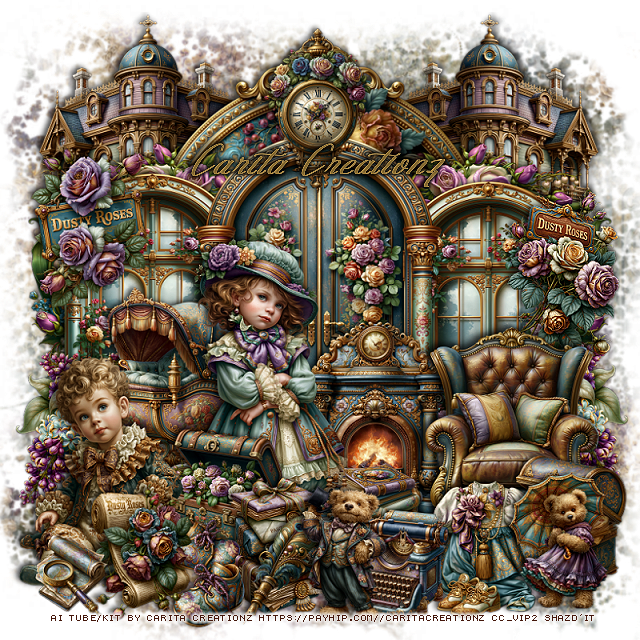
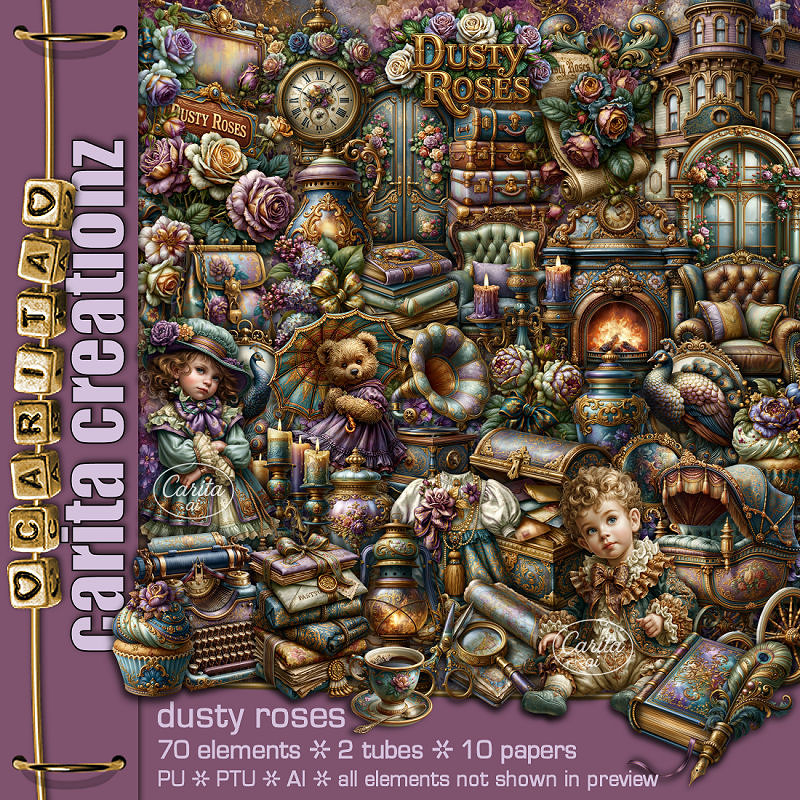
PTU Dusty Roses

  This tut was written May 28th, 2026 for those with a basic knowledge of psp. 

I am using the Awesome Al kit by Carita Creationz
The beautiful tube is Al gen by Carita
Read the TOU how to credit your tags.

I used PSP2020...but any of them should work.
PTU Scrap Dusty Roses kit by Carita Creationz  HERE
Kit comes with 72 elements, 10 papers and  2 tube
Check her store out to see all her other kits and tubes HERE
Miz Teeques Mask 52 HERE
Check the rest of the blog HERE

Font of choice, I used The Golden Flower

Drop shadow as you go is V -2 H 4, 40, 10, or use what you prefer.
Let's get started
*Remember to add your drop shadow as you go along*

Open a new image 800 x 800, paste paper 3, apply your mask.

Resize 31 to 60%, paste.
Resize 38 to 50%, paste below the door on the left, duplicate, mirror.
Resize 47 to 85%, paste at the top below the windows and door.
Resize 28 to 50%, paste below the window on the right, duplicate, mirror.
Resize 43 to 50%, paste on the upper left below the frame, duplicate, mirror.
Resize 57 to 30%, paste on the bottom left, duplicate, mirror.
Resize 1 to 45%, paste at the bottom to the left above the flowers.

Resize tube 1 to 35%, paste above the carriage.
Resize tube 2 to 30%, paste on the bottom left.

Resize 61 to 25%, paste between the tubes.
Resize 40 to 42%, paste on the right above the flowers.
Resize 41 to 35%, paste at the bottom below the girl.
Resize 8 to 25%, paste at the bottom above the chest.
Resize 19 to 20%, paste at the bottom above the letters.
Resize 16 to 25%, paste at the bottom right above the chair.
Resize 18 to 25%, paste at the bottom right above the chest.

Resize 29 to 20%, paste below the girl.
Resize 44 to 25%, paste on the bottom left above the boy.
Resize 23 to 20%, paste at the bottom by the letters.
Resize 2 to 20%, paste at the bottom right.
Resize 5 to 15%, paste at the bottom left.
Resize 51 to 25%, paste at the bottom by the typewriter.
Resize 52 to 25%, paste on the bottom right.
Resize 36 to 30%, paste on the right below the chair.
Resize 35 to 30%, paste on the upper left on the window.
Resize 37 to 30%, paste at the top of the door.

Add any other elements that you would like, make it your own.
Always readjust your mask and elements how you like them before you
 merge your tag, resize, sharpen.
Crop your tag to be sure no shadows or lines are on the edges.
 Then add your copyright and name.
That's it

Hope you enjoyed doing my tut.              

Monday, April 27, 2026

PTU Map of Memories

  This tut was written April 27th, 2026 for those with a basic knowledge of psp. 

Awesome AI kit and tube by Midnight Shadow Dezinez

Everything used is included in the kit
Read the TOU on how to credit your tags

I used PSP2020...but any of them should work.
PTU Scrap Map of Memories by Midnight Shadow Dezinez  HERE
You can find all Midnight Shadow Dezinez kits HERE
Miz Teeques Mask 52 HERE
Check the blog HERE

Font of choice, I used Sofye

Drop shadow as you go is V -2 H -4, 50, 10, or use what you prefer.
Let's get started
*Remember to add your drop shadow as you go along*

Open a new image 800 x 800,  paste paper 6, apply your mask.

Resize 39 to 85%, paste.
Resize 9 to 60%, paste below the curtains.
Resize 20 to 60%, paste on the bottom right.
Resize 28 to 55%, paste on the left below the tube.
Resize 48 to 25%, paste on the desk.
Resize 27 to 25%, paste below the desk, duplicate, mirror.
Resize 3 to 25%, paste on the left below the flowers, duplicate, mirror.
Resize 13 to 35%, paste below the tube on the right.
Resize 56 to 25%, paste at the bottom above the tube.

Resize 47 to 25%, paste on the bottom right.
Resize 6 to 20%, paste at the bottom above the basket.
Resize 4 to 28%, paste at the bottom.
Resize 8 to 25%, paste at the bottom left.
Resize 12 to 20%, paste at the bottom left on the books.
Resize 37 to 20%, paste at the bottom left.

Resize 52 to 20%, paste at the bottom.
Resize 24 to 12%, paste at the bottom left.
Resize 19 to 20%, paste at the bottom above the tube behind the 
thread box.
Resize 57 to 25%, paste on the left below the books.
Resize 40 to 25%, paste at the bottom to the right.
Resize 10 to 20%, paste below the basket.
Resize 26 to 13%, paste on the books.
Resize 34 to 25%, paste at the bottom above the buttons tray.
Resize 38 to 20%, paste at the top above the curtains.
Resize 41 to 20%, paste below the flowers on the left.
Resize 14 to 13%, paste at the top left on the curtains, duplicate, mirror.
Resize 1 to 25%, paste at the upper left.

Add any other elements that you would like, make it your own.
Always readjust your mask and elements how you like them before you
 merge your tag, resize, sharpen.

Crop your tag to be sure no shadows or lines are on the edges.
 Then add your copyright and name.
That's it

Hope you enjoyed doing my tut