Showing posts with label Mermaids. Show all posts

Wednesday, August 14, 2024

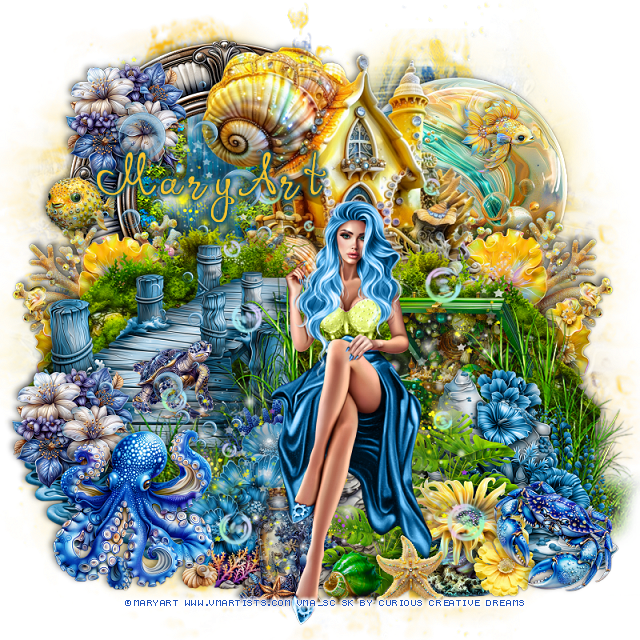
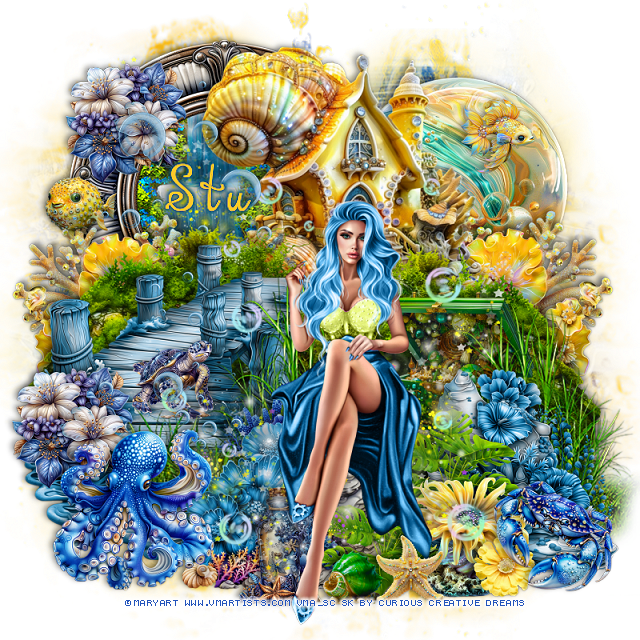
PTU Queen of the Sea


This tut was written  August 12th, 2024 for those with a basic knowledge of psp. 

I am using the beautiful tube by © MaryArt

The tube is called Selena
You need a license to use this tube, please do not use without a  license
You can find the tube at VMA HERE

I used PSP2020...but any of them should work.
PTU Scrap Queen of Sea by Curious Creative Dreams  HERE 
"Tube is NOT included"
You can find all Curious Creative Dreams kits HERE
Mask of choice, I used RD Mask 116_4  HERE
Check out the rest of the blog HERE

 Font of choice, I used Orhydea

Drop shadow as you go is V -2 H -4, 40, 10, or use what you prefer.
Let's get started
*Remember to add your drop shadow as you go along*

Open a new image 800 x 800, paste paper 19, apply your mask, resize 
larger to 110.
Paste paper 21, apply the same mask.

Resize element 19 to 70%, paste at the upper right.
Resize element 12 to 50%, paste at the upper right below the house.
Paste element 5 on the upper left below the house.
Paste element 93 above the waterfall.
Resize element 60 to 40%, paste on the upper left above the waterfall.
Resize element 46 to 40%, paste on the left above the house and down.
Resize element 39 to 50%, paste on the left below the pier, duplicate, mirror.
Resize element 24 to 40%, paste on the right below the house, duplicate, mirror,
move above the frame.

Resize element 2 to 75%, paste at the bottom above the pier, duplicate,
move to the right.
Resize element 52 to 25%, paste at the bottom above the grass on the left.
Resize element 51 to 25%, paste at the bottom right above the grass.

Resize your tube to 55%, paste.

Resize element 38 to 25%, paste on the right below the grass.
Resize element 23 to 25%, paste at the bottom right below the tube.
Resize element 40 to 30%, paste behind the yellow flower, duplicate, move 
to the left below the tube.
Resize element 18 to 15%, paste on the bottom above the yellow flower.
Resize element 37 to 10%, paste at the bottom below the tube.
Resize element 58 to 15%, paste at the bottom right above the flower.
Resize element 43 to 15%, paste at the bottom left below the tube.
Resize element 75 to 15%, paste on the bottom left above the pier, duplicate, 
move on the left on the frame.
Resize element 53 to 20%, paste at the bottom left above the flower.
Resize element 78 to 13%, paste at the bottom right below the crab.
Resize element 57 to 10%, mirror, paste on the pier.
Mirror element 93, paste below the tube where you like.
Resize element 22 to 15%, paste at the upper left.
Resize element 20 to 15%, paste at the upper right.
Paste element 32 on the left, change the color to a blue.

Add any other elements that you would like, make it your own.
Always readjust your mask and elements how you like them before you
 merge your tag, resize, sharpen.

Crop your tag to be sure no shadows or lines are on the edges.
 Then add your copyright and name.
That's it

Hope you enjoyed doing my tut.    

Tag for Stu  


Wednesday, July 31, 2024

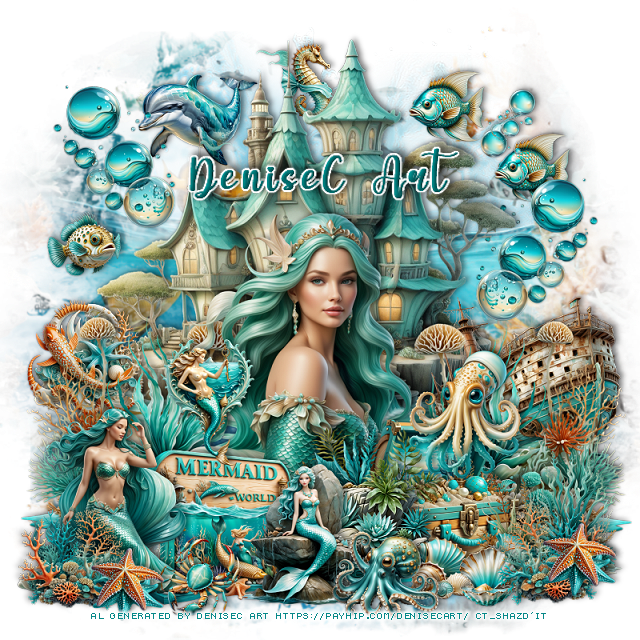
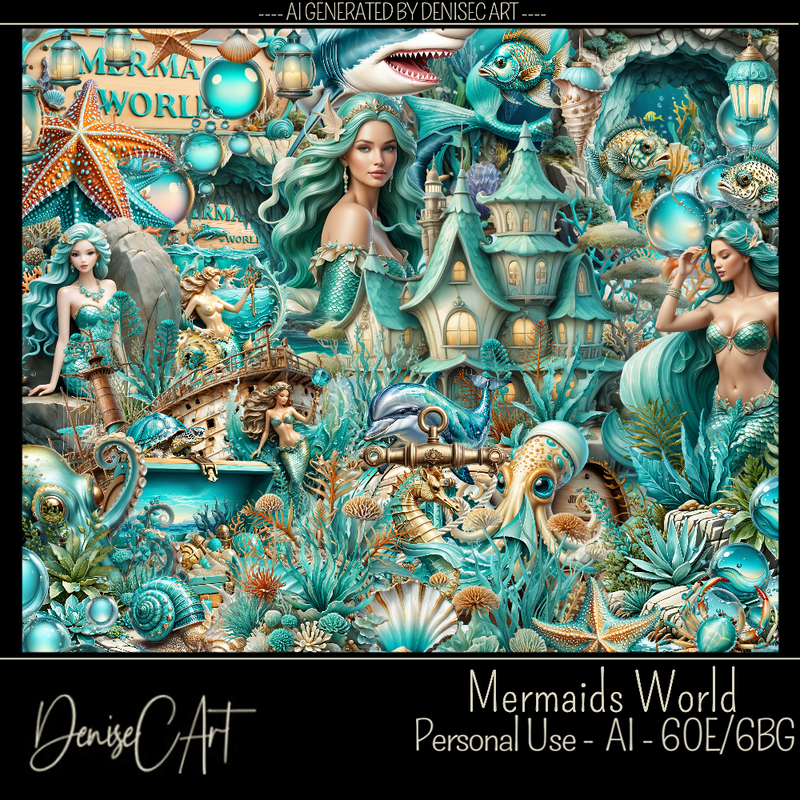
PTU Mermaids World


 This tut was written July 31st, 2024 for those with a basic knowledge of psp. 

AI generated Mermaid kit and tube by DeniseC Art

Everything used is included in the kit
Read the TOU on how to credit your tags

I used PSP2020...but any of them should work.
PTU Scrap Mermaids World by DeniseC Art  HERE  
Everything used is included in the kit
You can find all DeniseC Art kits  HERE
Mask of choice, I used RD Mask 116_4 HERE
Check out the rest of the blog HERE

 Font of choice, I used My Butterfly

Drop shadow as you go is V -2 H -4, 40, 10, or use what you prefer.
Let's get started
*Remember to add your drop shadow as you go along*

Open a new image 800 x 800, resize paper 2 to 60%, apply your mask.

Resize element 17 to 50%, paste at the top.
Resize element 41 to 35%, paste at the bottom left of the castle, duplicate, mirror.
Resize element 58 to 15%, paste on the left below the plant.
Resize element 7 to 25%, paste on the right below the plant.

Resize element 15 to 30%, paste.

Resize element 56 to 20%, paste at the bottom above the tube.
Resize element 24 to 20%, paste at the bottom to the left.
Resize element 30 to 20%, mirror, paste on the bottom left.
Resize element 10 to 20%, paste at the bottom right below the plant.
Resize element 36 to 20%, paste at the bottom right above the chest.
Resize element 43 to 15%, paste at the bottom by the sign.
Resize element 53 to 12%, paste at the bottom left.
Resize element 21, 22 and 23 to 10%, paste at the bottom right.

Resize element 33 to 20%, paste on the right below the boat, duplicate, mirror.
Resize element 32 to 15%, paste at the bottom right, duplicate, mirror.
Resize element 16 to 15%, paste at the upper left below the bubble layer.
Resize element 29 to 10%, paste at the upper right, duplicate, move up more.
Resize element 34 to 10%, paste on the left.
Resize element 48 to 17%, paste on the lid of the chest.
Resize element 1 to 15%, mirror, paste at the bottom.
Resize element 25 to 10%, paste at the bottom left, duplicate, move to the right
where you like.
Resize element 49 to 10%, paste at the top below the castle.
Resize element 45 to 17%, paste above the sign.
Resize element 44 to 10%, paste at the upper right between the fish.

Add any other elements that you would like, make it your own.
Always readjust your mask and elements how you like them before you
 merge your tag, resize, sharpen.

Crop your tag to be sure no shadows or lines are on the edges.
 Then add your copyright and name.
That's it

Hope you enjoyed doing my tut         

Monday, July 15, 2024

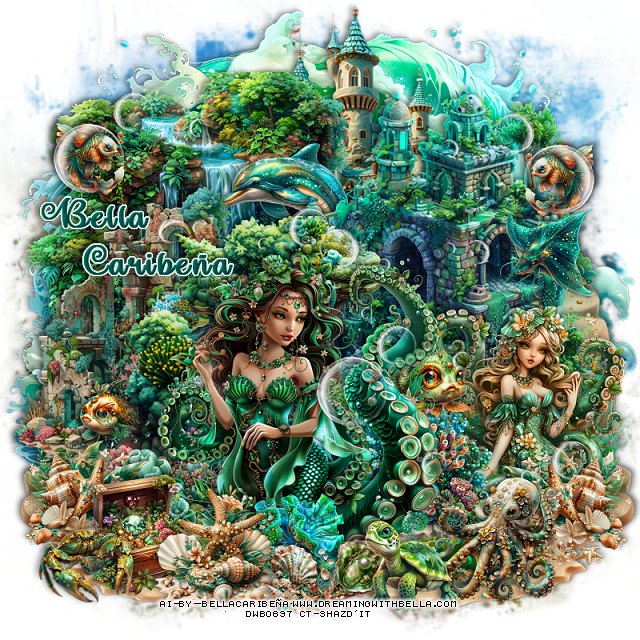
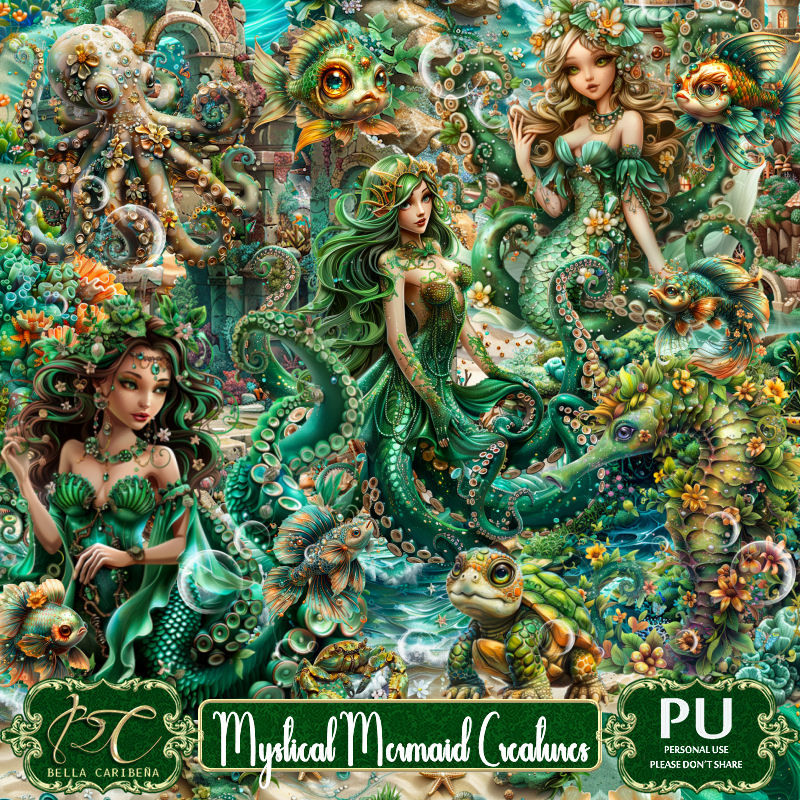
PTU Mystical Mermaid Creatures


 This tut was written July 14th, 2024 for those with a basic knowledge of psp. 

AI generated tubes and kit by Bella Caribeña
Beautiful Mermaid kit
Read the TOU on how to credit your tags

I used PSP2020...but any of them should work.
PTU Scrap Mystical Mermaid Creatures by Bella Caribeña  HERE 
Fantasy Mermaid theme kit
The kit contains 117 elements and 12 papers
Check out the rest of her store HERE
Mask of choice, I used RD Mask 674 HERE
Check the rest of the blog HERE

Font of choice, I used Make Magic Happen

Drop shadow as you go is V -2 H 4, 50, 10, or use what you prefer.
Let's get started
*Remember to add your drop shadow as you go along*

Open a new image 800 x 800, resize element 3 to 85%, paste, apply
your mask.

Resize Al el 103 to 90%, paste at the bottom left, duplicate, mirror.
Resize Al el 29 to 65%, paste at the upper left.
Resize Al el 1 to 60%, paste on the left.
Resize Al el 5 to 65%, paste at the bottom.
Resize Al el 75 to 75%, paste on the upper right.
Resize Al el 35 to 75%, paste on the bottom layer at the top.
Paste Al el 22 on the bottom layer at the upper left.
Paste Al el 21 on the bottom layer at the upper right.

Resize Al el 13 to 35%, paste at the bottom.
Resize Al el 25 to 30%, paste below the tube on the right.
Resize Al el 11 to 25%, paste on the right below the plant.
Resize Al el 8 to 25%, paste on the bottom left above the tube, duplicate,
mirror.
Resize Al el 81 to 25%, paste at the bottom left.
Resize Al el 52 to 25%, paste at the bottom above the chest.
Resize Al el 7 to 15%, paste on the left below the top element.
Resize Al el 12 to 25%, paste on the bottom right.
Resize Al el 94 to 20%, paste at the bottom above the tube.
Resize Al el 18 to 15%, paste at the bottom.
Resize Al el 102 to 20%, paste on the right below the tube.
Resize Al el 93 to 20%, mirror, paste on the right.
Resize Al el 27 to 20%, paste at the bottom left.
Resize Al el 72 to 30%, mirror, paste above the waterfall below the
 stone building.
Resize Al el 38 to 20%, paste at the bottom.
Resize Al el 80 to 15%, paste at the bottom.
Resize el 7 to 60%, paste on the upper left, duplicate, mirror,
duplicate, move down.
Resize Al el 40 to 15%, paste at the upper left below the bubble, 
duplicate, mirror, move below the bubble on the right.

Add any other elements you would like, resize.
Crop your tag to be sure no shadows or lines are on the edges.
 Then add your copyright and name.
That's it

Hope you enjoyed doing my tut     

Sunday, June 16, 2024

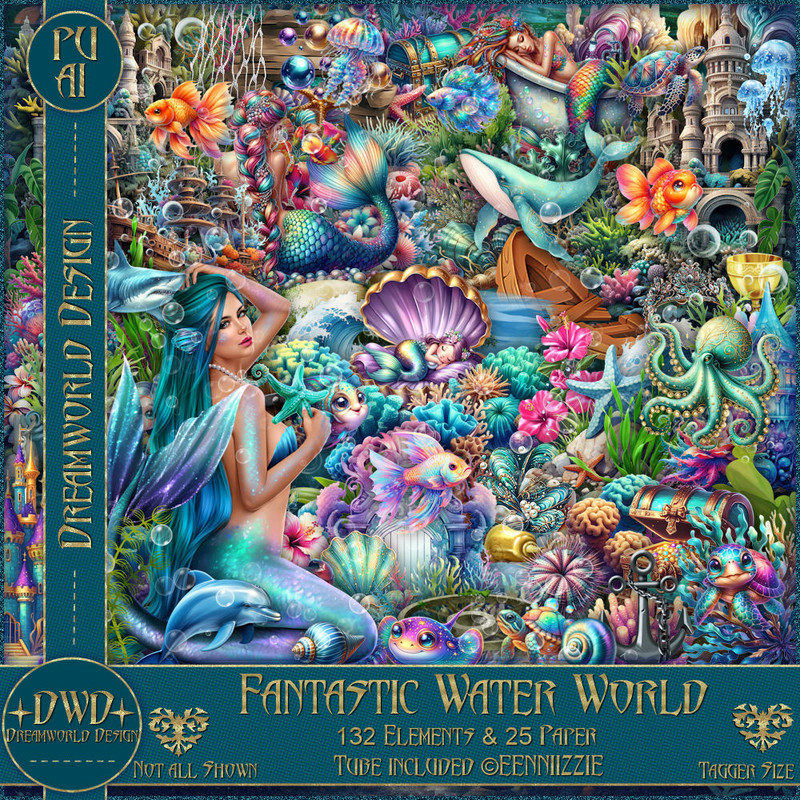
PTU Fantasy Water World


  This tut was written June 15thth, 2024 for those with a basic knowledge of psp. 

I am using an Al generated tube by Dreamworld Design 

that is included in the kit, along with some other tubes.

Read the TOU on how to credit your tags

I used PSP2020...but any of them should work.
PTU Scrap Fantasy Water World by DWD  HERE
Beautiful kit with 132 elements and 25 papers, and tubes. 
You can find all Dreamworld Design kits  HERE
Mask of choice, I used Miz Teeques Mask 63 HERE
Check out the rest of the blog HERE
Filters 
Murs Meister Copies-Encircle

Font of choice, I used Pretty Summer

Drop shadow as you go is V -2 H -4, 40, 10, or use what you prefer.
Let's get started
*Remember to add your drop shadow as you go along*

Open a new image 800 x 800, resize paper 20 to 65%, apply your mask,
move to the left, duplicate, mirror.

Resize frame 13 to 70%, paste.
Resize element 107 to 35%, apply Mura Meister Copies-Encircle, first
3 numbers on 24, 70, 70, move below the frame.
Paste element 61.
Resize element 63 to 50%, paste on the left, duplicate, mirror, resize
to 65%, move down on the right.
Resize element 58 to 55%, paste on the left.
Resize element 25 to 30%, paste at the bottom left above the boat.
Resize element 8 to 30%, paste at the bottom above the boat, duplicate, move 
to the right more.
Resize element 56 to 30%, paste at the bottom left below the boat, 
duplicate, mirror, move below the green plant on the right.
Resize element 53 to 35%, paste on the right below the plants.
Resize element 106 to 40%, paste at the bottom left.
Resize element 123 to 30%, paste at the bottom left above the chest, duplicate,
mirror.
Resize element 53 to 50%, paste at the bottom.
Resize element 108 to 65%, paste on the bottom right below the mermaid.
Resize element 52 to 30%, paste at the bottom left above the mermaid.
Resize element 48 to 40%, paste at the upper right.
Resize element 60 to 35%, mirror, paste on the left.
Resize element 2 to 15%, paste on the bottom right above the plant.
Resize element 1 to 15%, paste on the left on the chest.
Resize element 126 to 30%, paste on the right below the house, duplicate, 
mirror, move to the upper left below the house.
Resize element 94 to 90%, paste where you like being on the top layer.
Resize wordart 4 to 40%, paste at the top add a white gradient.
Resize element 67 to 25%, paste at the bottom.
Resize element 45 to 20%, paste on the gate area to the right.
Resize element 3 to 7%, paste under the wordart.
Resize element 92 to 65%, paste at the bottom being on the bottom layer.

Add any other elements that you would like, make it your own.
Always readjust your mask and elements how you like them before you
 merge your tag, resize, sharpen.

Crop your tag to be sure no shadows or lines are on the edges.
 Then add your copyright and name.
That's it

Hope you enjoyed doing my tut 


Thursday, June 13, 2024

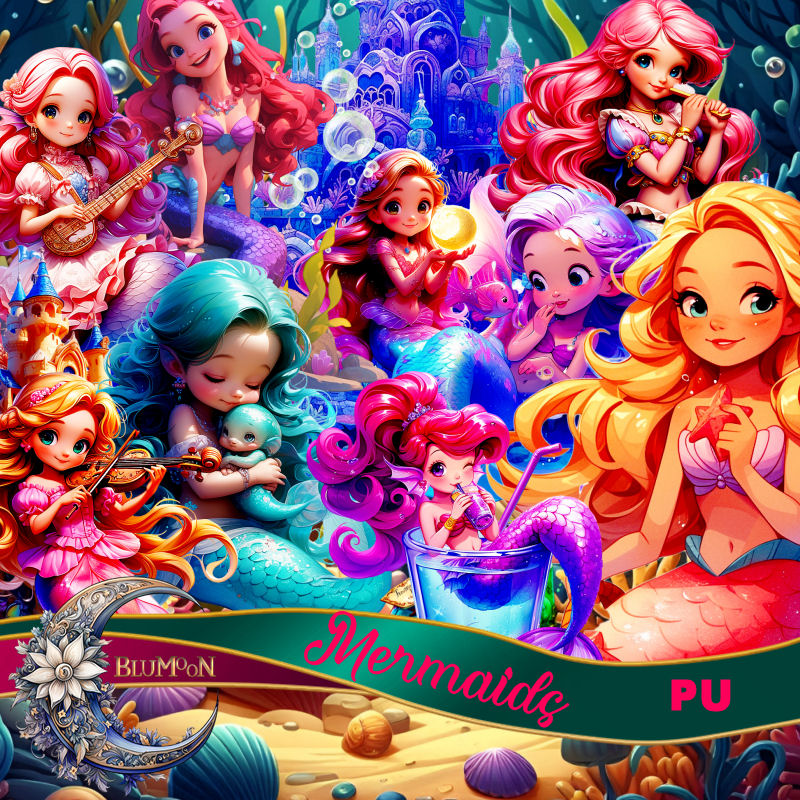
PTU Mermaids


 This tut was written June 10th, 2024 for those with a basic knowledge of psp. 

AI generated kit and tubes by Blu Moon 
Everything is included in the kit
Read the TOU on how to credit your tags 

I used PSP2020...but any of them should work.
PTU Scrap Mermaids by Blu Moon Designs  HERE 
Mermaid/Fantasy theme kit, it has 71 elements and 20 papers
Check out the rest of her store HERE
Mask of choice, I used RD mask 116_4 HERE
Check out the rest of the blog  HERE

Font of choice, I used Dragging Canoe

Drop shadow as you go is V -2 H 4, 50, 10, or use what you prefer.
Let's get started
*Remember to add your drop shadow as you go along*

Open a new image 800 x 800, paste paper 11, apply your mask.

Resize AI element 61 to 75%, paste on the left, duplicate, mirror.
Paste AI element 57 center.
Resize AI element 69 to 20%, paste on the upper left below the harp.
Resize AI element 71 to 20%, paste on the upper right below the harp.
Resize AI element 66 to 20%, paste on the lower right above the harp.
Resize AI element 26 to 35%, paste on the bottom left being on the top layer.
Resize AI element 35 to 30%, paste on top of the chest.
Resize AI element 31 to 35%, paste at the bottom above the chest, duplicate, 
move to the right, duplicate, mirror, move to the left.

Resize AI element 16 to 40%, paste on the bottom right below the greenery.
Resize AI element 19 to 35%, paste at the bottom below one of the greenery.
Resize AI element 6 to 15%, paste at the bottom left.
Resize AI element 28 to 25%, paste at the bottom right by the boat.
Resize AI element 3 to 20%, paste at the bottom right,
duplicate, move to the left above the chest.
Resize AI element 13 to 25%, paste at the bottom left.
Resize AI element 55 to 20%, paste at the bottom.
Resize AI element 27 to 25%, paste on the left below the harp.
Resize AI element 42 to 15%, mirror, paste on the right below the harp.
Resize AI element 4 to 75%, paste on the right above the mask layer, 
duplicate, mirror.
Resize AI element 1 to 15%, paste on the top layer.
Paste AI element 15 above the mask on one side so the water shows 
at the bottom, duplicate, mirror.

Add any other elements you would like, resize.
Crop your tag to be sure no shadows or lines are on the edges.
 Then add your copyright and name.
That's it

Hope you enjoyed doing my tut   

Monday, May 27, 2024

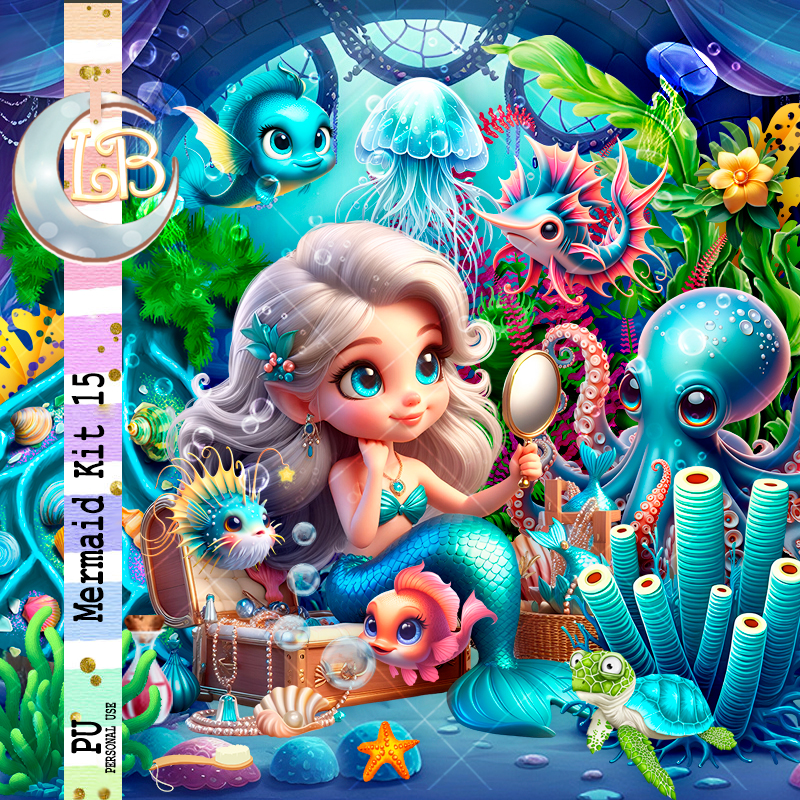
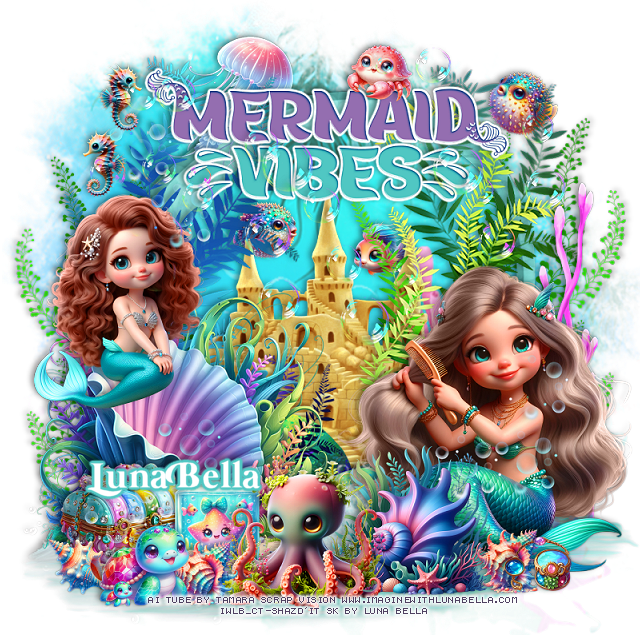
PTU Mermaid Kit 15


This tut was written May 26th, 2024 for those with a basic knowledge of psp. 

 AI generated tube by Tamara Scrap Vision

 Tubes are included in the kit
Read the TOU on how to credit your tags 

I used PSP2020...but any of them should work.
PTU Scrap Mermaid kit 15 by Luna Bella  HERE HERE 
Mermaid theme kit. 
Al tube by Tamara Scrap Vision, 78 elements and 10 papers. 
This kit is for personal use Only

Font of choice, I used Mermaid Swash Caps

Drop shadow as you go is V -2 H 4, 40, 10, or use what you prefer.
Let's get started
*Remember to add your drop shadow as you go along*

Open a new image 800 x 800 
Paste element 25, click inside with the magic wand, resize paper 3
to 60%, invert, delete.
Paste element 6 below the frame, resize to fit your tag, duplicate,
merge down.

Resize your tube to 25%, paste.

Resize element 4 to 115%, paste at the bottom above the frame.
Resize element 53 to 75%, paste on the right above the frame, duplicate,
mirror.
Resize element 5 to 50%, paste behind the tube on the left.
Resize element 55 to 85%, paste on the left behind the tube, duplicate, mirror.
Resize element 51 to 20%, paste at the bottom above the tube.
Resize element 47 to 30%, paste on the bottom left.

Resize AlEl 4 to 35%, paste at the bottom right above the tube.
Resize AlEl 9 to 30%, paste on the right behind the octopus, duplicate, mirror.
Resize AlEl 6 to 20%, paste in the frame below the plants.
Resize element 12 to 20%, paste on the left in the frame.
Resize element 38 to 25%, paste at the bottom on the sand.
Resize element 36 to 20%, paste at the bottom below the brush.
Resize AlEl 7 to 20%, mirror, paste by the tube to the left.

Resize element 32 to 25%, paste at the top above the frame.
Resize element 18 to 25%, paste on the upper left.
Resize AlEl 5 to 20%, paste on the right.
Resize AlEl 3 to 20%, paste on the left.
Resize element 3 to 20%, paste on the right down by the mirror of the tube.
Resize element 52 to 20%, paste at the bottom above the tube behind the shell.
Paste AlEl 1 where you like being on the top layer.
Resize element 11 to 85%, paste at the top.
Resize element 16 to 10%, paste at the bottom.

Add any other elements you would like, resize.
Crop your tag to be sure no shadows or lines are on the edges.
 Then add your copyright and name.
That's it

Hope you enjoyed doing my tut

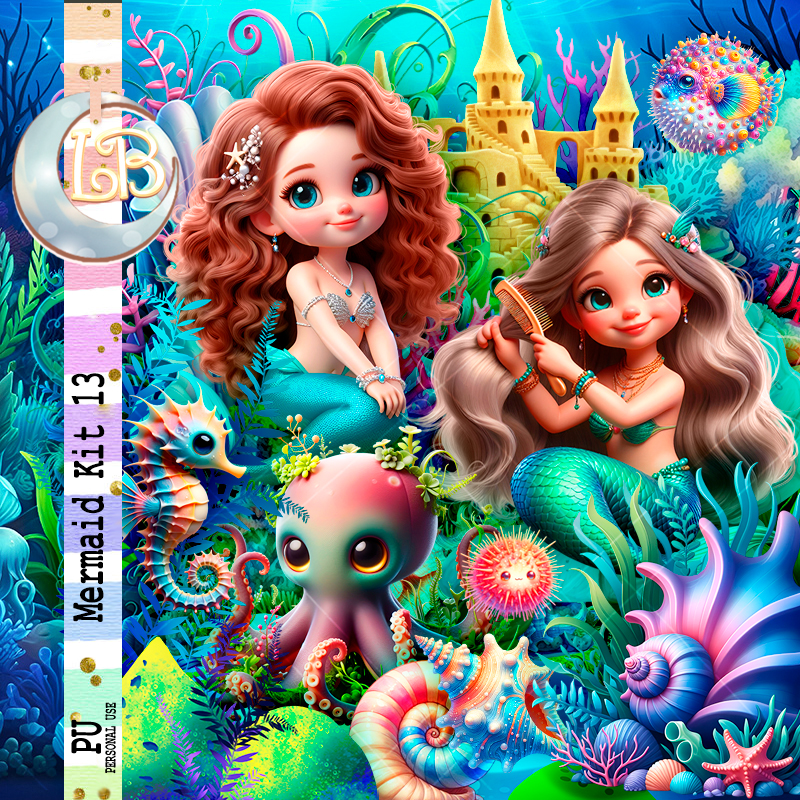
PTU Mermaid Kit 13


 This tut was written May 26th, 2024 for those with a basic knowledge of psp. 

 AI generated tubes by Tamara Scrap Vision

 Tubes are included in the kit
Read the TOU on how to credit your tags 

I used PSP2020...but any of them should work.
PTU Scrap Mermaid kit 13 by Luna Bella  HERE HERE 
Mermaid theme kit. 
4 Dolls by Tamara Scrap Vision, 72 elements and 11 papers. 
This kit is for personal use Only

Font of choice, I used Mermaid Swash Caps

Drop shadow as you go is V -2 H 4, 40, 10, or use what you prefer.
Let's get started
*Remember to add your drop shadow as you go along*

Open a new image 800 x 800, paste 

Resize element 13 to 120%, paste.
Paste element 6.
Resize element 3 to 85%, paste in the frame.
Resize element 7 to 110%, paste at the bottom above the frame.
Resize element 36 to 110%, paste at the bottom.
Resize AlEl 7 to 60%, paste at the bottom left.

Resize tube 2 to 20%, paste on the bottom right.
Resize tube 3 to 15%, mirror, paste on the shell on the left.
Resize AlEl 6 to 35%, paste at the bottom above the tube.
Resize AlEl 26 to 15%, paste below the caste  on the left. 
Resize AlEl 8 to 15%, paste below the caste  on the right.
Resize AlEl 4 to 35%, paste at the bottom above the shell.

Resize AlEl 21 to 20%, paste at the bottom below the octopus.
Resize AlEl 17 to 30%, paste at the bottom left behind the glass jar.
Resize AlEl 28 to 15%, paste at the bottom to the left of the octopus, duplicate,
move to the right by the mermaid.

Resize AlEl 13 to 15%, paste at the bottom right.
Resize AlEl 22 to 20%, mirror, paste at the bottom left.
Resize AlEl 29 to 15%, paste at the bottom left below the turtle.
Resize AlEl 5 to 30%, paste at the top above the frame on the left.
Resize element 1 to 65%, paste at the top, add a fat white gradient glow.
Resize AlEl 27 to 15%, paste on the wordart at the top.
Resize AlEl 31 to 15%, paste at the top right below the plant vines.
Resize AlEl 14 to 15%, paste at the top left, duplicate, mirror, move back to the left.
Paste AlEl 3 on the top layer how you like.
Resize element 29 to 75%, paste on the right behind the mermaid.
Resize element 19 to 50%, paste behind the mermaid on the left, duplicate, 
mirror, move up on the right.
Paste element 21 to the top above the wordart, erase any on the mermaids faces.

Add any other elements you would like, resize.
Crop your tag to be sure no shadows or lines are on the edges.
 Then add your copyright and name.
That's it

Hope you enjoyed doing my tut