Showing posts with label MaryArt. Show all posts

Saturday, April 26, 2025

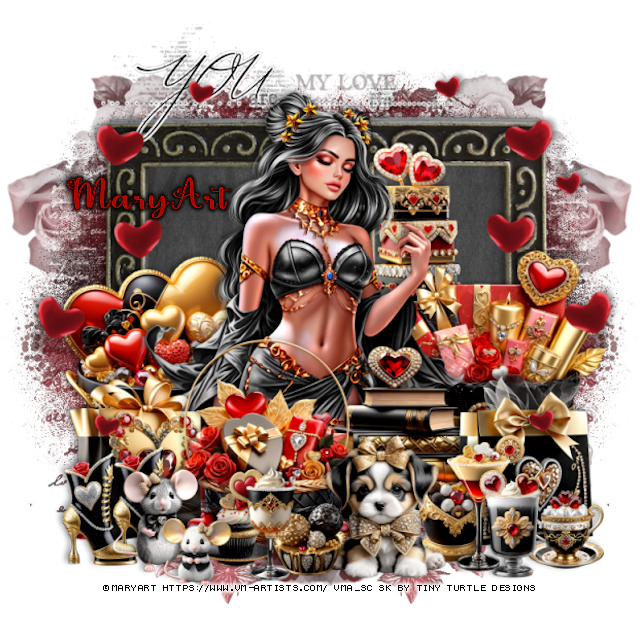
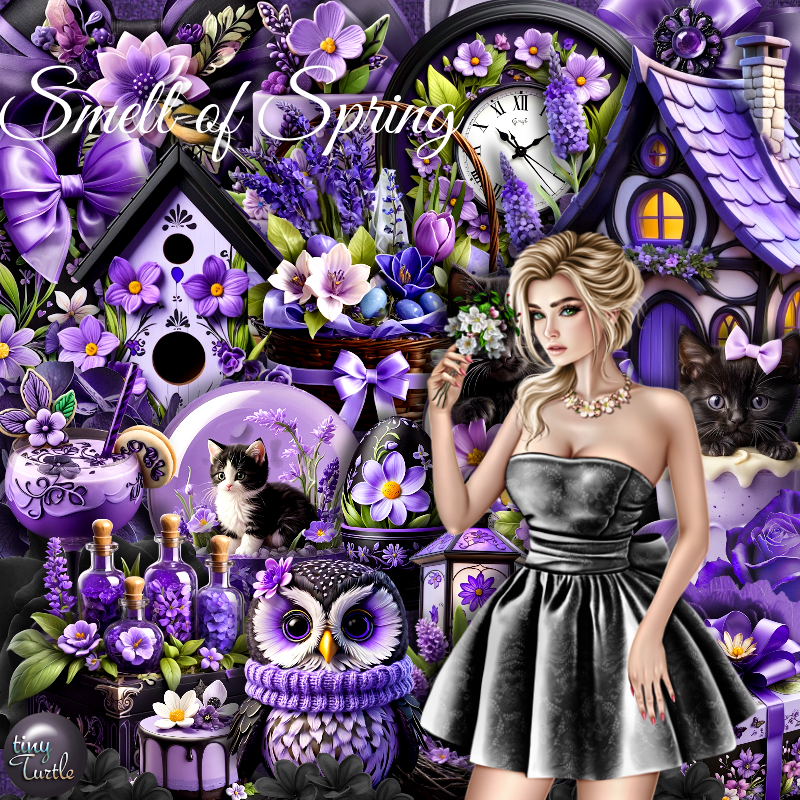
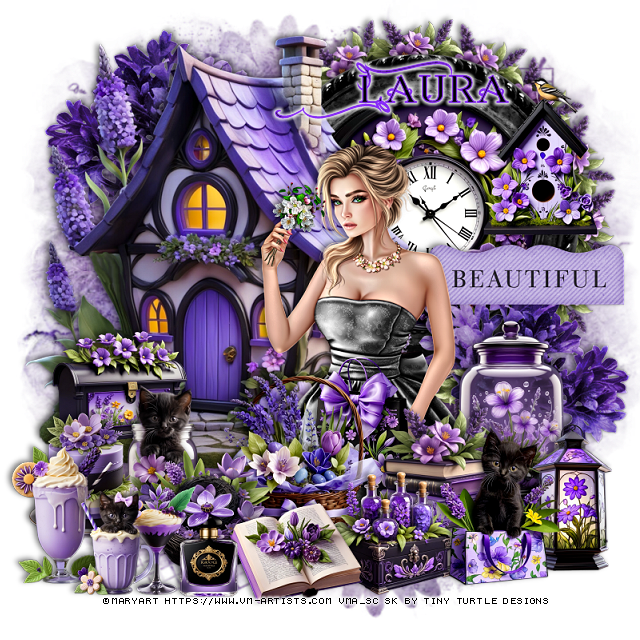
PTU Smell of Spring


 This tut was written April 24th, 2025 for those with a basic knowledge of psp. 

I am using the Beautiful tube by © MaryArt

Tube is called Smell of Spring
You need a license to use this tube, please do not use without a license
You can find this tube at VMA HERE

I used PSP2020...but any of them should work.
PTU Scrap Smell of Spring by Tiny Turtle Designs  HERE
You can find all Tiny Turtle Designs Scraps kits  HERE
Miz TeeQues Mask 78 HERE
Check the rest of the blog HERE
Filter
Mura Meister Copies-Encircle

Font of choice, I used Annabel

Drop shadow as you go is V-2 H-4, 50, 10, color black or use what you prefer.
Let's get started

*Remember to add your drop shadow as you go along*

Open a new image 800 x 800, paste paper 3, apply your mask.

Resize element 13 to 75%, paste on the upper left.
Resize element 21 to 25%, paste on the bottom left of the house.
Resize element 94 to 60%, paste on the upper right below the house.
Resize element 26 to 50%, paste in the frame.
Resize element  43 to 25%, apply Mura Meister Copies-Encircle, first 3 
numbers on 16, 42, 42, paste below the frame.

Resize the tube to 25%, paste to the right.

Resize element 43 to 30%, paste at the bottom above the tube.
Resize element 29 to 30%, paste at the bottom above the books.
Resize element 16 to 25%, paste at the bottom above the basket.
Resize element 32 to 30%, paste at the bottom right.
Resize element 44 to 25%, paste at the bottom by the basket.
Resize element 42 to 35%, paste on the right below the tube.
Resize element 24 to 25%, paste at the bottom below the book.
Resize element 23 to 25%, paste on the bottom right below the cat.
Resize element 30 to 25%, paste above the tube at the bottom.

Resize element 20 to 30%, paste on the frame on the right.
Resize element 35 to 25%, paste on the left.
Resize element 38 to 25%, paste on the bottom left.
Resize element 22 to 20%, paste at the bottom by the book.
Resize element 9 to 25%, paste at the bottom left.
Resize element 12 and 37 to 20%, paste at the bottom left.
Resize element 86 to 35%, paste on the right below the tube.
Resize element 126 to 50%, paste on the right below the jar, duplicate, mirror,
move to the upper left below the house.

Add any other elements that you would like, make it your own.
Always readjust your mask and elements how you like them before you
 merge your tag, resize, sharpen.

Crop your tag to be sure no shadows or lines are on the edges.
 Then add your copyright and name.
That's it

Hope you enjoyed doing my tut

Laura tag 


Friday, April 25, 2025

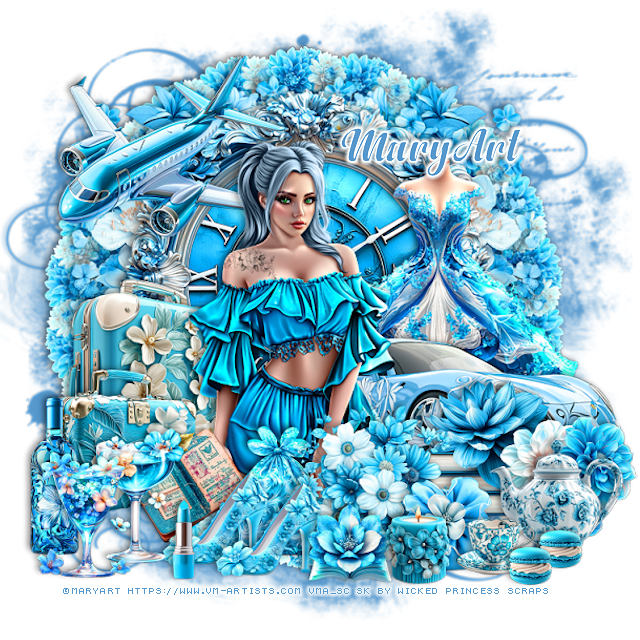
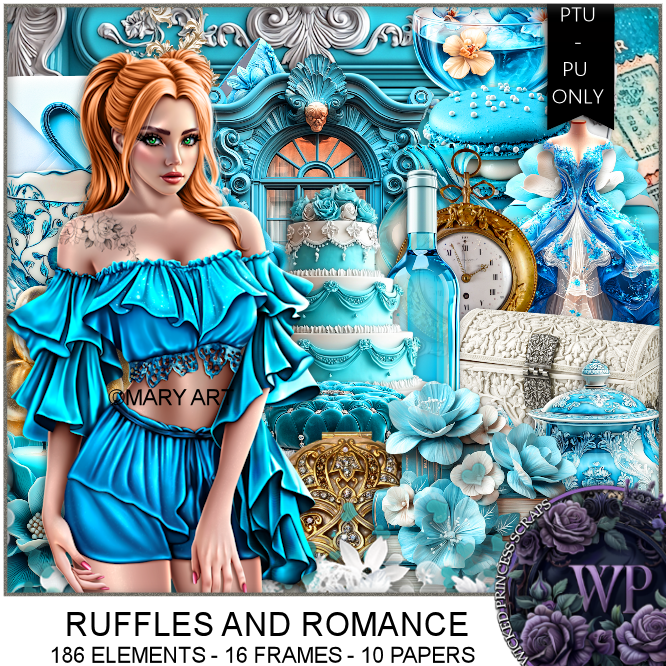
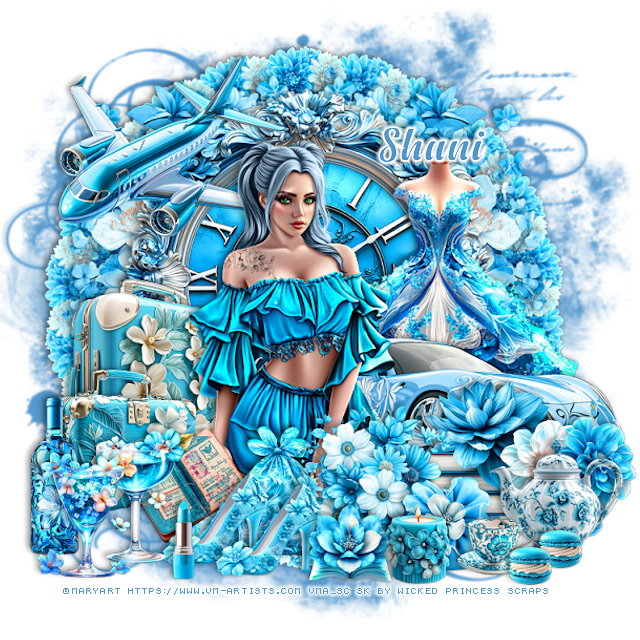
PTU Ruffles and Romance


 This tut was written April 24th, 2025 for those with a basic knowledge of psp. 

I am using the Awesome tube by ©MaryArt

Tube is called Sisi
You need a license to use this tube, please do not use without a license
You can find the tube at VMA  HERE


I used PSP2020...but any of them should work.
PTU Scrap Ruffles and Romance by Wicked Princess Scraps HERE
You can find all Wicked Princess Scraps kits  HERE
Mask of choice, I used Miz TeeQue's Mask 56 HERE
Check out the rest of the blog HERE

Font of choice, I used Anydore

Drop shadow as you go is V -2 H 4, 40, 10, or use what you prefer.
Let's get started
*Remember to add your drop shadow as you go along*

Open a new image 800 x 800, paste paper 8, change to color to match, apply your mask.

Resize element 73 to 65%, paste.
Resize element 34 to 60%, paste below the frame.
Resize element 18 to 75%, paste below the frame on the right, duplicate, mirror,
erase the flowers in the frame.
Resize element 49 to 25%, apply Mura Meister Copies-Encircle, first 3
numbers on 22, 65, 65,  paste below the frame.
Resize element 28 to 60%, paste above the frame on the right.
Resize element 42 to 60%, paste on the right below the car.

Resize the tube to 35%, paste.

Resize element 19 to 30%, paste above the tube at the bottom.
Resize element 135 to 40%, paste on the left below the tube.
Resize element 134 to 30%, paste above the suitcase.
Resize element 91 to 20%, paste at the bottom left, duplicate, move over.
Resize element 200 to 40%, paste at the upper left below the tube.
Resize element 113 to 25%, paste at the bottom left below the shoes.
Resize element 94 to 20%, paste at the bottom right above the flowers.
Resize element 35 and 36 to 25%, paste at the bottom left.
Resize element 124 to 25%, paste below the shoes.
Resize element 15 to 25%, paste on the bottom right above the car.
Resize element 57 to 25%, paste at the bottom right.
Resize element 153 to 30%, paste at the bottom left below the drinks.
Resize element 142 to 25%, paste at the bottom right.
Resize element 140 to 15%, paste at the bottom.

Resize element 103 to 25%, paste at the bottom.
Resize element 108 to 10%, paste at the bottom right, duplicate, move over.
Resize element 12 to 15%, paste it at the bottom.
Resize element 25 to 15%, paste at the bottom.

Add any other elements that you would like, make it your own.
Always readjust your mask and elements how you like them before you
 merge your tag, resize, sharpen.

Crop your tag to be sure no shadows or lines are on the edges.
 Then add your copyright and name.
That's it

Hope you enjoyed doing my tut 

Tag for Shani 


Saturday, March 29, 2025

PTU Zoe


  This tut was written March 26th, 2025 for those with a basic knowledge of psp. 

I am using the Awesome tube by ©MaryArt

Tube is called Zoe
You need a license to use this tube, please do not use without a license
You can find the tube at VMA  HERE


I used PSP2020...but any of them should work.
PTU Scrap Music To My Ears by Wicked Princess Scraps HERE
You can find all Wicked Princess Scraps kits  HERE
Miz Teeques's Mask 54 HERE
Check the rest of the blog HERE

Font of choice, I used Beauty Mountains

Drop shadow as you go is V -2 H 4, 40, 10, or use what you prefer.
Let's get started
*Remember to add your drop shadow as you go along*

Open a new image 800 x 800, paste paper 14, apply your mask.

Paste element 57, then paste element 58.
Resize element 82 to 75%, paste on the bottom left.
Resize element 4 to 25%. paste at the top on the flowers on the curtain in
the center, duplicate, move to the left, duplicate, mirror.
Resize element 41 to 60%, paste to the right above the piano.
Resize element 18 to 60%, paste behind the chair below the piano.
Resize element 1 to 65%, paste on the right above the curtains.
Resize element 2 to 65%, paste on the left above the curtains.

Resize the tube to 25%, mirror, paste on the chair.

Resize element 99 to 40%, paste on the bottom right above the tube.
Resize element 100 to 35%, paste at the bottom right.
Resize element 98 to 25%, paste on the table.
Resize element 20 to 25%, paste at the bottom right above the tube.
Resize element 164 to 25%, paste at the bottom left.
Resize element 27 to 25%, paste at the bottom left above the flowers.
Resize element 73 to 30%, free rotate to the right at 25, paste at the bottom left 
above the basket.
Resize element 55 to 25%, paste at the bottom left above the basket.

Resize element 2 to 50%, paste on the left below the piano, duplicate, mirror.
Resize element 31 to 25%, paste at the bottom below the purse.
Resize element 92 to 30%, mirror, paste on the upper left.
Resize element 62 to 30%, paste at the top.
Resize element 21, 22 and 23 to 15%, paste on the table.
Resize element 24 to 12%, paste on the arm of the chair on the left below the tube.
Resize element 162 to 17%, paste at the bottom above the tube, duplicate, 
move over.
Resize element 77 to 20%, paste at the bottom below the dog.
Resize element 80 to 15%, paste at the bottom.
Resize element 35 to 20%, free rotate to the left at 25, paste on the upper right.
Resize element 63 to 25%, mirror, paste on the upper right.

Add any other elements that you would like, make it your own.
Always readjust your mask and elements how you like them before you
 merge your tag, resize, sharpen.

Crop your tag to be sure no shadows or lines are on the edges.
 Then add your copyright and name.
That's it

Hope you enjoyed doing my tut 

Tag for Shani


Friday, March 7, 2025

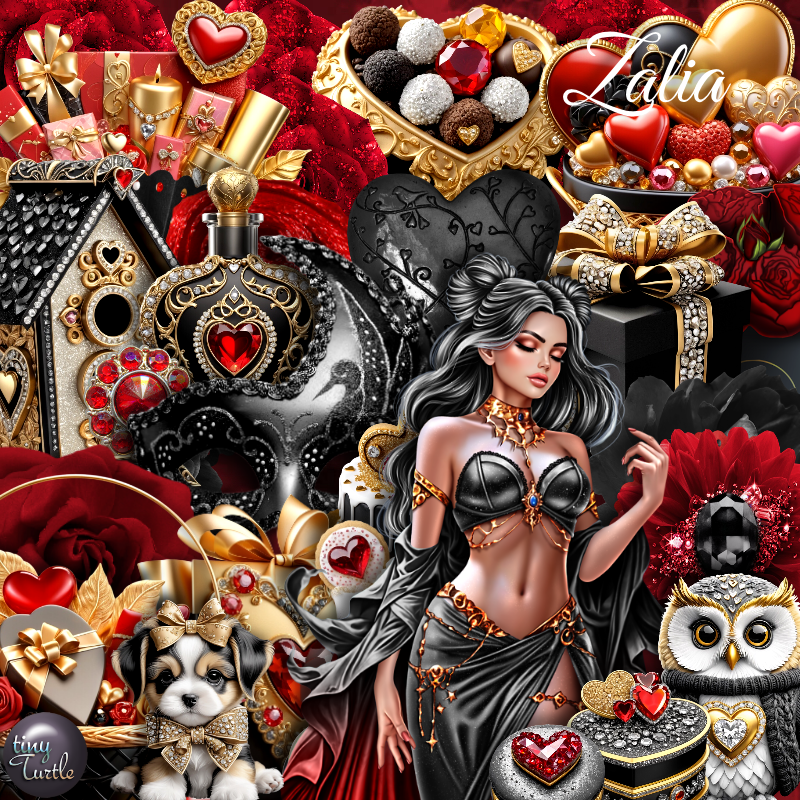
PTU Zalia


 This tut was written March 6th, 2025 for those with a basic knowledge of psp. 

I am using the Beautiful tube by © MaryArt

Tube is called  Zalia
You need a license to use this tube, please do not use without a license
You can find this tube at VMA HERE

I used PSP2020...but any of them should work.
PTU Scrap Zalia by Tiny Turtle Designs  HERE
You can find all Tiny Turtle Designs Scraps kits  HERE
MizTeeques Mask 110 HERE
Check the rest of the blog HERE

Font of choice, I used  Love Vale

Drop shadow as you go is V-2 H-4, 40, 10, color black or use what you prefer.
Let's get started

*Remember to add your drop shadow as you go along*

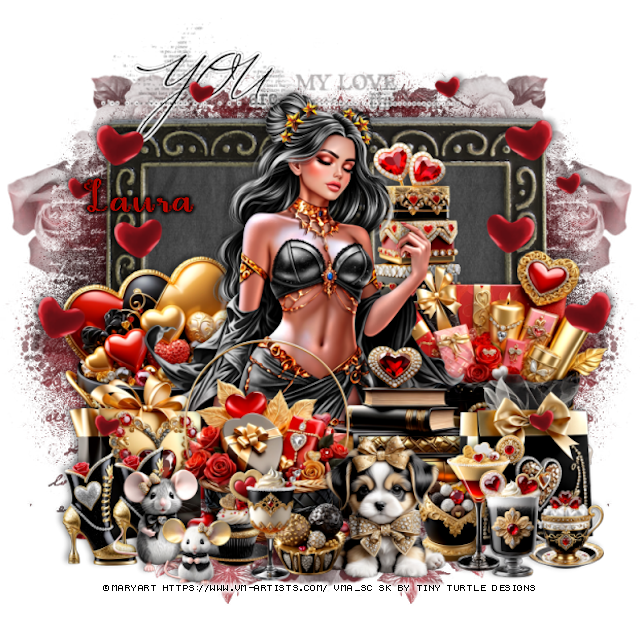
Open a new image 800 x 800, paste paper 8, apply your mask, move to the
left, duplicate, mirror.

Paste element 49, click inside the frames, paste paper 1, invert, delete.
Resize element 50 to 90%, add a fat white gradient glow, paste above the 
frame at the top.
Resize element 186 and 195 to 40%, paste one on each side at the bottom of the frame.

Resize the tube to 25%, paste above the wordart layer.

Resize element 6 to 40%, paste at the bottom above the tube.
Resize element 187 to 30%, paste on the bottom left below the basket.
Resize element 156 to 35%, paste on the bottom right below the basket.
Resize element 155 to 40%, paste below the tube on the right.
Resize element 164 to 20%, paste on the bottom left above the basket, duplicate,
move over.

Resize element 163 to 25%, paste at the bottom.
Resize element 179 to 15%, paste at the bottom below the dog.
Resize element 167 to 30%, paste on the bottom right below the dog.
Resize element 172 and 192 to 15%, paste at the bottom.
Resize element 174 to 20%, paste at the bottom.
Resize element 162 to 20%, paste at the bottom left.
Resize element 168 to 15%, paste at the bottom.

Resize element 194 to 25%, paste at the bottom right.
Resize element 190 to 20%, paste at the bottom.
Resize element 176 to 15%, paste at the bottom right below the drinks.
Resize element 135 to 75%, paste on the left being on the top layer,
duplicate, mirror.

Add any other elements that you would like, make it your own.
Always readjust your mask and elements how you like them before you
 merge your tag, resize, sharpen.

Crop your tag to be sure no shadows or lines are on the edges.
 Then add your copyright and name.
That's it

Hope you enjoyed doing my tut

Laura tag


PTU Candlelight and Champagne


  This tut was written March 6th, 2025 for those with a basic knowledge of psp. 

I am using the Awesome tube by ©MaryArt

Tube is called Nikki
You need a license to use this tube, please do not use without a license
You can find the tube at VMA  HERE


I used PSP2020...but any of them should work.
PTU Scrap Candlelight and Champagne by Wicked Princess Scraps HERE
You can find all Wicked Princess Scraps kits  HERE
Mask of choice, I used Miz TeeQue's Mask 56 HERE
Check out the rest of the blog HERE 

Font of choice, I used Love Lave

Drop shadow as you go is V -2 H 4, 40, 10, or use what you prefer.
Let's get started
*Remember to add your drop shadow as you go along*

Open a new image 800 x 800, paste paper 1, apply your mask.

Resize element 152 to 70%, mirror, paste at the upper left.
Resize element 77 to 75%, mirror, paste on the right.
Resize element 163 to 75%, paste on the left.
Resize element 73 to 35%, paste at the bottom left.

Resize the tube to 25%, paste at the bottom.

Resize element 160 to 30%, paste at the bottom below the tube to the left.
Resize element 57 to 30%, paste at the bottom left above the tube.
Resize element 29 to 40%, paste on the bottom right below the tube.
Resize element 10 to 30%, paste at the bottom above the tube.
Resize element 12 to 40%, paste at the bottom above the chest.
Resize element 154 to 30%, paste at the bottom right.
Resize element 81 to 20%, paste at the bottom left.

Resize element 16 to 20%, paste at the bottom.
Resize element 51 to 25%, paste at the bottom left.
Resize element 60 to 25%, paste at the bottom right.
Resize element 153 to 40%, paste on the left above the rock steps.
Resize element 135 to 40%, paste on the right below the wagon.
Resize element 47 to 20%, paste on the upper right.
Resize element 155 to 30%, paste on the right below the tube.

Add any other elements that you would like, make it your own.
Always readjust your mask and elements how you like them before you
 merge your tag, resize, sharpen.

Crop your tag to be sure no shadows or lines are on the edges.
 Then add your copyright and name.
That's it

Hope you enjoyed doing my tut 

Tag for Shani


Saturday, February 22, 2025

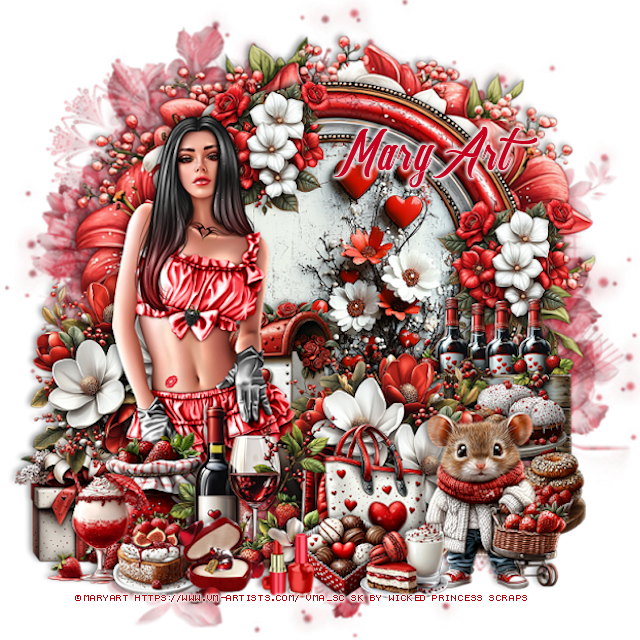
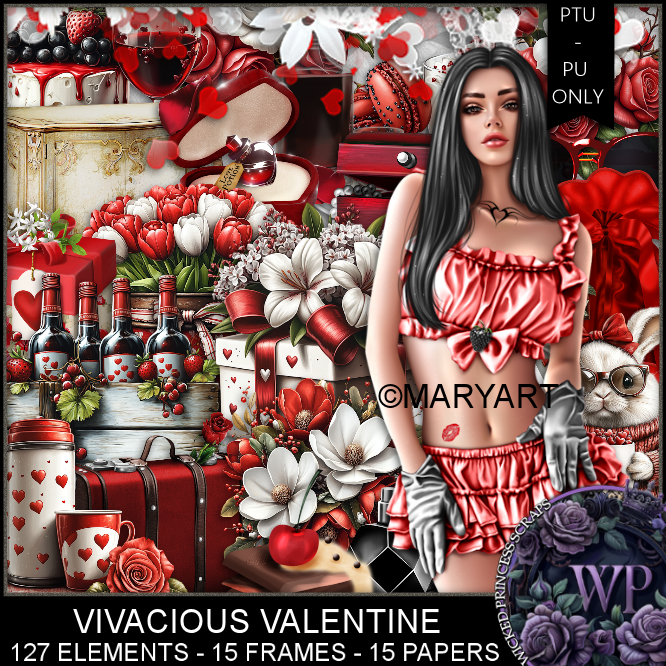
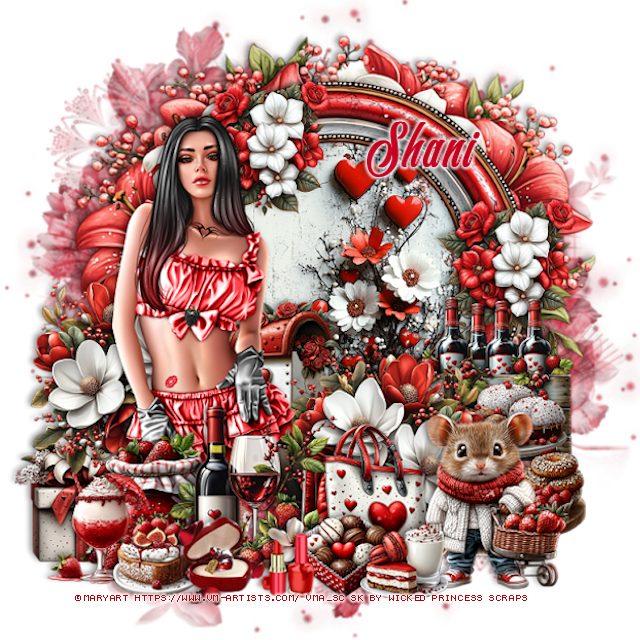
PTU Vivacious Valentine


   This tut was written February 20th, 2025 for those with a basic knowledge of psp. 

I am using the Awesome tube by ©MaryArt

Tube is called Vanessa
You need a license to use this tube, please do not use without a license
You can find the tube at VMA  HERE


I used PSP2020...but any of them should work.
PTU Scrap Vivacious Valentine by Wicked Princess Scraps HERE
You can find all Wicked Princess Scraps kits  HERE
Mask of choice, I used Miz TeeQue's Mask 79 HERE
Check out the rest of the blog HERE 

Font of choice, I used South Hampton 

Drop shadow as you go is V -2 H 4, 40, 10, or use what you prefer.
Let's get started
*Remember to add your drop shadow as you go along*

Open a new image 800 x 800, paste paper 11, apply your mask.

Resize element 42 to 65%, paste on the upper right, click inside the frame,
resize paper 9 to 50%, mirror, paste below the frame, invert, delete.
Resize element 8 to 90%, paste below the frame.

Resize your tube to 25%, paste on the left.

Resize element 28 to 30%, paste at the bottom above the tube.
Resize element 4 to 35%, paste below the tube on the left, duplicate, mirror.
Resize element 17 to 25%, paste at the bottom below the drinks on the right.
Resize element 37 to 25%, paste at the bottom left below the drinks.
Resize element 16 to 25%, paste on the bottom left below the jar.
Resize element 25 to 30%, paste at the bottom right above the purse.
Resize element 33 to 15%, paste at the bottom by the mouse.
Resize element 36 to 30%, paste on the right below the mouse.
Resize element 26 to 30%, paste on the right above the frame.
Resize element 35 to 15%, paste at the bottom left.
Resize element 32 to 20%, paste on the bottom left below the cake.
Resize element 81 to 20%, paste at the bottom.

Resize element 11 to 20%, paste below the tube.
Resize element 38 to 15%, paste at the bottom below the tray with the milk.
Resize element 77 to 10%, paste at the bottom.
Resize element 1 to 25%, paste on the frame on the right below the bottles,
duplicate, move up behind the tube.

Add any other elements that you would like, make it your own.
Always readjust your mask and elements how you like them before you
 merge your tag, resize, sharpen.

Crop your tag to be sure no shadows or lines are on the edges.
 Then add your copyright and name.
That's it

Hope you enjoyed doing my tut 

Tag for Shani