Showing posts with label Celestial Scraps. Show all posts

Saturday, June 11, 2022

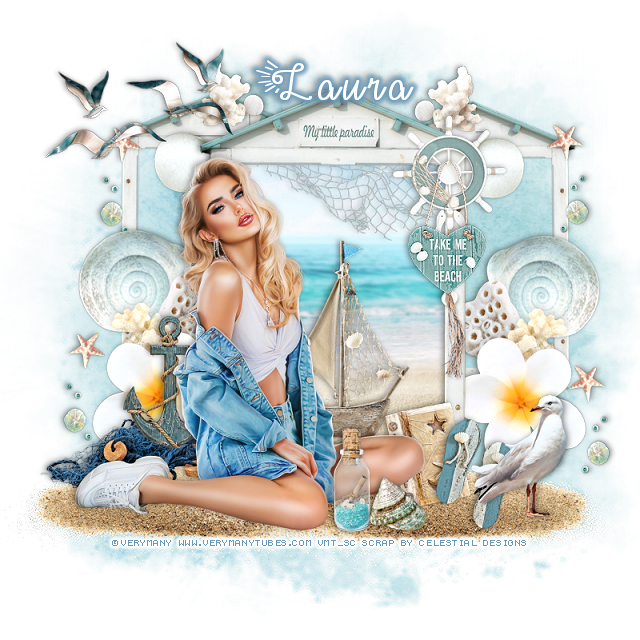
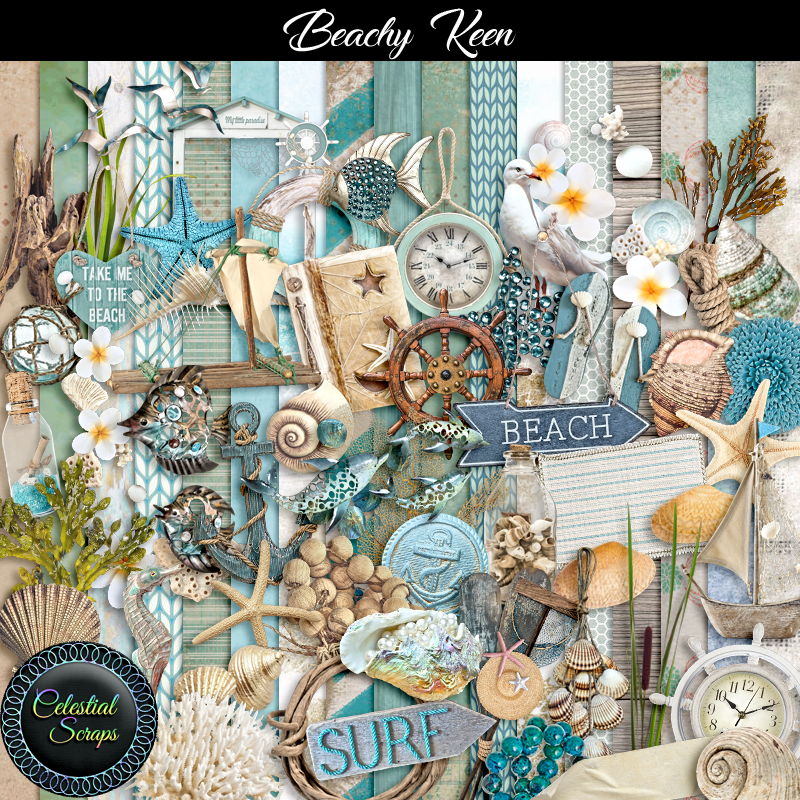
PTU Beachy Keen


This tut was written June 11th, 2022 for those with a basic knowledge of psp. 

I am using the awesome artwork of  Verymany
Tube is called Celina
You need a license to use this tube, do not use without a license.
You can find this tube at Verymany store HERE

PTU kit Beachy Keen by Celestial Scraps  HERE 
RD Mask 673 HERE 
Check out the rest of the Blog HERE

Font of choice, I used Make Summer Fun

Drop shadow is V -1 H -3, 40, 10, or use what you prefer.
Let's get started
*Remember to add your drop shadow as you go along*

Open a new image 800 x 800, paste paper 4, apply your mask,
 delete, merge group. 

Paste element 3, click inside with your magic wand, expand by 5, paste
paper 10, invert, delete, select none.
Resize element 4 to 75%, paste on the left below the paper layer of the frame,
duplicate, mirror, move both up where you like.
Paste element 67 on the right, duplicate, mirror.

Resize element 35 to 50%, paste in the center frame.
Paste element 12 at the bottom above the frame, duplicate, mirror.

Resize your tube to 35%, paste on the sand.

Resize element 36 to 40%, paste behind the tube on the left.
Resize element 31 to 30%, paste on the net behind the tube.
Resize element 46 to 30%, paste at the lower right being on the top layer.
Resize element 15 to 25%, paste at the bottom above the tube.
Resize 48 to 15, paste by the bottle.
Resize element 28 to 40%, paste at the upper left.

Resize element 116 to 30%, mirror, paste on the lower right on the sand.
Resize element 45 to 30%, paste on the right on the frame.
Resize element 30 to 25%, paste on the right below the shoes.
Resize element 110 to 75%, paste below the paper layer on the left, duplicate, mirror.
erase the top part you don't want, duplicate both, move up to the top more,
erasing anything else you don't want.

Add any other elements that you would like, make it your own.
Always readjust your mask and elements how you like them before you
 merge your tag, resize, sharpen.

Crop your tag to be sure no shadows or lines are on the edges.
 Then add your copyright and name.
That's it

Hope you enjoyed doing my tut.       

Monday, May 30, 2022

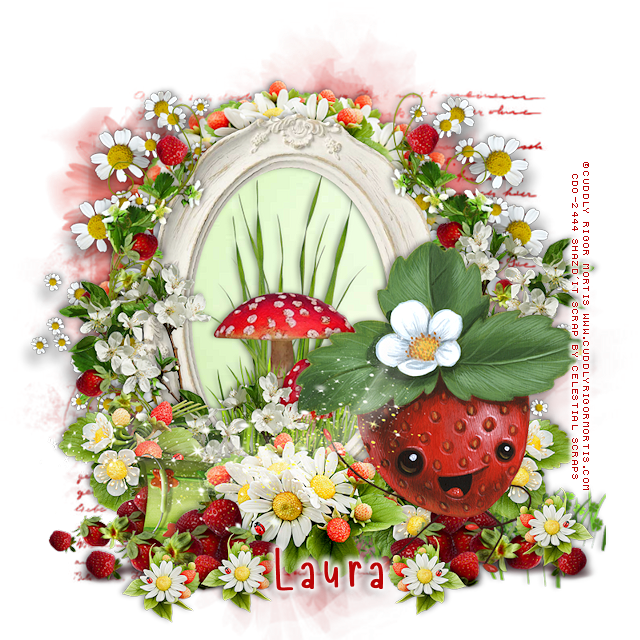
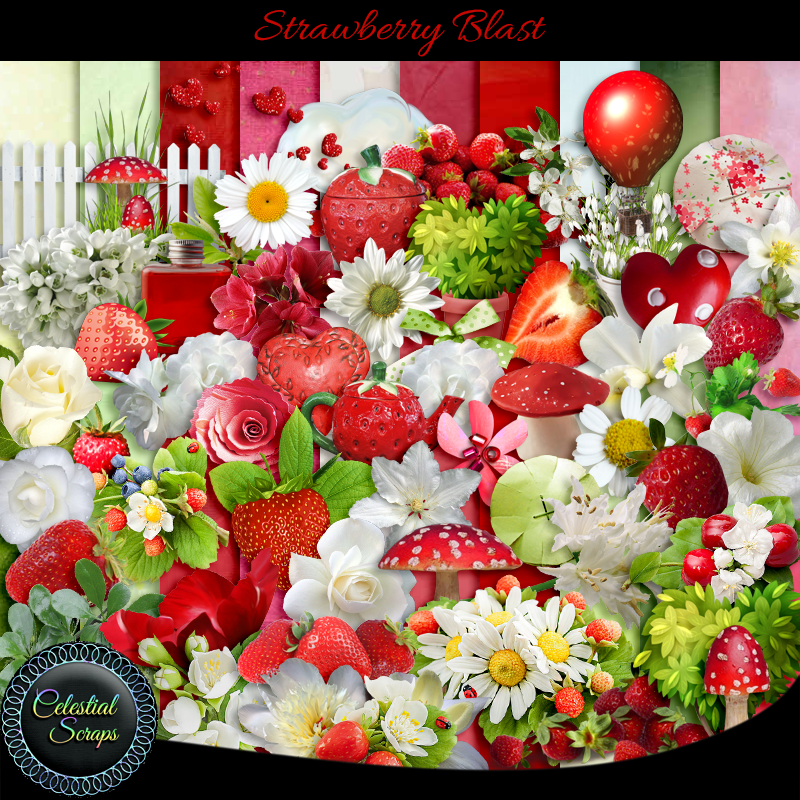
PTU Strawberry Blast


 This tut was written May 30th, 2022 for those with a basic knowledge of psp. 

I am using the awesome artwork of  Cuddly Rigor Mortis 
Tube is 73-3
You need a license to use this tube, do not use without a license.
You can find this tube at CDO  HERE
PTU kit Strawberry Blast by Celestial Scraps  HERE or HERE
Miz Teeques Mask 93 HERE 
Check out the rest of the Blog HERE
Filters
Mura Meister Copies-Encircle

Font of choice, I used Strawberry

Drop shadow is V -1 H -3, 40, 10, or use what you prefer.
Let's get started
*Remember to add your drop shadow as you go along*

Open a new image 800 x 800, paste paper 14, apply your mask,
 delete, merge group. Resize larger to fit your tag.

Paste element 54, move a little to the left, click inside with your magic wand,
expand by 5, paste paper 6, invert, delete, select none.
Resize element 2 to 75%, paste inside the frame.

Resize element 44 to 45%, apply Mura Meister Copies-Encircle,
first 3 numbers on 14, 40, 52, move below the paper layer of the frame.
Resize the original element 44 to 50%, this time, paste at the bottom on the frame.
Paste element 66 on the right above the flower circle, duplicate, mirror.

Paste element 74 on the frame on the right, duplicate, mirror.
Resize element 48 to 40%, paste on the left toward the bottom, duplicate, move
over a little more under the flowers, duplicate twice, mirror both and adjust.
Paste element 33 at the bottom above the frame and to the right more.

Resize element 72 to 60%, paste on the lower left below the flowers.
Resize element 71 to 60%, paste at the lower left being on the top layer now, duplicate, 
mirror.

Paste your tube on the right.

Resize element 49 to 20%, paste at the lower left, duplicate a couple of times,
move where you like.
Resize element 82 to 40%, paste at the lower left above the frame by the mushroom,
duplicate, move to the right above the tube, duplicate, mirror, adjust.
Paste element 100 where you like.

Add any other elements that you would like, make it your own.
Always readjust your mask and elements how you like them before you
 merge your tag, resize, sharpen.

Crop your tag to be sure no shadows or lines are on the edges.
 Then add your copyright and name.
That's it

Hope you enjoyed doing my tut.       
Monday, May 23, 2022

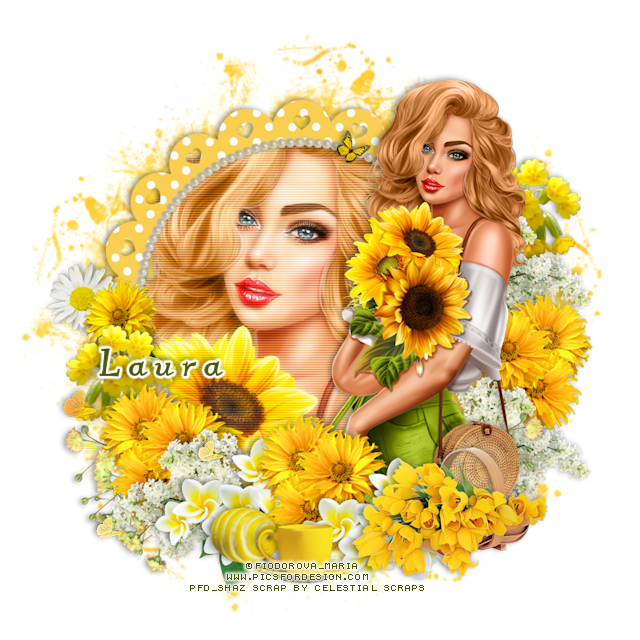
PTU Sunshine Yellow


 This tut was written May 23rd, 2022 for those with a basic knowledge of psp. 

I am using the awesome artwork of  Fiodorova Maria 
Tube is Diana and Sunflowers
You need a license to use this tube, do not use without a license.
You can this tube at PFD  HERE
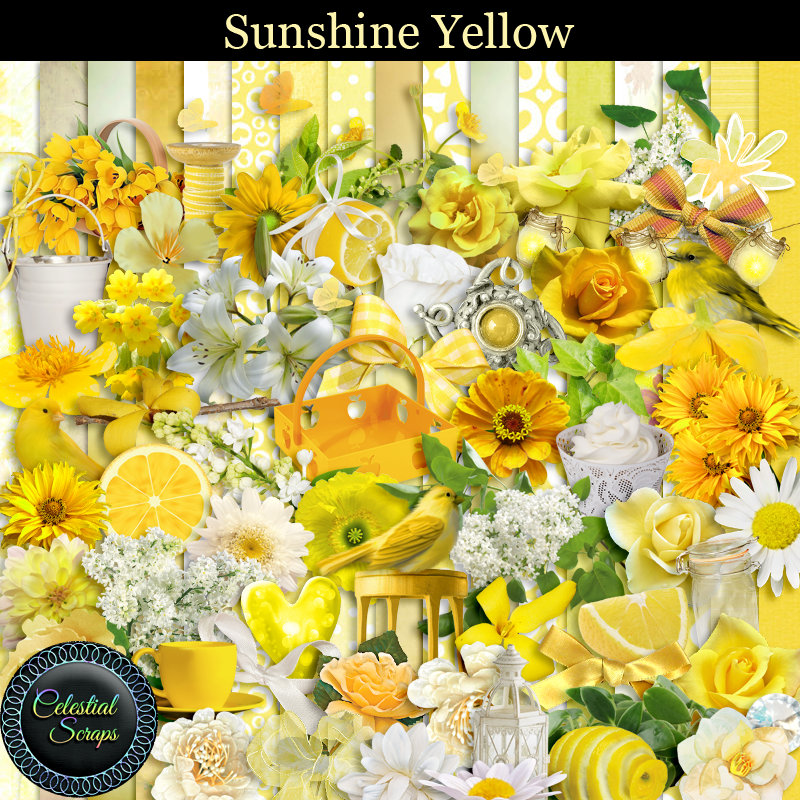
PTU kit Sunshine Yellow by Celestial Scraps  HERE
Miz Teeques Mask 322 HERE 
Check out the rest of the Blog HERE
Filters
Unplugged Tools-Interlace

Font of choice, I used Kleymissky_0283

Drop shadow is V -1 H -3, 40, 10, or use what you prefer.
Let's get started
*Remember to add your drop shadow as you go along*

Open a new image 800 x 800, paste paper 17, apply your mask,
 delete, merge group.
Resize larger to 110%.
Paste element 87, click inside with your magic wand, expand by 5, resize 
paper 12 to 50%, paste below the frame, invert, delete, keep selected.

Resize your tube to 60%, paste below the frame, delete, select none.
Duplicate, go to Adjust, Blur, Gaussian blur, number on 4, change the blend mode
to Screen.
Apply Unplugged Tools-Interlace numbers 
2, 127, 2, 5
merge tube down.
Resize your tube to 30%, paste on the right on the frame.

Resize element 85 to 35%, mirror, paste behind the tube on the right, duplicate,
mirror, move back by the tube at the bottom, duplicate, mirror, move more to
the left.
Resize element 36 to 50%, paste at the bottom above the tube.
Resize element 18 to 40%, paste below the basket, duplicate, move to the left below 
the yellow flowers.

Resize element 83 to 40%, paste on the right behind the tube above the flower at 
the bottom, duplicate, move up and below the flowers.
Duplicate again, mirror, move to the left more below the flowers.

Resize element 57 to 25%, paste at the bottom being on the top layer.
Resize element 56 to 15%, paste at the bottom behind the cup.
Resize element 60 to 40%, paste on the right at the top behind the tube below
the white flower, duplicate, mirror, move down on the right.

Resize element 46 to 40%, paste at the lower left being on the top layer.
Resize element 14 to 30%, mirror, paste on the left above the frame.
Resize element 80 to 25%, paste above the daisy.
Resize element 118 to 50%, flip, paste on the left below the paper layer of the frame 
and down.

Add any other elements that you would like, make it your own.
Always readjust your mask and elements how you like them before you
 merge your tag, resize, sharpen.

Crop your tag to be sure no shadows or lines are on the edges.
 Then add your copyright and name.
That's it

Hope you enjoyed doing my tut.       
Sunday, May 15, 2022

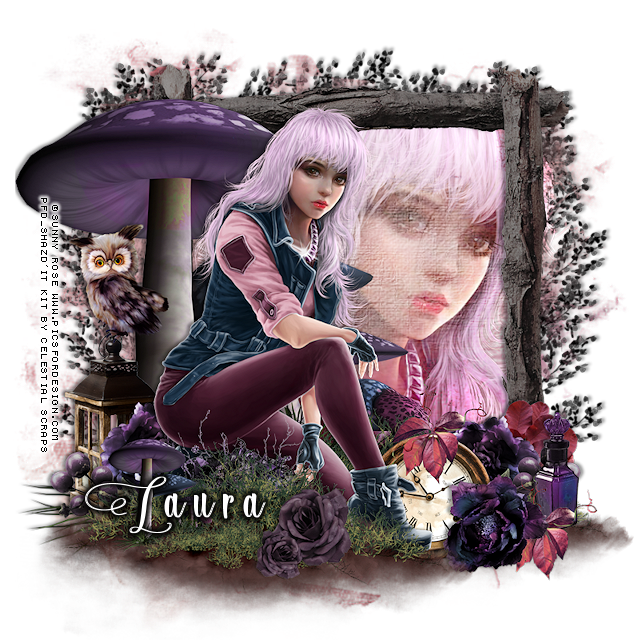
PTU Dark Valley


This tut was written May 15th, 2022 for those with a basic knowledge of psp. 

I am using the awesome artwork of  Sunny Rose 
Tube is Oksana
You need a license to use this tube, do not use without a license.
You can this tube at PFD  HERE
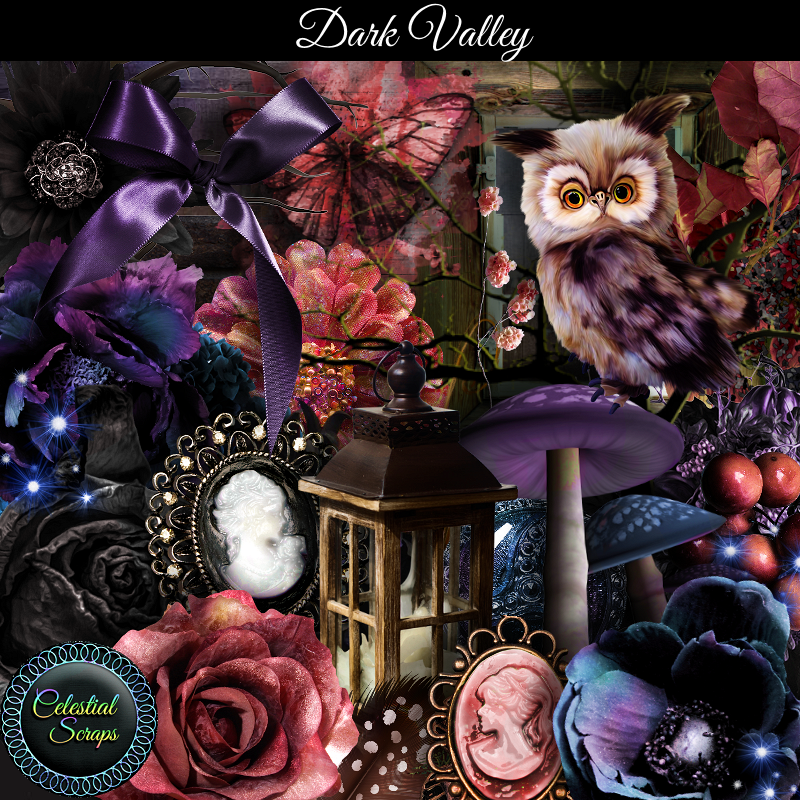
PTU kit Dark Valley by Celestial Scraps  HERE
Miz Teeques Mask 241 HERE 
Check out the rest of the Blog HERE

Font of choice, I used Lonely Basket

Drop shadow is V -1 H -4, 40, 10, or use what you prefer.
Let's get started
*Remember to add your drop shadow as you go along*

Open a new image 800 x 800, paste paper 11, apply your mask,
 delete, merge group. Resize larger to 115

Paste element 16, click inside with your magic wand, expand by 5,
resize your tube to 75%, mirror, paste below the frame, invert, delete, select none.
Change the blend mode to Overlay.

Paste element 47 above the frame on the left.
Paste element 31 at the bottom to the right, duplicate, move to the left and 
down a bit.
Resize your tube to 30%, mirror, paste between the grass layers to the left.

Resize element 69 to 40%, paste on the left above the mushrooms.
Resize element 96 to 25%, paste on the lantern.
Resize element 79 to 25%, paste on the left above the lantern, duplicate, mirror.
Resize element 87 to 30%, paste at the lower right below the tube.
Resize element 48 to 25%, paste at the lower left above the flower, duplicate, mirror.

Resize element 81 to 25%, paste at the lower right.
Resize element 10 to 25%, paste on the right below the flowers.
Resize element 13 to 25%, paste at the lower right below the top flower, duplicate,
move above the clock.
Resize element 82 to 25%, paste on the right below the leaves and flower.

Paste element 39 on the left above the mask layer, duplicate, mirror, move below 
the mask layer, erase any part showing on the face of the tube.
Duplicate the left tree, free rotate to the right at 90, move to top, erase any part
showing on the tube.
Resize element 56 to 20%, paste at the bottom being on the top layer.

Duplicate the mushroom, move to the top layer, resize to 50%, move to the lower left.
Duplicate the grass layer, resize to 50%, move above the mushrooms at the bottom and
below the flower.
Resize element 80 to 40%, paste above the tube at the bottom.

Add any other elements that you would like, make it your own.
Always readjust your mask and elements how you like them before you
 merge your tag, resize, sharpen.

Crop your tag to be sure no shadows or lines are on the edges.
 Then add your copyright and name.
That's it

Hope you enjoyed doing my tut.       
Tuesday, March 1, 2022

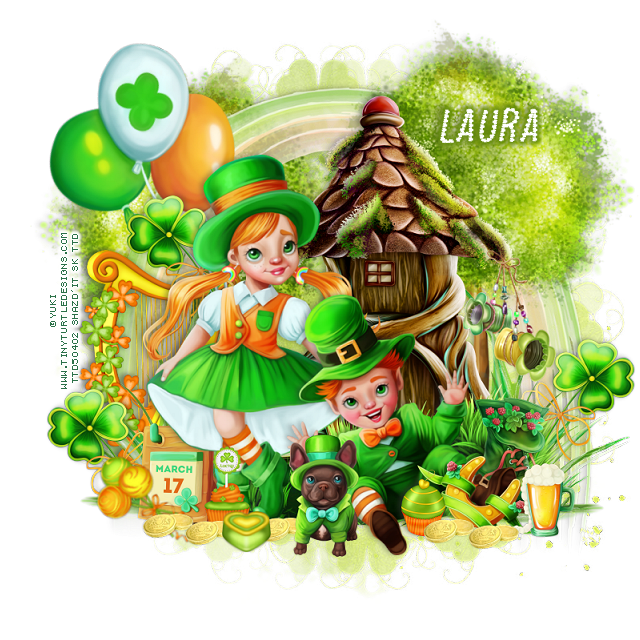
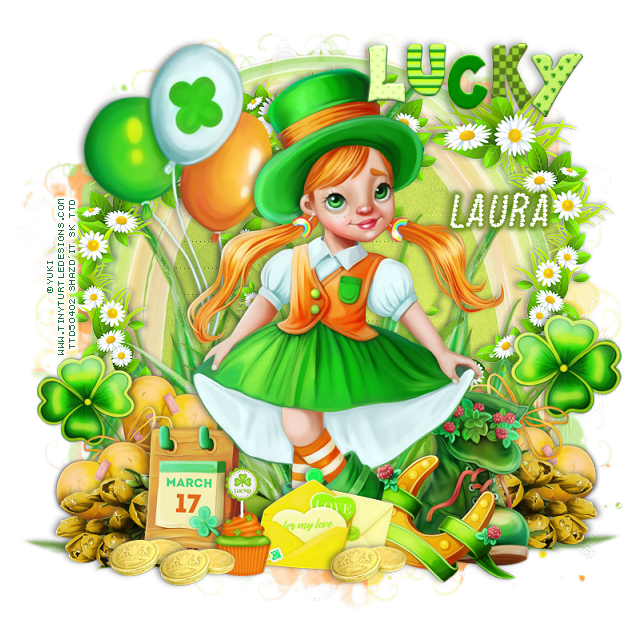
CT Tags Lucky Days

  CT Tags for Celestial Scraps

Kit is "Lucky Days"

Awesome kit for all your St. Patrick Day taggin fun.

3 Tubes included by Yuki

You can get the kit HERE  


Friday, November 12, 2021

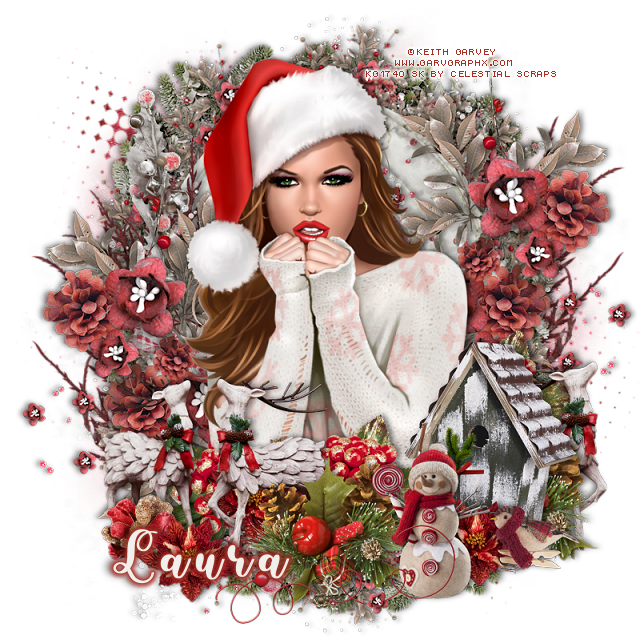
PTU Winter Rust


 This tut was written November 12th, 2021  for those with a basic knowledge of psp.

I am using the awesome artwork by  © Keith Garvey
The tube is "Comfy Christmas Sweater "
It is 213-1 at CDO
I bought mine when he still had his store.
You need a license to use this tube, do not use without a license.
You can find these tubes at CDO store HERE 

I used PSP2020...but any of them should work.
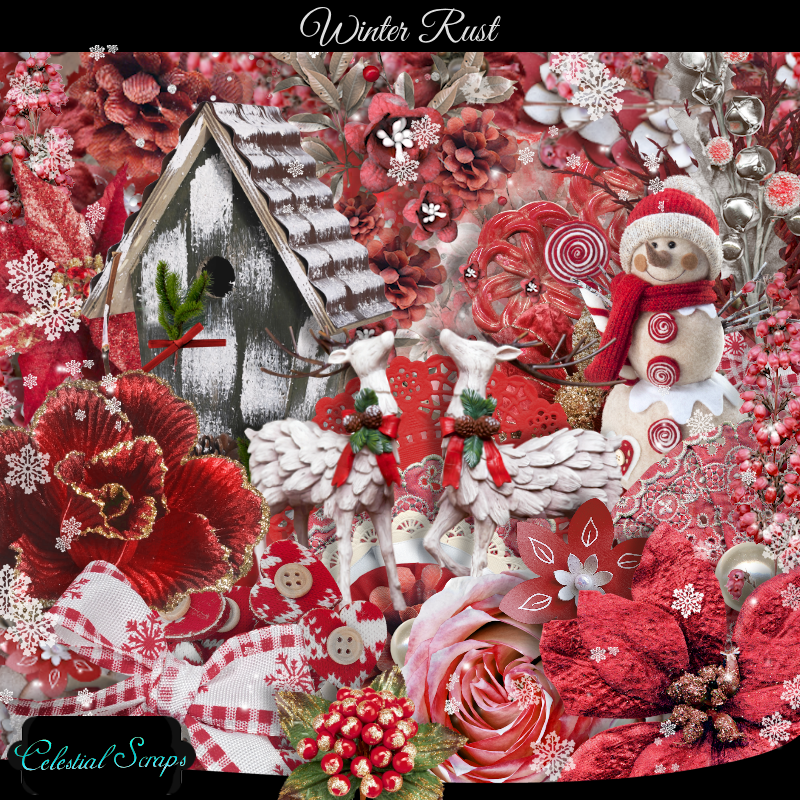
PTU Winter Rust by Celestial Scraps  HERE or HERE
Mask of choice, I used DFly Mask 0030  HERE
Scroll down a bit
Check out the rest of the blog  HERE

Font of choice,  I used Sunday Christmas

Drop shadow is V-1 H-4 Black, 50, 10, use what you prefer.
Be sure to watch for shadows at the edges of your tag and erase as you go along or
crop tag.

Let's get started
*Remember to add your drop shadow as you go along*

Open a new image 800 x 800 or a size you prefer.
Paste paper 11, apply your mask, delete, merge group.
Resize element 31 to 75%, paste, click inside with your magic wand, expand by
5, paste paper 26, invert, delete, select none, move below the frame.

Paste element 19 below the paper layer of the frame at the top, duplicate, mirror,
flip, move to the bottom.
Paste element 43, move to the top, duplicate, flip, move to the bottom.

Paste your middle tube on top of the frame, resize if you like.
I resized mine to 90%, you can erase some of the bottom but the elements should
cover all that up.

Resize element 22 to 50%, paste on the lower right above the tube.
Paste element 104 on the frame on the right, duplicate, mirror, move down a bit.
Resize element 12 to 40%, paste at the bottom below the birdhouse, duplicate, 
move to the left and above the birdhouse.
Resize element 18 to 60%, paste at the lower left above the tube layer.
Take your free hand tool, draw around the larger deer, copy, mirror, paste on the
right below the pinecone element.

Resize element 11 to 40%, paste behind the deer, duplicate, move to the right
behind the birdhouse, below the tube layer.
Resize element 21 to 35%, paste at the bottom being on the top layer.
Resize element 15 to 25%, paste behind the snowman, duplicate, move by the deer and
behind them.
Resize element 96 to 75%, paste on the mask layer on the left, duplicate, mirror,
adjust to your liking.
Resize element 119 to 75%, paste on the left on the frame layer.
Resize element 17 to 20%, mirror, paste at the lower right.
Resize element 84 to 50%, paste at the bottom above the snowman.
Resize element 2 to 20%, paste at the lover left above the deer.

Add any other elements you would like, make it your own.
Always remember to adjust the elements before merging to get them like you like.

Once happy with your tag, close off any background, crop your tag to make
sure there are no stray edges, merge visible, resize first.
Add your copyrights and name.

That's it

Hope you enjoyed doing my tut.   
Monday, October 11, 2021

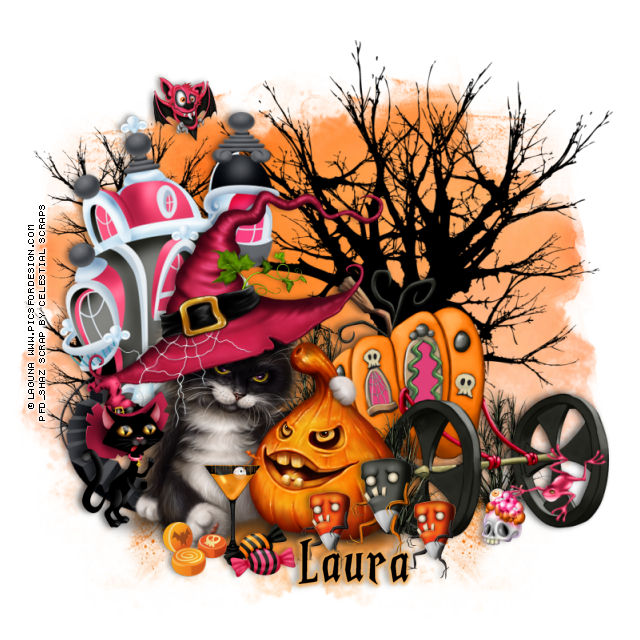
PTU Halloween Blast


  This tut was written Oct 11th, 2021  for those with a basic knowledge of psp.

I am using the awesome artwork by  © Laguna
The tube is "Halloween Kitty and Pumpkin "
You need a license to use this tube, do not use without a license.
You can find these tubes at PFD store HERE 

I used PSP2020...but any of them should work.
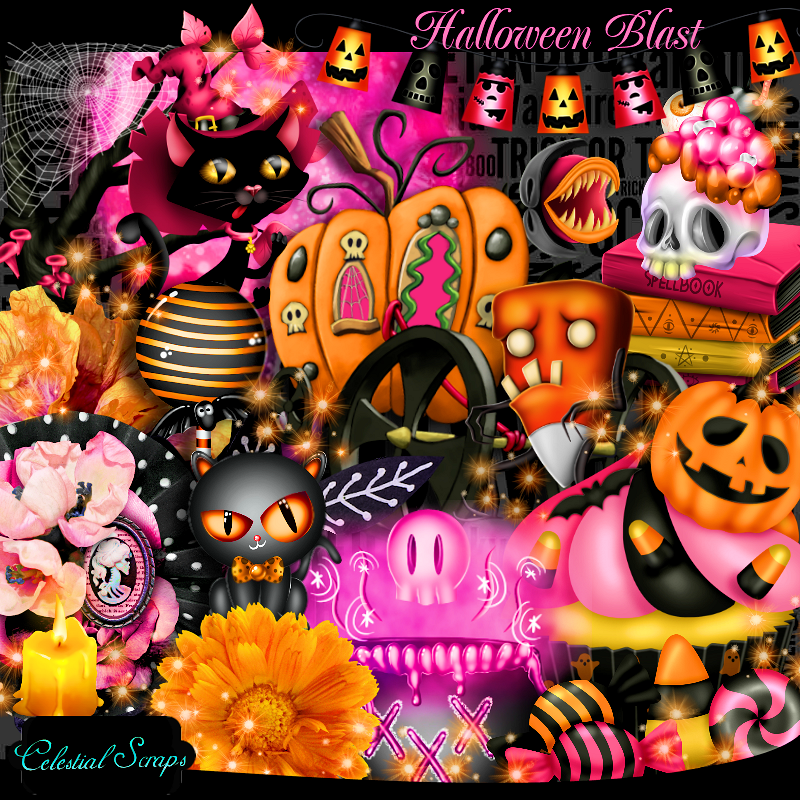
PTU Halloween Blast by Celestial Scraps  HERE & HERE  
Mask of choice, I used MizTeeques Mask  345 HERE
Check out the rest of the blog   HERE

Font of choice,  I used Midnight Minutes

Drop shadow is V-1 H-4 Black, 50, 10, use what you prefer.
Let's get started
*Remember to add your drop shadow as you go along*

Open a new image 800 x 800 or a size you prefer.
Paste paper 4, apply your mask, delete, merge group, duplicate, mirror.

Paste element 56 on the mask layer to the right, duplicate, resize to 50%, mirror,
duplicate, move down more.

Resize your tube to 25%, paste to the left.

Resize element 103 to 30%, paste at the bottom above the tube.
Resize element 25 to 40%, paste on the left of the tube.
Mirror element 33, paste on the left behind the tube.

Resize element 52 to 65%, paste below the tube on the right.
Resize element 24 to 25%, paste between the tube and carriage at the bottom, 
duplicate, move behind the tube by the tree, duplicate once more move to 
the right behind the carriage wheel.

Resize element 41 to 25%, element 40 to 15%, paste at the bottom above the tube.
Resize element 46 and 102 to 15%, paste at the bottom by the drink.
Resize element 57 to 20%, mirror, free rotate to the left at 45 degrees, paste on 
the wheel of the carriage.
Resize element 36 to 15%, paste at the lower right below the frog.
Resize element 48 to 15%, paste at the upper left.

Add any other elements you would like, make it your own.
Always remember to adjust the elements before merging to get them like you like.

Once happy with your tag, close off any background, crop your tag to make
sure there are no stray edges, merge visible, resize first.
Add your copyrights and name.

That's it

Hope you enjoyed doing my tut.