
Showing posts with label Trinita. Show all posts

Tuesday, October 14, 2025

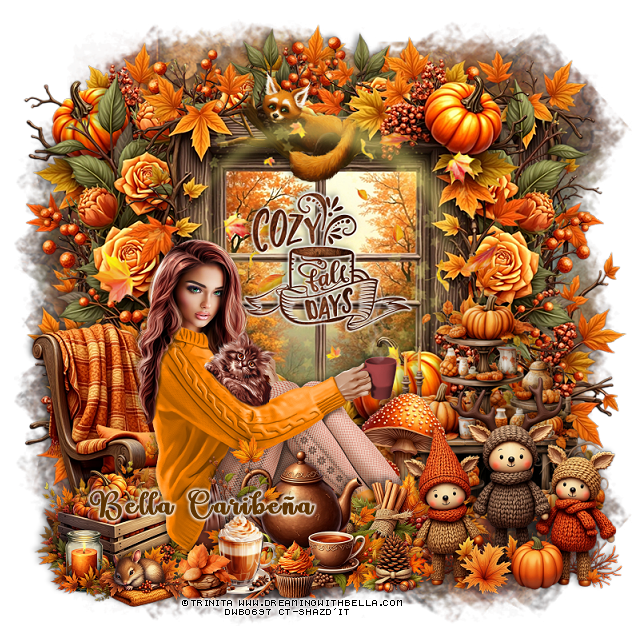
PTU Cozy Fall Days


  This tut was written October 13th, 2025,  for those with a basic knowledge of psp. 

Awesome tube © Trinita
The tube is included
Read the TOU on how to credit your tags

I used PSP2020...but any of them should work.
PTU Scrap Cozy Fall Days by Bella CaribeƱa  HERE
Fall Theme
Kit contains 1 Tube © Trinita, 83 elements, 12 papers 
You can check out the rest of her store HERE 

Font of choice, I used Lovely Butterfly

 Drop shadow as you go is V -2 H 4, 40, 10, or use what you prefer.
Let's get started
*Remember to add your drop shadow as you go along*

Open a new image 800 x 800, paste element 7, adjust to fit your tag.

Paste element 71 toward the top.
Resize element 56 to 35%, paste on the window, add a white gradient glow.
Paste element 41 on the window.
Resize element 47 to 35%, paste at the top on the window, below the swirl,
erase some of the tree branch on each side.
Paste element 73 below the window on the left, duplicate, mirror.
Duplicate the window, mirror, move to the left below the wreath of flowers,
duplicate, don't mirror, move to the right.
Resize element 65 to 60%, mirror, paste at the bottom left of the window.
Resize element 2 to 55%, paste on the right above the window.

Resize the tube to 20%, paste above the chair.

Resize element 3 to 22%, paste at the bottom above the tube.
Resize element 67 to 40%, paste at the bottom below the tube to the right.
Resize element 4 to 15%, paste at the bottom by the cup.
Resize element 68 to 40%, paste below the cup.

Resize element 72 to 35%, paste below the tube on the left.
Resize element 60 to 25%, paste at the bottom right below the teapot.
Resize element 79 to 13%, paste at the bottom.
Resize element 66 to 50%, paste at the bottom right.
Resize element 76 to 15%, paste on the bottom left.
Resize element 82 to 15%, paste at the bottom.
Resize element 61 to 20%, paste at the bottom left.

Add any other elements you would like, resize.
Crop your tag to be sure no shadows or lines are on the edges.
 Then add your copyright and name.
That's it

            Hope you enjoyed doing my tut              

Friday, May 23, 2025

FTU Strawberrylicious


 This tut was written May 23rd, 2025 for those with a basic knowledge of psp.

I am using the beautiful tube ©Trinita
The tube is called Primavera
You need a license to use this tube, please do not use without a license
You can find the tube at VMA HERE

I used PSP2020...but any of them should work.
FTU Al kit Strawberrylicious by Addictive Pleasures HERE
Check out the rest of the blog HERE
SC Mask 30 HERE
Check out the rest of the blog HERE

Font of choice, I used Acryle Script

Drop shadow is  V-1 H-4 Black, 40, 10, use what you prefer.
Let's get started
*Remember to add your drop shadow as you go along*
 
Open a new image 800 x 800, paste paper 6, apply your mask.

Resize element 73 to 50%, paste on the upper right.
Resize frame 5 to 50%, paste on the left, click inside, resize paper 8 to 
50%, paste below the frame, invert, delete.
Resize tree 2 to 80%, paste at the top below the fruit stand.
Resize bike 3 to 35%, mirror, paste on the bottom left above the frame.
Resize hanging mobile 3 to 25%, paste on the frame at the top.
Resize the garland to 25%, paste at the top above the frame.
Resize cart 2 to 30%, paste on the right above the fruit stand.
Resize bush 2 to 35%, paste below the bike, duplicate, move to the right
below the cart.

Resize the tube to 40%, paste above the bike and cart.

Resize basket 2 to 20%, paste at the bottom above the tube.
Resize log 3 to 25%, paste at the bottom right above the cart.
Resize table 3 to 30%, paste in the frame.
Resize blanket 2 to 25%, paste at the bottom left below the basket.
Resize the dog to 20%, paste at the bottom left.
Resize the ladder to 35%, paste on the right below the tube.
Resize sign 2 to 30%, paste at the upper right below the fruit stand.
Resize cheeseboard to 15%, paste below the dog on the left.
Resize the jars to 15%, paste at the bottom right by the log.
Resize candy jar 2 to 15%, paste at the bottom by the jars.

Resize cup 3 to 12%, paste at the bottom.
Resize signpost 3 to 30%, paste below the cheese plate.
Resize flower jar 2 to 20%, paste at the bottom left.
Resize branch 2 to 50%, paste at the upper left above the mask, duplicate, mirror.
Duplicate the tree, move to the bottom so the rocks shows and move below
the first tree.
Resize bird 3 to 10%, paste on the upper right on the fruit stand.

Add any other elements that you would like, make it your own.
Always readjust your mask and elements how you like them before you
 merge your tag, sharpen once.
Crop your tag to make sure no shadows or anything on the edges

 Then add your copyright and name.
That's it

Hope you enjoyed doing my tut.    

Tuesday, April 29, 2025

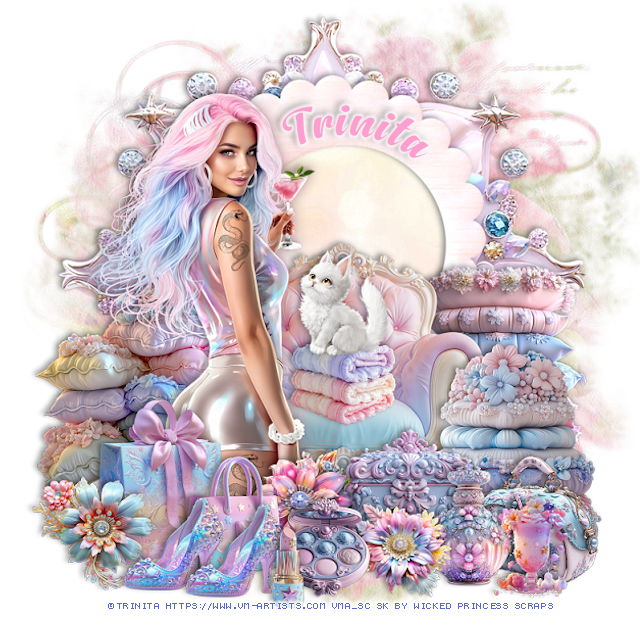
PTU Alissiya


  This tut was written April 28th, 2025 for those with a basic knowledge of psp. 

I am using the Awesome tube by ©Trinita

Tube is called Alissiya
You need a license to use this tube, please do not use without a license
You can find the tube at VMA  HERE


I used PSP2020...but any of them should work.
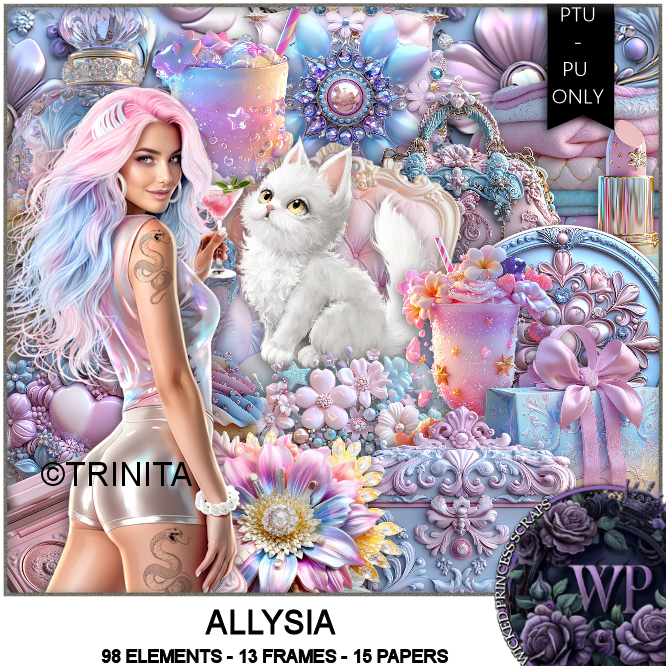
PTU Scrap Allysia by Wicked Princess Scraps HERE
You can find all Wicked Princess Scraps kits  HERE
Mask of choice, I used Miz TeeQue's Mask 56 HERE
Check out the rest of the blog HERE

Font of choice, I used Anydore

Drop shadow as you go is V -2 H 4, 40, 10, or use what you prefer.
Let's get started
*Remember to add your drop shadow as you go along*

Open a new image 800 x 800, paste paper 7, apply your mask.

Resize element 56 to 115%, paste at the top, click inside, 
paste paper 13, invert, delete.
Paste element 6 below the frame.
Resize element 105 to 55%, paste at the bottom above the frame.

Resize the tube to 40%, paste above the chair on the left.

Resize element 32 to 40%, paste on the right below the chair.
Resize element 34 to 40%, paste on the right above the chair.
Resize element 33 to 40%, paste on the left below the tube.
Resize element 10 to 30%, paste at the bottom above the tube.
Resize element 12 to 25%, paste at the bottom.
Resize element 47 to 25%, paste at the bottom left above the bags.
Resize element 20 to 25%, paste at the bottom right above the pillows.
Resize element 36 to 25%, paste on the bottom right.
Resize element 31 to 25%, paste at the bottom right.

Resize element 95 to 20%, paste on the chair.
Resize element 79 to 20%, paste on the towels on the chair.
Resize element 18 to 20%, paste at the bottom left, duplicate, move over.
Resize element 44 to 25%, paste at the bottom above the tube.
Resize element 7 to 20%, paste at the bottom above the shoes.
Resize element 24 to 15%, paste at the bottom.
Resize element 49 to 20%, paste at the bottom below the compact.
Resize element 1 to 20%, paste at the bottom right.

Add any other elements that you would like, make it your own.
Always readjust your mask and elements how you like them before you
 merge your tag, resize, sharpen.

Crop your tag to be sure no shadows or lines are on the edges.
 Then add your copyright and name.
That's it

Hope you enjoyed doing my tut 

Tag for Shani 

Friday, April 25, 2025

PTU Steampunk Heart


 This tut was written April 24th, 2025 for those with a basic knowledge of psp. 

I am using the Beautiful tube by © Trinita

Tube is called Steampunk Heart
You need a license to use this tube, please do not use without a license
You can find this tube at VMA HERE

I used PSP2020...but any of them should work.
PTU Scrap Steampunk Heart by Tiny Turtle Designs  HERE
You can find all Tiny Turtle Designs Scraps kits  HERE
Miz TeeQues Mask 261 HERE
Check the rest of the blog HERE

Font of choice, I used Angot

Drop shadow as you go is V-2 H-4, 50, 10, color black or use what you prefer.
Let's get started

*Remember to add your drop shadow as you go along*

Open a new image 800 x 800, paste paper 4, apply your mask.

Paste element 44.
Resize element 74 to 35%, apply Mura Meister Copies-Encircle, first 3
numbers on 12, 50, 50, paste.
Resize element 6 to 65%, paste on the circle, click inside, paste paper 1,
invert, delete.
Resize element 45 to 65%, paste in the frame.
Resize element 82 to 35%, paste on the upper left, duplicate, mirror, move
down on the right.
Resize element 202 to 40%, paste on the bottom right.

Resize the tube to 40%, paste on the right.

Resize element 67 to 30%, paste at the bottom left above the tube, duplicate, mirror.
Resize element 62 to 30%, paste at the upper left on the frame.
Resize element 88 to 30%, paste on the bottom left below the flower.
Resize element 33 to 35%, paste on the left below the house.
Resize element 39 to 30%, paste on the bottom right below the flower.
Resize element 135 to 30%, paste at the bottom left.
Resize element 143 to 20%, paste at the bottom.
Resize element 125 to 25%, paste at the bottom.
Resize element 111 to 20%, paste on the bottom left below the cup.

Resize element 125 to 20%, paste on the bottom right.
Resize element 146 to 30%, paste on the bottom right.
Resize element 83 to 20%, paste at the bottom above the bear.
Resize element 54 to 25%, paste on the left above the shelf.
Resize element 63 to 30%, paste at the upper right below the tube.
Resize element 35 to 30%, paste at the bottom below the cakes.
Resize element 85 to 20%, paste at the bottom above the cake.
Resize element 107 to 15%, paste at the bottom by the book.
Resize element 71 to 20%, paste below the phone.
Resize element 21 to 25%, paste at the bottom above the tube.
Resize element 78 to 17%, paste at the bottom left.
Resize element 3 to 50%, paste at the top below the tube.

Add any other elements that you would like, make it your own.
Always readjust your mask and elements how you like them before you
 merge your tag, resize, sharpen.

Crop your tag to be sure no shadows or lines are on the edges.
 Then add your copyright and name.
That's it

Hope you enjoyed doing my tut

Laura tag 


Friday, April 18, 2025

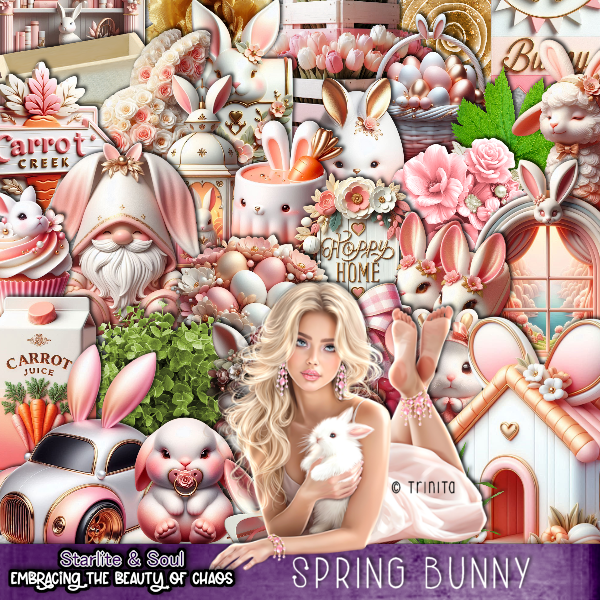
PTU Spring Bunny


This tut was written April 18th, 2025 for those with a basic knowledge of psp. 

I am using the beautiful tube ©Trinita 

Tube is called Tenderness 2
You need a license to use this tube, please do not use without a license
You can find the free tube at VMA HERE

I used PSP2020...but any of them should work.
PTU Scrap Spring Bunny by Starlite and Soul  HERE
You can find all Starlite and Soul kits  HERE
RD Mask 964 HERE
Check the rest of the blog HERE

Font of choice, I used Saturday Nights

Drop shadow as you go is V -2 H 4, 40, 10, or use what you prefer.
Let's get started
*Remember to add your drop shadow as you go along*

Open a new image 800 x 800, paste paper 3, apply your mask.

Resize element 4 to 75%, paste on the left.
Resize element 61 to 30%, paste at the bottom of the house.
Resize element 140 to 30%, paste at the bottom left above the basket.
Resize element 48 to 75%, paste on the right above the house.
Resize element 93 to 90%, paste on the left on the bottom layer.
Resize frame 4 to 65%, paste on the upper right, click inside, paste paper 3 where
you like, invert, delete.
Resize element 130 to 30%, apply Mura Meister Copies-Encircle, first 3
numbers on 12, 50, 50. paste below the frame.

Resize the tube to 30%, paste on the right above the basket.

Resize element 29 to 25%, paste at the bottom right above the tube.
Resize element 40 to 50%, mirror, paste below the tube on the right.
Resize element 64 to 20%, paste at the bottom left above the basket.
Resize element 129 to 30%, paste below the tube on the right by the car.
Resize element 49 to 20%, paste at the bottom left.
Resize element 28 to 20%, paste at the bottom left.
Resize element 42 to 27%, paste at the bottom left.

Resize element 81 to 20%, paste at the bottom.
Resize element 22 to 25%, paste at the bottom left below the cupcake.
Resize element 27 to 30%, paste at the bottom.
Resize element 12 to 40%, paste on the left on the house.
Resize element 57 to 20%, paste at the bottom.
Resize element 45 to 17%, paste at the bottom.
Mirror element 83 paste below the rainbow on the left.
Resize element 178 to 90%, paste on the right being on the top layer, duplicate, 
mirror, resize to 75%, paste on the left.

Add any other elements that you would like, make it your own.
Always readjust your mask and elements how you like them before you
 merge your tag, resize, sharpen.

Crop your tag to be sure no shadows or lines are on the edges.
 Then add your copyright and name.
That's it

Hope you enjoyed doing my tut
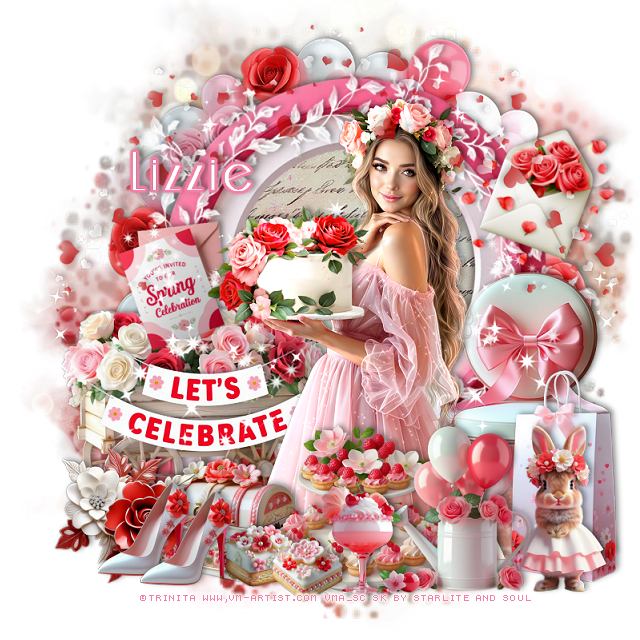
Tag for Lizzie 

Tuesday, April 1, 2025

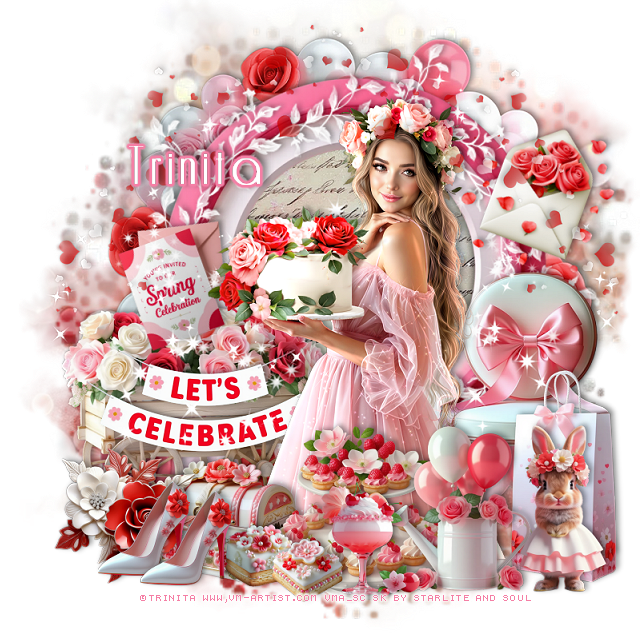
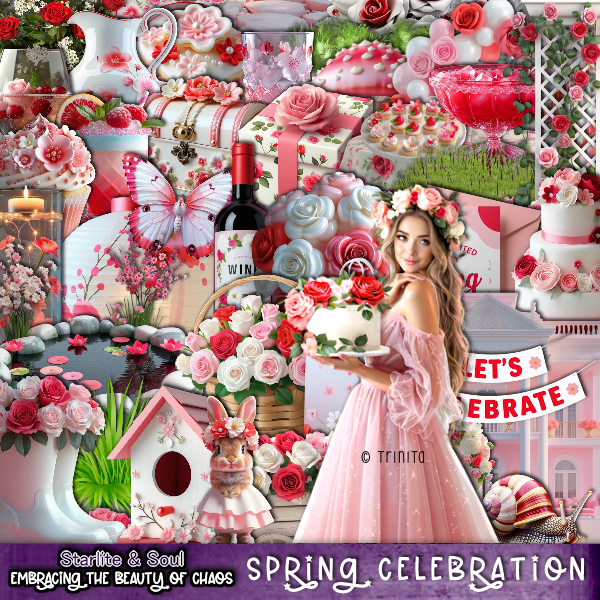
PTU Spring Celebration


  This tut was written March 31st, 2025 for those with a basic knowledge of psp. 

I am using the beautiful tube ©Trinita

Tube is called Holiday
You need a license to use this tube, please do not use without a license
You can find the free tube at VMA HERE

I used PSP2020...but any of them should work.
PTU Scrap Spring Celebrations by Starlite and Soul  HERE
You can find all Starlite and Soul kits  HERE
Miz Teeques's Mask 70 HERE 
Check the rest of the blog HERE

Font of choice, I used Riesling

Drop shadow as you go is V -2 H 4, 40, 10, or use what you prefer.
Let's get started
*Remember to add your drop shadow as you go along*

Open a new image 800 x 800, paste paper 7, apply your mask

Resize frame 7, paste, click inside, resize paper 16 to 75%, paste,
invert, delete. 
Paste element 46 below the frame.
Paste element 166 above the frame.
Resize element 68 to 25%, free rotate to the left at 20, paste on the wagon.

Resize tube to 40%, paste.

Resize element 54 to 35%, paste at the bottom right above the tube.
Resize element 76 to 45%, paste at the bottom right below the watering can.
Resize element 50 to 50%, paste on the wagon below the tube.
Resize element 62 to 40%, paste at the bottom above the tube.
Resize element 102 to 60%, paste on the right below the tube.
Resize element 91 to 25%, paste at the bottom.

Resize element 82 and 87 to 15%, paste at the bottom left below the drink.
Resize element 93 to 35%, paste at the bottom right.
Resize element 135 to 30%, paste at the bottom left.
Resize element 48 to 30%, paste at the bottom below the flower.
Resize element 33 to 20%, free rotate to the right, paste on the upper right.
Resize element 168 to 60%, paste on the upper left, duplicate, mirror.
Resize element 4 to 20%, paste at the bottom left, duplicate, move over.
Paste element 165 below the tube on the left, duplicate, mirror.

Add any other elements that you would like, make it your own.
Always readjust your mask and elements how you like them before you
 merge your tag, resize, sharpen.

Crop your tag to be sure no shadows or lines are on the edges.
 Then add your copyright and name.
That's it

Hope you enjoyed doing my tut
Tag for Lizzie 


Saturday, March 29, 2025

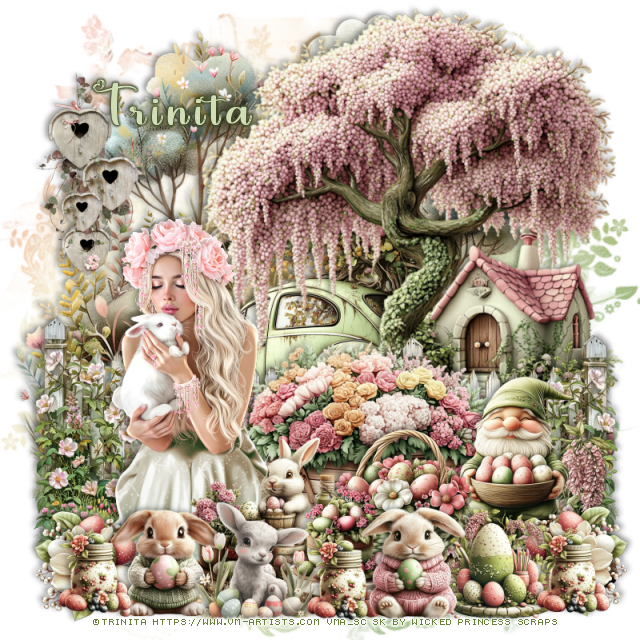
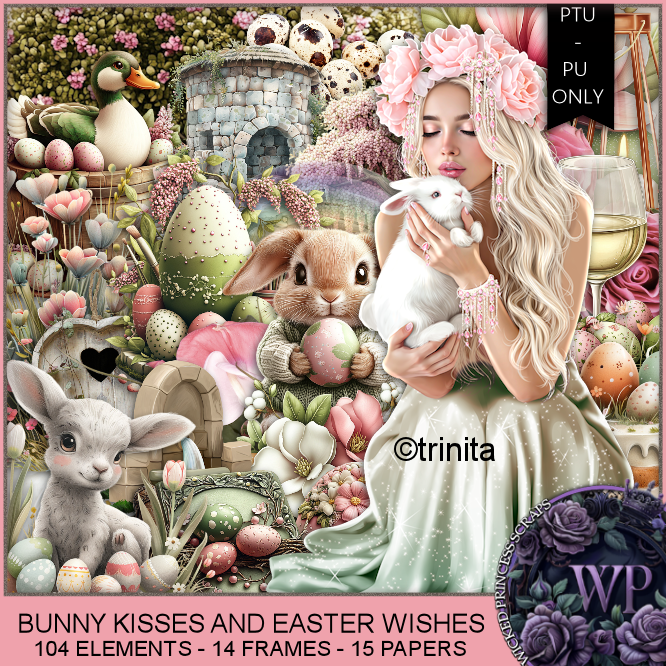
PTU Bunny Kisses and Easter Wishes


This tut was written March 29th, 2025 for those with a basic knowledge of psp. 

I am using the Awesome tube by ©Trinita

Tube is called Tenderness 1
You need a license to use this tube, please do not use without a license
You can find the tube at VMA  HERE


I used PSP2020...but any of them should work.
PTU Scrap Bunny Kisses and Easter Wishes by Wicked Princess Scraps HERE
You can find all Wicked Princess Scraps kits  HERE
Miz Teeques's Mask 117 HERE
Check the rest of the blog HERE

Font of choice, I used Love Vale

Drop shadow as you go is V -2 H 4, 40, 10, or use what you prefer.
Let's get started
*Remember to add your drop shadow as you go along*

Open a new image 800 x 800, paste paper 6, apply your mask.

Resize element 111 to 45%, paste on the bottom right.
Resize element 98 to 85%, paste on the right.
Resize element 83 to 50%, paste below the tree on the left, duplicate, mirror.
Resize element 109 to 50%, mirror, paste below the tree to the left.
Mirror element 47, paste below the tree on the left,

Resize your tube to 35%, paste to the left.

Resize element 99 to 40%, paste on the right.
Resize element 95 to 25%, paste at the bottom above the tube.
Resize element 96 to 30%, paste at the bottom above the basket.
Resize element 89 to 20%, paste at the bottom left, duplicate, mirror.
Resize element 2 to 20%, paste at the bottom.
Resize element 100 to 20%, paste at the bottom right.
Resize element 97 to 20%, paste at the bottom.
Resize element 118 to 20%, paste at the bottom.
Resize element 84 to 25%, paste at the bottom.
Resize element 12 to 30%, paste on the left.

Resize element 101 to 15%, paste at the bottom center, duplicate twice, 
move one to the left and right sides.

Add any other elements that you would like, make it your own.
Always readjust your mask and elements how you like them before you
 merge your tag, resize, sharpen.

Crop your tag to be sure no shadows or lines are on the edges.
 Then add your copyright and name.
That's it

Hope you enjoyed doing my tut 

Tag for Shani