Showing posts with label CT Tutorial. Show all posts

Thursday, May 14, 2020

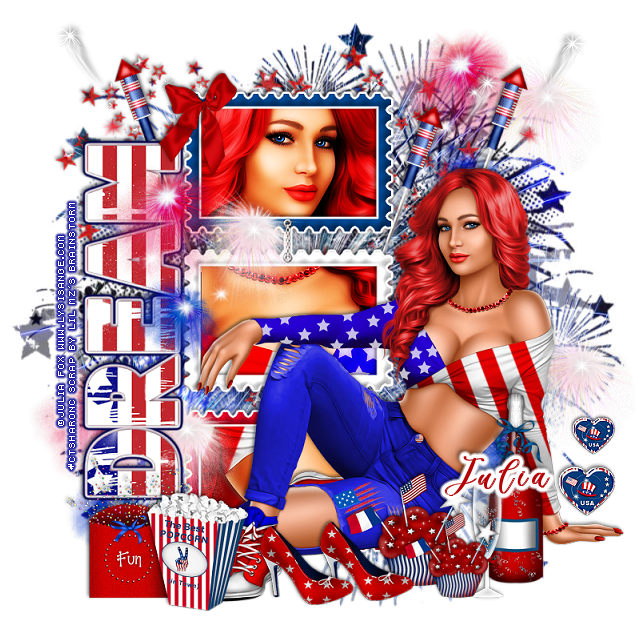
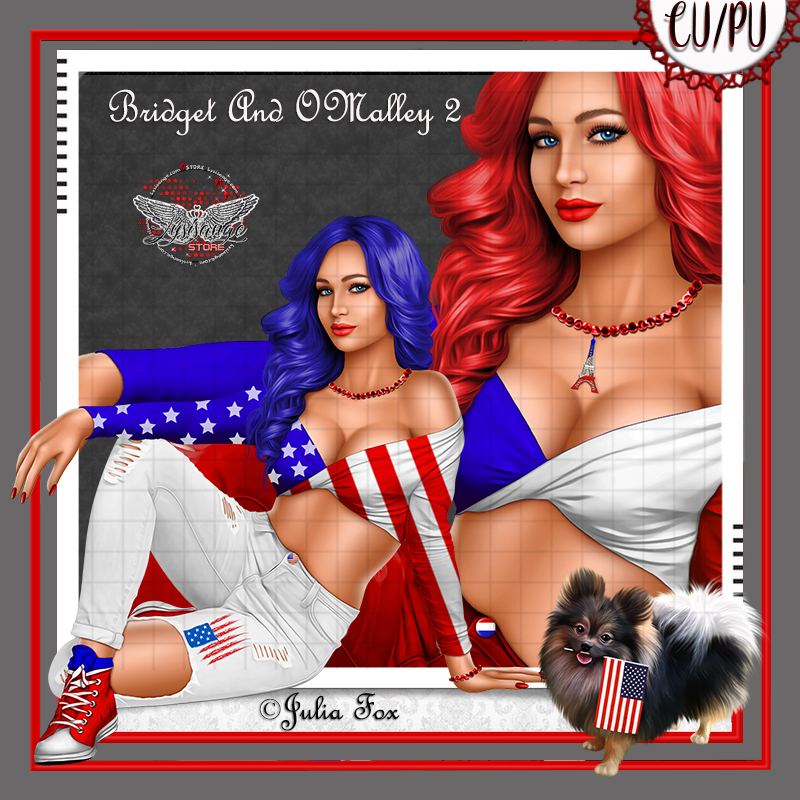
PTU USA Celebration


This tut was written May 14th, 2020, for those with a basic knowledge of psp.
I am using the awesome tube by artist ©Julia Fox
This tube is CU/PU, comes in two colors for USA, one for France
Tube is called Bridget 2 and O'Malley, dog is included with the tube.
 You need a license to use this art, please do not use without a license.
You can find this tube at Lysisange store HERE

I used PSPX...but any of them should work.
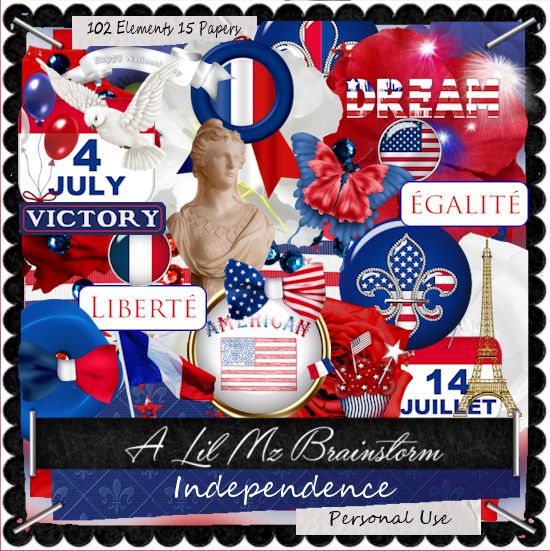
 PTU kit Independence by LMB HERE  
Mask of choice, I used DD Patriotic Mask 3 HERE
Check out the rest of the blog HERE
Filter 
Eye Candy 4000-Gradient Glow

Font of choice,  I used Billion Calligraphy

Drop shadow is usually V-2 H-2 Black, 50, 5, use what you prefer.
Let's get started
*Remember to add your drop shadow as you go along*

Open a new image 800 x 800
Paste paper 4, apply your mask, delete, merge group.
Paste element 97 above the mask to the upper left.

Resize element 49 to 90%, paste to the left, click inside with your magic
wand, expand by 5, paste paper 14, invert, delete, keep selected.
Resize your tube to 50%, mirror, paste, adjust how you like, delete, select none.

Duplicate the tube, go to Adjust, Blur, Gaussian blur, number on 4, change
the blend mode to Overlay or one you prefer, merge down, sharpen.
Add a fat gradient glow, color white to the frame.

Resize your tube to 30%, paste to the right.

Resize element 73 to 50%, paste at the lower right above the tube.
Resize element 72 to 55%, paste by the bottle.
Resize element 1 to 75%, free rotate to the left at 90 degrees, paste on the left
of the frame, add a fat gradient of choice.

Resize element 48 to 75%, paste on the right below the paper layer of
the frame, duplicate, move over and up a little, duplicate, mirror.

Resize element 61 to 45%, paste at the lower left above the tube.
Resize element 64 to 50%, paste at the lower left behind the popcorn.
Resize element 67 to 30%, paste on the frame at the upper left.

Resize element 38 to 45%, paste at the bottom above the tube,
duplicate, resize to 75%, move above the glass and bottle.
Resize element 51 to 35%, paste on the right above the hand of the tube,
duplicate, resize to 75%, move up a little.

Resize element 46 to 45%, paste at the bottom above the cupcake,
duplicate, move over a little.
Resize element 54 to 50%, paste on the frame layer to the left, duplicate, 
move to the right above the mask, duplicate, move down to the lower right,
duplicate once more, move to the left below the dream wordart at the bottom.

Add any other elements you would like, make it your own.
Always remember to adjust the elements before merging to get them like you like.

Once happy with your tag, close off any background, crop your tag to make
sure there are no stray edges, merge visible, resize first.
Add your copyrights and name.

That's it
Hope you enjoyed doing my tut.

Sunday, May 10, 2020

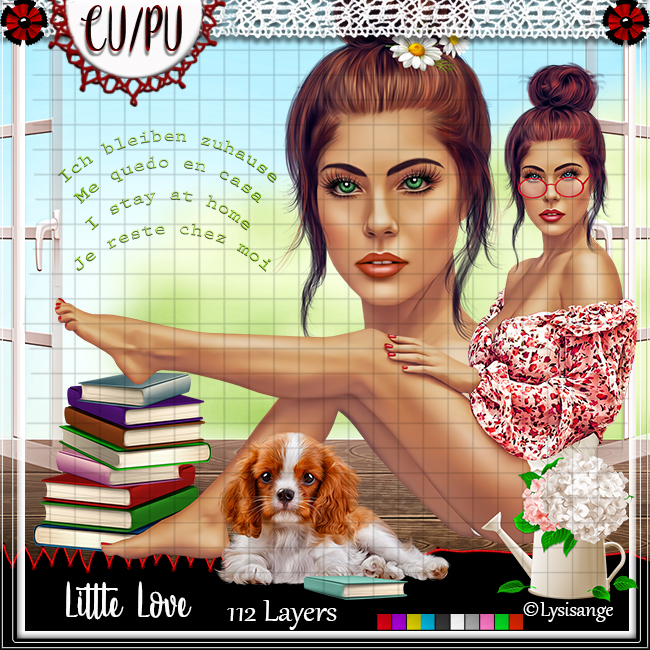
PTU I Stay At Home


This tut was written May 9th, 2020, for those with a basic knowledge of psp.
I am using the awesome tube by artist ©Lysisange
This tube is CU/PU
 You need a license to use this art, please do not use without a license.
You can find this tube at her store HERE

I used PSPX...but any of them should work.
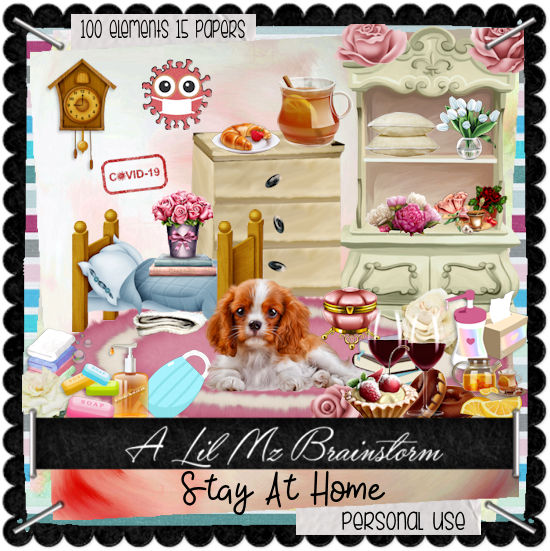
 PTU kit I Stay Home by LMB HERE  HERE 
Mask of choice, I used RD Mask 899 HERE
Check out the rest of the blog HERE
Filter 
Mura Meister Copies-Encircle
Font of choice,  I used Very You

Drop shadow is usually V-2 H-2 Black, 50, 5, use what you prefer.
Let's get started
*Remember to add your drop shadow as you go along*

Open a new image 800 x 800
Paste paper 6, apply your mask, delete, merge group, mirror.

Paste element 30, click inside with your magic wand, expand by 5, 
paste paper 6, invert, delete, select none.
Resize the wordart from the tube to 50%, paste at the top, change 
the color to match your tube, add a fat white gradient glow.

Paste element 31 below the paper layer of the frame to the right, duplicate, mirror.
Paste element 26 on the mask layer to the left, duplicate, mirror.

Resize element 67 to 40%, apply Mura Meister Copies-Encircle,
first number on 24, move to the mask layer, resize larger to 110%.

Resize your tube to 30%, paste at the bottom above the frame.
Paste element 88 at the bottom below the frame.

Resize element 35 to 40%, paste under the dog.
Resize element 46 to 55%, paste behind the tube above the frame layer.
Resize element 72 to 50%, paste on the table.
Resize element 13 to 25%, paste on the table above the lamp.
Resize element 99 to 30%, paste on the table above the lamp.
Resize element 4 to 15%, paste above the tea on the table.

Resize element 10 to 20%, paste on the rug above the tube.
Resize element 23 to 20%, paste behind the tube at the lower right.
Resize element 47 to 25%, paste at the lower right above the tube.

Resize element 96 to 20%, paste below the plate with the food on it.
Resize element 93 to 35%, paste at the bottom above the book.
Resize element 91 to 22%, paste on the left below the book.
Resize element 15 to 40%, paste on the right below the white box behind the tube.

Resize element 83 and 84 to 25%, paste at the bottom being on the top 
layer on the rug.
Resize element 18 to 10%, paste at the lower right by the white box.

Add any other elements you would like, make it your own.
Always remember to adjust the elements before merging to get them like you like.

Once happy with your tag, close off any background, crop your tag to make
sure there are no stray edges, merge visible, resize first.
Add your copyrights and name.

That's it
Hope you enjoyed doing my tut.
Monday, May 4, 2020

FTU Coffee Time


This tut was written May 3rd, 2020  for those with a basic knowledge of psp.
I am using the awesome artwork by  © Vadis  
The tube is "Summertime Pleasure"
You need a license to use this tube, do not use without a license.
You can find this tube at PFD store  HERE

I used PSPX...but any of them should work.
(Was PTU now FTU)
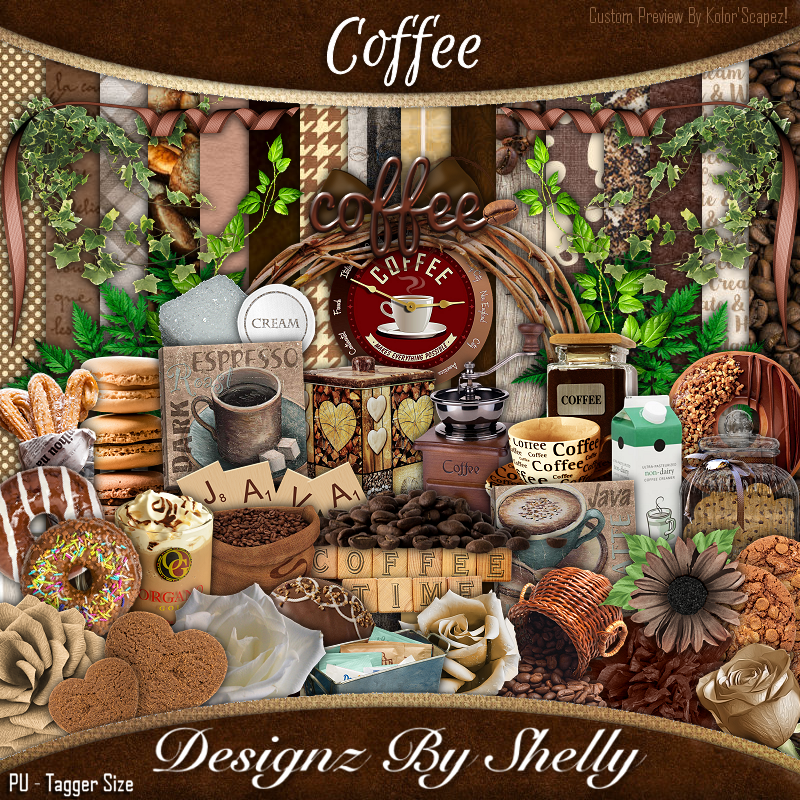
PTU Coffee by Designz by Shelly 
HERE  
Mask of choice, I used MizTeeques Mask_283 HERE
Check out the rest of the blog HERE
Filter
Mura Meister Copies-Encircle
Font of choice,  I used Coffee Beans

Drop shadow is usually V-2 H-2 Black, 50, 5, use what you prefer.
Let's get started
*Remember to add your drop shadow as you go along*

Open a new image 800 x 800
Paste paper 11, apply your mask, delete, merge group, free rotate to the right 
at 90 degrees.

Resize element 46 to 90%, paste at the top on the mask.
Resize element 98 to 15%, apply Mura Meister Copies-Encircle, 
first number on 26, move below the sign, take your Pick tool to adjust the
fit better, duplicate, mirror.

Resize element 41 to 70%, paste below the flower circle on one side, duplicate,
mirror.

Resize your tube to 35%, paste to the left and down a little.

Resize element 44 to 40%, paste at the top on the sign behind the tube.
Resize element 18 to 50%, paste on the left behind the tube.
Resize element 21 to 50%, paste on the right.
Resize element 15 to 50%, paste behind the tube to the right.

Resize element 77 to 25%, paste at the bottom to the right and below the tube.
Resize element 17 to 25%, paste at the bottom right above the tube.
Resize element 111 to 50%, paste on the left above the grinder, duplicate, 
move down below the tube, duplicate again, mirror, move below the 3 coffee cans.
Duplicate both and move to the top below the sign on each side 
of the clock.
Resize element 115 to 50%, paste below the clock at the upper right.

Resize element 34 to 25%, paste on the left behind the tube.
Resize element 16 to 25%, paste at the lower left above the tube.
Resize element 9 to 20%, paste at the lower left.

Resize element 35 to 20%, paste at the bottom by the cup and cookies.
Resize element 26 to 20%, paste at the lower right.
Resize element 40 to 15%, paste at the bottom by the scoop.
Resize element 133 to 30%, paste at the bottom, select all, float, defloat, add 
a new layer, fill with a color of choice, move below the wordart.

Resize element 24 to 20%, paste at the lower right below the spilled beans.
Resize element 51 to 15%, paste at the bottom by the scoop.
Resize element 27 to 40%, paste on the left behind the grinder.
Resize element 19 to 40%, paste on the right behind the coffee grinder.
Resize element 38 to 25%, paste on the right below the coffee cans.

Resize element 92 to 15%, free rotate to the right at 20 degrees, paste 
on the right below the grinders.
Resize element 90 to 15%, paste on the left below the coffee pot.
Resize element 103 to 15%, paste at the lower left.
Resize element 72 to 15%, paste at the lower left by the flower.

Add any other elements you would like, make it your own.
Always remember to adjust the elements before merging to get them like you like.

Once happy with your tag, close off any background, crop your tag to make
sure there are no stray edges, merge visible, resize first.
Add your copyrights and name.

That's it
Hope you enjoyed doing my tut.