Showing posts with label Lysisange. Show all posts

Friday, February 6, 2026

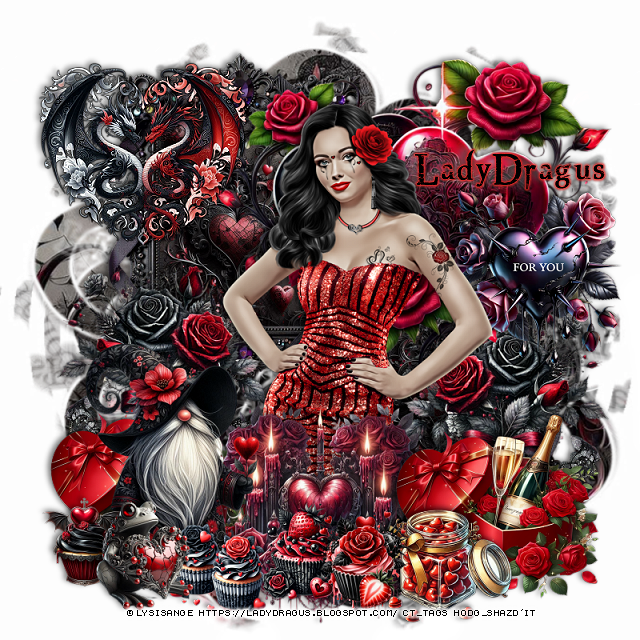
PTU Mixed Up Valentine


  This tut was written February 6th, 2026 for those with a basic knowledge of psp. 

I am using the Awesome tube ©Lysisange

2 Tubes are in this kit
Tubes are not Al
Please read the TOU on how to credit your tags

I used PSP2020...but any of them should work.
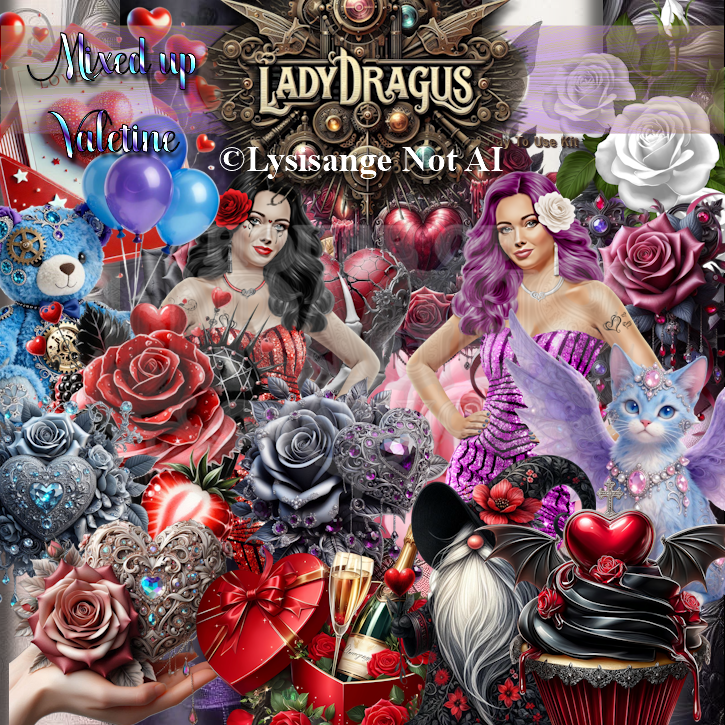
PTU Scrap Mixed Up Valentine by Lady Dragus  HERE HERE
Kit has Al in it, 104 elements, 18 frames and 25 papers
Miz Teeques Mask 64 HERE
Check the blog out HERE

Font of choice, I used Northwood High

Drop shadow as you go is V -2 H 4, 50, 10, or use what you prefer.
Let's get started
*Remember to add your drop shadow as you go along*

Open a new image 800 x 800, paste paper 25, apply your mask, mirror,
erase a little where you like.

Resize 18 to 45%, paste at the upper left, duplicate, move
down on the right, click inside, resize paper 25 to 35%, paste in 
each frame, invert, delete.

Resize tube 1 to 55%, paste above the frames.

Resize 4 to 35%, paste on the right below the tube, duplicate, mirror,
move up on the frame.
Resize 15 to 35%, paste at the bottom right above the tube,
 duplicate, do not mirror, move to the right below the tube.
Resize 69 to 65%, paste below the tube to the upper right.
Resize 63 to 30%, paste on the right on the hearts.

Resize 18 to 22%, paste at the bottom above the candy and champagne.
Resize 13 to 35%, paste at the upper left on the frame, add a black 
gradient glow.
Resize 9 and 10 to 17%, paste at the bottom above the tube.
Resize 6 to 40%, mirror, paste on the bottom left, hiding the champagne bottle.
Resize 14 to 17%, paste at the bottom left above the gnome.
Resize 24 to 20%, paste at the bottom left above the cupcakes.
Resize 2 to 40%, paste at the bottom in front of the tube behind the cupcakes.
Resize 12 to 15%, paste below the frog on the bottom left.

Add any other elements that you would like, make it your own.
Always readjust your mask and elements how you like them before you
 merge your tag, resize, sharpen.

Crop your tag to be sure no shadows or lines are on the edges.
 Then add your copyright and name.
That's it

Hope you enjoyed doing my tut 

Friday, December 25, 2020

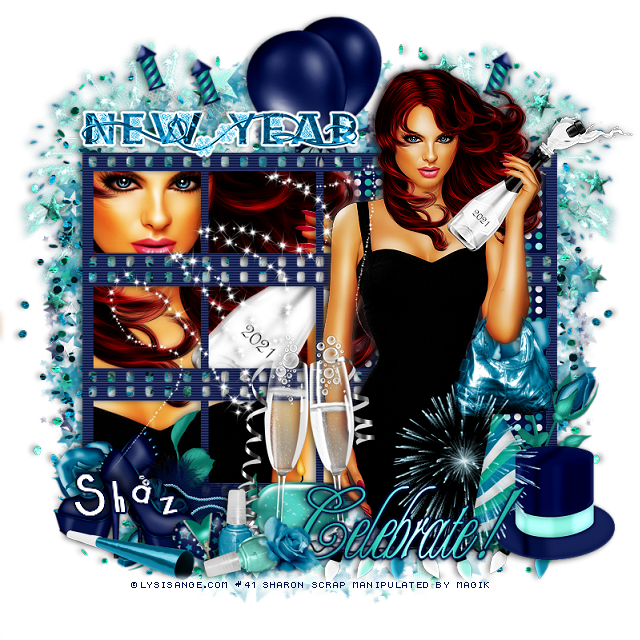
FTU Let's Celebrate


 This tut was written December 25th, 2020 for those with a basic knowledge of psp.

I am using the awesome artwork of  Lysisange
The tube is called "New Year 2021" 
This is a free tube you can find at her store
You need a license to use this tube, do not use without a license.
You can find this tube at Lysisange store  HERE

I used PSPX...but any of them should work.
FTU kit Celebrate by Manipulated by Magik  HERE
Check out the rest of the blog HERE
Mask of choice, I used DD Star Mask_3  HERE
Check out the rest of the blog HERE
Filters
Eye Candy 4000-Gradient Glow

Font of choice,  I used Cocktail Bubbly

Drop shadow is  V-1 H-4, 40, 10, or use what you prefer.
Let's get started
*Remember to add your drop shadow as you go along*

Open a new image 800 x 800 or a size you prefer.
I always fill with white and delete the white layer at the end. 
Paste paper 9, apply your mask, delete, merge group.
Erase the big star at the bottom, duplicate, flip.

Paste the negative film strip, duplicate twice, move one up and the other down,
merge the three together.
Click inside all the squares, expand by 2, paste paper 7, invert, delete, keep 
selected.  Resize your tube to 50%, paste on the left below the film strips so 
the bottle shows 2021, delete, select none.
Duplicate the tube, go to Adjust, Blur, Gaussian blur, number on 4, change
the blend mode to Overlay or one you prefer.

Resize your tube to 25%, paste above the film strips and to the right more,
duplicate go to Adjust, Blur, Gaussian blur, number on 4,
change the blend mode to Soft Light or one you prefer.

Paste fireworks sparkles at the upper left below the mask layer, duplicate, mirror.
Next paste the fireworks above those, duplicate, mirror.
I used a dark blue drop shadow for these.
Paste the confetti at the upper left, duplicate, mirror, duplicate both, flip,
adjust at the bottom.

Paste the balloons above the mask layer at the top.
Paste wordart 1 at the top left, duplicate, change the blend mode to multiply,
merge down, apply a fat white gradient glow.
Paste the star spiral at the upper right above the fireworks, duplicate, mirror.

Resize the deco to 50%, paste at the lower right above the tube.
Paste wordart 2 on top of that layer.
Paste the rose, mirror, move to the right behind the tube, duplicate, 
free rotate to the left at 90 degrees,  flip, move to the bottom below the tube layer.
Erase any stem showing from the first rose.
Resize polishes to 35%, paste at the bottom being on the top layer.
Resize the flower to 20%, paste down by the polish.

Resize the zipped heart to 20%, free rotate to the left at 15 degrees, paste 
behind the polish to the left.
Resize fireworks to 30%, free rotate to the left at 20 degrees, paste at the upper left,
duplicate, move over a little.
Duplicate one, mirror, move behind the tube on the right.
Resize the candle to 50%, paste behind the champagne glasses.
Paste the lights at the bottom above the tube layer.

Resize the rose boa to 40%, paste at the lower left above the flower.
Resize the blow horn to 40%, paste at the lower left.
Resize the purse to 40%, paste on the arm of the tube and erase the strap.
Resize the heels to 40%, paste at the lower left above the flower, duplicate, mirror,
move the shoe back by the other one.

Paste sparkle 2 to the left above the tube.

Add any other elements that you would like, make it your own.
Always readjust your mask and elements how you like them before you
 merge your tag, sharpen once.
Crop your tag to make sure no shadows or anything on the edges

 Then add your copyright and name.
That's it

Hope you enjoyed doing my tut.       

Friday, October 9, 2020

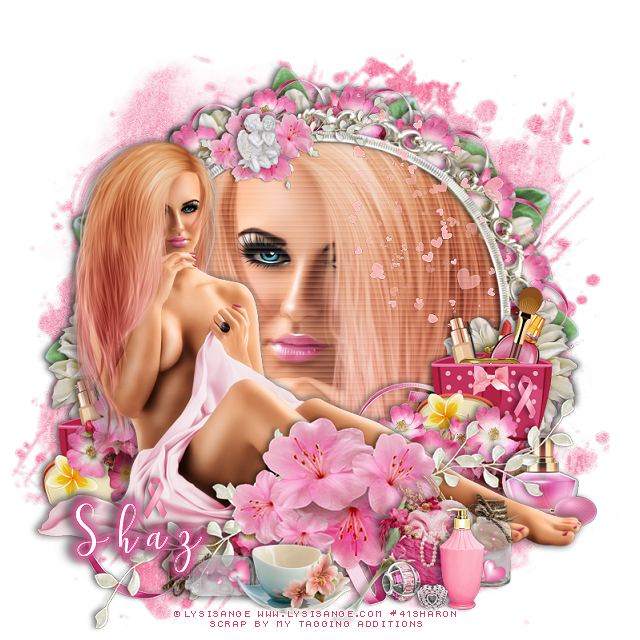
FTU BCA


This tut was written October 9th, 2020 for those with a basic knowledge of psp.

I am using the awesome artwork of Lysisange 
The tube is called "Octobre Rose"
This is a free tube
You need a license to use this tube, do not use without a license.
You can find this tube at Lysisange store  HERE

I used PSPX...but any of them should work.
FTU kit BCA 2020 by  My Tagging Addictions HERE
Check out the rest of the blog HERE
Mask of choice, I used RD Mask 897  HERE
Check out the rest of the blog HERE
Filters
Mura Meister Copies-Encircle

Font of choice,  I used  Samantha

Drop shadow is  V-1 H-4 Black, 50, 10, use what you prefer.
Let's get started
*Remember to add your drop shadow as you go along*

Open a new image 800 x 800 or a size you prefer.
Paste paper 6, apply your mask, delete, merge group.

Resize frame 2 to 89%, paste, click inside with your magic wand, expand 
by 5, paste paper 6, invert, delete, keep selected.
Paste your close up, delete, select none.
Duplicate your tube, go to Adjust, Blur, Gaussian blur, number on 4, 
change the blend mode to Soft Light, merge down.
Go to Effects, Texture Effects, Blinds with these settings.
7, 25, both boxes checked, color #fdd7e8

Resize your tube to 35%, mirror, paste on the left above the frame.
Duplicate, go to Adjust, Blur, Gaussian blur, number on 4, change the blend
mode to Soft Light, merge down.

Resize flower 3 to 50%, apply Mura Meister Copies-Encircle, first number 
on 16, move below the paper layer of the frame.
Go back to flower 3, resized to 50, paste at the bottom below the tube by the feet,
duplicate a couple of times, mirror, move one to the left more and down, the 
other one to the left behind the tube.
Resize flower 6 to 50%, apply Mura Meister-copies, first number on 12, 
move below the ribbon circle layer, then resize larger to 110%.

Paste flower 7 above the tube, duplicate, resize to 50%, move to the upper left
behind the tube on the frame.
Paste the ribbon at the bottom, free rotate to the left at 90 degrees, move below
the flowers, duplicate, free rotate to the right at 90 degrees, resize to 50%, 
apply Mura Meister Copies-Encircle, first number on 16, move to the mask layer.

Resize cup and spoon to 45%, paste at the bottom above the flowers.
Resize the cosmetics to 50%, paste behind the flowers on the left, duplicate, move
to the right.
Resize the basket to 35%, paste at the lower right above the flowers.
Resize the bead to 20%, paste by the box.
Resize bead 2 to 15%, paste by the first bead.

Resize the BCA Ribbon to 15%, paste on the cosmetics on the right, duplicate, 
move to the left on the tube layer.
Resize the perfume bottle to 25%, paste on the right below the feet of the tube.
Resize flower 6 to 50%, mirror, paste behind the cosmetics on the left, duplicate, 
mirror.
Paste image 7 below the white flower circle and resize to fit your tag better.
Resize the angels to 15%, paste on the flowers at the top.
Resize lotion to 35%, paste at the bottom by the beads.

Resize the jar of hearts to 355, duplicate, move one to the right below the 
lotion bottle, move the other to the left below the cup, free rotate to the left at 90.
Paste the scatters on the right above the frame on the hair of the tube, no 
drop shadow, sharpen once.

Add any other elements that you would like, make it your own.
Always readjust your mask and elements how you like them before you
 merge your tag, sharpen once.
Crop your tag to make sure no shadows or anything on the edges

 Then add your copyright and name.

That's it

Hope you enjoyed doing my tut.  

Thursday, May 14, 2020

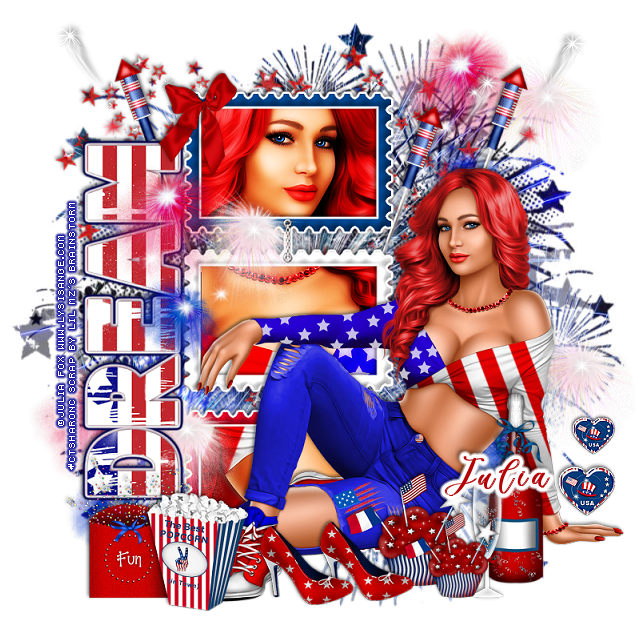
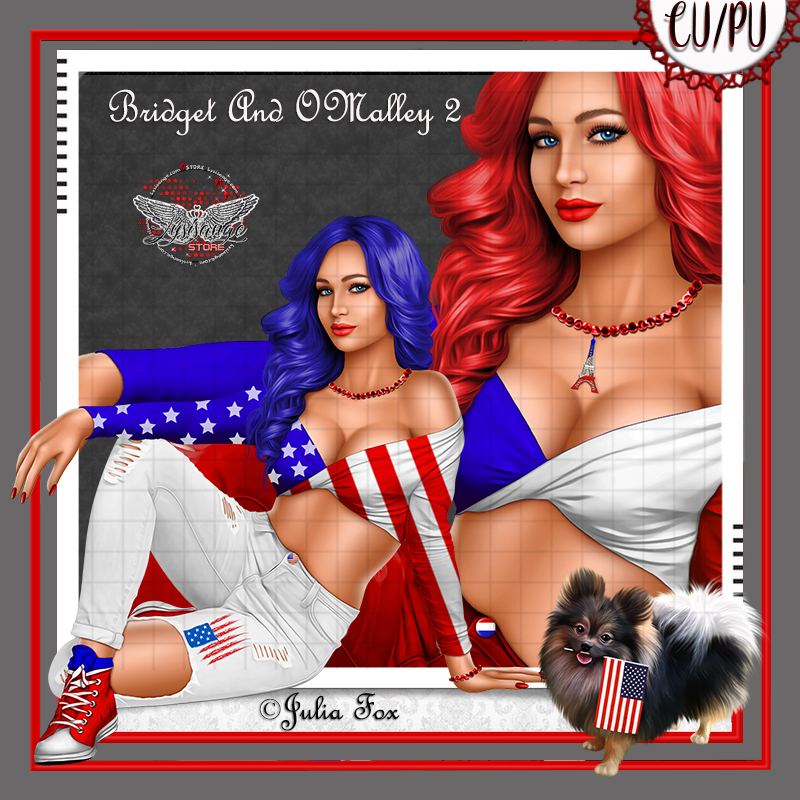
PTU USA Celebration


This tut was written May 14th, 2020, for those with a basic knowledge of psp.
I am using the awesome tube by artist ©Julia Fox
This tube is CU/PU, comes in two colors for USA, one for France
Tube is called Bridget 2 and O'Malley, dog is included with the tube.
 You need a license to use this art, please do not use without a license.
You can find this tube at Lysisange store HERE

I used PSPX...but any of them should work.
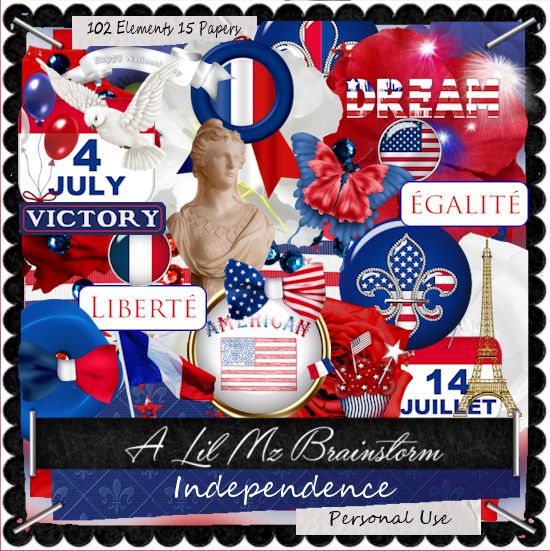
 PTU kit Independence by LMB HERE  
Mask of choice, I used DD Patriotic Mask 3 HERE
Check out the rest of the blog HERE
Filter 
Eye Candy 4000-Gradient Glow

Font of choice,  I used Billion Calligraphy

Drop shadow is usually V-2 H-2 Black, 50, 5, use what you prefer.
Let's get started
*Remember to add your drop shadow as you go along*

Open a new image 800 x 800
Paste paper 4, apply your mask, delete, merge group.
Paste element 97 above the mask to the upper left.

Resize element 49 to 90%, paste to the left, click inside with your magic
wand, expand by 5, paste paper 14, invert, delete, keep selected.
Resize your tube to 50%, mirror, paste, adjust how you like, delete, select none.

Duplicate the tube, go to Adjust, Blur, Gaussian blur, number on 4, change
the blend mode to Overlay or one you prefer, merge down, sharpen.
Add a fat gradient glow, color white to the frame.

Resize your tube to 30%, paste to the right.

Resize element 73 to 50%, paste at the lower right above the tube.
Resize element 72 to 55%, paste by the bottle.
Resize element 1 to 75%, free rotate to the left at 90 degrees, paste on the left
of the frame, add a fat gradient of choice.

Resize element 48 to 75%, paste on the right below the paper layer of
the frame, duplicate, move over and up a little, duplicate, mirror.

Resize element 61 to 45%, paste at the lower left above the tube.
Resize element 64 to 50%, paste at the lower left behind the popcorn.
Resize element 67 to 30%, paste on the frame at the upper left.

Resize element 38 to 45%, paste at the bottom above the tube,
duplicate, resize to 75%, move above the glass and bottle.
Resize element 51 to 35%, paste on the right above the hand of the tube,
duplicate, resize to 75%, move up a little.

Resize element 46 to 45%, paste at the bottom above the cupcake,
duplicate, move over a little.
Resize element 54 to 50%, paste on the frame layer to the left, duplicate, 
move to the right above the mask, duplicate, move down to the lower right,
duplicate once more, move to the left below the dream wordart at the bottom.

Add any other elements you would like, make it your own.
Always remember to adjust the elements before merging to get them like you like.

Once happy with your tag, close off any background, crop your tag to make
sure there are no stray edges, merge visible, resize first.
Add your copyrights and name.

That's it
Hope you enjoyed doing my tut.

Sunday, May 10, 2020

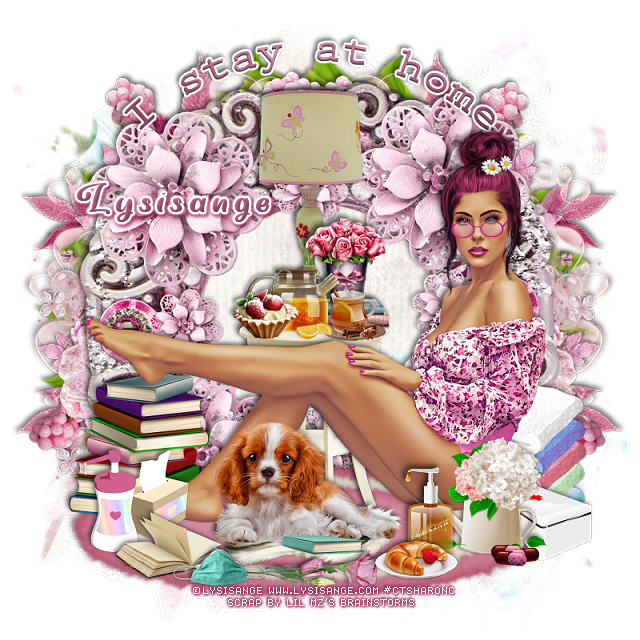
PTU I Stay At Home


This tut was written May 9th, 2020, for those with a basic knowledge of psp.
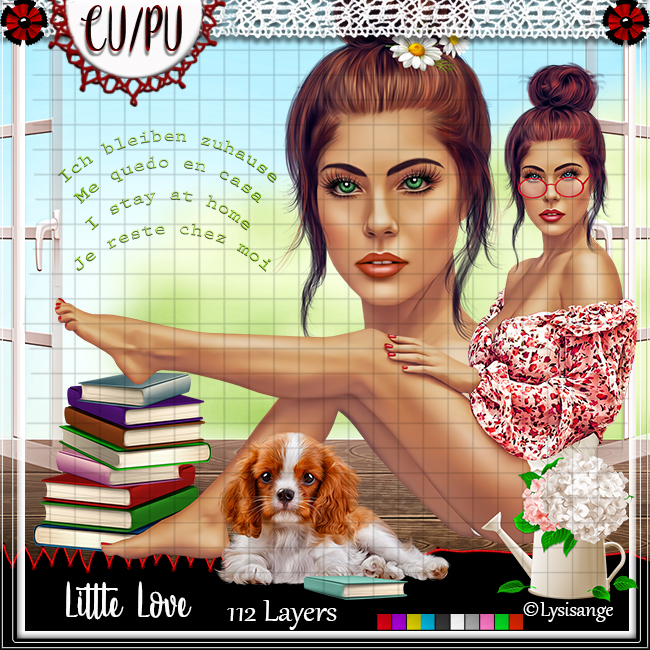
I am using the awesome tube by artist ©Lysisange
This tube is CU/PU
 You need a license to use this art, please do not use without a license.
You can find this tube at her store HERE

I used PSPX...but any of them should work.
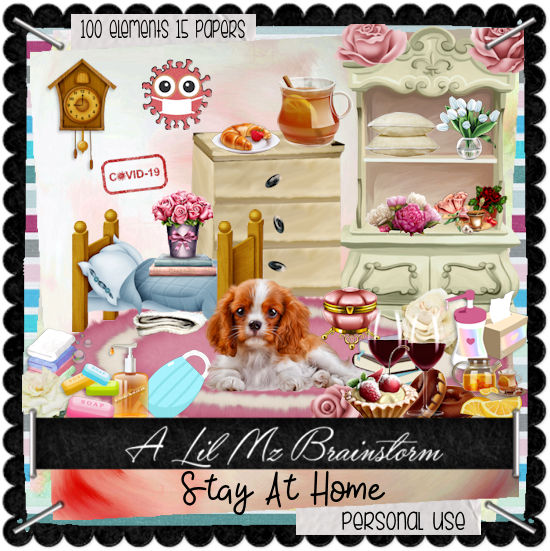
 PTU kit I Stay Home by LMB HERE  HERE 
Mask of choice, I used RD Mask 899 HERE
Check out the rest of the blog HERE
Filter 
Mura Meister Copies-Encircle
Font of choice,  I used Very You

Drop shadow is usually V-2 H-2 Black, 50, 5, use what you prefer.
Let's get started
*Remember to add your drop shadow as you go along*

Open a new image 800 x 800
Paste paper 6, apply your mask, delete, merge group, mirror.

Paste element 30, click inside with your magic wand, expand by 5, 
paste paper 6, invert, delete, select none.
Resize the wordart from the tube to 50%, paste at the top, change 
the color to match your tube, add a fat white gradient glow.

Paste element 31 below the paper layer of the frame to the right, duplicate, mirror.
Paste element 26 on the mask layer to the left, duplicate, mirror.

Resize element 67 to 40%, apply Mura Meister Copies-Encircle,
first number on 24, move to the mask layer, resize larger to 110%.

Resize your tube to 30%, paste at the bottom above the frame.
Paste element 88 at the bottom below the frame.

Resize element 35 to 40%, paste under the dog.
Resize element 46 to 55%, paste behind the tube above the frame layer.
Resize element 72 to 50%, paste on the table.
Resize element 13 to 25%, paste on the table above the lamp.
Resize element 99 to 30%, paste on the table above the lamp.
Resize element 4 to 15%, paste above the tea on the table.

Resize element 10 to 20%, paste on the rug above the tube.
Resize element 23 to 20%, paste behind the tube at the lower right.
Resize element 47 to 25%, paste at the lower right above the tube.

Resize element 96 to 20%, paste below the plate with the food on it.
Resize element 93 to 35%, paste at the bottom above the book.
Resize element 91 to 22%, paste on the left below the book.
Resize element 15 to 40%, paste on the right below the white box behind the tube.

Resize element 83 and 84 to 25%, paste at the bottom being on the top 
layer on the rug.
Resize element 18 to 10%, paste at the lower right by the white box.

Add any other elements you would like, make it your own.
Always remember to adjust the elements before merging to get them like you like.

Once happy with your tag, close off any background, crop your tag to make
sure there are no stray edges, merge visible, resize first.
Add your copyrights and name.

That's it
Hope you enjoyed doing my tut.