Showing posts with label Zlata_M. Show all posts

Sunday, April 9, 2023

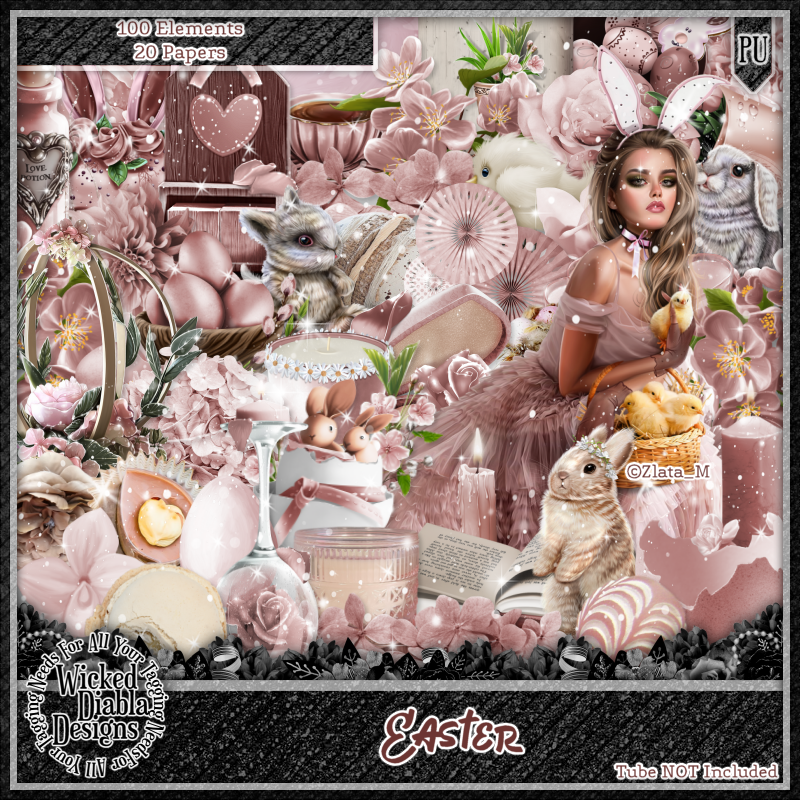
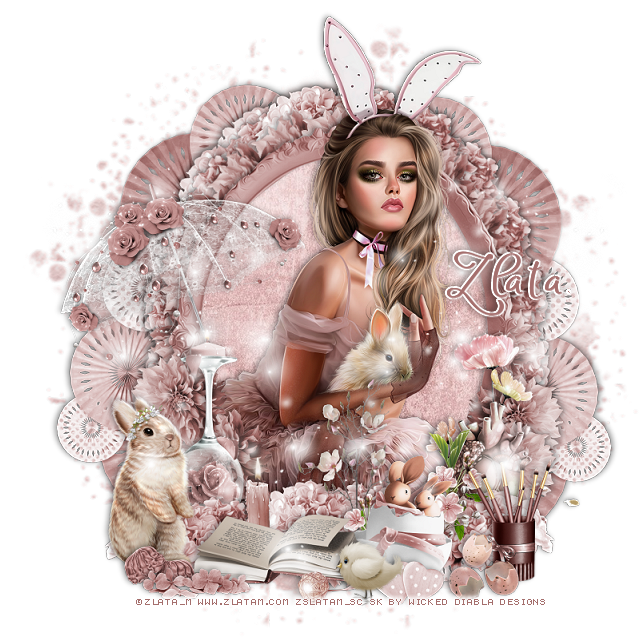
PTU Easter


This tut was written April 9th, 2023 for those with a basic knowledge of psp. 

I am using the beautiful artist ©Zlata_M

Tube is called Easter 
You need a license to use this tube, please do not use without a license.
You can find this tube HERE

I used PSP2020...but any of them should work.
PTU Scrap Easter by Wicked Diabla Designs  HERE 
This beautiful kit has 100 elements and 20 papers
Mask of choice, I used Miz Teeque's Mask 211 HERE
Check out the rest of the Blog HERE

Font of choice, I used Atyla

Drop shadow is V -1 H -3, 50, 10, color black or use what you prefer.
Let's get started
*Remember to add your drop shadow as you go along*

Open a new image, 800 x 800, paste paper 15, apply your mask, delete, merge group.

Resize element 47 to 60%, paste, click inside with the magic wand, expand
by 5, paste paper 2, invert, delete, select none.
Resize element 31 to 25%, apply Mura Meister Copies-Encircle, first 3
numbers on 20, 45, 60, paste below the paper layer of the frame.
Resize element 87 to 25%, apply Mura Meister, change the first 3 numbers
to 20, 50, 65, move to the mask layer.

Resize the close up to 35%, paste below the frame, duplicate, move above, erasing
all that is outside the frame at the bottom.
Resize element 1 to 25%, paste at the bottom right on the frame.
Resize element 87 to 25%, paste at the bottom below the egg, duplicate, mirror.

Resize element 32 to 25%, paste above the tube at the bottom.
Resize element 44 to 25%, paste at the bottom being on the top layer.
Resize element 10 to 30%, paste on the right below the flowers.

Resize element 31 to 25%, paste at the lower left above the frame.
duplicate, mirror.
Resize element 4 to 10%, paste at the bottom right being on the top layer.
Resize element 46 to 25%, mirror, paste on the left below the book.
Resize element 82 to 30%, paste on the left below the flowers.
Resize element 71 to 10%, paste at the bottom.
Resize element 2 to 35%, paste on the left above the frame layer.

Resize element 58 to 18%, paste at the lower right below the broken eggs.
Paste element 37 on the left being on the top layer, duplicate, mirror.
Resize element 33 to 10%, paste at the bottom.
Resize element 66 to 35%, paste on the mask layer at the lower left, duplicate,
mirror, duplicate, move up on the right, duplicate, mirror.
Resize element 97 to 10%, paste at the bottom left by the book.
Resize element 68 to 15%, paste at the bottom left.

Add any other elements that you would like, make it your own.
Always readjust your mask and elements how you like them before you
 merge your tag, resize, sharpen.

Crop your tag to be sure no shadows or lines are on the edges.
 Then add your copyright and name.
That's it

Hope you enjoyed doing my tut.  

Zlata Tag 


Monday, March 20, 2023

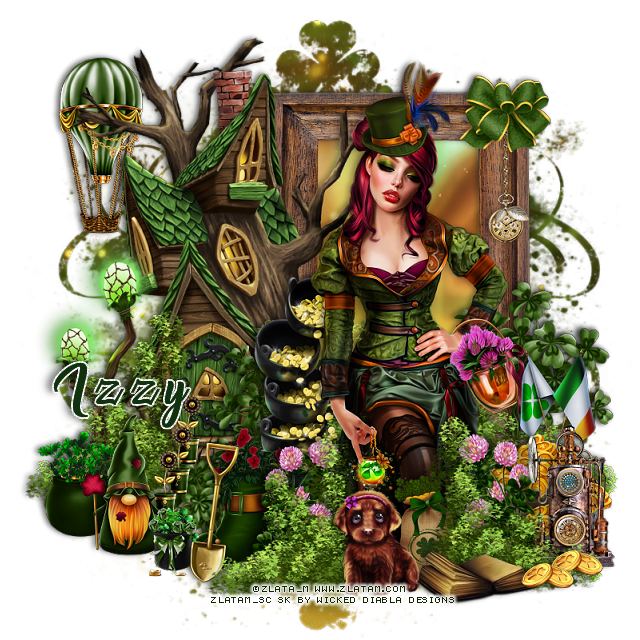
PTU Magic Patrick's Jar


 This tut was written March 20th, 2023 for those with a basic knowledge of psp. 

I am using the awesome tube by ©Zlata_M

Tube is called Magic Patrick's Jar, tube is not included
You need a license to use this tube, please do not use without a license.
You can find this tube at Zlata_M store HERE

I used PSP2020...but any of them should work.
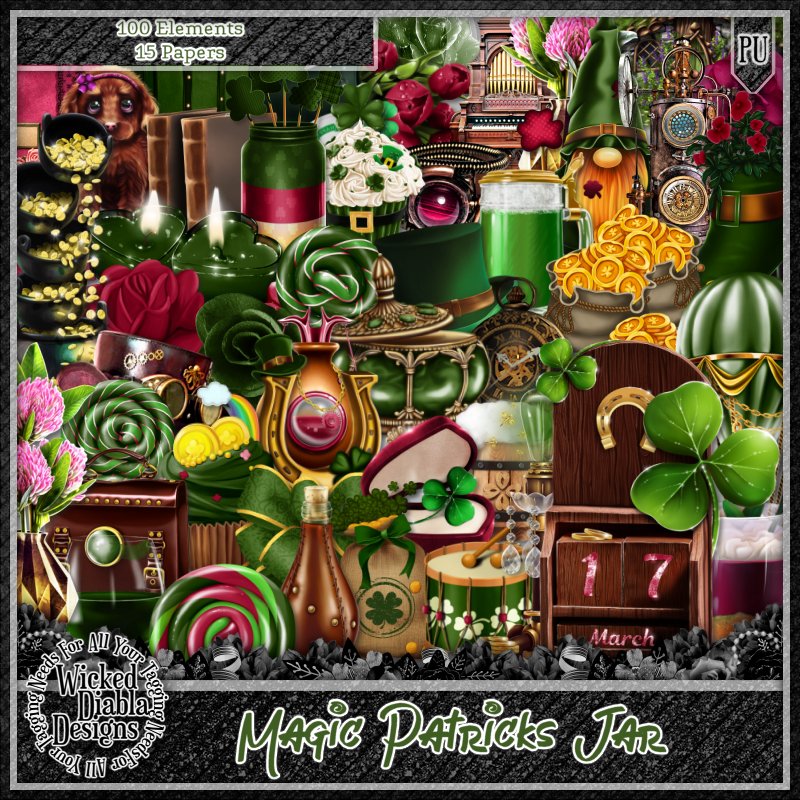
PTU Scrap match for Magic Patrick's Jar by Wicked Diabla Designs  HERE 
 Check out the rest of her Store HERE
This awesome kit has 100 elements and 15 papers
Mask of choice, I used RD Mask 738 HERE
Check out the rest of the Blog HERE

Font of choice, I used Malika

Drop shadow is V -1 H -4, 50, 10, color black or use what you prefer.
Let's get started
*Remember to add your drop shadow as you go along*

Open a new image, 800 x 800, paste paper 9, apply your mask, delete, merge group.

Resize element 32 to 50%, paste at the upper right, click inside with the magic
wand, expand by 5, resize paper 8 to 50%, paste, invert, delete.

Resize element 56 to 60%, paste on the left above the frame.

Resize your tube to 25%, paste above the tree house to the right.

Resize element 63 to 55%, paste above the tree house, duplicate, move to the 
right below the frame, duplicate once more, move above the tube at the bottom,
erasing some that is covering the lantern in her hand.

Resize element 60 to 35%, paste behind the tube to the left.
Resize element 62 to 30%, mirror, paste on the left below the tree house.
Resize element 81 to 25%, paste on the right above the frame, duplicate, move
to the left behind the pots of gold, duplicate once more, resize smaller to 75%, 
move above the tube to the left below the grass.
Resize element 70 to 20%, paste above the clover, duplicate, mirror.

Resize element 94 to 20%, paste on the right below the flower.
Resize element 9 to 10%, duplicate, paste at the lower right above the grass.
Resize element 4 to 15%, paste at the bottom above the tube.
Resize element 7 to 15%, paste at the bottom above the grass.

Resize element 91 to 30%, paste at the bottom by the dog below the coins.
Resize element 10 to 25%, paste at the upper left below the tree house.
Resize element 34 to 20%, paste on the lower right below the grass.
Resize element 96 to 20%, paste at the bottom behind the flowers.
Resize element 61 to 20%, mirror, paste at the bottom above the boot.

Resize element 28 to 15%, paste on the lower left above the grass.
Resize element 53 to 20%, paste by the pot.
Resize element 50 to 10%, duplicate two more times, paste one on the steps and 
move the other two down a little on each one behind the gnome.
Resize element 93 to 10%, paste at the bottom above the gnome.

Resize element 8 to 15%, paste on the right below the pot of gold.
Resize element 49 to 20%, paste on the frame.
Resize element 83 to 13%, paste above the watch chain.

Add any other elements that you would like, make it your own.
Always readjust your mask and elements how you like them before you
 merge your tag, resize, sharpen.

Crop your tag to be sure no shadows or lines are on the edges.
 Then add your copyright and name.
That's it

Hope you enjoyed doing my tut.  

Sunday, February 5, 2023

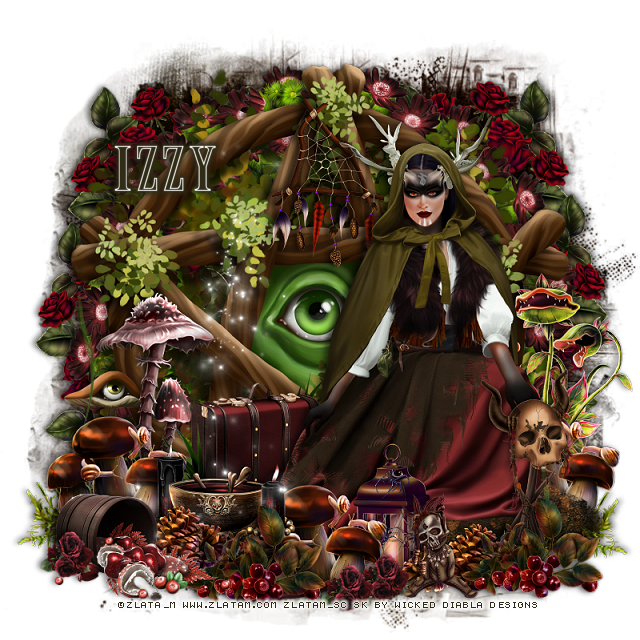
PTU Forest Witch


This tut was written February 5th, 2023 for those with a basic knowledge of psp. 

I am using the awesome tube by ©Zlata_M

Tube is called Forest Witch
You need a license to use this tube, please do not use without a license.
You can find this tube at Zlata_M store HERE

I used PSP2020...but any of them should work.
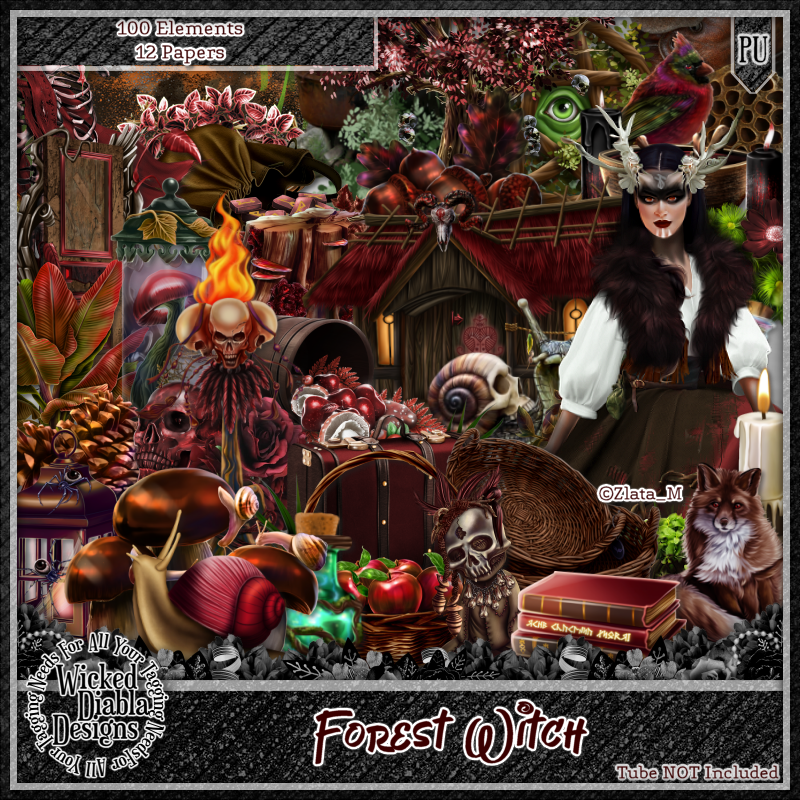
PTU Scrap Forest Witch by Wicked Diabla Designs  HERE 
 This awesome kit a match for Forest Witch, has 100 elements and 12 papers
Tube is not included
Mask of choice, I used Miz Teeques Mask 284 HERE
Check out the rest of the Blog HERE
Filters
Mura Meister Copies-Encircle

Font of choice, I used Army of Darkness

Drop shadow is V -1 H -4, 50, 10, color black or use what you prefer.
Let's get started
*Remember to add your drop shadow as you go along*

Open a new image, 800 x 800, select all, add a new layer, paste paper 9 into
selection, apply your mask, keep selected, add a new layer, paste paper 3 into
selection, apply the mask, select none, change the blend mode to Soft Light,
merge down.

Element 58 to 25%, apply Mura Meister Copies-Encircle, first 3 numbers
16, 60, 60
Element 38 to 75%, paste on the circle.
Element 51 to 40%, paste below the flower circle, duplicate, mirror, 
duplicate both and move down on each side.

Resize tube to 30%, paste on the left on the frame.

Element 24 to 30%, paste on the right behind the tube.
Element 89 to 50%, paste at the bottom below the tube to one side, duplicate,
mirror.
Element 27 to 85%, paste at the bottom below the tube.
Element 12 to 25%, paste at the top on the frame.
Element 56 to 25%, paste at the bottom right above the tube.
Element 63 to 25%, paste behind the tube to the left.

Element 1 to 20%, paste at the bottom above the tube to the left, duplicate, move
to the right.
Element 47 to 20%, paste at the bottom below the berries, duplicate, move 
below the other berries.
Element 3 to 25%, paste at the bottom left being on the top layer.

Element 18 to 20%, paste below the pinecones.
Element 45 to 20%, paste by the lantern, duplicate, move to the left more, duplicate
again, move to the right below the grass layer behind the tube.
Element 52 to 20%, paste above the mushrooms.

Element 82 to 10%, paste at the bottom being on the top layer, duplicate a couple
of times and move where you like.
Element 86 to 30%, paste on the left above the frame.
Element 35 to 20%, paste by the mushroom.
Element 15 paste on the left being on the top layer.
Element 65 to 15%, paste at the bottom.
Add any other elements that you would like, make it your own.
Always readjust your mask and elements how you like them before you
 merge your tag, resize, sharpen.

Crop your tag to be sure no shadows or lines are on the edges.
 Then add your copyright and name.
That's it

Hope you enjoyed doing my tut.  

Wednesday, January 19, 2022

Exclusive Loved Forever at TTL


 This tut was written January 19th, 2022 for those with a basic knowledge of psp. 

I am using the awesome artwork of Zlata_M
The tube is "I Love you Babe"
You need a license to use this tube, do not use without a license.
You can find this art at Zlata_M  Store HERE

I used PSP2020...but any of them should work.
Exclusive kit Loved Forever at The Tagger's Lounge HERE
You can earn this kit by getting Loot for challenges etc.
SC Mask 30 HERE 
Check out the rest of the Blog HERE
Filter
Mura Meister Copies-Encircle

Font of choice, I used Lovey Dovey

Drop shadow is V -1 H -4, 50, 10, or use what you prefer.
Let's get started
*Remember to add your drop shadow as you go along*

Open a new image 800 x 800, paste paper 53, apply your mask, delete, merge group.
Resize smaller to 905.

Resize element 42 to 25%, paste click inside with your magic wand, expand
by 5, paste paper 51, move where you like, invert, delete, select none.
Resize element 21 to 35%, apply Mura Meister Copies-Encircle first three numbers
on 26, 40, 45,
 paste below the paper layer of the frame on the left, duplicate, mirror.
Duplicate, move down and below the other circles, duplicate, mirror, adjust.

Paste element 22, apply Mura Meister Copies-Encircle, changing the first three
numbers to 
26, 36, 42
move below the flower layers on the left, duplicate, move above the flower layer
on the right.

Resize your tube to 45%, paste above the frame.

Paste element 22 at the bottom above the tube, duplicate, move below the tube on
the left, duplicate, mirror.
Resize element 14 to 40%, paste at the lower right above the tube.
Resize element 13 to 55%, paste on the lower left below the flower.
Resize element 39 to 25%, free rotate to the right at 40 degrees, paste on the glass stem.

Paste element 8 on the frame layer on the left, duplicate, mirror, move down.
Resize element 45 to 40%, paste below the flower behind the glass.
Resize element 26 to 50%, mirror, paste at the lower right above the red heart box.
Resize element 37 to 50%, paste on the the right above the balloons, duplicate, mirror, paste
above the balloons on the left.

Resize element 9 to 50%, paste at the bottom below the flower.
Resize element 29 to 25%, paste at the lower left, being on the top layer.
Mirror element 11, paste on the lower right below the flower behind the tube.
Resize element 6 to 50%, paste on the lower left below the box.
Resize element 36 to 25%, paste at the lower right, duplicate, mirror.

Add any other elements that you would like, make it your own.
Always readjust your mask and elements how you like them before you
 merge your tag, resize, sharpen.

Crop your tag to be sure no shadows or lines are on the edges.
 Then add your copyright and name.
That's it

Hope you enjoyed doing my tut.    

Friday, January 7, 2022

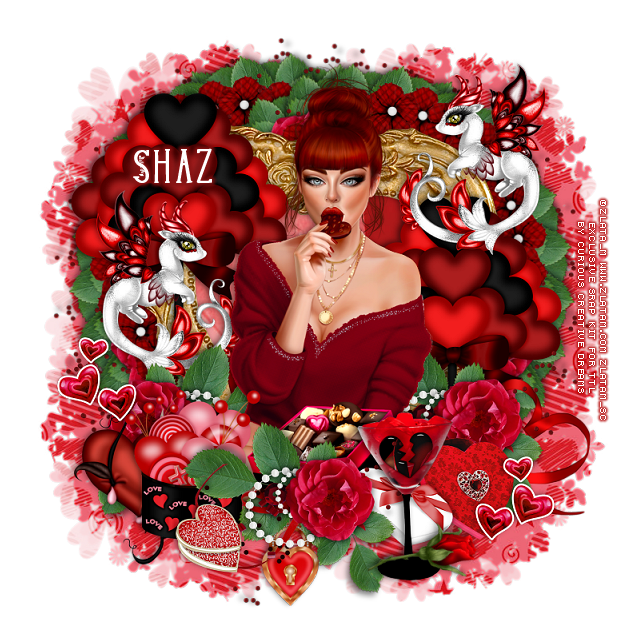
PTU In Love


  This tut was written January 7th, 2022  for those with a basic knowledge of psp.

I am using the awesome artwork by  © Zlata_M
The tube is "Flower box "
You need a license to use this tube, do not use without a license.
You can find this tube at Zlata_M store HERE 


I used PSP2020...but any of them should work.
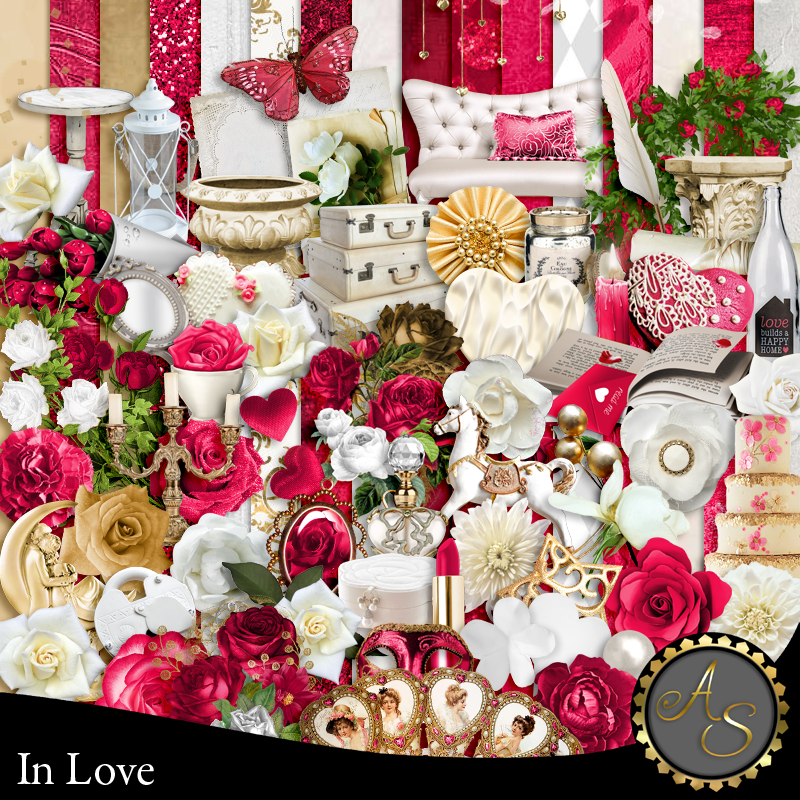
PTU In Love by Artistic Studio HERE or HERE
Mask of choice, I used Miz Teeques Mask 288 HERE
Check out the rest of the blog HERE

Font of choice, I used Valentine

Drop shadow is V-1 H-4 Black, 50, 10, use what you prefer.
Be sure to watch for shadows at the edges of your tag and erase as you go along or
crop tag.

Let's get started
*Remember to add your drop shadow as you go along*

Open a new image 800 x 800 or a size you prefer.
Paste paper 11, apply your mask, delete, merge group.

Resize element 147 to 85%, paste, click inside with your magic wand,
expand by 5, paste paper 7, invert, delete, select none.
Paste element 128 below the paper layer of the frame to the left, duplicate, move 
to the right.
Paste element 126 on the right below the frame, duplicate, mirror.

Resize element 89 to 75%, paste on the left above the frame and up.
Resize element 90 to 75%, paste on the left above the other flowers.

Resize your tube to 85%, paste to the right above the frame, once other 
elements are placed then erase any part of the tube showing at the bottom.

Paste element 5 at the bottom below the paper layer of the frame, duplicate, mirror.
Resize element 17 to 50%, paste above the tube layer at the bottom.
Resize element 34 to 25%, paste at the bottom above the book.
Resize element 92 to 35%, free rotate to the right at 90 degree, move below the white 
hearts at the lower right.

Resize element 14 to 35%, paste at the top below the tube layer.
Resize element 18 to 30%, paste at the lower right below the flowers.
Resize element 48 to 25%, paste at the bottom left above the book.
Resize element 26 to 25%, free rotate to the left at 25, move below the flowers on 
the lower left.
Paste element 24 on the left being on the top layer, duplicate, mirror, move
below the tube on the right.
Mirror element 68, paste on the left below the flowers, resize to 75%, 
move down on the right behind the flowers.
Being on the top layer, paste element 136 how you like.

Element 132, paste how you like below the tube and flowers and erase the parts
you don't want, duplicate and mirror, play around to get the look you want.

Add any other elements you would like, make it your own.
Always remember to adjust the elements before merging to get them like you like.

Once happy with your tag, close off any background, crop your tag to make
sure there are no stray edges, merge visible, resize first.
Add your copyrights and name.

That's it

Hope you enjoyed doing my tut.    

Tuesday, December 21, 2021

FTU December Magic


 This tut was written December 21th, 2021 for those with a basic knowledge of psp. 

I am using the awesome artwork of Zlata_M
The tube is "Xmas Dog Gift"
You need a license to use this tube, do not use without a license.
You can find this art at PFD Store HERE

I used PSP2020...but any of them should work.
FTU kit December Magic SYHO Dec Blog Train by Mythical Designs HERE
Check out the rest of the blog HERE
DD Winter Mask DD_NWM1 HERE 
Check out the rest of the Blog HERE
Filter
Mura Meister Copies-Encircle
Xero-Mistifier
Font of choice, I used White Dream

Drop shadow is V -1 H -4, 50, 10, or use what you prefer.
Let's get started
*Remember to add your drop shadow as you go along*

Open a new image 800 x 800, paste paper 5, apply your mask, delete, merge group.

Resize frame 1 to 75%, paste move up on the left, duplicate, move to the right and down.
Click inside with your magic wand, expand by 5, paste paper 1, invert, delete, keep selected.
Paste your tube in one frame, mirror and paste in the other frame, delete,
select none.
Duplicate the tubes in the frame, go to Adjust, Blur, Gaussian Blur, number on 5,
change the blend mode to Overlay or one you prefer, merge down.
Apply the xero filter-Mistifier

Resize element 6 to 40%, apply Mura Meister Copies-Encircle on these numbers,
18, 40, 40, move below the paper layer of the top frame, duplicate,
move down behind the right frame.

Resize your tube to 60%, paste above the frame a little to the right.

Resize element 15 to 60%, paste below the tube on the frame to the left a little.
Resize element 37 to 50%, paste on the left on the frame layer.
Resize element 43 to 50%, paste by the other gifts.
Resize element 33 to 40%, paste above the gifts.
Resize element 6 to 65%, paste at the bottom above the gifts, duplicate, mirror,
 duplicate again, move to the top right above the circle layers.

Resize element 36 to 40%, paste on the right below the greenery, erase the loop at
the top.
Resize element 35 to 50%, paste above the lantern at the lower right.
Being on the top layer now, resize element 34 to 60%, paste at the bottom center.
Resize element 11 to 25%, paste on the upper left on the frame, duplicate, mirror,
move down behind the lantern on the right.
Resize element 25 to 50%, paste at the bottom being on the top layer.

Resize element 19 nad 20 to 20%, paste at the bottom by the cupcake, duplicate, move
up and over a little.
Resize element 42 to 40%, paste on the right below the tube layer.
Paste element 2 at the bottom below some of the other elements how you like,
duplicate, mirror.

Add any other elements that you would like, make it your own.
Always readjust your mask and elements how you like them before you
 merge your tag, resize, sharpen.

Crop your tag to be sure no shadows or lines are on the edges.
 Then add your copyright and name.
That's it

Hope you enjoyed doing my tut.