Showing posts with label Father's Day. Show all posts

Sunday, June 9, 2024

PTU Girl Dad


 This tut was written June 9th, 2024 for those with a basic knowledge of psp. 

Al Tube/Kit by Doodle By Design

Tubes are included in the kit
Read the TOU on how to credit your tags

I used PSP2020...but any of them should work.
PTU Scrap Girl Dad by Doodle by Design  HERE
You can find all Doodle by Design kits  HERE
Mask 18 by Vivienne's Digital Tagging HERE
Check out the rest of the blog HERE

Font of choice, I used Ambrosia Caps

Drop shadow as you go is V -2 H 4, 40, 10, or use what you prefer.
Let's get started
*Remember to add your drop shadow as you go along*

Open a new image 800 x 800, paste paper 19, apply mask 18, delete,
merge group, duplicate, merge down.

Resize element 2 to 70%, apply mask 18, delete, merge group, move 
to the right, duplicate, go to Adjust, Blur, Gaussian blur, number on 8,
change the blend mode to Soft Light.
Apply xero filter-Artworx, default setting on both tubes, merge down.
Resize frame 3 to 90%, paste above the man.

Resize element 1 to 50%, paste to the left.
Resize wordart 1 to 40%, paste on the right, add a white gradient.
Resize element 12 to 25%, free rotate to the right at 20, paste on the
right below the wordart.

Resize element 10 to 40%, paste at the bottom above the girl.
Resize element 35 to 50%, paste on the left behind the girl.
Resize element 128 to 30%, paste at the bottom left above the tube, duplicate,
mirror, move above the book.

Resize element 130 to 30%, paste at the bottom below the flower.
Resize element 24 to 25%, paste at the bottom below the left flower.
Resize element 30 to 20%, paste at the bottom above the carriage.
Resize element 15 to 18%, paste at the bottom left.
Resize element 124 to 75%, paste on the left below the doll house.
Resize element 67 to 35%, paste on the right below the book.
Resize element 48 to 25%, paste on the right below the wordart.
Resize element 71 to 30%, paste at the bottom right below the wordart.
Resize wordart 3 to 50%, paste at the upper left, add a white gradient.
Mirror element 150, paste at the upper left on the wordart, erase some off
the top  right and on the girl.

Add any other elements that you would like, make it your own.
Always readjust your mask and elements how you like them before you
 merge your tag, resize, sharpen.

Crop your tag to be sure no shadows or lines are on the edges.
 Then add your copyright and name.
That's it

Hope you enjoyed doing my tut

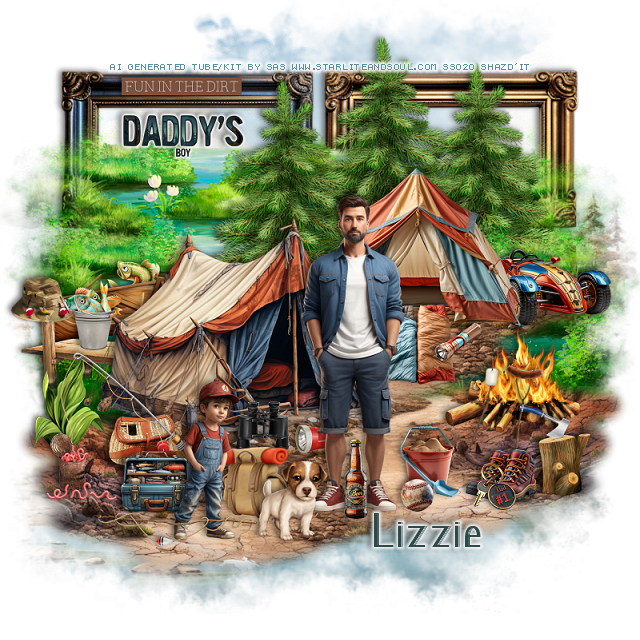
PTU Boy Dad


 This tut was written June 9th, 2024 for those with a basic knowledge of psp. 

Al Tube/Kit by SAS

Tubes are included in the kit
Read the TOU on how to credit your tags

I used PSP2020...but any of them should work.
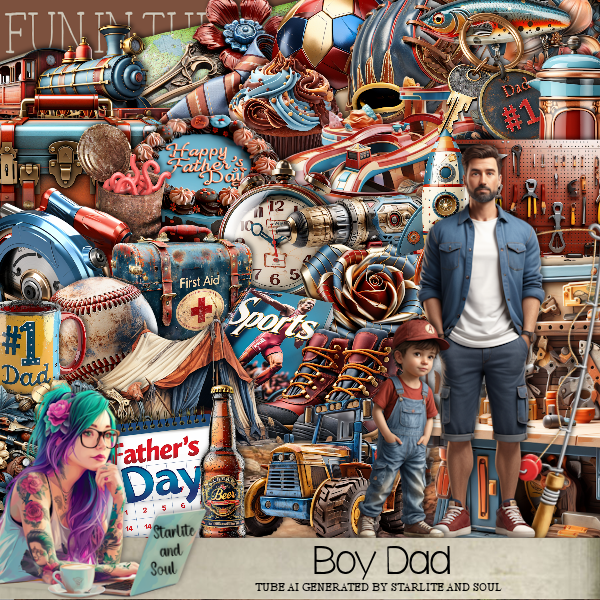
PTU Scrap Boy Dad by Starlite and Soul  HERE
You can find all Starlite and Soul kits  HERE
Mask of choice, I used Lori's PSP Graphics Mask 1230 HERE
Check the rest of the blog  HERE
Mask 85 by Vivienne's Digital Tagging HERE
Check out the rest of the blog HERE

Font of choice, I used Lucchetto Font

Drop shadow as you go is V -2 H 4, 40, 10, or use what you prefer.
Let's get started
*Remember to add your drop shadow as you go along*

Open a new image 800 x 800, paste paper 12, apply mask 1230,
duplicate, merge down.

Paste element 26, apply Mask 85 where you like, invert, delete, select none,
duplicate 2 more times for a total of 3, paste one to the bottom left, mirror the
next one, paste above and to the right more and the 3rd one, mirror, paste up
and to the left.

Resize element 15 to 65%, paste on the left.
Resize element 42 to 50%, paste on the upper right.
Resize element 166 to 20%, paste on the left above the tent.
Paste element 91, resize mask 1230 to 75%, paste on the element, delete, 
merge group, move to the bottom layer to the left, duplicate, mirror.
Resize element 97 to 65%, paste on the upper right above the mask layer,
duplicate, move over a little to the left, duplicate again, move to the left more
 between the tents.
Go back to element 91, the water and grass, duplicate both, move up higher
behind the trees.
Resize frame 2 to 90%, paste at the top on the mask layer.

Resize tube 1 to 20%, paste on the left.

Resize element 73 to 15%, paste at the bottom left below the tube.
Resize tube 2 to 10%, paste on the left.
Resize element 110 to 30%, paste on the right.
Resize element 56 to 40%, mirror, paste on the left below the tent.
Resize element 96 to 30%, paste on the left below the dock.
Resize element 67 to 12%, mirror, paste below the boat.
Resize element 101 to 15%, paste on the dock.
Resize element 81 to 15%, paste on the bottom left behind the boy.
Resize element 115 to 30%, paste above the fishing basket.

Resize element 24 to 15%, paste on the bottom left below the boy.
Resize element 106 to 12%, paste on the left.
Resize element 93 to 15%, paste on the bottom left by the can of worms.
Resize element 5 to 17%, paste in front of the back tent.
Resize element 103 and 104 to 20%, free rotate to the right at 15, paste by the fire.

Resize element 111 to 20%, paste at the bottom right above the fire.
Resize element 78 to 17%, paste at the bottom above the man.
Resize element 99 to 35%, paste at the bottom left.
Resize element 102 to 13%, paste on the dock post.
Resize element 46 to 10%, paste on the sleeping bags.
Resize element 80 to 20%, paste below the man.
Resize element 89 to 10%, paste by the front tent below the binoculars.
Resize element 8 to 15%, paste at the bottom right above the stump.
Resize element 17 to 30%, paste on the right behind the tent.
Resize element 31 to 17%, paste at the bottom by the man.
Resize element 30 to 7%, paste at the bottom.
Resize element 14 to 10%, paste on the shoes.
Resize element 35 to 15%, paste below the ball.
Resize element 114 to 25%, paste on the frame at the top left.

Open wordart 3, click inside all the letters, expand by 2, add a new layer,
paste paper 2, invert, delete, merge, resize to 25%, paste in the left frame, add a
white background.

Add any other elements that you would like, make it your own.
Always readjust your mask and elements how you like them before you
 merge your tag, resize, sharpen.

Crop your tag to be sure no shadows or lines are on the edges.
 Then add your copyright and name.
That's it

Hope you enjoyed doing my tut
Saturday, June 8, 2024

PTU Dad's Garage 3


This tut was written June 8th, 2024 for those with a basic knowledge of psp. 

I am using an Al generated kit/tube by Carita Creationz
The tube is included in the kit
Please read the TOU on how to credit your tags

I used PSP2020...but any of them should work.
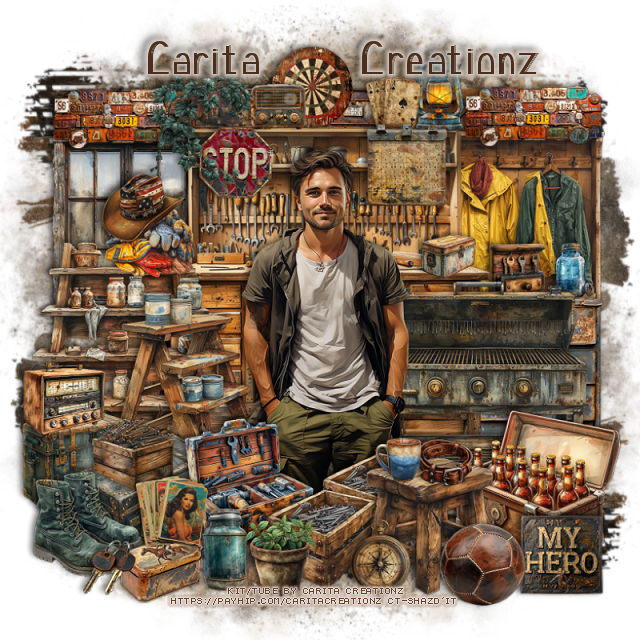
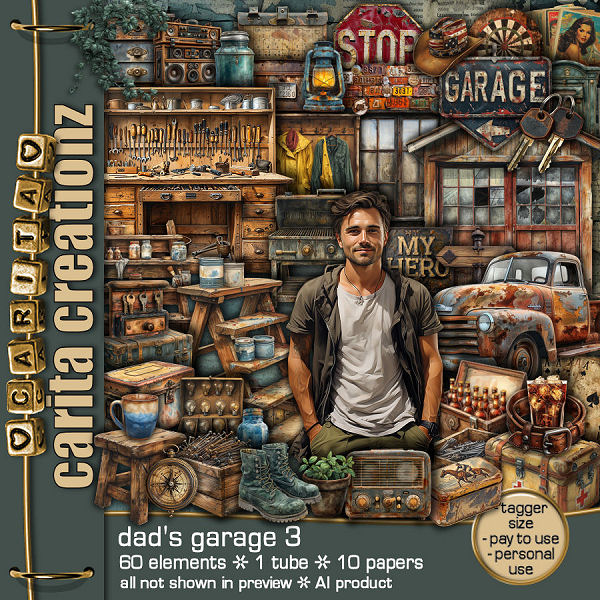
PTU Scrap Dad's Garage 3 by Carita Creationz  HERE
The kit includes 1 tube, 60 unique elements, 7 frames and 10 papers
Check her store out to see all her other kits and tubes HERE
Mask of choice, I used RD Mask 671 aka 168 HERE
Check out the rest of the blog HERE

Font of choice, I used Lucchetto Font

Drop shadow as you go is V -2 H 4, 50, 10, or use what you prefer.
Let's get started
*Remember to add your drop shadow as you go along*

Open a new image 800 x 800, paste paper 1, apply your mask, duplicate,
flip.

Resize element 24 to 35%, paste on the left.
Resize element 4 to 30%, paste on the right.
Resize element 3 to 60%, paste.
Resize element 19 to 40%, paste on the left above the work table.
Resize element 1 to 40%, paste above the paint shelf.
Resize element 39 to 25%, paste at the top of the window, duplicate, move
to the right above the coat rack.
Resize element 54 to 65%, paste at the top behind the windows.

Resize your tube to 50%, paste.

Resize element 20 to 40%, paste on the right behind the tube.
Resize element 25 to 25%, paste at the bottom above the tube.
Resize element 34 to 15%, paste at the bottom.
Resize element 26 to 15%, paste on the ladder on the left.
Resize element 31 to 15%, paste on the gloves.
Resize element 17 to 20%, paste on the left above the ladders.
Resize element 46 to 15%, paste on the left on the suitcase.
Resize element 29 to 25%, paste on the left by the other suitcase.

Resize element 15 to 25%, paste on the right above the tube.
Resize element 10 to 10%, paste on the stool.
Resize element 18 to 8%, paste on the stool.
Resize element 9 to 30%, paste on the right below the stool.
Resize element 28 to 20%, paste at the bottom above the tube, duplicate, 
move over a little.
Resize element 32 to 20%, paste at the bottom left.
Resize element 30 to 15%, paste on top of the work table.
Resize element 11 to 10%, paste by the dart board.
Resize element 36 and 38 to 15%, paste at the top below the dart board.
Resize element 45 to 15%, paste at the top.
Resize element 8 to 10%, paste at the top.
Resize element 6 to 15%, paste on the left on the suitcase.
Resize element 43 to 15%, paste at the bottom.
Resize element 52 to 15%, paste on the work table.

Resize element 21 to 10%, paste on the work table on the right.
Resize element 37 to 30%, paste on the bottom right below the work table.
Resize element 23 to 10%, paste on the right on the cabinet.
Resize element 44 to 10%, paste on the cabinet.
Resize element 41 to 15%, paste at the bottom left.
Resize element 49 to 15%, paste at the bottom.
Resize element 47 to 15%, paste at the bottom right.
Resize element 14 to 15%, paste on the bottom right below the ball.
Resize element 51 to 13%, paste on the bottom left.
Resize element 12 to 10%, paste at the bottom left.
Resize element 50 to 13%, paste on the left on the work table.
Resize element 60 to 20%, paste at the top left.

Add any other elements that you would like, make it your own.
Always readjust your mask and elements how you like them before you
 merge your tag, resize, sharpen.
Crop your tag to be sure no shadows or lines are on the edges.
 Then add your copyright and name.
That's it

Hope you enjoyed doing my tut.