Showing posts with label Animals. Show all posts

Monday, October 19, 2026

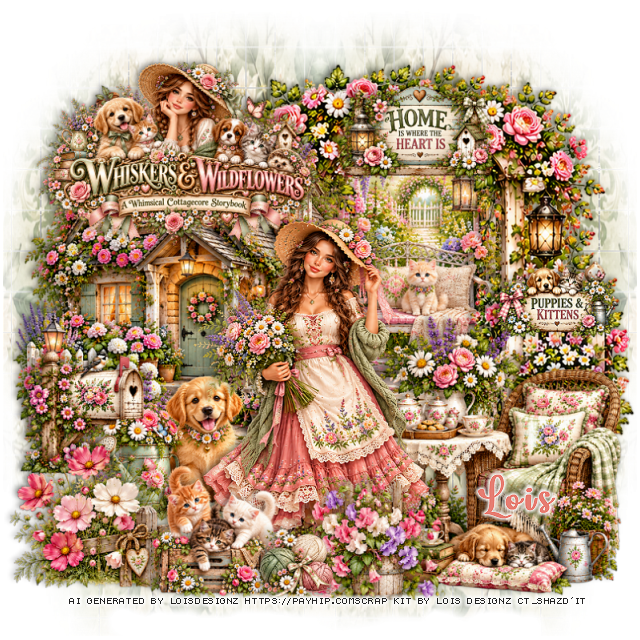
PTU Whiskers and Wildflowers

  This tut was written October 18th, 2026 for those with a basic knowledge of psp. 

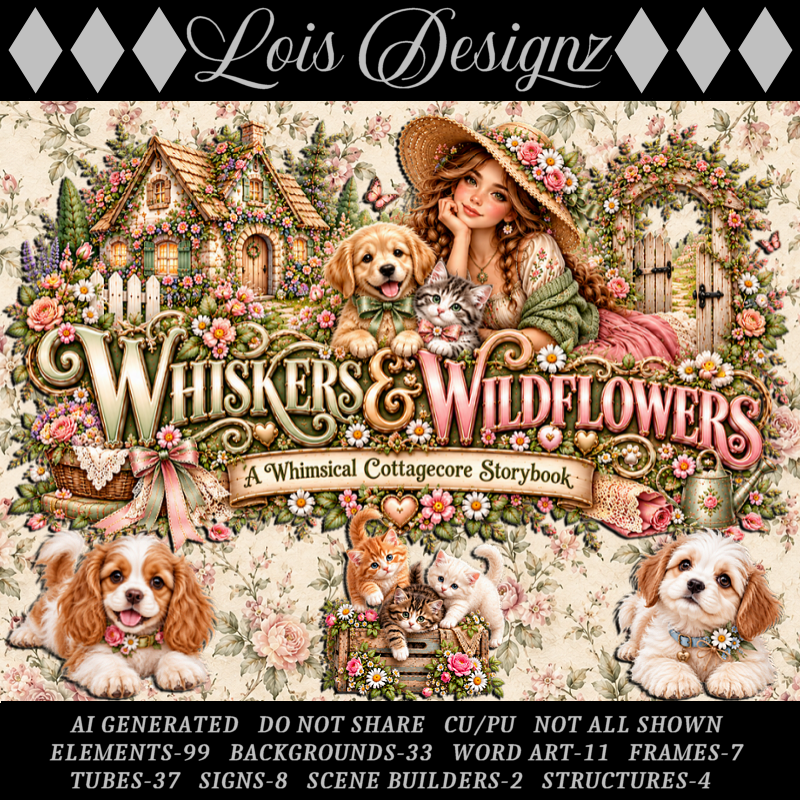
I am using the Awesome Al kit/Tubes by Lois Designz
Everything used is included in the kit
Please read the TOU on how to credit your tags

I used PSP2020...but any of them should work.
PTU Scrap Whiskers and Wildflowers by Lois Designz  HERE
Check her store out to see all her other kits HERE
DBV Mask 72 HERE
Check the blog HERE

Font of choice, I used Lovely Butterfly

Drop shadow as you go is V -2 H 4, 50, 10, or use what you prefer.
Let's get started
*Remember to add your drop shadow as you go along*

Open a new image 800 x 800, paste paper 21, resize a little large,
apply your mask, move to the left, duplicate, mirror.

Resize 4 to 50%, paste on the right.
Paste 22 on the right above the trellis with the cat.
Resize S1 to 55%, paste on the left.
Resize 10 to 40%, paste at the bottom right.

Resize tube 33 to 50%, paste to the left of the chair and table.

Resize 20 to 35%, paste on the left by the house.
Resize Tube 25 to 20%, paste at the bottom above the lady.
Resize 55 to 20%, paste at the bottom by the cats.
Resize 77 to 35%, paste at the bottom below the balls of yarn.
Resize logo 1 to 30%, paste at the upper left above the house.
Resize tube 13 to 25%, paste on the left behind the lady.
Resize 76 to 40%, paste on the bottom left below the cats, move the
mailbox below if needed.
Resize sign 1 to 25%, paste on the upper right on the trellis.
Resize sign 6 to 20%, paste on the right on the trellis.

Add any other elements that you would like, make it your own.
Always readjust your mask and elements how you like them before you
 merge your tag, resize, sharpen.
Crop your tag to be sure no shadows or lines are on the edges.
 Then add your copyright and name.
That's it

Hope you enjoyed doing my tut.     

Monday, September 21, 2026

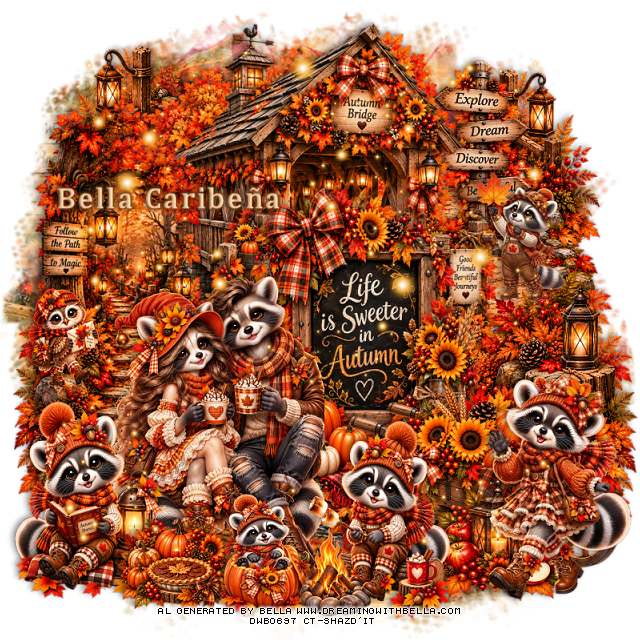
PTU Sweet Little Moments

  This tut was written September 21st, 2026,  for those with a basic knowledge of psp. 

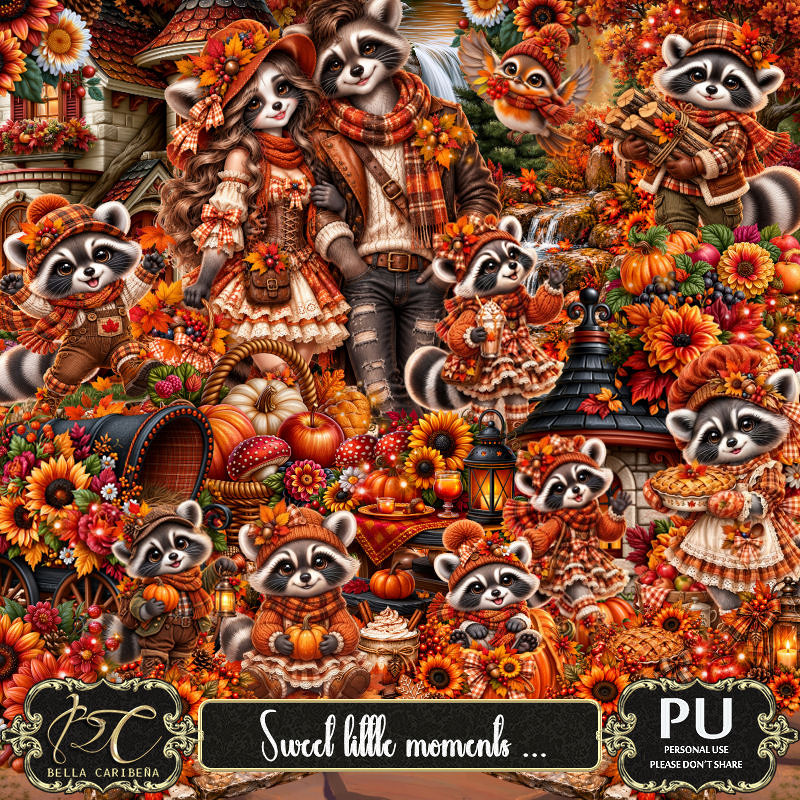
Awesome Al kit and tubes by Bella Caribeña
Everything is included in the kit
Read the TOU on how to credit tags

I used PSP2020...but any of them should work.
PTU Scrap Sweet Little Moments by Bella Caribeña  HERE
Autumn Theme
Kit contains 3Al tubes, 144 elements, 21 papers, 3 masks 
You can check out the rest of her store HERE 

Font of choice I used Cambria

 Drop shadow as you go is V -2 H 4, 50, 10, or use what you prefer.
Let's get started
*Remember to add your drop shadow as you go along*

Open a new image 800 x 800, paste mask 3 resize to fit.

Paste 82 on the right, duplicate, mirror.
Resize 60 to 75%, paste at the top.
Resize 57 to 65%, paste in the center.

Resize tube 2 to 20%, paste on the bottom left.

Resize 45 to 40%, mirror, paste at the bottom.
Resize 46 to 40%, paste on the bottom left above the tube.
Resize 89 to 75%, paste on the left below the sign.
Resize 59 to 23%, paste on the bottom right below the animal.

Resize 141 to 50%, mirror, paste on the bottom right.
Resize 65 to 40%, paste on the upper right below the bridge building.
Resize 78 to 30%, paste on the bottom right below the raccoon.
Resize 79 to 23%, paste at the bottom left.
Resize 51 to 20%, paste on the left on the path.
Resize 143 to 30%, paste on the upper right on the path.
Resize 42 to 25%, paste at the bottom.
Paste element 16 on the top layer where you like.

Add any other elements you would like, resize.
Crop your tag to be sure no shadows or lines are on the edges.
 Then add your copyright and name.
That's it

            Hope you enjoyed doing my tut        

Saturday, September 5, 2026

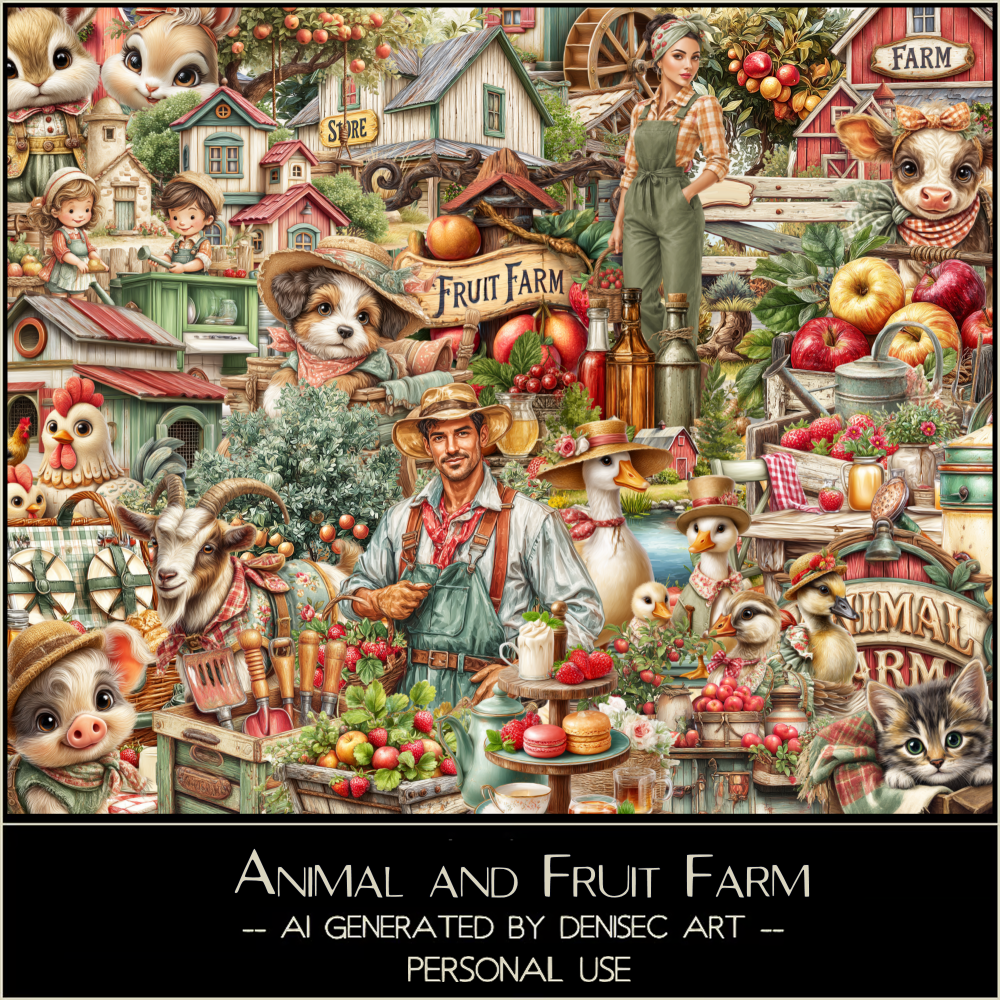
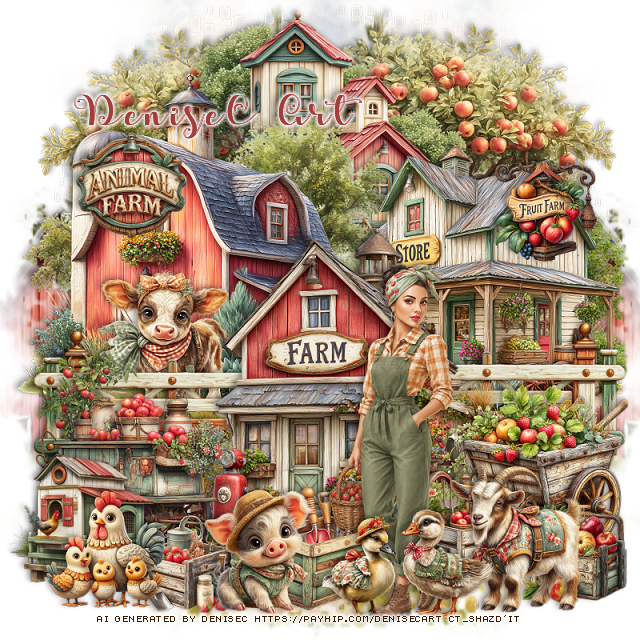
PTU Animal and Fruit Farm

 This tut was written September 5th, 2026 for those with a basic knowledge of psp. 

I am using the Awesome Al kit/tube by DeniseC Art

Everything is included in the kit
Please read their TOU on how to credit your tags

I used PSP2020...but any of them should work.
PTU Scrap Animal and Fruit Farm by DeniseC Art HERE
Check out her store here for more of her kits  HERE 
Mask of choice, I used Miz Teeques Mask 70 HERE 
Check the blog out HERE

Font of choice, I used Apple Script

Drop shadow as you go is V -2 H 4, 40, 10, or use what you prefer.
Let's get started
*Remember to add your drop shadow as you go along*

Open a new image 800 x 800, paste paper 3, apply your mask,
move to the left, duplicate, mirror.

Resize 19 to 40%, paste at the top.
Resize 34 to 50%, paste on the upper left.
Resize 44 to 40%, paste on the right.
Resize 18 to 50%, paste at the upper right below the buildings, 
duplicate, mirror.
Resize 20 to 40%, paste on the right above the store, duplicate, move
to the left.
Resize 24 to 20%, paste on the left below the fence.

Resize 8 to 13%, paste on the store at the top.
Resize 29 to 15%, paste on the barn at the top.
Resize 43 to 45%, paste at the bottom above the fences.
Resize 35 to 25%, paste on the bottom right.
Resize 11 to 30%, paste on the bottom left.
Resize 38 to 15%, paste on the bottom right.

Resize 2 to 33%, paste at the bottom.

Resize 14 to 20%, paste on the bottom right.
Resize 13 to 20%, paste at the bottom left.
Resize 50 to 17%, paste at the bottom left.
Resize 12 to 15%, paste at the bottom below the chickens.
Resize 56 to 20%, paste at the bottom.
Resize 33 and 36 to 15%, paste at the bottom above the tube.

Resize 28 to 20%, paste at the bottom below the tube.
Resize 49 to 15%, paste on the bottom right below the goat.

Add any other elements that you would like, make it your own.
Always readjust your mask and elements how you like them before you
 merge your tag, resize, sharpen.

Crop your tag to be sure no shadows or lines are on the edges.
 Then add your copyright and name.
That's it

Hope you enjoyed doing my tut   

Tuesday, August 4, 2026

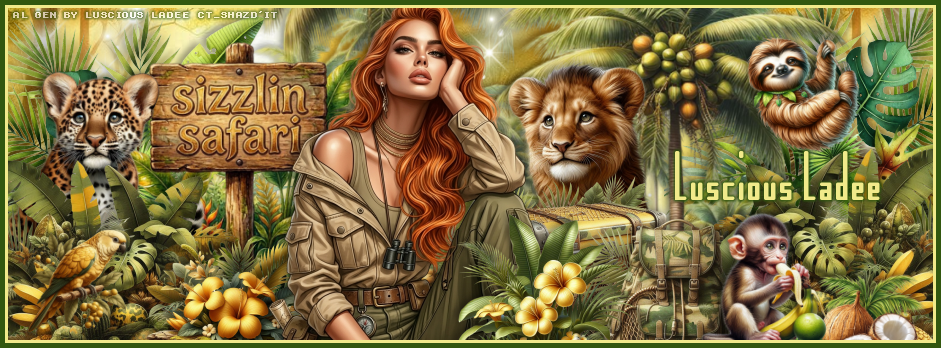
PTU Sizzlin Safari


  This tut was written August 4th, 2026,  for those with a basic knowledge of psp. 

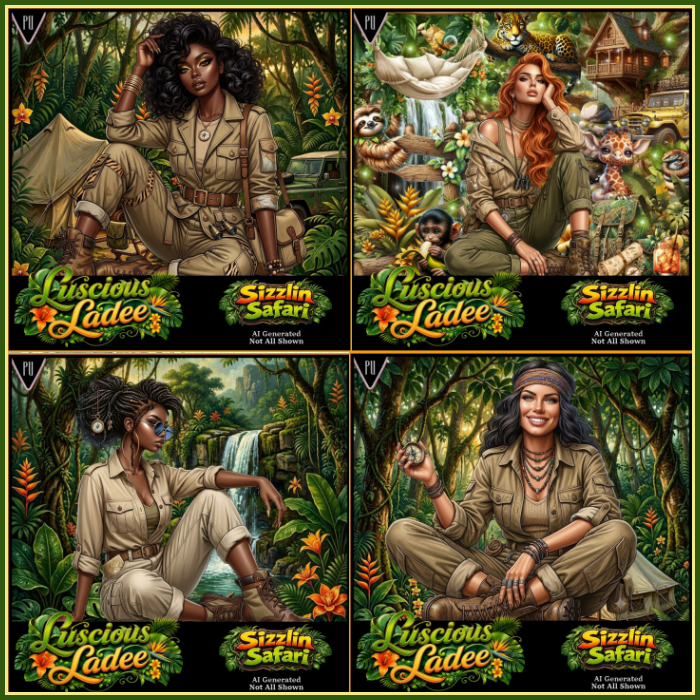
Awesome Al kit and tubes by Luscious Ladee
Everything is included in the kit
Read the TOU on how to credit tags

I used PSP2020...but any of them should work.
PTU Scrap Sizzlin Safari by Luscious Ladee  HERE HERE HERE 
Kit comes with 105 elements, 6 masks, 9 frames, 10 Sparkles, 13 Profile papers,
4 Al tubes, 13 Timeline papers and 6 Wordart
Check out the rest of her store  HERE
Donna's Template 689 HERE 
Check the rest of the blog HERE
I made a FB TL and Ava but no tut for this part.

Font of Choice, I used kinkinch

 Drop shadow as you go is V -2 H 4, 50, 10, or use what you prefer.
Let's get started
*Remember to add your drop shadow as you go along*

Open the template, delete the credits, go to Image, resize to 125%, all 
layers checked.
Then Canvas size 800 x 800
Resize mask 3 to 94%, paste on the bottom layer above the white background.
Paste mask 6, resize to 108.

Click on the white area of raster 3, paste profile paper 9, move where 
you like, invert, delete.
Click on the black circle, fill with a color of choice.
Delete raster 4.

Select copy of raster 2, paste profile paper 9, move where you like, 
invert, delete.
Click on the white frame, fill with the same color as before.
Delete raster 5 if you want.
Click on the gray area of raster 2, paste profile paper 3, invert, delete.
Click on the white frame area, fill with the same color, add noise at 50%.
Delete raster 6 if you want.
Click on the gray area of copy of raster 2, paste the same paper as before,
do the same with the white frame as before.
Delete copy of raster 6 if you want.

Resize tube 4 to 38%, paste at the bottom to the left.

Resize 56 to 75%, paste on the left above the masks, duplicate, move
to the right above the templates.
Resize 90 to 40%, paste below the palm trees on the right, duplicate, 
move to the left behind the tube.
Resize 93 to 30%, paste on the bottom left below the tube, duplicate, mirror.
Resize 37 to 30%, free rotate to the left at 5, paste on the upper left on
the template layer.
Resize 28 to 30%, paste below the plants behind the tube on the right.
Resize 22 to 30%, paste on the left below the plant.

Resize 7 to 40%, paste below the palm tree.
Resize 36 to 17%, paste on the right above the tree.
Resize 63 to 27%, paste at the bottom below the tube on the right.
Resize 58 to 25%, paste below the back pack.
Resize 18 to 25%, paste at the bottom above the tube.
Resize 25 to 20%, paste at the bottom.
Resize 71 to 15%, paste at the bottom right.

Resize 43 to 15%, paste at the bottom right below the coconut.
Resize 104 to 20%, paste at the bottom above the tube by the knee.
Resize 78 to 20%, paste at the bottom below the top plant.
Resize 68 to 17%, paste at the bottom above the plant.
Resize 42 to 20%, paste on the bottom left.
Resize 40 to 15%, paste at the bottom.
Resize 47 to 15%, paste at the top on the tree.
Resize 52 to 15%, paste on the upper left.
Resize 105 to 15%, paste on the bottom left below the lizard.

Add any other elements that you would like, make it your own.
Always readjust your mask and elements how you like them before you
 merge your tag, resize, sharpen.
Crop your tag to be sure no shadows or lines are on the edges.
 Then add your copyright and name.
That's it

Hope you enjoyed doing my tut.    
Wednesday, July 15, 2026

PTU Woodland Kingdom


 This tut was written July 15th, 2026 for those with a basic knowledge of psp. 

I am using the awesome Al tube and kit gen by Carita Creations
Everything used is included in the kit
Please read the TOU on how to credit your tags.

I used PSP2020...but any of them should work.
PTU Scrap Woodland Kingdom by Carita Creationz  HERE
Kit has 60 elements, 10 papers and 1 tube
Check her store out to see all her other kits and tubes HERE
DBV Mask 72 HERE
Check the blog Here

Font of choice, I used Atelier Omega

Drop shadow as you go is V -2 H 4, 50, 10, or use what you prefer.
Let's get started
*Remember to add your drop shadow as you go along*

Open a new image 800 x 800, paste paper 8, apply your mask, 
duplicate, change the blend mode to Multiply, merge down, duplicate,
mirror, duplicate both, move to the bottom.

 Paste 34 at the upper left.
Resize 42 to 65%, paste at the upper right.
Resize 35 to 20%, paste on the right.
Resize 7 to 65%, paste on the left.
Resize 55 to 50%, paste at the top, click inside, resize paper 4 to
35%, paste below the frame, invert, delete.
Resize 28 to 75%, paste above the frame.
Resize 31 to 12%, paste on top of the door.
Resize 11 to 15%, paste on top of the frame.

Resize 39 to 30%, paste on the right.
Resize 33 to 20%, paste at the bottom of the carriage.
Resize 30 to 25%, paste on the left below the castle.
Resize 21 to 35%, paste on the bottom left above the castle.
Resize 22 to 20%, mirror, paste on the upper left below the castle.
Resize 29 to 20%, paste on the right behind the carriage.

Resize the tube to 35 %, paste at the bottom.
Resize 4 to 30%, paste on the bottom right above the tube.
Resize 5 to 25%, mirror, paste at the bottom above the tube on the left.
Resize 15 to 20%, paste at the bottom below the left chair.
Resize 37 to 15%, paste at the bottom by the chair.
Resize 18 to 20%, paste at the bottom.
Resize 17 to 13%, paste at the bottom.
Resize 3 to 15%, paste at the bottom by the book.
Resize 57 to 25%, paste on the upper right.

Resize 14 to 17%, paste on the bottom right.
Resize 23 to 25%, paste at the bottom left.
Resize 24 to 20%, paste at the bottom below the bear.
Resize 44 to 10%, paste at the bottom right.
Resize 58 to 22%, paste at the upper left.
Resize 47 to 17%, paste on the upper right on the sign.

Add any other elements that you would like, make it your own.
Always readjust your mask and elements how you like them before you
 merge your tag, resize, sharpen.
Crop your tag to be sure no shadows or lines are on the edges.
 Then add your copyright and name.
That's it

Hope you enjoyed doing my tut.       
Saturday, February 28, 2026

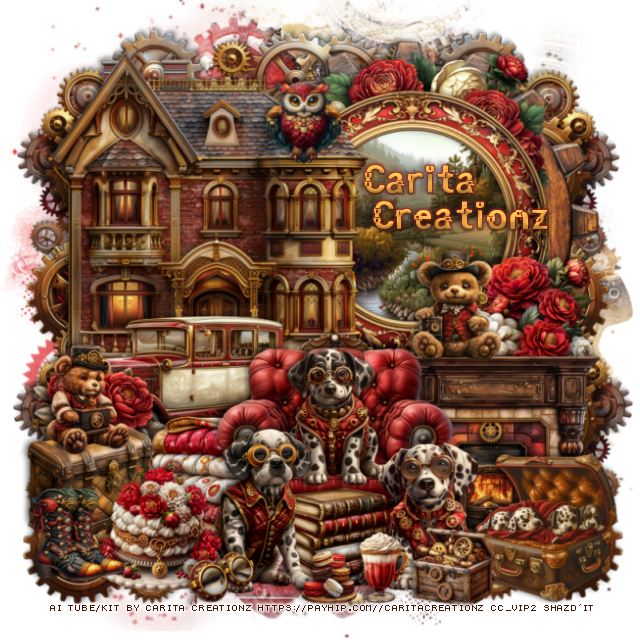
PTU Clockwork Companions


 This tut was written February 28th, 2026 for those with a basic knowledge of psp. 

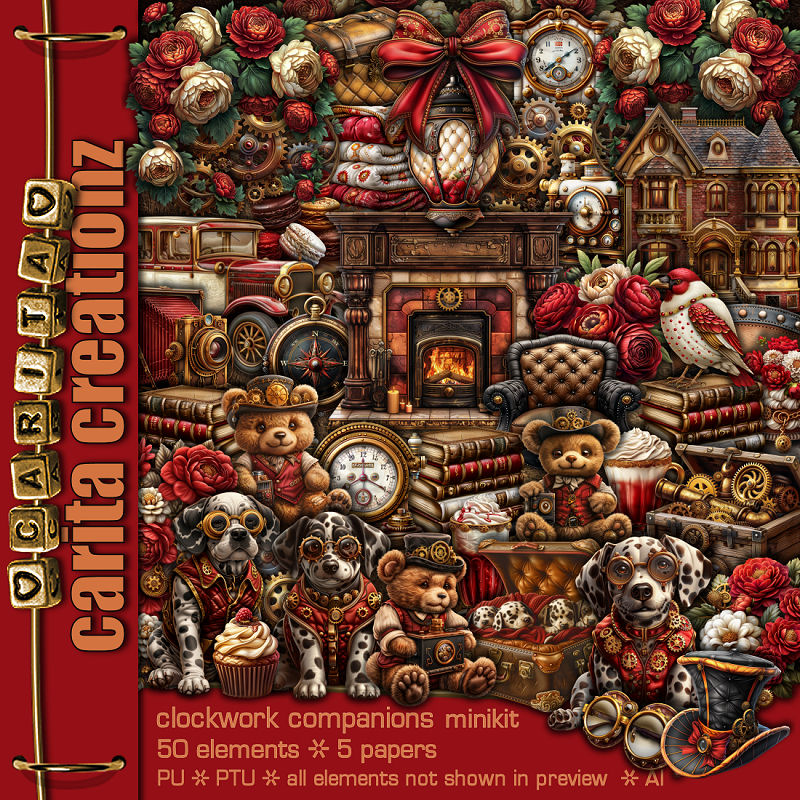
I am using the Awesome Al kit by Carita Creationz
This kit is a cute mini Steampunk kit
Read the TOU how to credit your tags.

I used PSP2020...but any of them should work.
PTU Scrap Clockwork Companions by Carita Creationz  HERE
Kit has 50 elements, 5 papers
Check her store out to see all her other kits and tubes HERE
Mask of choice, I used Miz Teeques Mask 261 HERE
Check out the rest of the blog HERE  

Font of choice, I used Angot

Drop shadow as you go is V -2 H 4, 50, 10, or use what you prefer.
Let's get started
*Remember to add your drop shadow as you go along*

Open a new image 800 x 800, paste paper 4, apply your mask.

Resize 36 to 70%, paste at the upper right.
Resize 37 to 50%, paste on the upper right on the frame, click inside, resize
paper 2 to 50%, paste, invert, delete.
Resize 48 to 50%, paste at the top below the frame.
Resize 24 to 65%, paste on the left above the frame.
Resize 10 to 30%, paste on the right above the frame at the bottom.
Resize 42 to 50%, paste at the bottom of the house.
Resize 26 to 43%, paste at the bottom right.
Resize 6 to 40%, paste at the bottom right below the chair.

Resize 1 to 25%, paste at the bottom below the chair on the left.
Resize 5 to 25%, paste in the chair.
Resize 3 to 30%, paste at the bottom above the chair.
Resize 2 to 27%, paste at the bottom by the chair.
Resize 4 to 27%, paste on the bottom right.

Resize 23 to 25%, paste at the bottom left above the car.
Resize 13 to 23%, paste at the bottom left.
Resize 47 to 23%, paste on the bottom left below the cake.
Resize 19 to 20%, paste on the fireplace.
Resize 32 to 20%, paste on the trunk on the left.

Resize 11 to 12%, paste at the bottom.
Resize 22 to 20%, paste at the bottom below the dogs.
Resize 46 to 17%, paste at the bottom left.
Resize 40 to 15%, paste on the roof of the house.
Resize 12 to 60%, paste below the frames on the upper right,
duplicate, mirror, duplicate both, move to the bottom on each side.

Resize 31 to 13%, paste at the bottom above the dogs.
Resize 43 to 10%, paste at the bottom.
Resize 9 to 15%, paste at the bottom to the right.

Add any other elements that you would like, make it your own.
Always readjust your mask and elements how you like them before you
 merge your tag, resize, sharpen.
Crop your tag to be sure no shadows or lines are on the edges.
 Then add your copyright and name.
That's it

Hope you enjoyed doing my tut.         
Tuesday, February 24, 2026

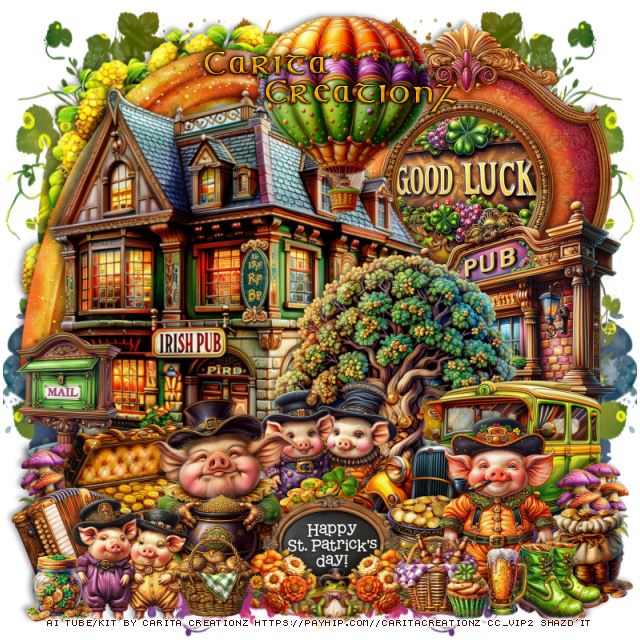
PTU Lucky Little Oinkers


This tut was written February 24th, 2026 for those with a basic knowledge of psp. 

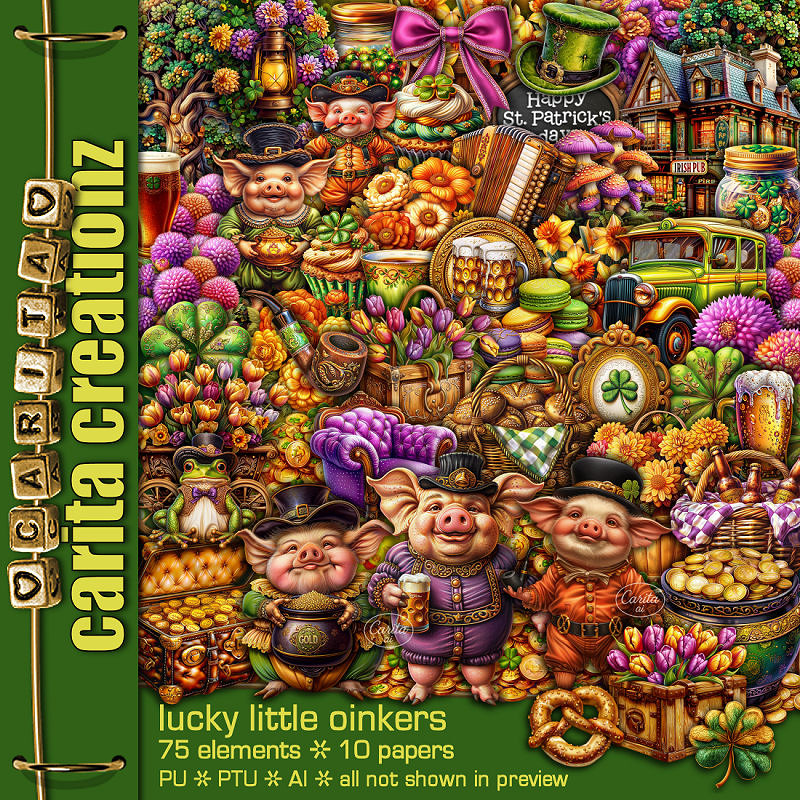
I am using the Awesome Al kit by Carita Creationz
This kit is a fun St Patty kit
Read the TOU how to credit your tags.

I used PSP2020...but any of them should work.
PTU Scrap Lucky Little Oinkers by Carita Creationz  HERE
Kit has 75 elements, 10 papers
Check her store out to see all her other kits and tubes HERE
Miz TeeQues Mask 384 HERE
Check the blog out HERE

Font of choice, I used Celtic

Drop shadow as you go is V -2 H 4, 50, 10, or use what you prefer.
Let's get started
*Remember to add your drop shadow as you go along*

Open a new image 800 x 800, paste paper 1, apply your mask, move
to the left, duplicate, mirror.

Resize 75 to 75%, paste on the upper left.
Resize 42 to 55%, paste at the upper right.
Resize 65 to 37%, paste below the frame.
Resize 38 to 75%, paste on the upper left above the frame.
Resize 64 to 40%, paste on the right.
Resize 48 to 45%, paste above the pub sign.
Resize 55 to 65%, paste at the upper left below the house.
Resize 25 to 40%, paste on the right above the tree.
Resize 72 to 25%, paste below the car.
Resize 6 to 25%, paste at the bottom above the car.
Resize 4 to 20%, paste at the bottom to the right of the coins.

Resize 1 to 35%, paste on the bottom above the coins to the left.
Resize 7 to 27%, paste at the bottom left below the pig.
Resize 70 to 20%, paste on the left below the chest.
Resize 36 to 15%, paste on the left above the mail, duplicate,
move to the bottom right above the car.
Resize 60 to 17%, paste on the bottom right above the mushrooms.
Resize 54 to 25%, paste at the bottom center above the pig.

Resize 73 to 22%, paste on the bottom left.
Resize 35 to 20%, mirror, paste below the little pigs on the left.
Resize 30 to 35%, paste on the bottom right.
Resize 33 to 12%, paste at the bottom above the sign to one side, duplicate,
mirror, move to the other side of the sign.
Resize 9 to 10%, paste at the bottom above the flowers.
Resize 57 to 15%, mirror, paste on the bottom right above the pig.
Resize 16 to 12%, paste at the bottom right.
Resize 13 to 15%, paste at the bottom by the beer.
Resize 10 to 15%, paste at the bottom below the flower.
Resize 67 to 35%, paste at the top above the Irish pub.
Resize 27 to 12%, paste at the bottom left.
Resize 31 to 10%, paste at the bottom right by the beer.

Add any other elements that you would like, make it your own.
Always readjust your mask and elements how you like them before you
 merge your tag, resize, sharpen.
Crop your tag to be sure no shadows or lines are on the edges.
 Then add your copyright and name.
That's it

Hope you enjoyed doing my tut.