Showing posts with label Elf. Show all posts

Sunday, April 12, 2026

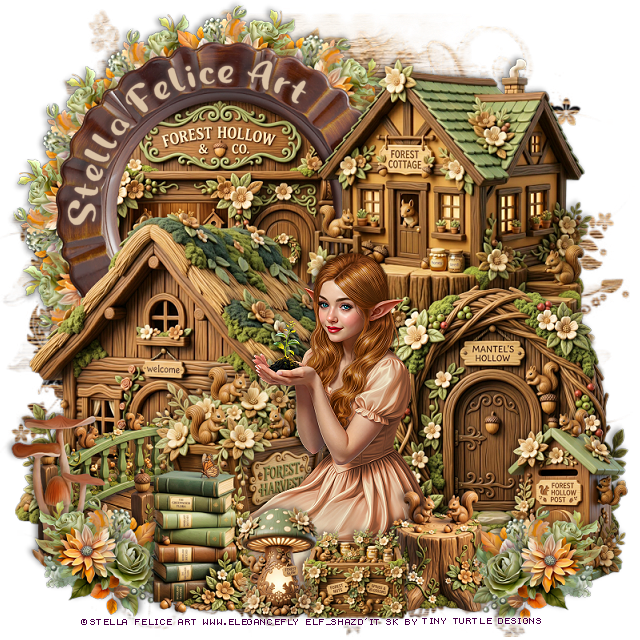
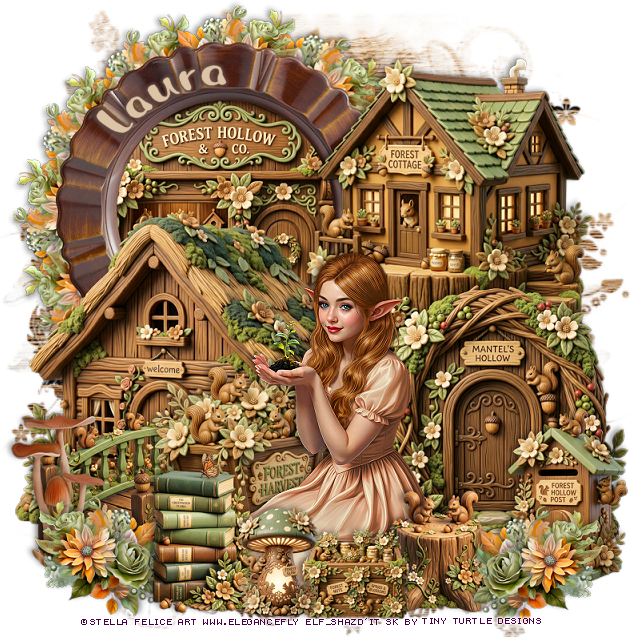
PTU Forest Hollow


   This tut was written April 12th, 2026 for those with a basic knowledge of psp. 

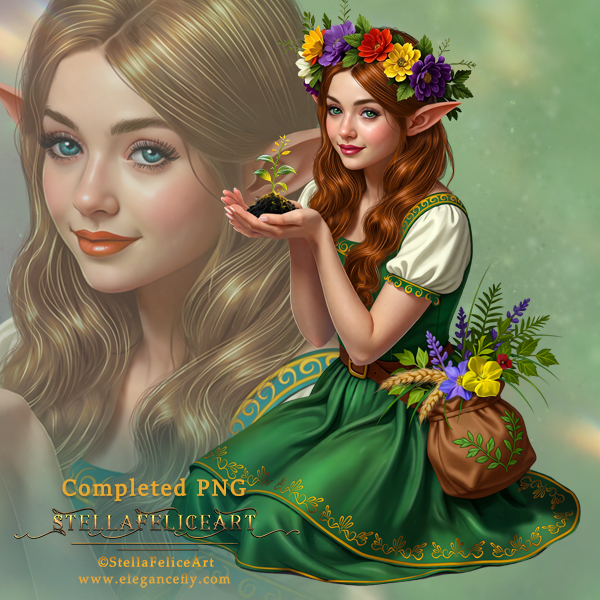
I am using the beautiful tube by © Stella Felice Art

The tube is called Elfish girl_Herbalist
The tube is "NOT" included
You need a license to use this tube, please do not use without a license
You can find the tube at Elegancefly Store HERE

I used PSP2020...but any of them should work.
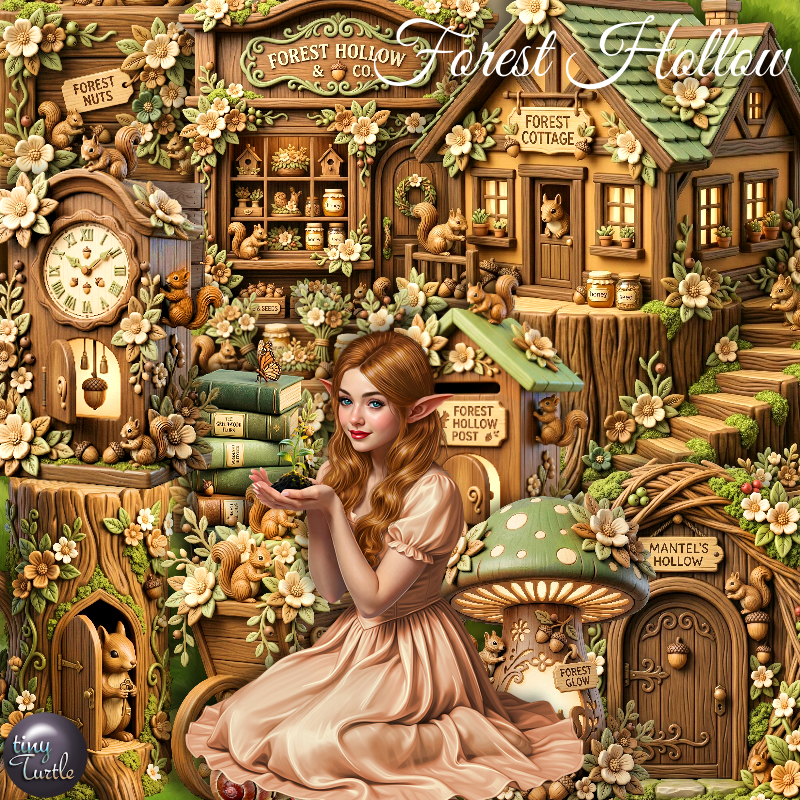
PTU Scrap Forest Hollow by Tiny Turtle Designs  HERE
You can find all Tiny Turtle Designs kits  HERE 
Miz Teeques Mask 117 HERE
Check the blog out HERE

Font of choice, I used Magic Owl

Drop shadow as you go is V -2 H 4, 40, 10, or use what you prefer.
Let's get started
*Remember to add your drop shadow as you go along*

Open a new image 800 x 800, paste paper 3, apply your mask, 

Resize 138 to 65%, paste on the upper left, click inside,
resize 201 to 50%, paste in the frame, invert, delete.
Resize 118 to 25%, apply Mura Meister Copies-Encircle, first 3
numbers on 12, 50, 50, paste below the frame.
Resize 203 to 65%, paste on the upper right.
Resize 193 to 65%, paste on the bottom left.
Resize 199 to 50%, paste on the bottom right.
Resize 198 to 50%, paste on the bottom left above the house.

Resize the tube to 20%, paste at the bottom.

Resize 3 to 40%, paste below the tube on the left.
Resize 1 to 30%, paste on the bottom right by the door.
Resize 196 to 25%, paste at the bottom above the tube.
Resize 204 to 20%, paste at the bottom above the books.

Resize 202 to 20%, paste at the bottom below the mushroom.
Resize 197 to 25%, paste on the bottom right.
Resize 118 to 25%, paste at the bottom right, duplicate, mirror.
Resize 92 to 30%, paste on the bottom left below the flower.

Add any other elements that you would like, make it your own.
Always readjust your mask and elements how you like them before you
 merge your tag, resize, sharpen.

Crop your tag to be sure no shadows or lines are on the edges.
 Then add your copyright and name.
That's it

Hope you enjoyed doing my tut

Tag for Laura    


Thursday, February 26, 2026

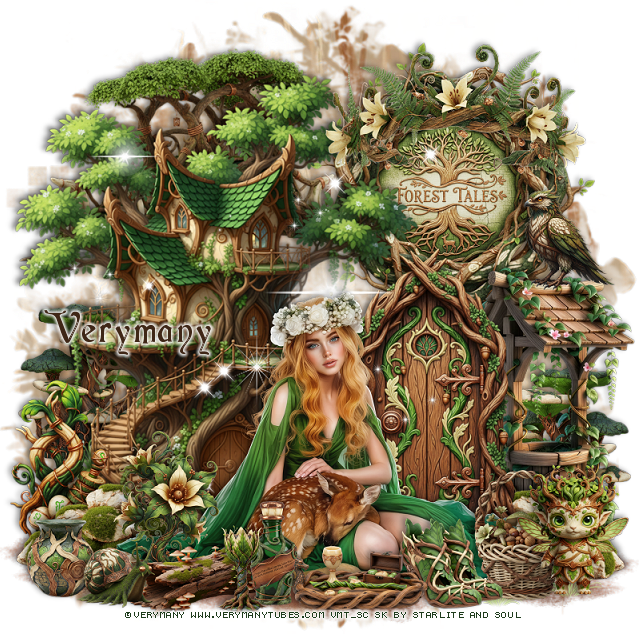
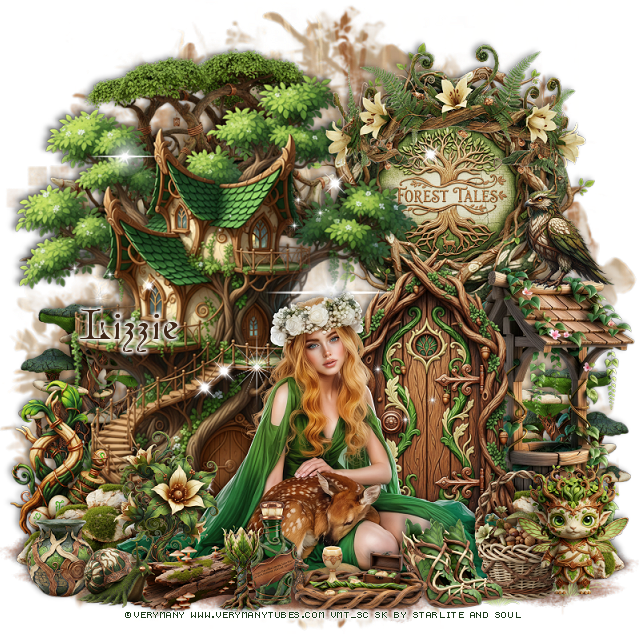
PTU Forest Blessing


 This tut was written February 25th, 2026 for those with a basic knowledge of psp. 

I am using the beautiful tube by © Verymany

Tube is called Woodland Elf
You need a license to use this tube, please do not use without a license
You can find this tube at Verymany store HERE

I used PSP2020...but any of them should work.
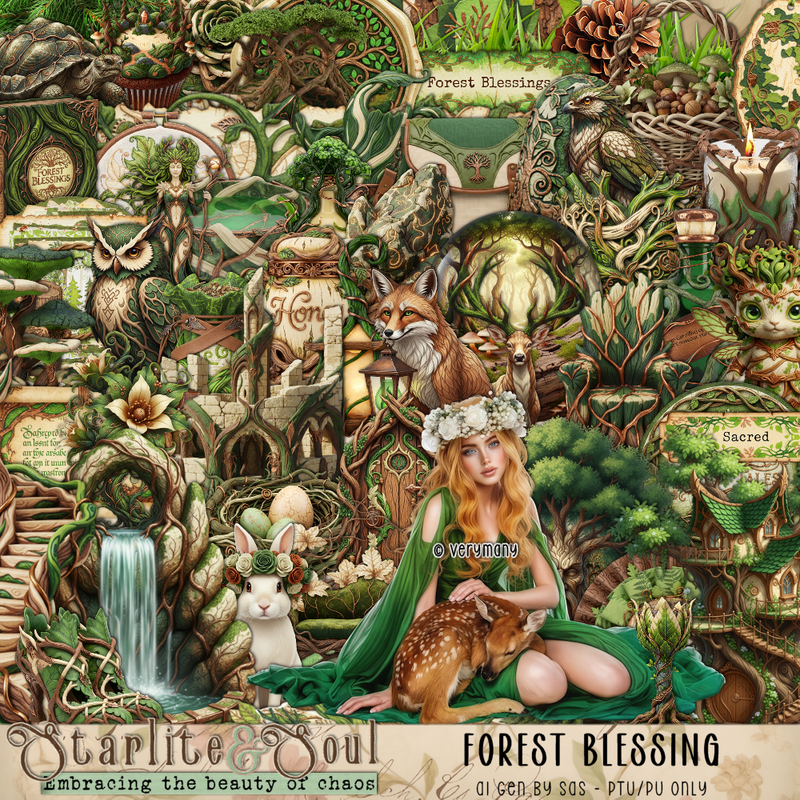
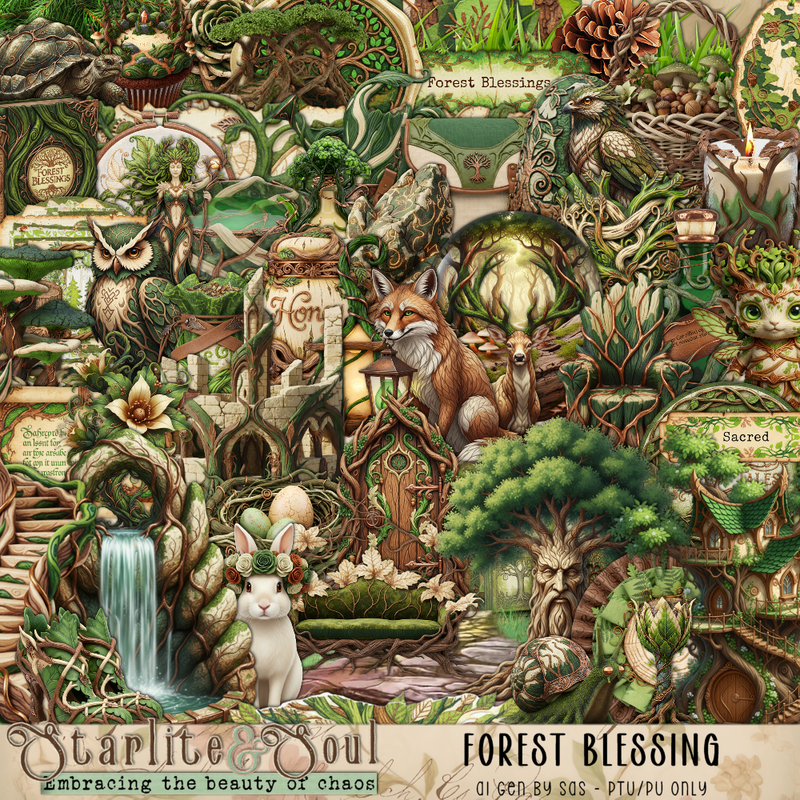
PTU Scrap Forest Blessing by Starlite and Soul HERE
You can find all Starlite and Soul  kits  HERE 
RD Mask 812 HERE
Check the blog out HERE

Font of choice, I used Cardinal

Drop shadow as you go is V -2 H 4, 50, 10, or use what you prefer.
Let's get started
*Remember to add your drop shadow as you go along*

Open a new image 800 x 800, paste paper 17, apply your mask.

Paste 102 at the bottom right, duplicate, mirror.
Resize 1 to 90%, paste on the left.
Resize frame 1 to 55%, paste on the upper right below the tree house.
Resize 57 to 35%, paste in the frame.
Resize 71 to 65%, paste at the top left below the house.

Resize your tube to 30%, paste at the bottom above the tree house.

Resize 26 to 55%, paste on the bottom right below the tube.
Resize 64 to 35%, paste at the bottom left below the tube, duplicate, mirror.
Resize 30 to 50%, paste at the top on the frame.
Resize 63 to 35%, paste on the bottom left below the rocks.
Resize 84 to 55%, paste on the right below the door.
Resize 20 to 30%, paste below the well on the right, duplicate, mirror.

Resize 75 to 25%, paste at the bottom right above the tube.
Resize 23 to 20%, paste at the bottom by the basket.
Resize 2 to 25%, paste at the bottom right.
Resize 77 to 30%, paste at the bottom above the tube.
Resize 31 to 30%, paste at the bottom to the left of the tube.
Resize 12 to 20%, paste at the bottom by the tray.
Resize 10 to 17%, paste at the bottom.
Resize 27 to 25%, paste at the bottom left below the bottle, move the 
flower below the log.

Resize 79 to 15%, paste at the bottom left.
Resize 18 to 15%, paste at the bottom left.
Paste 162 below the tube how you like.
Resize 5 to 20%, paste on top of the well.

Add any other elements that you would like, make it your own.
Always readjust your mask and elements how you like them before you
 merge your tag, resize, sharpen.

Crop your tag to be sure no shadows or lines are on the edges.
 Then add your copyright and name.
That's it

Hope you enjoyed doing my tut

Tag for Lizzie 


Wednesday, December 10, 2025

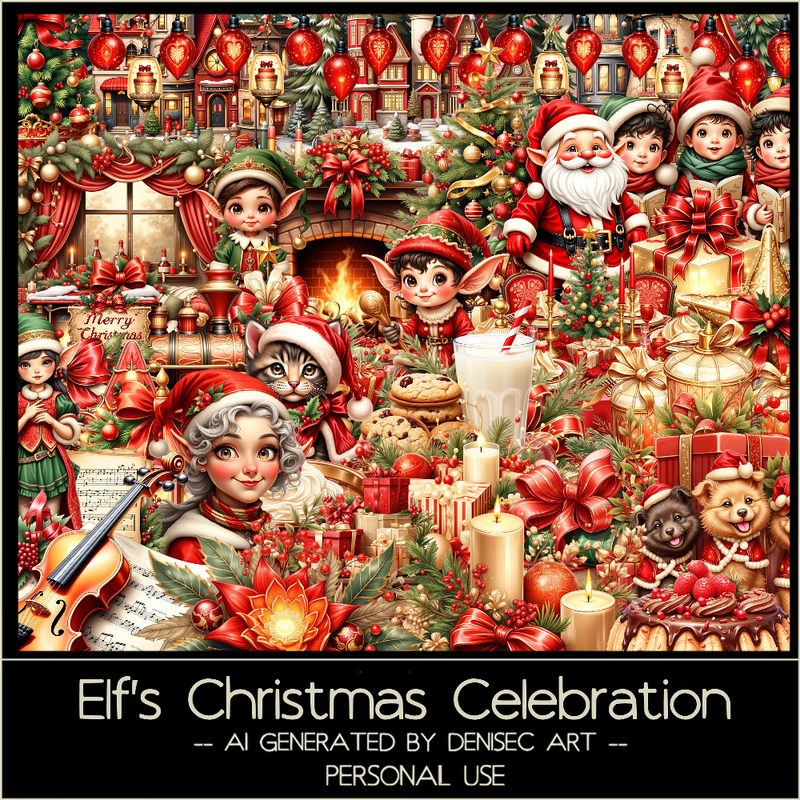
PTU Elf's Christmas Celebration


 This tut was written December 10th, 2025 for those with a basic knowledge of psp. 

I am using the beautiful Al kit/tube by DeniseC Art

Everything is included in the kit
Please read their TOU on how to credit your tags

I used PSP2020...but any of them should work.
PTU Scrap Elf's Christmas Celebration HERE
Check out her store here for more of her kits  HERE 
RD Mask 713 HERE
Check the blog HERE

Font of choice, I used Great Day

Drop shadow as you go is V -2 H 4, 40, 10, or use what you prefer.
Let's get started
*Remember to add your drop shadow as you go along*

Open a new image 800 x 800,  resize paper 6 to 60%, apply your mask.

Resize element 15 to 60%, paste, click inside, resize paper 6
to 25%, paste, invert, delete.
Resize element 5 to 40%, paste below the frame, duplicate, move above
the frame, erase the bottom part, merge these together and move to 
to the right a little more.
Resize element 52 to 50%, paste on the left.
Resize element 24 to 35%, paste on the left.
Resize element 13 to 15%, paste at the bottom left below Santa.
Resize element 47 to 15%, paste at the bottom above Santa.

Resize element 49 to 25%, paste at the bottom center.
Resize element 54 to 20%, mirror, paste at the bottom.
Resize element 1 to 25%, paste on the bottom right.
Resize element 4 to 25%, paste below the violin on the right.
Resize element 21 to 20%, free rotate to the left at 20, paste below the Santa
 on the left.

Resize element 27 to 20%, paste on the bottom right below the violin.
Resize element 36 to 15%, paste at the bottom left.
Resize element 26 to 12%, paste at the bottom right.
Resize element 3 to 13%, paste at the bottom right.
Resize element 18 to 30%, paste on the bottom right.
Resize element 60 to 25%, paste on the tree on the upper left.
Resize element 17 to 15%, paste on the bottom right below the boy.
Resize element 33 to 13%, paste at the bottom left by the little elf.
Resize element 42 to 20%, paste at the bottom below the flower.
Resize element 2 to 30%, paste on the upper left being on the bottom layer, 
duplicate, move to the right above the wreath and down behind the 
other elements.

Add any other elements that you would like, make it your own.
Always readjust your mask and elements how you like them before you
 merge your tag, resize, sharpen.

Crop your tag to be sure no shadows or lines are on the edges.
 Then add your copyright and name.
That's it

Hope you enjoyed doing my tut 

Friday, November 14, 2025

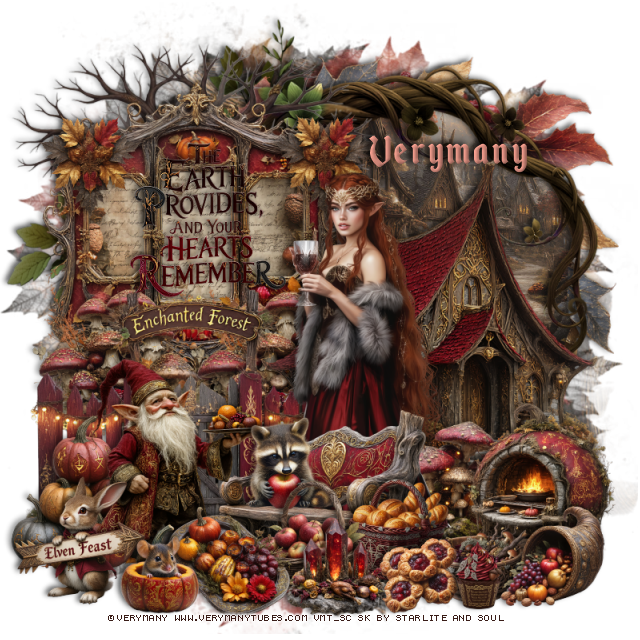
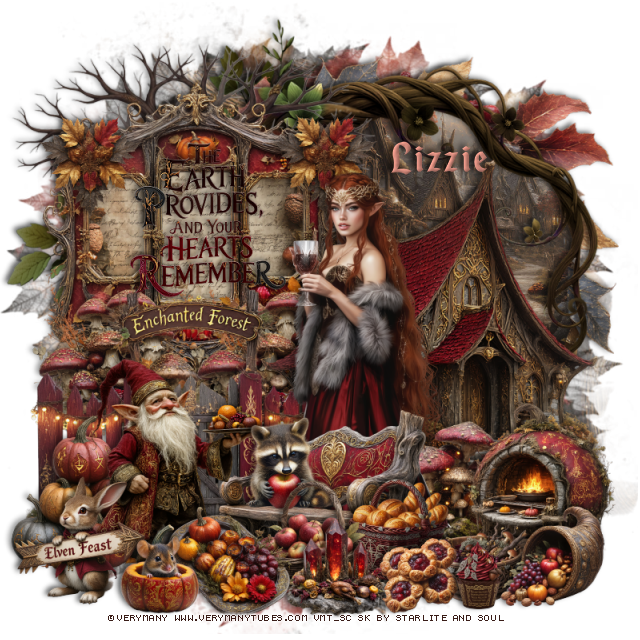
PTU Elven Feast


This tut was written November 13th, 2025 for those with a basic knowledge of psp. 

I am using the beautiful tube by © Verymany

Tube is called Elven Feast
You need a license to use this tube, please do not use without a license
You can find this tube at VMT HERE

I used PSP2020...but any of them should work.
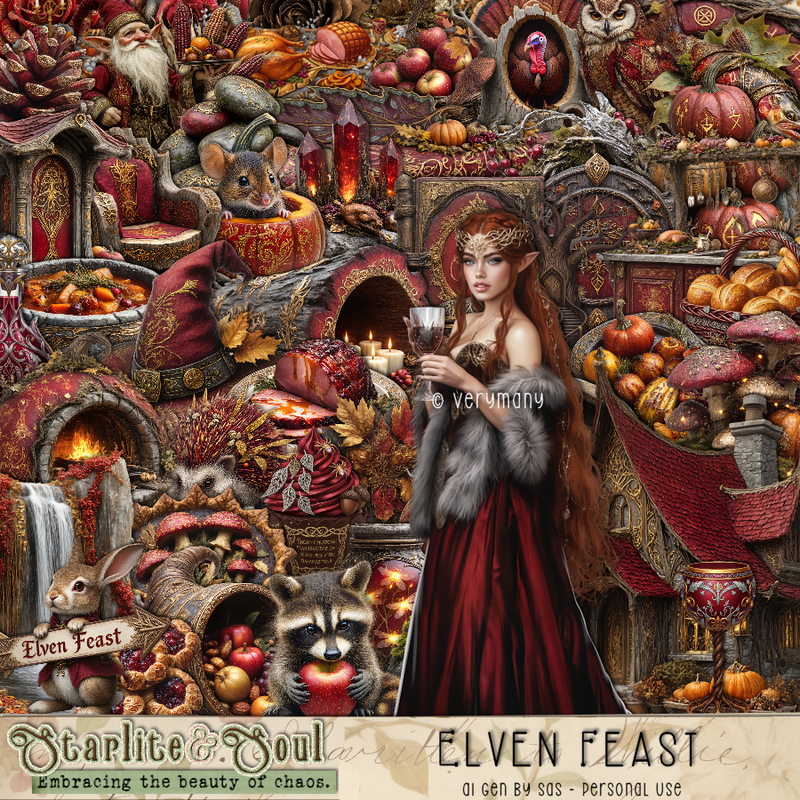
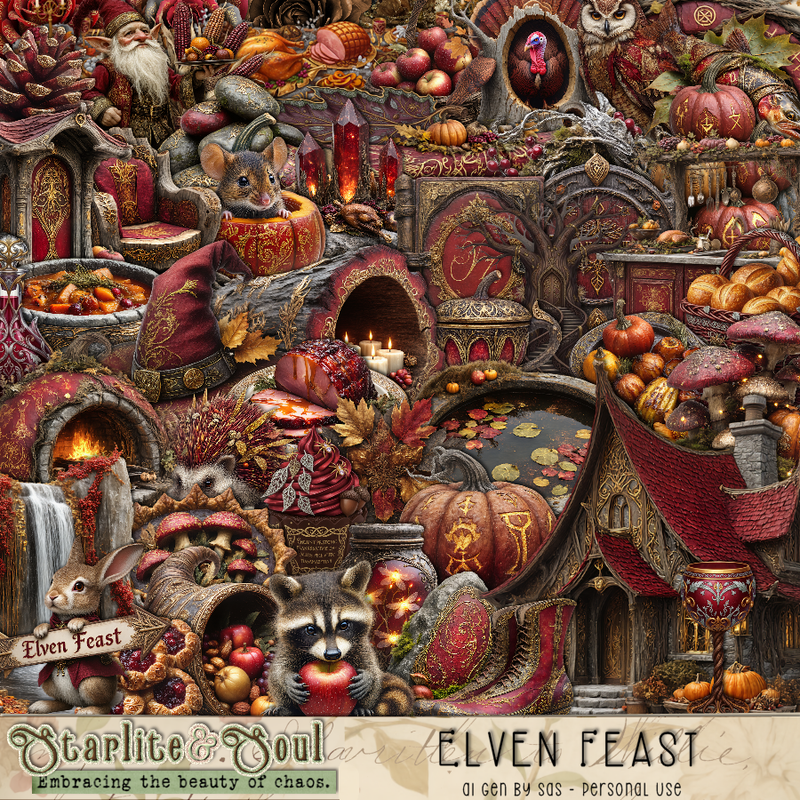
PTU Scrap Elven Feast by Starlite and Soul  HERE
"Tube is NOT Included"
You can find all Starlite and Soul kits  HERE 
Mask of choice, I used RD Mask 683  HERE
Check out the rest of the blog HERE   

Font of choice, I used Enchanted Land

Drop shadow as you go is V -2 H 4, 50, 10, or use what you prefer.
Let's get started
*Remember to add your drop shadow as you go along*

Open a new image 800 x 800, paste paper 13, apply your mask 

Resize frame 1 to 60%, paste on the upper left.
Resize paper 20 to 40%, paste below the frame, erase the parts outside.
Resize element 69 to 35%, paste at the bottom left of the frame, duplicate, 
move to the right.
Resize wordart 2 to 30%, paste on the frame.
Resize element 48 to 20%, paste on the frame on the upper left, duplicate, mirror.
Resize element 74 to 85%, paste below the frame to the right.
Resize paper 5 to 50%, paste below the branch, erase the outside part.
Resize element 34 to 85%, paste below the branch.
Resize element 154 to 65%, paste at the upper left below the tree.

Resize element 25 to 65%, paste above the frame at the bottom.
Resize element 1 to 65%, paste on the right below the frame.
Resize element 73 to 75%, paste below the frame, erase the bottom part.
Resize element 27 to 30%, mirror, paste at the bottom right.
Resize element 51 to 25%, paste at the bottom right below the fire pit.

Resize the tube to 25%, paste above the fence.

Resize element 45 to 30%, paste at the bottom left above the fence.
Resize element 64 to 40%, paste on the bottom left.
Resize element 40 to 40%, mirror, paste at the bottom above the tube.
Resize element 18 to 20%, paste at the bottom above the bench.
Resize element 26 to 20%, paste at the bottom right.
Resize element 11 to 20%, paste between the basket and cornucopia.
Resize element 32 to 15%, paste at the bottom.
Resize element 8 to 25%, paste at the bottom left.
Resize element 5 to 17%, paste at the bottom.
Resize element 7 to 18%, paste on the bench.

Resize element 54 to 22%, paste at the bottom.
Resize element 37 to 20%, paste at the bottom.
Resize element 20 to 25%, paste at the bottom, move the mouse above the tray.
Resize element 14 to 13%, paste at the bottom right.

Add any other elements that you would like, make it your own.
Always readjust your mask and elements how you like them before you
 merge your tag, resize, sharpen.

Crop your tag to be sure no shadows or lines are on the edges.
 Then add your copyright and name.
That's it

Hope you enjoyed doing my tut

Tag for Lizzie


Tuesday, April 1, 2025

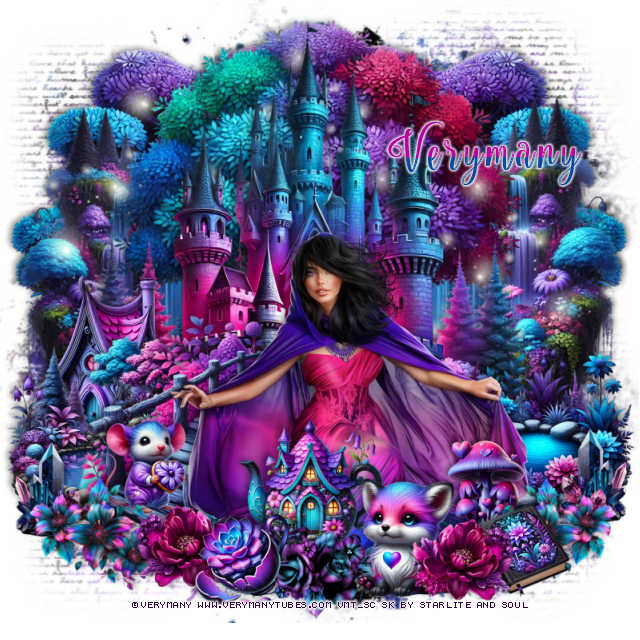
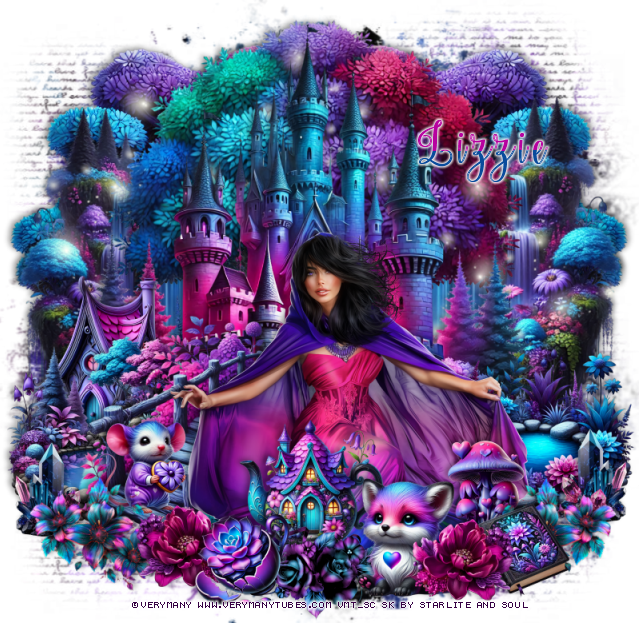
PTU Mystery Elf


  This tut was written March 31st, 2025 for those with a basic knowledge of psp. 

I am using the beautiful tube ©Verymany

Tube is called Mystery Elf
You need a license to use this tube, please do not use without a license
You can find the free tube at VMT HERE

I used PSP2020...but any of them should work.
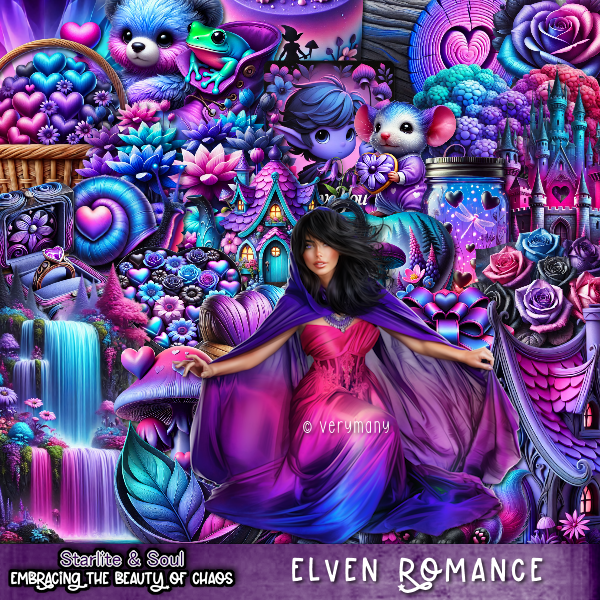
PTU Scrap Elven Romance by Starlite and Soul  HERE
You can find all Starlite and Soul kits  HERE
Miz Teeques's Mask 54 and 173 HERE HERE
Check the rest of the blog HERE

Font of choice, I used Nouradilla

Drop shadow as you go is V -2 H 4, 50, 10, or use what you prefer.
Let's get started
*Remember to add your drop shadow as you go along*

Open a new image 800 x 800, paste paper 9, apply mask 54 first.
Paste paper 9 again, apply mask 173.

Paste element 63 on the upper left, duplicate, mirror.
Resize element 57 to 85%, paste on the left, duplicate, mirror.
Paste element 36 at the top.
Paste element 39 at the top above the tree.

Resize the tube to 27%, paste at the bottom.

Resize element 12 to 40%, paste on the bottom left below the tube.
Resize element 60 to 40%, paste on the bottom right below the tube.
Resize element 16 to 55%, paste below the tube on the bottom left.
Resize element 141 to 25%, free rotate to the right at 25, paste at the bottom right
above the tube, duplicate, mirror.
Resize element 161 to 20%, paste at the bottom right by the flower, duplicate, mirror.
Resize element 150 to 35%, paste at the bottom above the tube.
Resize element 56 to 35%, paste on the left below the water pond.
Resize element 3 to 20%, paste at the bottom right below the flowers.
Resize element 44 to 20%, mirror, paste on the left on the bridge.

Resize element 49 to 25%, paste at the bottom right, move the rose color flower
above it.
Resize element 26 to 20%, paste at the bottom.
Resize element 65 to 20%, paste at the bottom right below the flower.
Resize element 15 to 30%, paste at the bottom above the tube.
Resize element 100 to 20%, paste on the bottom right below the flowers,
duplicate, mirror.
Paste element 194 below the castle on the left, duplicate, mirror, move down.

Add any other elements that you would like, make it your own.
Always readjust your mask and elements how you like them before you
 merge your tag, resize, sharpen.

Crop your tag to be sure no shadows or lines are on the edges.
 Then add your copyright and name.
That's it

Hope you enjoyed doing my tut

Tag for Lizzie 


Sunday, March 30, 2025

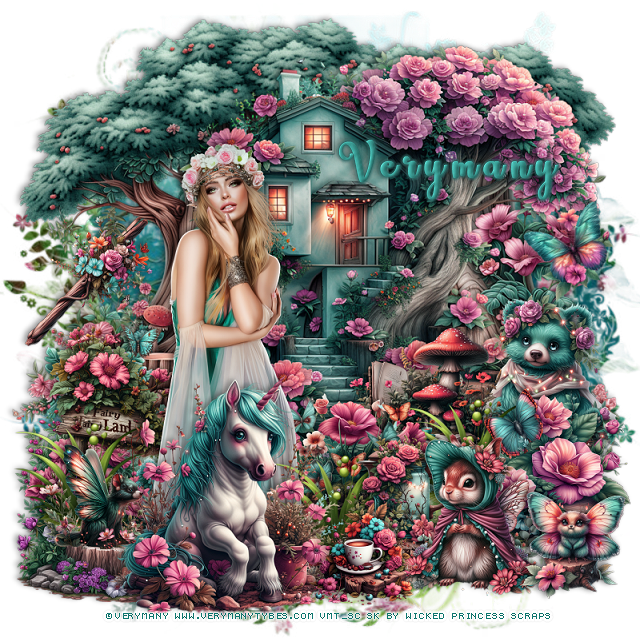
PTU Carefree Spring Elf


   This tut was written March 29th, 2025 for those with a basic knowledge of psp. 

I am using the Awesome tube by ©Verymany

Tube is called Spring Elf 3
You need a license to use this tube, please do not use without a license
You can find the tube at VMT  HERE


I used PSP2020...but any of them should work.
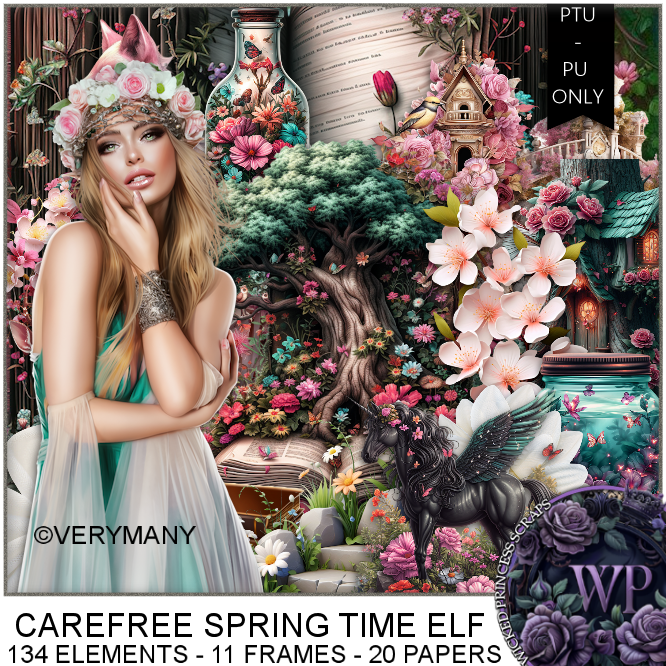
PTU Scrap Carefree Spring Elf by Wicked Princess Scraps HERE
You can find all Wicked Princess Scraps kits  HERE
Miz Teeques's Mask 117 HERE
Check the rest of the blog HERE

Font of choice, I used Lovely Butterfly

Drop shadow as you go is V -2 H 4, 40, 10, or use what you prefer.
Let's get started
*Remember to add your drop shadow as you go along*

Open a new image 800 x 800, paste paper 18, mirror, apply your mask, 

Resize element 10 to 75%, paste on the upper right.
Resize element 19 to 75%, paste on the upper left below the house,
duplicate, move to the right.
Resize element 7 to 35%, mirror, paste on the bottom right above the house.
Resize element 29 to 25%, paste on the left below the tree layer.

Resize your tube to 30%, paste.

Resize element 36 to 45%, mirror, paste at the bottom left above the tube.
Resize element 37 to 35%, paste on the bottom left below the tube.
Resize element 4 to 35%, paste at the bottom below the tube to the right.
Resize element 40 to 30%, paste at the bottom right above the bear.
Resize element 34 to 30%, paste above the bear.
Resize element 2 to 25%, paste at the bottom.
Resize element 1 to 20%, paste at the bottom.

Resize element 8 to 20%, paste on the stump on the left.
Resize element 9 to 30%, paste on the bottom right above the coffee pot.
Resize element 38 to 20%, paste at the bottom right.
Resize element 18 to 15%, free rotate to the left at 25, paste on the right.
Resize element 17 to 25%, paste on the left above the stump.
Resize element 45 to 30%, paste at the bottom below the Unicorn, duplicate 
a couple more times, move below other layers where you like.

Add any other elements that you would like, make it your own.
Always readjust your mask and elements how you like them before you
 merge your tag, resize, sharpen.

Crop your tag to be sure no shadows or lines are on the edges.
 Then add your copyright and name.
That's it

Hope you enjoyed doing my tut 

Tag for Shani 


Sunday, February 9, 2025

PTU Fragrance, Florals & Confections


  This tut was written February 8th, 2025 for those with a basic knowledge of psp. 

I am using the Awesome tube by ©Verymany

Tube is called Elf 15
You need a license to use this tube, please do not use without a license
You can find the tube at VMT  HERE


I used PSP2020...but any of them should work.
PTU Scrap Fragrant, Florals & Confections by Wicked Princess Scraps HERE
You can find all Wicked Princess Scraps kits  HERE
Mask of choice, I used Miz TeeQue's Mask 127 HERE
Check out the rest of the blog HERE 

Font of choice, I used Beauty and the Dutch

Drop shadow as you go is V -2 H 4, 40, 10, or use what you prefer.
Let's get started
*Remember to add your drop shadow as you go along*

Open a new image 800 x 800, paste paper 4, apply your mask, move
to the left, duplicate, mirror.

Paste element 137.
Paste element 64 below the door on the left, duplicate, mirror.
Resize your tube to 30%, paste to the left.
Resize element 65 to 30%, paste at the bottom above the tube.
Resize element 58 to 30%, paste below the tube on the left.
Resize element 72 to 35%, paste at the bottom above the tray.
Resize element 53 to 40%, paste on the right above the door, duplicate, mirror.

Resize element 68 to 30%, paste at the bottom left above the tube.
Resize element 1 to 30%, paste at the bottom left.
Resize element 3 to 30%, paste at the bottom.
Resize element 52 to 20%, paste at the bottom by the cat.
Resize element 71 to 30%, paste at the bottom below the cat on the right.
Resize element 73 to 25%, paste at the bottom right.
Resize element 5 to 20%, paste at the bottom by the typewriter.
Resize element 141 to 25%, mirror, paste on the upper right.

Add any other elements that you would like, make it your own.
Always readjust your mask and elements how you like them before you
 merge your tag, resize, sharpen.

Crop your tag to be sure no shadows or lines are on the edges.
 Then add your copyright and name.
That's it

Hope you enjoyed doing my tut 

Tag for Shani