
Showing posts with label AnnaGalkina. Show all posts

Thursday, November 9, 2023

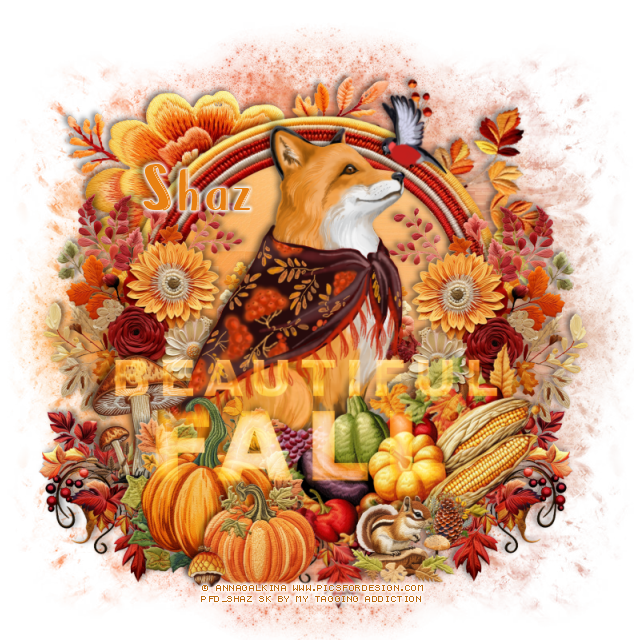
FTU Beautiful Fall

 This tut was written November 9th, 2023 for those with a basic knowledge of psp.

I am using the awesome artwork of ©Anna Galkina
The tube is called Fox
You need a license to use this tube, please do not use without a license.
You can find this tube at PFD store HERE

I used PSP2020...but any of them should work.
FTU Scrap Embroidered Autumn by My Tagging Addiction HERE  
Check out the rest of the blog  HERE
Mask of choice, I used Lori's  Mask 1226 HERE
Lori's PSP Graphics Fall wordart HERE
Check out the rest of the blog HERE

Font of choice I used Brunella

Drop shadow is V -2 H -4, 50, 10, Black or use what you prefer.
Let's get started
*Remember to add your drop shadow as you go along*

Open a new image 800 x 800, resize paper 2 to 85%, paste your mask.
Take your free hand tool, draw around the top half of the mask, delete,
duplicate, flip, line up, merge together.

Resize frame 5 to 57%, click inside with the magic wand, paste paper 2, 
invert, delete.

Resize your tube to 15%, paste above the frame.

Resize element 32 to 50%, paste behind the tube on the right, duplicate, mirror.
Resize element 30 to 40%, paste at the bottom right below the flowers,
duplicate, mirror, duplicate one, move back to the center more.

Resize element 24 to 65%, paste above the tube at the bottom right.
Resize element 31 to 50%, paste on the bottom left.
Resize element 39 to 25%, paste at the bottom.

Mirror element 14, paste above the mask on the upper left.
Flip element 37, paste at the upper right above the mask.
Resize element 23 to 40%, paste on the left below the pumpkins.
Resize element 27 to 30%, paste at the bottom right.
Resize element 19 to 13%, paste at the bottom above the pumpkins.
Resize element 28 to 15%, paste below the squirrel.

Resize the wordart to 60%, change the color (I used #e88012) if you like, change the 
blend mode to Screen, paste.

Add any other elements you like, crop your tag so you don't have 
any shadows on the edges, once happy, resize then add your name
and copyright.

That's it

Hope you enjoyed doing my tut.    

Sunday, October 29, 2023

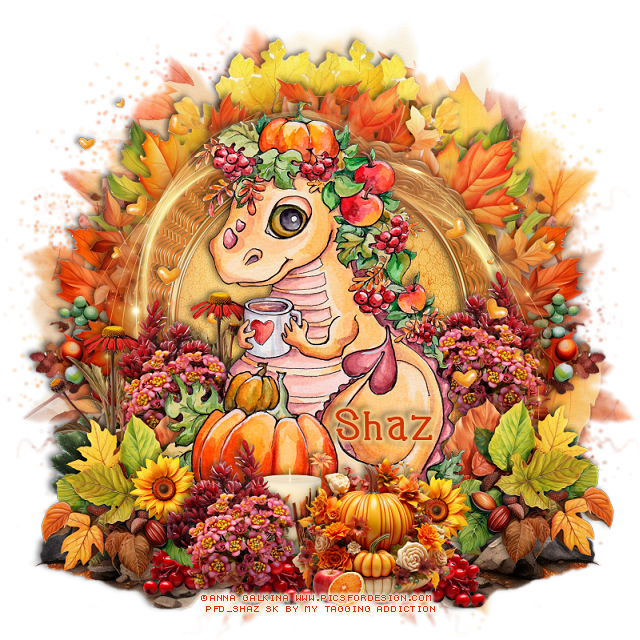
FTU Dragon Autumn


This tut was written October 29th, 2023 for those with a basic knowledge of psp.

I am using the awesome artwork of ©Anna Galkina
The tube is called Dragon Autumn
You need a license to use this tube, please do not use without a license.
You can find this tube at PFD store HERE

I used PSP2020...but any of them should work.
FTU Scrap Shades of Autumn by My Tagging Addiction HERE  
Check out the rest of the blog  HERE
Mask of choice, I used Lori's  Mask 1286 HERE
Check out the rest of the blog HERE

Font of choice I used Font type Animal Pet

Drop shadow is V -2 H -4, 50, 10, Black or use what you prefer.
Let's get started
*Remember to add your drop shadow as you go along*

Open a new image, size 800 x 800, paste paper 11, apply your mask.
Resize frame 5 to 75%, paste, click inside with the magic wand, paste
paper 2, invert, delete.
Paste element 51 on the mask layer.
Resize element 49 to 65%, paste below the paper layer on the left, erase 
some off the right side, duplicate, mirror.
Resize element 33 to 65%, paste.

Resize your tube to 25%, paste on the frame.

Resize element 1 to 25%, paste at the bottom right below the tube,
duplicate, mirror.
Resize element 23 to 25%, paste behind the leaves on the right, duplicate,
mirror, duplicate again, move above the tube.
Resize element 18 to 20%, paste below the leaves at the bottom, duplicate
a couple of times and move where you like.

Resize element 27 to 25%, paste behind the pink flowers above the tube, 
duplicate, move to the right and behind the pink flowers.
Resize element 73 to 50%, paste on the frame on the left, duplicate, mirror,
move down.
Resize element 21 to 30%, paste behind the tube on the left, duplicate, move
to the left more behind the flowers.

Resize element 56 to 35%, paste at the bottom above the tube.
Resize element 31 to 15%, paste behind the pumpkin, duplicate, 
move to the left.
Resize element 60 to 15%, paste at the bottom above the pumpkin.
Resize element 35 to 20%, paste above the tube at the bottom.
Resize element 52 to 40%, paste on the left, duplicate, mirror.

Add any other elements you like, crop your tag so you don't have 
any shadows on the edges, once happy, resize then add your name
and copyright.

That's it

Hope you enjoyed doing my tut.    
Monday, May 15, 2023

FTU Owl Flowers


This tut was written May 15th, 2023 for those with a basic knowledge of psp.

I am using the awesome artwork of ©AnnaGalkina
The tube is called Owl Flowers
You need a license to use this tube, please do not use without a license.
You can find this tube at PFD Store HERE

I used PSP2020...but any of them should work.
FTU The Color Yellow by MTA HERE  
Check out the rest of the blog  HERE
Mask of choice, I used Miz Teeque's Mask 84 HERE
Check out the rest of the blog HERE
Filters
Mura Meister Copies-Encircle
Font of choice I used Chocolate Milky

Drop shadow is V -1 H -3, 40, 10, Black or use what you prefer.
Let's get started
*Remember to add your drop shadow as you go along*

Open a new image 800 x 800, resize paper 7 to 80%, paste, apply
your mask, resize as needed.
Resize element 19 to 15%, apply Mura Meister Copies-Encircle, first 3
numbers on 18, 57, 57, paste.
Resize element 24 to 15%, apply Mura Meister, change the 2nd 2 numbers
to 55, 55, paste on the flower circle.
Resize frame 5 to 65%, paste.

Paste your tube to 25%, paste center above the frame.

Resize element 19 to 25%, paste at the bottom left behind the tune,
duplicate, mirror, move above the tube on the right.
Resize element 26 to 75%, paste on the upper right below the top frame,
duplicate, mirror, duplicate, flip, duplicate, mirror.
Resize element 12 to 25%, paste on the left below the flower, duplicate, mirror.
Resize element 27 to 35%, paste on the left above the mask layer,
duplicate, mirror.

Resize element 1 to 25%, paste at the bottom below the top flower.
Resize element 2 and 4 to 10%, mirror, paste at the bottom.
Resize element 3 to 20%, paste at the bottom.
Resize element 17 to 15%, paste at the bottom above the tube,
duplicate, move over and down a little.
Resize element 24 to 15%, paste at the bottom below the lemon slices 
on the left, duplicate, move between the slices and lemon.

Resize element 16 to 10%, paste at the bottom above the lemon slices.
Resize element 41 to 25%, mirror, paste at the bottom.
Resize element 42 to 10%, free rotate to the right at 25, paste on the left,
duplicate, mirror.
Resize element 60 to 85%, paste at the top where you like.
Resize element 66 to 10%, duplicate 2 times and place where you like.
Resize element 68 to 30%, paste on the left, duplicate, mirror.
Resize element 70 to 60%, paste on the left, duplicate, mirror.
Resize element 6 to 30%, paste at the bottom left above the mask layer,
duplicate, mirror.

Add any other elements you would like, make it your own.
Crop your tag to be sure no shadows or lines are on the edges.
 Then add your copyright and name.
That's it

Hope you enjoyed doing my tut.