Showing posts with label Forest. Show all posts

Saturday, August 8, 2026

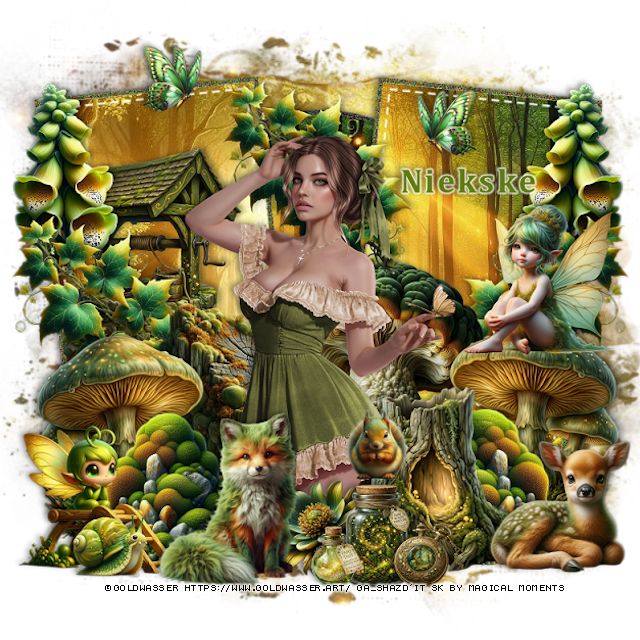
PTU Beauty of the Woods

  This tut was written August 8th, 2026 for those with a basic knowledge of psp.

I am using the awesome tube ©Goldwasser
The tube is called Henrietta
The tube is NOT included
You need a license to use this tube, please do not use without a license
You can find the tube at their store HERE


I used PSP2020...but any of them should work.
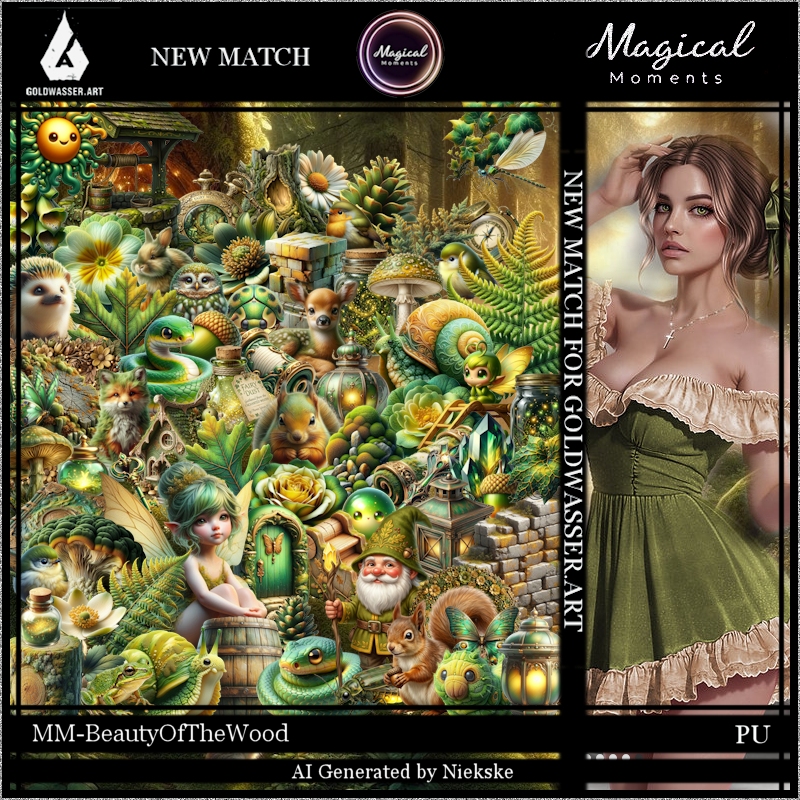
PTU Scrap Beauty of the Woods by Magical Moments HERE  
Donna's Template 689 HERE 
Check the rest of the blog HERE
Check out the rest of her store HERE   
Mask of choice, I used RD Mask 675 Here
Check the blog Here

Font of choice, I used Cambria

Drop shadow is V -2 H 4, 50, 10, color Black or use what you prefer.
Let's get started
*Remember to add your drop shadow as you go along*

Open the template, delete the credits, go to Image, resize layers, all layers
checked, then Canvas size 800 x 800.

Click in the white area of Raster 3, paste paper 4, invert, delete, click 
on the dark circle part, fill with #646437, add noise at 50%.
Delete Raster 4.
Select Copy 2 of Raster 2, click in the gray area, paste paper 3, invert, delete.
Click on the white frame part, fill with the same color and noise as before.
Delete Raster 5.

Click on the gray area of Raster 2, paste paper 5, invert, delete.
Copy of Raster 2, click the gray, paste paste paper 4, invert, delete.
On both of the white frame part, click and fill with the same color and noise.
Keep the dotted lines if you like.

Resize 60 to 25%, paste at the upper right, duplicate, mirror.
Resize 65 to 25%, paste on the right, duplicate, mirror, duplicate again, move 
to the center top.

Resize the tube to 30%, paste.

Resize 23 to 25%, paste below the tube on the right.
Resize 33 to 35%, paste on the bottom left, duplicate, mirror.
Resize 46 to 25%, paste below the mushroom on the left.
Resize 37 to 25%, paste on the bottom left above the mushroom, duplicate,
mirror, move above the mushroom.
Resize 72 to 30%, paste below the tube on the bottom right.
Resize 70 to 30%, mirror, paste on the left below the leaves and plant.

Resize 41 to 23%, paste at the bottom left above the tube.
Resize 24 to 20%, mirror, paste on the mushroom on the right.
Resize 55 to 20%, paste at the bottom right.
Resize 62 to 15%, paste at the bottom by the stump.
Resize 39 to 20%, mirror, paste at the bottom left below the fox.
Resize 66 to 13%, paste at the bottom below the fox and jar.
Resize 42 to 10%, paste on top of the jar.
Paste paper 5 on the bottom layer above the white background, apply your
mask, adjust to fit your tag.
Resize 45 to 10%, paste at the upper left, duplicate, mirror.
Resize 71 to 10%, paste at the bottom being on the top layer.
Resize 47 to 10%, paste at the bottom by the jar.
Resize 13 to 10%, paste at the bottom left.

Add any other elements that you would like, make it your own.
Always readjust your mask and elements how you like them before you
 merge your tag, resize, sharpen.

Crop your tag to be sure no shadows or lines are on the edges.
 Then add your copyright and name.
That's it

Hope you enjoyed doing my tut.            

Wednesday, July 15, 2026

PTU Woodland Kingdom


 This tut was written July 15th, 2026 for those with a basic knowledge of psp. 

I am using the awesome Al tube and kit gen by Carita Creations
Everything used is included in the kit
Please read the TOU on how to credit your tags.

I used PSP2020...but any of them should work.
PTU Scrap Woodland Kingdom by Carita Creationz  HERE
Kit has 60 elements, 10 papers and 1 tube
Check her store out to see all her other kits and tubes HERE
DBV Mask 72 HERE
Check the blog Here

Font of choice, I used Atelier Omega

Drop shadow as you go is V -2 H 4, 50, 10, or use what you prefer.
Let's get started
*Remember to add your drop shadow as you go along*

Open a new image 800 x 800, paste paper 8, apply your mask, 
duplicate, change the blend mode to Multiply, merge down, duplicate,
mirror, duplicate both, move to the bottom.

 Paste 34 at the upper left.
Resize 42 to 65%, paste at the upper right.
Resize 35 to 20%, paste on the right.
Resize 7 to 65%, paste on the left.
Resize 55 to 50%, paste at the top, click inside, resize paper 4 to
35%, paste below the frame, invert, delete.
Resize 28 to 75%, paste above the frame.
Resize 31 to 12%, paste on top of the door.
Resize 11 to 15%, paste on top of the frame.

Resize 39 to 30%, paste on the right.
Resize 33 to 20%, paste at the bottom of the carriage.
Resize 30 to 25%, paste on the left below the castle.
Resize 21 to 35%, paste on the bottom left above the castle.
Resize 22 to 20%, mirror, paste on the upper left below the castle.
Resize 29 to 20%, paste on the right behind the carriage.

Resize the tube to 35 %, paste at the bottom.
Resize 4 to 30%, paste on the bottom right above the tube.
Resize 5 to 25%, mirror, paste at the bottom above the tube on the left.
Resize 15 to 20%, paste at the bottom below the left chair.
Resize 37 to 15%, paste at the bottom by the chair.
Resize 18 to 20%, paste at the bottom.
Resize 17 to 13%, paste at the bottom.
Resize 3 to 15%, paste at the bottom by the book.
Resize 57 to 25%, paste on the upper right.

Resize 14 to 17%, paste on the bottom right.
Resize 23 to 25%, paste at the bottom left.
Resize 24 to 20%, paste at the bottom below the bear.
Resize 44 to 10%, paste at the bottom right.
Resize 58 to 22%, paste at the upper left.
Resize 47 to 17%, paste on the upper right on the sign.

Add any other elements that you would like, make it your own.
Always readjust your mask and elements how you like them before you
 merge your tag, resize, sharpen.
Crop your tag to be sure no shadows or lines are on the edges.
 Then add your copyright and name.
That's it

Hope you enjoyed doing my tut.       
Saturday, June 27, 2026

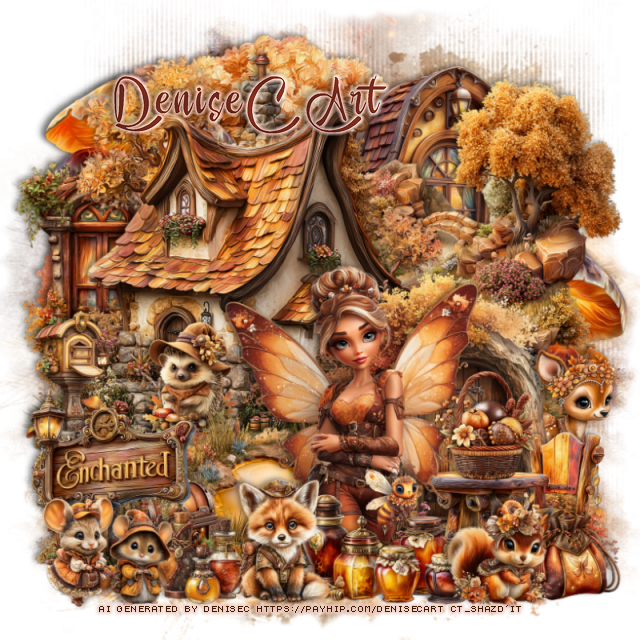
PTU Reds Woodland Tale

   This tut was written June 27th, 2026 for those with a basic knowledge of psp. 

I am using the awesome tube Al gen by DBD
Everything is included in the kit
Read the TOU on how to credit your tags


I used PSP2020...but any of them should work.
PTU Scrap Reds Woodland Tale Party by Doodle by Design  HERE
You can find all Doodle by Design kits  HERE 
Miz Teeques 401 HERE 
Check the blog out HERE

Font of choice, I used Fairy Godmother

Drop shadow as you go is V -2 H 4, 40, 10, or use what you prefer.
Let's get started
*Remember to add your drop shadow as you go along*

Open a new image 800 x 800, paste paper 8, apply your mask.

Resize frame 1 to 90%, click inside, paste 43 below the frame.
Resize 27 to 50%, paste in the frame.
Resize 30 to 50%, paste below the frame on the right, duplicate, mirror.
Resize 31 to 50%, paste at the bottom above the frame.
Resize 25 to 50%, paste on the left below the walkway, duplicate, mirror.
Resize 74 to 50%, paste on the upper left above the mask, duplicate, mirror.

Resize the tube to 35%, paste above the frame on the left.

Resize 6 to 25%, paste on the bottom left, duplicate, mirror.
Resize 1 to 27%, paste at the bottom right above the gate.
Resize 29 to 25%, paste on the gate post on the right.
Resize 4 to 25%, paste on the bottom right below the gate.
Resize 123 to 25%, paste on the bottom left below the tube.
Resize 36 to 20%, paste on the bottom left below the fox.

Resize 34 to 15%, paste on the bottom left.
Resize 68 to 20%, paste at the bottom below the tube.
Resize 71 to 25%, paste at the bottom above the gate.
Resize 145 to 25%, paste at the bottom right below the wolf.
Resize 63 to 15%, paste at the bottom above the flowers.
Resize 102 to 30%, paste at the bottom above the tube.
Resize 41 to 20%, paste on the bottom right below the wolf.

Add any other elements that you would like, make it your own.
Always readjust your mask and elements how you like them before you
 merge your tag, resize, sharpen.

Crop your tag to be sure no shadows or lines are on the edges.
 Then add your copyright and name.
That's it

Hope you enjoyed doing my tut   

Tuesday, June 16, 2026

PTU Feral Queen of the Sunlands

 This tut was written June 16th, 2026 for those with a basic knowledge of psp. 

Awesome AI kit and tube by Midnight Shadow Dezinez

Everything used is in the kit
Read the TOU on how to credit your tags

I used PSP2020...but any of them should work.
PTU Scrap Feral Queen of the Sunlands by Midnight Shadow Dezinez  HERE
You can find all Midnight Shadow Dezinez kits HERE
RD Mask 671 HERE
Check the blog out HERE

Font of choice, I used StarmiX

Drop shadow as you go is V -2 H -4, 50, 10, or use what you prefer.
Let's get started
*Remember to add your drop shadow as you go along*

Open a new image 800 x 800, paste paper 5, apply your mask.

Resize 17 to 50%, paste on the upper left, duplicate, mirror, paste at the upper right.
Resize 35 to 50%, paste at the top.
Resize 3 to 60%, paste at the upper left.
Resize 56 to 15%, paste at the bottom of the teepees.
Resize 59 to 15%, paste on the left at the bottom of the teepees.
Resize 9 to 50%, paste on the right.
Paste 29 on the bottom layer at the top, erase the trunk part.

Resize 20 to 50%, paste to the right a little.

Resize 11 to 35%, paste below the tube on the right.
Resize 1 to 25%, paste on the right below the fire pit, erase the right side
edge a little.
Resize 47 to 25%, paste at the bottom above the tube.
Resize 34 to 40%, paste at the bottom below the plants.
Resize 16 to 15%, paste at the bottom right.

Resize 8 to 25%, paste at the bottom left, duplicate, move to the left
above the alligator.
Resize 53 to 28%, paste at the bottom left.
Resize 32 to 25%, paste at the bottom below the plant on the left.
Resize 58 to 25%, paste at the bottom.
Resize 55 to 20%, paste on the upper right.
Resize 37 to 15%, paste on the bottom left.

Add any other elements that you would like, make it your own.
Always readjust your mask and elements how you like them before you
 merge your tag, resize, sharpen.

Crop your tag to be sure no shadows or lines are on the edges.
 Then add your copyright and name.
That's it

                 Hope you enjoyed doing my tut                        

Friday, June 12, 2026

PTU The Little Forest Folk


 This tut was written June 12th, 2026 for those with a basic knowledge of psp. 

Awesome AI kit and tube by Midnight Shadow Dezinez

Everything is included in the kit
Read the TOU on how to credit your tags

I used PSP2020...but any of them should work.
PTU Scrap The Little Forest Folk by Midnight Shadow Dezinez  HERE
You can find all Midnight Shadow Dezinez kits HERE
Rd Mask 756 HERE
Check the blog out HERE

Font of choice, I used Wingcharm

Drop shadow as you go is V -2 H -4, 50, 10, or use what you prefer.
Let's get started
*Remember to add your drop shadow as you go along*

Open a new image 800 x 800, paste paper 2, apply your mask.

Resize 1 to 60%, paste on the upper right.
Resize 27 to 40%, paste at the upper right below the house.
Resize 4 to 50%, paste at the upper left below the house.
Resize 8 to 30%, paste on the right by the house.
Resize 35 to 40%, paste at the bottom.
Resize 25 to 30%, paste on the right below the girl.
Resize 37 to 40%, paste on the bottom left below the girl.
Resize 6 to 35%, paste below the bench on the left.
Resize 44 to 25%, paste on top of the rocks.

Resize 33 to 20%, paste at the bottom above the girl.
Resize 49 to 40%, paste on the bottom left.
Resize 5 to 20%, paste at the bottom right above the girl.
Resize 7 to 15%, paste on the bottom right.
Resize 32 to 15%, paste at the bottom left.
Resize 12 and 15 to 15%, paste at the bottom above the girl.
Resize 18 to 15%, paste at the bottom to the left of the animal.

Add any other elements that you would like, make it your own.
Always readjust your mask and elements how you like them before you
 merge your tag, resize, sharpen.

Crop your tag to be sure no shadows or lines are on the edges.
 Then add your copyright and name.
That's it

                 Hope you enjoyed doing my tut                      

Tuesday, June 2, 2026

PTU Woodland Tales

 This tut was written June 2nd, 2026 for those with a basic knowledge of psp. 

Awesome AI kit and tube by Midnight Shadow Dezinez

Everything is included in the kit
Read the TOU on how to credit your tags

I used PSP2020...but any of them should work.
PTU Scrap Woodland Tales by Midnight Shadow Dezinez  HERE
You can find all Midnight Shadow Dezinez kits HERE
Rd Mask 756 HERE
Check the blog out HERE

Font of choice, I used Misteri Caps

Drop shadow as you go is V -2 H -4, 50, 10, or use what you prefer.
Let's get started
*Remember to add your drop shadow as you go along*

Open a new image 800 x 800, resize paper 10 to 80%, apply your mask.

Resize 46 to 65%, paste at top.
Paste element 59.
Resize 8 to 85%, paste, move up a little.
Resize 3 to 55%, paste above the house.
Resize 6 to 30%, paste at the bottom of the gate.
Resize 54 to 50%, paste on the left below the house, duplicate, mirror.
Resize 33 to 30%, paste on the bottom left above the house, 
duplicate, mirror.
Resize 21 to 45%, paste at the bottom left.

Resize 12 to 40%, paste on the bottom right.

Resize 17 to 30%, paste on the bottom right above the tube.
Resize 40 to 30%, paste at the bottom right below the fox.
Resize 16 to 25%, mirror, paste at the bottom left.
Resize 51 to 25%, paste at the bottom left below the squirrel.
Resize 2 to 25%, paste at the bottom below the fox to the left.
Resize 7 to 28%, paste at the bottom above the books.

Resize 15 to 25%, paste at the bottom below the raccoon.
Resize 19 to 13%, paste at the bottom above the raccoon.
Resize 23 to 35%, paste on the upper left below the house.
Resize 14 to 25%, paste on the upper right below the house.
Resize 24 to 15%, paste on the upper right by the birdhouse.

Add any other elements that you would like, make it your own.
Always readjust your mask and elements how you like them before you
 merge your tag, resize, sharpen.

Crop your tag to be sure no shadows or lines are on the edges.
 Then add your copyright and name.
That's it

                 Hope you enjoyed doing my tut                     

Sunday, May 3, 2026

PTU Forest Treasures

 This tut was written May 3rd, 2026 for those with a basic knowledge of psp. 

I am using the Awesome Al kit by Carita Creationz
The beautiful tube is Al gen by Carita
Read the TOU how to credit your tags.

I used PSP2020...but any of them should work.
PTU Scrap Forest Treasures kit by Carita Creationz  HERE
Kit comes with 65 elements, 10 papers 
Check her store out to see all her other kits and tubes HERE
RD Mask 756 HERE
Check out the rest of the blog HERE

Font of choice, I used StarmiX

Drop shadow as you go is V -2 H 4, 50, 10, or use what you prefer.
Let's get started
*Remember to add your drop shadow as you go along*

Open a new image 800 x 800, paste paper 2, apply your mask.

Resize 39 to 85%, paste.
Paste 55 on the greenery.
Resize 7 to 60%, paste at the upper left, duplicate, move to the right 
and down.
Resize 26 to 50%, paste on the left above the tree.
Resize 45 to 35%, paste on the upper left below the steps.
Resize 8 to 30%, paste on the left above the sign.
Resize 41 to 30%, paste on the left below the wolf by the sign.

Resize 53 to 50%, paste on the bottom left being on the top layer.
Resize 27 to 50%, paste on the bottom left below the tree opening.
Resize 46 to 35%, paste at the bottom on the right of the tree opening.
Resize 18 to 20%, paste at the bottom behind the sign, duplicate, move to the
right behind the rocks.
Resize 17 to 35%, paste above the stairs to the right a little below the trees.
Resize 6 to 35%, paste at the bottom below the arrow sign.
Resize 32 to 15%, paste below the rocks.
Resize 30 to 20%, paste at the bottom left being on the top layer.
Resize 58 to 30%, paste on the right above the trees.
Resize 25 to 15%, paste at the upper left on the sign.

Resize 5 to 35%, mirror, paste on the bottom right.
Resize 19 to 20%, paste below the bear.
Resize 13 to 25%, paste below the bear above the logs.
Resize 12 to 15%, paste at the bottom right above the bear.
Resize 10 to 10%, paste at the bottom right.
Resize 44 to 20%, paste at the bottom below the honey.

Resize 54 to 10%, paste at the bottom.
Resize 23 to 15%, paste on the cart.
Resize 3 to 30%, paste at the bottom left.
Resize 61 to 13%, paste at the bottom.
Resize 11 to 13%, paste at the upper left on the sign.
Resize 16 to 12%, paste at the bottom by the map.
Resize 31 to 12%, paste on the bottom left below the wolf and squirrel.
Resize 64 to 25%, paste on the upper left on the sign below the lantern, duplicate,
move to the center above the rock cave, duplicate again, mirror, move
to the right below the trees.
Resize 42 to 10%, free rotate to the right at 20, paste at the upper left by 
the lantern, duplicate a couple more times, move where you like.

Add any other elements that you would like, make it your own.
Always readjust your mask and elements how you like them before you
 merge your tag, resize, sharpen.
Crop your tag to be sure no shadows or lines are on the edges.
 Then add your copyright and name.
That's it

Hope you enjoyed doing my tut.