Showing posts with label YUKI. Show all posts

Wednesday, February 12, 2025

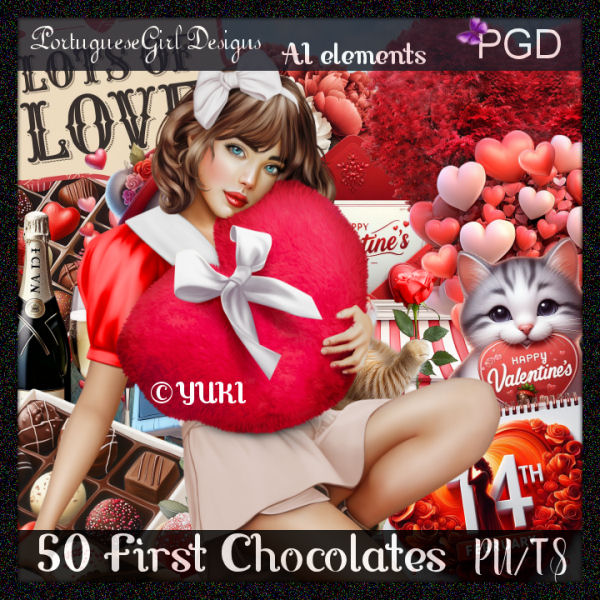
PTU 50 First Chocolates


  This tut was written February 12, 2025 for those with a basic knowledge of psp. 

I am using the awesome tube ©Yuki

The tube is included in the kit
Please read the TOU on how to credit your tags

I used PSP2020...but any of them should work.
PTU Scrap 50 First Chocolates by Portuguese Girl Designs  HERE 
You can find all Portuguese Girl Designs  HERE
 RD Mask 897 HERE
Check the rest of the blog HERE

Font of choice, I used Love Vale

Drop shadow as you go is V -2 H 4, 40, 10, or use what you prefer.
Let's get started
*Remember to add your drop shadow as you go along*

Open a new image 800 x 800, paste paper 3, apply your mask.

Resize element 48 to 75%, paste.
Resize element 32 to 50%, paste on the bottom right below the bench.
Paste element 78 on the bottom layer at the top behind the bench.
Resize element 24 to 50%, paste on the right above the flower ladder.

Resize the tube to 25%, paste at the bottom above the bench.

Resize element 59 to 50%, paste on the upper left above the flower ladder.
Resize element 36 to 30%, paste below the tube on the left.
Resize element 47 to 25%, paste by the cookie.
Resize element 18 to 30%, paste on the left.
Resize element 13 to 30%, paste at the bottom left.
Resize element 15 to 30%, free rotate to the right at 20, paste on the bottom
right above the tube.
Resize element 17 and 2 to 25%, paste at the bottom right.

Resize element 19 to 30%, paste at the bottom left.
Resize element 42 to 35%, paste on the left below the hearts.
Resize element 7 to 15%, paste at the bottom right.
Resize element 80 to 30%, paste at the bottom.
Resize element 72 to 30%, paste at the bottom below the dog.
Resize element 35 to 27%, paste on the bottom left.
Resize element 6 to 25%, paste at the bottom.
Resize element 51 to 15%, paste at the bottom.

Add any other elements that you would like, make it your own.
Always readjust your mask and elements how you like them before you
 merge your tag, resize, sharpen.

Crop your tag to be sure no shadows or lines are on the edges.
 Then add your copyright and name.
That's it

Hope you enjoyed doing my tut  

Wednesday, October 23, 2024

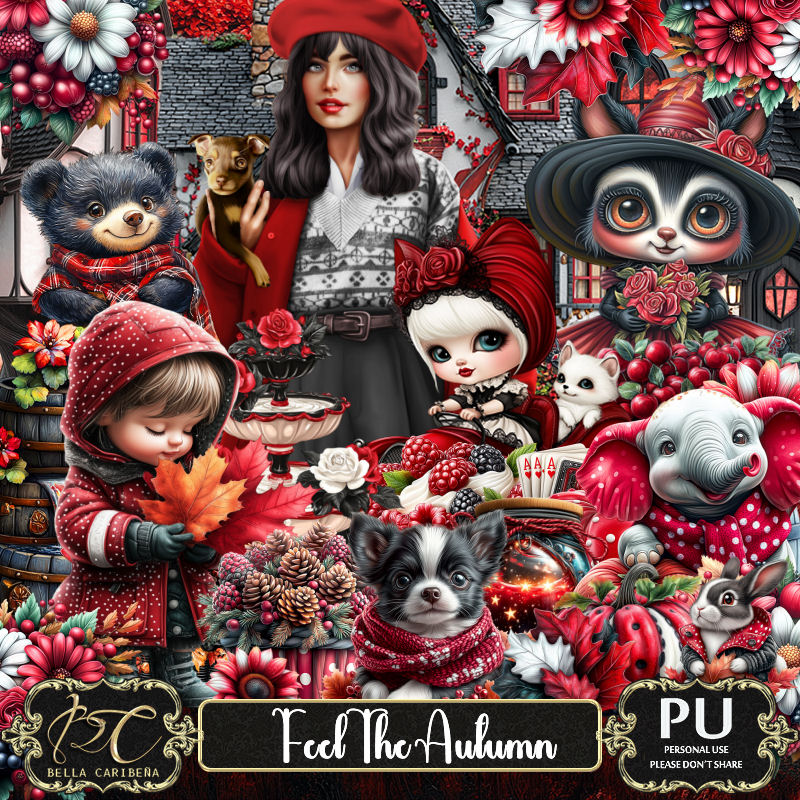
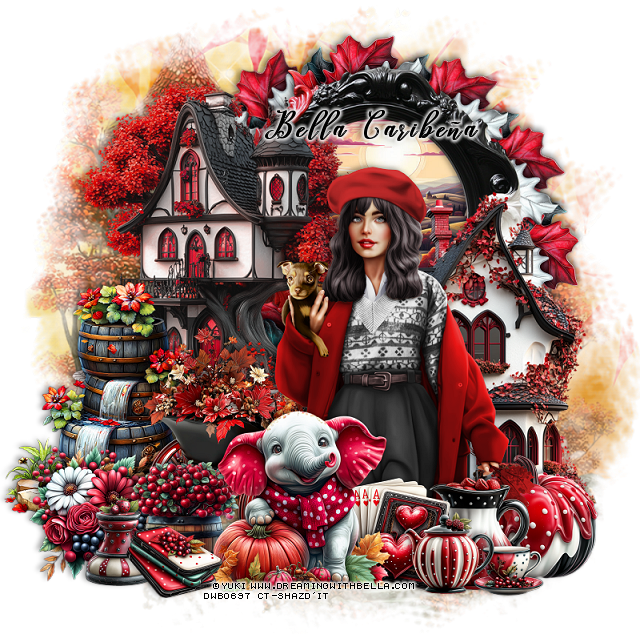
PTU Feel The Autumn


 This tut was written October 23rd, 2024 for those with a basic knowledge of psp. 

I am using the awesome tube ©Yuki
The tube is included in the kit
Read the TOU on how to credit your tags

I used PSP2020...but any of them should work.
PTU Scrap Feel The Autumn by Bella CaribeƱa  HERE 
Kit contains 1 © Yuki tube, 1Al Doll,
89 elements and 15 papers
Check out the rest of her store HERE
Filter 
Mura Meister-copies 

Font of choice, I used Leighton

 Drop shadow as you go is V -2 H 4, 50, 10, or use what you prefer.
Let's get started
*Remember to add your drop shadow as you go along*

Open a new image 800 x 800, paste element 52.

Resize element 86 to 65%, paste at the upper right.
Resize paper 7 to 50%, paste below the frame, invert, delete.
Resize element 77 to 65%, mirror, paste on the left above the frame.
Paste element 62 below the frame.
Resize element  82 to 65%, paste on the right above the frame and down.
Resize element 12 to 355, apply Mura Meister Copies_Encircle, first
3 numbers on 12, 45, 45, move below the frame.

Resize your tube to 25%, paste.

Resize element 85 to 50%, paste below the tube to the left.
Resize element 64 to 50%, paste on the left below the wagon.
Resize element 5 to 30%, paste at the bottom left below the wagon.
Resize element 15 to 25%, paste at the bottom above the wagon.
Resize element 18 to 30%, paste on the bottom right below the tube.
Resize element 36 to 40%, paste at the bottom above the tube.
Resize element 39 to 25%, paste at the bottom above the tube.
Resize element 41 to 15%, paste at the bottom.
Resize element 38 to 20%, paste at the bottom.
Resize element 27 and 29 to 20%, paste at the bottom left.
Resize element 28 to 25%, paste at the bottom below the elephant.

Add any other elements you would like, resize.
Crop your tag to be sure no shadows or lines are on the edges.
 Then add your copyright and name.
That's it

Hope you enjoyed doing my tut     
Thursday, February 2, 2023

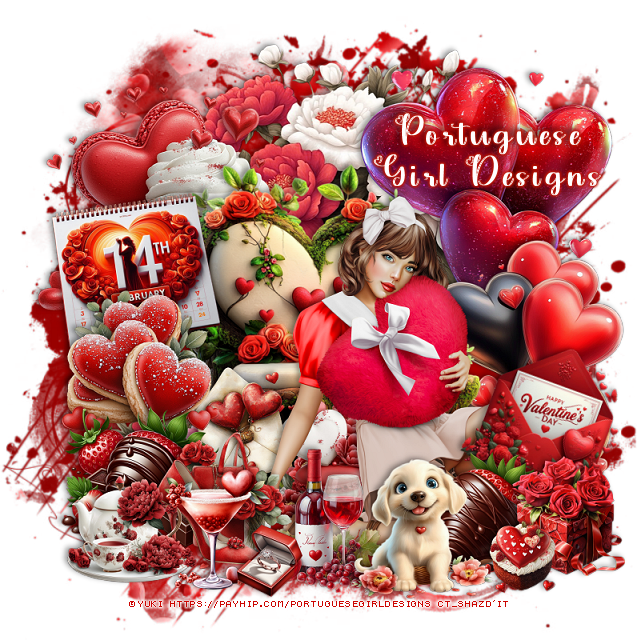
PTU Will You Be My Valentine


This tut was written February 2nd, 2023 for those with a basic knowledge of psp. 

I am using the awesome artist ©Yuki
The tube is called Gloria
You need a license to use this artist, please do not use without a license.
You can find this tube at PFD HERE

I used PSP2020...but any of them should work.
PTU Will You Be My Valentine by Shelley Lynn Designz  HERE 
Awesome Kit contains 151 elements, 15 frames, 12 papers and 1 wordart
Mask of choice, I used Sophisticat Simone Mask 321 HERE
Check out the rest of the blog HERE

Font of choice, I used Harrington

Drop shadow is V -1 H -4, 50, 10, or use what you prefer.
Let's get started
*Remember to add your drop shadow as you go along*

Open a new image 800 x 800, paste paper 1, apply your mask, delete, merge
group.

Resize element 147 to 75%, paste.
Resize your tube to 30%, paste on the frame.

Resize element 139 to 50%, paste on the frame on the right below the tube,
duplicate, mirror.
Resize element 96 to 40%, paste below the tube on the left, duplicate, mirror.
Resize element 121 to 70%, paste on the right on the frame layer.

Resize element 36 to 25%, paste on the left below the flower layer behind
the tube.
Resize element 10 to 25%, paste at the bottom above the tube.
Resize element 24 to 25%, paste at the bottom below the cat in the cups.
Resize element 55 to 20%, paste below the hat to the left.
Resize element 5 to 20%, paste on the right on the flower.
Resize element 56 to 20%, paste at the lower right below the cat.
Resize element 60 to 18%, paste by the cup.
Resize element 4 to 20%, mirror, paste at the bottom by the hat.

Resize element 130 to 25%, paste at the lower left below the rabbit.
Resize element 70 to 10%, paste at the bottom left below the rabbit.
Resize element 45 and 46 to 15%, paste at the bottom left.
Resize element 74 to 15%, paste at the bottom left below the strawberries.
Resize element 135 to 25%, paste above the tube layer behind the hat.

Add any other elements that you like, make it your own.
Crop your tag to be sure no shadows or lines are on the edges.
 Then add your copyright and name.
That's it

Hope you enjoyed doing my tut.             

Tuesday, March 2, 2021

FTU Wanderer

This tut was written March 2nd, 2021 for those with a basic knowledge of psp.

I am using the awesome artwork of  Yuki
The tube is called "Jane" 
You need a license to use this tube, do not use without a license.
You can find this tube at PFD store  HERE

I used PSPX...but any of them should work.
FTU kit Wanderlust Add-on  HERE
Check out the rest of the Store  HERE
Miz Teeques Mask 284 HERE
Check out the rest of the blog HERE

Font of choice,  I used Aromabar

Drop shadow is  V 0 H 4, 50, 15, or use what you prefer.
Let's get started
*Remember to add your drop shadow as you go along*

This is a quickie....

Open a new image 800 x 800 or a size you prefer, can always resize later,
fill with white.
Select all, add a new layer, paste paper 4 into selection, select none.
Apply your mask, delete, merge group.

Resize the label to 45%, paste.
Go to Effect,  3D Effects, Inner Bevel with these settings
Bevel Shape 2, width 6,
17, 10, 0, 14
352, 28, 64
color white.
Duplicate the label, resize to 60%, move to the center of the first one.
Close off the small one for now, take your free hand tool, draw around the white
part, resize paper 2 to 20%, paste, invert, delete, select none.
Open the small one now.

Resize the suitcase, paste at the bottom.
Resize the wordart Journey to 12%, paste on the small label.
Add a fat gradient glow of choice, I used #ccaf90.
Then a dark brown drop shadow, sharpen once.

Resize your tube to 28%, paste on the left above the suitcase layer.
Resize the moneky by itself to 28%, mirror, paste at the right on the label.

Resize foilage 1 to 20%, paste on the upper left above the mask, duplicate, mirror,
adjust on the right where you like.
Duplicate, flip, move down on the right, duplicate, mirror, adjust behind the
tube on the left.

Resize wordart 1 to 25%, paste above the suitcase.
Resize wordart 3 and 4 to 20%, paste at the top how you like.
Resize brad 1 with the camera on it to 20%, paste at the upper right below 
the monkey.

Resize flower 2 to 10%, paste under the foot of the tube, duplicate, move to the right.
Resize the postcard to 8%,  paste above the suitcase, duplicate, free rotate to the right
 at 25 degrees, paste on the right above the first one.
Resize flower 3 to 10%, paste on the label, duplicate, move over.

Add any other elements that you would like, make it your own.
Always readjust your mask and elements how you like them before you
 merge your tag, resize.

 Then add your copyright and name.
That's it

Hope you enjoyed doing my tut.  

Tuesday, August 28, 2018

PTU Black Mermaid


This tut was written August 28th, 2018 for those with a basic knowledge of psp.
I am using the awesome artwork of  © Yuki~Elegance Team
Tube is called "Black Mermaid CU/PU"
You can use in your personal to use kit as a CU element or as 
 individual tubes in your tags
3Full size tubes
This tube is a CU/PU from Irish Princess Designs
You need a license to use this tube, do not use without a license.
You can find this art at Smiley Creations Shop  HERE

I used PSPX...but any of them should work.
I paired it with a PTU kit called Stormy Seas
 by Irish Princess Designs  HERE, HERE, HERE
RD Mask set 116_4 HERE
Check out the rest of the blog  HERE

Font of choice,  I used Crispy

Drop shadow is usually V-2 H-2 Black, 50, 5, use what you prefer.
Let's get started
*Remember to add your drop shadow as you go along*

Open a new image 800 x 800
Paste paper 15, apply your mask, delete, merge group.

Paste element 31 on the left.
Paste element 35 at the bottom above the light house.
Paste element 16 about center.

Resize your tube to 55%, paste on the rock on the left.

Resize element 11 to 50%, paste at the lower right above the tube layer.
Resize element 29 to 40%, paste at the lower right behind the chest.

Resize element 2 to 50%, paste below the shells at the lower right, duplicate, mirror.
Resize element 14 to 55%, paste at the lower left, take your Pick tool, hold the
shift key and drag down the upper left square to lower the back end of the boat.

Paste element 19 at the bottom on the water, move below the rock, duplicate, mirror.
Resize element 1 to 20%, paste at the bottom above the chest.
Resize element 33 to 20%, paste on the coins on the chest.

Resize element 9 to 60%, paste on the right below the rocks, duplicate, mirror,
duplicate again, move so some shows behind the opening of the rock.
Resize element 27 to 40%, paste at the bottom in front of the boat.

Paste element 5 on the mask layer on the right.
Resize element 12 to 30%, paste below the bubbles layer, duplicate a couple
of times and place them where you like.

Resize element 49 to 15%, paste at the bottom above the boat.
Resize element 13 to 30%, paste below the rock in the opening how you like.
Paste element 87 above the rock layer.
Resize element 58 to 40%, paste at the top to the right of the light house, 
duplicate, move to the left and down some.

Add any other elements that you would like, make it your own.

Once happy, close off any background you had.
 Crop your tag to get rid of any stray edges, merge visible.
Resize, sharpen, add your Copyright and name.

That's it
Hope you enjoyed doing my tut.


Saturday, July 22, 2017

PTU Mid Summer Day


This tut was written July 22nd, 2017 for those with a basic knowledge of psp.
I am using the awesome artwork of  Yuki
Tube is called Taylor 2
To find this tube look under Artist called Elegance Team
You need a license to use this art work. Please do not use without a license.
You can find it at S&CO store  HERE 


I used PSPX...but any of them should work.
PTU Scrap MidSummer by Irish Princess Designs  HERE
This kit is filled with lots of fun elements for your Summer tagging
fun and more.
You can also find this kit at one of these stores HERE, HERE, HERE
Angie Tagged Me Mask 19  HERE
Check out the rest of the blog HERE

Font of choice, I used Messenger Pigeons

Drop shadow is usually V-2 H-2 Black, 50, 5, use what you prefer.
Let's get started
*Remember to add your drop shadow as you go along*

Open a new image 800 x 800, paste paper 15, resize smaller to 80%, apply your
mask, delete, merge group.

Paste element 29 at the bottom.

Resize your tube to 30%, paste on the grass.

Resize element 79 to 55%, paste behind the tube to the left.
Resize element 89 to 45%, paste on one side below the grass, duplicate, mirror.

Resize element 85 to 50%, free rotate to the right, duplicate, move one up more
on the right and the other to the left and down more behind the scooter, click inside one
with your magic wand expand by 5, paste paper 20, invert, delete, duplicate,
mirror, fit in the other frame.
Duplicate your tube, paste in one of the frames, click inside with the magic wand
again, expand by 5, invert, delete, select none, duplicate the tube, mirror, adjust in
the other frame also.
Merge the tubes together, duplicate, go to Adjust, Blur, Gaussian blur, number on 4,
change the blend mode to Screen, merge down.

Resize element 17 to 80%, paste below the grass layer on the left.
Resize element 20 to 40%, free rotate to the left, paste on the left at the bottom below
the grass layer, duplicate, mirror, move back toward the tube more.
Resize element 81 to 40%, paste on the left below the greenery, duplicate, move over
and up just a bit, duplicate, mirror, duplicate again, free rotate to the right at
10 degrees and move down a bit.
Resize element 80 to 40%, free rotate to the left at 10 degrees, move below the
other flowers on the left.
Resize element 19 to 50%, paste on the right on the frame layer.

Resize element 24 to 40%, paste on the left below the flowers.
Resize element 27 to 10%, paste on the little house.
Resize element 1 to 20%, paste on the right below the tube on the grass.
Resize element 100 to 20%, paste on the wood planter, take your free hand, draw
around the flowers at the bottom, delete, make them look like they are in
the planter.

Paste element 70 flip, place on the top frame, adjust to your liking, then erase
the parts over the tube's face.
Paste element 35 to 15%, paste on the wooden planter on the right.
Paste element 77 on the mask layer, erase the larger part on the right, duplicate,
mirror.
Resize element 71 to 30%, paste below the other flowers, duplicate 3 or 4 times and
place where you like.

Add any other elements that you would like, make it your own.

Once happy with your tag, close off any background, crop your tag to make
sure there are no stray edges, merge visible, resize.
Add your copyrights and name.

That's it
Hope you enjoyed doing my tut.