Showing posts with label Animal. Show all posts

Tuesday, June 30, 2026

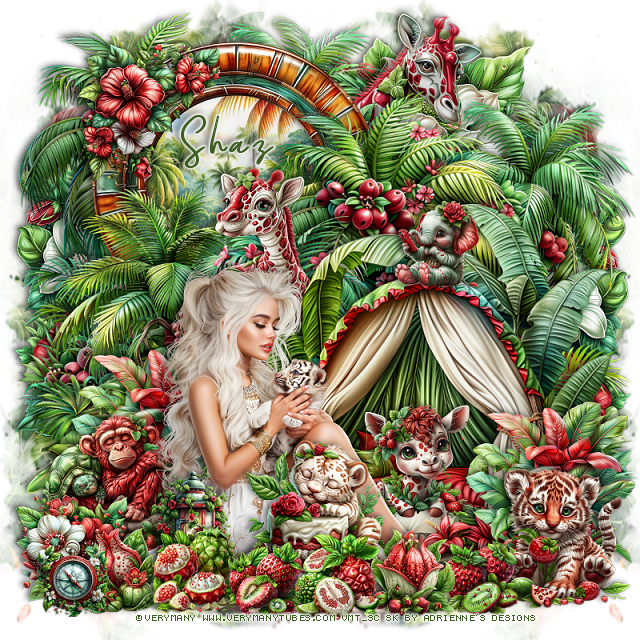
FTU Lovely Jungle


This tut was written June 30th, 2026,  for those with a basic knowledge of psp. 

I am using the beautiful tube ©Verymany 
Tube is called Little Tiger
You need a license to use this tube, please do not use without a license.
You can find the tube at their store HERE

I used PSP2020...but any of them should work.
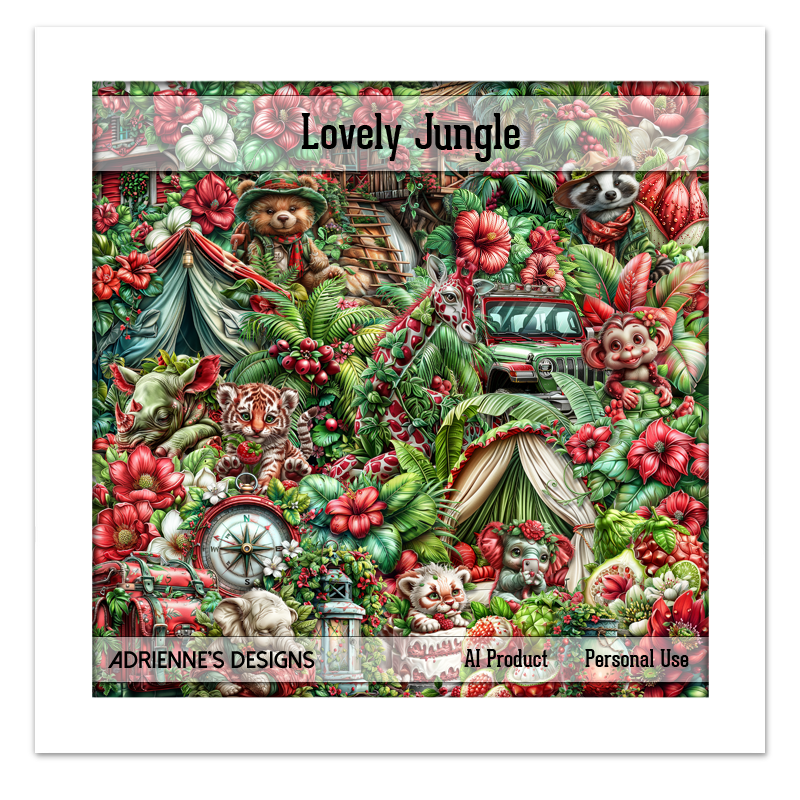
FTU Scrap Lovely Jungle by Adrienne's Designs  HERE
You can find all her kits on her blog  HERE
Mask of choice, I used Miz Teeques 386 HERE 
Check the blog out HERE

Font of choice I used Gloriant

 Drop shadow as you go is V -2 H 4, 40, 10, or use what you prefer.
Let's get started

*Remember to add your drop shadow as you go along* 

Open a new image  800 x 800, paste paper 5, apply your mask, 
move to the right, duplicate, mirror, adjust erase a little off the bottom.

Resize 46 to 70%, paste on the upper right.
Resize 70 to 65%, paste on the bottom right.
Resize 47 to 65%, paste on the bottom left.
Resize 49 to 30%, paste on the bottom right, duplicate, move to the left.
Resize frame 3 to 50%, paste at the upper left, below all the plants, click inside,
resize paper 6 to 40%, paste below the frame, invert, delete.
Resize the right palm plant to the top left behind the frame.
Resize 130 to 20%, paste on the tent bed.
Resize 42 to 25%, paste on the upper left on the frame.
Resize 27 to 50%, paste on the upper right below the plants.

Resize the tube to 33%, paste at the bottom to the left.

Resize 116 to 25%, paste at the bottom right.
Resize 111 to 27%, paste at the bottom above the tube.
Resize 28 to 20%, paste on the bottom left below the tube.
Resize 12 to 15%, paste at the bottom left above the tube.
Resize 132 to 50%, paste at the upper right below the frame.
Resize 133 to 30%, paste below the tent bed behind the tube.

Resize 108 to 15%, paste at the bottom left.
Resize 104 to 13%, paste at the bottom by the cake.
Resize 103 to 13%, paste on the bottom right by the tiger.
Resize 9 to 15%, paste at the bottom by the cake.
Resize 140 to 25%, paste on the left below the tube.
Resize 138 to 25%, paste on the left below the flower behind the tube.
Resize 82 to 20%, paste at the bottom below the fruits.
Resize 118 to 15%, paste on top of the tent bed.
Resize 88 to 13%, paste at the bottom left.
Resize 107 to 15%, paste at the bottom above the cake.
Resize 18 to 50%, paste on the right above the mask layer, duplicate, 
mirror, adjust to your liking.

Add any other elements that you would like, make it your own.
Always readjust your mask and elements how you like them before you
 merge your tag, resize, sharpen.

Crop your tag to be sure no shadows or lines are on the edges.
 Then add your copyright and name.
That's it

             Hope you enjoyed doing my tut                

Wednesday, June 10, 2026

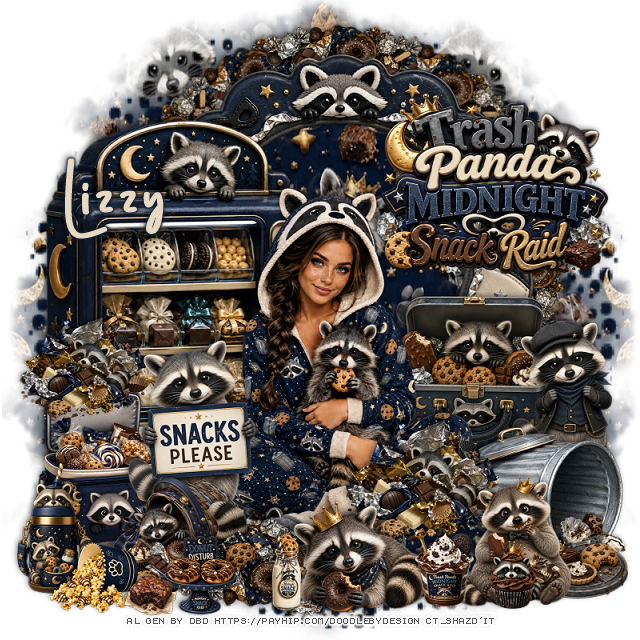
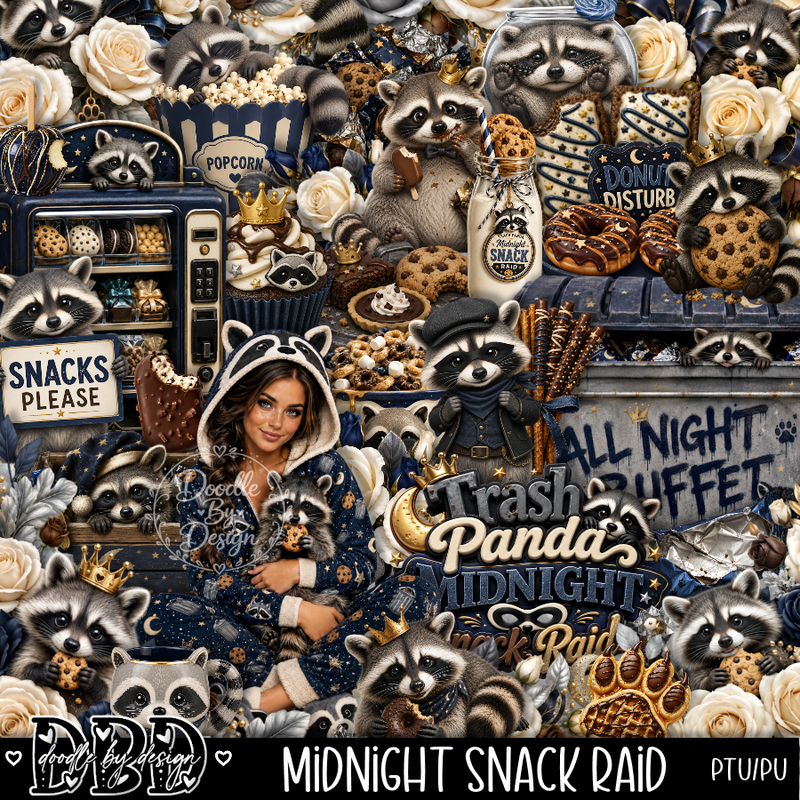
PTU Midnight Snack Raid


This tut was written June 9th, 2026 for those with a basic knowledge of psp. 

I am using the awesome tube Al gen by DBD
Everything is included in the kit
Read the TOU on how to credit your tags


I used PSP2020...but any of them should work.
PTU Scrap Midnight Snack Raid by Doodle by Design  HERE
You can find all Doodle by Design kits  HERE 
Mask of choice, I used Miz Teeques Mask 70 HERE 
Check the blog out HERE

Font of choice, I used Polkdot

Drop shadow as you go is V -2 H 4, 50, 10, or use what you prefer.
Let's get started
*Remember to add your drop shadow as you go along*

Open a new image 800 x 800, paste paper 12, apply your mask, move
to the left, duplicate, mirror.

Resize frame 4 to 75%, paste at the top.
Resize 44 to 75%, paste on the left.
Resize the wordart to 45%, paste on the upper right on the frame.
Resize 6 to 30%, apply Mura Meister Copies-Encircle, first 3 numbers
on 12, 54, 54, paste below the frame.
Resize 7 to 30%, paste on the right below the tube.
Resize 67 to 30%, paste on the right above the suitcase.
Resize 69 to 32%, paste on the bottom right.

Resize 85 to 30%, paste at the bottom above the tube and can.
Resize 17 to 25%, paste at the bottom right.
Resize 60 to 30%, paste at the bottom by the raccoon.
Resize 43 to 15%, paste at the bottom above the raccoons.
Resize 9 to 20%, paste on the bottom right below the raccoon.
Resize 41 to 30%, paste on the bottom left.
Resize 85 to 25%, paste on the left above the chest lid.
Resize 66 to 35%, paste on the bottom left above the tube.

Resize 4 to 25%, mirror, paste on the bottom left above the sign holder.
Resize 6 to 30%, paste on the bottom.
Resize 49 to 15%, paste at the bottom.
Resize 45 to 15%, paste at the bottom.
Resize 53 to 25%, paste at the bottom left.
Resize 47 to 17%, paste at the bottom left.
Resize 36 to 13%, paste at the bottom left above the raccoon.
Resize 27 to 10%, paste at the bottom left.

Add any other elements that you would like, make it your own.
Always readjust your mask and elements how you like them before you
 merge your tag, resize, sharpen.

Crop your tag to be sure no shadows or lines are on the edges.
 Then add your copyright and name.
That's it

Hope you enjoyed doing my tut  
Monday, June 8, 2026

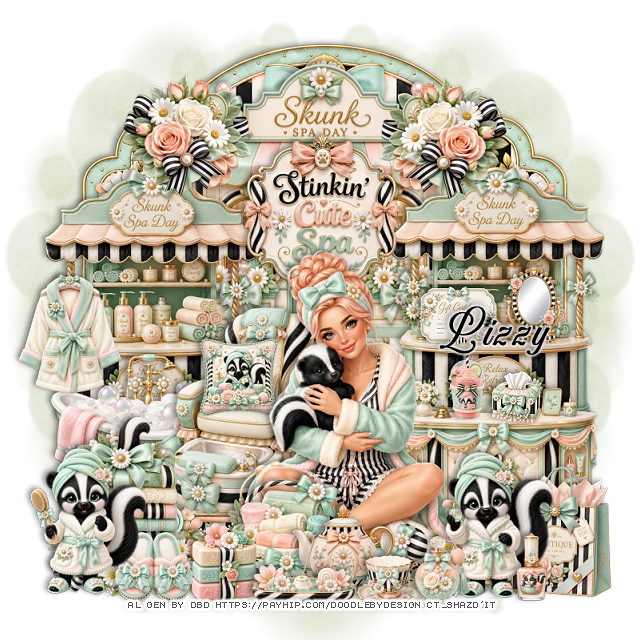
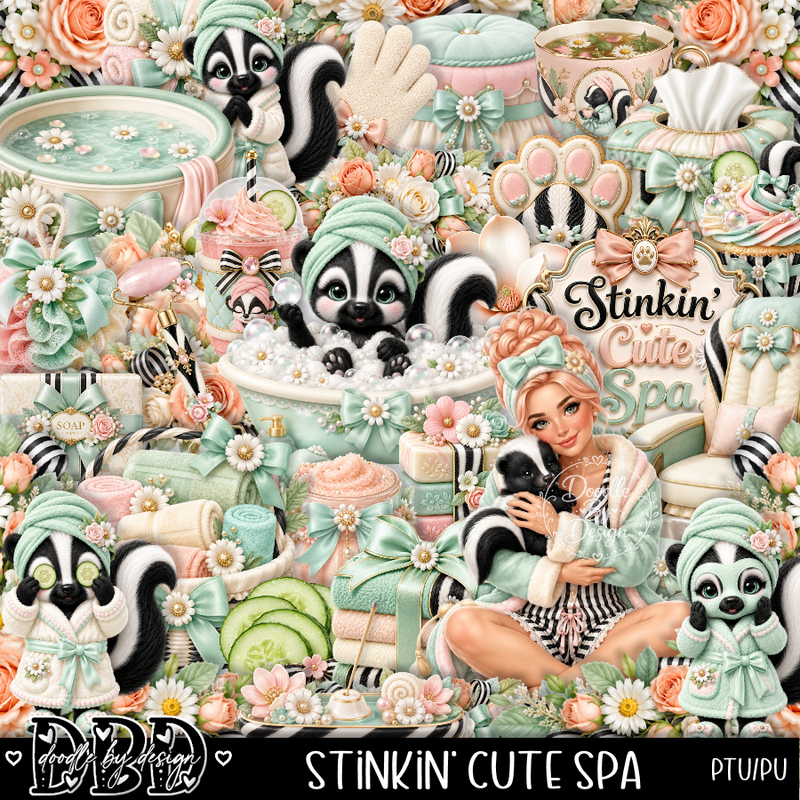
PTU Stinkin" Cute Spa


 This tut was written June 7th, 2026 for those with a basic knowledge of psp. 

I am using the awesome tube Al gen by DBD
Everything is included in the kit
Read the TOU on how to credit your tags


I used PSP2020...but any of them should work.
PTU Scrap Stinkin' Cute Spa by Doodle by Design  HERE
You can find all Doodle by Design kits  HERE 
Mask of choice, I used Miz Teeques Mask 63 HERE 
Check the blog out HERE

Font of choice, I used Aurethia

Drop shadow as you go is V -2 H 4, 40, 10, or use what you prefer.
Let's get started
*Remember to add your drop shadow as you go along*

Open a new image 800 x 800, paste paper 11, apply your mask,
move to the left, duplicate, mirror.

Paste frame 6, click inside, paste paper 3, invert, delete.
Resize 124 to 50%, paste at the top on the frame.
Resize 130 to 40%, paste on the bottom right above the frame.
Resize 126 to 50%, paste on the right below the desk, duplicate, move
to the left.
Resize 132 to 40%, paste up and center.
Resize 152 to 25%, paste at the upper right being on the top layer,
duplicate, mirror.

Resize the tube to 35%, paste at the bottom.

Resize 125 to 40%, paste at the bottom below the tube on the left.
Resize 105 to 15%, paste in the chair.
Resize 166 to 35%, paste at the bottom left below the tube, duplicate, mirror.
Resize 42 to 15%, paste at the bottom above the tube on the left.
Resize 11 to 38%, paste on the left below the chair.
Resize 121 to 25%, paste on the bottom left below the flowers.
Resize 17 to 23%, paste at the bottom below the soap.

Resize 82 to 25%, paste at the bottom right.
Resize 9 to 28%, paste on the bottom right by the bag.
Resize 18 to 25%, paste on the left on the shelf pole.
Resize 6 to 28%, paste on the bottom left.
Resize 116 to 10%, paste on the desk on the right.
Resize 62 to 15%, paste on the right on the shelf.
Resize 81 to 15%, paste on the shelf by the mirror.
Resize 135 to 20%, paste at the bottom.
Resize 136 to 13%, paste at the bottom.

Resize 26 to 13%, paste at the bottom by the cup.
Resize 50 to 20%, paste at the bottom.
Resize 19 to 15%, paste at the bottom left below the skunk.
Resize 92 to 13%, paste at the bottom right.
Resize 34 to 13%, paste on the desk by the tissue box.

Add any other elements that you would like, make it your own.
Always readjust your mask and elements how you like them before you
 merge your tag, resize, sharpen.

Crop your tag to be sure no shadows or lines are on the edges.
 Then add your copyright and name.
That's it

Hope you enjoyed doing my tut 
Sunday, May 31, 2026

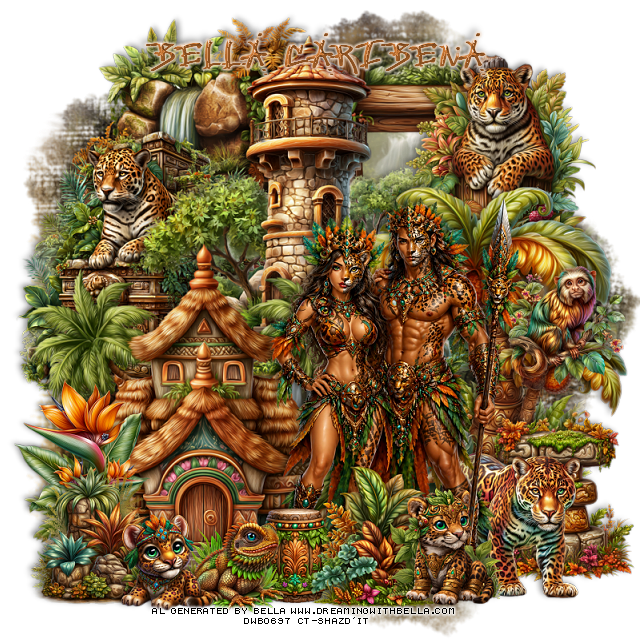
PTU Jaguar Land

  This tut was written May 31, 2026,  for those with a basic knowledge of psp. 

Awesome Al kit and tubes by Bella Caribeña
Everything is included in the kit
Read the TOU on how to credit tags

I used PSP2020...but any of them should work.
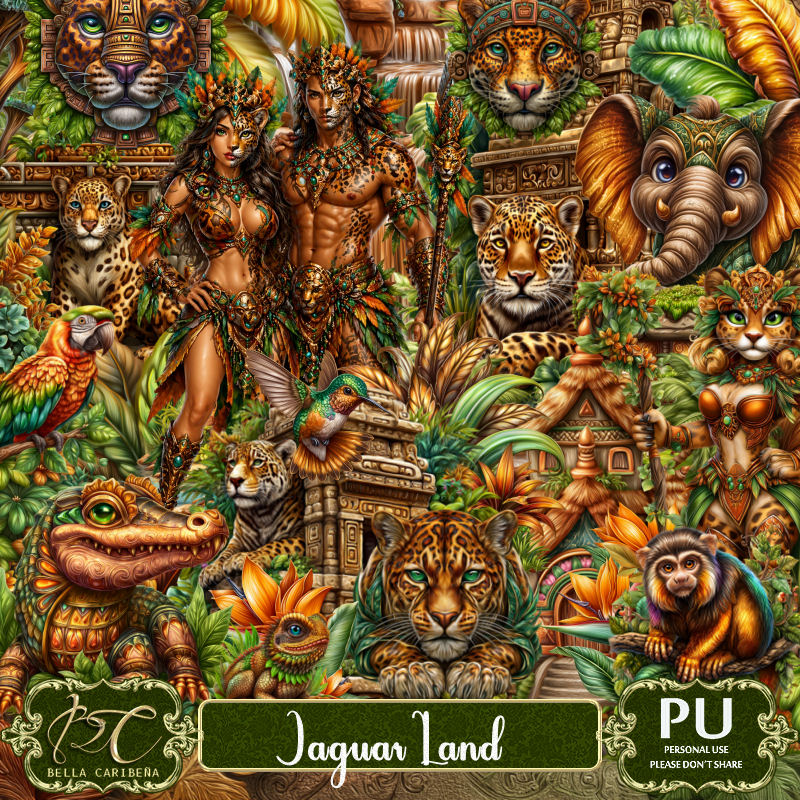
PTU Scrap Jaguar Land by Bella Caribeña  HERE
Fantasy Theme
Kit contains 3 Al gen tubes, 122 elements, 14 papers and 3 masks
You can check out the rest of her store HERE 

Font of choice I used Jungle

 Drop shadow as you go is V -2 H 4, 50, 10, or use what you prefer.
Let's get started
*Remember to add your drop shadow as you go along*

Open a new image 800 x 800, paste mask 1, adjust.

Resize 10 to 75%, paste at the top.
Resize 1 to 65%, paste at the upper right below the castle.
Resize 29 to 45%, paste at the upper right above the frame.
Resize 39 to 55%, paste on the upper left below the castle.
Resize 86 to 75%, mirror, paste at the upper left above the mask.
Resize 84 to 65%, paste on the right.
Resize 31 to 25%, paste on the right on the tree.

Resize tube 2 to 25%, paste at the bottom right above the tree.

Resize 25 to 30%, mirror, paste below the tube on the bottom right.
Resize 52 to 75%, paste on the left below the tube.
Resize 60 to 20%, paste at the bottom above the tube.
Resize 90 to 35%, paste on the bottom right below the jaguar.
Resize 88 to 30%, paste at the bottom by the drum.
Resize 113 to 25%, paste at the bottom left.
Resize 73 to 20%, paste at the bottom by the drum.
Resize 98 to 25%, paste at the bottom right by the plant.
Resize 99 to 20%, paste at the bottom left.
Resize 16 to 30%, paste on the bottom left above the cabin.

Add any other elements you would like, resize.
Crop your tag to be sure no shadows or lines are on the edges.
 Then add your copyright and name.
That's it

            Hope you enjoyed doing my tut                  
Saturday, May 23, 2026

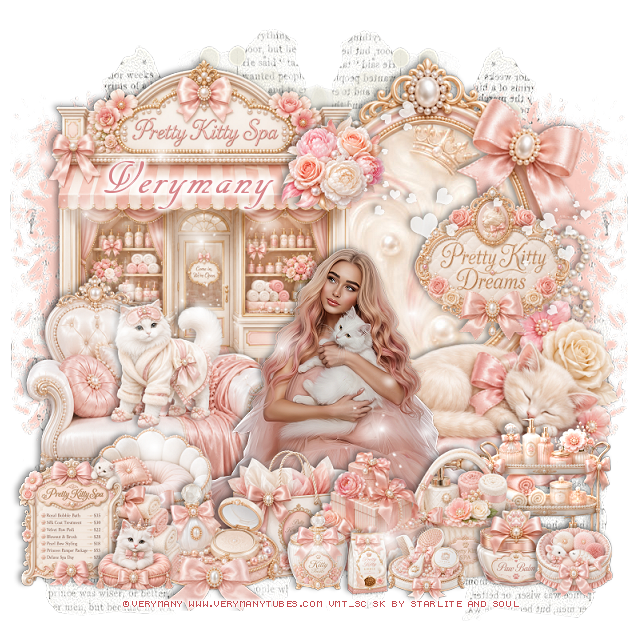
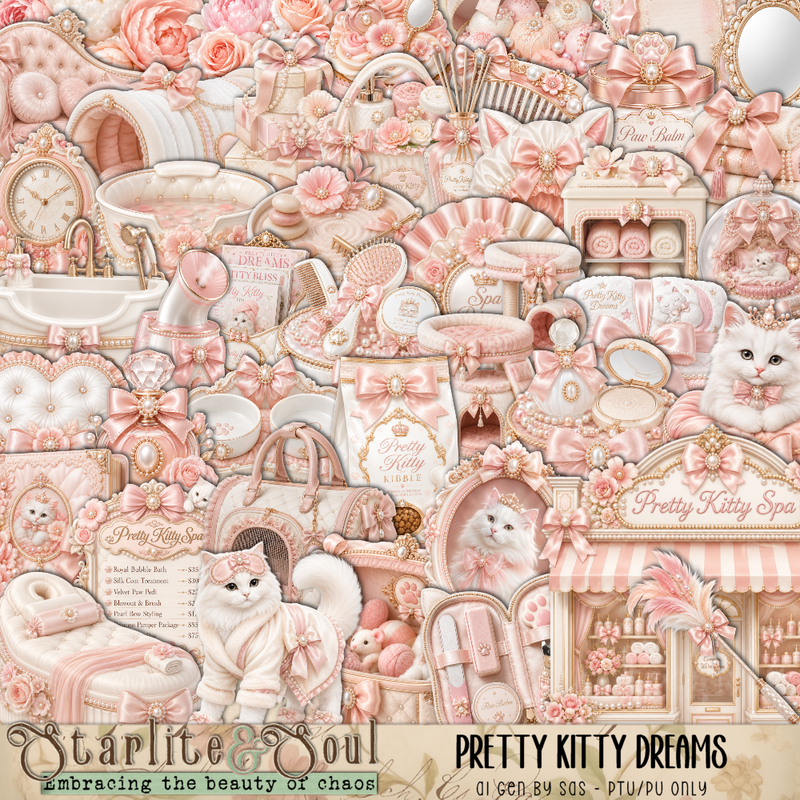
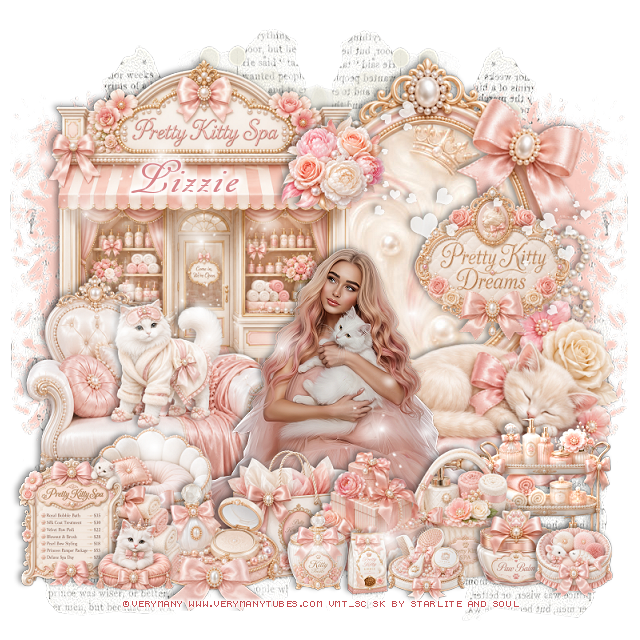
PTU Pretty Kitty Dreams


   This tut was written May 23rd, 2026 for those with a basic knowledge of psp. 

I am using the beautiful tube by © Verymany

Tube is called Sweet Friends 3
Tube is NOT included
You need a license to use this tube, please do not use without a license
You can find this tube at Verymany store HERE

I used PSP2020...but any of them should work.
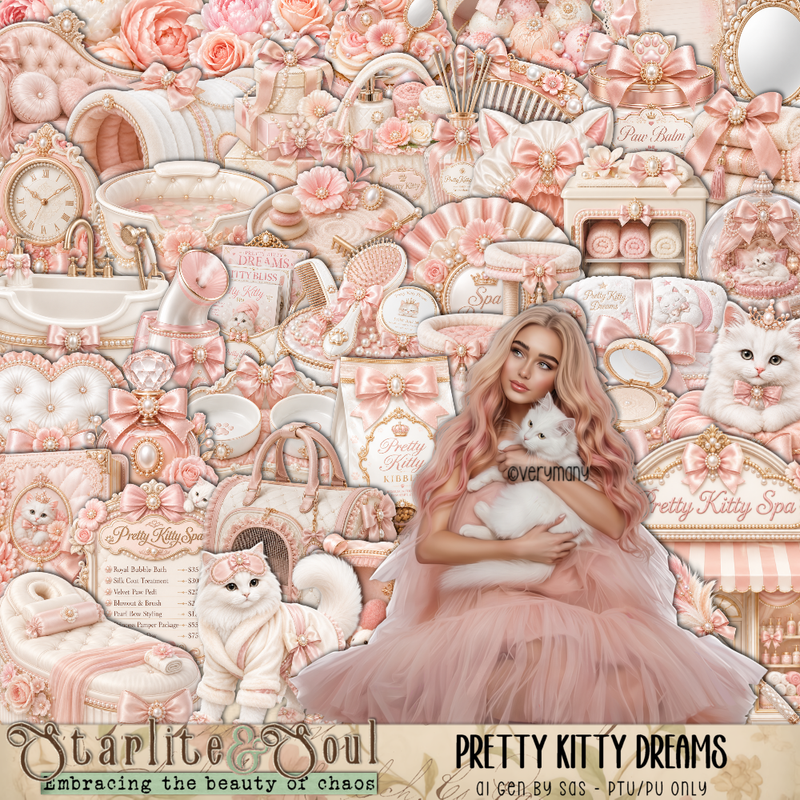
PTU Scrap Pretty Kitty Dreams by Starlite and Soul  HERE
You can find all Starlite and Soul kits  HERE 

Font of choice, I used AR Decode

Drop shadow as you go is V -2 H 4, 40, 10, or use what you prefer.
Let's get started
*Remember to add your drop shadow as you go along*

Open a new image 800 x 800, paste 202 on the upper left, duplicate, 
mirror, adjust.

Resize 1 to 60%, paste on the upper left.
Resize frame 5 to 85%, paste on the right below the building, click inside
the frame, paste paper 11, invert, delete.
Resize 16 to 50%, paste on the bottom left above the building.
Resize 2 to 25%, paste on the couch.

Resize the tube to 28%, paste to the right.

Resize 14 to 25%, paste at the bottom above the tube.
Resize 9 to 25%, paste at the bottom left.
Resize 7 to 25%, paste at the bottom.
Resize 10 to 25%, paste at the bottom.
Resize 62 to 25%, paste at the bottom right by the gifts.
Resize 54 to 30%, paste on the bottom right below the basket.
Resize 50 to 20%, paste at the bottom left.
Resize 48 to 25%, paste on the bottom left.
Resize 67 to 15%, paste at the bottom right.
Resize 36 to 15%, paste at the bottom right above the basket.

Resize 33 to 30%, paste on the frame on the right.
Resize 29 to 15%, paste at the bottom by the bag.
Resize 3 to 15%, paste at the bottom left.
Resize 30 to 15%, paste at the bottom right.
Resize 28 to 12%, paste at the bottom.
Resize 141 to 20%, paste at the top above the building by the frame.
Resize 193 to 50%, paste on the right by the sign.
Paste 199 on the left how you like.

Add any other elements that you would like, make it your own.
Always readjust your mask and elements how you like them before you
 merge your tag, resize, sharpen.

Crop your tag to be sure no shadows or lines are on the edges.
 Then add your copyright and name.
That's it

Hope you enjoyed doing my tut
Tag for Lizzie      


Wednesday, May 13, 2026

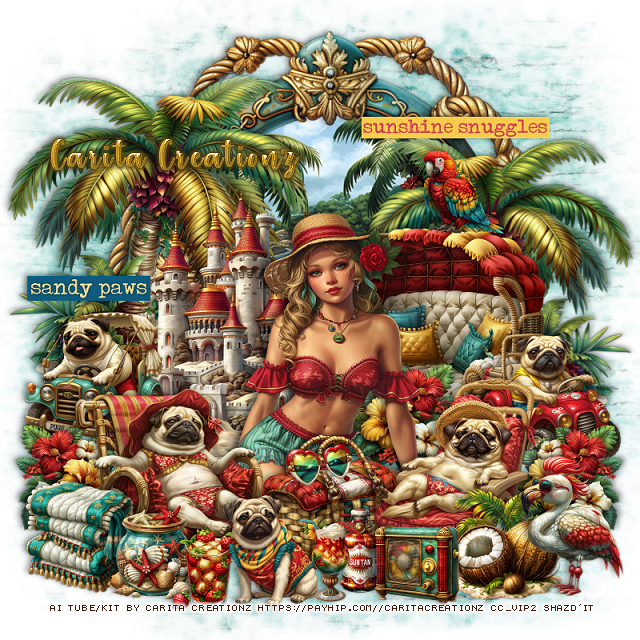
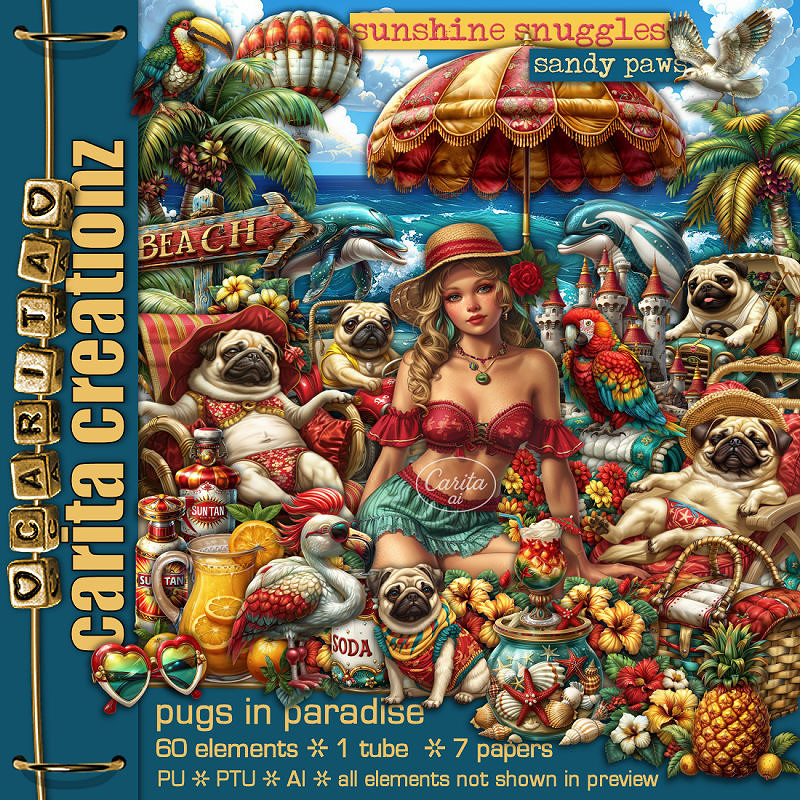
PTU Pugs In Paradise

  This tut was written May 13th, 2026 for those with a basic knowledge of psp. 

I am using the Awesome Al kit by Carita Creationz
The beautiful tube is Al gen by Carita
Read the TOU how to credit your tags.

I used PSP2020...but any of them should work.
PTU Scrap Pugs In Paradise kit by Carita Creationz  HERE
Kit comes with 60 elements, 7 papers and  1 tube
Check her store out to see all her other kits and tubes HERE
Mask of choice, I used RD Mask 116_3  HERE
Check out the rest of the blog HERE

Font of choice, I used Strawberry Blossom

Drop shadow as you go is V -2 H 4, 50, 10, or use what you prefer.
Let's get started
*Remember to add your drop shadow as you go along*

Open a new image 800 x 800, paste paper 5, apply your mask.

Resize 46 to 85%, paste at the top, click inside, resize 26 to 65%, 
paste, invert, delete.
Resize the tube to 45%, paste at the bottom above the frame.
Resize 17 to 55%, paste on the upper left below the tube, duplicate, mirror,
resize to 90%, move down on the right.
Resize 8 to 50%, paste below the tube on the left.

Resize 2 to 40%, paste on the bottom right above the tube.
Resize 4 to 35%, paste on the bottom left above the tube.
Resize 6 to 25%, paste on the right below the pug.
Resize 7 to 25%, paste on the left below the pug.
Resize 32 to 20%, paste on the left above the jeep, duplicate, mirror,
move above the car on the right, duplicate again, move behind the tube.
Resize 39 to 40%, paste below the tube on the right below the flower.

Resize 15 to 25%, paste at the bottom below the pugs in the chairs.
Resize 1 to 15%, paste at the bottom by the basket.
Resize 31 to 12%, paste on top of the basket.
Resize 33 to 17%, paste at the bottom.
Resize 21 to 20%, paste at the bottom left above the pug.
Resize 56 to 20%, paste at the bottom right above the pug.
Resize 22 to 25%, mirror, paste on the bottom right.
Resize 45 to 17%, paste at the bottom left by the towels.
Resize 43 to 15%, paste at the bottom by the jar.
Resize 38 to 15%, paste at the bottom right by the coconut.
Resize 41 to 20%, paste at the bottom.
Resize 42 to 15%, paste on top of the seat.
Resize 53 to 20%, paste on the left.
Resize 54 to 25%, paste on the upper right.

Add any other elements that you would like, make it your own.
Always readjust your mask and elements how you like them before you
 merge your tag, resize, sharpen.
Crop your tag to be sure no shadows or lines are on the edges.
 Then add your copyright and name.
That's it

Hope you enjoyed doing my tut.              

Sunday, May 3, 2026

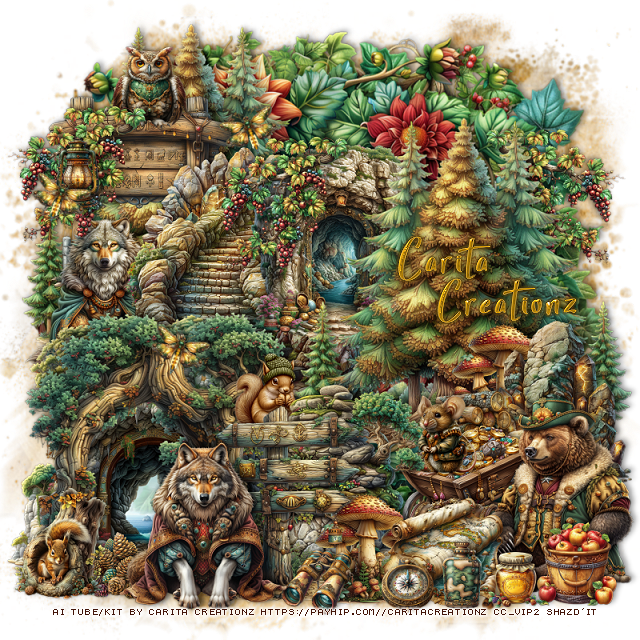
PTU Forest Treasures

 This tut was written May 3rd, 2026 for those with a basic knowledge of psp. 

I am using the Awesome Al kit by Carita Creationz
The beautiful tube is Al gen by Carita
Read the TOU how to credit your tags.

I used PSP2020...but any of them should work.
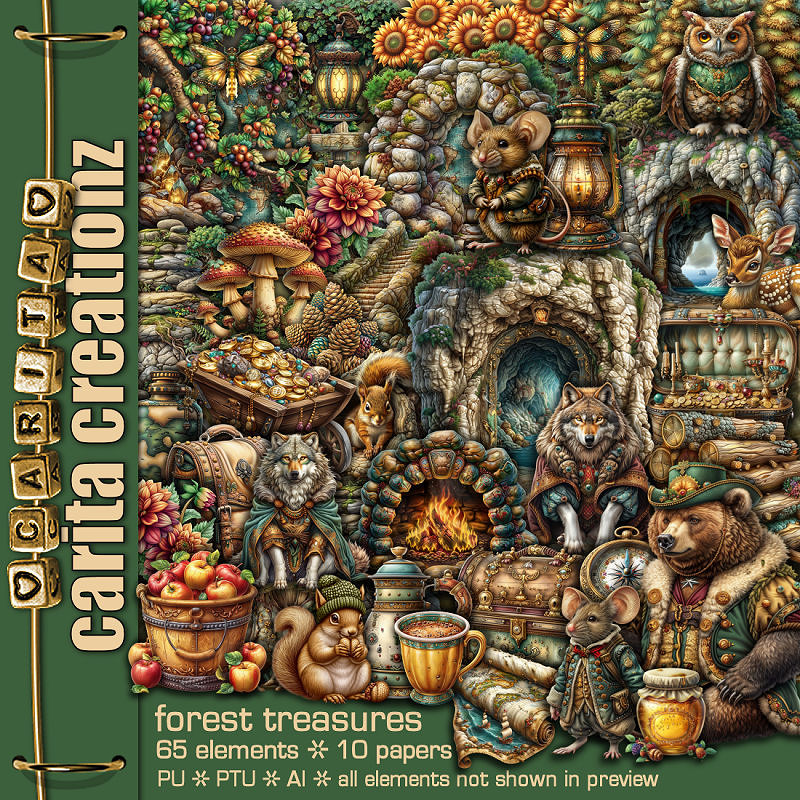
PTU Scrap Forest Treasures kit by Carita Creationz  HERE
Kit comes with 65 elements, 10 papers 
Check her store out to see all her other kits and tubes HERE
RD Mask 756 HERE
Check out the rest of the blog HERE

Font of choice, I used StarmiX

Drop shadow as you go is V -2 H 4, 50, 10, or use what you prefer.
Let's get started
*Remember to add your drop shadow as you go along*

Open a new image 800 x 800, paste paper 2, apply your mask.

Resize 39 to 85%, paste.
Paste 55 on the greenery.
Resize 7 to 60%, paste at the upper left, duplicate, move to the right 
and down.
Resize 26 to 50%, paste on the left above the tree.
Resize 45 to 35%, paste on the upper left below the steps.
Resize 8 to 30%, paste on the left above the sign.
Resize 41 to 30%, paste on the left below the wolf by the sign.

Resize 53 to 50%, paste on the bottom left being on the top layer.
Resize 27 to 50%, paste on the bottom left below the tree opening.
Resize 46 to 35%, paste at the bottom on the right of the tree opening.
Resize 18 to 20%, paste at the bottom behind the sign, duplicate, move to the
right behind the rocks.
Resize 17 to 35%, paste above the stairs to the right a little below the trees.
Resize 6 to 35%, paste at the bottom below the arrow sign.
Resize 32 to 15%, paste below the rocks.
Resize 30 to 20%, paste at the bottom left being on the top layer.
Resize 58 to 30%, paste on the right above the trees.
Resize 25 to 15%, paste at the upper left on the sign.

Resize 5 to 35%, mirror, paste on the bottom right.
Resize 19 to 20%, paste below the bear.
Resize 13 to 25%, paste below the bear above the logs.
Resize 12 to 15%, paste at the bottom right above the bear.
Resize 10 to 10%, paste at the bottom right.
Resize 44 to 20%, paste at the bottom below the honey.

Resize 54 to 10%, paste at the bottom.
Resize 23 to 15%, paste on the cart.
Resize 3 to 30%, paste at the bottom left.
Resize 61 to 13%, paste at the bottom.
Resize 11 to 13%, paste at the upper left on the sign.
Resize 16 to 12%, paste at the bottom by the map.
Resize 31 to 12%, paste on the bottom left below the wolf and squirrel.
Resize 64 to 25%, paste on the upper left on the sign below the lantern, duplicate,
move to the center above the rock cave, duplicate again, mirror, move
to the right below the trees.
Resize 42 to 10%, free rotate to the right at 20, paste at the upper left by 
the lantern, duplicate a couple more times, move where you like.

Add any other elements that you would like, make it your own.
Always readjust your mask and elements how you like them before you
 merge your tag, resize, sharpen.
Crop your tag to be sure no shadows or lines are on the edges.
 Then add your copyright and name.
That's it

Hope you enjoyed doing my tut.