Showing posts with label Midnight Shadow Dezinez. Show all posts

Friday, June 19, 2026

PTU Zodiac Sirens-Cancer Edition

 This tut was written June 19th, 2026 for those with a basic knowledge of psp. 

Awesome AI kit and tube by Midnight Shadow Dezinez

Everything used is included in the kit
Read the TOU on how to credit your tags

I used PSP2020...but any of them should work.
PTU Scrap Zodiac Sirens-Cancer  Edition by Midnight Shadow Dezinez  HERE
You can find all Midnight Shadow Dezinez kits HERE
RD Mask 674 HERE
Check the blog out HERE

Font of choice, I used Nebulan Star

Drop shadow as you go is V -2 H -4, 50, 10, or use what you prefer.
Let's get started
*Remember to add your drop shadow as you go along*

Open a new image 800 x 800, paste paper 4, apply your mask.

Paste 10 at the top, erase the trunk.
Resize 25 to 50%, paste at the upper right.
Resize 18 to 60%, paste on the upper left.
Resize 33 to 40%, paste on the bottom right.
Resize 9 to 60%, paste on the bottom right above the water.
Resize 52 to 40%, paste on the left.
Resize 24 to 40%, paste in the center.

Resize 20 to 55%, paste on the bottom to the left.

Resize 17 to 40%, paste at the bottom below the tube.
Resize 8 to 25%, paste below the tube on the left.
Resize 22 to 15%, paste at the bottom left above the tube.
Resize 57 to 20%, paste at the bottom left.
Resize 51 to 17%, paste at the bottom below the jar.
Resize 41 to 30%, paste at the bottom below the book.
Resize 44 to 30%, paste at the bottom.
Resize 47 to 30%, paste on the bottom right below the jar.

Resize 7 to 15%, paste at the bottom right above the fountain.
Resize 29 to 17%, paste at the bottom to the right.
Resize 21 to 20%, paste on the right on top of the column.
Resize 39 to 20%, paste at the bottom by the rocks.
Resize 38 to 20%, paste at the upper left.
Resize 31 to 12%, paste at the bottom.
Resize 60 to 13%, paste at the bottom to the left.
Resize 23 to 15%, paste on the right on the shell, duplicate, mirror,
move up on the left on the shell.
Resize 50 to 13%, paste at the bottom.

Add any other elements that you would like, make it your own.
Always readjust your mask and elements how you like them before you
 merge your tag, resize, sharpen.

Crop your tag to be sure no shadows or lines are on the edges.
 Then add your copyright and name.
That's it

                 Hope you enjoyed doing my tut                   

PTU Zodiac Sirens-Leo Edition

   This tut was written June 19th, 2026 for those with a basic knowledge of psp. 

Awesome AI kit and tube by Midnight Shadow Dezinez

Everything used is included in the kit
Read the TOU on how to credit your tags

I used PSP2020...but any of them should work.
PTU Scrap Zodiac Sirens-Leo Edition by Midnight Shadow Dezinez  HERE
You can find all Midnight Shadow Dezinez kits HERE
RD Mask 674 HERE
Check the blog out HERE

Font of choice, I used Nebulan Star

Drop shadow as you go is V -2 H -4, 50, 10, or use what you prefer.
Let's get started
*Remember to add your drop shadow as you go along*

Open a new image 800 x 800, paste 9, apply your mask.

Resize 1 to 60%, paste at the upper right.
Resize 60 to 60%, paste at the upper left.
Resize 7 to 50%, paste at the top above the castle.
Resize 12 to 60%, paste on the upper right below the castle, duplicate, mirror.
Resize 54 to 50%, paste in the center.

Resize 30 to 45%, paste above the chair.

Resize 44 to 25%, paste on the bottom right below the tube.
Resize 43 to 25%, paste on the bottom right above the chest,
duplicate, mirror, move to the left.
Resize 19 to 30%, paste at the bottom right above the tube.
Resize 57 to 20%, paste at the bottom right above the lion.
Resize 15 to 20%, paste at the bottom below the lion, duplicate, mirror,
move to the other side of the steps.
Resize 26 to 25%, paste at the bottom.
Resize 49 to 35%, paste on the left below the chair.

Resize 5 to 30%, paste on the bottom left.
Resize 56 to 30%, paste on the left below the fire.
Resize 23 to 20%, paste on the left below the fire.
Resize 21 to 10%, paste on the chair arm.
Resize 33 to 20%, paste at the bottom left.
Resize 35 to 15%, paste at the bottom right.
Resize 48 to 15%, paste at the bottom below the lion.
Resize 4 to 40%, paste at the upper left.
Resize 20 to 25%, paste on the right below the tube.
Resize 41 to 10%, paste at the bottom.
Resize 51 to 10%, paste at the bottom left.
Tap on the chair, paste 58 below the tube and move to the right a little.
Resize 10 to 10%, paste at the bottom to the right.

Add any other elements that you would like, make it your own.
Always readjust your mask and elements how you like them before you
 merge your tag, resize, sharpen.

Crop your tag to be sure no shadows or lines are on the edges.
 Then add your copyright and name.
That's it

                 Hope you enjoyed doing my tut                   
Tuesday, June 16, 2026

PTU Runway Renegade


 This tut was written June 16th, 2026 for those with a basic knowledge of psp. 

Awesome AI kit and tube by Midnight Shadow Dezinez

Tube I used is NOT included
Tube called Roxie HERE
Read the TOU on how to credit your tags

I used PSP2020...but any of them should work.
PTU Scrap Runway Renegade by Midnight Shadow Dezinez  HERE
You can find all Midnight Shadow Dezinez kits HERE
RD Mask 669 HERE
Check the blog out HERE

Font of choice, I used StarmiX

Drop shadow as you go is V -2 H -4, 50, 10, or use what you prefer.
Let's get started
*Remember to add your drop shadow as you go along*

Open a new image 800 x 800, paste paper 2, apply your mask.

Resize 60 to 50%, paste at the upper left.
Resize 2 to 50%, mirror, paste at the top below the building.
Resize 48 to 50%, paste on the right.
Resize 55 to 30%, paste at the bottom of the building.
Resize 44 to 25%, paste on the left below the gate, duplicate,
move above the tires to the left.
Resize 18 to 75%, paste on the bottom layer to the right, so the dirt and rocks 
shows at the bottom, duplicate, move to the left, erase the larger 
rocks showing on the sides.
Resize 10 to 30%, paste on the left below the tires.
Resize 19 to 25%, paste at the bottom.

Resize the Roxie tube to 35%, paste at the bottom to the right of the gate.

Resize 56 to 30%, paste on the right below the tube.
Resize 19 to 25%, paste at the bottom right above the tube.
Resize 15 to 20%, paste on the bottom left on the rocks.
Resize 57 to 30%, paste on the left below the buildings, duplicate, 
move to the top behind the buildings, duplicate again, mirror, move
on the right below the buildings.
Resize 35 to 15%, paste at the bottom right below the dog.
Resize 4 to 20%, paste at the bottom below the dog on the left.

Resize 53 to 20%, paste at the bottom above the back pack.
Resize 43 to 25%, paste below the gate to the left.
Resize 45 to 13%, paste at the bottom left by the mouse.
Resize 25 to 20%, paste at the bottom below the shoes.
Resize 47 to 20%, paste on the upper left.
Resize 5 to 20%, paste on the bottom left below the can.
Resize 8 to 15%, paste at the bottom above the mouse.
Resize 59 to 15%, mirror, paste on the right below the motorcycle.

Add any other elements that you would like, make it your own.
Always readjust your mask and elements how you like them before you
 merge your tag, resize, sharpen.

Crop your tag to be sure no shadows or lines are on the edges.
 Then add your copyright and name.
That's it

                 Hope you enjoyed doing my tut                       
PTU Feral Queen of the Sunlands

 This tut was written June 16th, 2026 for those with a basic knowledge of psp. 

Awesome AI kit and tube by Midnight Shadow Dezinez

Everything used is in the kit
Read the TOU on how to credit your tags

I used PSP2020...but any of them should work.
PTU Scrap Feral Queen of the Sunlands by Midnight Shadow Dezinez  HERE
You can find all Midnight Shadow Dezinez kits HERE
RD Mask 671 HERE
Check the blog out HERE

Font of choice, I used StarmiX

Drop shadow as you go is V -2 H -4, 50, 10, or use what you prefer.
Let's get started
*Remember to add your drop shadow as you go along*

Open a new image 800 x 800, paste paper 5, apply your mask.

Resize 17 to 50%, paste on the upper left, duplicate, mirror, paste at the upper right.
Resize 35 to 50%, paste at the top.
Resize 3 to 60%, paste at the upper left.
Resize 56 to 15%, paste at the bottom of the teepees.
Resize 59 to 15%, paste on the left at the bottom of the teepees.
Resize 9 to 50%, paste on the right.
Paste 29 on the bottom layer at the top, erase the trunk part.

Resize 20 to 50%, paste to the right a little.

Resize 11 to 35%, paste below the tube on the right.
Resize 1 to 25%, paste on the right below the fire pit, erase the right side
edge a little.
Resize 47 to 25%, paste at the bottom above the tube.
Resize 34 to 40%, paste at the bottom below the plants.
Resize 16 to 15%, paste at the bottom right.

Resize 8 to 25%, paste at the bottom left, duplicate, move to the left
above the alligator.
Resize 53 to 28%, paste at the bottom left.
Resize 32 to 25%, paste at the bottom below the plant on the left.
Resize 58 to 25%, paste at the bottom.
Resize 55 to 20%, paste on the upper right.
Resize 37 to 15%, paste on the bottom left.

Add any other elements that you would like, make it your own.
Always readjust your mask and elements how you like them before you
 merge your tag, resize, sharpen.

Crop your tag to be sure no shadows or lines are on the edges.
 Then add your copyright and name.
That's it

                 Hope you enjoyed doing my tut                        
Saturday, June 13, 2026

PTU Parade of Wonders


  This tut was written June 13th, 2026 for those with a basic knowledge of psp. 

Awesome AI kit and tube by Midnight Shadow Dezinez

Everything is included in the kit
Read the TOU on how to credit your tags

I used PSP2020...but any of them should work.
PTU Scrap Parade of Wonders by Midnight Shadow Dezinez  HERE
You can find all Midnight Shadow Dezinez kits HERE
MizTeeque Mask 245 HERE
Check the blog out HERE

Font of choice, I used Carnivalee Freakshow

Drop shadow as you go is V -2 H -4, 50, 10, or use what you prefer.
Let's get started
*Remember to add your drop shadow as you go along*

Open a new image 800 x 800, resize paper 9 to 80%, paste, apply your mask.

Resize 20 to 50%, paste on the upper left, add a white gradient glow,
then the drop shadow.
Resize 60 to 60%, paste on the upper right.
Resize 5 to 35%, paste at the bottom of the tent on the left.
Resize 47 to 30%, paste on the right above the tent.
Resize 17 to 35%, paste on the upper left above the ferris wheel.

Resize 35  to 37%, paste at the bottom above the car.

Resize 57 to 40%, paste on the left below the car.
Resize 6 to 30%, paste on the bottom left above the car.
Resize 24 to 30%, paste at the bottom right above the tube.
Resize 29 to 35%, paste on the bottom right below the bear.
Resize 18 to 30%, mirror, paste on the bottom left.
Resize 53 to 20%, paste on the bottom above the tube.
Resize 26 to 30%, paste at the bottom to the left of the tube.
Resize 52 to 12%, paste at the bottom right.
Resize 19 to 15%, paste at the bottom.
Resize 56 to 20%, mirror, paste at the bottom left.

Add any other elements that you would like, make it your own.
Always readjust your mask and elements how you like them before you
 merge your tag, resize, sharpen.

Crop your tag to be sure no shadows or lines are on the edges.
 Then add your copyright and name.
That's it

                 Hope you enjoyed doing my tut                      
Friday, June 12, 2026

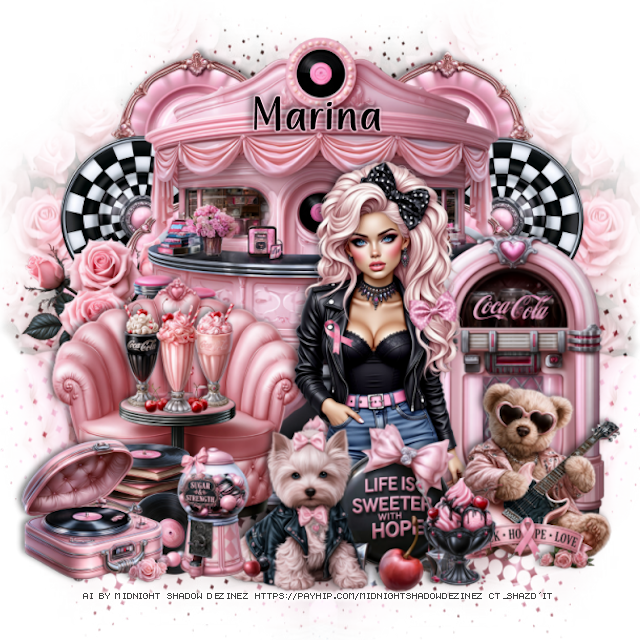
PTU The Little Forest Folk


 This tut was written June 12th, 2026 for those with a basic knowledge of psp. 

Awesome AI kit and tube by Midnight Shadow Dezinez

Everything is included in the kit
Read the TOU on how to credit your tags

I used PSP2020...but any of them should work.
PTU Scrap The Little Forest Folk by Midnight Shadow Dezinez  HERE
You can find all Midnight Shadow Dezinez kits HERE
Rd Mask 756 HERE
Check the blog out HERE

Font of choice, I used Wingcharm

Drop shadow as you go is V -2 H -4, 50, 10, or use what you prefer.
Let's get started
*Remember to add your drop shadow as you go along*

Open a new image 800 x 800, paste paper 2, apply your mask.

Resize 1 to 60%, paste on the upper right.
Resize 27 to 40%, paste at the upper right below the house.
Resize 4 to 50%, paste at the upper left below the house.
Resize 8 to 30%, paste on the right by the house.
Resize 35 to 40%, paste at the bottom.
Resize 25 to 30%, paste on the right below the girl.
Resize 37 to 40%, paste on the bottom left below the girl.
Resize 6 to 35%, paste below the bench on the left.
Resize 44 to 25%, paste on top of the rocks.

Resize 33 to 20%, paste at the bottom above the girl.
Resize 49 to 40%, paste on the bottom left.
Resize 5 to 20%, paste at the bottom right above the girl.
Resize 7 to 15%, paste on the bottom right.
Resize 32 to 15%, paste at the bottom left.
Resize 12 and 15 to 15%, paste at the bottom above the girl.
Resize 18 to 15%, paste at the bottom to the left of the animal.

Add any other elements that you would like, make it your own.
Always readjust your mask and elements how you like them before you
 merge your tag, resize, sharpen.

Crop your tag to be sure no shadows or lines are on the edges.
 Then add your copyright and name.
That's it

                 Hope you enjoyed doing my tut                      
Sunday, June 7, 2026

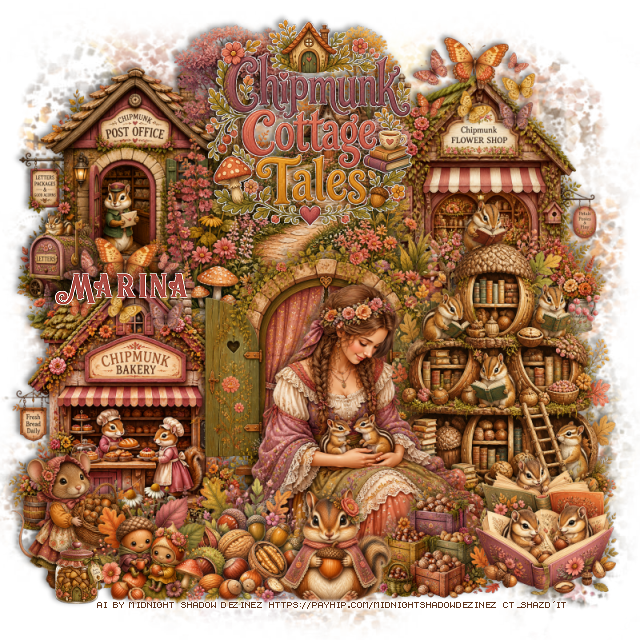
PTU Pacific Paradise 2


 This tut was written June 7th, 2026 for those with a basic knowledge of psp. 

Awesome AI kit and tube by Midnight Shadow Dezinez

Everything is included in the kit
Read the TOU on how to credit your tags

I used PSP2020...but any of them should work.
PTU Scrap Pacific Paradise 2 by Midnight Shadow Dezinez  HERE
You can find all Midnight Shadow Dezinez kits HERE
Rd Mask 756 HERE
Check the blog out HERE

Font of choice, I used Poison Love

Drop shadow as you go is V -2 H -4, 50, 10, or use what you prefer.
Let's get started
*Remember to add your drop shadow as you go along*

Open a new image 800 x 800, resize paper 4 to 80%, apply your mask.

Resize 4 to 70%, paste at the upper right.
Resize 24 to 65%, paste on the left.
Resize 10 to 50%, paste on the left below the stone house, duplicate,
mirror, move up on the right.
Resize 21 to 85%, paste at the top on the mask layer.
Resize 58 to 85%, paste at the upper left on the mask layer below the 
plant leaves, duplicate, mirror.
Resize 45 to 40%, paste on the right.

Resize 8 to 50%, paste to the left of the pots.

Resize 38 to 25%, paste on the bottom right.
Resize 27 to 25%, paste on the right below the pots.
Resize 39 to 25%, paste on the bottom left.
Resize 53 to 20%, paste at the bottom above the tube.
Resize 42 to 20%, paste at the bottom to the right of the bowl.
Resize 52 to 25%, paste on the bottom left below the chest.
Resize 28 to 20%, paste at the bottom right.

Resize 20 to 20%, paste at the bottom left above the chest.
Resize 1 to 25%, paste at the bottom to the left, move the food bowl
above the sign and the boxes on the left up.
Resize 43 to 15%, paste at the bottom right.
Resize 50 to 12%, paste at the bottom.
Resize 12 to 15%, paste at the bottom.
Resize 14 to 20%, paste below the tube on the left.

Add any other elements that you would like, make it your own.
Always readjust your mask and elements how you like them before you
 merge your tag, resize, sharpen.

Crop your tag to be sure no shadows or lines are on the edges.
 Then add your copyright and name.
That's it

                 Hope you enjoyed doing my tut