

Showing posts with label Portuguese Girl Designs. Show all posts

Sunday, March 23, 2025

PTU Early Spring Fling


 This tut was written March 23rd, 2025 for those with a basic knowledge of psp. 

Al kit by Portuguese Girl Designs

105 elements, 14 papers and 2 tubes ©Julia Fox
Please read the TOU on how to credit your tags

I used PSP2020...but any of them should work.
PTU Scrap Easter Spring Fling by Portuguese Girl Designs  HERE 
You can find all Portuguese Girl Designs  HERE
 RD Mask 812 HERE
Check the rest of the blog HERE

Font of choice, I used Champion

Drop shadow as you go is V -2 H 4, 40, 10, or use what you prefer.
Let's get started
*Remember to add your drop shadow as you go along*

Open a new image 800 x 800, paste paper 11, apply your mask.

Resize element 71 to 70%, paste on the upper left.
Resize element 92 to 85%, paste on the bottom right.
Resize element 30 to 75%, paste on the right below the tree.
Resize element 94 to 50%, paste on the left below the tree.
Resize element 101 to 40%, paste at the bottom on the walkway.
Resize element 98 to 40%, paste on the bottom left below the walkway.
Resize element 43 to 45%, paste on the upper right.
Resize element 105 to 30%, paste on the left on the tree, erase a little 
of the hanging string.

Resize element 11 to 40%, paste on the right below the girl.
Resize element 19 to 35%, paste on the bottom right.
Resize element 27 to 30%, paste at the bottom right above the girl.
Resize element 59 to 30%, paste at the bottom left.
Resize element 100 to 30%, mirror, paste at the bottom left.
Resize element 51 to 30%, paste at the bottom below the boy.
Resize element 56 to 20%, paste at the bottom left by the boy.
Resize element 72 to 15%, paste at the bottom by the basket.
Resize element 70 to 20%, paste at the bottom.
Resize element 66 to 20%, paste at the bottom right.
Resize element 61 to 20%, paste at the bottom.
Resize element 31 to 15%, paste at the bottom left.
Resize element 17 and 40 to 15%, paste at the bottom. 

Add any other elements that you would like, make it your own.
Always readjust your mask and elements how you like them before you
 merge your tag, resize, sharpen.

Crop your tag to be sure no shadows or lines are on the edges.
 Then add your copyright and name.
That's it

Hope you enjoyed doing my tut   

Saturday, March 15, 2025

PTU Bunny Love


 This tut was written March 14th, 2025 for those with a basic knowledge of psp. 

Adorable Bunny Love kit by Portuguese Girl Designs

105 elements, 16 papers and 2 tubes ©Yuki
Please read the TOU on how to credit your tags

I used PSP2020...but any of them should work.
PTU Scrap Bunny Love by Portuguese Girl Designs  HERE 
You can find all Portuguese Girl Designs  HERE
 RD Mask 812 HERE
Check the rest of the blog HERE

Font of choice, I used Dream Unicorn

Drop shadow as you go is V -2 H 4, 40, 10, or use what you prefer.
Let's get started
*Remember to add your drop shadow as you go along*

Open a new image 800 x 800, paste paper 3, apply your mask.
Resize mask 2 from the kit to 90%, paste.
Paste paper 8, apply your mask 812, then duplicate the bottom mask and 
move to the top layer.
Paste element 37 below the paper layer of the wreath, erase the brown
 branches, duplicate, flip, move to the bottom.

Paste element 25, click inside, paste paper 3, invert, delete.
Paste element 14 above the wreath.
Resize element 88 to 60%, paste at the bottom above the swing.
Resize element 27 to 50%, paste at the top on the flowers.
Resize element 5 to 35%, free rotate to the left, paste on the left, duplicate, 
mirror, move down on the right more.

Resize element 7 to 45%, paste on the left.
Resize element 62 to 40%, paste on the bottom right.
Resize tube 2 to 40%, paste on the bench.
Resize element 35 to 50%, paste below the bench on the right, duplicate, mirror.
Resize element 51 to 75%, paste below the green bushes.
Resize element 78 to 35%, paste on the right of the tube.
Resize element 15 to 20%, paste on the upper left, duplicate, mirror.
Resize element 19 to 30%, paste at the bottom above the girl.
Resize element 57 to 40%, paste at the bottom.
Paste element 89 on the left, duplicate, mirror, move down some.
Paste element 45 at the bottom.

Add any other elements that you would like, make it your own.
Always readjust your mask and elements how you like them before you
 merge your tag, resize, sharpen.

Crop your tag to be sure no shadows or lines are on the edges.
 Then add your copyright and name.
That's it

Hope you enjoyed doing my tut  

Friday, February 28, 2025

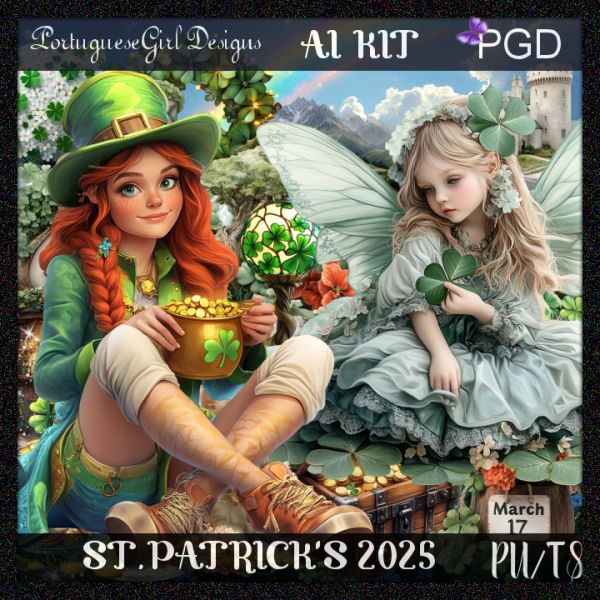
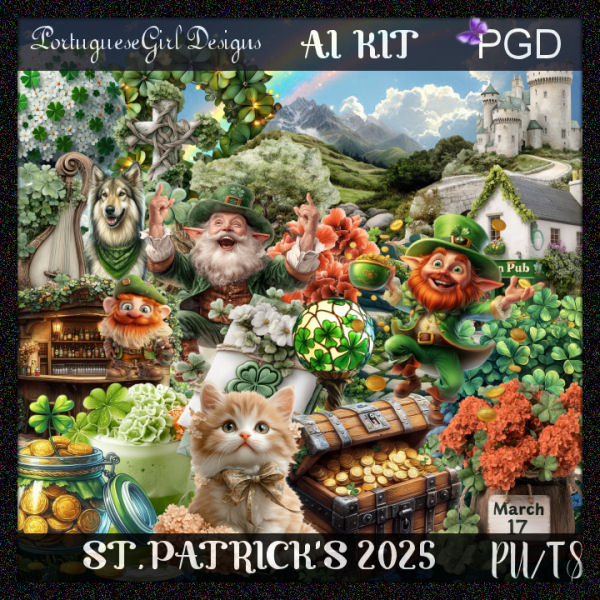
PTU St Patrick 2025


 This tut was written February 28th, 2025 for those with a basic knowledge of psp. 

Al kit and tubes by Portuguese Girl

The tube is included in the kit
Please read the TOU on how to credit your tags

I used PSP2020...but any of them should work.
PTU Scrap St Patrick 2025 by Portuguese Girl Designs  HERE 
You can find all Portuguese Girl Designs  HERE
 RD Mask 737 HERE
Check the rest of the blog HERE

Font of choice, I used Tangled

Drop shadow as you go is V -2 H 4, 40, 10, or use what you prefer.
Let's get started
*Remember to add your drop shadow as you go along*

Open a new image 800 x 800, paste paper 4, apply your mask.

Resize element 13 to 75%, paste at the top.
Paste element 54 at the upper left below the bridge.
Resize element 57 to 75%, paste on the left above the rainbow, duplicate,
mirror.
Resize element 45 to 85%, paste above the bridge.
Resize element 91 to 30%, paste at the top on the door.
Resize element 15 to 75%, paste on the left.

Resize the tube to 35%, paste at the bottom.

Resize element 19 to 35%, paste at the bottom right below the tube.
Resize element 64 to 35%, paste on the right below the clover.
Resize element 31 to 30%, paste on the bottom right above the pot of gold.
Resize element 22 to 30%, paste on the right on the pot.
Resize element 77 to 30%, paste on the bottom right above the clover.
Resize element 78 to 30%, paste at the bottom above the tube.
Resize element 2 to 30%, paste at the bottom above the book.

Resize element 82 to 20%, paste at the bottom.
Resize element 74 to 30%, paste at the bottom right below the pot, duplicate 
a couple of times and move where you like.
Resize element 85 to 40%, paste on the bottom left.
Resize element 21 to 30%, paste at the bottom below the March sign.
Resize element 36 to 20%, paste at the bottom left.
Resize element 59 to 20%, paste at the bottom.
Resize element 63 to 15%, paste at the bottom above the gnome.
Resize element 27 to 25%, paste at the bottom right.
Resize element 58 to 20%, paste at the bottom left.
Resize element 14 and 28 to 15%, paste at the bottom left.

Add any other elements that you would like, make it your own.
Always readjust your mask and elements how you like them before you
 merge your tag, resize, sharpen.

Crop your tag to be sure no shadows or lines are on the edges.
 Then add your copyright and name.
That's it

Hope you enjoyed doing my tut  

Wednesday, February 19, 2025

PTU Lucky Clover


  This tut was written February 19, 2025 for those with a basic knowledge of psp. 

I am using the awesome tube ©Attila

The tube is included in the kit
Please read the TOU on how to credit your tags

I used PSP2020...but any of them should work.
PTU Scrap Lucky Clover by Portuguese Girl Designs  HERE HERE
You can find all Portuguese Girl Designs  HERE
 RD Mask 737 HERE
Check the rest of the blog HERE

Font of choice, I used Tangled

Drop shadow as you go is V -2 H 4, 40, 10, or use what you prefer.
Let's get started
*Remember to add your drop shadow as you go along*

Open a new image 800 x 800, paste paper 3, apply your mask.

Resize element 1 to 75%, paste.
Paste element 2 on the bottom layer to the left.
Resize element 36 to 65%, paste at the bottom right, duplicate, mirror.
Resize element 56 to 40%, paste on the right below the Pub.
Paste element 93 below the tree on the left.

Resize tube 2 to 50%, paste.

Paste element 59 at the bottom above the tube.
Resize element 68 to 30%, paste at the bottom right above the tube.
Resize element 7 to 40%, paste on the bottom left below the greenery.
Resize element 64 to 25%, paste by the pot of gold.
Resize element 4 to 25%, paste at the bottom left above the greenery.
Resize element 73 to 35%, paste on the tree below the tube, add a dark gradient glow.

Resize element 20 to 25%, paste at the bottom above the greenery by the
pot of gold.
Resize element 87 to 25%, paste at the bottom left above the tube.
Resize element 106 to 30%, paste on the bottom left being on the top layer.
Resize element 53 to 50%, paste on the bottom right below the horseshoe.
Resize element 91 to 85%, paste at the bottom on the bottom layer.
Resize element 21 to 30%, paste at the bottom above the greenery.
Resize element 24 to 25%, paste at the bottom.
Resize element 15 to 25%, paste at the bottom.
Go back to the cookies on the bottom left, duplicate, move to the right above
the horseshoe.
Resize element 57 to 40%, paste on the right below the elf.
Resize element 61 to 15%, paste at the top left above the sign, duplicate,
move down on the left below the sign.
Resize element 11 to 30%, paste on the left.
Resize element 67 to 12%, paste at the bottom by the drink and bottle, duplicate,
move over a little.
Resize element 12 to 50%, paste on the right above the mask behind the Pub.
Go back to the tree, duplicate, move to the right below the rainbow and down.

Add any other elements that you would like, make it your own.
Always readjust your mask and elements how you like them before you
 merge your tag, resize, sharpen.

Crop your tag to be sure no shadows or lines are on the edges.
 Then add your copyright and name.
That's it

Hope you enjoyed doing my tut  

Wednesday, February 12, 2025

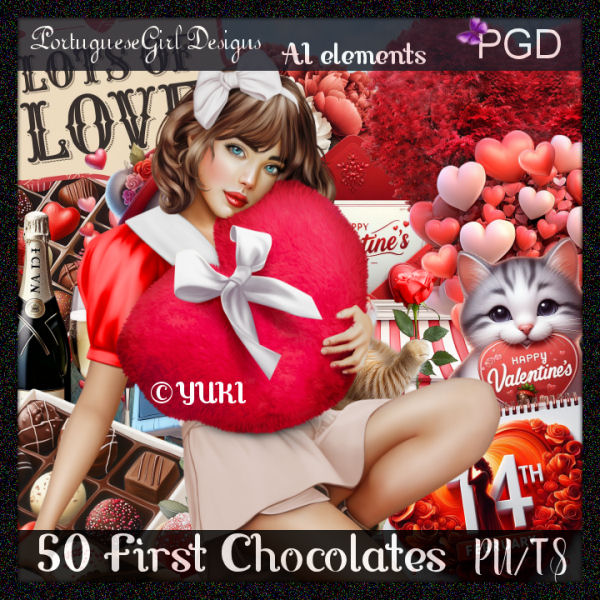
PTU 50 First Chocolates


  This tut was written February 12, 2025 for those with a basic knowledge of psp. 

I am using the awesome tube ©Yuki

The tube is included in the kit
Please read the TOU on how to credit your tags

I used PSP2020...but any of them should work.
PTU Scrap 50 First Chocolates by Portuguese Girl Designs  HERE 
You can find all Portuguese Girl Designs  HERE
 RD Mask 897 HERE
Check the rest of the blog HERE

Font of choice, I used Love Vale

Drop shadow as you go is V -2 H 4, 40, 10, or use what you prefer.
Let's get started
*Remember to add your drop shadow as you go along*

Open a new image 800 x 800, paste paper 3, apply your mask.

Resize element 48 to 75%, paste.
Resize element 32 to 50%, paste on the bottom right below the bench.
Paste element 78 on the bottom layer at the top behind the bench.
Resize element 24 to 50%, paste on the right above the flower ladder.

Resize the tube to 25%, paste at the bottom above the bench.

Resize element 59 to 50%, paste on the upper left above the flower ladder.
Resize element 36 to 30%, paste below the tube on the left.
Resize element 47 to 25%, paste by the cookie.
Resize element 18 to 30%, paste on the left.
Resize element 13 to 30%, paste at the bottom left.
Resize element 15 to 30%, free rotate to the right at 20, paste on the bottom
right above the tube.
Resize element 17 and 2 to 25%, paste at the bottom right.

Resize element 19 to 30%, paste at the bottom left.
Resize element 42 to 35%, paste on the left below the hearts.
Resize element 7 to 15%, paste at the bottom right.
Resize element 80 to 30%, paste at the bottom.
Resize element 72 to 30%, paste at the bottom below the dog.
Resize element 35 to 27%, paste on the bottom left.
Resize element 6 to 25%, paste at the bottom.
Resize element 51 to 15%, paste at the bottom.

Add any other elements that you would like, make it your own.
Always readjust your mask and elements how you like them before you
 merge your tag, resize, sharpen.

Crop your tag to be sure no shadows or lines are on the edges.
 Then add your copyright and name.
That's it

Hope you enjoyed doing my tut  
Monday, February 3, 2025

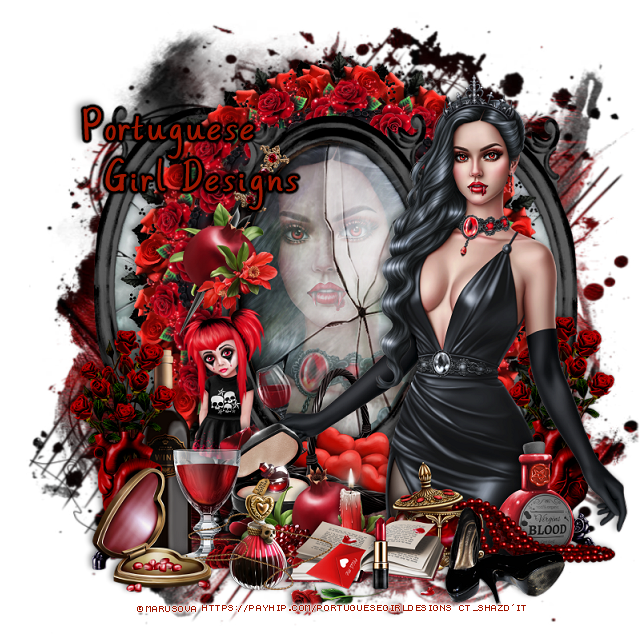
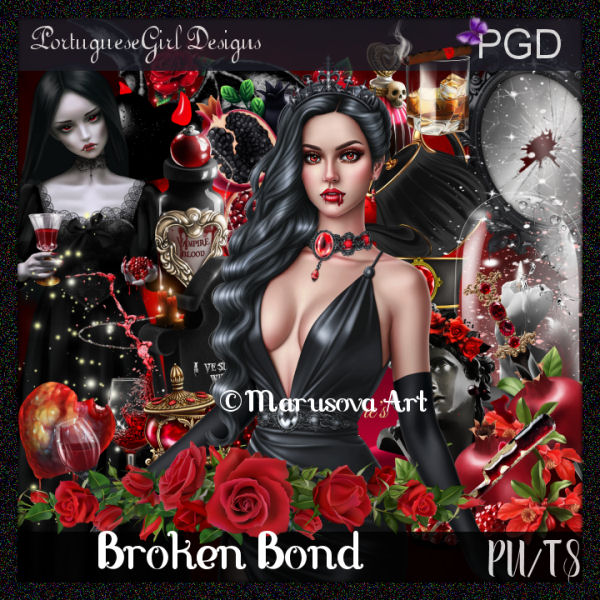
PTU Broken Bond


  This tut was written February 2nd, 2025 for those with a basic knowledge of psp. 

I am using the awesome tube ©Marusova Art

The tube is included in the kit
Please read the TOU on how to credit your tags

I used PSP2020...but any of them should work.
PTU Scrap Broken Bond by Portuguese Girl Designs  HERE 
You can find all Portuguese Girl Designs  HERE
 RD Mask 897 HERE
Check the rest of the blog HERE
Filter
Mura Meister Copies-Encircle

Font of choice, I used Always

Drop shadow as you go is V -2 H 4, 50, 10, or use what you prefer.
Let's get started
*Remember to add your drop shadow as you go along*

Open a new image 800 x 800, paste paper 12, apply your mask.

Resize element 35 to 75%, paste.
Resize your tube to 50%, paste on the mirror, erase the parts outside,
change the blend mode to Soft Light.
Resize element 31 to 40%, apply Mura Meister Copies-Encircle, change
the first 3 numbers to 14, 45, 50, paste below the frame.
Resize element 5 to 25%, apply Mura Meister Copies-Encircle, change
the first 3 numbers to 16, 55, 60, paste below the first circle.
Duplicate the frame that the tube is in, move the frame below
the flower circles on one side, duplicate, mirror.

Resize the tube to 25%, paste on the right above the frame.

Resize element 31 to 90%, paste at the bottom above the tube.
Resize element 70 to 50%, paste at the bottom.
Resize element 3 to 40%, paste at the bottom below the small jar with beads.
Resize element 47 to 50%, paste on the right below the tube.
Resize element 45 to 25%, paste left below the fruit.
Resize element 46 to 25%, paste at the bottom left.
Resize element 40 to 25%, paste on the bottom right below the beads.

Resize element 49 to 35%, paste at the bottom.
Resize element 57 to 25%, paste at the bottom right.
Resize element 14 to 40%, paste on the frame on the left.
Resize element 6 to 20%, paste at the bottom left.
Resize element 91 to 50%, paste at the bottom left.
Resize element 59 to 45%, paste on the left below the drink glass.
Resize element 56 to 15%, paste at the bottom above the book.
Resize element 26 to 35%, paste below the bottle.
Resize element 24 to 35%, paste below the tube.
Go back and duplicate the flowers behind the tube, move to the left above 
the bottle.

Add any other elements that you would like, make it your own.
Always readjust your mask and elements how you like them before you
 merge your tag, resize, sharpen.

Crop your tag to be sure no shadows or lines are on the edges.
 Then add your copyright and name.
That's it

Hope you enjoyed doing my tut  
Sunday, January 26, 2025

PTU Faye Valentine


 This tut was written January 25th, 2025 for those with a basic knowledge of psp. 

I am using the awesome tube ©Attila

The tube is called Faye ( tube not included)
You need a license to use this tube, please do not use without a license
You can find this tube at Elegancefly HERE

I used PSP2020...but any of them should work.
PTU Scrap Faye Valentine match  for tube by Portuguese Girl Designs  HERE 
You can find all Portuguese Girl Designs  HERE
 RD Mask 897 HERE
Check the rest of the blog HERE

Font of choice, I used Valentine

Drop shadow as you go is V -2 H 4, 40, 10, or use what you prefer.
Let's get started
*Remember to add your drop shadow as you go along*

Open a new image 800 x 800, paste paper 3, apply your mask.

Resize frame 4 to 60%, paste, click inside with the magic wand, paste 
paper7, invert, delete, keep selected, resize the tube to 70%, paste
delete, select none.
Resize element 69 to 90%, paste below the frame on the left, duplicate, mirror.
Resize element 66 to 55%, paste on the left above the frame, duplicate, mirror.

Resize the tube to 28%, paste on the right above the frame.

Resize element 61 to 90%, paste below the tube to the left.
Resize element 100 to 30%, paste at the upper left on the bottom layer,
duplicate, mirror.
Resize element 23 to 27%, paste on the bottom right.
Resize element 75 to 30%, paste on the bottom right above the bag.
Resize element 15 to 25%, paste on the bottom.
Resize element 27 to 50%, paste above the tube at the bottom, duplicate,
move to the left above the car.
Resize element 37 to 55%, paste between the flowers at the bottom.
Resize element 1 to 15%, paste at the bottom.
Resize element 11 to 12%, paste at the bottom.
Resize element 12 to 15%, paste at the bottom.
Resize element 43 to 30%, paste at the bottom.
Resize element 113 to 40%, paste at the bottom left.

Resize element 17 to 10%, paste at the bottom.
Resize element 20 to 8%, paste at the bottom.
Resize element 111 to 15%, paste at the bottom.
Resize element 112 to 35%, paste on the left on the frame.
Resize element 56 to 20%, paste on the left below the sign.
Resize element 45 to 20%, paste below the lipstick.
Resize element 35 to 15%, paste at the bottom right.
Resize element 110 to 55%, paste at the top above the frame.

Add any other elements that you would like, make it your own.
Always readjust your mask and elements how you like them before you
 merge your tag, resize, sharpen.

Crop your tag to be sure no shadows or lines are on the edges.
 Then add your copyright and name.
That's it

Hope you enjoyed doing my tut