Sunday, April 12, 2026

PTU Forest Hollow


   This tut was written April 12th, 2026 for those with a basic knowledge of psp. 

I am using the beautiful tube by © Stella Felice Art

The tube is called Elfish girl_Herbalist
The tube is "NOT" included
You need a license to use this tube, please do not use without a license
You can find the tube at Elegancefly Store HERE

I used PSP2020...but any of them should work.
PTU Scrap Forest Hollow by Tiny Turtle Designs  HERE
You can find all Tiny Turtle Designs kits  HERE 
Miz Teeques Mask 117 HERE
Check the blog out HERE

Font of choice, I used Magic Owl

Drop shadow as you go is V -2 H 4, 40, 10, or use what you prefer.
Let's get started
*Remember to add your drop shadow as you go along*

Open a new image 800 x 800, paste paper 3, apply your mask, 

Resize 138 to 65%, paste on the upper left, click inside,
resize 201 to 50%, paste in the frame, invert, delete.
Resize 118 to 25%, apply Mura Meister Copies-Encircle, first 3
numbers on 12, 50, 50, paste below the frame.
Resize 203 to 65%, paste on the upper right.
Resize 193 to 65%, paste on the bottom left.
Resize 199 to 50%, paste on the bottom right.
Resize 198 to 50%, paste on the bottom left above the house.

Resize the tube to 20%, paste at the bottom.

Resize 3 to 40%, paste below the tube on the left.
Resize 1 to 30%, paste on the bottom right by the door.
Resize 196 to 25%, paste at the bottom above the tube.
Resize 204 to 20%, paste at the bottom above the books.

Resize 202 to 20%, paste at the bottom below the mushroom.
Resize 197 to 25%, paste on the bottom right.
Resize 118 to 25%, paste at the bottom right, duplicate, mirror.
Resize 92 to 30%, paste on the bottom left below the flower.

Add any other elements that you would like, make it your own.
Always readjust your mask and elements how you like them before you
 merge your tag, resize, sharpen.

Crop your tag to be sure no shadows or lines are on the edges.
 Then add your copyright and name.
That's it

Hope you enjoyed doing my tut

Tag for Laura    


PTU Evil On The Depths


Here is pack 263 of tubes that matches the kit
You can find them HERE

   This tut was written April 11th, 2026,  for those with a basic knowledge of psp. 

Awesome Al kit by Bella Caribeña
Everything is included
Read the TOU on how to credit tags

I used PSP2020...but any of them should work.
PTU Scrap Evil On The Depths by Bella Caribeña  HERE
Ocean/Gothic Theme
Kit contains 5 Al gen tubes, 130 elements, 16 papers and 3 masks
You can check out the rest of her store HERE 

Font of choice I used Copperplate Gothic

 Drop shadow as you go is V -2 H 4, 50, 10, or use what you prefer.
Let's get started
*Remember to add your drop shadow as you go along*

Open a new image 800 x 800, paste mask 3, resize to fit your tag.

Resize 160 to 65%, paste on the upper right.
Resize 76 to 75%, paste on the upper left, duplicate, move down on 
the right.
Paste 23 above the caves.
Resize 105 to 75%, paste on the bottom left.

Resize tube 2 to 25%, paste at the bottom about center.

Resize 44 to 55%, paste on the bottom right below the tube.
Resize 83 to 40%, paste at the bottom right above the boat,
duplicate, mirror.
Resize 56 to 40%, paste on the bottom left above the plant.
Resize 112 to 15%, paste at the bottom left by the chest.
Resize 106 to 35%, paste on the right below the boat.
Resize 36 to 35%, paste on the left below the plant.

Resize 130 to 35%, paste on the bottom below the tube to the right.
Resize 54 to 20%, paste at the bottom right.
Resize 3 to 25%, paste at the bottom by the crab, duplicate, mirror.
Resize 80 to 20%, paste at the bottom center.
Resize 120 to 20%, paste at the bottom left below the shell.
Resize 13 to 20%, paste on top of the chest lid.

Resize 90 to 20%, paste on the upper left.
Resize 63 to 25%, paste at the top on the left.
Resize 6 to 15%, paste on the upper left, duplicate, mirror.
Resize 69 to 25%, paste on the upper right.
Resize 100 to 20%, paste on the bottom right by the boat.

Add any other elements you would like, resize.
Crop your tag to be sure no shadows or lines are on the edges.
 Then add your copyright and name.
That's it

            Hope you enjoyed doing my tut                 
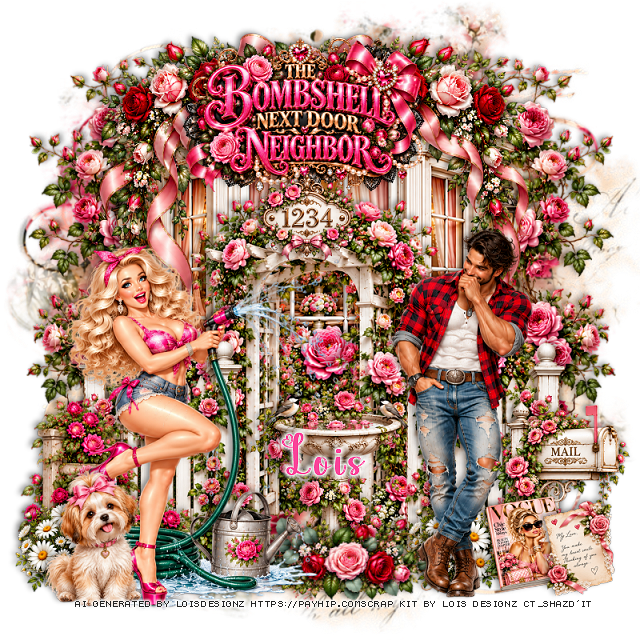
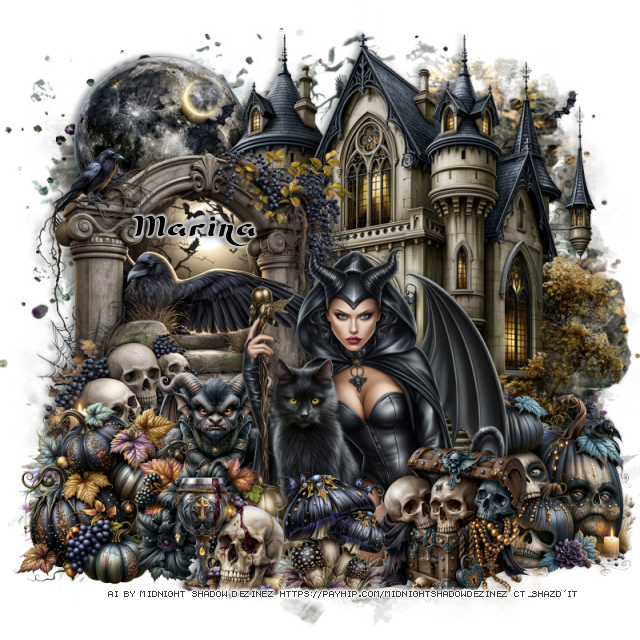
PTU Sweetly Sinister


  This tut was written April 11th, 2026 for those with a basic knowledge of psp. 

Awesome AI kit and tube by Midnight Shadow Dezinez

Everything used is included in the kit
Read the TOU on how to credit your tags

I used PSP2020...but any of them should work.
PTU Scrap Sweetly Sinister by Midnight Shadow Dezinez  HERE
You can find all Midnight Shadow Dezinez kits HERE
Vivienne's Digital Tagging Mask 41 HERE
Check the blog HERE

Font of choice, I used Biker Bones

Drop shadow as you go is V -2 H -4, 50, 10, or use what you prefer.
Let's get started
*Remember to add your drop shadow as you go along*

Open a new image 800 x 800,  paste paper 10, apply your mask, move
to the left, duplicate, mirror.

Resize 9 to 50%, paste at the top.
Resize 56 to 60%, paste on the left.
Resize 57 to 40%, paste on the right.
Resize 20 to 35%, paste above the house.
Resize 26 to 30%, paste on the right below the tube.
Resize 31 to 40%, paste on the left below the tube.
Resize 17 to 20%, apply Mura Meister Copies-Encircle, first 3
numbers on 14, 50, 50, paste at the top on the bottom layer above the mask.

Resize 21 to 25%, paste on the bottom left.
Resize 23  and 32 to 25%, paste at the bottom above the tube.
Resize 39 to 20%, paste on the bottom left.
Resize 43 to 25%, paste at the bottom below the hat.
Resize 16 to 25%, paste at the bottom by the mushrooms.
Resize 24 to 20%, paste at the bottom right below the ram.
Resize 44 to 25%, paste on the bottom right.
Resize 4 to 12%, paste at the bottom.
Resize 30 to 40%, paste at the upper left, add a gradient glow.
Resize 6 to 25%, paste on the upper right.
Resize 55 to 15%, paste at the bottom left.

Add any other elements that you would like, make it your own.
Always readjust your mask and elements how you like them before you
 merge your tag, resize, sharpen.

Crop your tag to be sure no shadows or lines are on the edges.
 Then add your copyright and name.
That's it

Hope you enjoyed doing my tut               
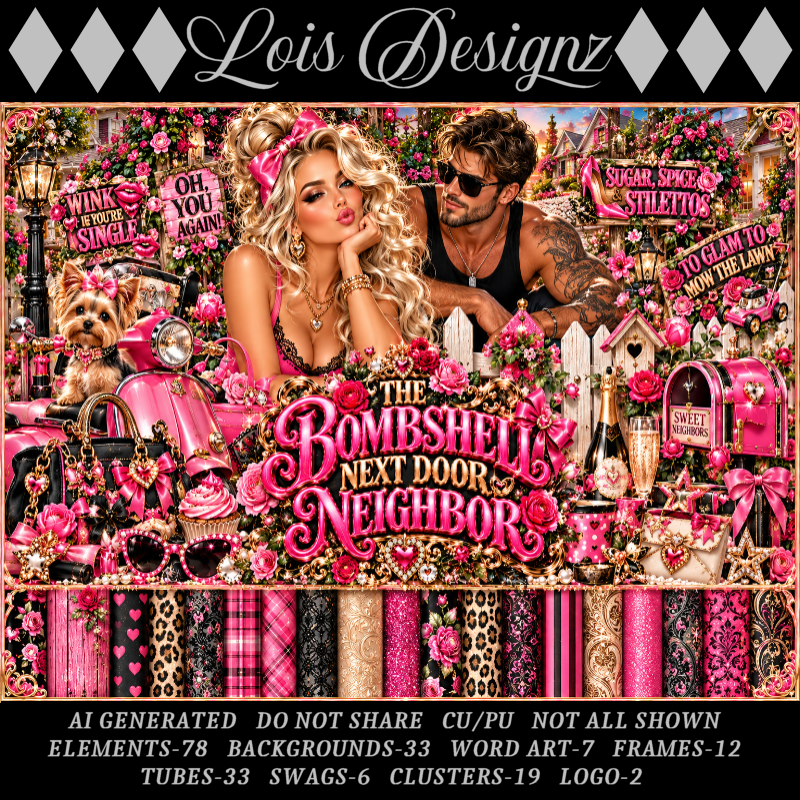
FTU Bloom Burst


 This tut was written April 12th, 2026 for those with a basic knowledge of psp. 

Awesome tube used ©Misticheskaya

The tube is called Daisy
The tube is "NOT" included
You need a license to use this tube, please do not use without a license
You can find the tube at Misticheskaya Store HERE

I used PSP2020...but any of them should work.
FTU Scrap Bloom Burst "NO Al" by Diamond Creations  HERE
You can find all Diamond Creations  kits HERE
Miz Teeques Mask 56 HERE
Check the blog out HERE
Filters
Mura Meister Copies-Encircle

Font of choice, I used Lovely Butterfly

Drop shadow as you go is V -2 H -4, 40, 10, or use what you prefer.
Let's get started
*Remember to add your drop shadow as you go along*

Open a new image 800 x 800, paste paper 7, apply your mask, adjust.

Resize frame 5 to 65%, paste in the center, click inside, paste paper 6,
move how you like, invert, delete, keep selected, paste your tube, delete,
select none. 
Change the blend mode to Soft Light.
Resize the wordart to 50%, paste on the tube, change the blend mode to Overlay.
Duplicate the frame, move to the upper left below the paper layer, duplicate,
mirror, move down on the lower right.
Duplicate the paper twice, move below the other frames.
Resize 44 to 30%, apply Mura Meister Copies-Encircle, first 3 numbers
on 14, 55, 55, paste below the top frame and paper.
Resize 42 to 28%, flip, apply Mura Meister Copies-Encircle, first 3 numbers
on 14, 50, 50, paste below the frames on the upper right, duplicate, mirror,
move down on the lower left.

Resize the tube to 30%, paste above the frames on the right.

Resize 79 to 30%, paste at the bottom above the tube.
Resize 59 to 50%, paste behind the tube.
Resize 31 to 30%, paste below the tube, duplicate, mirror, adjust on the right.
Resize 9 to 40%, paste on the left above the frames.
Resize 4 to 40%, paste on the upper left on the frame.
Resize 9 to 40%, paste at the upper right, duplicate, move down to the left 
on the corner of the frame.
Resize 47 to 25%, paste behind the daisy.
Resize 88 to 30%, mirror, paste on the left below the daisy, erase the bottom
part of the stand.
Resize 44 to 35%, paste on the bottom left above the daisy, duplicate, mirror.
Resize 41 to 30%, paste at the bottom below the flower.
Resize 93 to 22%, paste at the bottom below the flower.
Resize 72 to 30%, paste on the lower left.
Resize 68 to 30%, paste on the right.
Resize 97 to 75%, paste at the upper right above the daisy circle, duplicate,
mirror, flip, adjust at the bottom left.

Add any other elements that you would like, make it your own.
Always readjust your mask and elements how you like them before you
 merge your tag, resize, sharpen.

Crop your tag to be sure no shadows or lines are on the edges.
 Then add your copyright and name.
That's it

Hope you enjoyed doing my tut            
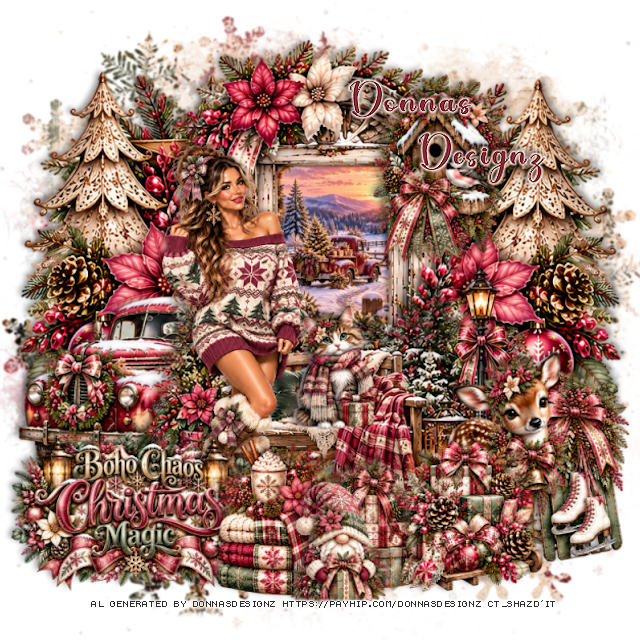
PTU Beach Days and Ocean Waves


  This tut was written April 12th, 2026 for those with a basic knowledge of psp. 

Awesome tube used ©Misticheskaya

The tube is called Noella and Sea Stories
The tube is "NOT" included
You need a license to use this tube, please do not use without a license
You can find the tube at Misticheskaya Store HERE

I used PSP2020...but any of them should work.
PTU Scrap Beach Days and Ocean Waves "NO Al" by Diamond Creations  HERE
You can find all Diamond Creations  kits HERE
Mask of choice, I used Miz Teeques 393 HERE
Check out the rest of the blog HERE

Font of choice, I used Beach type

Drop shadow as you go is V -2 H -4, 40, 10, or use what you prefer.
Let's get started
*Remember to add your drop shadow as you go along*

Open a new image 800 x 800, paste paper 6, apply your mask.

Resize frame 1 to 85%, paste, click inside, paste paper 18, invert, delete.
Resize 12 to 60%, paste on the left.
Resize 59 to 60%, paste below the tree.
Resize 98 to 80%, paste below the house.
Resize 103 to 90%, paste at the bottom below the frame layer.

Resize the tube to 25%, paste at the bottom above the tree.

Resize 91 to 40%, paste at the bottom right below the tube, duplicate, mirror.
Resize sign 3 to 35%, paste on the right below the tube.
Resize sign 2 to 40%, paste on the left above the tree.
Resize 97 to 60%, paste below the paper layer of the frame at the top.
Resize 83 to 42%, free rotate to the right at 25, paste at the upper right below the tube.
Resize 70 to 25%, paste at the bottom left above the log.
Resize 19 to 40%, paste on the right below the sign.

Resize 18 to 25%, paste in the frame below the house behind the umbrella.
Resize 35 to 20%, paste at the bottom left below the plant, duplicate, 
mirror, move at the bottom of the tube.
Resize 40 to 18%, paste at the bottom above the shells.
Resize 34 to 15%, paste at the bottom left, duplicate, mirror.
Resize 79 to 15%, paste at the bottom.
Resize 63 and 65 to 20%, paste at the bottom.
Resize 64 to 20%, paste at the bottom left, duplicate, mirror.
Resize 37 to 15%, paste at the bottom.
Resize 36 to 20%, paste at the bottom right.
Resize 32 to 15%, paste at the bottom left.
Resize 21 to 25%, paste on the bottom left below the palm tree.

Add any other elements that you would like, make it your own.
Always readjust your mask and elements how you like them before you
 merge your tag, resize, sharpen.

Crop your tag to be sure no shadows or lines are on the edges.
 Then add your copyright and name.
That's it

Hope you enjoyed doing my tut           

Saturday, April 11, 2026

PTU Antique Glam Allure

  This tut was written April 11th, 2026 for those with a basic knowledge of psp. 

I am using the beautiful Al kit/tube by DeniseC Art

Everything is included in the kit
Please read their TOU on how to credit your tags

I used PSP2020...but any of them should work.
PTU Scrap Antique Glam Allure by DeniseC Art HERE
Check out her store here for more of her kits  HERE 
Miz Teeques Mask 56 HERE
Check the blog out HERE

Font of choice, I used Ants Valley

Drop shadow as you go is V -2 H 4, 50, 10, or use what you prefer.
Let's get started
*Remember to add your drop shadow as you go along*

Open a new image 800 x 800,  paste paper 2, apply your mask.

Resize 10 to 15%, apply Mura Meister Copies-Encircle, first 3
numbers on 18, 78, 78, paste above the mask.
Resize 46 to 75%, paste above the circle.
Resize 6 to 40%, paste on the right.
Resize 50 to 30%, paste on the upper right below the desk.
Resize 51 to 20%, paste on the right below the desk.
Resize 34 to 15%, paste on the stool of the desk.
Resize 24 to 30%, paste on the left.
Resize 27 to 17%, paste on top of the chest.
Resize 31 to 60%, paste to the left a little and up.

Resize 1 to 45%, paste.

Resize 54 to 40%, paste at the bottom left above the tube.
Resize 11 to 18%, paste on the lounge chair.
Resize 45 to 25%, paste on the left.
Resize 58 to 17%, paste at the bottom left.
Resize 7 to 15%, paste behind the books.
Resize 8 to 20%, paste at the bottom to the right of the books.
Resize 29 to 20%, paste at the bottom by the books and tray.

Resize 32 to 20%, paste on the bottom left.
Resize 36 to 20%, paste below the tray to the right.
Resize 17 to 20%, paste at the bottom above the tray.
Resize 52 to 20%, paste at the bottom right below the bear.
Resize 22 to 20%, paste on the bottom right below the purse.
Resize 42 to 15%, paste at the bottom right above the purse.
Resize 25 to 15%, paste at the bottom left.
Resize 49 to 15%, paste at the bottom right below the bear and 
soap flower.
Resize 12 to 7%, paste at the bottom right.

Add any other elements that you would like, make it your own.
Always readjust your mask and elements how you like them before you
 merge your tag, resize, sharpen.

Crop your tag to be sure no shadows or lines are on the edges.
 Then add your copyright and name.
That's it

Hope you enjoyed doing my tut   
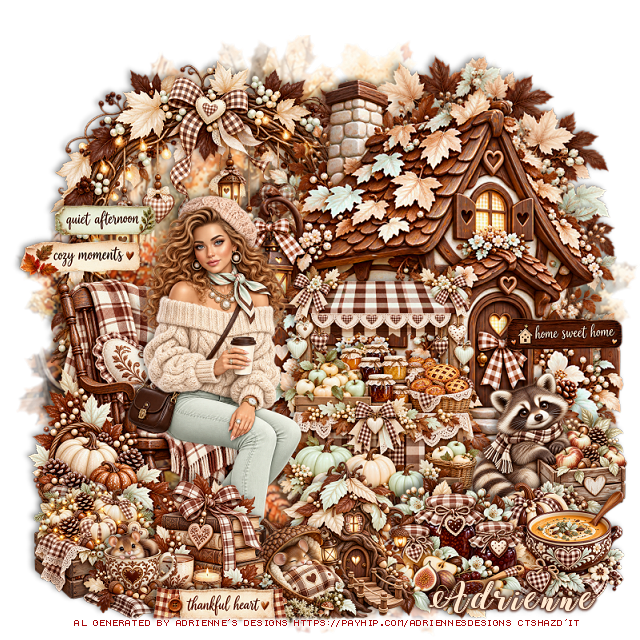
PTU Bee Garden


  This tut was written April 11th, 2026,  for those with a basic knowledge of psp. 

Awesome Al kit by Bella Caribeña
Everything is included
Read the TOU on how to credit tags

I used PSP2020...but any of them should work.
PTU Scrap Bee Garden by Bella Caribeña  HERE
Bee/Spring Theme
Kit contains 6 Al gen tubes, 82 elements, 10 papers and 3 masks
You can check out the rest of her store HERE 

Font of choice I used Bee Sweet

 Drop shadow as you go is V -2 H 4, 40, 10, or use what you prefer.
Let's get started
*Remember to add your drop shadow as you go along*

Open a new image 800 x 800, paste mask 1, move to the right,
duplicate, mirror, move below the mask, erase the house showing on
the upper right.

Paste element 10 at the top.
Paste 49 below the fruit stand on the left, duplicate, mirror, move up.
Resize 34 to 95%, paste on the bottom layer at the top to the left.
Resize tube 4 and 5 to 25%, paste 4 on the right and mirror 5 on the bottom left.
Resize 23 to 35%, paste at the bottom above the tube.
Resize 7 to 20%, paste at the bottom above the tube.
Resize 27 to 25%, paste on the bottom right above the tube.
Resize 18 to 15%, paste at the bottom right by the basket.

Resize 19 to 25%, paste at the top on the fruit shed.
Resize 55 to 40%, paste on the bottom left below the tube, duplicate,
move to the right behind the tube.
Resize 73 to 25%, paste on the bottom left.
Resize 77 to 20%, paste at the bottom above the cat wagon.
Resize 80 to 20%, mirror, paste at the bottom right by the basket.
Resize 8 to 13%, paste at the bottom.
Resize 12 to 10%, paste at the bottom left.

Add any other elements you would like, resize.
Crop your tag to be sure no shadows or lines are on the edges.
 Then add your copyright and name.
That's it

            Hope you enjoyed doing my tut