Showing posts with label Fairy. Show all posts

Monday, June 15, 2026

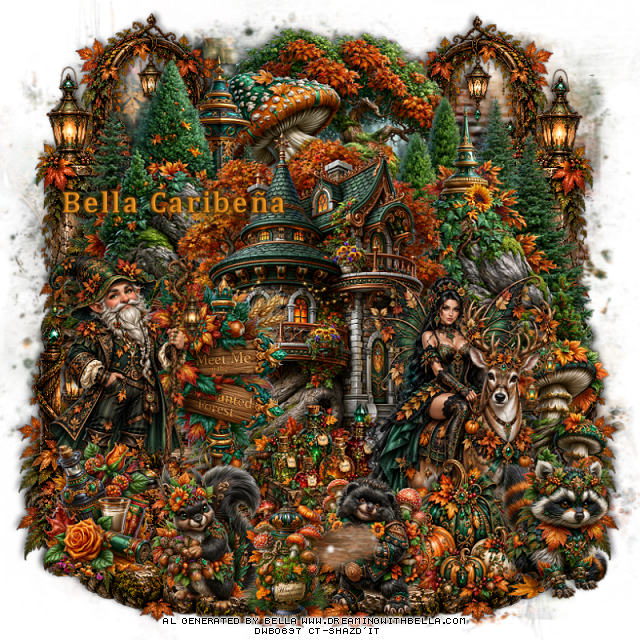
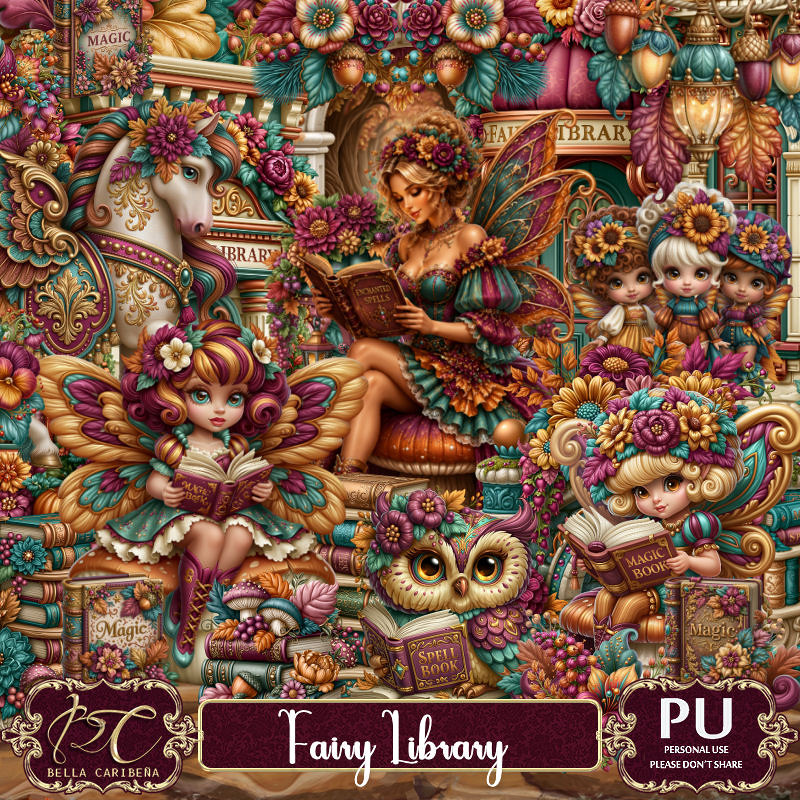
PTU A Whismical Teal Dream

  This tut was written June 13th, 2026,  for those with a basic knowledge of psp. 

Awesome Al kit and tubes by Bella Caribeña
Everything is included in the kit
Read the TOU on how to credit tags

I used PSP2020...but any of them should work.
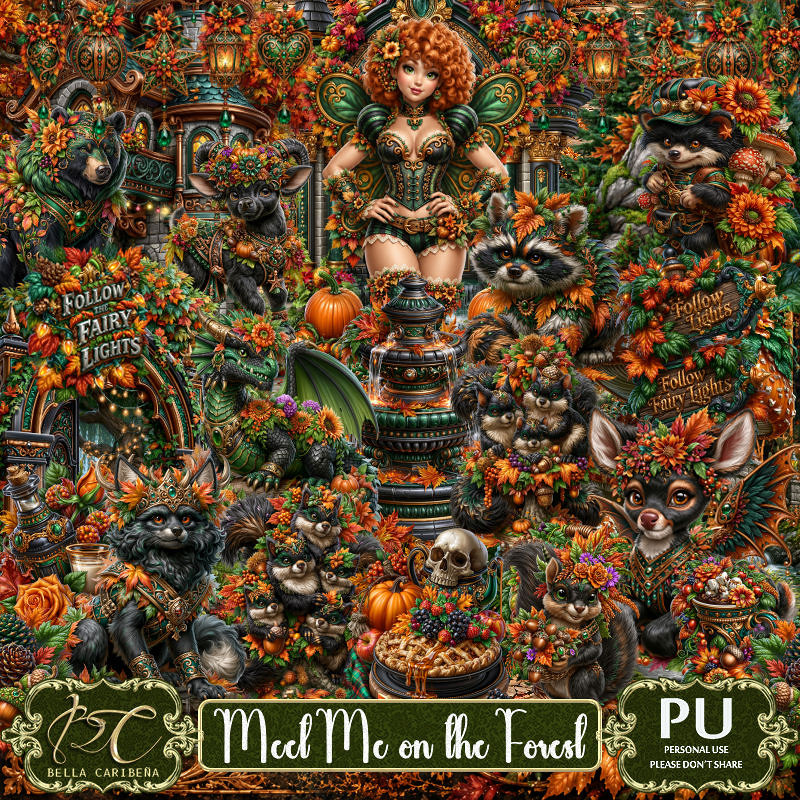
PTU Scrap A Whismical Teal Dream by Bella Caribeña  HERE
Fairytale Fantasy Theme
Kit contains 5 Al gen tubes, 122 elements,
 (which 6 are chibi dolls) 21 papers 
You can check out the rest of her store HERE 

Font of choice I used Remachine Script

 Drop shadow as you go is V -2 H 4, 50, 10, or use what you prefer.
Let's get started
*Remember to add your drop shadow as you go along*

Open a new image 800 x 800, paste mask 3, to the left, duplicate, mirror.
I put which folder the elements were in.

(EL 1 folder) Resize 15 to 90%, paste at the top.
(EL 1 folder) Resize 20 to 70%, paste on the upper left.
(EL 1 folder) Resize 31 to 50%, paste on the bottom right.

Resize tube 1 to 17%, paste above the steps.

(EL 1 folder) Resize 27 to 35%, paste at the bottom above the tube to
the left.
(EL 2 folder) Resize 94 to 45%, paste on the left below the tube at the
bottom of the mushroom house.
(EL 2 folder) Resize 84 to 30%, paste at the bottom left below the shoe.
(EL 2 folder) Resize 53 to 35%, paste on the bottom right above the bridge.
(EL 2 folder) Resize 105 to 75%, paste on the right below the house,
duplicate, mirror. adjust on the left.

(EL 2 folder) Resize 89 to 30%, paste at the upper right below the house.
(EL 2 folder) Resize 109 to 40%, paste on the bottom left.
(EL 2 folder) Resize 70 to 30%, paste at the bottom in front of the tube.
(EL 2 folder) Resize 114 to 25%, paste on the bottom right.
(EL 2 folder) Resize 67 to 20%, paste on the right on the steps.
(EL 2 folder) Resize 63 to 18%, paste on the upper left on the step.

Add any other elements you would like, resize.
Crop your tag to be sure no shadows or lines are on the edges.
 Then add your copyright and name.
That's it

            Hope you enjoyed doing my tut                   

Monday, June 8, 2026

PTU Bloomwing Fairy


 This tut was written June 8th, 2026 for those with a basic knowledge of psp. 

I am using the beautiful tube by © Stella Felice Art

Tube is called Summer Fairy
Tube is NOT included
You can find this tube at her Lava store HERE

I used PSP2020...but any of them should work.
PTU Scrap Bloomwing Fairy by Starlite and Soul  HERE
You can find all Starlite and Soul kits  HERE 
RD Mask 731 HERE
Rest of the blog HERE

Font of choice, I used Wingcharm

Drop shadow as you go is V -2 H 4, 40, 10, or use what you prefer.
Let's get started
*Remember to add your drop shadow as you go along*

Open a new image 800 x 800, paste paper 10, apply your mask,
move to the left, duplicate, mirror.

Resize frame 6 to 60%, paste, click inside the frames, resize paper 3
to 40%, paste how you like, invert, delete, merge the frame and 
paper, duplicate, mirror.
Resize 1 to 65%, paste above the frames.
Resize 53 to 60%, paste above the house by the steps.
Resize 8 to 30%, paste on the left below the steps.
Resize 64 to 30%, paste to the left above the steps.
Resize 56 to 30%, paste at the bottom left.
Resize 43 to 50%, paste at the bottom right.

Resize the tube to 20%, paste at the bottom to the right of the stairs.

Resize 3 to 25%, paste at the bottom left.
Resize 27 to 20%, paste at the bottom right above the tube.
Resize 33 to 22%, paste at the bottom.
Resize 40 to 30%, paste at the bottom left.
Resize 18 to 33%, paste at the bottom right.
Resize 2 to 20%, paste at the bottom right.

Add any other elements that you would like, make it your own.
Always readjust your mask and elements how you like them before you
 merge your tag, resize, sharpen.

Crop your tag to be sure no shadows or lines are on the edges.
 Then add your copyright and name.
That's it

Hope you enjoyed doing my tut

Tag for Lizzie  


Saturday, May 9, 2026

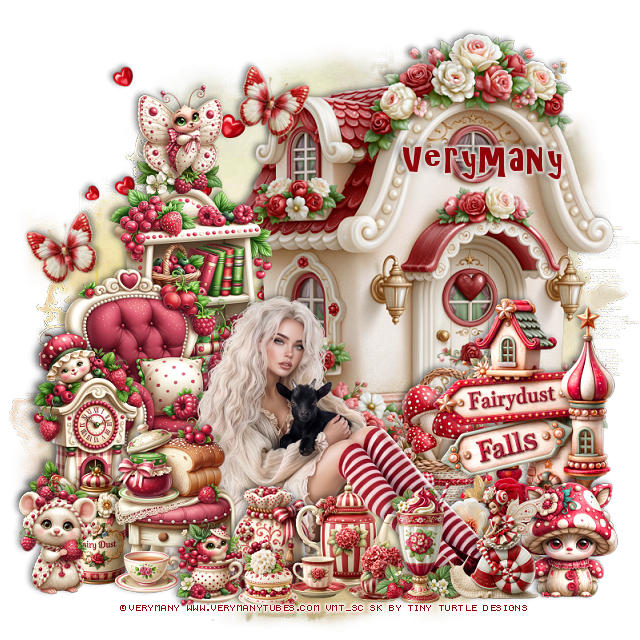
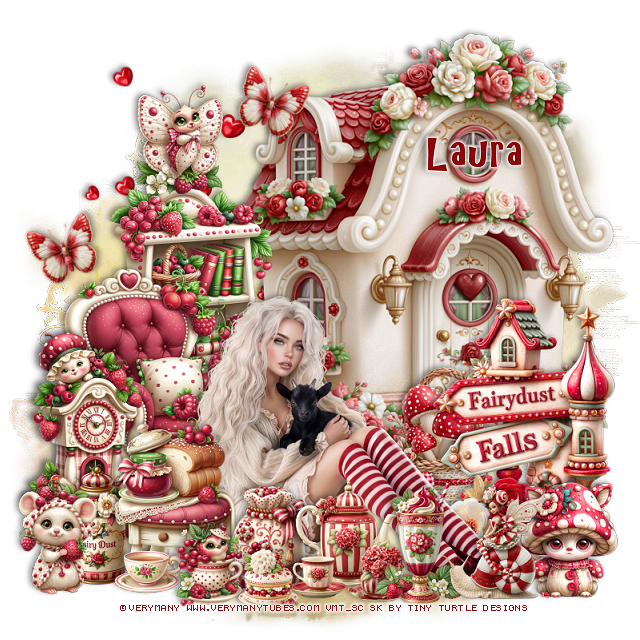
PTU Fairy 16


 This tut was written May 9th, 2026 for those with a basic knowledge of psp. 

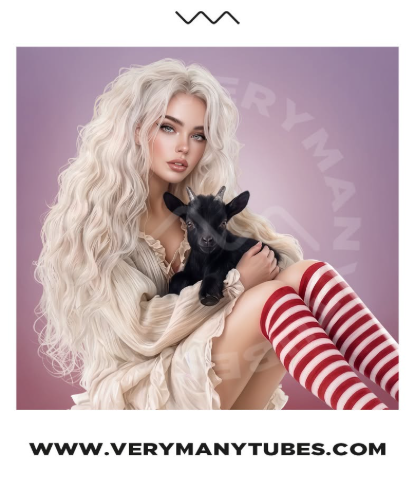
I am using the beautiful tube by © Verymany

Tube is called Fairy 16
Tube is NOT included
You need a license to use this tube, please do not use without a license
You can find this tube at Verymany store HERE

I used PSP2020...but any of them should work.
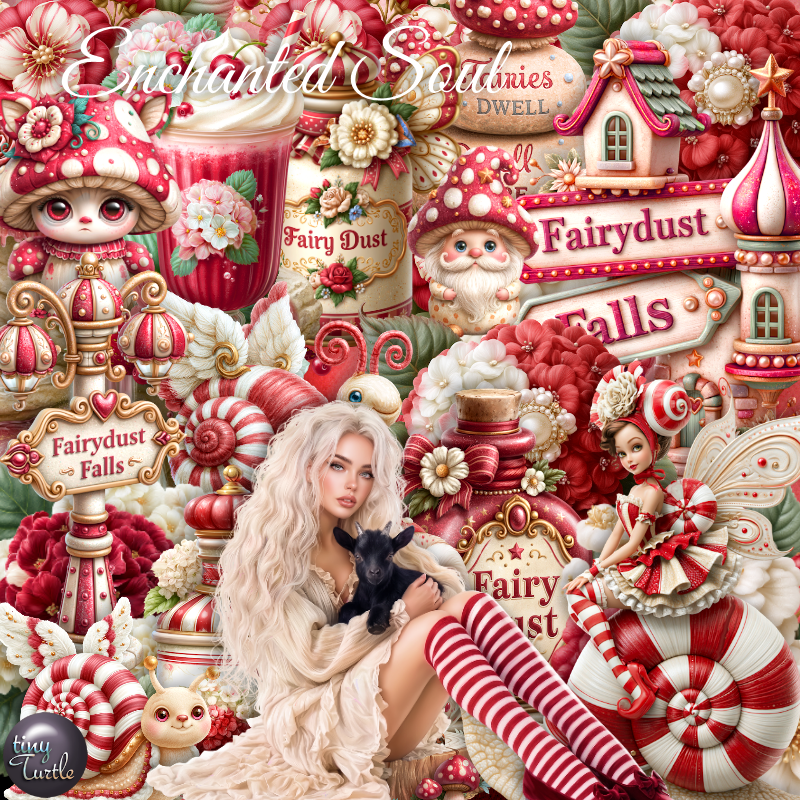
PTU Scrap Fairy 16 by Tiny Turtle Designs  HERE
You can find all Tiny Turtle Designs kits  HERE 
Miz Teeques Mask 118 HERE
Check the blog out HERE
Filters
Mura Meister Copies-Encircle

Font of choice, I used Fairy Godmother

Drop shadow as you go is V -2 H 4, 50, 10, or use what you prefer.
Let's get started
*Remember to add your drop shadow as you go along*

Open a new image 800 x 800, paste paper 16, apply your mask. 

Resize 104 to 75%, paste at the top, click inside, paste paper 19, 
invert, delete.
Resize 4 to 55%, paste on the right.

Resize the tube to 30%, paste to the left of the house.

Resize 22 to 40%, paste on the left below the tube, duplicate, mirror,
move below the house on the right.
Resize 2 to 35%, paste on the upper right below the flowers.
Resize 7 to 40%, mirror, paste at the bottom left above the tube.
Resize 20 to 25%, apply Mura Meister Copies-Encircle, first 3 numbers
on 12, 60, 50, paste below the frame.
Resize 17 to 25%, paste at the bottom above the wagon.
Resize 20 to 25%, paste at the bottom below the owls.

Resize 36 to 25%, paste at the bottom to the right of the owls.
Resize 14 to 15%, paste at the bottom.
Resize 83 to 12%, paste at the bottom by the cup.
Resize 19 to 28%, paste at the bottom right above the house.
Resize 178 to 25%, paste at the bottom right.
Resize 5 to 15%, paste at the bottom left.
Resize 51 to 20%, paste on the bottom left.

Resize 8 to 15%, paste at the bottom right.
Resize 15 to 13%, paste at the bottom left.
Resize 16 to 15%, paste on the upper left on the flower.
Resize 80 to 20%, paste at the upper right.
Resize 29 to 20%, paste on the right by the house.
Resize 6 to 18%, paste at the upper left above the house.

Add any other elements that you would like, make it your own.
Always readjust your mask and elements how you like them before you
 merge your tag, resize, sharpen.

Crop your tag to be sure no shadows or lines are on the edges.
 Then add your copyright and name.
That's it

Hope you enjoyed doing my tut

Tag for Laura      


Saturday, May 2, 2026

PTU Celestial Fairy


 This tut was written May 2nd, 2026 for those with a basic knowledge of psp. 

I am using the beautiful tube by © Amber

Tube is called Celestial Fairy
Tube is NOT included
You need a license to use this tube, please do not use without a license
You can find this tube at Amber store HERE

I used PSP2020...but any of them should work.
PTU Scrap Celestial Fairy by Tiny Turtle Designs  HERE
You can find all Tiny Turtle Designs kits  HERE 
Miz Teeques Mask 78 HERE
Check the blog out HERE

Font of choice, I used Meybi

Drop shadow as you go is V -2 H 4, 40, 10, or use what you prefer.
Let's get started
*Remember to add your drop shadow as you go along*

Open a new image 800 x 800, paste paper 24, apply your mask,
move to the left, duplicate, mirror.

Resize 129 to 75%, paste, move up, click inside, paste paper 3, 
invert, delete.
Paste 40 below the frame, erase the bottom part.

Resize the tube to 25%, paste.

Resize 39 to 45%, mirror, paste below the tube at the upper right.
Resize 28 to 45%, paste on the bottom left below the tube, duplicate, move
to the right of the tube.
Resize 49 to 30%, paste at the bottom left above the tube.
Resize 34 to 40%, paste on the left below the rocks, duplicate, mirror,
move up on the right.
Resize 3 to 50%, paste on the right.
Resize 90 to 30%, paste at the bottom above the tube.
Resize 33 to 25%, paste on the bottom left above the house.

Resize 38 to 20%, paste at the bottom.
Resize 35 to 25%, paste at the bottom right.
Resize 45 to 23%, paste on the right below the bear.
Resize 43 to 22%, paste at the bottom by the bear.
Resize 44 to 12%, paste at the bottom by the teapot.
Resize 52 to 15%, paste at the bottom in front of the bear.
Resize 53 to 15%, paste on the bottom left.
Resize 51 to 15%, paste at the bottom left by the book.
Resize 60 to 25%, paste on the bottom right below the mushroom,
duplicate, mirror.
Resize 42 to 13%, paste at the bottom right above the bear.
Resize 31 to 13%, paste at the bottom by the house.

Resize 78 to 32%, paste on the right above the wheel, duplicate, 
mirror, move down a little more on the left.
Resize 23 to 15%, paste on the left on the crate.
Resize 47 to 20%, paste on the left, duplicate, mirror, move up.

Add any other elements that you would like, make it your own.
Always readjust your mask and elements how you like them before you
 merge your tag, resize, sharpen.

Crop your tag to be sure no shadows or lines are on the edges.
 Then add your copyright and name.
That's it

Hope you enjoyed doing my tut

Tag for Laura     


Thursday, March 26, 2026

PTU Twilight Fairy


 This tut was written March 26th, 2026 for those with a basic knowledge of psp. 

I am using the beautiful tube by © Amber

Tube is called Twilight Fairy
Tube is NOT included
You need a license to use this tube, please do not use without a license
You can find this tube at Amber store HERE

I used PSP2020...but any of them should work.
PTU Scrap Twilight Fairy by Tiny Turtle Designs  HERE
You can find all Tiny Turtle Designs kits  HERE 
RD Mask 720 HERE
Check the blog HERE

Font of choice, I used Simple October

Drop shadow as you go is V -2 H 4, 50, 10, or use what you prefer.
Let's get started
*Remember to add your drop shadow as you go along*

Open a new image 800 x 800, paste paper 14 apply your mask.

Resize 25 to 85%, paste on the left, 
Resize the tube to 25%, paste at the bottom.
Resize 33 to 85%, paste below the house on the upper right.
Resize 32 to 60%, mirror, paste on the bottom right above the arch.
Resize 158 to 75%, mirror, paste below the arch to the left.
Resize 24 to 45%, paste on the bottom right below the tube.
Resize 31 to 27%, paste on the bottom right above the house.
Resize 40 to 30%, paste at the bottom right above the tube.

Resize 36 to 25%, paste on the bottom right below the headstone.
Resize 37 to 25%, paste on the bottom left by the plant.
Resize 35 to 20%, mirror, paste at the bottom by the headstone.

Paste 160 at the bottom on the bottom layer to the right, duplicate, mirror.
Resize 30 to 25%, paste at the bottom above the tube.
Resize 39 to 15%, paste at the bottom left.
Resize 47 to 25%, paste at the bottom below the bear, duplicate,
move to the left behind the plant.
Resize 79 to 20%, paste at the bottom above the flowers.
Resize 70 to 10%, paste at the bottom.
Resize 78 to 20%, paste on the steps of the house.
Paste 18 above the  mask on the upper left, duplicate a couple of times 
and move where you like.

Add any other elements that you would like, make it your own.
Always readjust your mask and elements how you like them before you
 merge your tag, resize, sharpen.

Crop your tag to be sure no shadows or lines are on the edges.
 Then add your copyright and name.
That's it

Hope you enjoyed doing my tut

Tag for Laura    


Monday, March 9, 2026

PTU Spring Enchantment


 This tut was written March 8th, 2026 for those with a basic knowledge of psp. 

I am using the beautiful tube by © Amber

Tube is called Spring Fairy 2
You need a license to use this tube, please do not use without a license
You can find this tube at Amber store HERE

I used PSP2020...but any of them should work.
PTU Scrap Spring Enchantment by Starlite and Soul HERE
You can find all Starlite and Soul  kits  HERE 
 Miz Teeques Mask 78 HERE
Check the blog out HERE

Font of choice, I used Fairy Godmother

Drop shadow as you go is V -2 H 4, 35, 10, or use what you prefer.
Let's get started
*Remember to add your drop shadow as you go along*

Open a new image 800 x 800, paste paper 14, apply your mask, move
to the left, duplicate, mirror. erase a little of the bottom.

Resize 58 to 75%, mirror, paste on the upper right.
Resize paper 1 to 40%, paste behind the arch, erase any showing on the sides.
Resize 10 to 85%, paste on the left.
Resize 1 to 75%, paste on the right.
Resize 11 to 65%, mirror, paste above the mask on the left.
Resize 49 to 40%, paste on the bottom left above the arch, 
duplicate, mirror, move so a little shows on the bottom right.
Resize 43 to 40%, paste below the arch opening.
Resize 62 to 35%, paste below the fountain in the arch.

Resize the tube to 25%, mirror, paste at the bottom.

Resize 3 to 30%, paste on the left on the rocks.
Resize 64 to 45%, paste on the bottom right below the tube.
Resize 114 to 30%, paste at the top on the arch.
Resize 51 to 40%, paste on the bottom right above the tube.
Paste 159 on the right below the sign.
Resize 46 to 27%, paste at the bottom right by the sign.
Resize 2 to 30%, mirror, paste at the bottom right by the plant.
Resize 39 to 45%, paste at the bottom left below the bear, move the fox
below then bench if needed.

Resize 118 to 25%, paste at the bottom below the bear by the bench, duplicate,
mirror.
Resize 30 to 20%, paste at the bottom above the flowers.
Resize 116 to 20%, paste at the bottom below the bottle.
Resize 27 to 20%, paste at the bottom below the bottle.
Resize 15 to 20%, paste at the bottom left above the flowers.
Resize 52 to 20%, paste at the bottom left, duplicate, mirror.
Mirror 168, paste on the left.

Add any other elements that you would like, make it your own.
Always readjust your mask and elements how you like them before you
 merge your tag, resize, sharpen.

Crop your tag to be sure no shadows or lines are on the edges.
 Then add your copyright and name.
That's it

Hope you enjoyed doing my tut

Tag for Lizzie  


Friday, February 13, 2026

PTU Once Upon A Forest

  This tut was written February 12th, 2026 for those with a basic knowledge of psp. 

I am using an Awesome Al gen tube by DBD

Tube is included in the kit
Please read the TOU on how to credit your tags.

I used PSP2020...but any of them should work.
PTU Scrap Once Upon A Forest by Doodle by Design  HERE
You can find all Doodle by Design kits  HERE 
Mask of choice, I used Miz Teeques Mask 70 HERE
Check out the rest of the blog HERE

Font of choice, I used The Flowery Spring

Drop shadow as you go is V -2 H 4, 40, 10, or use what you prefer.
Let's get started
*Remember to add your drop shadow as you go along*

Open a new image 800 x 800, paste paper 2, apply your mask, move
to the left, duplicate, mirror.

Resize frame 5 to 65%, paste, click inside, resize paper 3 to 40%,
paste, invert, delete.
Resize 88 to 15%, paste in the frame.
Resize 204 to 50%, paste in the frame.
Resize 99 to 70%, paste below the frame to the left.
Resize 12 to 90%, mirror, paste below the frame on the right.
Resize 38 to 65%, paste on the right above the frame.
Resize 37 to 45%, paste on the bottom left.
Resize 10 to 45%, mirror, paste on the bottom right.
Resize 28 to 15%, paste on the fence  post in the right.
Paste 113 at the bottom above the mask to the left, duplicate, mirror.
Resize 69 to 45%, paste on the bottom right.
Resize 26 to 25%, paste on the bottom right.

Resize tube 3 to 40%, paste above the fence and fireplace.
Resize tube 2 to 28%, mirror, paste at the bottom right above the tube.

Resize 2 to 25%, paste at the bottom above the tube.
Resize 43 to 25%, paste at the bottom below the gnome.
Resize 36 to 35%, paste at the bottom below the book on the left.
Resize 45 to 20%, paste at the bottom above the boy.
Resize 80 to 18%, paste at the bottom left.
Resize 63 to 20%, paste on the bottom left below the bucket, 
duplicate, move to the right below the fox.
Mirror 203, paste about center or where you prefer.
Resize 108 to 13%, paste at the bottom left by the book.
Resize 102 to 10%, paste at the upper left.
Paste 206 at the bottom, duplicate, flip, move to the top.

Add any other elements that you would like, make it your own.
Always readjust your mask and elements how you like them before you
 merge your tag, resize, sharpen.

Crop your tag to be sure no shadows or lines are on the edges.
 Then add your copyright and name.
That's it

Hope you enjoyed doing my tut