Showing posts with label DeniseC Art. Show all posts

Thursday, June 18, 2026

PTU Peacocks in the Garden

   This tut was written June 17th, 2026 for those with a basic knowledge of psp. 

I am using the beautiful Al kit/tube by DeniseC Art

Everything is included in the kit
Please read their TOU on how to credit your tags

I used PSP2020...but any of them should work.
PTU Scrap Peacocks in the Garden by DeniseC Art HERE
Check out her store here for more of her kits  HERE 
WSL Mask 84, the link is no longer available
Use a mask of choice

Font of choice, I used Satisfaction

Drop shadow as you go is V -2 H 4, 50, 10, or use what you prefer.
Let's get started
*Remember to add your drop shadow as you go along*

Open a new image 800 x 800, resize paper 6 to 50%, apply your mask, 
move to the upper left, duplicate, mirror, move down on the right.

Resize 18 to 50%, paste.
Resize 10 to 35%, paste on the bottom left.
Resize 44 to 65%, paste on the left below the tube.
Resize 24 to 30%, paste at the bottom right above the tube.
Resize 53 to 40%, paste on the right below the tube.
Resize 31 to 55%, paste below the swing, duplicate, move
to the left behind the dome.

Resize 26 to 30%, paste on the left below the fountain.
Resize 45 to 30%, paste on the bottom right below the tube.
Resize 54 to 20%, paste at the bottom left below the fountain.
Resize 30 to 50%, paste at the upper left below the mask layer, duplicate,
move to the right.
Resize 60 to 17%, paste at the bottom above the tube.
Resize 32 to 15%, paste at the bottom.
Resize 23 to 15%, paste at the bottom left.
Resize 9 to 13%, paste at the bottom.
Resize 19 to 13%, paste at the bottom.
Resize 38 to 10%, paste at the bottom right by the purse.
Resize 59 to 7%, paste at the bottom.
Resize 56 to 7%, paste at the bottom left.

Add any other elements that you would like, make it your own.
Always readjust your mask and elements how you like them before you
 merge your tag, resize, sharpen.

Crop your tag to be sure no shadows or lines are on the edges.
 Then add your copyright and name.
That's it

Hope you enjoyed doing my tut   

PTU Female Urban Life Style

   This tut was written June 17th, 2026 for those with a basic knowledge of psp. 

I am using the beautiful Al kit/tube by DeniseC Art

Everything is included in the kit
Please read their TOU on how to credit your tags

I used PSP2020...but any of them should work.
PTU Scrap Female Urban Life Style by DeniseC Art HERE
Check out her store here for more of her kits  HERE 
RD Mask 756 HERE
Check out the rest of the blog  HERE

Font of choice, I used Donkey Stone

Drop shadow as you go is V -2 H 4, 40, 10, or use what you prefer.
Let's get started
*Remember to add your drop shadow as you go along*

Open a new image 800 x 800, resize paper 1 to 52%, apply your mask.

Resize 35 to 20%, paste on the upper right on the mask.
Resize 9 to 35%, paste at the bottom left, duplicate, mirror.
Resize 7 to 50%, paste above the left chair.
Resize 5 to 60%, paste above the right chair.
Resize 1 to 18%, paste at the bottom right by the tube.
Resize 48 to 18%, paste at the bottom left by the tube.
Resize 28 to 25%, paste on the left behind the chair.
Resize 40 to 30%, paste on the right behind the chair.
Resize 59 to 17%, paste on the dress form on the right, duplicate, 
mirror, move below the lamp on the left.

Resize 27 to 20%, paste on the bottom left above the chair.
Resize 24 to 17%, paste on the bottom right above the chair.
Resize 49 to 15%, paste on the bottom left.
Resize 50 to 12%, paste at the bottom by the purse.
Resize 51 to 10%, paste at the bottom.

Resize 41 to 20%, paste below the basket on the right.
Resize 42 to 15%, paste on the bottom right above the purse.
Resize 14 to 20%, paste at the bottom between the tubes.
Resize 39 to 15%, paste at the bottom to the left of the dog.
Resize 32 to 10%, paste at the bottom right by the purse.
Resize 8 to 12%, paste at the bottom by the dog.
Resize 22 to 12%, paste at the bottom left.
Resize 52 to 12%, paste on the chair on the right.
Resize 55 to 15%, paste on the chair on the left.
Resize 10 to 13%, paste at the bottom below the drink.
Resize 16 to 13%, mirror, paste on the chair arm on the right.

Add any other elements that you would like, make it your own.
Always readjust your mask and elements how you like them before you
 merge your tag, resize, sharpen.

Crop your tag to be sure no shadows or lines are on the edges.
 Then add your copyright and name.
That's it

Hope you enjoyed doing my tut   
PTU A Victorian Treasury


 This tut was written June 17th, 2026 for those with a basic knowledge of psp. 

I am using the beautiful Al kit/tube by DeniseC Art

Everything is included in the kit
Please read their TOU on how to credit your tags

I used PSP2020...but any of them should work.
PTU Scrap A Victorian Treasury by DeniseC Art HERE
Check out her store here for more of her kits  HERE 
Miz Teeques Mask 56 HERE
Check out the rest of the blog  HERE

Font of choice, I used Special Touch

Drop shadow as you go is V -2 H 4, 50, 10, or use what you prefer.
Let's get started
*Remember to add your drop shadow as you go along*

Open a new image 800 x 800, resize paper 1 to 50%, apply your mask.

Draw around element 35 on the bottom part of the flowers,
resize to 25%, apply Mura Meister Copies-Encircle, first 3 numbers
on 14, 63, 63, paste.
Resize 14 to 20%, apply Mura Meister Copies-Encircle, first 3 numbers
on 12, 50, 50, paste.
Duplicate the flower circle, move above the fan circle, resize to 80%, 
erase the tassels showing.
Resize 57 to 50%, paste below the frame.
Resize 7 to 50%, paste on the right above the frame.

Resize 22 to 50%, paste on the left.
Resize 25 to 50%, paste at the bottom.
Resize 21 to 50%, paste on the right.
Resize 6 to 10%, paste on the piano.
Resize 51 to 30%, paste on the bottom left by the couch.
Resize 15 to 20%, paste on the plant stand.
Resize 45 to 15%, paste on the couch to the left of the lady.
Resize 26 to 15%, paste by the gloves.
Resize 32 to 20%, paste at the bottom left.
Resize 20 to 20%, paste at the bottom right below the tube.

Resize 40 to 20%, paste at the bottom right above the tube.
Resize 41 to 15%, paste at the bottom right.
Resize 5 to 15%, paste at the bottom by the gift boxes.
Resize 37 to 20%, paste at the bottom right above the tube.
Resize 3 to 30%, paste at the bottom left above the gift boxes.
Resize 1 to 20%, paste at the bottom by the shoes.
Resize 60 to 15%, paste at the bottom below the dog.
Resize 18 to 15%, paste at the bottom above the tray.
Resize 8 to 30%, paste below the piano.

Add any other elements that you would like, make it your own.
Always readjust your mask and elements how you like them before you
 merge your tag, resize, sharpen.

Crop your tag to be sure no shadows or lines are on the edges.
 Then add your copyright and name.
That's it

Hope you enjoyed doing my tut   
Sunday, June 7, 2026

PTU Tropical Summer Beach


 This tut was written June 7th, 2026 for those with a basic knowledge of psp. 

I am using the beautiful Al kit/tube by DeniseC Art

Everything is included in the kit
Please read their TOU on how to credit your tags

I used PSP2020...but any of them should work.
PTU Scrap Tropical Summer Beach by DeniseC Art HERE
Check out her store here for more of her kits  HERE 
Rd Mask 749 HERE
Check the blog out HERE

Font of choice, I used Make Summer Fun

Drop shadow as you go is V -2 H 4, 40, 10, or use what you prefer.
Let's get started
*Remember to add your drop shadow as you go along*

Open a new image 800 x 800, paste paper1, apply your mask,

Resize 48 to 50%, paste on the upper left.
Resize 2 to 55%, paste on the right.
Resize 1 to 40%, paste about center.
Resize 40 to 35%, paste on the left below the tube.
Resize 17 to 35%, paste on the left below the tube.
Resize 39 to 25%, paste below the tube on the right.

Resize 57 to 25%, paste on the bottom left.
Resize 19 to 35%, paste on the bottom right.
Resize 25 to 23%, paste at the bottom right above the tube.
Resize 47 to 15%, paste on the bottom right.
Resize 37 to 25%, paste on the bottom right.
Resize 36 to 17%, paste at the bottom by the basket.
Resize 24 to 13%, paste at the bottom.

Resize 51 to 15%, paste on the bottom left above the sign.
Resize 14 to 15%, paste on the right on the bar building.
Resize 54, 34 and 5 to 15%, paste at the bottom by the purse.
Resize 3 to 10%, paste on the bottom right.
Resize 42 to 10%, paste at the bottom.
Resize 30 to 15%, paste at the top below the buildings.
Resize 33 to 25%, mirror, paste at the bottom left.

Add any other elements that you would like, make it your own.
Always readjust your mask and elements how you like them before you
 merge your tag, resize, sharpen.

Crop your tag to be sure no shadows or lines are on the edges.
 Then add your copyright and name.
That's it

Hope you enjoyed doing my tut   
PTU The Teal Treasure Room

  This tut was written June 7th, 2026 for those with a basic knowledge of psp. 

I am using the beautiful Al kit/tube by DeniseC Art

Everything is included in the kit
Please read their TOU on how to credit your tags

I used PSP2020...but any of them should work.
PTU Scrap The Teal Treasure Room by DeniseC Art HERE
Check out her store here for more of her kits  HERE 
Miz Teeques Mask 78 HERE
Check out the rest of the blog  HERE

Font of choice, I used Lovely Butterfly

Drop shadow as you go is V -2 H 4, 40, 10, or use what you prefer.
Let's get started
*Remember to add your drop shadow as you go along*

Open a new image 800 x 800, paste paper 4, apply your mask,
move to the left, duplicate, mirror.

Resize 48 to 55%, paste.
Resize 31 to 50%, paste below the picture frame on the upper right,
duplicate, mirror.
Resize 19 to 35%, paste on the right.
Resize 9 to 18%, paste at the bottom above the tube.
Resize 6 to 15%, paste on the bottom right above the glass.
Resize 12 to 23%, paste on the right below the phone.

Resize 16 to 15%, paste on the upper left on the picture frame.
Resize 39 to 17%, mirror, paste below the drink on the left.
Resize 28 to 25%, mirror, paste on the bottom left.
Resize 36 to 15%, paste on the bottom left.
Resize 54 to 15%, paste at the bottom left above the gifts.
Resize 58 to 20%, paste at the bottom above the table.

Resize 30 to 17%, paste at the bottom above the tray.
Resize 35 to 15%, paste at the bottom left.
Resize 2 to 10%, paste at the bottom to the right of the mouse.
Resize 29 to 13%, paste at the bottom to the right.
Resize 44 to 15%, paste on the bottom right.
Resize 5 to 12%, paste on the right.

Resize 14 to 13%, paste on the couch.
Resize 4 to 10%, paste at the bottom left by the tray.
Resize 15 to 10%, paste at the bottom by the jewelry box.
Resize 51 to 13%, paste on the left in the chair.
Resize 46 to 10%, paste at the bottom left.

Add any other elements that you would like, make it your own.
Always readjust your mask and elements how you like them before you
 merge your tag, resize, sharpen.

Crop your tag to be sure no shadows or lines are on the edges.
 Then add your copyright and name.
That's it

Hope you enjoyed doing my tut   
Sunday, May 24, 2026

PTU Made with Magic


 This tut was written May 23rd, 2026 for those with a basic knowledge of psp. 

I am using the beautiful Al kit/tube by DeniseC Art

Everything is included in the kit
Please read their TOU on how to credit your tags

I used PSP2020...but any of them should work.
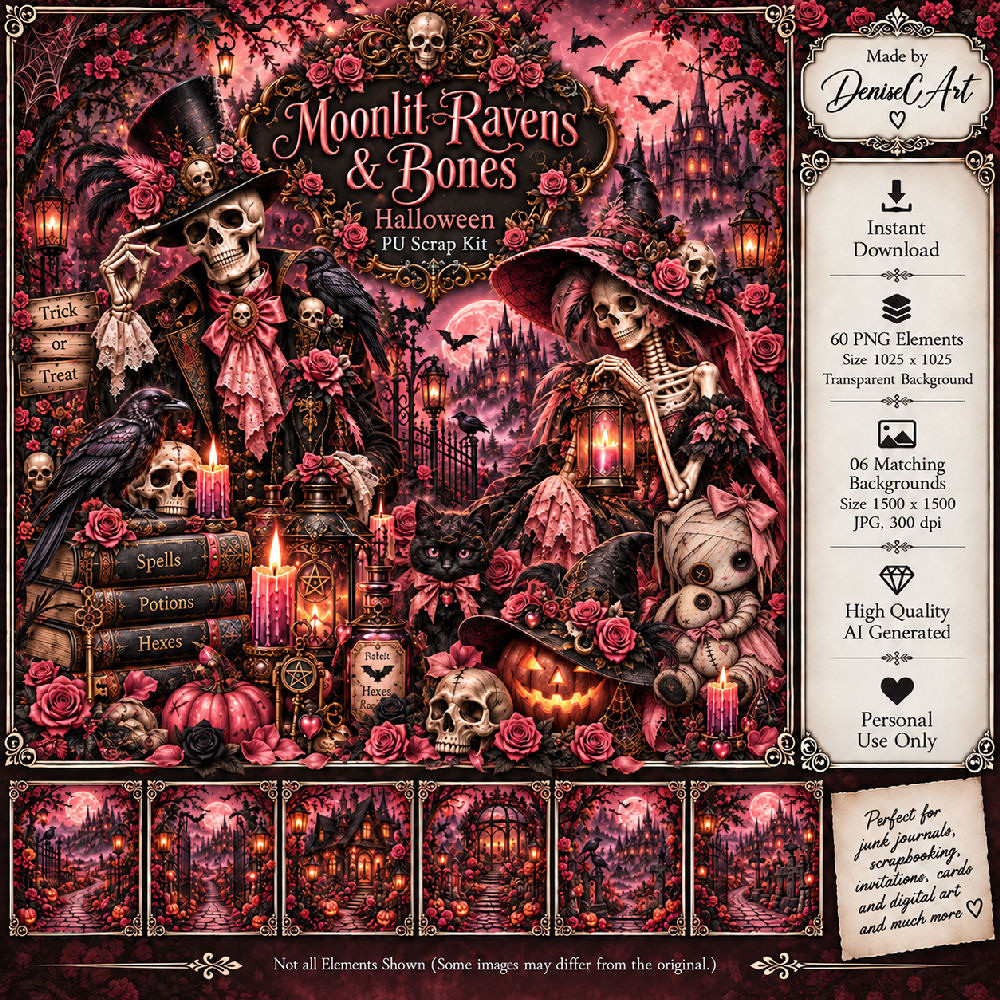
PTU Scrap Made With Magic by DeniseC Art HERE
Check out her store here for more of her kits  HERE 
Miz Teeques Mask 63 HERE
Check out the rest of the blog  HERE
Filters
Mura Meister Copies-Encircle.

Font of choice, I used Make Magic Happen

Drop shadow as you go is V -2 H 4, 40, 10, or use what you prefer.
Let's get started
*Remember to add your drop shadow as you go along*

Open a new image 800 x 800,  resize paper 1 to 65%, paste, apply your mask,
move to the left, duplicate, mirror.

Resize 18 to 50%, paste, resize 7 to 45%, paste below the frame.
Resize 29 to 20%, apply Mura Meister Copies-Encircle, first 3 numbers
on 14, 50, 50, paste below the frame.
Resize 42 to 20%, apply Mura Meister Copies-Encircle, first 3 numbers
on 14, 60, 60, paste below the flower circle.
Resize 5 to 50%, paste on the left above the frame.
Resize 1 to 35%, paste on the right above the frame.
Resize 15 to 20%, paste on the upper left on the moon.

Resize 46 to 25%, paste at the bottom above the tube.
Resize 33 to 22%, paste at the bottom right.
Resize 37 to 30%, paste on the bottom right below the dog.
Resize 25 to 20%, mirror, paste at the upper right below the tube.
Resize 58 to 20%, paste at the bottom below the chest.
Resize 3 to 25%, paste on the left at the bottom of the castle.

Resize 36 to 20%, paste at the bottom above the chest.
Resize 41 to 20%, paste on the left above the girl.
Resize 31 to 20%, paste at the bottom left above the books.
Resize 51 to 15%, paste on the bottom left.
Resize 59 to 15%, paste at the bottom left.
Resize 22 to 15%, paste at the bottom below the dog.
Resize 54 to 20%, paste at the top on the frame.
Resize 56 to 15%, paste at the top on the clock to the right.
Resize 44 to 35%, mirror, paste below the carriage on the right.

Add any other elements that you would like, make it your own.
Always readjust your mask and elements how you like them before you
 merge your tag, resize, sharpen.

Crop your tag to be sure no shadows or lines are on the edges.
 Then add your copyright and name.
That's it

Hope you enjoyed doing my tut   
PTU Deadly Little Bottles


 This tut was written May 23rd, 2026 for those with a basic knowledge of psp. 

I am using the beautiful Al kit/tube by DeniseC Art

Everything is included in the kit
Please read their TOU on how to credit your tags

I used PSP2020...but any of them should work.
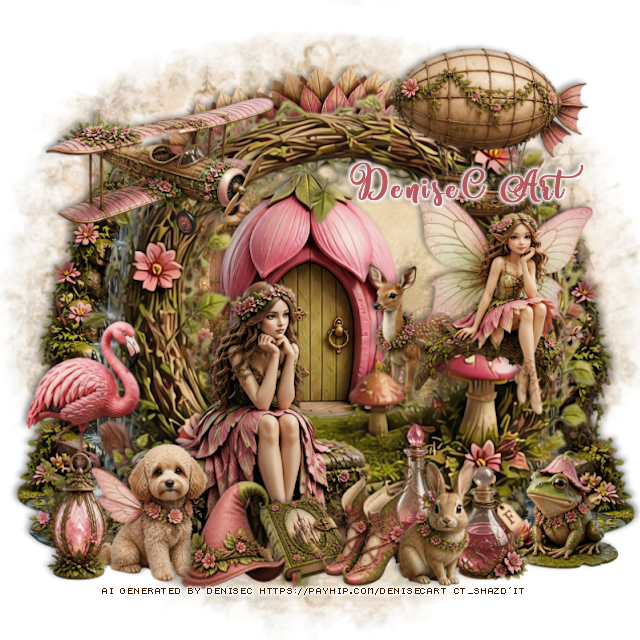
PTU Scrap Deadly Little Bottles by DeniseC Art HERE
Check out her store here for more of her kits  HERE 
Miz Teeques Mask 40 HERE
Check out the rest of the blog  HERE

Font of choice, I used Urban Stars

Drop shadow as you go is V -2 H 4, 50, 10, or use what you prefer.
Let's get started
*Remember to add your drop shadow as you go along*

Open a new image 800 x 800,  resize paper 4 to 60%, paste, apply your mask,

Resize 37 to 50%, paste on the upper right.
Resize 4 to 50%, paste at the upper left below the house.
Resize 17 to 35%, paste above the houses.

Resize 1 to 40%, paste to the left.

Resize 43 to 20%, mirror, paste to the right of the tube.
Resize 46 to 32%, paste on the bottom left below the tube.
Resize 33 to 20%, paste at the bottom above the tube.
Resize 53 to 30%, paste at the top below the house, duplicate, mirror,
move to the right behind the house.
Resize 8 to 15%, paste at the bottom above the chest.
Resize 42 to 30%, paste below the chair on the left, duplicate, mirror.
Resize 56 to 20%, paste at the bottom right below the book.
Resize 36 to 20%, paste at the bottom above the chest.

Resize 39 to 30%, paste at the bottom to the left.
Resize 47 to 15%, paste at the bottom right by the book.
Resize 24 and 29 to 20%, paste on the bottom left below the dog.
Resize 23 to 15%, paste at the bottom left above the dog.
Resize 7 to 15%, paste at the bottom right below the ink bottle.
Resize 43 to 20%, mirror, paste to the right of the tube.
Resize 40 to 15%, paste at the upper left.
Resize 28 to 13%, paste at the bottom by the dog.
Resize 6 to 15%, paste in the chair.
Resize 54 to 9%, paste at the bottom right.

Add any other elements that you would like, make it your own.
Always readjust your mask and elements how you like them before you
 merge your tag, resize, sharpen.

Crop your tag to be sure no shadows or lines are on the edges.
 Then add your copyright and name.
That's it

Hope you enjoyed doing my tut