Showing posts with label New Year 2026. Show all posts

Saturday, January 3, 2026

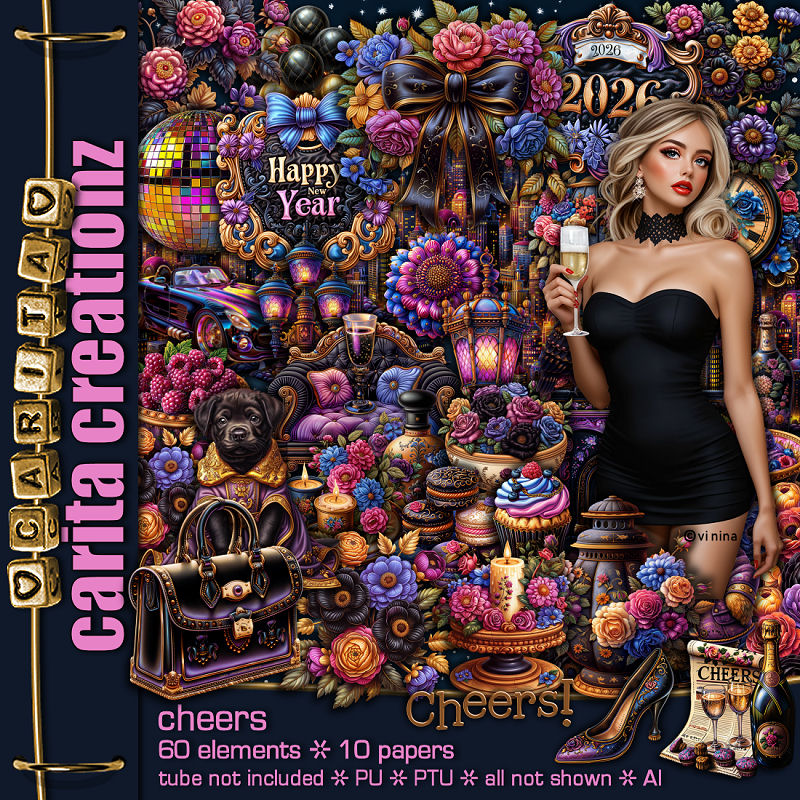
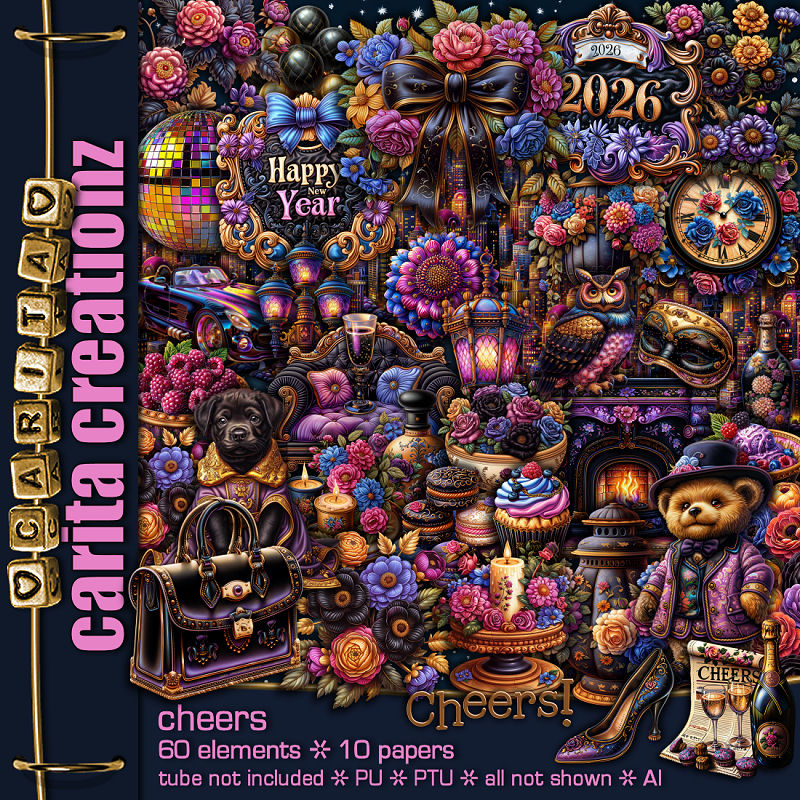
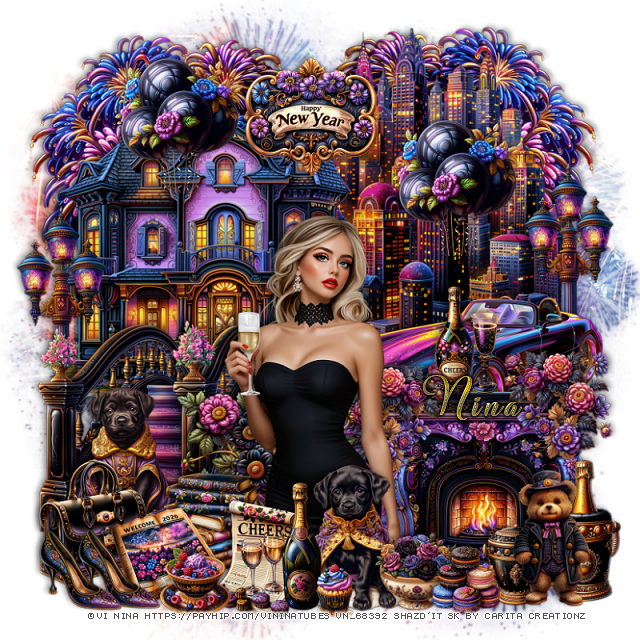
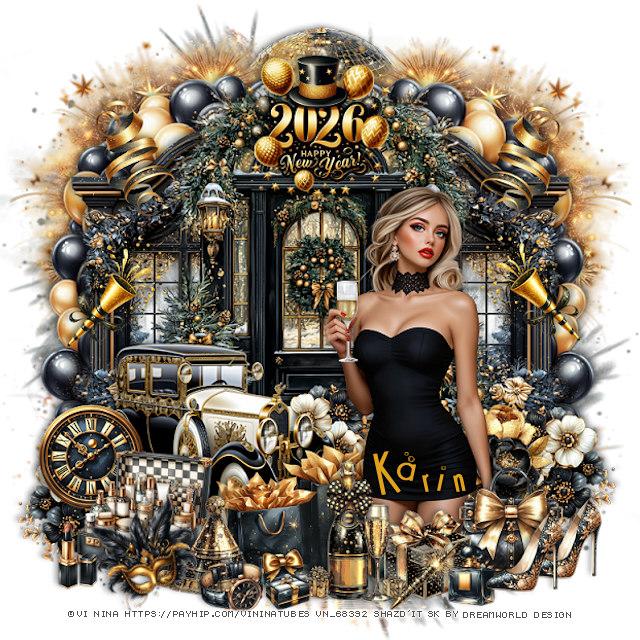
PTU Cheers


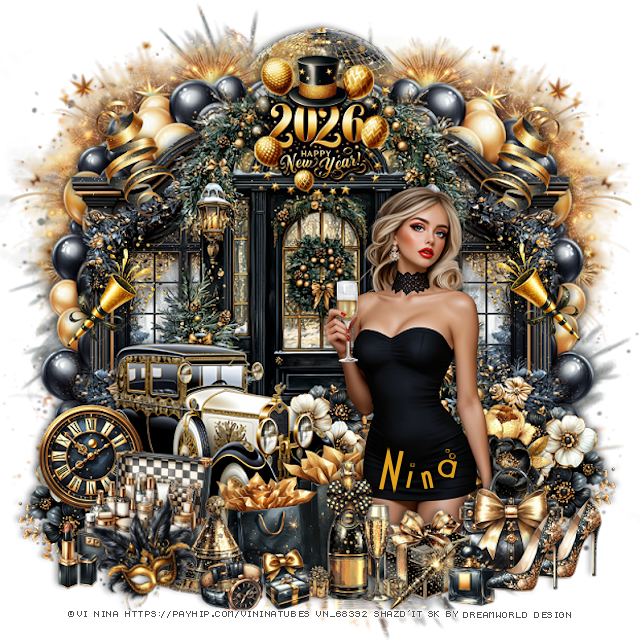
 This tut was written January 2nd, 2026 for those with a basic knowledge of psp. 

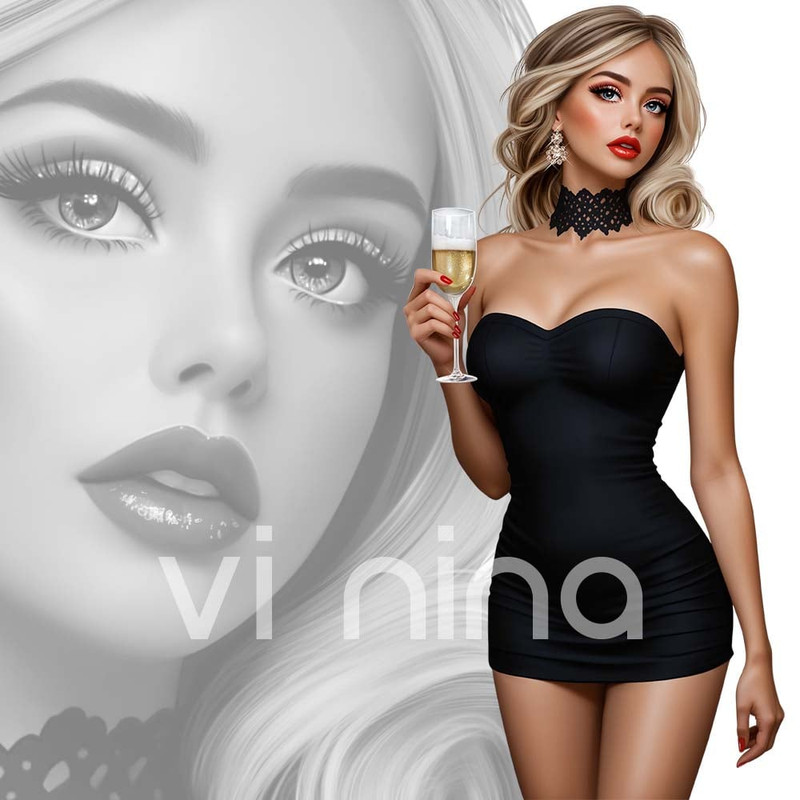
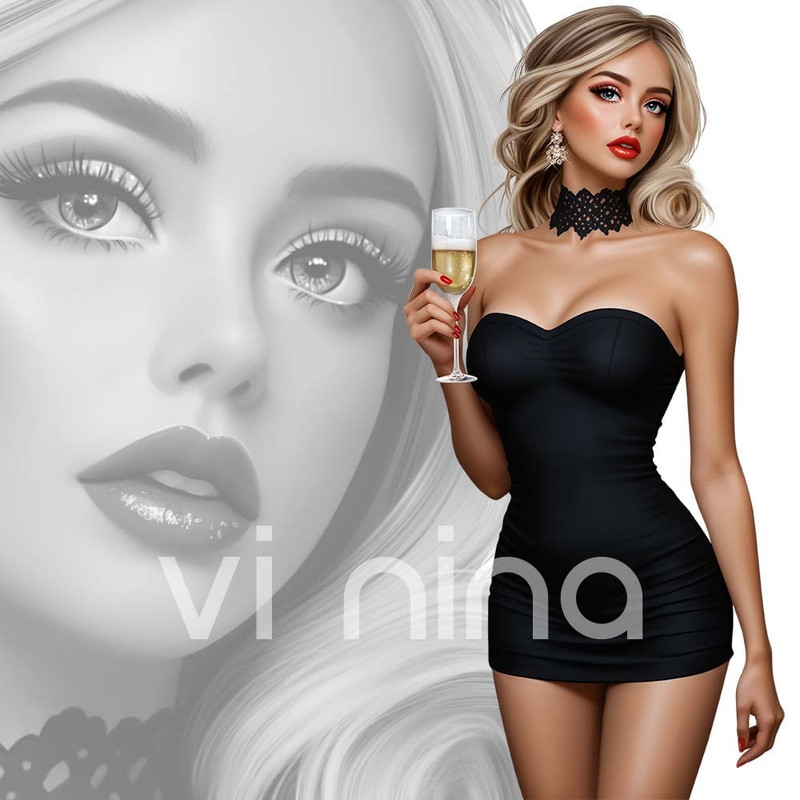
I am using the beautiful tube ©Vi Nina
Tube is called Cheers
The tube is NOT included
You need a license to use this tube, please do not use without a license
You can find the tube at her store HERE

I used PSP2020...but any of them should work.
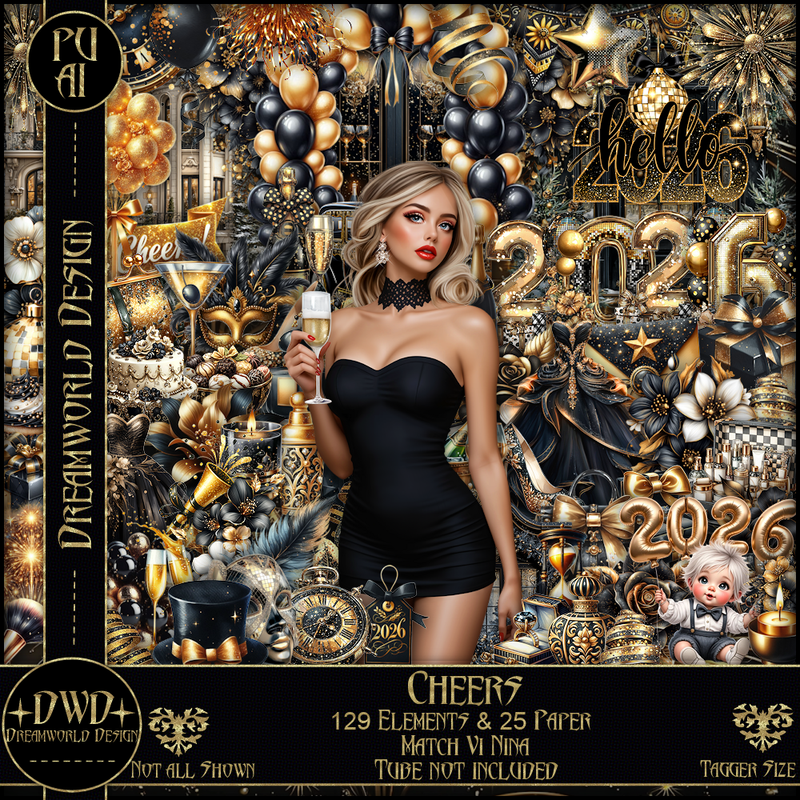
PTU Scrap Cheers match by DWD  HERE
Beautiful kit with 129 elements, 25 papers.
You can find all Dreamworld Design kits  HERE

Font of choice, I used Cocktail bubbly

Drop shadow as you go is V -2 H -4, 50, 10, or use what you prefer
Let's get started
*Remember to add your drop shadow as you go along*

Open a new image 800 x 800, paste mask 1, adjust to fit your tag.

Resize 104 to 60%, paste.
Resize 120 to 55%, paste below the door on the left, duplicate, mirror.
Resize 112 to 75%, paste on the left below the windows, duplicate, mirror.
Resize 88 to 60%, paste at the bottom left above the door.
Paste 55 below the balloons on the upper left, duplicate, mirror.
Resize 37 to 50%, paste at the top below the fireworks.

Resize the tube to 35%, paste on the right.

Resize 61 and 62 to 30%, paste at the bottom below the tube by the car.
Resize 42 to 35%, paste at the bottom above the tube by the bags.
Resize 107 to 30%, paste at the bottom left above the car, duplicate, mirror,
duplicate again, move back to the center behind the car.
Resize 33 to 30%, paste at the bottom above the tube.
Resize 118 to 30%, paste at the bottom right below the gift box.
Resize 117 to 35%, paste at the bottom left.
Resize 2 to 25%, paste on the left below the suitcase.
Resize 45 to 30%, paste on the right behind the tube.
Resize 35 to 30%, paste at the bottom above the bags.

Resize 12 to 25%, paste at the bottom right, duplicate, move over.
Resize 115 to 20%, paste at the bottom.
Resize 78 to 20%, paste at the bottom.
Resize 10 to 20%, paste at the bottom.
Resize 70 to 30%, paste on the left above the car, duplicate, mirror.
Resize 64 to 25%, paste at the upper left, duplicate, mirror.
Resize 77 to 30%, paste at the bottom left.
Resize 1 to 25%, free rotate to the left at 20, paste at the bottom left.
Resize 36 to 20%, paste at the bottom.
Resize 89 to 30%, paste at the top of the door.

Add any other elements that you would like, make it your own.
Always readjust your mask and elements how you like them before you
 merge your tag, resize, sharpen.

Crop your tag to be sure no shadows or lines are on the edges.
 Then add your copyright and name.
That's it

Hope you enjoyed doing my tut     

Tag for Nina


Wednesday, December 31, 2025

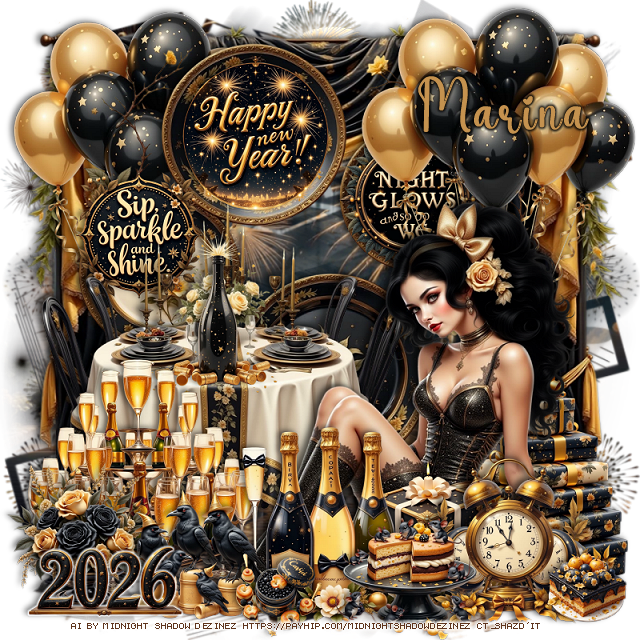
PTU Shine Bright 2026 Awaits


 This tut was written December 31st, 2025 for those with a basic knowledge of psp. 

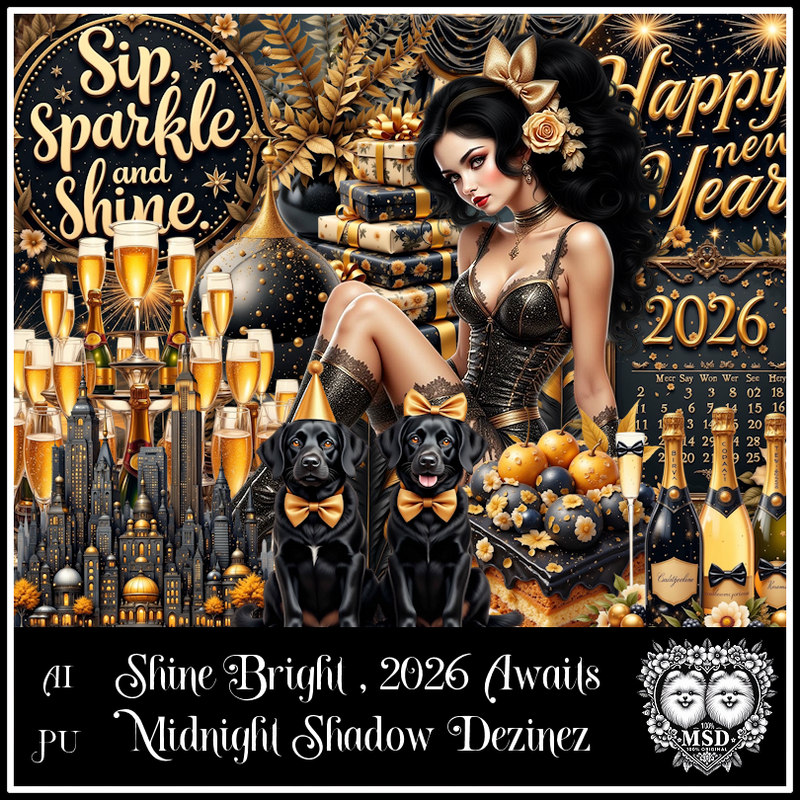
Awesome AI kit and tube by Midnight Shadow Dezinez

Everything used is included in the kit
Read the TOU on how to credit your tags

I used PSP2020...but any of them should work.
PTU Scrap Shine Bright 2026 Awaits by Midnight Shadow Dezinez  HERE
You can find all Midnight Shadow Dezinez kits HERE
Mask of choice, I used Simone's Mask 252 and 254 HERE
Check the blog HERE

Font of choice, I used Coffee Christmas

Drop shadow as you go is V -2 H -4, 50, 10, or use what you prefer.
Let's get started
*Remember to add your drop shadow as you go along*

Open a new image 800 x 800, resize paper 7 to 85%, paste mask 254,
then resize paper 4 to 85%, paste mask 252.
Erase the words showing at the bottom.

Resize 44 to 90%, paste, use the Pick tool to pull the sides out a little.
Resize 45 to 75%, paste.
Resize 43 to 25%, paste on the hanging plate.
Resize 19 to 20%, paste to the left of the wordart sign.
Resize 24 to 25%, paste on the hanging plate on the right.
Resize 35 to 60%, paste on the bottom left.
Resize 21 to 30%, paste on the table.

Resize 23 to 65%, paste on the bottom right above the table.
Resize 22 to 50%, paste below the tube at the upper right.
Resize 46 to 40%, paste below the tube on the bottom right.
Resize 34 to 25%, paste at the bottom above the tube.
Resize 31 to 40%, paste on the bottom left below the tube.
Resize 9 to 40%, paste at the bottom above the box.
Resize 27 to 30%, paste at the bottom right.
Resize 32 to 25%, paste at the bottom left.
Resize 17 to 25%, paste at the bottom by the clock.

Resize 11 to 25%, paste below the crows on the left.
Resize 38 to 15%, paste on the bottom by the bottles.
Resize 5 to 15%, paste at the bottom right.
Resize 4 to 25%, paste at the bottom left.
Duplicate the balloons, move to the left below the hanging plates.

Add any other elements that you would like, make it your own.
Always readjust your mask and elements how you like them before you
 merge your tag, resize, sharpen.

Crop your tag to be sure no shadows or lines are on the edges.
 Then add your copyright and name.
That's it

Hope you enjoyed doing my tut         

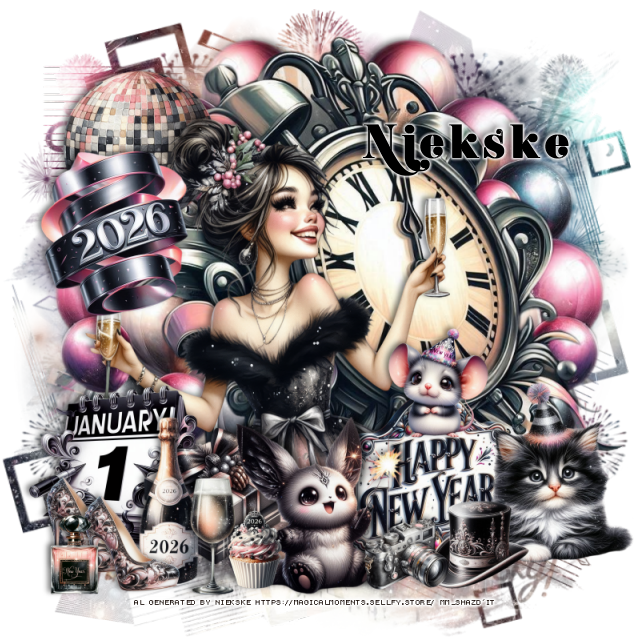
PTU MM 2026


 This tut was written December 30th, 2025 for those with a basic knowledge of psp.

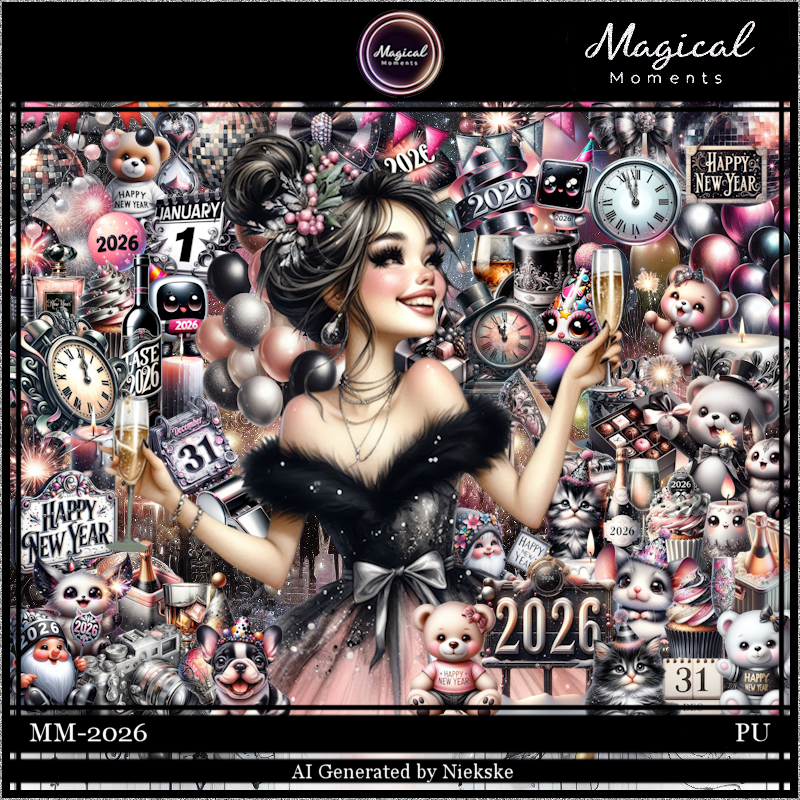
I am using an Awesome New Year Al kit by Magical Moments
The tube is included
Please read the TOU on how to credit your tags.

I used PSP2020...but any of them should work.
PTU Scrap MM 2026 by Magical Moments HERE  
Kit has 72 elements, 5 papers and 1 Al tube
Check out the rest of her store HERE   
Mask of choice, I used Simone's Mask 252 and 254 HERE
Check the blog HERE

Font of choice, I used K22 Didoni Swash

Drop shadow is V -2 H 4, 50, 10, color Black or use what you prefer.
Let's get started
*Remember to add your drop shadow as you go along*

Open a new layer 800 x 800, paste paper 4, apply mask 254 first, paste
paper 4 again, apply mask 252.

Resize 31 to 85%, paste.
Resize 42 to 90%, paste below the clock on the right, duplicate, mirror.
Resize 65 to 25%, paste at the upper left above the clock.
Resize 64 to 25%, paste at the upper left below the ribbon.

Resize the tube to 25%, paste above the clock.

Resize 18 to 25%, paste at the bottom above the tube to the right.
Resize 4 to 25%, paste at the bottom above the sign on the right.
Resize 21 to 25%, paste at the bottom left of the sign.
Resize 57 to 25%, paste on the bottom left above the tube.
Resize 59 to 20%, paste at the bottom below the cat to the left.
Resize 33 to 25%, paste at the bottom left.
Resize 30 to 20%, paste at the bottom by the bottle.

Resize 35 to 13%, paste at the bottom left, duplicate, move over.
Resize 25 to 12%, paste at the bottom.
Resize 53 to 15%, paste at the bottom by the cat.
Resize 9 to 10%, paste at the bottom by the hat.
Resize 47 to 15%, paste at the bottom by the shoes.
Resize 15 to 15%, paste on the sign on the right.

Add any other elements that you would like, make it your own.
Always readjust your mask and elements how you like them before you
 merge your tag, resize, sharpen.

Crop your tag to be sure no shadows or lines are on the edges.
 Then add your copyright and name.
That's it

Hope you enjoyed doing my tut.         

Sunday, December 28, 2025

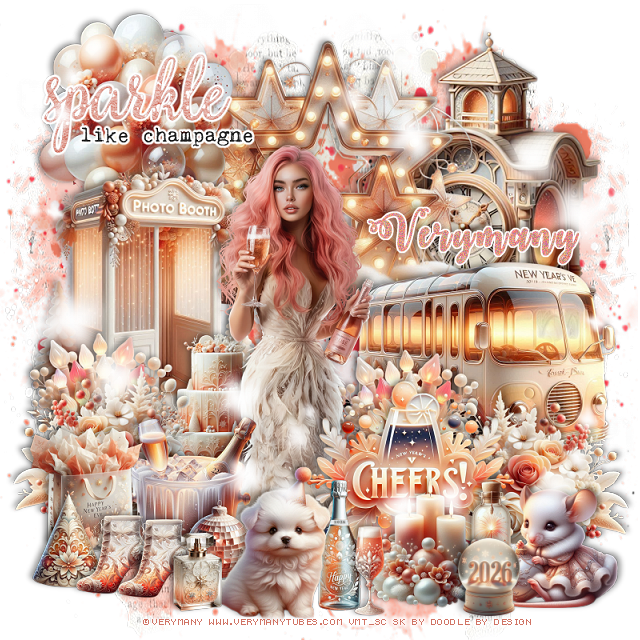
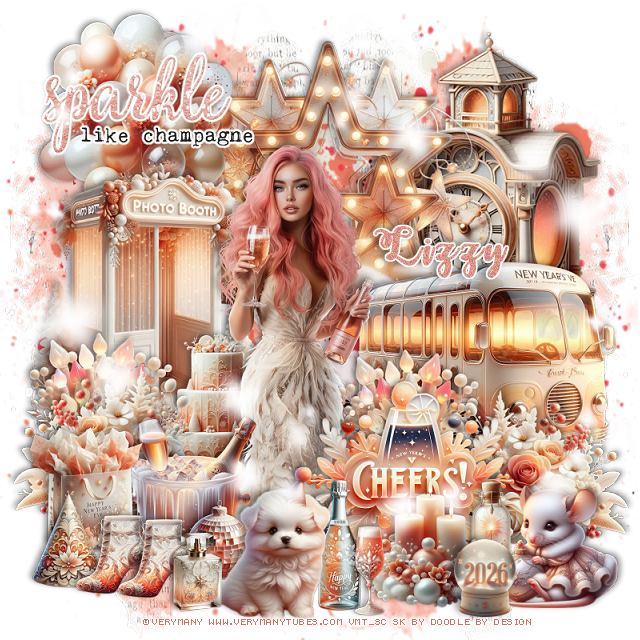
PTU Countdown to 2026


 This tut was written December 27th, 2025 for those with a basic knowledge of psp. 

I am using the beautiful tube by © Verymany

Tube is called Rose Champagne 2
You need a license to use this tube, please do not use without a license
You can find this tube at Verymany store HERE

I used PSP2020...but any of them should work.
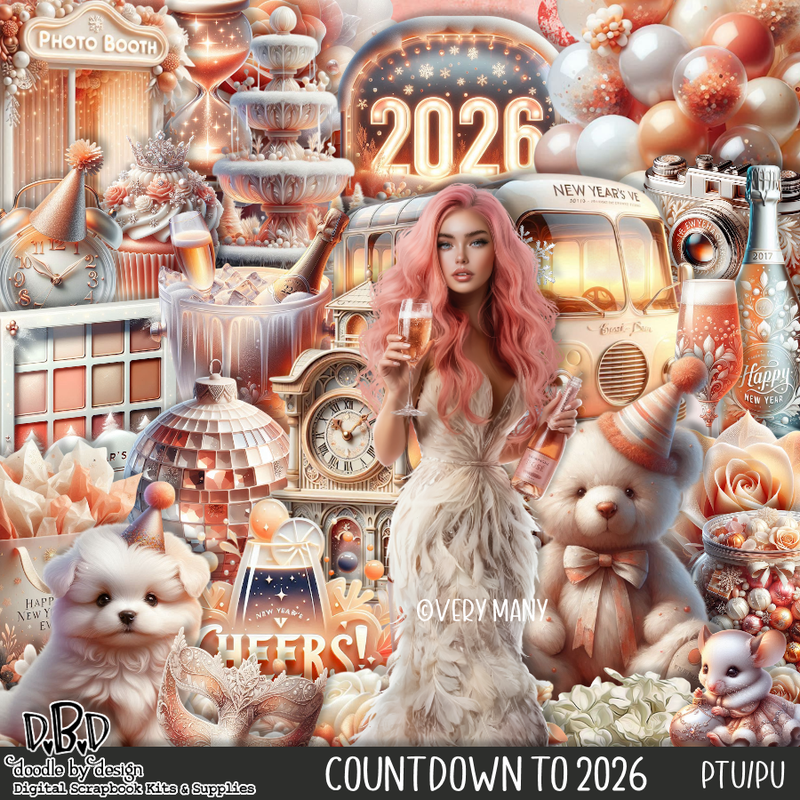
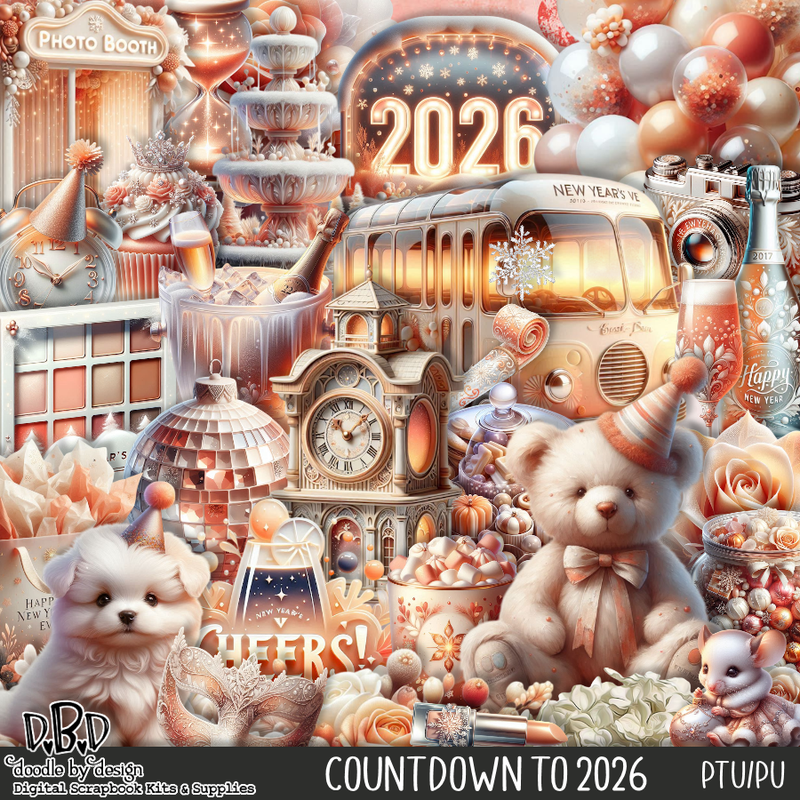
PTU Scrap Countdown to 2026 by Doodle by Design  HERE
You can find all Doodle by Design kits  HERE 

Font of choice, I used October Twilight

Drop shadow as you go is V -2 H 4, 40, 10, or use what you prefer.
Let's get started
*Remember to add your drop shadow as you go along*

Open a new image 800 x 800, paste 150 on the bottom layer on the left,
duplicate, mirror, as always adjust to your tag.
Paste 151 next adjust to fit the way you like.
Paste 153 next and adjust.

Resize 5 to 60%, paste at the top.
Resize 7 to 50%, paste on the right.
Resize 10 to 50%, paste on the left.
Resize 9 to 75%, paste on the upper right below the star.
Resize 4 to 50%, paste behind the picture booth at the top.
Resize 111 to 35%, paste on the bottom left above the picture booth,
duplicate, mirror, adjust at the bottom of the bus.
Resize 54 to 30%, paste on the left below the flowers, duplicate, move to 
the right of the tube behind the flowers.

Resize the tube to 30%, paste

Resize 23 to 30%, paste at the bottom above the tube.
Resize 13 to 30%, paste below the dog.
Resize 19 to 40%, paste on the bottom right above the tube.
Resize 2 to 25%, mirror, paste at the bottom right.
Resize wordart 2 to 40%, paste at the upper left, add a fat white gradient glow.
Resize 40 to 25%, paste at the bottom left.
Resize 39 to 18%, paste on the bottom left.
Resize 45 to 15%, paste a the bottom left, duplicate, move over.
Resize 48 to 15%, paste below the dog.

Resize 22 to 30%, paste below the tube on the left.
Resize 55 to 25%, paste at the bottom above the cheers sign.
Resize 37 to 25%, paste at the bottom, change the date on the bottle if you like.
Resize 36 to 17%, paste at the bottom.
Resize 56 to 20%, paste on the bottom right below the mouse.
Resize 53 to 15%, paste at the bottom by the mouse.
Resize 44 to 15%, paste at the bottom by the shoes and dog.
Paste 167 on the left where you like, duplicate, mirror, flip.

Add any other elements that you would like, make it your own.
Always readjust your mask and elements how you like them before you
 merge your tag, resize, sharpen.

Crop your tag to be sure no shadows or lines are on the edges.
 Then add your copyright and name.
That's it

Hope you enjoyed doing my tut

Tag for Lizzy   


Monday, December 22, 2025

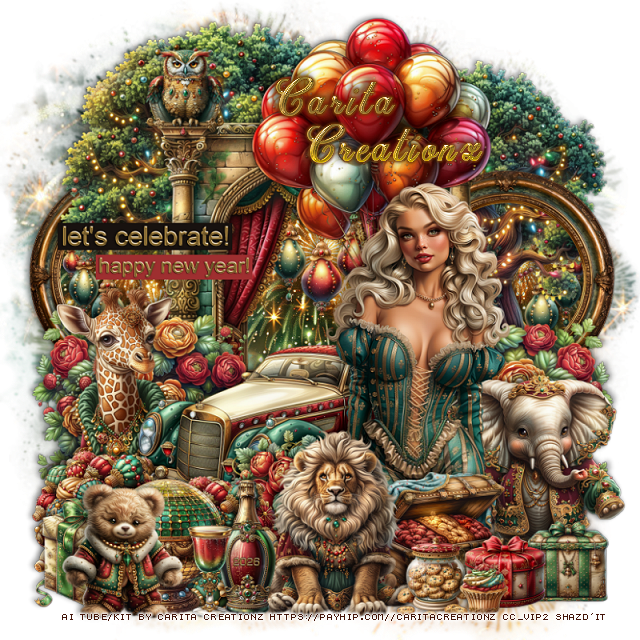
PTU New Year in Bloom


 This tut was written December 22nd, 2025 for those with a basic knowledge of psp. 

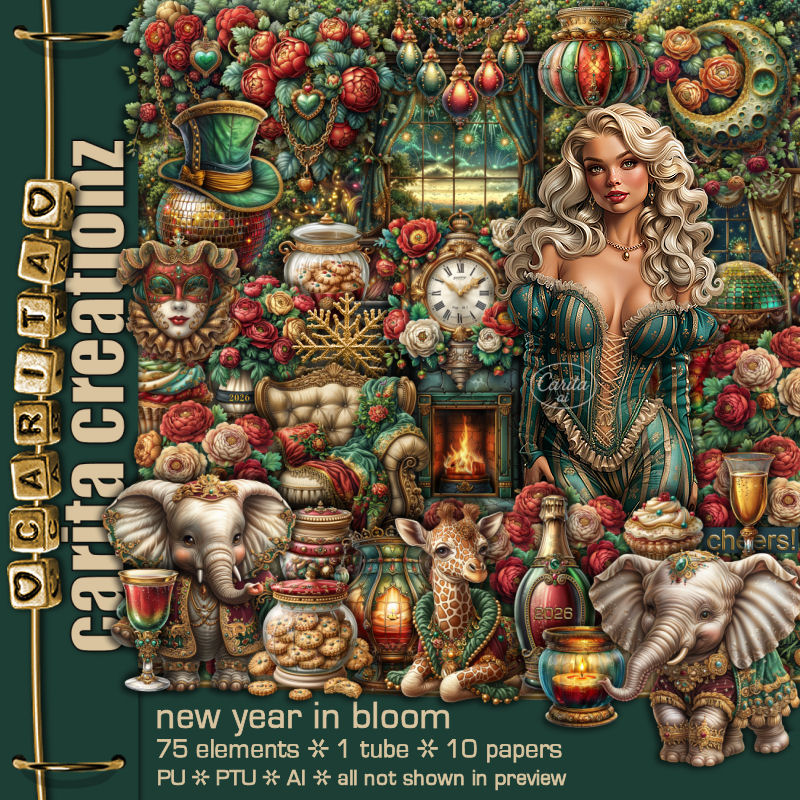
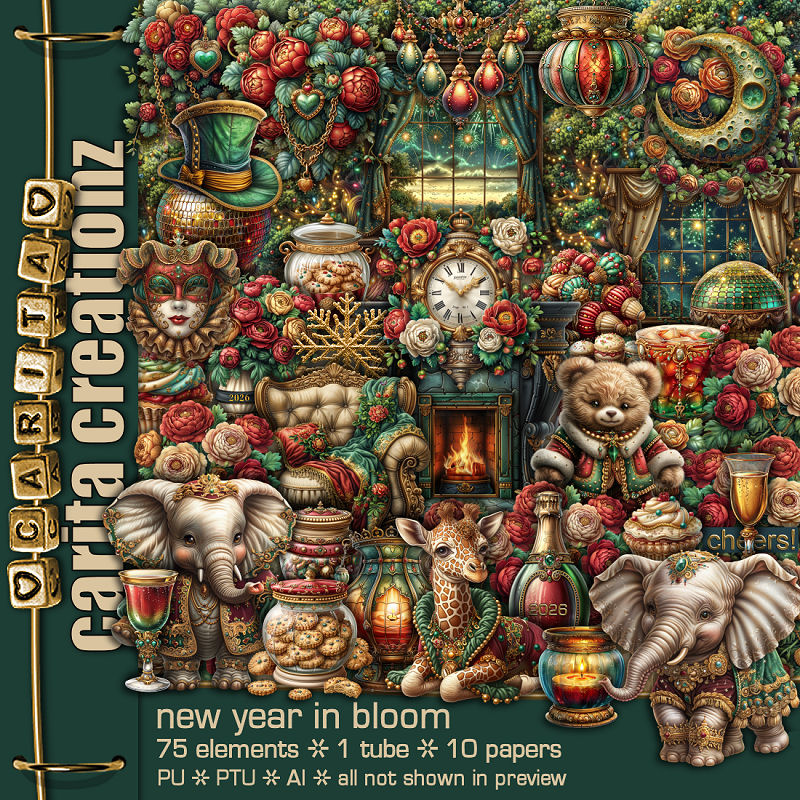
I am using the Awesome Al kit/tube by Carita Creationz
Tube is included
Please read the TOU on how to credit your tags

I used PSP2020...but any of them should work.
PTU Scrap New Year In Bloom by Carita Creationz  HERE
Kit has 75 elements and 10 papers and 1 tube.
Check her store out to see all her other kits and tubes HERE
DD Patriotic Mask 4 (blog is closed now)

Font of choice, I used Christmas Time

Drop shadow as you go is V -2 H 4, 50, 10, or use what you prefer.
Let's get started
*Remember to add your drop shadow as you go along*

Open a new image 800 x 800, paste paper 5, apply your mask.

Resize 19 to 65%, paste, click inside, resize paper 5 to 50%, 
paste, invert, delete.
Resize 47 to 60%, paste on the upper left, duplicate, move to the right
and down.
Resize 17 to 40%, paste on the left below the tree, click inside,
move the paper from the center frame to the left, erase any part outside,
duplicate the frame and paper, move to the right, move the tree into the 
frame part.
Resize 5 to 30%, paste in the frame large frame, duplicate twice, move
to each of the smaller frames.

Resize the tube to 50%, paste  to the right.

Resize 73 to 55%, paste at the top below the tube.
Resize 2 to 40%, paste on the left above the frame at the bottom.
Resize 74 to 40%, paste below the giraffe, duplicate, mirror.
Resize 27 to 50%, paste below the tube to the left.
Resize 33 to 30%, paste below the tube by the car.
Resize 69 to 25%, paste at the bottom above the tube.
Resize 10 to 35%, paste at the bottom above the chest.
Resize 1 to 35%, paste on the bottom right below the tube.
Resize 42 to 25%, paste at the bottom left, duplicate, move to the right 
a little below the lion.
Resize 56 to 25%, paste at the bottom left.

Resize 39 to 15%, paste at the bottom right above the elephant.
Resize 7 to 15%, paste at the bottom right above the gift.
Resize 26 to 15%, paste at the bottom above the gifts.
Resize 24 to 10%, paste by the cookie jar.
Resize 8 to 25%, paste at the bottom to the left of the lion.
Resize 11 to 17%, paste at the bottom.
Resize 61 to 15%, paste at the upper left on the large frame.
Resize 75 to 20%, paste on the bottom left above the globe.
Resize 3 to 25%, paste at the bottom left.
Resize 53 to 30%, paste on the left up on the frame.
Resize 54 to 25%, paste on the left by the other wordart.

Add any other elements that you would like, make it your own.
Always readjust your mask and elements how you like them before you
 merge your tag, resize, sharpen.
Crop your tag to be sure no shadows or lines are on the edges.
 Then add your copyright and name.
That's it

Hope you enjoyed doing my tut.          

Sunday, December 21, 2025

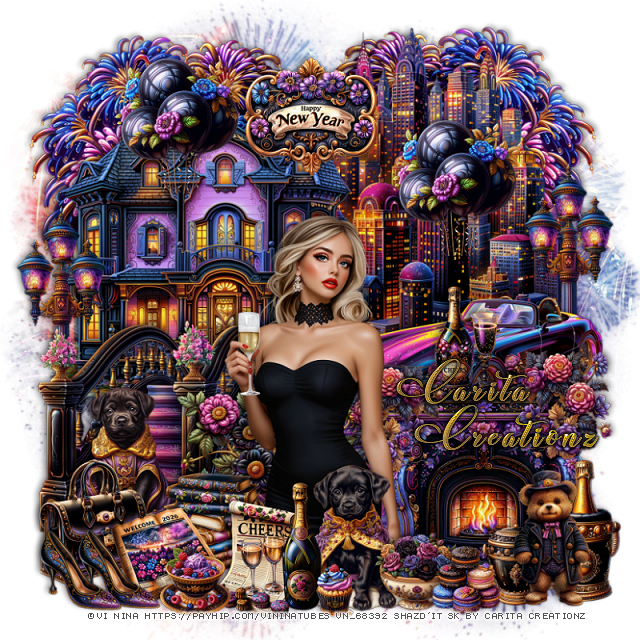
PTU Cheers


   This tut was written December 21st, 2025 for those with a basic knowledge of psp. 

I am using the Awesome tube ©Vi Nina
The tube is called Cheers
The tube is NOT included, comes in several colors
You need a license to use this tube, please do not use without a license
You can find this tube at her store HERE

I used PSP2020...but any of them should work.
PTU Scrap match Cheers by Carita Creationz  HERE
Kit has 60 elements, 10 papers
Check her store out to see all her other kits and tubes HERE
DD Patriotic Mask 4 (blog is closed now)

Font of choice, I used Christmas Wish Calligraphy

Drop shadow as you go is V -2 H 4, 50, 10, or use what you prefer.
Let's get started
*Remember to add your drop shadow as you go along*

Open a new image 800 x 800, paste paper 2, apply your mask.

Resize 32 to 65%, paste on the upper right.
Resize 58 to 55%, paste at the upper left.
Resize 42 to 50%, paste below the city scape, duplicate, mirror, adjust
behind the house.
Resize 36 to 50%, paste on the right at the bottom of the city scape.
Resize 25 to 30%, paste below the car, duplicate, move to the
left by the house.
Resize 59 to 45%, paste on the left above the street light.
Resize 29 to 27%, paste on the steps.
Resize 24 to 40%, paste on the bottom right above the steps layer.
Resize 18 to 20%, paste above the fireplace on the left, duplicate,
mirror, move on the right on the fireplace.

Resize the tube to 38%, paste above the flowers layer.

Resize 10 to 35%, paste behind the tube to the left.
Resize 60 to 25%, paste at the bottom right above the fireplace.
Resize 53 to 15%, paste at the bottom right.
Resize 54 to 25%, paste at the bottom right.
Resize 8 to 27%, paste at the bottom above the tube.

Resize 23 to 15%, paste at the bottom above the dog by the tube.
Resize 15 to 13%, paste at the bottom above the bowl of flowers.
Resize 57 to 20%, paste at the bottom to the left of the dog.
Resize 51 to 25%, paste at the bottom by the books.
Resize 30 to 25%, paste at the top above the house and city scape.
Resize 52 to 20%, paste on top of the fireplace below the flowers.
Resize 5 to 15%, paste on the fireplace.

Resize 7 to 23%, paste on the bottom left.
Resize 44 to 20%, paste at the bottom left, below the cheers paper.
Resize 9 to 15%, paste at the bottom left, duplicate, move over.
Resize 16 to 10%, paste at the bottom.
Resize 20 to 13%, paste at the bottom by the papers.
Resize 43 to 25%, paste at the top on the city scape, duplicate, move
above the house.

Add any other elements that you would like, make it your own.
Always readjust your mask and elements how you like them before you
 merge your tag, resize, sharpen.
Crop your tag to be sure no shadows or lines are on the edges.
 Then add your copyright and name.
That's it

Hope you enjoyed doing my tut.   

Tag for Nina   


Tuesday, December 16, 2025

PTU Happy New Year 2026


This tut was written December 15th, 2025,  for those with a basic knowledge of psp. 

Beautiful Al kit/tubes by Bella Caribeña
Everything is included in the kit
Read the TOU on how to credit your tags

I used PSP2020...but any of them should work.
PTU Scrap Happy New Year 2026 by Bella Caribeña  HERE
New Year Theme
Kit contains 3 Al gen tubes, 125 elements, 19 papers and a Bonus pk
You can check out the rest of her store HERE 

Font of choice I used French Script MT

 Drop shadow as you go is V -2 H 4, 50, 10, or use what you prefer.
Let's get started
*Remember to add your drop shadow as you go along*

Open a new image 800 x 800, paste element 27, adjust to fit your tag,

Resize element 5 to 70%, paste on the bottom left.
Resize element 61 to 50%, paste on the bottom right.
Resize element 69 to 60%, paste below the fireplace, duplicate, move to
the left behind the piano.
Resize element 90 to 105%, paste behind the windows.
Resize element 81 to 40%, paste above the windows at the top.
Resize element 38 to 25%, paste on the right below the fireplace in 
front of the window.

Resize tube 1 to 30%, paste above the piano to the right.

Resize element 89 to 30%, mirror, paste below the tube on the left.
Resize element 37 to 50%, paste on the left above the piano.
Resize element 74 to 30%, paste on the bottom right.
Resize element 40 to 30%, paste at the bottom above the tube.
Resize element 54 to 30%, paste at the bottom below the bottle.
Resize element 57 to 40%, paste at the bottom below the drinks.
Resize element 31 to 30%, paste on the bottom left above the piano.
Resize element 4 to 30%, paste on the bottom left below the bottle.
Resize element 96 to 30%, paste on the upper right on the window.

Resize element 52 to 20%, paste at the bottom left.
Resize element 88 to 15%, duplicate twice more and place at the 
bottom where you like.
Resize element 49 to 13%, duplicate several times and paste on the 
bottom where you like.
Paste element 123 on the left.

Add any other elements you would like, resize.
Crop your tag to be sure no shadows or lines are on the edges.
 Then add your copyright and name.
That's it

            Hope you enjoyed doing my tut