Monday, December 22, 2025

PTU Reindeer Princess


 This tut was written December 22nd, 2025 for those with a basic knowledge of psp. 

I am using the beautiful tube by ©Verymany

Tube is called Reindeer Princess
You need a license to use this tube, please do not use without a license
You can find this tube at Verymany store HERE

I used PSP2020...but any of them should work.
PTU Scrap Reindeer Princess by Starlite and Soul  HERE
"Tube is NOT Included"
You can find all Starlite and Soul kits  HERE 
Mask of choice, I used RD Mask 713 HERE
Check the blog HERE

Font of choice, I used Coffee Christmas

Drop shadow as you go is V -2 H 4, 50, 10, or use what you prefer.
Let's get started
*Remember to add your drop shadow as you go along*

Open a new image 800 x 800, paste paper 17 apply your mask.

Resize 1 to 90%, paste on the upper left.
Resize frame 1 to 65%, paste on the upper right below the castle,
click inside, paste paper 15, invert, delete.
Resize the tube to 30%, paste to the right.
Resize 105 to 40%, paste on the bottom left, duplicate, move to the
right above the tube, resize smaller to 75%.
Resize 37 to 55%, paste on the bottom left below the tube.
Resize 103 to 40%, paste at the bottom of the sled.
Resize 45 to 20%, paste at the bottom above the tube.

Resize 100 to 50%, paste on the right below the mushrooms.
Resize 49 to 25%, paste at the bottom right by the mushrooms.
Resize 113 to 45%, paste on the right above the frame.
Resize 81 to 40%, paste on the bottom left above the log.
Resize 65 to 30%, paste at the bottom.
Resize 23 to 20%, paste at the bottom left.
Resize 31 to 15%, paste at the bottom.
Resize 51 to 20%, paste at the bottom.
Resize 39 to 15%, paste at the bottom.
Resize 27 to 15%, paste at the bottom left.
Resize 21 to 40%, paste at the bottom right.
Resize 44 to 35%, paste on the castle on the upper left.
Paste element 185 on the left how you like.

Add any other elements that you would like, make it your own.
Always readjust your mask and elements how you like them before you
 merge your tag, resize, sharpen.

Crop your tag to be sure no shadows or lines are on the edges.
 Then add your copyright and name.
That's it

Hope you enjoyed doing my tut

Tag for Lizzie


PTU New Year in Bloom


 This tut was written December 22nd, 2025 for those with a basic knowledge of psp. 

I am using the Awesome Al kit/tube by Carita Creationz
Tube is included
Please read the TOU on how to credit your tags

I used PSP2020...but any of them should work.
PTU Scrap New Year In Bloom by Carita Creationz  HERE
Kit has 75 elements and 10 papers and 1 tube.
Check her store out to see all her other kits and tubes HERE
DD Patriotic Mask 4 (blog is closed now)

Font of choice, I used Christmas Time

Drop shadow as you go is V -2 H 4, 50, 10, or use what you prefer.
Let's get started
*Remember to add your drop shadow as you go along*

Open a new image 800 x 800, paste paper 5, apply your mask.

Resize 19 to 65%, paste, click inside, resize paper 5 to 50%, 
paste, invert, delete.
Resize 47 to 60%, paste on the upper left, duplicate, move to the right
and down.
Resize 17 to 40%, paste on the left below the tree, click inside,
move the paper from the center frame to the left, erase any part outside,
duplicate the frame and paper, move to the right, move the tree into the 
frame part.
Resize 5 to 30%, paste in the frame large frame, duplicate twice, move
to each of the smaller frames.

Resize the tube to 50%, paste  to the right.

Resize 73 to 55%, paste at the top below the tube.
Resize 2 to 40%, paste on the left above the frame at the bottom.
Resize 74 to 40%, paste below the giraffe, duplicate, mirror.
Resize 27 to 50%, paste below the tube to the left.
Resize 33 to 30%, paste below the tube by the car.
Resize 69 to 25%, paste at the bottom above the tube.
Resize 10 to 35%, paste at the bottom above the chest.
Resize 1 to 35%, paste on the bottom right below the tube.
Resize 42 to 25%, paste at the bottom left, duplicate, move to the right 
a little below the lion.
Resize 56 to 25%, paste at the bottom left.

Resize 39 to 15%, paste at the bottom right above the elephant.
Resize 7 to 15%, paste at the bottom right above the gift.
Resize 26 to 15%, paste at the bottom above the gifts.
Resize 24 to 10%, paste by the cookie jar.
Resize 8 to 25%, paste at the bottom to the left of the lion.
Resize 11 to 17%, paste at the bottom.
Resize 61 to 15%, paste at the upper left on the large frame.
Resize 75 to 20%, paste on the bottom left above the globe.
Resize 3 to 25%, paste at the bottom left.
Resize 53 to 30%, paste on the left up on the frame.
Resize 54 to 25%, paste on the left by the other wordart.

Add any other elements that you would like, make it your own.
Always readjust your mask and elements how you like them before you
 merge your tag, resize, sharpen.
Crop your tag to be sure no shadows or lines are on the edges.
 Then add your copyright and name.
That's it

Hope you enjoyed doing my tut.          

Sunday, December 21, 2025

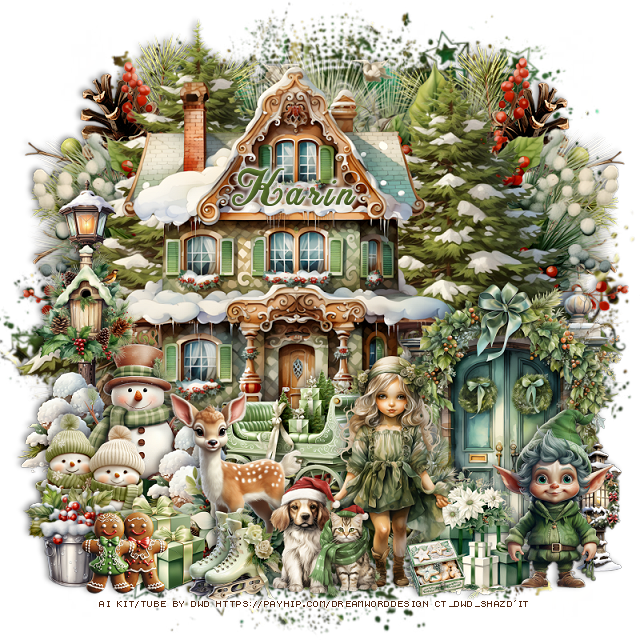
PTU Winter Moments


  This tut was written December 21st, 2025 for those with a basic knowledge of psp. 

I am using the beautiful tube ©Vi Nina
Tube is called Winter Moments
The tube is NOT included
You need a license to use this tube, please do not use without a license
You can find the tube at her store HERE

I used PSP2020...but any of them should work.
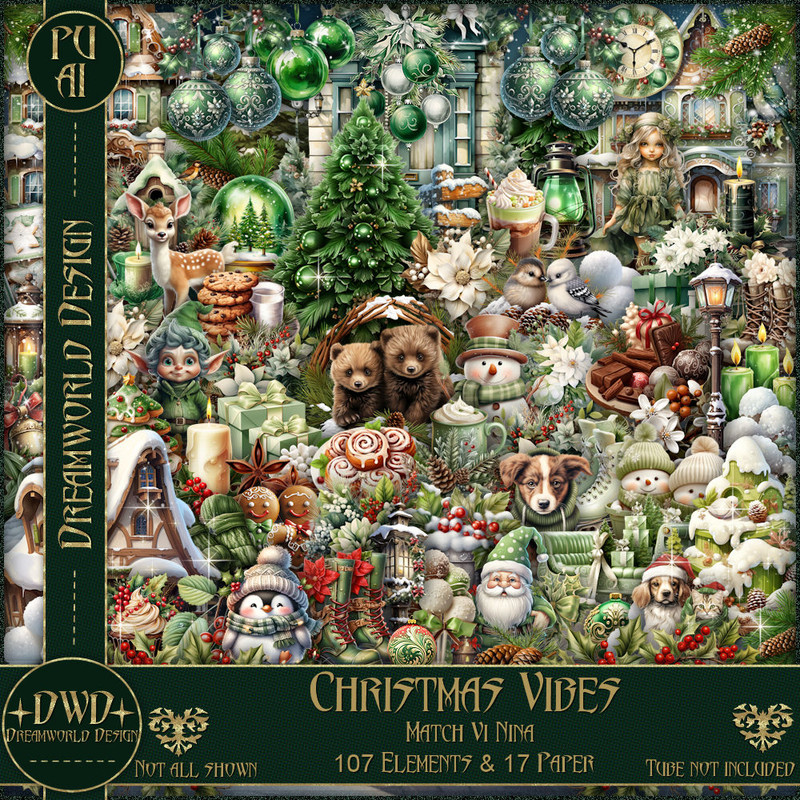
PTU Scrap Winter Moments match by DWD  HERE
Beautiful kit with 111 elements, 25 papers.
You can find all Dreamworld Design kits  HERE
Miz TeeQues's Mask 297 HERE
Check the blog out HERE

Font of choice, I used Christmas Time

Drop shadow as you go is V -2 H -4, 50, 10, or use what you prefer
Let's get started
*Remember to add your drop shadow as you go along*

Open a new image 800 x 800, paste paper 22, apply your mask.

Resize 98 to 60%, paste at the upper left.
Resize 99 to 50%, paste on the right.
Resize 101 to 75%, paste behind the house on the upper left, duplicate,
move to the right and down.
Resize 42 to 40%, paste below the house on the right, duplicate, mirror.
Resize 2 to 40%, paste on the bottom right by the house.
Resize 103 to 50%, paste above the snowman.
Resize 44 to 50%, paste above the car.
Resize 68 to 50%, paste on the left below the window.
Resize 31 to 30%, paste on the left below the deer.
Resize 5 to 30%, paste above the deer.

Resize the tube to 35%, paste at the bottom above the window.
Resize 56 to 55%, paste on the left below the tube.
Resize 82 to 40%, paste at the bottom above the tube.
Resize 47 to 35%, paste at the bottom above the chair.
Resize 18 to 20%, paste at the bottom.
Resize 39 to 35%, paste on the left below the fence.
Resize 73 to 35%, paste at the bottom above the suitcase.
Resize 49 to 35%, paste at the bottom below the bear.

Resize 26 to 35%, paste on the left below the chair.
Resize element 63 to 40%, paste at the bottom right.
Resize 60 to 30%, paste at the bottom below the boots.
Resize 31 to 25%, paste at the bottom above the boots.
Resize 70 to 40%, paste at the bottom left.
Resize 58 to 40%, paste at the bottom above the car.
Resize 10 to 25%, paste at the bottom.
Resize 40 to 25%, paste at the bottom left.
Resize 14 to 25%, paste on the chair.
Resize 100 to 30%, paste at the upper left, duplicate, mirror, move 
down a little.
Resize 79 to 30%, paste at the bottom right.
Resize wordart 1 to 50%, paste at the top, change the blend mode 
to Luminance(L).
Paste 110 at the bottom, duplicate, mirror, flip, move to the top.

Add any other elements that you would like, make it your own.
Always readjust your mask and elements how you like them before you
 merge your tag, resize, sharpen.

Crop your tag to be sure no shadows or lines are on the edges.
 Then add your copyright and name.
That's it

Hope you enjoyed doing my tut     
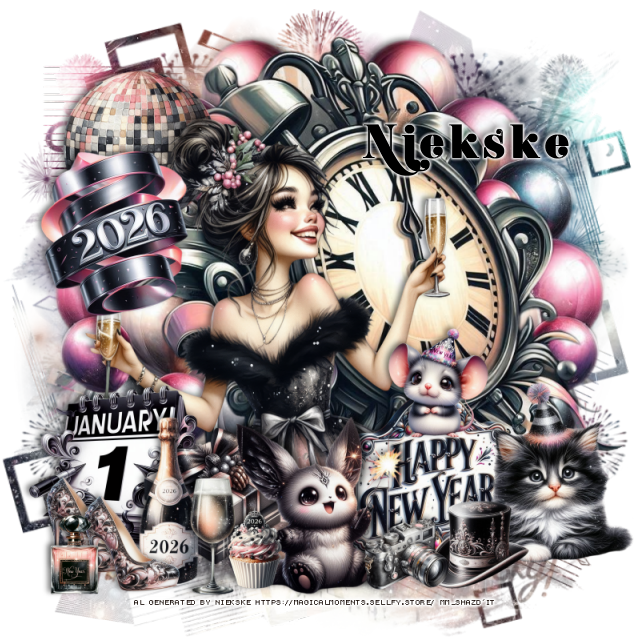
Tag for Nina


PTU Cheers


   This tut was written December 21st, 2025 for those with a basic knowledge of psp. 

I am using the Awesome tube ©Vi Nina
The tube is called Cheers
The tube is NOT included, comes in several colors
You need a license to use this tube, please do not use without a license
You can find this tube at her store HERE

I used PSP2020...but any of them should work.
PTU Scrap match Cheers by Carita Creationz  HERE
Kit has 60 elements, 10 papers
Check her store out to see all her other kits and tubes HERE
DD Patriotic Mask 4 (blog is closed now)

Font of choice, I used Christmas Wish Calligraphy

Drop shadow as you go is V -2 H 4, 50, 10, or use what you prefer.
Let's get started
*Remember to add your drop shadow as you go along*

Open a new image 800 x 800, paste paper 2, apply your mask.

Resize 32 to 65%, paste on the upper right.
Resize 58 to 55%, paste at the upper left.
Resize 42 to 50%, paste below the city scape, duplicate, mirror, adjust
behind the house.
Resize 36 to 50%, paste on the right at the bottom of the city scape.
Resize 25 to 30%, paste below the car, duplicate, move to the
left by the house.
Resize 59 to 45%, paste on the left above the street light.
Resize 29 to 27%, paste on the steps.
Resize 24 to 40%, paste on the bottom right above the steps layer.
Resize 18 to 20%, paste above the fireplace on the left, duplicate,
mirror, move on the right on the fireplace.

Resize the tube to 38%, paste above the flowers layer.

Resize 10 to 35%, paste behind the tube to the left.
Resize 60 to 25%, paste at the bottom right above the fireplace.
Resize 53 to 15%, paste at the bottom right.
Resize 54 to 25%, paste at the bottom right.
Resize 8 to 27%, paste at the bottom above the tube.

Resize 23 to 15%, paste at the bottom above the dog by the tube.
Resize 15 to 13%, paste at the bottom above the bowl of flowers.
Resize 57 to 20%, paste at the bottom to the left of the dog.
Resize 51 to 25%, paste at the bottom by the books.
Resize 30 to 25%, paste at the top above the house and city scape.
Resize 52 to 20%, paste on top of the fireplace below the flowers.
Resize 5 to 15%, paste on the fireplace.

Resize 7 to 23%, paste on the bottom left.
Resize 44 to 20%, paste at the bottom left, below the cheers paper.
Resize 9 to 15%, paste at the bottom left, duplicate, move over.
Resize 16 to 10%, paste at the bottom.
Resize 20 to 13%, paste at the bottom by the papers.
Resize 43 to 25%, paste at the top on the city scape, duplicate, move
above the house.

Add any other elements that you would like, make it your own.
Always readjust your mask and elements how you like them before you
 merge your tag, resize, sharpen.
Crop your tag to be sure no shadows or lines are on the edges.
 Then add your copyright and name.
That's it

Hope you enjoyed doing my tut.   

Tag for Nina   


Saturday, December 20, 2025

PTU Penquins Baking


  This tut was written December 20th, 2025,  for those with a basic knowledge of psp. 

Beautiful Al kit/tubes by Bella Caribeña
Everything is included in the kit
Read the TOU on how to credit your tags

I used PSP2020...but any of them should work.
PTU Scrap Penquins Baking by Bella Caribeña  HERE
Christmas Theme
Kit contains 6 Al gen tubes, 137 elements, 22 papers and 3 masks
You can check out the rest of her store HERE 

Font of choice I used Coffee Christmas

 Drop shadow as you go is V -2 H 4, 50, 10, or use what you prefer.
Let's get started
*Remember to add your drop shadow as you go along*

Open a new image 800 x 800, paste element 3, move to the left, duplicate,
mirror, adjust to fit your tag,

Resize 49 to 65%, paste at the top off center to the left a little.
Paste 135 below the window on the right, duplicate, mirror, move below.
Resize 84 to 85%, paste on the right above the window.
Resize 100 to 65%, paste on the left of the stove.
Resize 18 to 50%, paste at the upper right, add a fat white gradient glow.
Resize 137 to 30%, paste at the top on the window.
Resize 30 to 20%, paste at the top.
Resize 68 to 15%, paste on the upper left on the window, duplicate, 
mirror, move below the wordart.

Resize 3 to 38%, paste at the bottom above the stoves.
Resize 123 to 30%, paste at the bottom left above Santa.
Resize 122 to 27%, paste at the bottom to the right of Santa.
Resize 61 and 65 to 25%, paste at the bottom by each cake.
Resize 64 to 35%, paste on the bottom right.
Resize 105 to 30%, paste on the bottom left.
Resize 56 to 35%, paste on the bottom left.
Resize 102 to 20%, paste on the bottom right.
Resize 70 to 20%, paste at the bottom to the left.
Resize 52 to 15%, paste at the bottom.
Resize 124 to 15%, paste at the bottom above the penquins.
Resize 126 to 15%, paste at the bottom left.
Resize 117 to 12%, paste at the bottom.
Resize 33 to 110%, paste at the bottom on the bottom layer.

Add any other elements you would like, resize.
Crop your tag to be sure no shadows or lines are on the edges.
 Then add your copyright and name.
That's it

            Hope you enjoyed doing my tut          
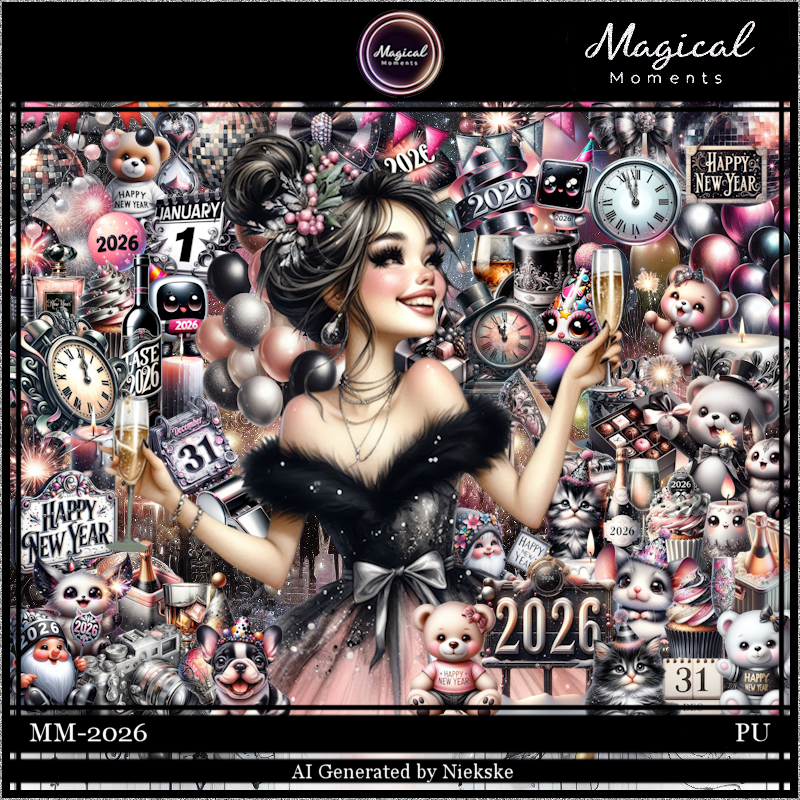
PTU Winter Sapphire


This tut was written December 20th, 2025 for those with a basic knowledge of psp. 

I am using the beautiful tube by © Amber

Tube is called Winter Sapphire
You need a license to use this tube, please do not use without a license
You can find this tube at Amber store HERE

I used PSP2020...but any of them should work.
PTU Scrap Winter Sapphire by Doodle by Design  HERE
You can find all Doodle by Design kits  HERE 
Mask of choice, I used RD mask 827 HERE
Check the blog HERE
Filter
Mura Meister Copies-Encircle

Font of choice, I used Coffee Christmas

Drop shadow as you go is V -2 H 4, 40, 10, or use what you prefer.
Let's get started
*Remember to add your drop shadow as you go along*

Open a new image 800 x 800, paste paper 23, apply your mask

Resize frame 8 to 60%, paste, click inside, resize paper 3 to 40%, paste,
invert, delete.
Resize 102 to 25%, apply Mura Meister Copies-Encircle,
first 3 numbers on 18, 65, 55, paste below the frame.
Resize wordart 1 to 50%, paste at the upper right above the frame,
add a fat white gradient glow.

Resize the tube to 25%, paste.

Resize 29 to 40%, paste below the tube on the bottom right, duplicate, mirror.
Resize 72 to 50%, paste on the left below the branches.
Resize 38 to 45%, paste at the bottom left above the tube.
Paste 46 below the house.
Paste element 41 above the tree to the right a little.
Resize 53 and 60 to 30%, paste on the bottom right above the tube.
Resize 70 to 27%, paste at the bottom below the bags to the left.
Resize 10 to 30%, paste at the bottom left above the bench.
Resize 59 to 35%, paste on the bottom right below the gifts.
Resize element 44 to 30%, paste at the bottom left above the books and horse.

Resize 43 to 25%, paste at the bottom right.
Resize 79 to 20%, paste at the bottom.
Resize 31 to 15%, paste at the bottom.
Resize element 6 to 12%, paste at the bottom left.
Resize element 47 to 25%, paste at the bottom.
Resize 4 to 10%, paste at the bottom left, duplicate, move to the right
 by the dog, duplicate again, move by the mouse.
Paste 154 at the bottom being on the top layer.
Mirror 137, paste on the right how you like.

Add any other elements that you would like, make it your own.
Always readjust your mask and elements how you like them before you
 merge your tag, resize, sharpen.

Crop your tag to be sure no shadows or lines are on the edges.
 Then add your copyright and name.
That's it

Hope you enjoyed doing my tut
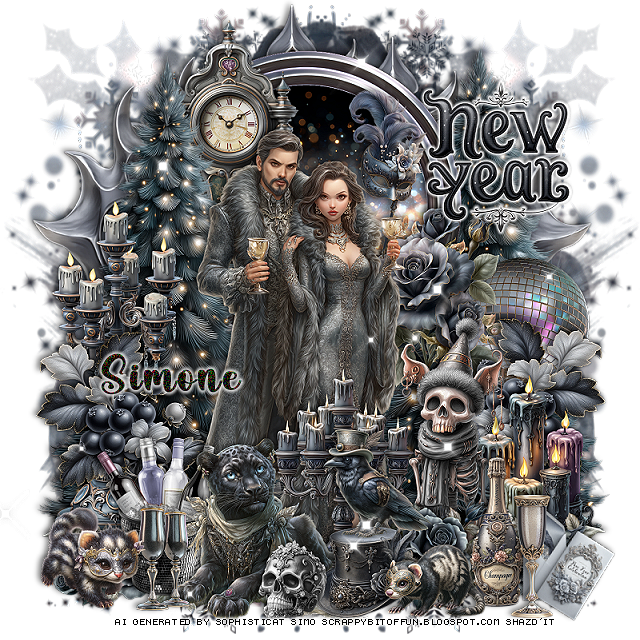
Tag for Lizzy 


PTU Wintery


This tut was written December 20th, 2025 for those with a basic knowledge of psp.

I am using an Awesome Christmas Al kit by Magical Moments
The tube is included
Please readn the TOU on how to credit your tags.

I used PSP2020...but any of them should work.
PTU Scrap Wintery by Magical Moments HERE  
Kit has 101 elements and 5 papers 
Check out the rest of her store HERE   
Mask of choice, I used RD Mask 673 HERE
Check the blog HERE

Font of choice, I used Christmas Day

Drop shadow is V -2 H 4, 40, 10, color Black or use what you prefer.
Let's get started
*Remember to add your drop shadow as you go along*

Open a new layer 800 x 800, paste paper 3, apply your mask.

Paste 29 above the mask layer.
Resize 38 to 75%, paste on the left.
Resize 8 to 50%, paste at the bottom above the tree.
Resize the tube to 20%, mirror, paste on the bottom right.
Resize 57 to 30%, mirror, paste at the bottom left.
Resize 26 to 30%, paste on the left below the tree.

Resize 13 to 15%, paste at the bottom by the snowman.
Resize 22 to 15%, paste at the bottom by the snowballs.
Resize 2 to 35%, paste at the bottom right above the tube.
Resize 10 to 8%, paste on the stump.
Resize 18 to 12%, paste at the bottom by the stump.
Resize 99 to 20%, paste at the bottom by the skates.
Resize 96 to 10%, paste at the bottom by the mouse.
Resize 21 to 30%, mirror, paste below the tube on the right.
Resize 100 to 17%, paste on the bottom right above the stump.

Resize 1 to 50%, paste at the bottom right on the bottom below the mask,
duplicate, mirror.
Resize 35 to 25%, apply Mura Meister Copies-Encircle, first 3 
numbers on 14, 60, 60, move below the mask layer.
Resize 39 to 25%, apply Mura Meister Copies-Encircle, first 3 
numbers on 14, 60, 60, move below the branch circle. 
Resize 91 to 20%, mirror, paste at the bottom left by the snowman.
Resize element 30 to 10%, paste at the bottom left.
Resize 45 to 12%, paste at the bottom.
Resize 35 to 25%, free rotate to the right at 25, paste on the frame 
below the tube.
Optional
Once happy with your tag, merge together, duplicate, go to Adjust, 
Blur, Gaussian blur on 5, change the blend mode to Soft Light,
sharpen both tags, merge together.

Add any other elements that you would like, make it your own.
Always readjust your mask and elements how you like them before you
 merge your tag, resize, sharpen.

Crop your tag to be sure no shadows or lines are on the edges.
 Then add your copyright and name.
That's it

Hope you enjoyed doing my tut.